

 100% Security Verified | No Subscription Required | No Malware


 ChatGPT
 Perplexity
 Gemini
 Claude
 Grok
Grok
These Pinterest lifestyle LUTs soft tone inspired filters in Filmora help content creators turn everyday clips into dreamy, scroll-stopping aesthetic videos with muted hues, creamy highlights, and gentle contrast.
Use these 12 filters to build a cohesive Pinterest-ready feed for vlogs, routines, workspace tours, and cozy daily moments, all with a soft and modern lifestyle tone.
In this article
Soft Morning Routines and Cozy Starts
Soft Dawn Glow
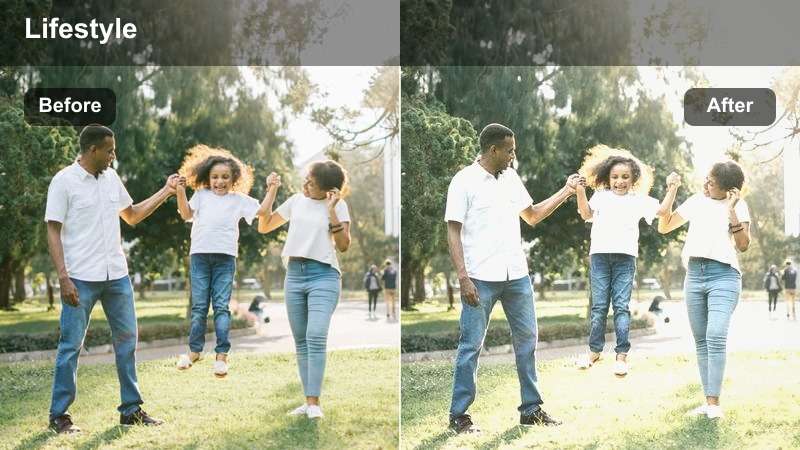
- Effect look: Gentle pastel wash with lifted shadows and a milky glow over whites for a calm, early-morning Pinterest feel.
- Best for: Morning routines, skincare, journaling, and quiet coffee moments by the window.
- Editing tip: Lower the contrast slider slightly and add a touch of film grain to enhance the dreamy, just-woke-up atmosphere.
Soft Dawn Glow wraps your clips in a pastel veil, brightening whites and softly lifting shadows so your morning scenes feel airy instead of harsh. Whites take on a milky character while colors are gently muted, giving your vlogs that signature Pinterest-style softness without losing skin tone detail.
In Filmora, start by balancing exposure so your window and bedding are not blown out, then apply Soft Dawn Glow and slightly pull down contrast for a hazy, calm finish. Add a bit of film grain and slower cuts on your skincare, journaling, or first-sip-of-coffee shots to build a consistent, dreamy morning routine sequence.
Match Your Pinterest Lifestyle Palette with AI Tools
Filmora AI color tools make it simple to match Soft Dawn Glow and other presets to the exact Pinterest mood board you are working from. You can keep your highlights creamy while dialing in subtle pastels that echo your favorite pins.
Import a screenshot of your inspiration board, use AI to analyze dominant hues, then fine-tune exposure, temperature, and saturation so every clip feels like part of one cohesive lifestyle grid.
 secure download

Preview Soft Tone Filters in Real Time
With Filmora, you can preview all 12 Pinterest lifestyle soft tone filters on the same clip in real time. This makes it easy to compare how each preset treats whites, skin tones, and pastel accents before you commit.
Drop a short morning routine or desk clip on the timeline, then hover over each filter to watch how the mood shifts instantly in the preview window until you find the one that best suits your aesthetic.
secure download1000+ Video Filters and 3D LUTs
Beyond these Pinterest lifestyle soft tone presets, Filmora includes hundreds of additional filters and 3D LUTs so you can refine contrast, match cameras, and build a distinct signature look. You can start with a gentle LUT for base correction, then stack a lifestyle filter to finish the aesthetic.
Use the HSL and color tools alongside LUTs to tweak individual color ranges, pushing distracting hues down while protecting your neutral, creamy lifestyle palette for feeds on Pinterest, Instagram, and YouTube.
secure downloadLinen Mist
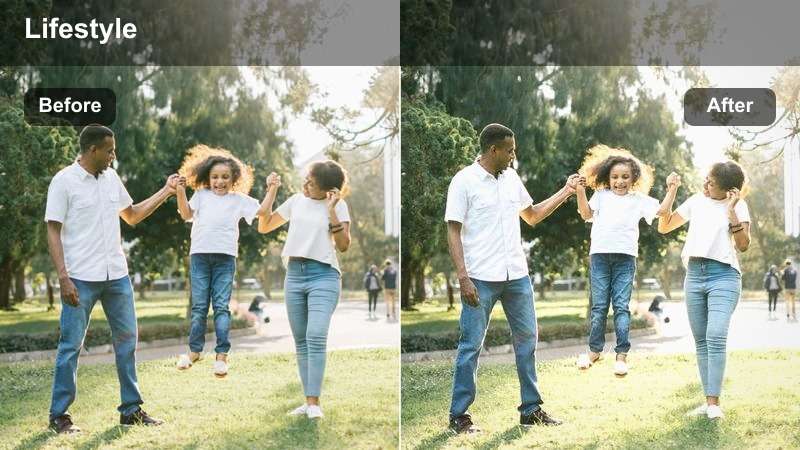
- Effect look: Muted neutrals with a slight beige tint, softened contrast, and delicate warmth for a clean lifestyle vibe.
- Best for: Minimal morning vlogs, bed-making clips, wardrobe shots, and home organization content.
- Editing tip: Desaturate highly saturated colors like bright reds or blues to keep the neutral, linen-inspired palette consistent.
Linen Mist focuses on beige and soft neutral tones, gently warming your footage while pulling back bold colors that break the minimalist look. It is ideal when you want your bedding, wardrobe, and decor to feel like part of one calm, linen-inspired color story.
Inside Filmora, apply Linen Mist to your bed-making, closet, or drawer-organization shots, then use the HSL or color adjustment tools to reduce the saturation of any strong reds or blues. This keeps the background from distracting viewers and makes your neutral outfits and textures pop in a subtle, Pinterest-ready way.
Quiet Coffee Corner
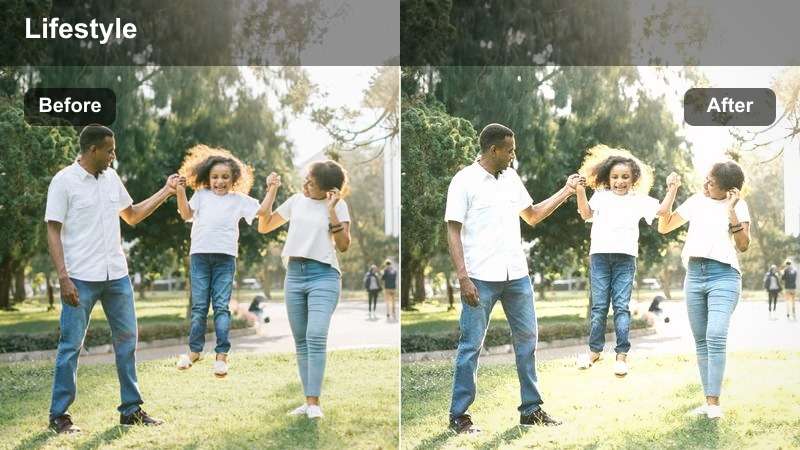
- Effect look: Soft browns and creams with gently lifted blacks and light fade for a cozy, cinematic coffee-shop vibe at home.
- Best for: Desk setups, coffee pours, reading nooks, and laptop work sessions.
- Editing tip: Add a subtle vignette around the frame edges to draw attention to hands, mugs, and objects on the desk.
Quiet Coffee Corner leans into warm browns and creams, lifting blacks slightly to create a faded, film-like look around your coffee and desk scenes. It makes mugs, wooden tables, and notebooks feel intimate, as if you shot them in a cozy cafe rather than your living room.
In Filmora, pair this filter with tight b roll of espresso pours, keyboard typing, and page turns, then add a light vignette from the Effects panel to center attention on the ritual. Slight slow motion and gentle zooms work well with this tone, turning everyday work sessions into atmospheric, Pinterest-friendly moments.
Daylight Lifestyle, Desks, and Daily Errands
Soft Errand Day
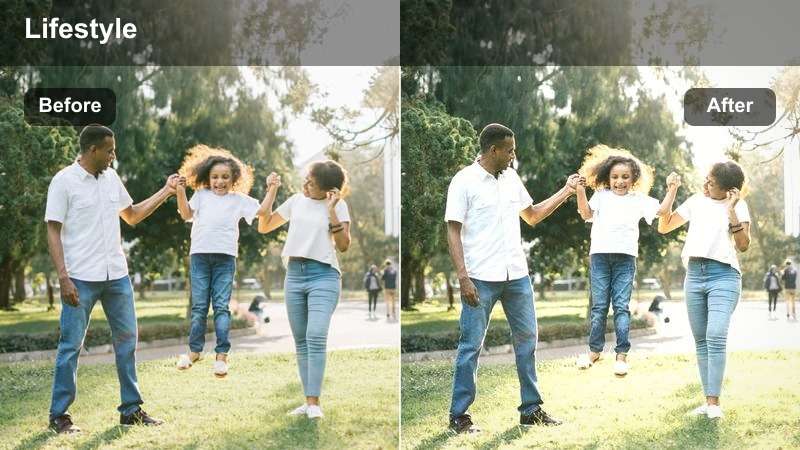
- Effect look: Low-contrast, pastel-tinted daylight with slightly cooled whites and softened midtones for everyday street clips.
- Best for: Walking POV shots, grocery runs, city sidewalks, and casual day-in-the-life vlogs.
- Editing tip: Stabilize handheld walking shots, then reduce sharpness slightly to maintain the smooth, pastel Pinterest finish.
Soft Errand Day gives your outdoor clips a gentle pastel treatment, calming harsh daylight and cooling whites so sidewalks, storefronts, and skies all feel soft and inviting. It is perfect for turning random errand b roll into cohesive lifestyle footage that blends seamlessly with your indoor clips.
After importing your walking POV or shopping shots into Filmora, apply stabilisation to smooth out footsteps, then add Soft Errand Day and reduce sharpness a touch for a velvety finish. This combination removes the raw, shaky feel of quick phone footage and replaces it with a polished, Pinterest-style city diary.
Desk Journal Soft
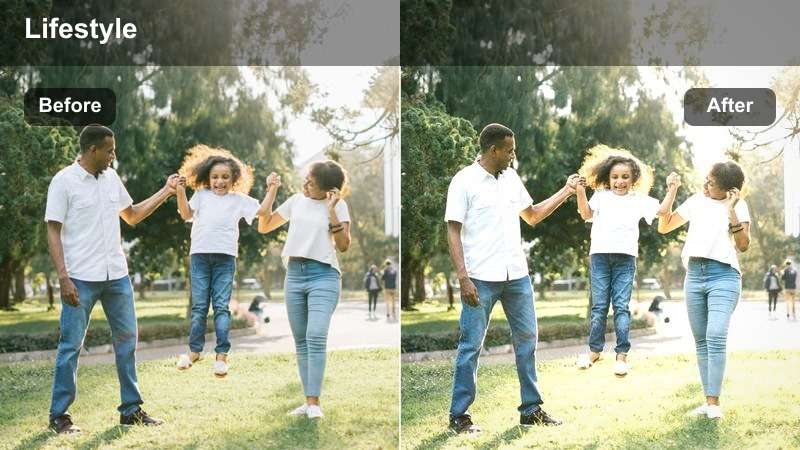
- Effect look: Creamy whites, desaturated primaries, and subtle warm tint that flattens distractions for tidy workspace shots.
- Best for: Journaling, planning, digital note-taking, and overhead desk flatlays.
- Editing tip: Use top-down compositions and keep margins of empty desk space so the soft tones feel clean and intentional.
Desk Journal Soft prioritizes clean whites and gentle warmth, slightly muting saturated colors so your journals, pens, and laptops look organized and calm. It is designed for overhead or straight-on desk shots where you want the viewer to focus on handwriting, layouts, and gentle productivity rather than bold colors.
In Filmora, use this preset on your planning and note-taking clips, then crop or reframe to keep plenty of negative space around your main subject. Combined with simple text overlays and soft background music, Desk Journal Soft turns basic planning footage into satisfying, shareable productivity aesthetics.
Laundry Day Blush
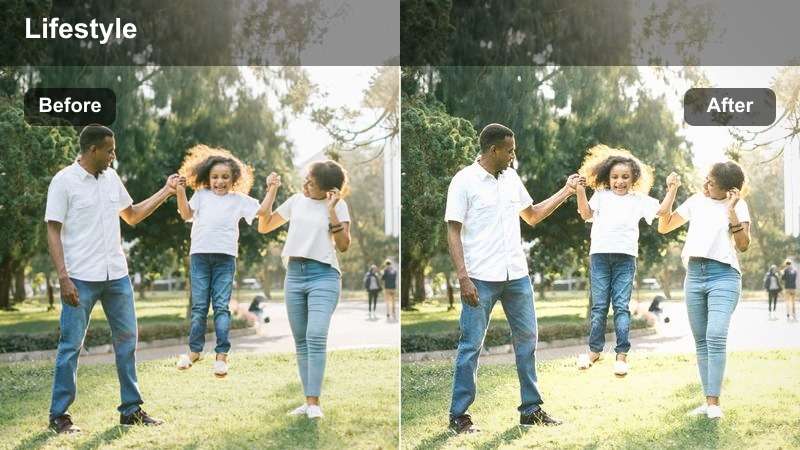
- Effect look: Soft blush highlights, slightly faded shadows, and subtle warmth on neutrals for elevated chores content.
- Best for: Laundry folding, closet organizing, cleaning montages, and home reset days.
- Editing tip: Speed up repetitive actions and sync them to music, then apply the filter to the final sequence for a polished lifestyle reel.
Laundry Day Blush adds a hint of pink warmth to highlights and gently fades shadows so chores look softer and more intentional on screen. Neutrals like beige towels, white shirts, and light wood tones take on a cozy, elevated feeling that fits perfectly into reset-day vlogs and clean-with-me content.
When editing in Filmora, assemble your folding, stacking, and wiping clips into rhythmic sequences, speed them up to match your music, then apply Laundry Day Blush to the entire montage. This creates a cohesive, blush-tinted look that transforms ordinary cleaning tasks into aesthetically pleasing, loopable content for Pinterest and Reels.
Golden Hour Home Moments and Self-Care
Window Gold Soft
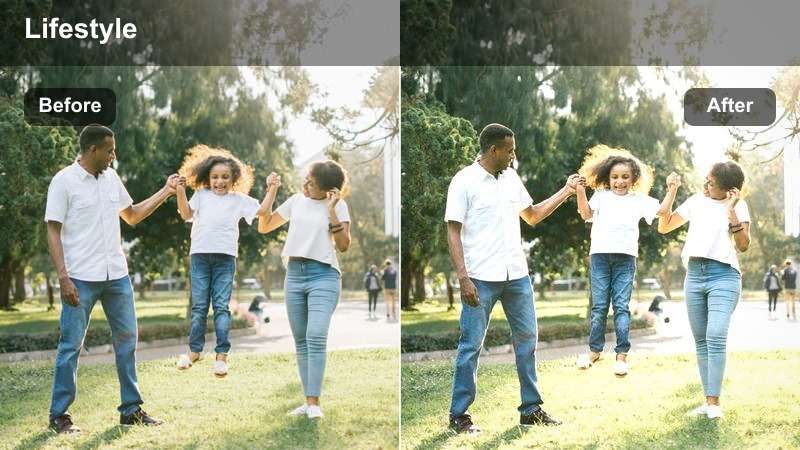
- Effect look: Warm golden midtones, softened contrast, and gentle highlight bloom for sunset-through-the-window shots.
- Best for: Golden hour self-care, stretching by the window, and relaxed evening vlogs at home.
- Editing tip: Position the window light behind or to the side of your subject, then slightly decrease clarity to maintain the hazy sunset feeling.
Window Gold Soft amplifies the natural warmth of sunset light, softening contrast and blooming highlights so your silhouette and room details feel gently wrapped in gold. It works especially well on scenes where rays of light hit furniture, curtains, or skin, creating a cinematic, end-of-day glow.
In Filmora, choose clips where natural light is your main source, apply Window Gold Soft, and then lower clarity or sharpness slightly to enhance the hazy feel. Slow pans, stretching sequences, and quiet self-care shots benefit most from this look, giving your golden hour vlogs a cohesive, dreamy tone across every frame.
Bath Routine Haze
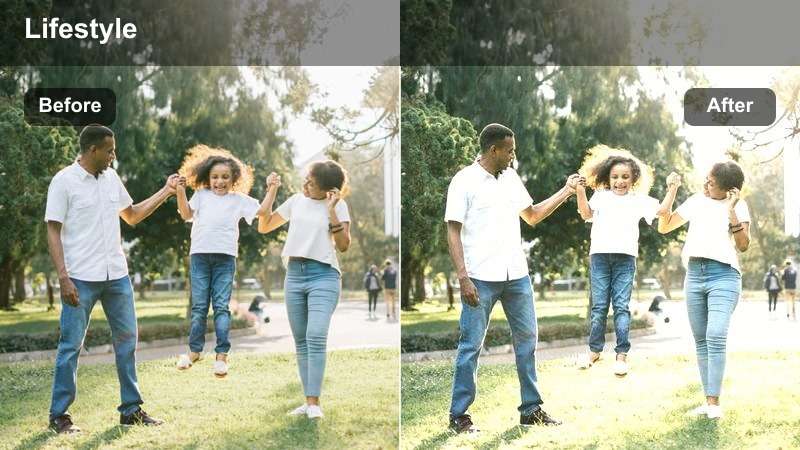
- Effect look: Creamy highlights with soft, slightly cool shadows and a delicate glow over skin for spa-like bathroom footage.
- Best for: Skincare routines, bath runs, haircare, and nighttime slow-down aesthetics.
- Editing tip: Cut between close-ups of hands and wide bathroom shots, using this filter across both for a calm, spa-inspired sequence.
Bath Routine Haze balances creamy highlights and cooler shadows to create a relaxed, spa-like mood in bathrooms, where reflective tiles and mirrors can otherwise be harsh. Skin appears softly glowing rather than shiny, and whites around sinks and tubs gain a gentle diffusion that feels luxurious.
Use this preset in Filmora across your entire nighttime routine sequence, from filling the bath to applying serums and brushing hair. By cutting between close-up product shots and wider vanity scenes with Bath Routine Haze applied to all, you keep the color temperature consistent and achieve a polished, Pinterest-ready self-care story.
Evening Soft Reads
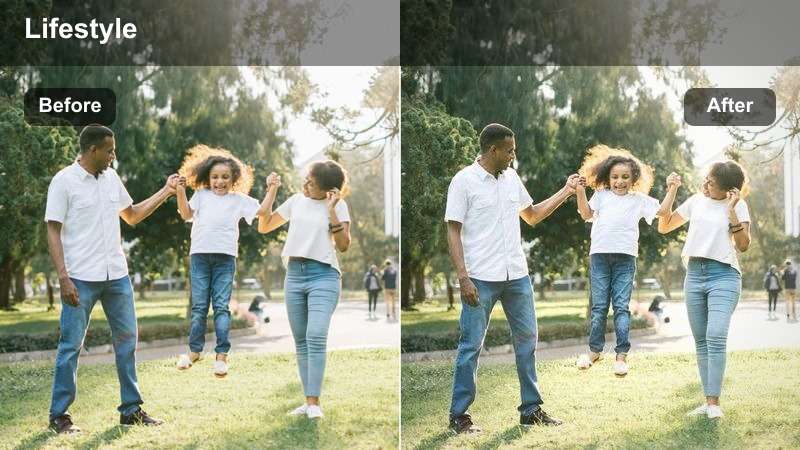
- Effect look: Warm, low-saturation tones with lifted blacks and subtle film-like fade for calm evening reading clips.
- Best for: Reading corners, couch scenes, digital detox vlogs, and quiet nighttime routines.
- Editing tip: Lower saturation of blues and greens to keep lamps, blankets, and paper tones softly unified and cozy.
Evening Soft Reads introduces a gentle film-like fade to your nighttime shots, lifting blacks and slightly muting colors so lamp light and book pages look extra cozy. The result is a calm, vintage-inspired mood that suits digital detox vlogs, screen-free evenings, and relaxed end-of-day storytelling.
Within Filmora, apply this filter to all your evening reading clips, then gently reduce blue and green saturation using the color controls to avoid any cold-looking tones. Layer soft piano or lo-fi audio beneath and keep transitions slow and minimal so the visuals and sound together create a soothing, bingeable bedtime series.
Workspace, Content Days, and Creative Projects
Creator Desk Soft
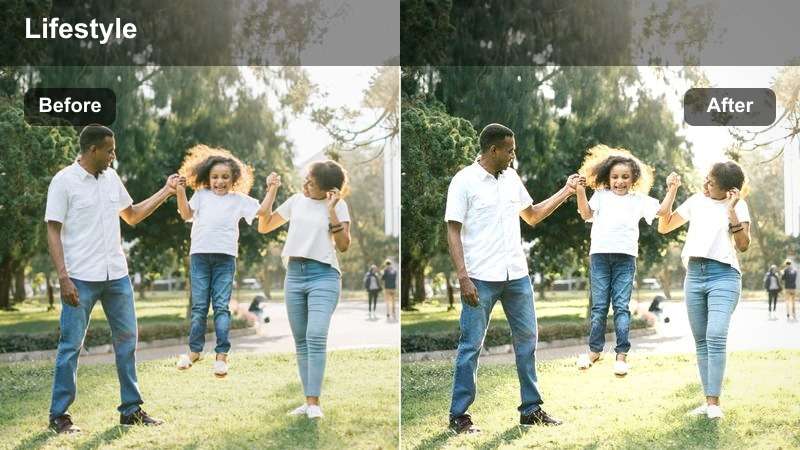
- Effect look: Cool-leaning whites with softened contrast and slightly desaturated colors for clean creator desk shots.
- Best for: Editing sessions, filming setups, gear b-roll, and keyboard or mouse close-ups.
- Editing tip: Keep your background simple and reduce saturation just a bit so overlays, text, and UI screens stay readable.
Creator Desk Soft gives your workspace clips a modern, cool-neutral finish that keeps monitors, keyboards, and gear looking sleek and minimal. By softening contrast and gently desaturating colors, the filter prevents busy backgrounds from clashing with on-screen UIs or text overlays.
In Filmora, apply this look to all your editing sessions, setup tours, and gear b roll, then add screen recordings or captions on top. Because the overall palette stays subdued, your text, cursors, and interface elements remain legible and polished, making tutorials and behind-the-scenes content easier to follow and share.
Planning Board Pastel
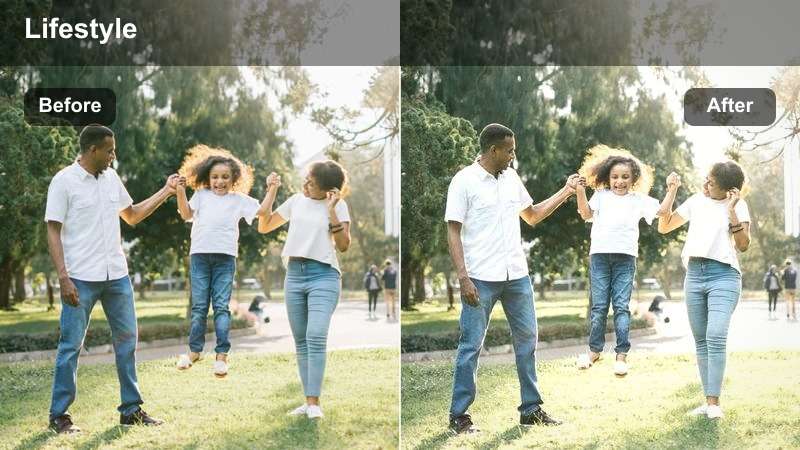
- Effect look: Softened whites, lightly pastelized sticky notes and pens, and gentle clarity reduction for planning scenes.
- Best for: Goal setting, content calendars, wall planners, and productivity breakdowns.
- Editing tip: Shoot top-down or straight-on at your planner, then apply the filter before adding text overlays for a clear yet soft look.
Planning Board Pastel enhances light-colored stationery and sticky notes, nudging them toward delicate pastel tones while keeping whites soft and non-glaring. It is designed for content where your planner, calendar, or whiteboard is the star, and you want everything to look organized but not overly bright.
Inside Filmora, apply this filter to your planning b roll, then add animated text or arrows to highlight tasks and schedules. Because the underlying image is gently softened, your overlays stand out clearly, resulting in aesthetic productivity videos that still communicate information at a glance.
Content Day Soft Frame
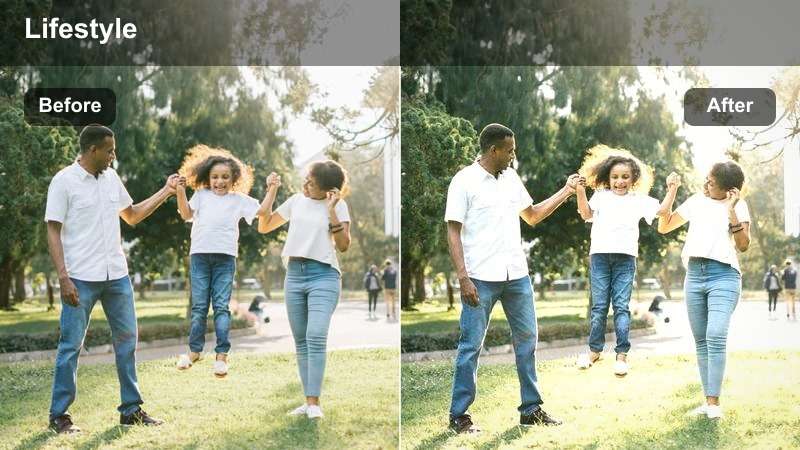
- Effect look: Balanced warm-cool tones with mild fade and reduced saturation, ideal for full content day timelines.
- Best for: Behind-the-scenes shooting days, batching content, tripod setups, and b-roll of gear and outfits.
- Editing tip: Apply this filter across your entire content day vlog for a cohesive color story, then adjust exposure clip by clip as needed.
Content Day Soft Frame is a flexible base look that lightly fades contrast and pulls saturation back to keep mixed lighting and outfits looking cohesive. Warm and cool tones are balanced, which helps when your vlog jumps between rooms, outdoor shots, and studio setups over the course of a busy filming day.
In Filmora, use this preset as your master grade for any content day series, applying it to every clip first and then tweaking exposure and white balance individually. This workflow lets you move quickly while ensuring the final vlog feels like one unified story, perfect for Pinterest boards and playlists that showcase your creative process.
Tips for Using Pinterest Lifestyle Luts Soft Tone Filters in Filmora
- Shoot in soft, even light whenever possible so the Pinterest lifestyle soft tone filters can work without heavy corrections.
- Use a limited color palette in props and outfits to keep your feed cohesive when applying these filters.
- Batch edit similar scenes with the same filter to speed up your workflow and maintain a consistent look across a video.
- Adjust exposure and white balance first, then apply the filter to avoid washed-out highlights or muddy shadows.
- Export a short test clip using two or three different filters and view it on mobile to see which one fits your Pinterest board best.
- Combine soft tone filters with Filmora LUTs for subtle base correction while preserving your desired aesthetic.
- Save your favorite filter and adjustment combos as custom presets to reuse across series and playlists.
- Keep transitions gentle and pacing relaxed so the dreamy, muted tones remain the main focus of your edits.
Pinterest lifestyle LUTs soft tone inspired filters in Filmora give content creators an easy way to turn ordinary daily clips into cohesive, aesthetic visuals.
Experiment with these 12 presets across routines, desk days, and golden hour moments until you find a soft tone combination that feels like your personal Pinterest brand.
secure download