

 100% Security Verified | No Subscription Required | No Malware


 ChatGPT
 Perplexity
 Gemini
 Claude
 Grok
Grok
Pinterest videos thrive on soft color palettes, gentle contrast, and a polished yet effortless mood that feels instantly save-worthy. With the right Filmora filters inspired by Pinterest video LUTs aesthetics, you can transform everyday footage into cohesive, branded visuals that match your boards.
Below are 12 scene-based filter ideas that mimic popular Pinterest video LUTs aesthetics, so content creators can quickly dial in dreamy tones, subtle pastels, and clean highlights for story pins, idea pins, and short vertical clips.
In this article
Soft Daylight Moments at Home
Morning Window Glow
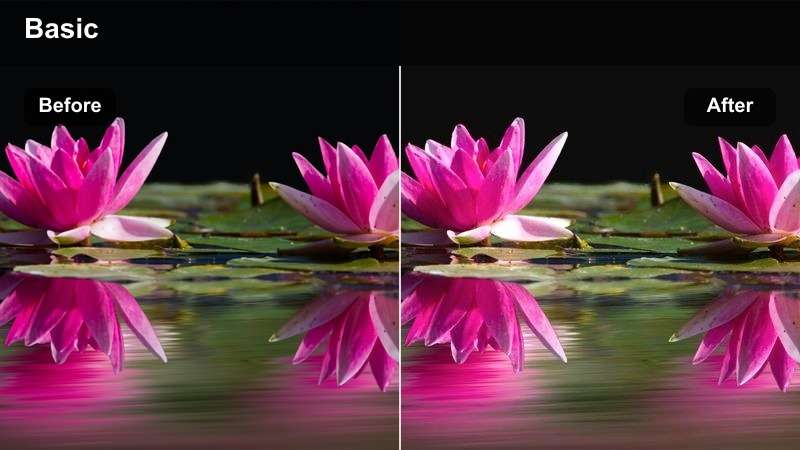
- Effect look: Soft, low-contrast highlights with a creamy warm tint that feels like early-morning sunlight through sheer curtains.
- Best for: Morning routines, desk setups by the window, cozy coffee B-roll, and aesthetic journaling shots in natural light.
- Editing tip: Lower contrast slightly, add a touch of warm temperature, and soften clarity to keep edges gentle and Pinterest-friendly.
Use Morning Window Glow in Filmora whenever you have natural light streaming in and want to turn simple tasks like pouring coffee or opening a planner into a soft, cinematic moment. The gentle warmth pairs especially well with wood tones, white mugs, linen textures, and soft shadows on walls or desks.
Apply this filter first, then fine-tune exposure so faces and key objects stay bright without blowing out the whites around the window. If your scene was shot in slightly flat lighting, increase exposure a bit, then lightly reduce sharpness so the overall result feels dreamy, inviting, and ready for Pinterest saves.
Lock in a Pinterest-Ready Color Palette with AI
Filmora s AI-powered color tools help you quickly unify clips shot in different rooms or at different times of day into one soft Pinterest-ready aesthetic. Instead of endlessly tweaking sliders, you can let AI analyze a reference look and match your footage to that same palette.
Once you love the result, save it as a custom preset so every new morning routine or desk B-roll can instantly adopt your signature aesthetic without rebuilding the grade from scratch.
 secure download

Preview Filters on Your Pinterest Clips in Real Time
Drop a short vertical clip on the Filmora timeline and rapidly test different filters to see how they affect whites, skin tones, and decor. Real-time previews make it easy to spot which aesthetics keep overlay text legible and which looks feel too heavy for your style.
When you are choosing effects for Pinterest, prioritize clean whites and gentle contrast so your pins look crisp on small mobile screens without losing that soft, dreamy mood.
secure downloadCombine Filters and LUTs for a Signature Pinterest Look
In Filmora, you can blend soft filters with creative 3D LUTs to design a Pinterest aesthetic that feels unique to your brand. Start with a low-intensity filter to smooth contrast, then layer a LUT for color character, keeping each effect around 20 to 40 percent strength.
When you find a combination that works for your morning routines, hauls, or decor reels, save it as a reusable preset so future videos automatically match that same dreamy scroll-stopping style.
secure downloadAiry Bedroom Soften
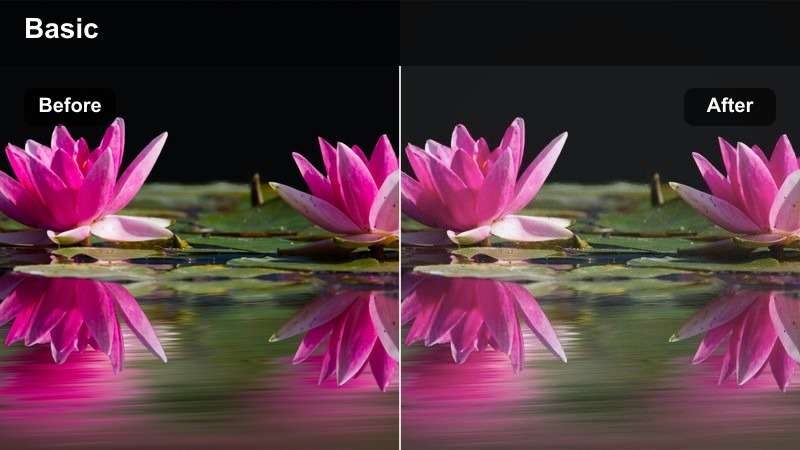
- Effect look: Bright whites, lifted shadows, and pastel-infused neutrals that make bedrooms feel open and minimal.
- Best for: Bedroom makeovers, aesthetic bed styling, closet tours, and neutral home decor reels.
- Editing tip: Increase exposure slightly, reduce saturation in strong colors, and keep white balance neutral to preserve the airy feel.
Airy Bedroom Soften is ideal for transforming everyday bedroom clips into light, Pinterest-ready visuals that feel tidy and curated. Use it on makeover reveals, before and afters, and overhead shots of bedding to brighten whites and soften dark corners without losing detail.
In Filmora, apply the filter across your entire bedroom sequence and then adjust saturation for bold colors like reds or deep blues so they do not overpower the neutral mood. A small bump in exposure plus neutral white balance will keep your scene feeling clean, spacious, and perfect for home decor boards.
Desk Setup Matte Calm
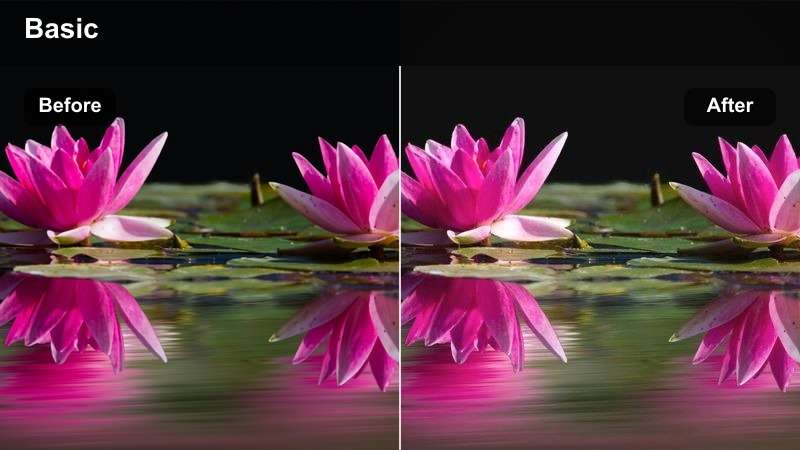
- Effect look: Matte-finished shadows with muted colors and a slight warmth that flattens harsh glare on desk surfaces.
- Best for: Productivity desk tours, workspace organization, and overhead stationery B-roll for Pinterest pins.
- Editing tip: Dial down highlights and add a touch of fade to the blacks for a modern matte look that fits Pinterest feeds.
Desk Setup Matte Calm works especially well on glossy desks, laptop lids, and journals where reflections can be distracting. The matte finish gently pulls back specular highlights so your pens, keyboards, and accessories appear smooth and cohesive in flatlay or top-down shots.
Within Filmora, pair this filter with carefully styled desk layouts and a bit of fade in the blacks to achieve a modern, editorial look. Keep camera movement minimal and consider subtle zoom-ins on key objects so your organized workspace feels calm, productive, and highly shareable on Pinterest.
Soft Lifestyle B-Roll for Pinterest Reels
Matcha Routine Pastel Fade
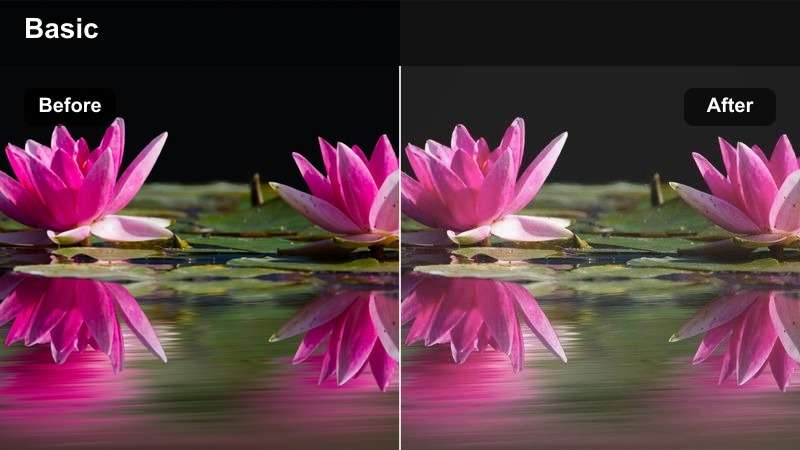
- Effect look: Subtle pastel greens and beiges with low contrast and a faded highlight roll-off that feels dreamy and slow.
- Best for: Drink prep B-roll, aesthetic kitchen clips, and calming routine montages shared as Idea Pins.
- Editing tip: Use slower clips or slight slow motion and add gentle fade-in transitions to match the relaxed pastel vibe.
Matcha Routine Pastel Fade turns simple drink-making shots into soothing Pinterest-ready visuals with soft greens and warm neutrals. The low contrast and gentle highlight fade help liquids, froth, and steam look smooth and delicate instead of harsh.
In Filmora, apply this filter to close-up shots of pouring, stirring, and placing cups on light-colored surfaces. Combine it with slow motion, minimal camera movement, and soft crossfade transitions so your entire routine montage feels calm, cohesive, and irresistibly save-worthy.
Soft Outfit Try-On Glow
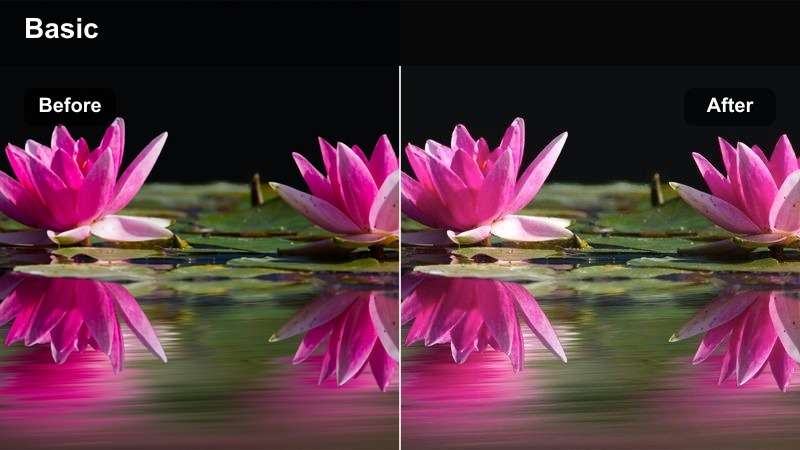
- Effect look: Gentle skin tones, softened edges, and slightly desaturated colors that make outfits feel polished but approachable.
- Best for: Outfit-of-the-day try-ons, capsule wardrobe clips, and mirror-style fashion videos for Pinterest boards.
- Editing tip: Add a tiny bit of blur or reduce sharpness and keep saturation moderate so fabric textures look smooth.
Soft Outfit Try-On Glow is designed to flatter both skin and fabric, making it perfect for mirror OOTDs and quick styling breakdowns. The mild desaturation and softened edges keep distractions low so your outfits stay at the center of attention.
Inside Filmora, apply this look to all clips in your try-on sequence, then adjust exposure and saturation to ensure neutral backgrounds stay soft while your clothing colors remain true. A slight reduction in sharpness combined with this filter can help reduce harsh lines, giving your fashion content a polished, editorial Pinterest aesthetic.
Day-in-Life Soft Cut
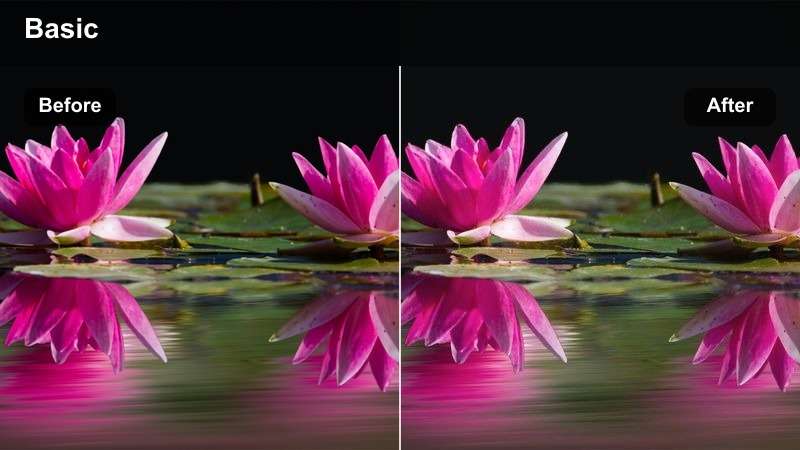
- Effect look: Unified, low-contrast color grading that ties together clips from different rooms into one cohesive visual story.
- Best for: Day-in-the-life vlogs, productivity montages, and lifestyle highlight reels formatted for vertical Pinterest videos.
- Editing tip: Apply the filter to all clips, then adjust exposure per clip to maintain a consistent brightness across the sequence.
Day-in-Life Soft Cut is meant to harmonize footage shot in different lighting conditions, such as kitchens, living rooms, and hallways, into a single cohesive story. Its gentle, unified grading helps your Pinterest audience stay immersed in the narrative rather than noticing lighting shifts.
In Filmora, apply this filter across your entire vlog timeline and then correct exposure, temperature, and tint clip by clip. Use copy-and-paste color settings on similar scenes to speed up your workflow and maintain a smooth, calming progression from morning to night in your vertical reels.
Minimal Branding and Product Scenes
Flatlay Brand Soft Tone
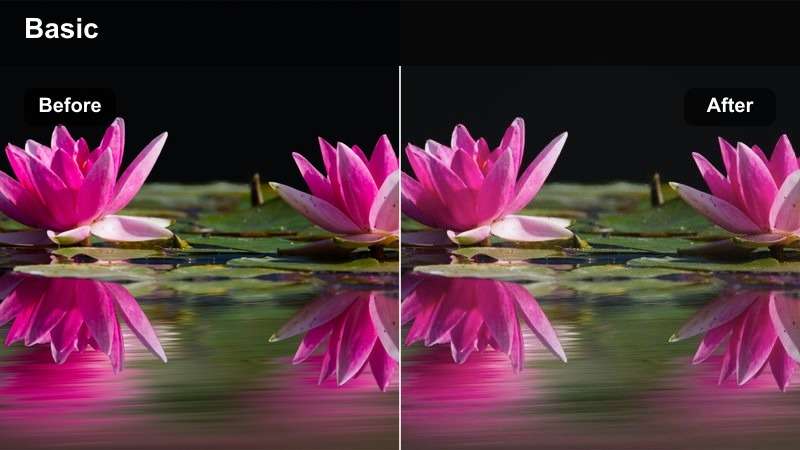
- Effect look: Soft, muted tones with gentle contrast that make logos, labels, and packaging feel clean and premium.
- Best for: Overhead product flatlays, small business packaging reveals, and detail shots for Pinterest shop pins.
- Editing tip: Keep colors simple on set, then reduce sharpness slightly so text stays readable without harsh edges.
Flatlay Brand Soft Tone is tailored for small business owners and creators who want product shots that feel high-end without looking overprocessed. The gentle contrast and muted tones let your brand colors and typography stand out clearly against neutral surfaces.
When editing in Filmora, arrange your flatlays with minimal props, apply this filter, and then fine-tune sharpness so your labels remain legible but not overly crisp. Short, steady top-down clips with this look become perfect Pinterest pins for product launches, seasonal offers, or packaging inspo boards.
Neutral Brand Reveal Glow
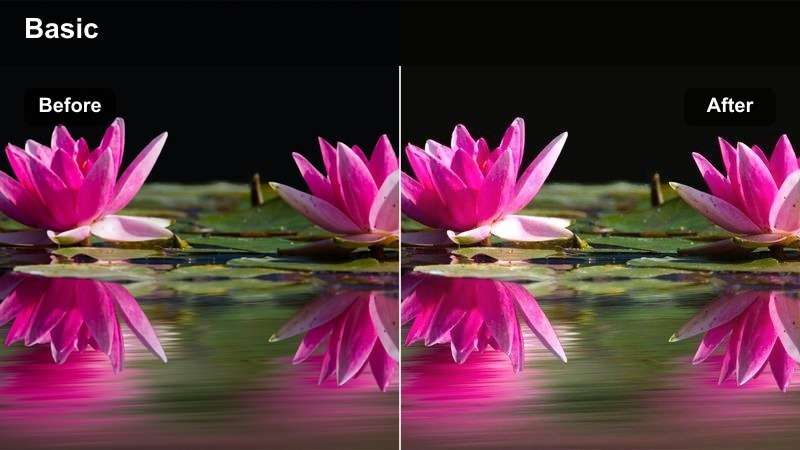
- Effect look: Warm neutrals with a gentle highlight bloom that brings attention to unboxing or reveal moments.
- Best for: Unboxing sequences, product reveals, and packaging ASMR-style clips intended for Pinterest campaigns.
- Editing tip: Use slow, intentional camera moves and add a slight vignette so the glow pulls focus to the center action.
Neutral Brand Reveal Glow emphasizes hands, tissue paper, and box lids with a soft bloom that feels intimate and luxurious. This filter is especially effective for brand mailers, PR packages, and subscription boxes that rely on tactile details to stand out.
In Filmora, combine this look with slow-motion or gently slowed footage, plus subtle vignetting to keep attention on the unboxing action. Layer in soft foley or ASMR-style sounds, and you will have Pinterest-ready reveal clips that feel warm, thoughtful, and on-brand.
Creator Tools Neutral Shelf
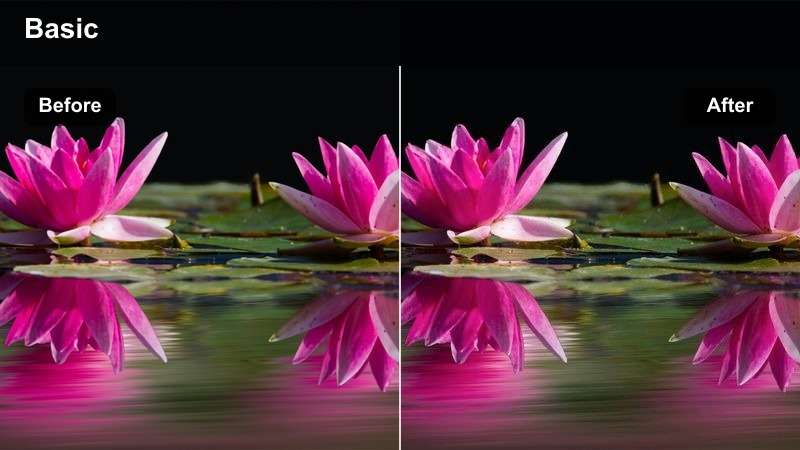
- Effect look: Softened blacks and lightly cooled highlights that make gear and digital tools feel clean and organized.
- Best for: Gear shelf tours, office accessory B-roll, and digital product promos shown on laptops or tablets.
- Editing tip: Keep lines straight using a tripod; pair the filter with subtle zoom-ins to highlight specific items without visual clutter.
Creator Tools Neutral Shelf gives your cameras, notebooks, and tech accessories a calm, organized look that fits minimalist productivity and creator lifestyle boards. The cooler highlights and soft contrast help metal, glass, and plastic surfaces look refined instead of cluttered.
Inside Filmora, apply this filter to slow pans or locked-off shots of your shelves, then add gentle zoom-ins on key products or decor. By cropping early for vertical and leaving negative space around important items, your gear tours and workspace reels will feel clean, aspirational, and ready to pin.
Evening Cozy and Nighttime Aesthetics
Warm Lamp Hour
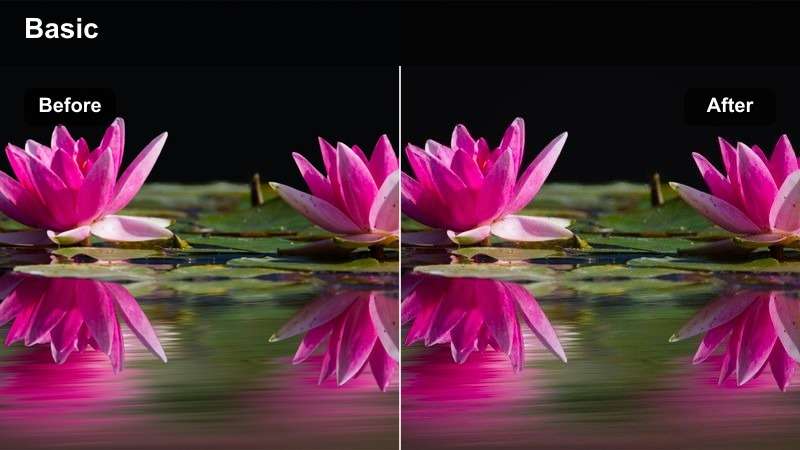
- Effect look: Deepened shadows with strong but soft amber highlights that mimic golden lamp light in the evening.
- Best for: Nighttime reading clips, cozy couch scenes, and end-of-day check-ins filmed under warm indoor lights.
- Editing tip: Lower overall exposure slightly, then let the filter add warmth and depth so the scene feels intimate, not noisy.
Warm Lamp Hour is perfect for transforming simple end-of-day rituals like reading, journaling, or sipping tea into cinematic, cozy moments. The rich amber glow deepens shadows just enough to feel intimate while preserving important details in faces and hands.
In Filmora, dim your footage a little, apply this filter, and then balance white balance if the scene skews too orange. Add gentle background music and slower cuts so your nighttime clips feel like a peaceful close to the day, ideal for Pinterest boards focused on self-care and cozy routines.
Screen Glow Chill
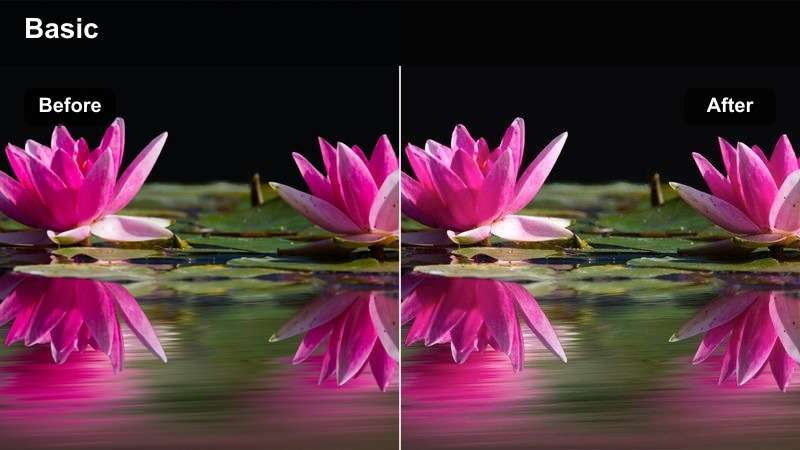
- Effect look: Cooler midtones with softened highlight bloom around screens, balancing blue light with gentle skin tones.
- Best for: Late-night editing sessions, study-with-me clips, and cozy tech-focused B-roll at a dim desk.
- Editing tip: Expose for the face, not the screen, then use the filter to smooth the glow so text remains visible without harsh brightness.
Screen Glow Chill balances the intense blue of screens with flattering, cool-toned skin, making it ideal for study sessions, work nights, or editing B-roll. The softened bloom around monitors and laptops gives the scene a cinematic, focused mood without losing on-screen detail.
Within Filmora, use this filter on clips where your subject is lit mainly by a screen and avoid pushing exposure too high to prevent banding or noise. Subtle camera movement, quiet background audio, and this cool grading together create shareable Pinterest clips that capture late-night productivity vibes.
Night Drive Soft Grain
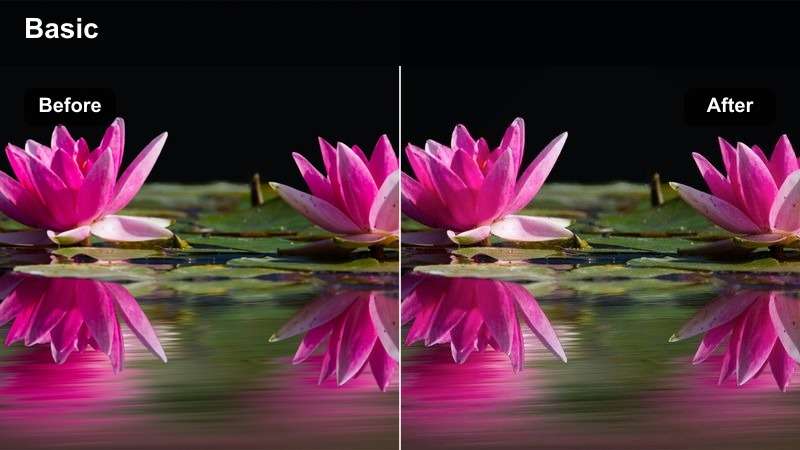
- Effect look: Muted colors with a hint of soft grain and gentle highlight halos around distant lights for a cinematic vibe.
- Best for: Car ride POV shots, city window reflections at night, and moody travel B-roll for Pinterest story pins.
- Editing tip: Stabilize shaky clips, keep shutter speed a bit higher than usual, and let the filter add character instead of blur.
Night Drive Soft Grain is designed to enhance night city lights, passing cars, and reflective windows with a cinematic softness. The subtle grain and halos around highlights add mood while keeping your footage elegant enough for aesthetic travel and mood-board pins.
In Filmora, apply this filter to the steadiest sections of your night footage, then add stabilization if needed to smooth out small shakes. Keep color saturation in check so neon signs and traffic lights do not dominate the frame, allowing the filter s muted palette to deliver a dreamy, introspective nighttime look.
Tips for Using Pinterest Video Luts Aesthetic Filters in Filmora
- Shoot vertical from the start so your framing works naturally with Pinterest overlays and crop guides.
- Film with soft, even lighting and avoid mixed color temperatures to make gentle filters look cleaner.
- Apply the same filter preset across an entire video sequence to keep every cut feeling cohesive.
- Keep backgrounds minimal and tidy so the aesthetic grading stands out instead of fighting visual clutter.
- Use Filmora s AI color tools to match footage from different days into one consistent Pinterest palette.
- Experiment with combining a base filter and a subtle LUT at low intensity for a unique on-brand look.
- Preview your edits on a phone screen to ensure text overlays and key details remain clear and legible.
- Export at high resolution with a slightly higher bitrate so soft filters still look crisp after compression.
Pinterest-friendly videos depend on consistent, gentle color grading that turns simple moments into save-worthy visuals, and Filmora s filters make that look easy to repeat. With scene-based presets and intuitive color tools, you can shape everything from morning routines to product reveals into a cohesive aesthetic.
Experiment with these Pinterest video LUTs aesthetic-inspired filters, save your favorite combinations as presets, and build a recognizable visual style your audience can spot at a glance. Over time, your boards and video pins will feel more branded, polished, and instantly scroll-stopping.
secure download