

 100% Security Verified | No Subscription Required | No Malware


 ChatGPT
 Perplexity
 Gemini
 Claude
 Grok
Grok
Purple and green is a surprisingly versatile color duo. Purple brings mystery, creativity, and a touch of luxury, while green adds freshness, growth, and a natural grounding effect. Together, Purple Green combinations can feel dreamy and soft, bold and neon, or elegant and cinematic, depending on the shades you choose.
For video creators and designers, a consistent Purple Green color palette is a powerful way to define your brand, make thumbnails pop, and unify intros, overlays, and titles. Below are ready-made Purple Green color palettes with HEX codes you can copy directly into your thumbnails, channel art, motion graphics, and Filmora projects.
In this article
Soft And Dreamy Purple Green Palettes
Lavender Meadow Mist
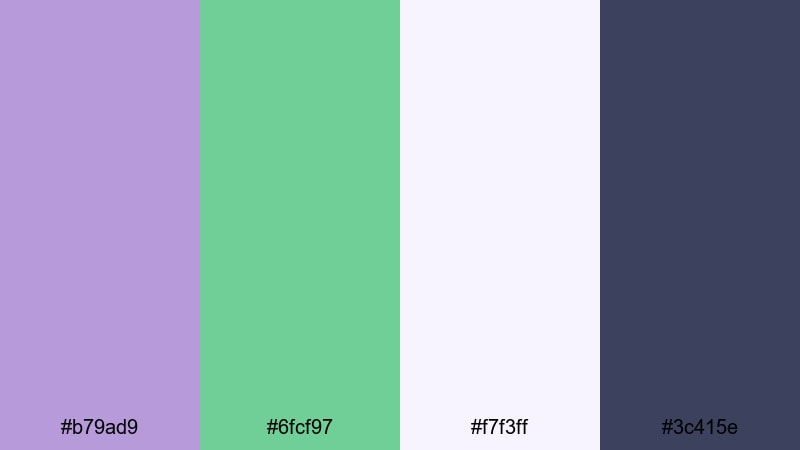
- HEX Codes: #b79ad9, #6fcf97, #f7f3ff, #3c415e
- Mood: Calm, romantic, and gently uplifting.
- Use for: Ideal for dreamy vlog intros, nature b-roll overlays, and soft lifestyle thumbnails.
Lavender Meadow Mist mixes a powdery lavender (#b79ad9) with fresh meadow green (#6fcf97), anchored by a deep bluish gray (#3c415e) and a light airy background (#f7f3ff). It feels like a quiet walk through a flower field at golden hour, with just enough contrast to stay readable while still looking soft.
Use this Purple Green palette for storytelling vlogs, cottagecore or nature aesthetics, and gentle lifestyle content. It works beautifully on YouTube thumbnails, lower thirds, and intro title cards where you want text to sit on #f7f3ff with accents of lavender and green for icons, frames, and call-to-action buttons across your Filmora edits.
Pro Tip: Build a Cinematic Purple Green Glow in Filmora
To keep a dreamy Purple Green mood across an entire edit, set Lavender Meadow Mist as your core reference. In Filmora, you can pick #b79ad9 and #6fcf97 for titles, shapes, and overlays, then use #3c415e for subtle shadows and background blocks. Repeating these four HEX codes in intros, b-roll labels, and end screens makes your channel instantly recognizable.
Combine this palette with soft blur transitions, lens flares, and a slightly lowered contrast to get that hazy, romantic glow. In Filmora, you can also tint light leaks or gradient overlays toward lavender and mint green, so your footage and graphics feel like they belong to the same visual world.
AI Color Palette
If you already have a screenshot, thumbnail, or mood board using Lavender Meadow Mist, you can turn it into a full video look with Filmora. Filmora's AI Color Palette feature lets you analyze the colors in a reference image and apply a matching grade across your clips.
Import your dreamy reference frame, let AI detect the Purple Green balance, and then match your entire timeline to that style. This is ideal when you want your intro, talking-head segments, cutaways, and outro to share the same calm, romantic Lavender Meadow Mist mood with just a few clicks.
 secure download

HSL, Color Wheels & Curves
Once your Purple Green base is set, fine-tune it using Filmora's HSL, color wheels, and curves. Slightly shift the greens toward a softer sage, or push the purples closer to pastel for a more ethereal feel. You can deepen shadows into #3c415e and keep highlights warm and bright so your subject stands out against the background.
Tools like the color wheels and curves in Filmora make it easy to build a consistent grade that still feels natural. For more control over skin tones and ambient colors, you can follow the steps in the Filmora color correction guide and adapt them to your Lavender Meadow Mist palette.
secure download1000+ Video Filters & 3D LUTs
If you want a fast, stylized Purple Green look, start from this palette and layer Filmora effects on top. Filmora's video filters and 3D LUTs make it easy to shift your footage toward cooler lavender shadows, minty highlights, or a pastel film look without manual grading every clip.
Try combining a soft cinematic LUT with a subtle glow or blur filter to emphasize the dreamy side of Lavender Meadow Mist. You can save your favorite combination as a custom preset, so every vlog, reel, or YouTube Short keeps the same Purple Green identity with almost no extra work.
secure downloadSoft Orchid Garden
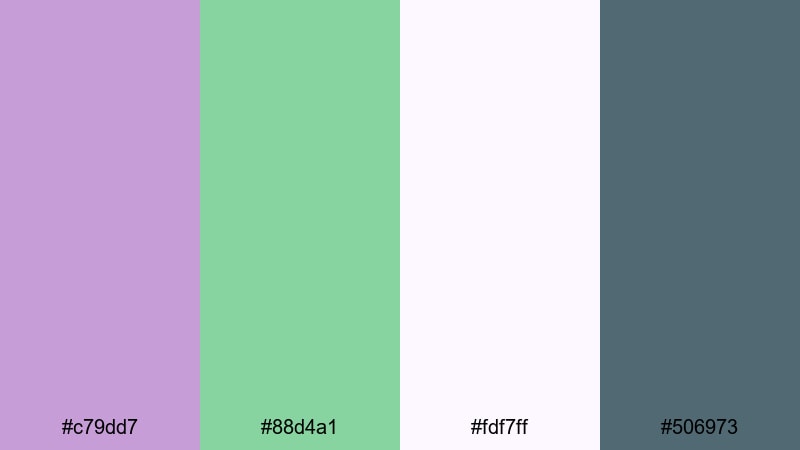
- HEX Codes: #c79dd7, #88d4a1, #fdf7ff, #506973
- Mood: Gentle, hopeful, and organic.
- Use for: Perfect for wellness videos, journaling content, and subtle lower third graphics.
Soft Orchid Garden pairs delicate orchid purple (#c79dd7) with leafy green (#88d4a1), grounded by a muted teal-gray (#506973) and soft white-lilac (#fdf7ff). The palette feels like a calm morning in a botanical studio, ideal for reflective and self-care themes.
Use it in wellness vlogs, journaling tutorials, and productivity content where you want viewers to feel relaxed and optimistic. In Filmora, try #fdf7ff as your background, #c79dd7 for key headings, #88d4a1 for buttons and accent lines, and #506973 for body text on thumbnails, end screens, and infographics.
Twilight Sage Glow
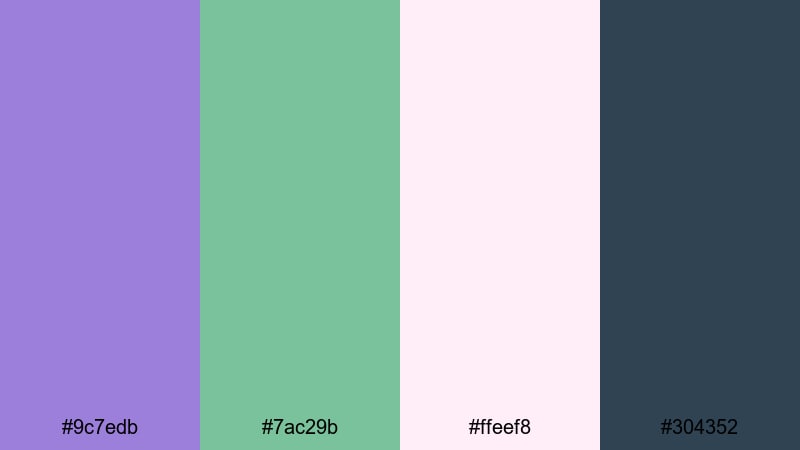
- HEX Codes: #9c7edb, #7ac29b, #ffeef8, #304352
- Mood: Dreamy, introspective, and slightly mystical.
- Use for: Use in cinematic travel diaries, reflective monologues, and moody title cards.
Twilight Sage Glow blends a twilight purple (#9c7edb) with muted sage green (#7ac29b), supported by dark teal navy (#304352) and a pale blush highlight (#ffeef8). It feels cinematic but gentle, like the blue hour just after sunset.
Use this Purple Green palette for travel diaries, journaling voiceovers, or lyric-style edits with overlays and slow motion. In your Filmora project, place text on #ffeef8 for clarity, tint shadows toward #304352, and use #9c7edb and #7ac29b for gradient washes behind quotes or chapter titles.
Wisteria Leaf Whispers
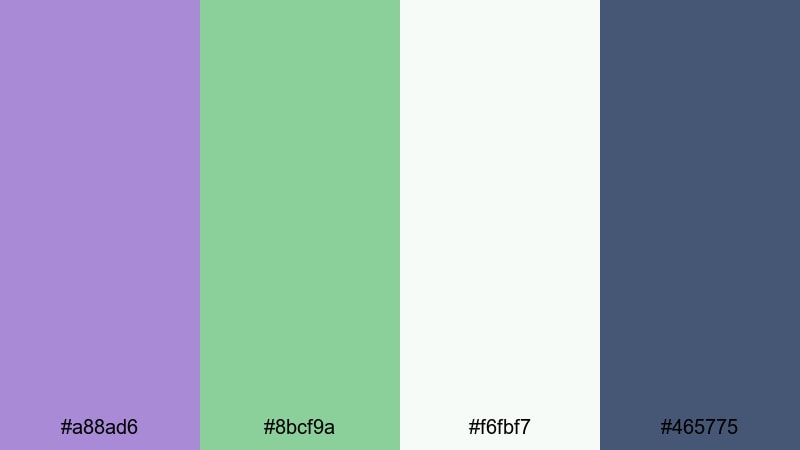
- HEX Codes: #a88ad6, #8bcf9a, #f6fbf7, #465775
- Mood: Light, poetic, and nature-inspired.
- Use for: Great for wedding highlight reels, romantic reels, and elegant slideshow templates.
Wisteria Leaf Whispers combines powdery wisteria purple (#a88ad6) and dewy green (#8bcf9a) with a soft off-white (#f6fbf7) and muted slate (#465775). It feels poetic and light, with just enough depth to avoid looking overly sweet.
This palette is ideal for wedding highlights, couples reels, anniversary slideshows, and romantic storytelling. In Filmora, try #f6fbf7 as a clean background, use #a88ad6 for titles and floral graphics, #8bcf9a for subtle dividers or frames, and #465775 for legible text on overlays and lower thirds.
Bold And Vivid Purple Green Palettes
Neon Jungle Night
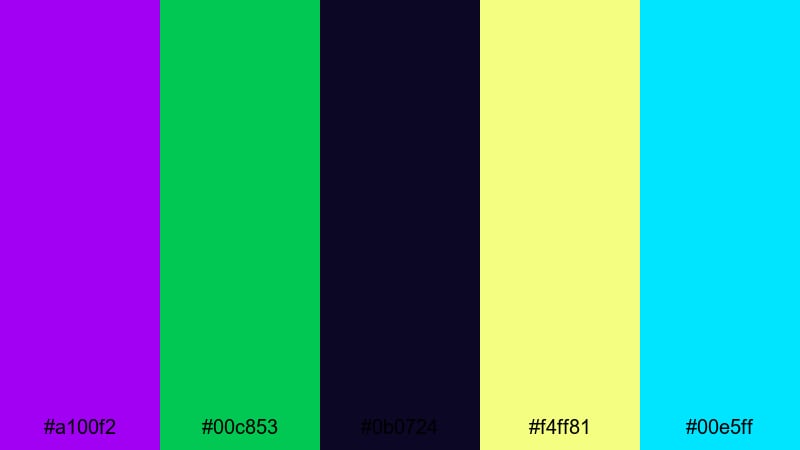
- HEX Codes: #a100f2, #00c853, #0b0724, #f4ff81, #00e5ff
- Mood: Energetic, electric, and futuristic.
- Use for: Best for high-energy gaming intros, EDM lyric videos, and hype social promos.
Neon Jungle Night is all about impact. Electric purple (#a100f2) and neon green (#00c853) explode against a deep midnight base (#0b0724), with acid yellow (#f4ff81) and bright cyan (#00e5ff) as extra highlights. It feels like city lights, arcades, and music festivals.
Use this Purple Green palette for gaming channels, EDM edits, tech promos, or any content that needs intense energy. In Filmora, place glowing text in #f4ff81 or #00e5ff over #0b0724, use #a100f2 for bold strokes or glitch effects, and #00c853 for call-to-action buttons and subscribe animations.
Electric Violet Canopy
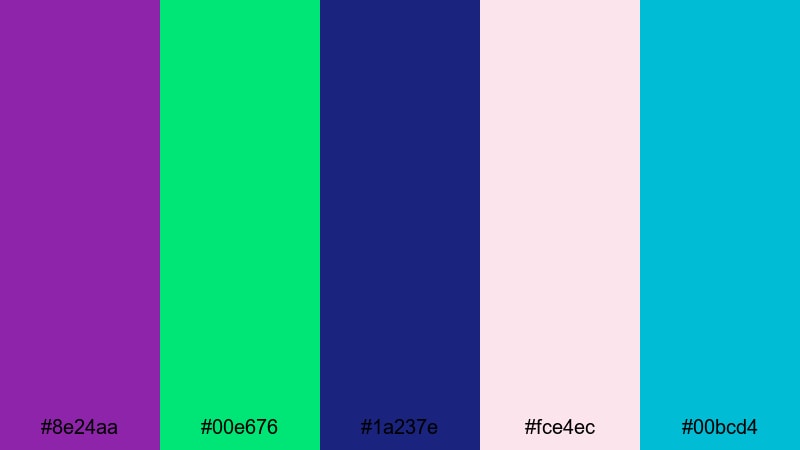
- HEX Codes: #8e24aa, #00e676, #1a237e, #fce4ec, #00bcd4
- Mood: Vibrant, adventurous, and playful.
- Use for: Use for upbeat travel vlogs, creator intros, and eye-catching YouTube channel art.
Electric Violet Canopy balances bold violet (#8e24aa) and neon green (#00e676) with deep indigo (#1a237e), a light pinkish white (#fce4ec), and bright teal (#00bcd4). It is loud but still coordinated, great for creators who want to look energetic rather than chaotic.
Apply this palette to travel intros, channel bumpers, and fun tutorial thumbnails. In Filmora, use #1a237e as a deep background, layer gradient blocks between #8e24aa and #00bcd4, and reserve #00e676 and #fce4ec for key text, badges, and animated stickers.
Hyper Pop Forest
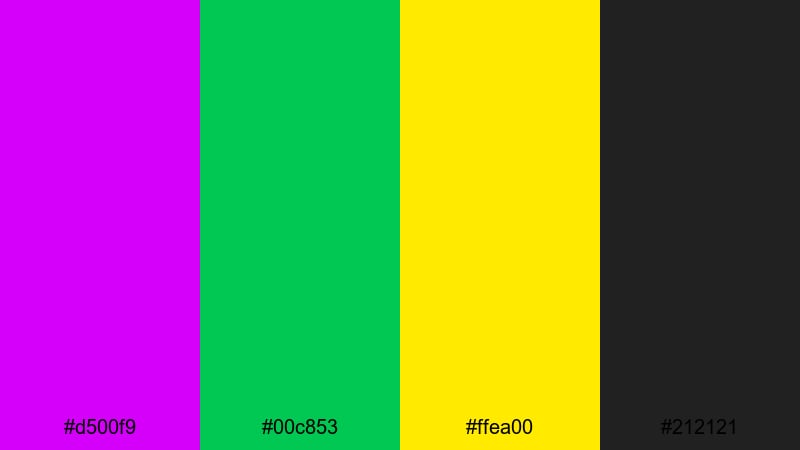
- HEX Codes: #d500f9, #00c853, #ffea00, #212121
- Mood: Loud, fun, and pop-inspired.
- Use for: Ideal for reaction videos, meme edits, and energetic shorts or reels.
Hyper Pop Forest is a hyper-saturated mix of neon purple (#d500f9), bright green (#00c853), and punchy yellow (#ffea00) on a dark charcoal base (#212121). It instantly reads as pop, internet culture, and fast-paced entertainment.
Use it when you need thumbnails and captions to shout from the screen: reaction videos, meme compilations, Try Not To Laugh clips, and vertical shorts. In Filmora, keep backgrounds mostly #212121, then layer bold text in #ffea00, highlight words with #d500f9, and use #00c853 for subscribe or follow buttons.
Arcade Aurora Burst
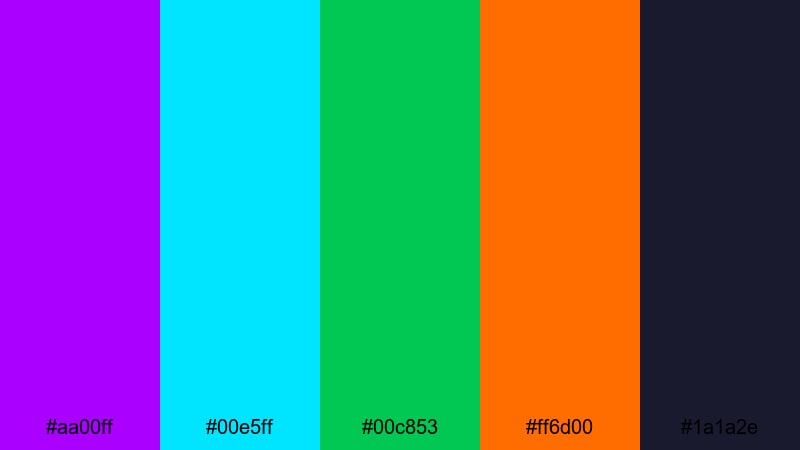
- HEX Codes: #aa00ff, #00e5ff, #00c853, #ff6d00, #1a1a2e
- Mood: Retro-futuristic, dynamic, and intense.
- Use for: Great for tech reviews, retro arcade edits, and animated lower thirds with strong contrast.
Arcade Aurora Burst uses glowing purple (#aa00ff), teal cyan (#00e5ff), and bright green (#00c853) with hot orange (#ff6d00) against a dark base (#1a1a2e). It feels like a cross between neon signage and aurora lights.
Use this palette for tech setups, retro gaming edits, countdown timers, and UI-style graphics. In Filmora, combine #1a1a2e backgrounds with animated lines and HUD elements in #aa00ff and #00e5ff, then reserve #ff6d00 for special alerts, sales tags, or important timestamps.
Elegant And Moody Purple Green Palettes
Royal Enchanted Grove
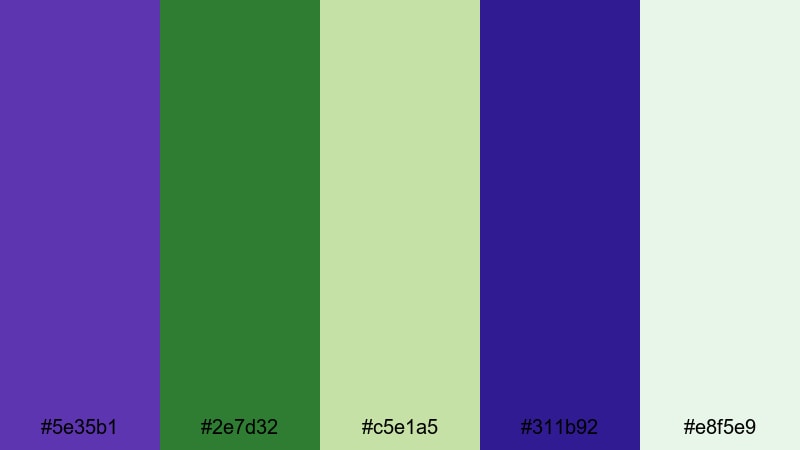
- HEX Codes: #5e35b1, #2e7d32, #c5e1a5, #311b92, #e8f5e9
- Mood: Regal, grounded, and sophisticated.
- Use for: Perfect for documentary titles, prestige branding, and cinematic openers.
Royal Enchanted Grove pairs deep royal purple (#5e35b1) with rich forest green (#2e7d32), softened by pale botanical tints (#c5e1a5 and #e8f5e9) and an even darker purple (#311b92). It feels like a fantasy forest with a prestige film twist.
This Purple Green palette is ideal for documentaries, brand stories, premium course intros, and cinematic logos. In Filmora, you can use #311b92 or #5e35b1 as rich backgrounds, add title text in white or #e8f5e9, and bring in #2e7d32 and #c5e1a5 for subtle graphic details and iconography.
Midnight Pine Amethyst
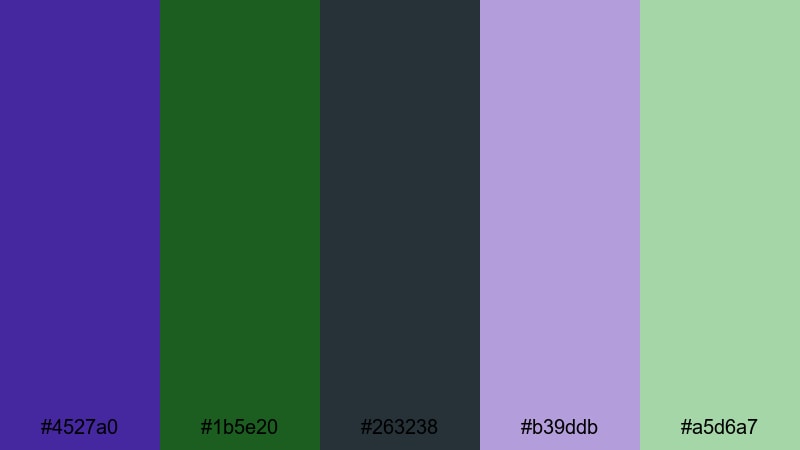
- HEX Codes: #4527a0, #1b5e20, #263238, #b39ddb, #a5d6a7
- Mood: Mysterious, cinematic, and introspective.
- Use for: Use for moody trailers, crime or mystery content, and dramatic title sequences.
Midnight Pine Amethyst mixes dark amethyst (#4527a0), deep pine green (#1b5e20), charcoal teal (#263238), and lighter tints of lavender (#b39ddb) and green (#a5d6a7). It feels shadowy and cinematic without losing readability.
Use this palette for mystery videos, film-style trailers, narrative short films, or serious commentary. In Filmora, keep your backgrounds within #263238 and #1b5e20, then use #b39ddb and #a5d6a7 for title highlights, section labels, and lower third accent lines.
Velvet Moss Noir
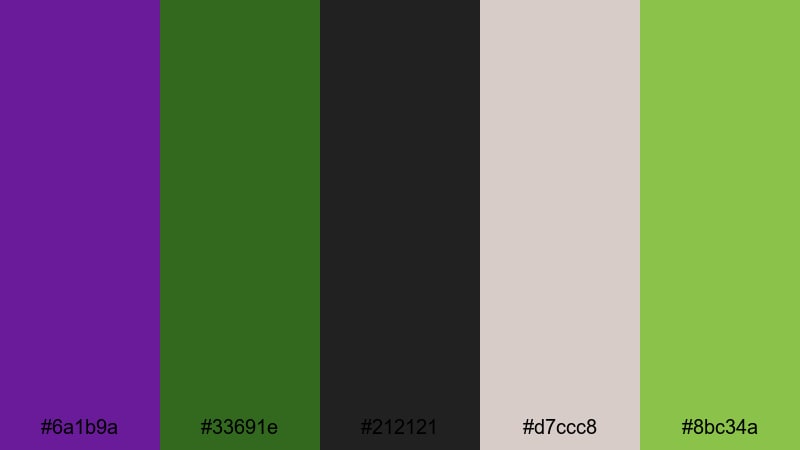
- HEX Codes: #6a1b9a, #33691e, #212121, #d7ccc8, #8bc34a
- Mood: Luxurious, moody, and editorial.
- Use for: Great for fashion lookbooks, luxury product promos, and cinematic YouTube banners.
Velvet Moss Noir combines velvety purple (#6a1b9a), moss green (#33691e), and a deep noir base (#212121) with warm neutrals (#d7ccc8) and fresh lime green (#8bc34a). The mix feels high-end but still connected to nature.
Use it for fashion edits, jewelry promos, perfume ads, or premium lifestyle content. In Filmora, try #212121 as your backdrop, highlight product shots with #d7ccc8 title bars, and use #6a1b9a and #33691e as rich accent blocks or gradient overlays around your subject.
Ivy And Iris Reverie
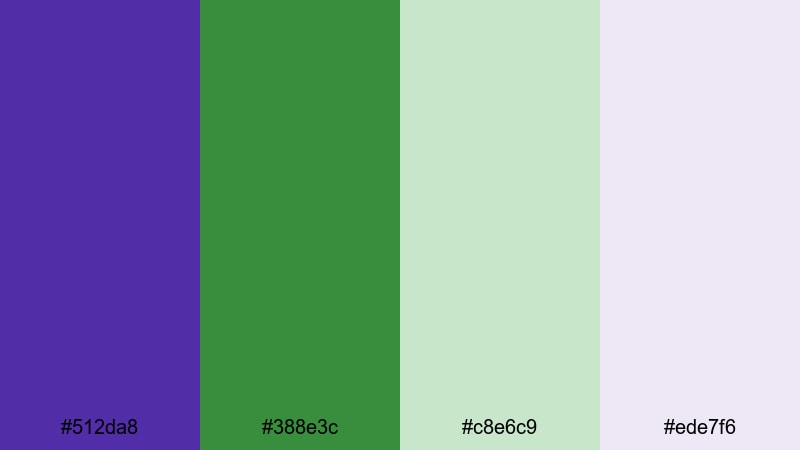
- HEX Codes: #512da8, #388e3c, #c8e6c9, #ede7f6
- Mood: Calm, refined, and slightly dreamy.
- Use for: Ideal for brand story videos, portfolio sites, and polished intro animations.
Ivy And Iris Reverie pairs classic iris purple (#512da8) with ivy green (#388e3c), supported by soft mint (#c8e6c9) and lavender-tinted white (#ede7f6). It feels refined and trustworthy, with a touch of dreaminess.
Use this Purple Green palette for brand storytelling, portfolio videos, agency reels, and minimal website hero sections. In Filmora, apply #ede7f6 for clean backgrounds, use #512da8 and #388e3c as your primary brand colors, and reserve #c8e6c9 for badges, tags, or highlight blocks behind quotes.
Fresh Pastel Purple Green Palettes
Mint Lilac Sorbet
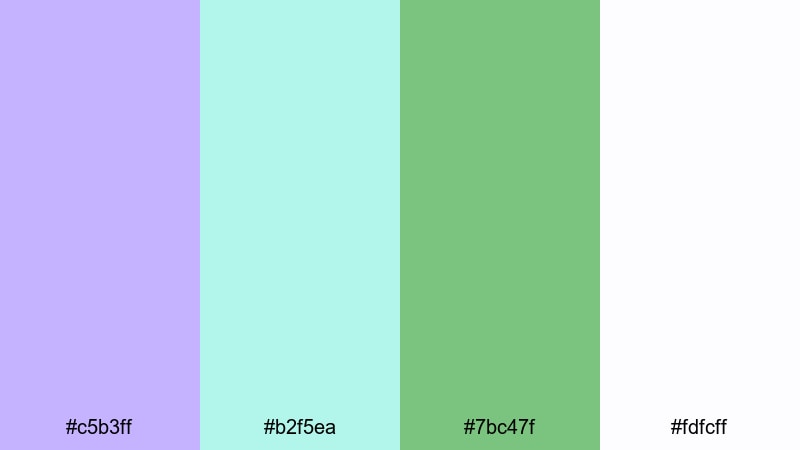
- HEX Codes: #c5b3ff, #b2f5ea, #7bc47f, #fdfcff
- Mood: Fresh, cute, and optimistic.
- Use for: Perfect for lifestyle vlogs, stationery mockups, and playful social posts.
Mint Lilac Sorbet feels like pastel ice cream colors: frosty lilac (#c5b3ff), mint aqua (#b2f5ea), soft green (#7bc47f), and near-white (#fdfcff). The overall look is bright, cute, and full of energy without being harsh on the eyes.
Use it for lifestyle vlogs, K-pop inspired edits, bullet journal content, and playful product showcases. In Filmora, use #fdfcff for clean backgrounds, set key titles or handwritten fonts in #c5b3ff, and bring in #b2f5ea and #7bc47f as borders, arrows, and sticker-style shapes.
Pastel Grape Garden
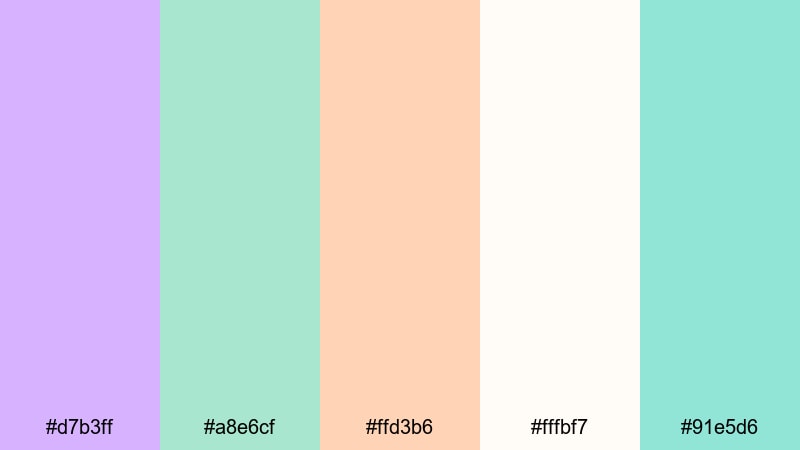
- HEX Codes: #d7b3ff, #a8e6cf, #ffd3b6, #fffbf7, #91e5d6
- Mood: Soft, friendly, and inviting.
- Use for: Use in kids content, cozy vlogs, and approachable tutorials or explainers.
Pastel Grape Garden mixes grape-tinted purple (#d7b3ff) with minty greens (#a8e6cf, #91e5d6), peach (#ffd3b6), and a gentle off-white (#fffbf7). It feels friendly and approachable, perfect when you want to lower the intimidation factor of your content.
Apply this palette to kids content, cozy home vlogs, baking tutorials, and beginner-friendly explainers. In Filmora, keep backgrounds in #fffbf7, use #d7b3ff and #ffd3b6 for headings and labels, and sprinkle #a8e6cf and #91e5d6 into icons, progress bars, or chapter markers.
Spring Rain Bloom
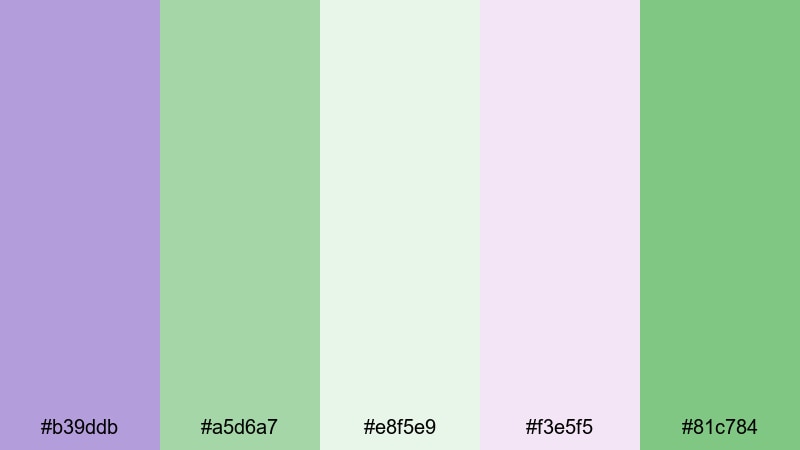
- HEX Codes: #b39ddb, #a5d6a7, #e8f5e9, #f3e5f5, #81c784
- Mood: Light, refreshing, and hopeful.
- Use for: Great for spring campaign videos, sustainability brands, and calm intro slates.
Spring Rain Bloom blends gentle lilac (#b39ddb) with soft greens (#a5d6a7, #81c784) and airy off-whites (#e8f5e9, #f3e5f5). It feels like a rainy spring morning clearing into sunlight, with a balance of freshness and calm.
Use this Purple Green palette for eco-friendly brands, spring promotions, wellness campaigns, and calm intro slates. In Filmora, let #e8f5e9 and #f3e5f5 dominate backgrounds, place headings in #b39ddb or #81c784, and use #a5d6a7 to frame sections or highlight key stats and titles.
Tips for Creating Purple Green Color Palettes
Purple Green color combinations can shift from soft pastels to neon, cinematic, or luxury looks. A few simple rules help you keep them readable, on-brand, and easy to grade inside Filmora or any design tool.
- Define a role for each color: choose one main purple, one main green, one background shade, and 1 to 2 accent colors so your layouts stay consistent.
- Check contrast for text: place thumbnails and title cards side by side and ensure body text is dark on light or light on dark, never medium on medium.
- Use neutrals to calm the palette: add off-whites, grays, or deep charcoals so bold Purple Green elements do not overwhelm your footage.
- Match your footage temperature: cooler shots pair well with bluish purples and mint greens, while warmer footage works better with magenta purples and olive or moss greens.
- Keep branding consistent: reuse the same HEX codes on YouTube banners, lower thirds, end screens, and social posts to build strong recognition.
- Test palettes on small screens: preview your designs on a phone to make sure Purple Green contrasts are still clear in shorts, reels, and mobile thumbnails.
- Balance saturation: if both purple and green are neon, tone down one with a softer tint or darker shade to avoid visual noise.
- Save presets in Filmora: once you dial in a Purple Green grade and text style, save it as a custom preset so you can apply it instantly to future videos.
Conclusion
Purple Green color palettes can do everything from setting a dreamy, romantic tone to powering neon gaming intros or elegant brand stories. The right mix of shades shapes the mood of your video, helps your thumbnails stand out, and gives your channel a recognizable visual identity.
Use the HEX codes in these 15 palettes as a starting point, then refine them with Filmora's color tools, titles, and overlays. Whether you are designing thumbnails, intros, lower thirds, or full cinematic grades, keeping your Purple Green combinations consistent will make your content look more professional and memorable.
Open Filmora, drop in one of these palettes as your reference, and experiment with AI Color Palette, curves, and LUTs until your edits feel exactly the way you want them to.
secure download