

 100% Security Verified | No Subscription Required | No Malware


 ChatGPT
 Perplexity
 Gemini
 Claude
 Grok
Grok
Smoky Lilac sits between muted purple and soft gray, giving it a calm, nostalgic personality. It feels sophisticated yet approachable, which is why it works so well for romantic visuals, dreamy vlogs, and brands that want to look modern without being loud. In color psychology, Smoky Lilac can suggest sensitivity, quiet confidence, and creativity, making it a natural choice for storytelling, lifestyle content, and anything that leans into emotion.
On screen, Smoky Lilac is versatile enough for YouTube thumbnails, minimalist intros, Instagram Reels covers, and full cinematic color grades. Used as a main accent or background, it plays nicely with blush, cream, charcoal, and cool blues. Below, you will find 15 curated Smoky Lilac color palettes with HEX codes, plus ideas on how to apply them in Filmora so your intros, b roll, and branding all share a cohesive visual language.
In this article
Soft And Romantic Smoky Lilac Color Palettes
Twilight Blush Harmony

- HEX Codes: #74647b, #f7d9e6, #f4c1d8, #f0e5f5
- Mood: Gentle, dreamy, and intimate, like a quiet evening sky softening into dusk.
- Use for: Perfect for romantic wedding highlight films, engagement reels, and soft storytelling thumbnails.
Twilight Blush Harmony wraps deep Smoky Lilac in layers of blush pink and powdery lavender, creating a hazy glow that feels soft and cinematic. The darker #74647b anchors your frame, while the lighter pinks and lilacs blur into a gentle gradient that flatters skin tones and delicate details like flowers, veils, or handwritten titles.
Use the darkest shade for typography or subtle borders in your YouTube thumbnails, then let the pastel tones fill backgrounds, lower thirds, and overlays in Filmora. This palette suits romantic vlogs, love story intros, feminine brand kits, and Instagram Reels covers where you want emotion and intimacy without loud saturation.
Pro Tip: Build a Cinematic Smoky Lilac Look in Filmora
To keep your Twilight Blush Harmony look consistent, think in layers. Use the deep Smoky Lilac as your base for titles, frames, and end screens, then introduce the lighter blush and lavender tones in your transitions, b roll overlays, and call to action cards. In Filmora, you can save these colors to your custom swatches so every text box, shape, and graphic picks up the same Smoky Lilac accents across the entire video.
For wedding highlights and engagement films, duplicate your main timeline, apply a gentle pastel tint using Filmora effects, and then use keyframed opacity to fade the Smoky Lilac glow in and out around emotional beats. This keeps your storytelling natural while still giving viewers a clear, cohesive color identity.
AI Color Palette
If you already have a shot or moodboard that nails this Smoky Lilac and blush blend, Filmora's AI Color Palette feature lets you turn that reference into a look for the whole edit. Drop your hero shot with beautiful lilac tones into Filmora, sample it as a source, and match that color style to all your clips in a couple of clicks.
This is especially helpful when your footage comes from different cameras or lighting situations. AI Color Palette evens out white balance and contrast while preserving that dreamy Smoky Lilac atmosphere so your intro, vows, reception shots, and social cut downs all feel like one polished story.
 secure download

HSL, Color Wheels & Curves
To refine your Smoky Lilac look, open Filmora's advanced color tools. In HSL, gently lower saturation in magentas and purples while lifting brightness to keep the palette airy. Use color wheels to cool down shadows into a muted violet and warm up midtones with a hint of blush so faces stay flattering against your lilac backgrounds. For a more cinematic feel, add a soft S curve to boost contrast while protecting highlights from clipping.
You can study more creative grading approaches in Filmora's tutorials on using color wheels and curves for stylized looks, then adapt those ideas to your own Smoky Lilac theme. Once you dial in a look you love, save it as a preset and reuse it across intros, outros, and series playlists to keep your brand consistent.
secure download1000+ Video Filters & 3D LUTs
Once your base colors are set, Filmora's video filters and 3D LUTs make it easy to stylize your Smoky Lilac palette in seconds. Try soft glow or pastel filters to enhance the dreamy quality of Twilight Blush Harmony, or subtle film and grain LUTs to add a nostalgic texture without overpowering your lilac tones.
You can stack filters at low opacity, then fine tune their strength so the HEX colors of your palette remain recognizable in thumbnails, titles, and overlays. Save your favorite combinations as custom presets and reuse them for wedding highlight packages, romantic reels, or any series that leans into this gentle Smoky Lilac mood.
secure downloadVintage Lavender Haze

- HEX Codes: #6b5a76, #d8c6e6, #f5e6cc, #b09cab
- Mood: Nostalgic and cinematic with a soft retro glow.
- Use for: Great for vintage inspired travel films, lifestyle vlogs, and muted cinematic title cards.
Vintage Lavender Haze combines a deep, dusky lilac with faded cream and hazy mauve to mimic the softness of old film. The mix of purple undertones and warm neutrals creates a timeless, slightly grainy atmosphere that suits slow paced storytelling and memory driven narratives.
Use the darkest shade for titles and outlines on your video thumbnails, then let the creams and mauves fill backgrounds in your Filmora intro or chapter cards. This palette is perfect for retro travel edits, lifestyle vlogs with journaling, or brand identities that want a filmic, analog style without leaning into harsh sepia tones.
Lilac Rose Keepsake
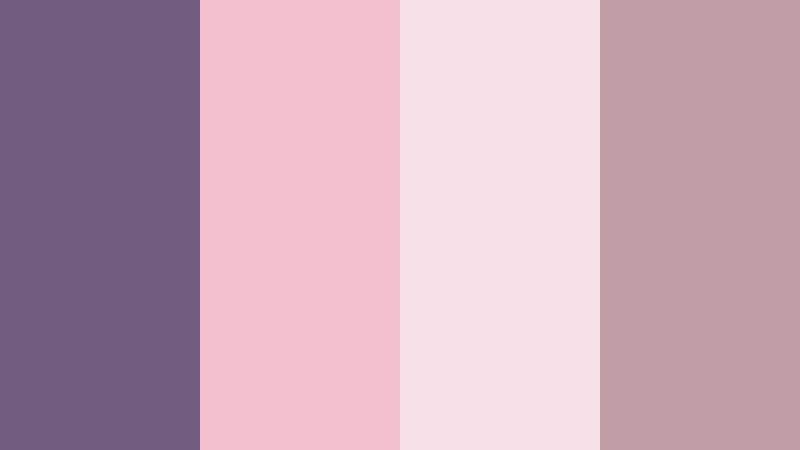
- HEX Codes: #725c7f, #f2c0cf, #f7e1e9, #c19da6
- Mood: Sentimental, warm, and keepsake like, evoking cherished memories.
- Use for: Ideal for family montage videos, baby announcement clips, and heartfelt social posts.
Lilac Rose Keepsake blends Smoky Lilac with tender rose and soft blush tones, giving your visuals a warm but refined feel. The muted purple adds depth and maturity, while the pinks and warm neutrals keep everything feeling affectionate and personal, like flipping through a handmade scrapbook.
In Filmora, build soft lower thirds with the blush tones, and use the lilac for text, icons, and overlays. This palette works beautifully for family highlight reels, baby announcement cards, milestone birthday edits, and any social content where you want to bring out warmth and emotion without using overly bright or saturated colors.
Evening Garden Whisper
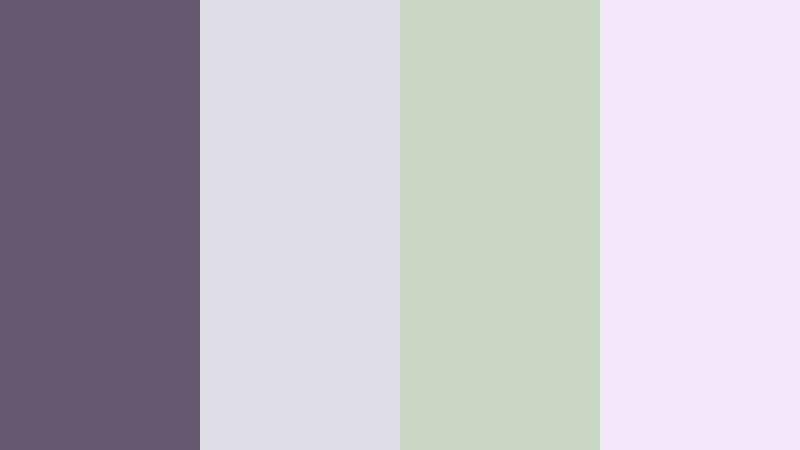
- HEX Codes: #685771, #dcdfe5, #c8d7c4, #f3e8f9
- Mood: Calm, floral, and contemplative, like a garden after sunset.
- Use for: Lovely for nature vlogs, poetry videos, and calm ASMR or study with me content.
Evening Garden Whisper pairs muted Smoky Lilac with foggy gray, soft sage, and pale petal tones to create a hushed, botanical feel. The subtle greens and off whites keep the palette grounded in nature, while the lilac shade introduces a dreamy, reflective quality.
Use the lilac and gray together for backgrounds, then layer sage accents into icons, chapter markers, or timeline labels in Filmora. This palette is ideal for slow paced nature vlogs, reading or study with me videos, ASMR channels, and minimalist poetry clips where you want viewers to feel calm and focused.
Cloudsoft Mauve Story
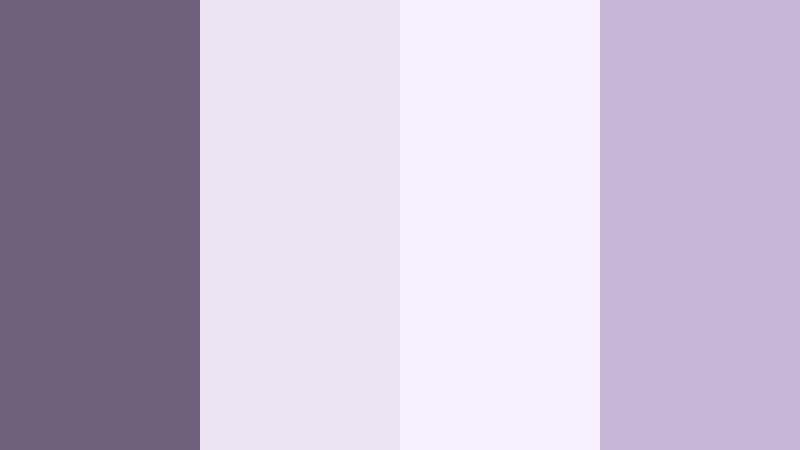
- HEX Codes: #6f607c, #ede4f3, #f6f0ff, #c7b6d5
- Mood: Airy, poetic, and light hearted with a dreamy softness.
- Use for: Use in intro sequences, lyric videos, and gentle productivity vlogs needing a calm, floaty mood.
Cloudsoft Mauve Story surrounds a medium Smoky Lilac with ultra light mauves and lavender whites, creating a cloud like, weightless aesthetic. It feels clean and modern but still emotional, making it a great fit for lyrical or reflective content.
Fill your backgrounds and frames with the lightest shades, then let the deeper lilac carry key text, progress bars, or sticky notes in your productivity vlogs. In Filmora, this palette works well for animated titles, soft motion graphics, and aesthetic desk setups where you want a gentle, pastel purple atmosphere without visual clutter.
Elegant And Modern Smoky Lilac Color Palettes
Lilac Charcoal Luxe
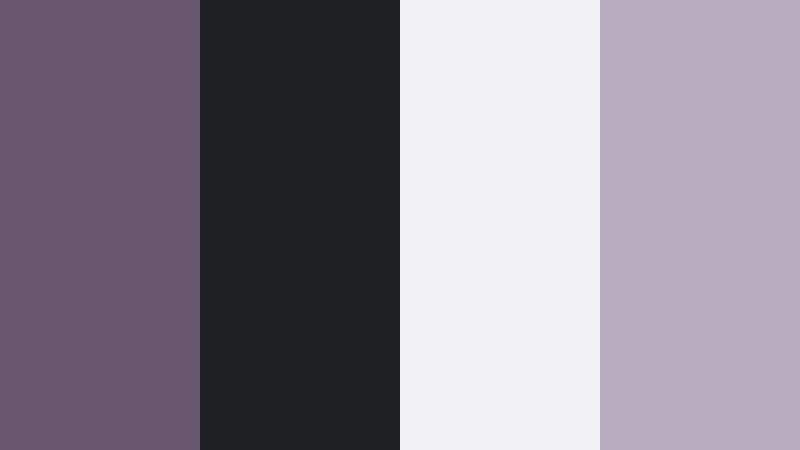
- HEX Codes: #695770, #1f2024, #f2f2f5, #b7abbf
- Mood: Polished, refined, and high contrast with a fashion forward edge.
- Use for: Great for luxury product promos, channel rebrands, and tech focused video UIs.
Lilac Charcoal Luxe contrasts Smoky Lilac with deep charcoal and crisp off white for a sleek, editorial feel. The result is bold and premium, similar to a high end fashion magazine layout or a minimalist tech landing page.
Use the charcoal as your primary background in Filmora, then layer Smoky Lilac for accent shapes, titles, and call to action buttons. The off white and pale lilac shades can highlight key information in product promos, channel trailers, and UI style overlays, keeping everything readable while still feeling stylish and modern.
Steel Orchid Minimal

- HEX Codes: #6d5c7b, #cbd0d8, #8e939e, #f8fafc
- Mood: Minimal, cool, and quietly confident with a tech friendly polish.
- Use for: Perfect for app demos, UI mockups, and minimalist explainer videos.
Steel Orchid Minimal balances Smoky Lilac against a set of cool grays and clean whites. The palette has a soft tech tone, making it feel professional without becoming clinical, and giving your visuals a subtle violet accent that stands out from typical blue heavy interfaces.
In Filmora, use the lightest gray and white as your background canvas, the mid gray for lines and frames, and the lilac for buttons, icons, progress indicators, and key text. This combination looks great on explainer thumbnails, software demo overlays, and infographic style transitions.
Urban Loft Lilac
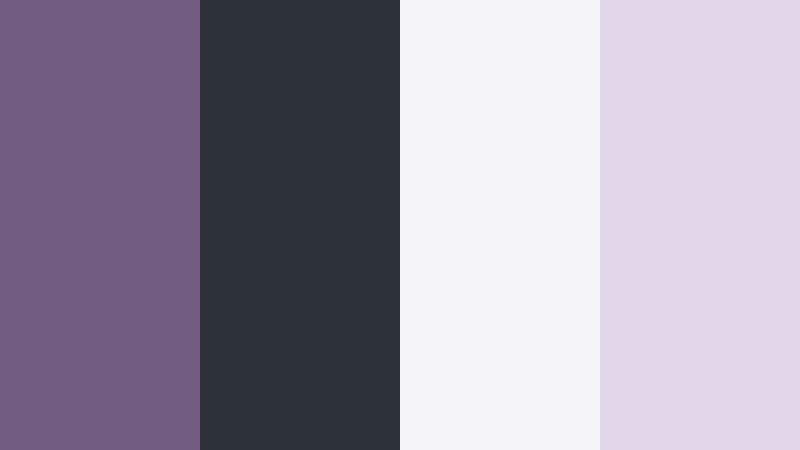
- HEX Codes: #725d82, #2d3138, #f5f5f7, #e1d5ea
- Mood: Modern, urban, and sophisticated like a styled city loft.
- Use for: Strong for interior design tours, architecture videos, and modern lifestyle channels.
Urban Loft Lilac mixes a moody Smoky Lilac with deep slate and frosted whites, creating a chic city apartment vibe. The gentle lavender tint keeps things creative and modern, while the dark neutral provides a reliable base for high contrast layouts.
Use the slate shade for full screen backgrounds or header bars, with the lilac and pale lavender for accent lines, location labels, or before and after frames in interior design content. In Filmora, this palette works well across channel branding, especially when you want thumbnails and lower thirds to feel curated and grown up.
Graphite Petal Edge
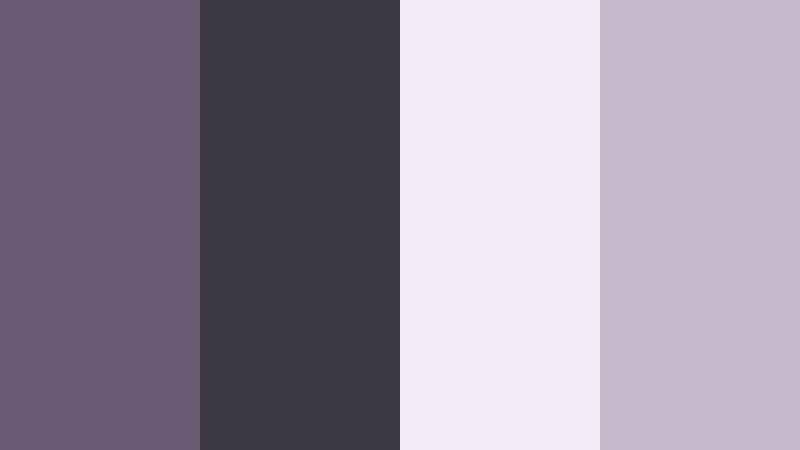
- HEX Codes: #6a5a74, #3b3a42, #f1edf8, #c4b8cd
- Mood: Edgy yet feminine, mixing softness with graphic contrast.
- Use for: Ideal for fashion lookbooks, beauty tutorials, and bold personal brand intros.
Graphite Petal Edge frames Smoky Lilac with inky graphite and pale petal tones, creating a look that is both strong and delicate. The dark neutral gives your designs impact, while the lilac and pale mauves bring in softness and femininity.
Use the graphite on borders, backgrounds, and full screen title cards, then let the lilac hues highlight product names, captions, and chapter markers. In Filmora, this palette is perfect for beauty tutorials, fashion lookbooks, and bold personal brand intros where you want to look editorial without losing warmth.
Studio Spotlight Lilac

- HEX Codes: #705f80, #f7f7fa, #ffd8a6, #c3bed0
- Mood: Polished, welcoming, and studio ready with a soft spotlight warmth.
- Use for: Great for talking head videos, course content, and branded webinar visuals.
Studio Spotlight Lilac pairs Smoky Lilac with clean off white, soft lavender, and a gentle spotlight orange. The mix feels professional but friendly, like a well lit studio set that is made for long form viewing.
In Filmora, use the off white as your primary background, the lilac for frames and section headers, and the warm orange as a subtle accent for subscribe prompts, timestamps, or key bullets. This palette works especially well for educational channels, webinars, and course intros, helping content feel easier on the eyes during longer watch sessions.
Cinematic And Moody Smoky Lilac Color Palettes
Stormlit Violet Frame

- HEX Codes: #5f4a70, #14151a, #49485a, #d8c7e5
- Mood: Dark, cinematic, and atmospheric with a stormy undertone.
- Use for: Perfect for narrative shorts, moody travel films, and dramatic title sequences.
Stormlit Violet Frame sets deep Smoky Lilac against near black and storm gray tones, with a pale lavender highlight. The result is a moody, cinematic palette that suggests thunderstorms, city nights, or introspective storytelling.
Use the darkest shades as letterbox bars, background for opening credits, or overlay vignettes in Filmora. The lilac and pale lavender can pick out titles, subtitles, and key graphics so they pop gently against the dark scene. This palette is a strong choice for narrative shorts, dramatic travel films, and cinematic YouTube intros.
Noir Lavender Night
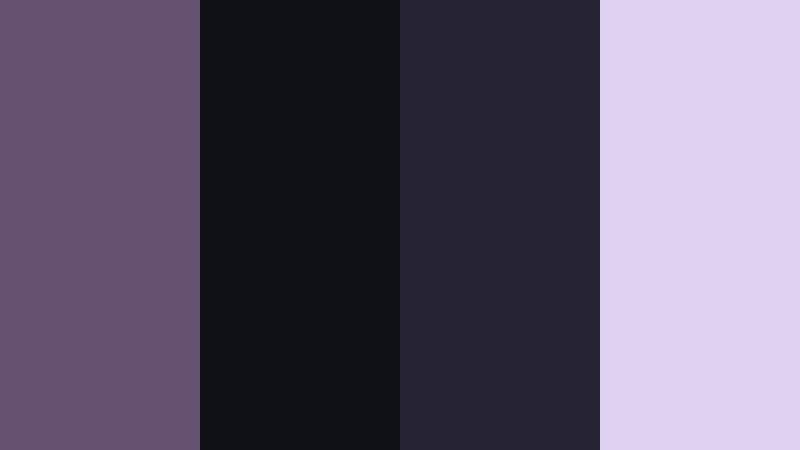
- HEX Codes: #63516f, #101017, #262433, #e0d0f0
- Mood: Mysterious, stylish, and slightly surreal like a neon noir city night.
- Use for: Great for music videos, cyberpunk edits, and stylized gaming intros.
Noir Lavender Night casts Smoky Lilac into a deep, almost neon noir world, with nearly black blues and a bright lavender glow. The high contrast palette feels modern, moody, and slightly surreal, excellent for content that leans into style and attitude.
In Filmora, make your backgrounds and frames very dark, then use the lilac and lavender as accent strokes on typography, HUD elements, and glitch overlays. This palette fits perfectly with music videos, cyberpunk edits, and gaming intros where you want your brand color to glow like soft neon without going full neon pink or green.
Fogbound Amethyst Trail

- HEX Codes: #6c5d7c, #323646, #9da3b8, #ebe4f6
- Mood: Misty, introspective, and cinematic with slow burn tension.
- Use for: Use for documentary style walks, solo travel vlogs, and reflective montages.
Fogbound Amethyst Trail combines a muted Smoky Lilac with slate blue grays and soft amethyst haze, simulating the feel of misty mornings or twilight walks. The palette is low contrast but emotionally rich, perfect for reflective narratives and slow burn edits.
Use the dark slate for lower thirds and subtle frames, letting the lilac and light amethyst tones wash across gradients and sky overlays in Filmora. This palette is ideal for solo travel vlogs, walking documentaries, moody B roll sequences, and contemplative montages with voiceover.
Dusktone Lilac Fade
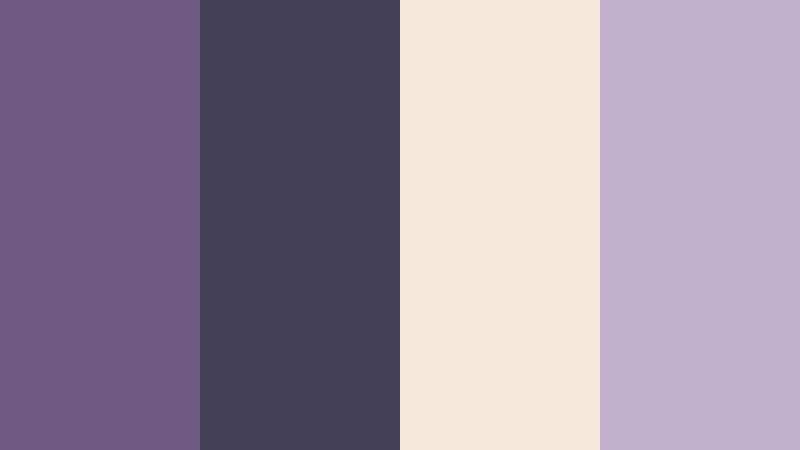
- HEX Codes: #6f5b81, #444055, #f3e8da, #c2b1cc
- Mood: Melancholic yet hopeful, like the last light fading from the sky.
- Use for: Fits sad to hopeful story arcs, reflective edits, and cinematic vlog thumbnails.
Dusktone Lilac Fade blends muted purples, soft sand, and fading light to capture the mood of a sky just after sunset. It balances melancholy and warmth, which makes it powerful for emotional storytelling and arcs that move from dark to light.
In Filmora, employ the darker purple and gray for the beginning of your story, then gradually introduce the sand and pale lilac tones in later scenes or titles as the narrative becomes more hopeful. This palette shines in cinematic vlog thumbnails, reflective edits, and any video where you want viewers to feel a shift from heavy to light.
Midnight Screen Lilac
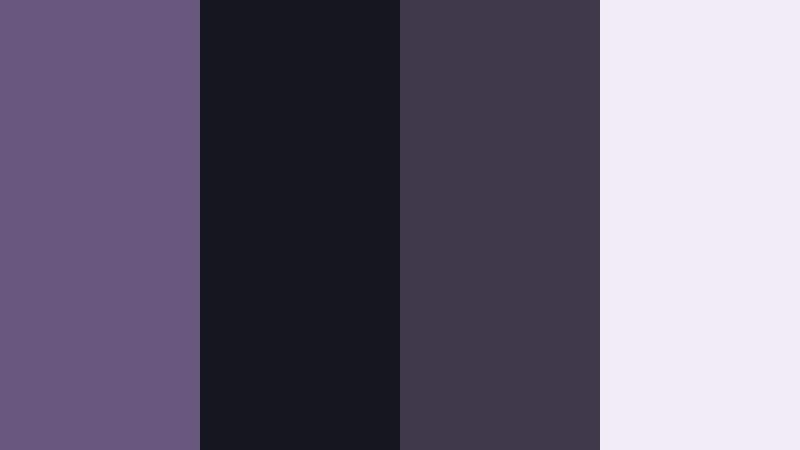
- HEX Codes: #69577e, #15161f, #3e3a4c, #f0edf9
- Mood: Focused, digital, and slightly futuristic with a calm intensity.
- Use for: Ideal for coding streams, gaming overlays, and tech commentary channels.
Midnight Screen Lilac positions Smoky Lilac in a dark, screen like environment with deep blues and muted violets, plus a soft, pale highlight. It feels focused and modern, fitting creators who live in front of monitors, code editors, and dashboards.
Use the darkest tones for full screen backgrounds and sidebars, the mid violets for panels and buttons, and the pale lilac for readable text and highlight boxes. In Filmora, this palette works nicely for coding stream overlays, tech explainer graphics, and gaming channel branding where you want a consistent, calm, digital look that still feels unique.
Tips for Creating Smoky Lilac Color Palettes
Smoky Lilac is flexible, but it looks best when paired thoughtfully with neutrals, contrast shades, and small accent colors. These tips will help you use it effectively in video edits, thumbnails, and branding across YouTube, Instagram, and other platforms.
- Anchor Smoky Lilac with neutrals. Combine it with charcoal, soft gray, or off white to keep your layouts clean and readable, especially for text heavy intros and lower thirds.
- Use contrast for readability. If your background is Smoky Lilac, choose near white or deep charcoal for typography to maintain clarity on mobile screens and small thumbnails.
- Limit accent colors. One small accent, like warm orange or muted sage, is usually enough. Too many accents can drown out the lilac and confuse your brand message.
- Match your footage temperature. If your video is warm and golden, use lilac with blush or cream. For cooler footage, pair lilac with blue grays or steel tones to keep the mood consistent.
- Keep saturation moderate. Smoky Lilac loses its elegant feel if it becomes overly bright. In Filmora, slightly lower saturation on purples and magentas to protect that smoky character.
- Reuse HEX codes in templates. Save your Smoky Lilac palette HEX codes inside Filmora presets for titles, lower thirds, and overlays so every new video feels on brand.
- Design with dark and light versions. Create both light mode and dark mode layouts using the same lilac hue so you can adapt to different thumbnail backgrounds and platform themes.
- Test on multiple devices. Export a frame and view it on phone, tablet, and desktop to check that your Smoky Lilac elements remain readable and do not shift too blue or too pink.
Smoky Lilac is a powerful storytelling color. It can soften harsh scenes, add romance to everyday moments, or bring a subtle futuristic edge to tech content. By choosing the right palette and keeping your HEX codes consistent, you can build a visual identity that feels cohesive across thumbnails, intros, overlays, and social cut downs.
Inside Filmora, these palettes become even more practical. You can store them as custom colors, apply them with AI Color Palette, and refine the look using HSL, color wheels, curves, filters, and LUTs. Whether you lean into soft romantic edits, modern branding, or cinematic noir, there is a Smoky Lilac combination that can support your style.
Experiment with a few of the palettes above on your next project, export some test frames, and see which one matches your channel mood and audience. Once you lock in your Smoky Lilac look, turning it into a repeatable preset in Filmora will save time and keep every new upload instantly recognizable.
secure download