

 100% Security Verified | No Subscription Required | No Malware


 ChatGPT
 Perplexity
 Gemini
 Claude
 Grok
Grok
Give your Snapchat clips a polished, on-trend aesthetic without ever leaving Filmora. These curated Snapchat-style video LUT looks help you match the app's most popular vibes while keeping your own brand identity intact.
Below are 12 scene-based filters designed for content creators who want clean colors, cinematic contrast, and a consistent aesthetic across stories, Spotlights, and daily snaps.
In this article
Golden Hour City Vibes
Sunset Soft Glow
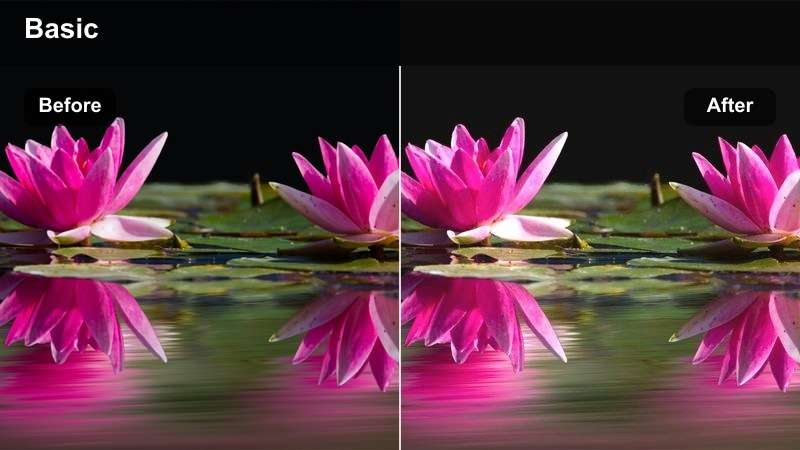
- Effect look: Warm, soft contrast with a dreamy Snapchat-style glow on skin and sky highlights.
- Best for: Sunset city rooftops, skyline walks, and golden-hour storytelling shots.
- Editing tip: Lower sharpness slightly and increase a touch of film grain to keep the glow looking organic.
Sunset Soft Glow wraps your golden-hour footage in a warm, flattering halo that feels instantly shareable on Snapchat. Highlights roll off gently across the sky and buildings, while skin tones stay creamy and luminous instead of orange or oversaturated.
In Filmora, drop this look onto rooftop vlogs, skyline B-roll, or romantic city cutaways to give your story a cohesive evening vibe. Dial back sharpness and add a hint of grain in the Effects panel to fake a soft-film aesthetic that still looks clean on vertical screens.
Lock In a Consistent Snapchat Aesthetic with AI Color Tools
Filmora AI color tools help you keep the same Sunset Soft Glow style across every clip, even if you jump from rooftop shots to shaded streets. Match colors in one click so your story never looks patchy or mismatched.
Once you love the grade on one clip, save it as a preset and reuse it on intros, B-roll, and talking shots. Your Snapchat stories will feel curated and intentional instead of like a random mix of filters.
 secure download

Preview Snapchat-Style Filters in Real Time
With Filmora, you can preview Snapchat-style LUTs directly on your vertical footage and see how they react to camera movement, lens flares, and light shifts. Scrub the timeline to check whether the glow, contrast, and colors stay consistent across every beat of your story.
Use split-screen preview to compare your ungraded clip with the Sunset Soft Glow version, then fine-tune intensity so your footage stays flattering while still popping on the For You feed.
secure download1000+ Video Filters and 3D LUTs
Beyond these Snapchat-inspired looks, Filmora includes a full library of 1000+ filters and 3D LUTs that can be stacked and customized. Mix cinematic LUTs with subtle portrait filters, then adjust HSL and curves to dial in your own signature aesthetic.
Save your favorite combinations as presets so every new Snapchat story, Spotlight, or reel can be graded in seconds instead of hours.
secure downloadAmber Street Flare
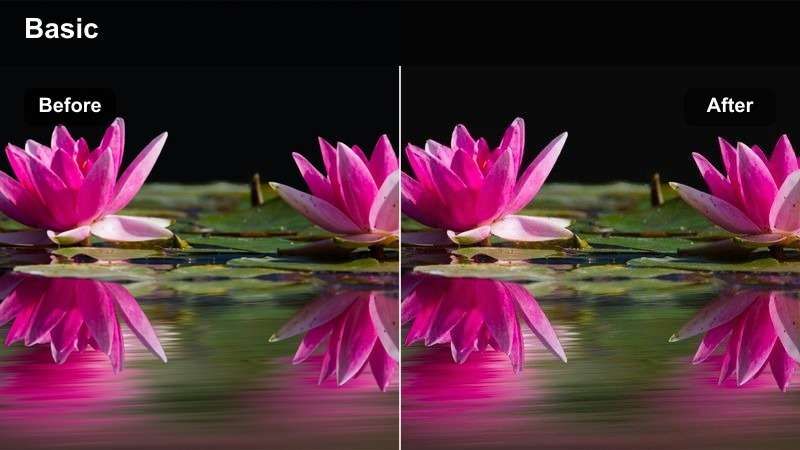
- Effect look: Rich amber highlights with lifted shadows and a subtle street-film haze.
- Best for: Evening city streets, neon storefronts, and cinematic walking POVs.
- Editing tip: Add a slow push-in zoom for B-roll and keep your shutter speed low for smooth, hazy motion.
Amber Street Flare leans into the warmth of dusk, boosting streetlights and shop windows with a rich amber sheen. Lifted shadows keep details visible in darker corners so your Snapchat audience can still read signs, outfits, and background action.
Drop this look onto handheld walking POVs or slow-motion B-roll in Filmora, then add a gentle push-in zoom keyframe to create that moody, cinematic drift. Combine with lens flare overlays for extra glow that feels right at home in night-into-evening story sequences.
Urban Gold Film
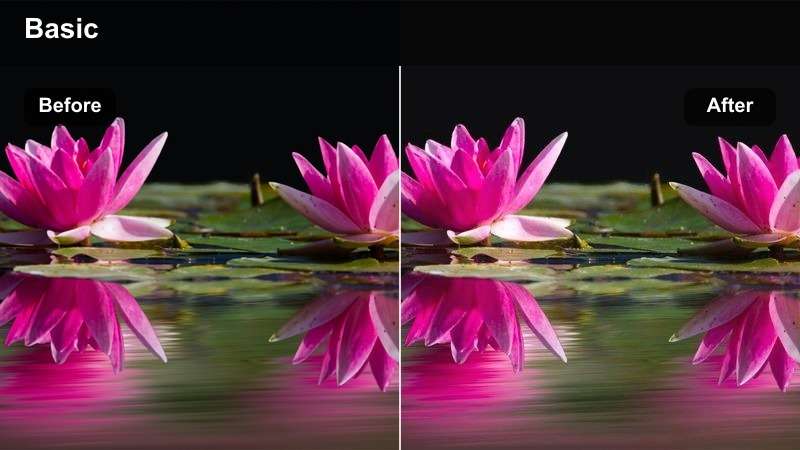
- Effect look: Muted city colors with golden midtones and soft-film contrast for a Snapchat story vibe.
- Best for: Lifestyle B-roll, outfit checks on sidewalks, and street-style lookbooks.
- Editing tip: Reduce saturation on greens and blues to let the golden skin tones become the storytelling focus.
Urban Gold Film pushes midtones into a gentle gold while dialing back busy city hues, giving your feed a curated lifestyle look. Skyscrapers, cars, and signage step into the background so outfits and faces become the instant focal point.
In Filmora, pair this LUT with outfit transitions, GRWM segments, or quick OOTD spins on the sidewalk. Use HSL controls to further mute greens and blues, and keep your cuts tight so each snap feels like part of a polished street-style campaign.
Minimal Aesthetic Indoors
Clean Loft Neutral
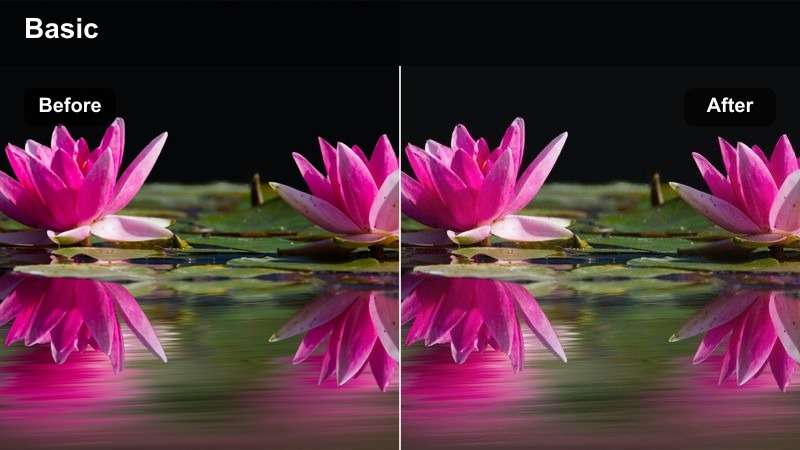
- Effect look: Soft neutral tones with bright whites and gentle contrast for minimal studio-style snaps.
- Best for: Desk setups, home office tours, and productivity storytelling in apartments or lofts.
- Editing tip: Increase exposure slightly and reduce vibrance so backgrounds stay airy and clutter-free.
Clean Loft Neutral brightens whites and softens strong colors to create a calm, editorial feel in home offices and studios. It is ideal for creators who want their workspace to look intentional and distraction free on Snapchat.
Apply this look in Filmora to desk B-roll, typing shots, planner close-ups, and talking-head productivity clips. Raise exposure a touch and lower vibrance so any mismatched decor or background objects fade into a smooth, neutral backdrop.
Soft Beige Diary
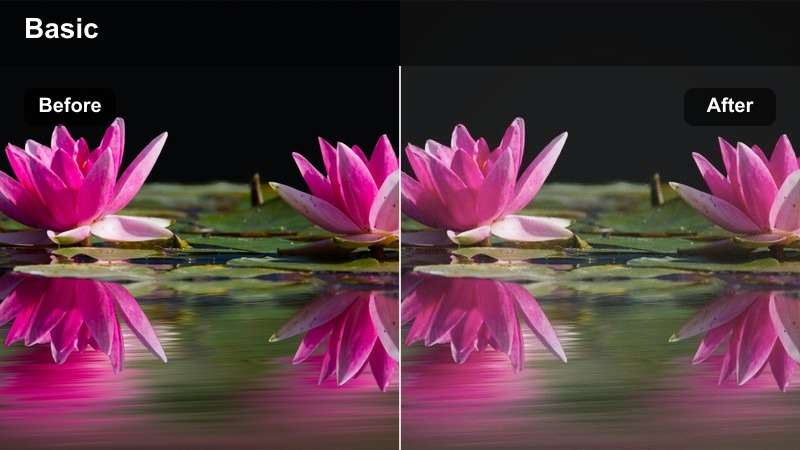
- Effect look: Creamy beige cast with gentle fade and subtle desaturation for calm, journal-style clips.
- Best for: Talking-to-camera storytime, day-in-the-life recaps, and quiet indoor vlogs.
- Editing tip: Lower contrast slightly and add a touch of blur to the background for a cozy diary feel.
Soft Beige Diary wraps your footage in a warm, creamy wash that softens contrast and pulls attention to your face. The faded tones make storytime snaps feel like pages from a visual journal instead of regular talking-head clips.
Use this preset in Filmora when editing life updates, mental health check-ins, or evening recaps from your couch or bed. Slightly blur the background with Filmora effects and keep cuts minimal so viewers can settle into the calm, diary-style atmosphere.
Muted Apartment Aura
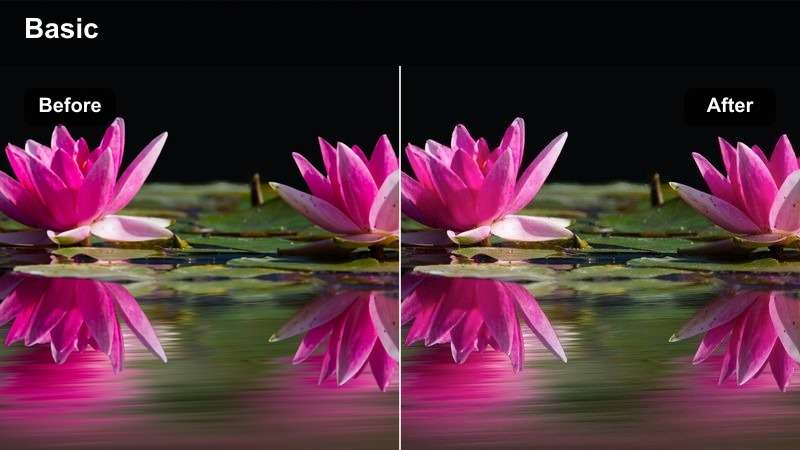
- Effect look: Muted colors with gentle cool shadows and crisp whites for aesthetic apartment tours.
- Best for: Room makeovers, shelf styling, and vertical walkthroughs of small spaces.
- Editing tip: Use slow, steady camera moves and stabilize in post so the clean lines and muted colors feel intentional.
Muted Apartment Aura cools down shadows and gently mutes decor colors to give interiors a tidy, magazine-ready look. Whites stay crisp, while clutter and bold tones feel more controlled and aesthetic on screen.
In Filmora, apply this LUT to room makeover reveals, closet tours, and shelf styling reels shot vertically. Stabilize your clips and use slow pans or tilts so viewers can appreciate the clean lines while the filter ties your entire apartment tour into one cohesive aesthetic.
Night City Neon Stories
Neon Pop Snap
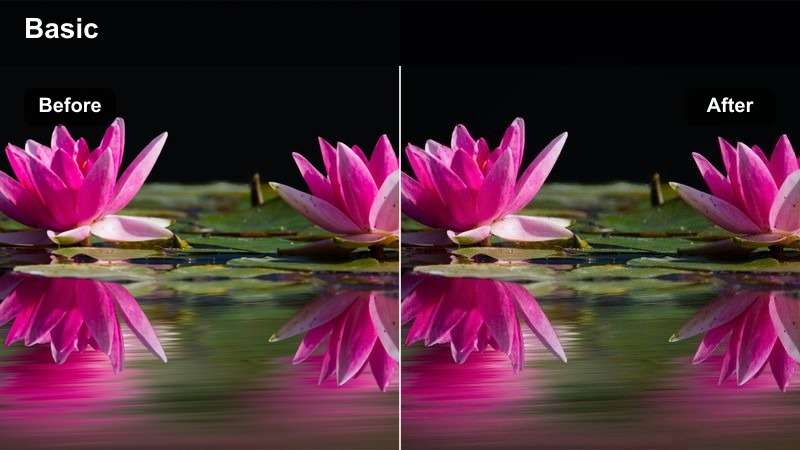
- Effect look: Deep shadows with saturated neon blues and pinks for bold night Snapchat energy.
- Best for: Downtown nightlife, club exteriors, and neon-lit crosswalks.
- Editing tip: Drop highlights slightly and push saturation to emphasize sign colors without crushing your subject.
Neon Pop Snap pushes night scenes into bold pink and blue tones while letting shadows fall deep and dramatic. It is built for nightlife content where glowing signs, billboards, and reflections do most of the visual storytelling.
Apply this look in Filmora to club entrances, night markets, and rainy street B-roll, then nudge highlights down and saturation up to intensify neon without losing detail in faces. Mix in a few speed ramps or beat-matched cuts so every flash of color lands with impact.
Midnight City Fade
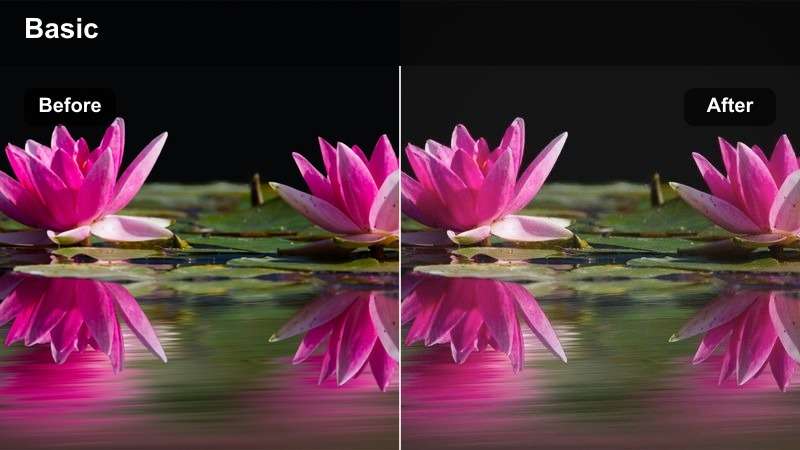
- Effect look: Soft, low-contrast night look with lifted blacks and a gentle blue tint.
- Best for: Late-night walks, ride-along POVs, and chill post-party recaps.
- Editing tip: Add a slight vignette and reduce clarity so the lifted blacks feel cinematic, not noisy.
Midnight City Fade trades harsh contrast for a soft, dreamy night aesthetic with lifted blacks and a hint of blue. Streetlights bloom gently and distant car lights blur into pleasing bokeh, perfect for calm, reflective snaps after a long day.
In Filmora, combine this LUT with slow walking POVs, car window views, or quiet city corners. Add a light vignette, reduce clarity a touch, and keep music chill so the faded blacks feel like a cinematic choice rather than low exposure.
Cyber Street Glow
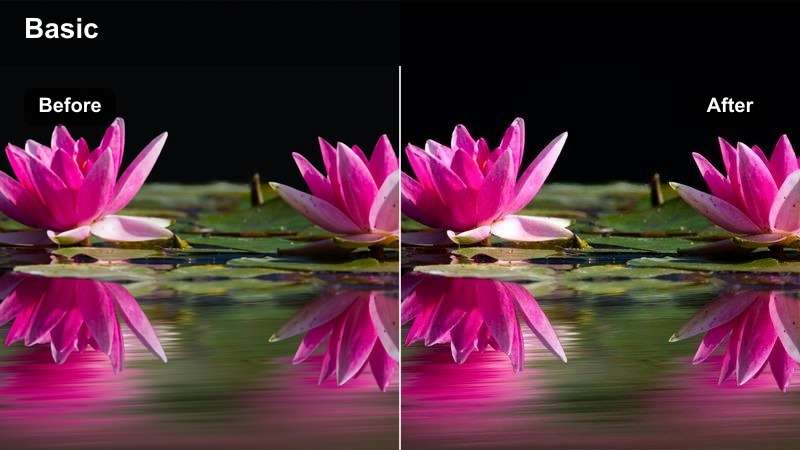
- Effect look: High-contrast futuristic look with teal shadows and magenta highlights on city lights.
- Best for: Urban B-roll, edgy fashion fits at night, and cyberpunk-style alley shots.
- Editing tip: Increase contrast and add a subtle speed ramp to match the high-energy, futuristic vibe.
Cyber Street Glow flips your night footage into a stylized teal-and-magenta color world that screams futuristic. Shadows lean teal, highlights turn magenta, and bright sources like LED signs or headlights punch through with high contrast.
Use this preset in Filmora for edgy night fashion shoots, dance reels under city lights, or cyberpunk alley sequences. Boost contrast slightly, add a few speed ramps or glitch transitions, and cut on movement to keep the high-energy, sci-fi tone consistent from snap to snap.
Daytime Street Diaries
True Daylight Snap
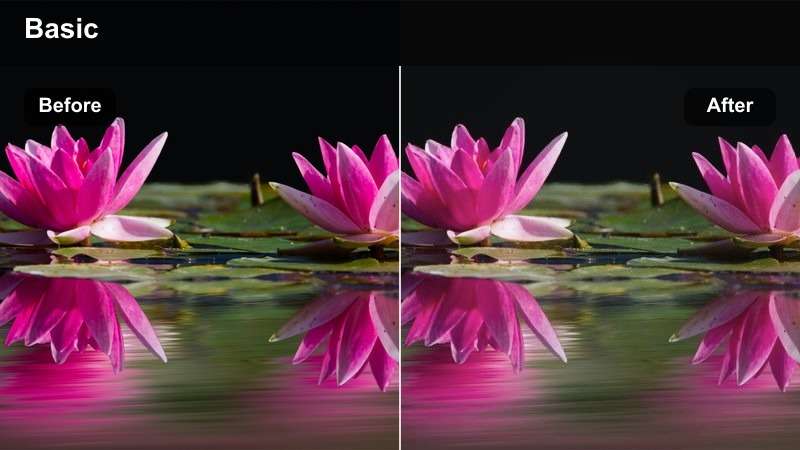
- Effect look: Clean, true-to-life colors with gentle contrast that mimic native Snapchat camera clarity.
- Best for: Everyday city errands, quick check-in snaps, and vlog-style walking clips.
- Editing tip: Apply light stabilization and keep exposure neutral to preserve the natural look across multiple cuts.
True Daylight Snap keeps colors accurate and contrast gentle so your clips look like an upgraded version of the native Snapchat camera. Skin tones remain natural, skies stay believable, and storefronts look exactly how they feel in real life.
In Filmora, use this look on daily vlogs, errand runs, and quick talking clips filmed while walking. Add a touch of stabilization, trim out shaky starts, and keep exposure corrections subtle to maintain that clean, honest, everyday aesthetic.
Street Journal Soft
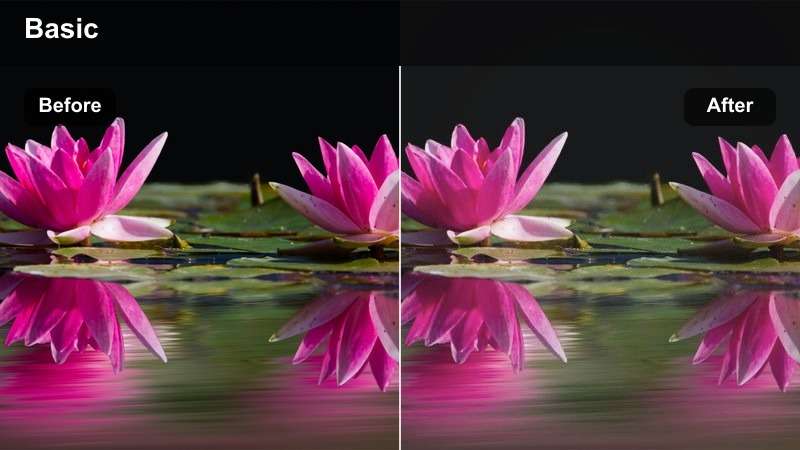
- Effect look: Soft contrast with slightly faded colors and a gentle highlight roll-off for documentary-style snaps.
- Best for: Storytime walks, city observations, and casual day-in-the-city recaps.
- Editing tip: Shoot at a slightly lower frame rate for a more cinematic feeling, then stabilize to keep footsteps smooth.
Street Journal Soft mutes saturation and eases contrast to give your daytime city clips a documentary, film-note quality. Highlights roll off smoothly, and midtones feel calm rather than punchy, which is ideal for reflective commentary.
Apply this LUT in Filmora for narrative walks, city thoughts, or observational snippets you stitch into a longer story. Combine with light ambient audio, keep transitions simple, and allow a bit of natural motion so the footage feels lived-in and authentic.
Cool City Storyline
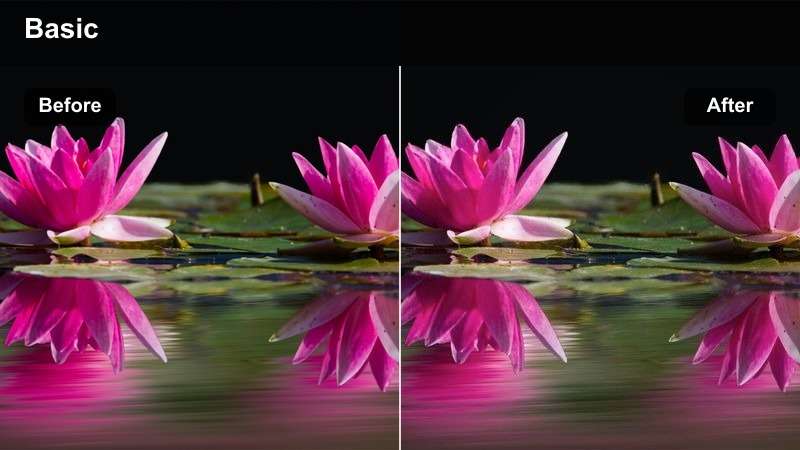
- Effect look: Cooler white balance with crisp edges and gentle contrast, perfect for narrative-style city content.
- Best for: Mini skits, transitions, and storyboarded vertical scenes shot on sidewalks or plazas.
- Editing tip: Cut on movement and add simple jump cuts so the cool tone feels energetic instead of static.
Cool City Storyline nudges your footage toward cooler tones and sharpens details slightly for a crisp, modern city feel. It works especially well when you are telling scripted stories, acting out skits, or stitching together planned transitions.
In Filmora, pair this look with quick jump cuts, whip-pan transitions, and on-beat sound effects to keep energy high. Lock focus on your subject when filming, then maintain color consistency across all scenes so your Snapchat narrative feels like one continuous short film.
Tips for Using Snapchat Video Luts Aesthetic Look Filters in Filmora
- Shoot in vertical orientation from the start so your Snapchat-focused filters fill the frame without awkward cropping.
- Keep white balance consistent in-camera to avoid unexpected color shifts when switching between different Snapchat looks.
- Record a few extra seconds before and after each take so you can trim around shaky starts once filters and transitions are applied.
- Avoid pushing saturation too hard on skin tones; emphasize color in backgrounds, signs, and lights instead for a flattering result.
- Test your favorite LUT on both indoor and outdoor clips before a big shoot so you know how it responds to changing light.
- Use Filmora keyframes to fade filters in and out for smooth transitions between scenes within longer Snapchat stories.
- Stabilize handheld footage lightly so cinematic filters and glows look intentional rather than highlighting camera shake.
- Save your most-used Snapchat-style grades as custom presets so you can batch-match the look across multiple story clips.
These 12 Snapchat video LUT-style aesthetic looks give content creators ready-made options for golden hour, neon nights, cozy apartments, and everyday street diaries without complex color grading.
Load them into your Filmora workflow, tweak intensity to match your personal brand, and your next Snapchat story will feel cohesive, cinematic, and instantly recognizable to your audience.
secure download