

 100% Security Verified | No Subscription Required | No Malware


 ChatGPT
 Perplexity
 Gemini
 Claude
 Grok
Grok
These Sony A6400 portrait LUT-style filters are designed for videographers and creators who want clean skin tones, soft contrast, and a cinematic mood without spending hours in color grading.
Use this guide to quickly match a portrait filter to your lighting, background, and story, so your Sony A6400 footage looks polished and consistent across every scene.
In this article
Warm Golden Hour Portrait Scenes
Soft Gold Glow
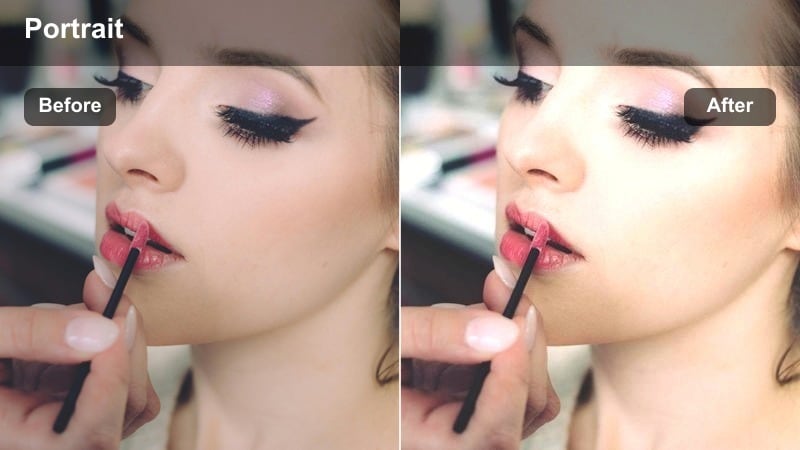
- Effect look: Warm, slightly hazy glow that wraps around skin for a dreamy sunset portrait feel.
- Best for: Outdoor golden hour portraits on the Sony A6400 with natural backlighting.
- Editing tip: Lower contrast slightly and reduce highlights to keep skin from looking too shiny under backlight.
Soft Gold Glow is ideal when your Sony A6400 portraits already have strong sunset color and backlight, but the raw footage looks a bit too sharp or contrasty. The filter gently smooths transitions between highlights and midtones so skin looks luminous instead of reflective, especially around cheeks, nose, and forehead.
In Filmora, apply Soft Gold Glow on an adjustment layer above your clip, then fine-tune exposure and highlight recovery underneath it. This keeps the glow intact while you refine the base image, helping you create a cohesive golden hour look across multiple shots and camera angles in the same sequence.
Match Sony A6400 Portrait Filters with AI Color Tools
Filmora s AI color tools can analyze your Sony A6400 portrait footage and push exposure and color temperature into a flattering range before you apply any filters. That way, subtle looks like Soft Gold Glow land closer to the ideal skin tone right away.
Use AI-assisted color matching to quickly align clips shot on different days, locations, or lenses, so every portrait filter you add feels intentional instead of corrective.
 secure download

Preview Portrait Filters in Real Time
In Filmora, you can scroll through portrait-focused filters on a Sony A6400 clip and see instant changes to skin tone, contrast, and background color. This makes it easy to compare warm golden-hour looks against neutral or cooler options without committing to one style too soon.
Once you find a look that matches your lighting and story, save it as a preset and quickly apply it across your entire portrait sequence for consistency.
secure download1000+ Video Filters and 3D LUTs
Filmora includes a large collection of filters and 3D LUTs you can combine with these Sony A6400 portrait looks. Mix cinematic LUTs with subtle skin-focused filters to build unique grades tailored to each client or project.
After you dial in your favorite combinations, save them as reusable presets so you can grade future Sony A6400 portraits in just a few clicks.
secure downloadSunset Copper Portrait
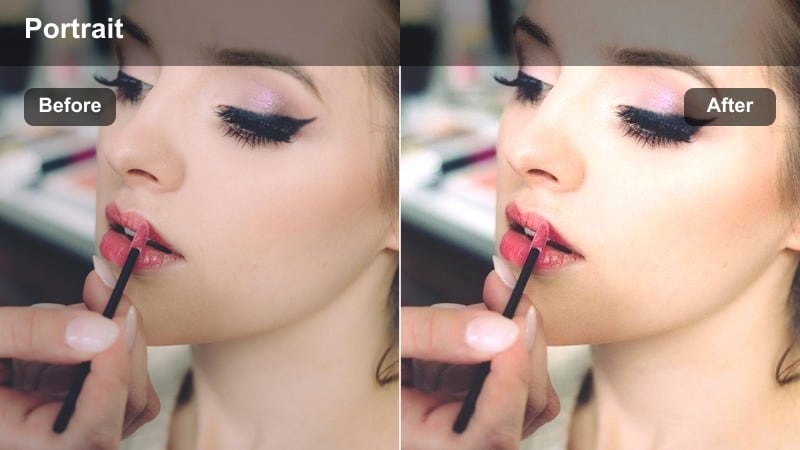
- Effect look: Rich copper warmth with gentle contrast that deepens midtones while preserving skin detail.
- Best for: Close-up Sony A6400 portraits against sunlit buildings or warm-toned backgrounds.
- Editing tip: Add a slight vignette and lift shadows to keep eyes bright while maintaining that cinematic depth.
Sunset Copper Portrait intensifies the natural orange and amber tones you get from late-afternoon light, making city facades and brick walls glow behind your subject. It deepens midtones to create a cinematic curve while keeping pores and fine details in the skin visible.
In Filmora, pair this filter with subtle HSL adjustments to control orange and red channels around the face. This lets you keep backgrounds richly copper while skin remains believable, especially useful for Sony A6400 S-Log footage that has been exposed slightly bright for maximum dynamic range.
Hazy Backlight Soft
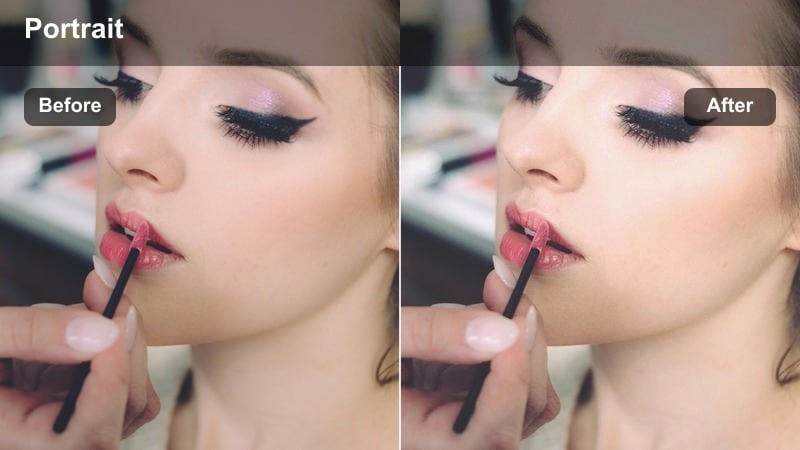
- Effect look: Low-contrast, hazy highlight roll-off that softens backlit edges and smooths skin.
- Best for: Backlit Sony A6400 portraits with bright skies or windows behind the subject.
- Editing tip: Raise blacks slightly and add subtle film grain to avoid a flat digital look.
Hazy Backlight Soft is designed for scenes where the sun or a bright window is behind your subject, wrapping light around hair and shoulders. The filter tames contrast and creates a gentle bloom in highlights so the background glow feels artistic rather than blown out.
Apply it in Filmora when your A6400 backlit shots look harsh or overly crisp. Follow with minor highlight recovery and a touch of grain, which helps keep the dreamy softness while reintroducing texture so the final portrait still feels dimensional and cinematic.
Soft Indoor Window Light Portraits
Clean Natural Skin
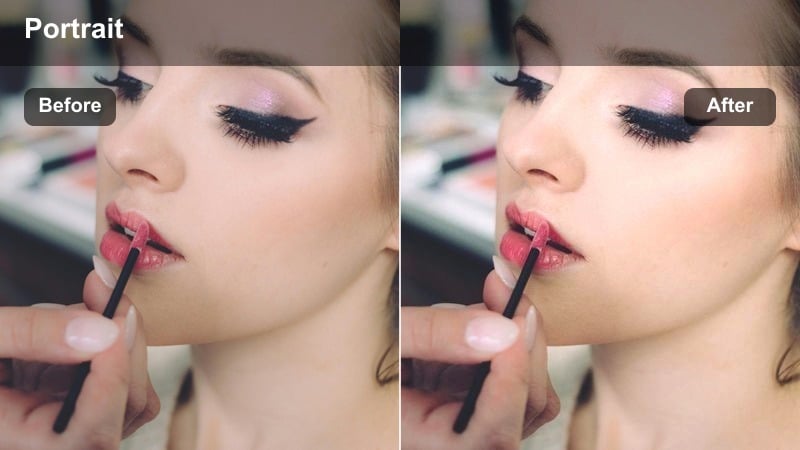
- Effect look: Neutral, low-contrast look with accurate skin tones and minimal color shift.
- Best for: Sony A6400 interviews and lifestyle portraits near a window with soft daylight.
- Editing tip: Fine-tune white balance before applying this filter for the most consistent skin tone across a sequence.
Clean Natural Skin prioritizes accurate, honest rendering of skin tones, making it a strong choice for interviews, vlogs, and documentary-style pieces shot on the Sony A6400. It slightly lowers contrast and saturation to avoid color casts from mixed indoor light while maintaining natural detail.
In Filmora, correct white balance with the eyedropper or temperature slider first, then add this filter to unify your sequence. Because it is subtle, you can easily stack additional creative filters or LUTs on top while keeping skin as the stable anchor of your grade.
Muted Cream Portrait
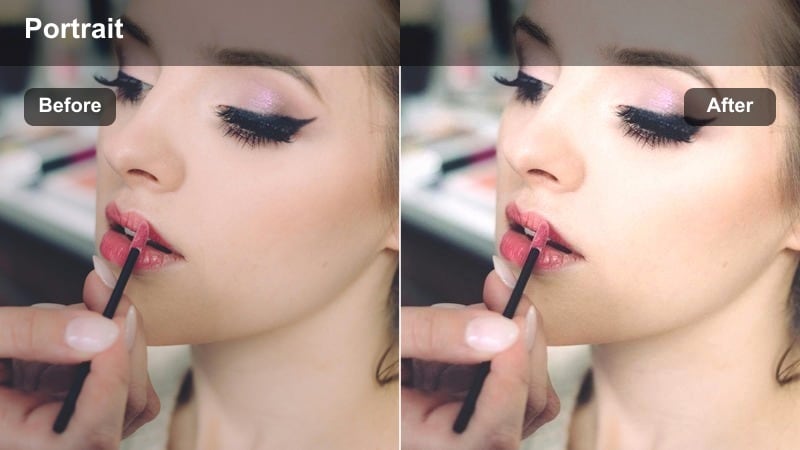
- Effect look: Soft, creamy highlights with slightly desaturated backgrounds that keep focus on the face.
- Best for: Sony A6400 portraits in minimal, neutral interiors like studios or home offices.
- Editing tip: Lower saturation in background colors and add a tiny clarity boost just around the eyes.
Muted Cream Portrait adds a smooth, creamy roll-off to highlights and gently desaturates the environment so the viewer naturally locks onto the subject s face. It works especially well with light-toned walls, bedding, or studio backdrops recorded on the Sony A6400.
Inside Filmora, combine this filter with masking tools to selectively sharpen the eyes and lashes while keeping cheeks and background soft. This combination delivers a polished, editorial-style portrait look that feels high-end without heavy retouching.
Warm Studio Softbox
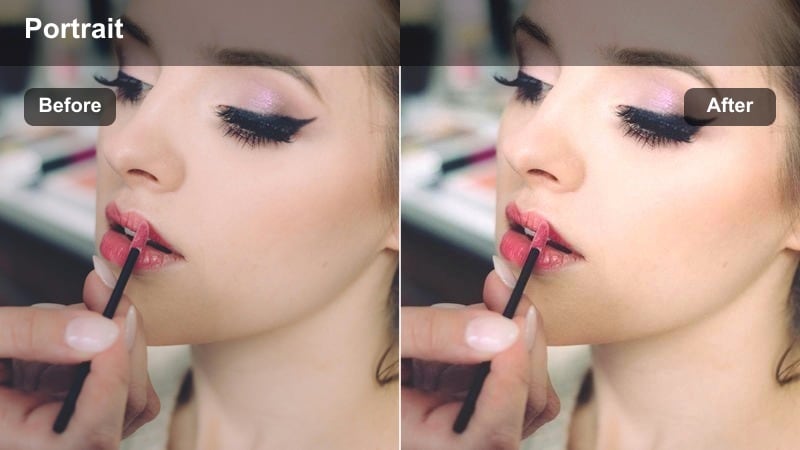
- Effect look: Subtle studio warmth with balanced contrast that smooths transitions between highlights and shadows.
- Best for: Sony A6400 studio portraits under softbox or umbrella lighting setups.
- Editing tip: Use curves to gently lift midtones while protecting highlights, keeping the studio look polished.
Warm Studio Softbox is tuned for controlled lighting environments where your Sony A6400 footage already looks even but may feel a bit cold or clinical. The filter adds a modest warmth and refines contrast to keep skin flattering under large, soft light sources.
After applying it in Filmora, use the curves tool to slightly raise midtones if faces look too flat, while anchoring highlights to avoid shine on the forehead and nose. This creates a refined, commercial portrait style that is ideal for headshots, branding videos, and promo content.
Moody Low-Light and Night Portraits
Cinematic Shadow Portrait
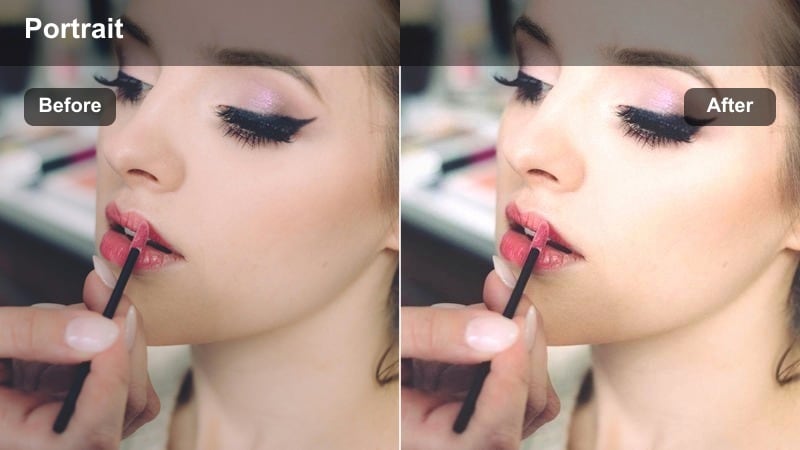
- Effect look: Deep shadows with soft, lifted blacks and controlled highlights for a filmic low-light feel.
- Best for: Sony A6400 night portraits lit by a single practical like a lamp or streetlight.
- Editing tip: Drop saturation slightly and push a subtle teal tone into shadows for extra cinematic depth.
Cinematic Shadow Portrait turns simple single-light setups into dramatic, film-inspired portraits by shaping shadows and softening clipped blacks. It is especially helpful for A6400 footage captured in dim interiors or alleys where light falloff is strong.
In Filmora, combine this filter with localized exposure adjustments to keep the face readable while the rest of the frame falls into moodier darkness. A slight teal push in shadows and a warm bias in highlights will reinforce a classic teal-and-orange cinematic palette without overpowering skin.
Neon City Portrait
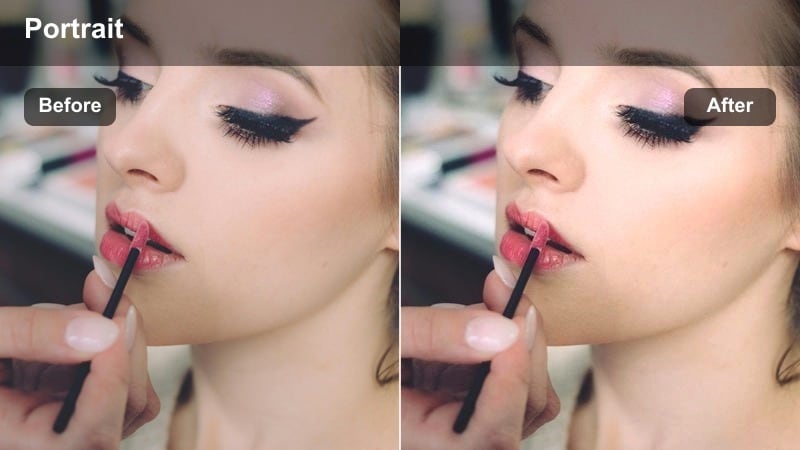
- Effect look: Punchy neon colors with cool shadows and preserved, natural-looking skin tones.
- Best for: Sony A6400 portraits in urban streets lit by storefront signs, LED panels, or billboards.
- Editing tip: Tame magenta and blue saturation around the face so the neon glow does not overpower skin.
Neon City Portrait is tailored for vibrant city nights where LED signs and shop windows spill colored light across your subject. It keeps those neon hues intense while protecting skin from turning overly magenta or cyan, a common issue with mixed light on the Sony A6400.
Use Filmora s HSL controls alongside this filter to target specific neon colors in the background, reducing their impact on the skin tones while preserving the electric city atmosphere. This approach delivers eye-catching urban portraits that still feel flattering and cinematic.
Soft Noise Night Portrait
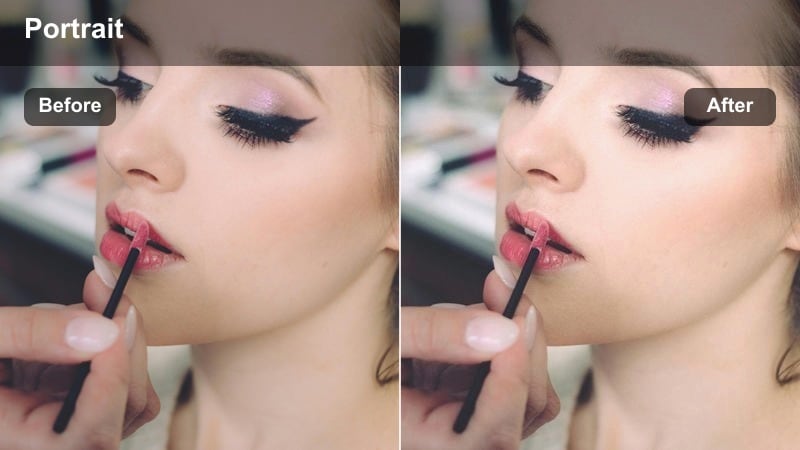
- Effect look: Gentle noise reduction feel with slightly softened contrast to hide high-ISO grain in portraits.
- Best for: Handheld Sony A6400 night portraits shot in dim streets or interiors.
- Editing tip: Apply extra sharpening only to eyes and lips to keep important details crisp while allowing the rest to stay soft.
Soft Noise Night Portrait is designed to be forgiving with high-ISO A6400 footage where digital grain can become distracting, especially on skin. The filter slightly lowers contrast and smooths tonal transitions so remaining noise reads more like organic texture.
In Filmora, perform a light noise reduction pass first, then add this filter and finish with selective sharpening on key facial features. This workflow helps you rescue handheld night portraits and low-light reels without making them look over-smoothed or plastic.
Crisp Outdoor and Urban Daylight Portraits
Urban Matte Portrait
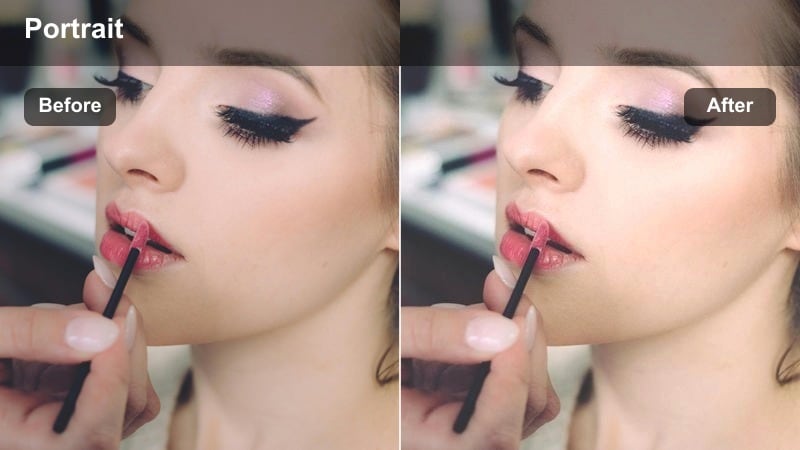
- Effect look: Muted highlights with a subtle matte finish that tones down harsh city daylight.
- Best for: Sony A6400 portraits on city sidewalks, rooftops, or against textured walls in midday light.
- Editing tip: Lift blacks gently and use a touch of split toning to warm highlights and cool shadows.
Urban Matte Portrait gives bright city portraits a modern, cinematic finish by softening highlights and adding a gentle matte curve. It is especially useful for Sony A6400 footage shot in hard midday sun where skin and concrete tend to look overly contrasty.
In Filmora, reduce exposure slightly, apply this filter, and then add subtle split toning with warmer highlights and cooler shadows. The result is a polished, editorial street look that feels intentional and protects skin from appearing too harsh or shiny in strong daylight.
Street Documentary Portrait
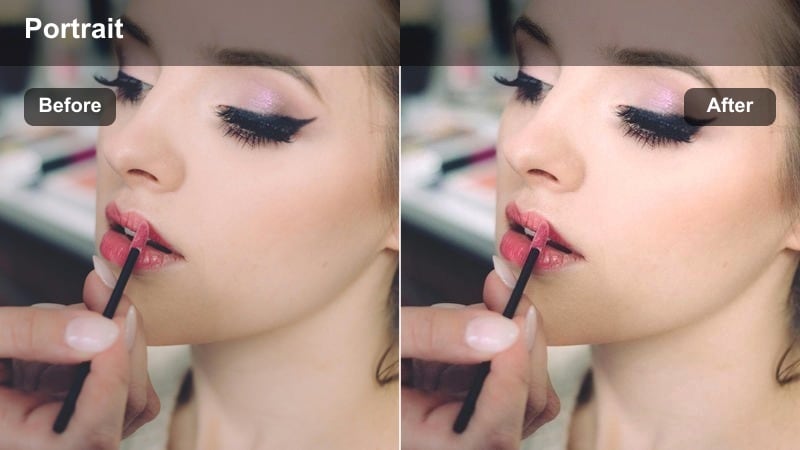
- Effect look: Neutral contrast with light grit that keeps street textures intact while respecting skin tones.
- Best for: Sony A6400 candid street portraits and environmental close-ups.
- Editing tip: Add subtle grain and a slight clarity boost to clothes and background, not to the skin.
Street Documentary Portrait is built for honest, character-driven street portraits where you want to preserve the real texture of walls, clothing, and pavement. It maintains a neutral contrast curve and carefully protects skin tones so the subject feels grounded in their environment.
Apply it in Filmora when editing Sony A6400 walk-and-talks, candid portraits, or documentary B-roll. Use masks or adjustment layers to add clarity and grain to the environment while leaving the face smoother, achieving a gritty yet respectful street aesthetic.
Bright Day Pop Portrait
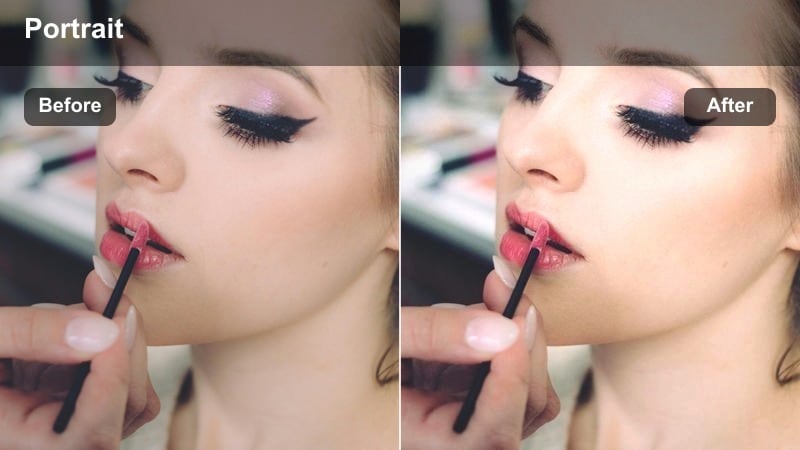
- Effect look: Clean, bright exposure with crisp edges and a touch of vibrance in clothing and background.
- Best for: Sony A6400 portraits in parks, open plazas, or bright urban courtyards during the day.
- Editing tip: Raise exposure slightly then pull down highlights and whites to keep skin from clipping.
Bright Day Pop Portrait is perfect for cheerful outdoor content like lifestyle shoots, travel vlogs, and social media portraits captured on the Sony A6400. It brings a controlled dose of vibrance to clothing and scenery while keeping skin from looking oversaturated or blown out.
In Filmora, nudge exposure up for an airy feel, apply this filter, and then selectively reduce highlights on the face to protect detail. The result is a crisp, vivid look that feels energetic and modern without sacrificing clean, flattering skin tones.
Tips for Using Sony A6400 Portrait Luts Filters in Filmora
- Lock in consistent white balance on your Sony A6400 before relying on portrait filters so skin tones stay stable across cuts.
- Expose slightly brighter than needed and protect highlights, then let your portrait filters in Filmora bring back contrast and depth.
- Test each filter on multiple skin tones and lighting conditions before saving it as a universal preset for your Sony A6400 projects.
- Use Filmora masks and adjustment layers to keep heavier color effects in the background while preserving natural-looking faces.
- Combine subtle portrait filters with Filmora s AI color tools to quickly correct exposure and color temperature before stylizing.
- Save your best Sony A6400 portrait filter stacks as custom presets in Filmora to speed up batch edits across interviews and reels.
- When editing low-light portraits, clean up noise first, then apply cinematic filters so fine skin details remain intact.
- Regularly A/B compare graded clips to the original footage in Filmora to ensure your portrait filters enhance the story, not distract from it.
With the right portrait-focused filters, your Sony A6400 can deliver cinematic, consistent skin tones without complex color grading.
Experiment with these looks, then refine and save your own presets so every portrait project starts with a strong visual baseline.
secure download