

 100% Security Verified | No Subscription Required | No Malware


 ChatGPT
 Perplexity
 Gemini
 Claude
 Grok
Grok
These curated Filmora filters are designed to mimic the most popular Sony A7SIII low light LUTs, helping videographers and creators turn noisy, flat night footage into clean, cinematic images with just a few clicks.
Whether you are shooting neon city streets, moody indoor scenes, or ultra-low-light vlogs, each look below is tuned for the Sony A7SIII's dynamic range and color science so you can grade fast and stay focused on storytelling.
In this article
Neon City Nights and Street Scenes
Neon Chrome Pop
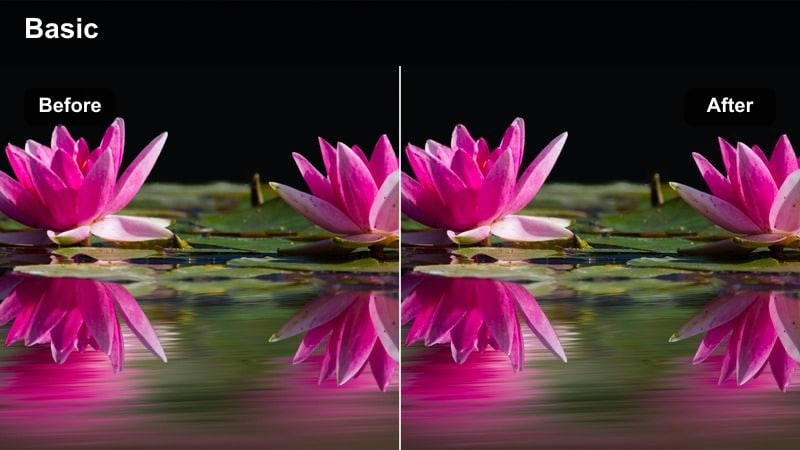
- Effect look: High-contrast, punchy neon with crisp whites and clean shadows ideal for dense city nightlife.
- Best for: Handheld Sony A7SIII street footage under neon signs, LED billboards, and busy crosswalks.
- Editing tip: Lower saturation in the greens and slightly pull down midtone contrast to control noise in underexposed areas.
Neon Chrome Pop is built to make Sony A7SIII night city footage feel louder and more energetic without destroying detail. The filter boosts edge contrast and saturation in key neon colors so signs, storefronts, and billboards cut through the frame, while maintaining clean whites to avoid a muddy, overprocessed look.
In Filmora, apply this filter to S-Log3 or standard profiles and then fine-tune exposure with the basic color controls. Slightly underexpose in camera, then raise shadows just enough to reveal faces and sidewalks while keeping noise manageable, and use selective HSL tweaks to keep greens and yellows from overpowering the deep blues and magentas in your scene.
Match Sony A7SIII Night Colors With Filmora's AI Tools
Filmora's AI color tools can quickly normalize your Sony A7SIII low light clips by balancing exposure, contrast, and color temperature before you commit to a strong neon or noir style. This gives you a clean baseline that protects highlight detail in signs and headlights while recovering information in the shadows.
Once the AI pass is done, you can stack a look like Neon Chrome Pop or any of the other filters below to push the mood without fighting color casts or inconsistent white balance from shot to shot.
 secure download

Preview Night Filters in Real Time
Filmora lets you hover over filters to see instant previews on your Sony A7SIII night clips, so you can compare neon-heavy, moody, or neutral looks without committing. This makes it easy to find a style that fits each location, from downtown crosswalks to dim side streets.
Use split-screen preview to compare the original frame with your chosen filter and make sure important details like skin tones, signage, and car lights remain natural while still feeling cinematic.
secure download1000+ Video Filters and 3D LUTs
Beyond these curated night looks, Filmora includes a large library of creative filters and 3D LUTs you can stack with your Sony A7SIII footage. This lets you combine a technical LUT for S-Log3 or HLG with stylistic filters for neon, noir, or cozy interiors in a single, repeatable workflow.
Once you have tuned a combination that works for your favorite locations, save it as a custom preset so grading future night shoots becomes as simple as drag, drop, and minor exposure tweaks.
secure downloadElectric Rain Glow
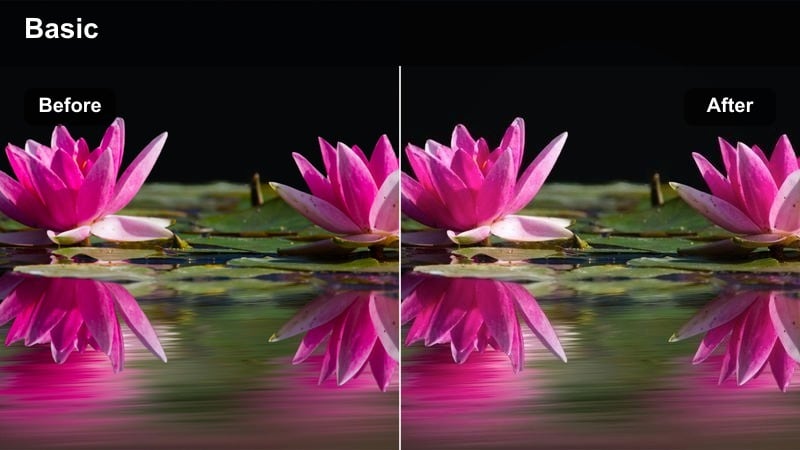
- Effect look: Soft-glow highlights with rich blues and magentas that make wet streets and reflections feel cinematic.
- Best for: Rainy night city B-roll, reflective sidewalks, and slow-motion traffic captured with the Sony A7SIII.
- Editing tip: Increase Filmora's clarity slightly to bring back micro-contrast so the glow effect does not soften detail too much.
Electric Rain Glow leans into the reflective character of wet pavements and car windows, wrapping bright sources in a gentle halo. It deepens blues and magentas so tail lights, signs, and reflections on the road take on a dreamy, movie-like quality while the rest of the frame remains controlled.
In Filmora, this filter works especially well on slow-motion and slider shots where water texture is visible. Apply it after basic exposure correction, then fine-tune clarity and sharpness so small details like raindrops, license plates, and textures in umbrellas remain defined without losing that soft, cinematic wash around key light sources.
Urban Cyber Teal
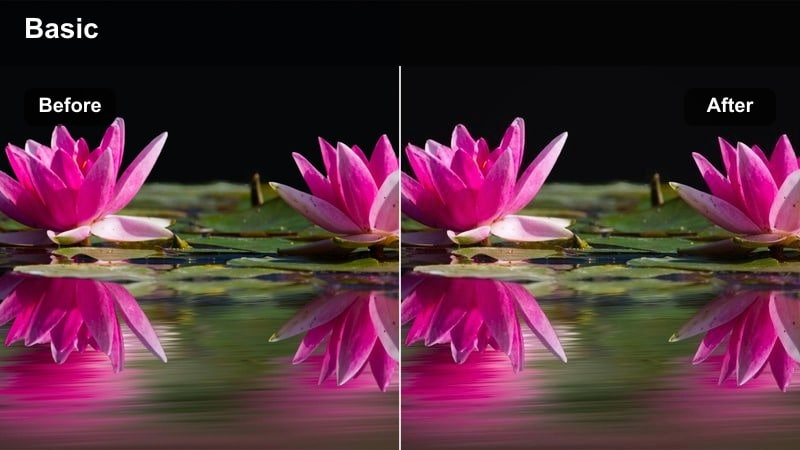
- Effect look: Stylized teal shadows with warm skin tones, mimicking a cyberpunk city palette without crushing blacks.
- Best for: Sony A7SIII gimbal moves through modern city centers, subway entrances, and glass-front buildings at night.
- Editing tip: Use Filmora's HSL to protect skin tones by reducing teal influence on oranges while keeping the cool city ambiance.
Urban Cyber Teal shifts the overall palette of your Sony A7SIII footage toward cool teal shadows and neutral to warm highlights, delivering a subtle cyberpunk flavor that still feels grounded. It keeps blacks slightly lifted instead of crushed, so night detail in building facades, sidewalks, and glass surfaces remains visible.
Apply this filter in Filmora when your scene has a mix of cool LEDs and warmer interior lights. After adding the look, head into HSL to gently reduce teal in the orange range, which safeguards natural skin while preserving the cool, stylized environment, and add a touch of vignette if you want more focus on your subject within dense urban frames.
Moody Alleys and Parking Garage Scenes
Grit Shadow Lift
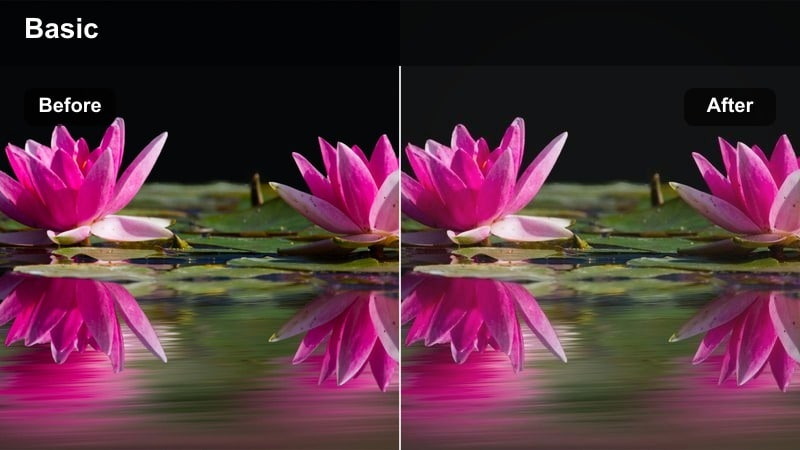
- Effect look: Matte blacks with lifted shadows that reveal detail in dim corners without making the image look flat.
- Best for: Sony A7SIII low light clips in alleys, stairwells, and underground passages with minimal ambient light.
- Editing tip: Use Filmora's curves to add a gentle S-shape after this filter if the image starts to feel too washed out.
Grit Shadow Lift is tuned for the Sony A7SIII's clean high-ISO performance, allowing you to open up dark areas while keeping blacks soft and cinematic. It reveals brick, concrete, and metal textures in places where your footage might otherwise fall into a hard, featureless black.
In Filmora, combine this filter with light noise reduction applied mostly to the shadows, and avoid aggressive sharpening that can make grain distracting. If the overall look appears too flat after lifting shadows, use curves to add a subtle S-shaped contrast, protecting midtones and highlights while maintaining the gritty, lifted-black character.
Tungsten Noir
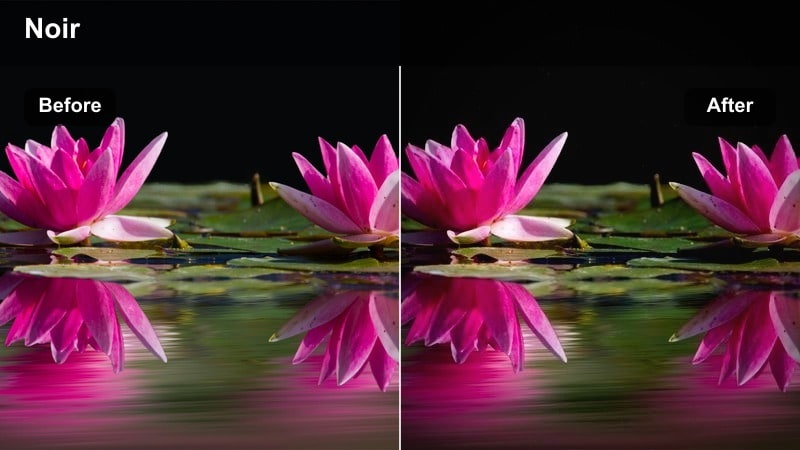
- Effect look: Warm tungsten pools of light surrounded by deep, slightly desaturated shadows for a noir-inspired style.
- Best for: Parking garages, stairwells, and industrial back entrances lit by a few yellow-orange lamps.
- Editing tip: Dial down overall saturation in Filmora, then selectively reintroduce warmth in the highlights to keep the noir mood intact.
Tungsten Noir emphasizes the contrast between isolated warm light sources and the surrounding darkness, giving Sony A7SIII garage and alley shots a classic noir edge. It slightly desaturates the overall image while preserving rich amber tones where light actually hits your subject or environment.
In Filmora, apply this filter to clips where practical lamps are already creating pools of light, then reduce global saturation until the scene feels moody but not completely monochrome. Use highlight controls or color wheels to warm only the brightest areas, guiding the viewer's eye to faces, cars, or key props framed within those tungsten circles.
Industrial Green Cast
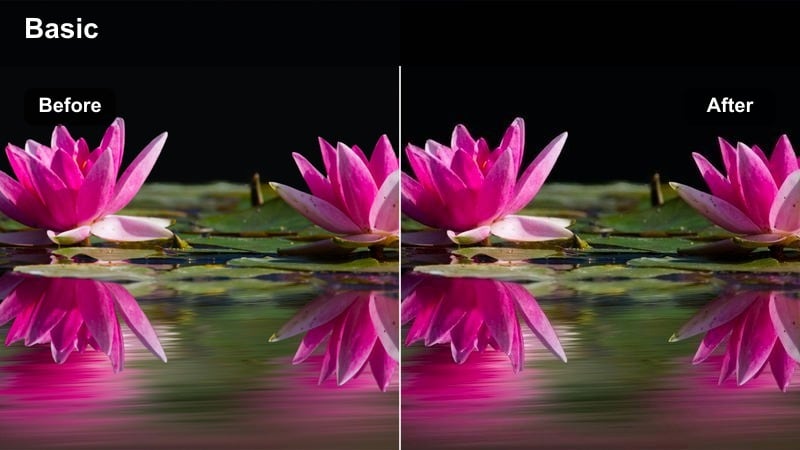
- Effect look: Subtle green tint in midtones with cooled highlights to emphasize fluorescent fixtures and gritty spaces.
- Best for: Sony A7SIII footage in industrial corridors, loading docks, and underground parking with fluorescent lights.
- Editing tip: Use Filmora's color wheels to keep skin tones closer to neutral while allowing walls and floors to stay slightly green.
Industrial Green Cast leans into the naturally cool, sometimes sickly feel of fluorescent lighting, but controls it so your footage remains intentionally stylized rather than simply misbalanced. Midtones get a gentle green shift, while highlights are cooled to accentuate tubes, fixtures, and reflective concrete.
After applying this look in Filmora, adjust the midtone and highlight wheels to dial in how intense you want the industrial atmosphere to feel. When people are in the frame, push skin tones back toward neutral in the orange range and keep the green emphasis on walls, ceilings, and floors, creating a strong separation between characters and their harsh surroundings.
Cozy Indoor Night and Practical Lights
Apartment Amber Soft
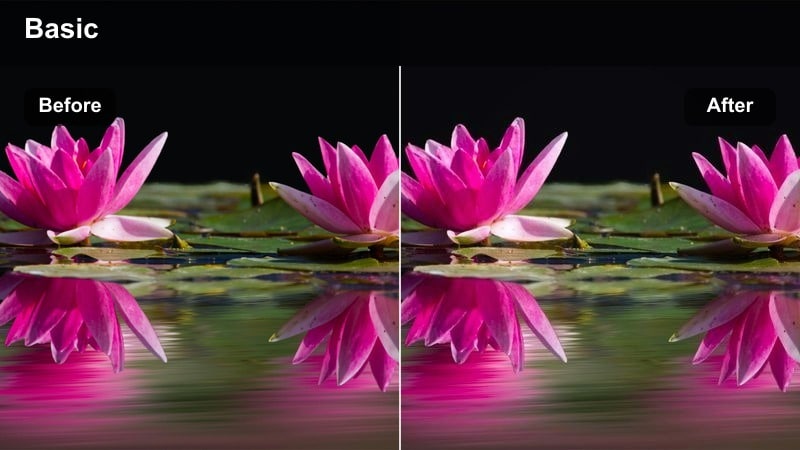
- Effect look: Soft contrast with rich ambers and gentle roll-off in highlights to keep lamps and practicals pleasing.
- Best for: Sony A7SIII handheld scenes in living rooms, bedrooms, and home offices lit by warm lamps and screens.
- Editing tip: Reduce Filmora sharpness slightly so skin looks smooth and the soft, cozy mood is preserved.
Apartment Amber Soft is tailored for intimate, home-style interiors where table lamps and floor lamps do the heavy lifting. It enhances amber and gold tones, softens contrast, and smooths highlight roll-off so bright lampshades and bulbs feel gentle instead of harsh or clipped.
In Filmora, use this filter on your Sony A7SIII night interiors after you have balanced exposure around skin tones. Pull back sharpening a bit and, if needed, introduce a slight glow or very light vignette to keep attention on faces and hands, allowing corners of the room to fall off into a cozy, noise-friendly darkness.
Screen-Lit Vlog
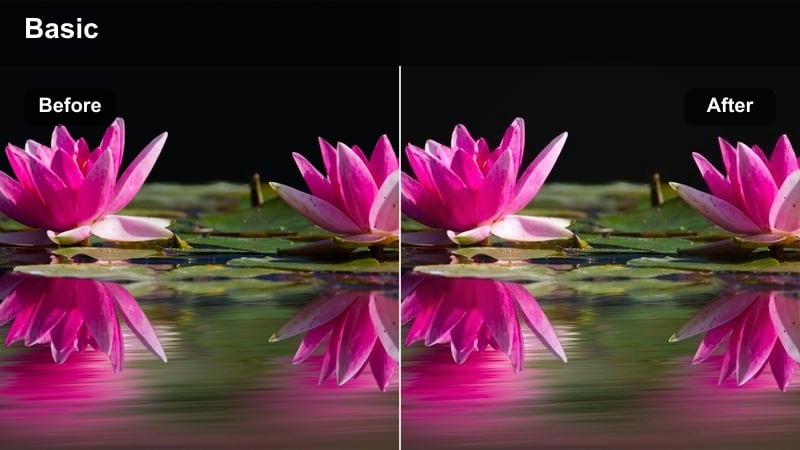
- Effect look: Cool screen glow on faces balanced with slightly warm backgrounds for a modern, techy vlog style.
- Best for: Sony A7SIII talking-head vlogs at a desk lit primarily by monitors, laptops, or TVs.
- Editing tip: Use Filmora's face-enhancement tools carefully and avoid over-brightening eyes to keep the low light feel authentic.
Screen-Lit Vlog enhances the natural blue and cyan tones coming from monitors while subtly warming any background lamps or wall accents. The result is a modern, tech-forward aesthetic that flatters skin lit primarily by digital screens without making it look overly pale or artificial.
Apply this filter in Filmora once you have locked in a stable exposure from your Sony A7SIII, then fine-tune the balance between cool and warm areas using color wheels. Use face-enhancement and brightness controls sparingly to avoid flattening out shadows on the face, retaining a grounded sense of low light that still reads clearly on YouTube and social feeds.
Cafe Midnight Warm
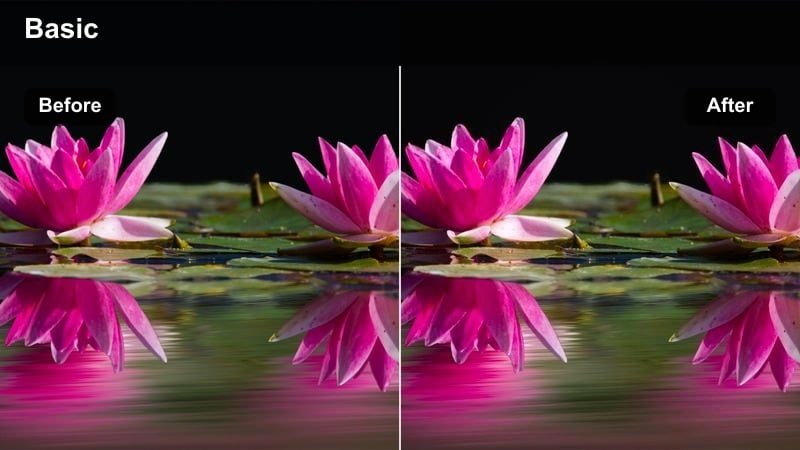
- Effect look: Rich, golden midtones with gentle vignette to draw attention to faces and tabletops in dim cafes.
- Best for: Sony A7SIII B-roll and conversations in coffee shops, bars, and restaurants shot late at night.
- Editing tip: Add a slight vignette in Filmora only after applying this filter so highlights on faces stay bright and engaging.
Cafe Midnight Warm amplifies the inviting, golden tones found in late-night cafes, bars, and restaurants, giving wood, cups, and food a pleasing glow. It strengthens midtones where people gather around tables, while a subtle vignette and slightly deeper shadows help hide messy background details.
In Filmora, pair this filter with a controlled exposure that keeps skin from blowing out under hanging lights or candles. Once applied, add or adjust the vignette to gently darken frame edges, and consider a slight saturation boost in the red and orange ranges to make drinks, pastries, and tabletops more visually appetizing without introducing color noise.
Run-and-Gun Night Vlogs and Travel Clips
Travel City Clean
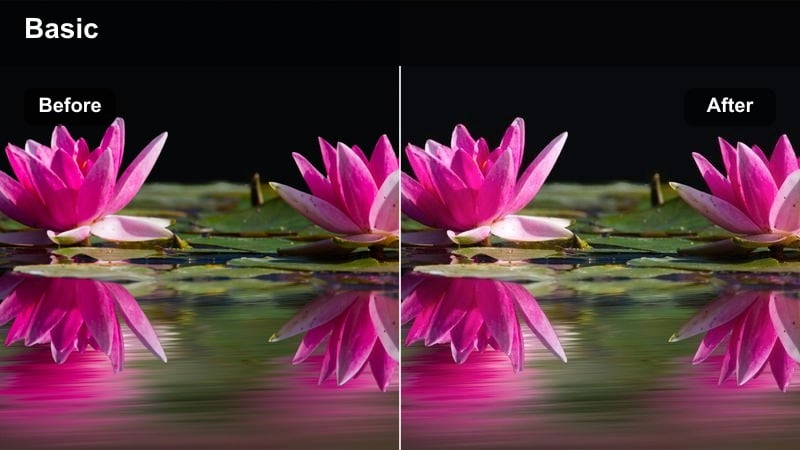
- Effect look: Neutral, low-noise look with gentle contrast tuned to keep Sony A7SIII night travel footage natural and flexible.
- Best for: Run-and-gun city vlogs, walking tours, and travel diaries captured at night under mixed lighting.
- Editing tip: Use Filmora stabilization before applying this filter so sharpening and micro-contrast do not exaggerate camera shake.
Travel City Clean prioritizes realism and noise control, giving your Sony A7SIII night vlogs a polished but not overly stylized finish. It adds modest contrast and clarity while preserving natural color, making it a solid baseline for creators who want their audience to see cities as they really are.
In Filmora, stabilize handheld shots first so the filter's subtle sharpening and contrast do not accentuate micro-jitters. Once the filter is on, adjust exposure and white balance slightly from clip to clip to maintain consistency across different streets and light sources, then export or build on top of this look with additional creative tweaks if needed.
Subway Travel Cool
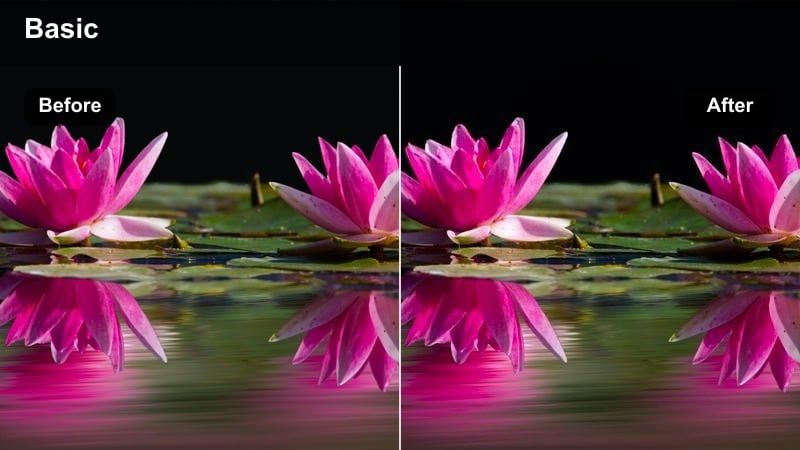
- Effect look: Cooler overall tone with boosted midtone contrast to define shapes in stations and train interiors.
- Best for: Sony A7SIII travel sequences in subway stations, trains, and underground transit corridors at night.
- Editing tip: Slightly lower blue saturation in Filmora if station signage starts to look too electric or distracting.
Subway Travel Cool gives underground scenes a crisp, graphic personality by pushing the palette toward cool tones and increasing midtone contrast. This emphasizes architectural lines, tiles, rails, and trains while preventing shadows from becoming too murky in low light.
After adding this filter in Filmora, watch how bold signage and safety markings render; if they become overly intense, pull back blue and cyan saturation in HSL. Combine the look with gentle sharpening and a bit of noise reduction for ISO-heavy Sony A7SIII clips, creating a clean, structured feel inside otherwise dim transit spaces.
Handheld Night Chill
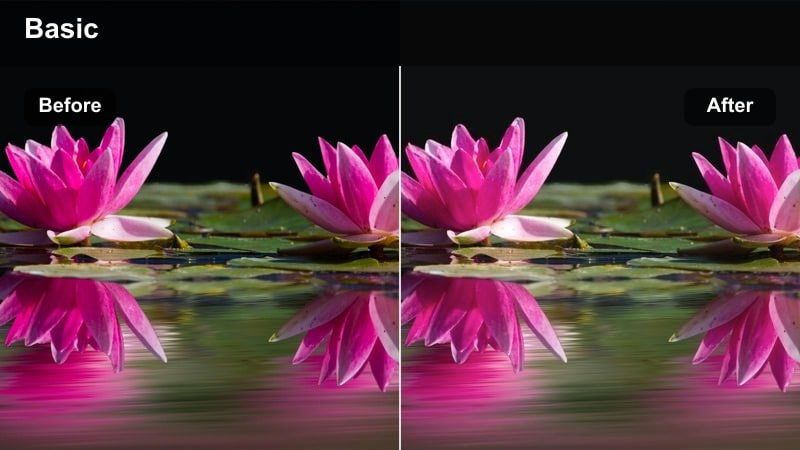
- Effect look: Softened highlights, moderate contrast, and slightly muted saturation for relaxed night walk-and-talk vlogs.
- Best for: Sony A7SIII casual vlogs walking through quiet streets, parks, or riversides under sparse lighting.
- Editing tip: Raise shadows just enough in Filmora to see your face clearly, then stop before noise becomes too visible.
Handheld Night Chill is designed for low-stress, conversational vlogs where you want viewers to focus on your story rather than bold colors. It dials back saturation slightly, smooths highlights from street lamps, and keeps contrast gentle so your Sony A7SIII footage feels calm and approachable.
In Filmora, add this filter and then nudge up the shadows until your face is readable on a phone screen without overexposing bright signage or lamps in the background. If noise becomes noticeable, apply a light pass of noise reduction and avoid heavy sharpening, preserving the relaxed, slightly soft atmosphere of a late-night walk.
Tips for Using Sony A7siii Low Light Luts Filters in Filmora
- Shoot Sony A7SIII night footage slightly underexposed and lift it in Filmora to protect neon signs and bright highlights from clipping.
- Use consistent white balance in-camera so your low light filters do not have to fight mixed or shifting color temperatures.
- Apply Filmora noise reduction sparingly and mostly in the shadows to keep detail in faces, signs, and textured backgrounds.
- Stabilize handheld A7SIII clips before adding high-contrast filters, which can exaggerate shake and micro-jitter.
- Create a simple preset stack in Filmora with exposure, noise reduction, and your favorite filter to keep night projects consistent.
- Avoid pushing saturation too far on dim footage, as it will amplify noise and color artifacts in the darkest areas.
With the right Filmora filters, your Sony A7SIII low light footage can move from flat and noisy to cinematic and intentional in just a few steps, whether you are shooting neon streets, moody garages, or cozy indoor vlogs.
Build a repeatable workflow by pairing your preferred exposure settings, noise control, and a small set of favorite filters so every new night project feels consistent, fast to grade, and ready to publish.
secure downloadNext: Sony Zv-e10 Vlog LUTS
