

 100% Security Verified | No Subscription Required | No Malware


 ChatGPT
 Perplexity
 Gemini
 Claude
 Grok
Grok
Stormcloud Gray sits between charcoal and soft slate, bringing depth without feeling flat. It suggests rainy skylines, polished concrete, and cinematic shadows, which is why it works so well for mood-driven visuals. In color psychology, this type of gray often feels stable, thoughtful, and sophisticated, making it perfect for stories that aim to be grounded, mature, or introspective instead of loud and flashy.
For video creators and designers, Stormcloud Gray is a powerful base for titles, lower thirds, overlays, thumbnails, and brand systems. It pairs easily with warm neutrals for cozy vlogs, metallic tones for tech content, and soft highlights for cinematic edits. Below are 15 Stormcloud Gray color palettes with HEX codes you can plug directly into your thumbnails, YouTube intros, channel branding, and Filmora color grading presets.
In this article
Cinematic And Moody Stormcloud Gray Color Palettes
Harbor Tempest Drama
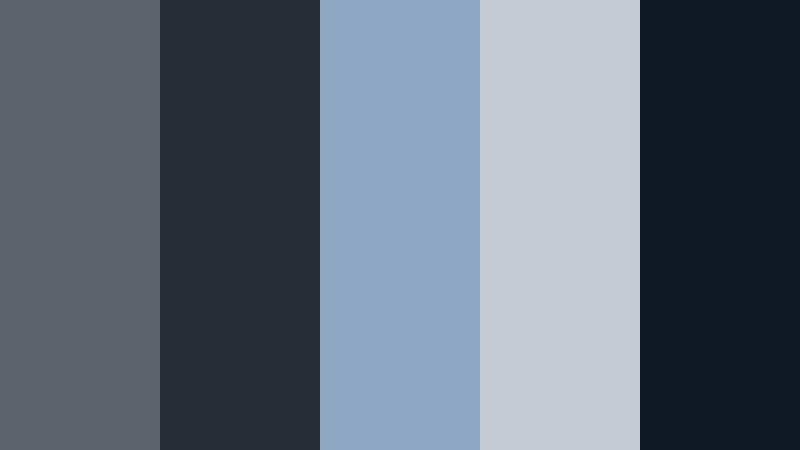
- HEX Codes: #5b636b, #282c34, #8ea7c2, #c3ccd5, #0f1923
- Mood: Brooding and cinematic with a coastal storm atmosphere.
- Use for: Ideal for dramatic travel vlogs, cinematic b-roll, and tense storytelling sequences.
Harbor Tempest Drama feels like standing at a stormy pier, watching heavy clouds swallow the horizon. Deep Stormcloud Gray and near-black navy create a powerful base, while muted steel blues and misty highlights bring in that sea-sprayed, windswept look. The contrast between #0f1923 and the paler grays gives you plenty of room for bold titles without losing the moody atmosphere.
Use this palette for dramatic openings, travel sequences set in coastal or rainy cities, or any narrative where tension slowly builds. In thumbnails and YouTube intros, make your main text sit on the darkest shades, then accent key elements with the softer blues to guide viewers eyes. It also works beautifully as a color-grading reference for stormy b-roll and slow, cinematic montages.
Pro Tip: Build a Cinematic Stormcloud Gray Look in Filmora
To keep Harbor Tempest Drama consistent from intro to end screen, create a color reference frame in Filmora using these HEX codes for your titles, overlays, and background solids. Save that frame or sequence as a visual guide, then reuse it across your project so your Stormcloud Gray tones stay cohesive in every shot, from A-roll to B-roll and shorts edits.
You can also store title presets and lower thirds based on this palette. Once you have a look you like, save those elements in Filmora and simply drop them onto new timelines so every video in your series shares the same moody harbor identity.
AI Color Palette
If you build a Harbor Tempest Drama still frame or export a reference thumbnail, Filmora's AI Color Palette feature can help you spread that exact color mood through your footage. Use your image as the source, then let AI analyze the Stormcloud Gray, navy, and misty highlights to match them across all your clips.
This saves time when you want your opening shot, b-roll, and outro to share the same stormy character. Instead of manually grading each clip, you can apply the AI-matched look once and then fine-tune details later if needed.
 secure download

HSL, Color Wheels & Curves
Once your base look is in place, use HSL, color wheels, and curves in Filmora to refine the Stormcloud Gray atmosphere. Slightly deepen the blues in the shadows to make skies look more ominous, while lifting the midtones so faces and key objects do not disappear into the darkness. Tools similar to those shown in Filmora's YouTube tutorials on advanced color grading controls help you push the palette toward a gritty thriller, a dreamy seascape, or anything in between.
Curves are particularly useful for subtle S-shaped contrast, giving you crisp detail in the highlights (#c3ccd5) without blowing them out. Color wheels let you lean shadows slightly cyan and keep highlights more neutral, preserving that cool coastal feeling without turning everything blue.
secure download1000+ Video Filters & 3D LUTs
To push Harbor Tempest Drama even further, experiment with Filmora's video filters and 3D LUTs. Start with cinematic or teal-and-orange LUTs, then dial back saturation and tweak color settings until the look sits comfortably in the Stormcloud Gray family.
This is a quick way to test variations for YouTube intros, trailers, or Instagram reels without rebuilding a grade from scratch every time. Once you find a filter and color combo that matches your palette, save it as a custom preset and apply it across your channel so your brand always feels cohesive and cinematic.
secure downloadNoir City Skyline
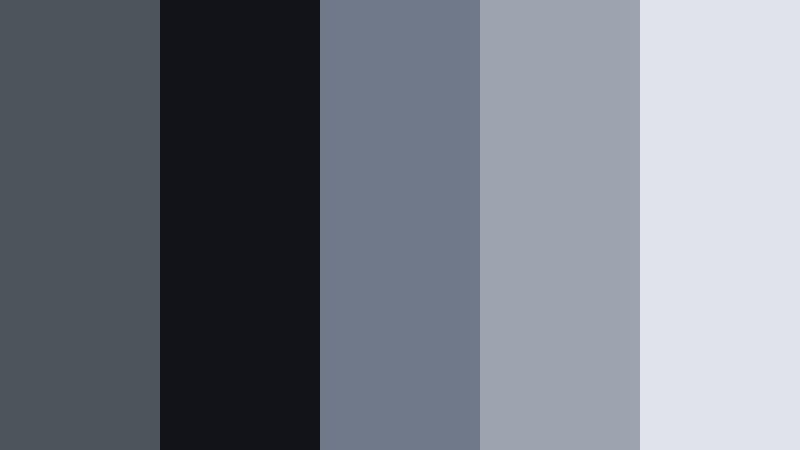
- HEX Codes: #4e545b, #121318, #70798a, #9da3af, #e0e3ea
- Mood: Urban, mysterious, and slightly futuristic.
- Use for: Great for tech reviews, cyberpunk edits, and night city timelapses.
Noir City Skyline mixes Stormcloud Gray with inky black and soft, hazy sky tones. It feels like a city shot through a lens covered in fine drizzle, with glowing windows and neon hints just outside the frame. The mid grays (#4e545b, #70798a) are perfect for backgrounds and overlays, while the pale tones (#e0e3ea) keep text sharp and readable.
Use this palette to design techy title cards, HUD-style overlays, or kinetic typography for urban b-roll. For thumbnails, frame your subject with the darker shades and add key text using the lightest gray so it pops even on small screens.
Thunderhead Horizon
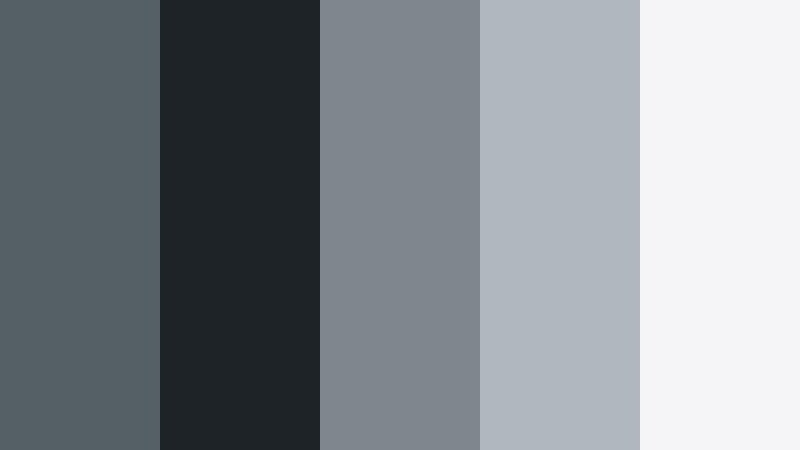
- HEX Codes: #555f66, #1e2327, #7f868c, #b1b7bf, #f5f5f7
- Mood: Tense yet expansive, like a storm rolling over open plains.
- Use for: Perfect for trailers, nature documentaries, and epic drone shots.
Thunderhead Horizon moves from deep, grounded Stormcloud Gray into luminous near-white, creating a natural gradient that suggests distant storms and bright cloud edges. The palette feels big and cinematic, ideal for sweeping landscapes or wide drone shots where sky plays a major role.
Build dramatic intros or channel trailers using the darker tones behind your logo, then transition to the brighter shades as the video opens into wider views. For nature or travel thumbnails, use the lightest gray as a clean text layer over darker scenery so your title stays legible without breaking the moody vibe.
Rainy Window Fade
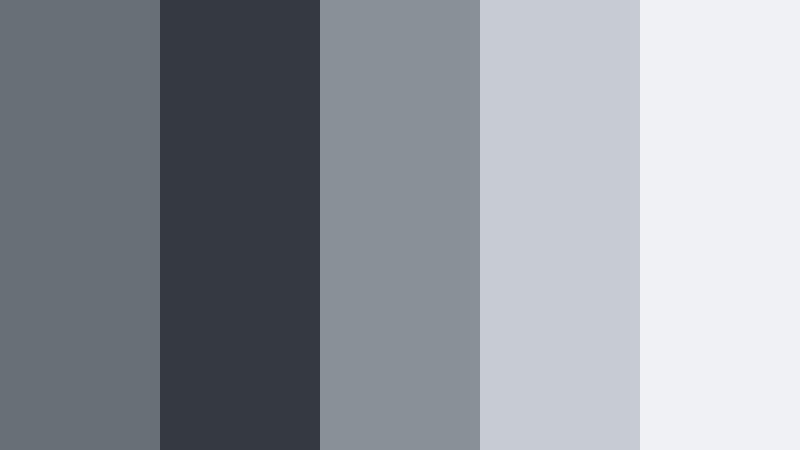
- HEX Codes: #686f76, #343942, #8a9098, #c7ccd2, #f0f1f4
- Mood: Melancholic, reflective, and softly cinematic.
- Use for: Use in breakup stories, reflective vlogs, and lo-fi lyric videos.
Rainy Window Fade feels like soft focus on a wet glass pane. Medium Stormcloud Gray, muted shadows, and delicate highlights mimic the way city lights blur through raindrops. The palette is gentle rather than harsh, perfect when you want sadness, nostalgia, or calm reflection.
Apply this scheme to lyric videos, voiceover confessions, or slow-paced vlogs. Use the mid grays for backgrounds and motion graphics, then reserve the palest tone for subtitles or captions so they remain easy to read on phones without clashing with your moody frames.
Midnight Railway Echo
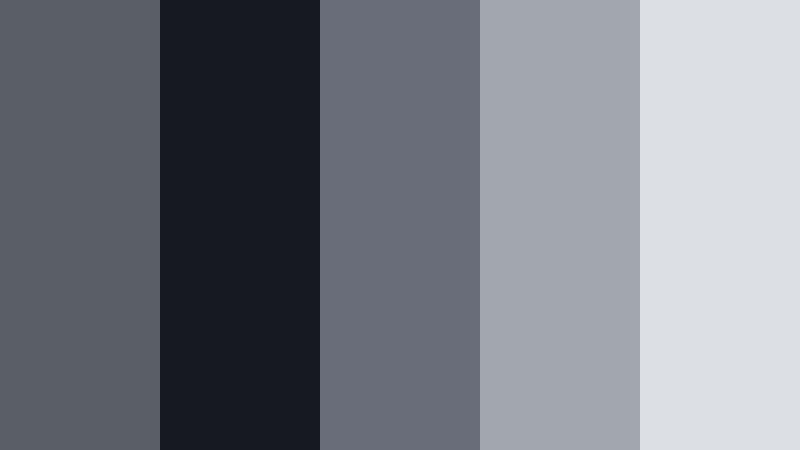
- HEX Codes: #595f66, #151820, #646d78, #a2a7af, #dcdfe4
- Mood: Lonely, nostalgic, and subtly industrial.
- Use for: Fits slow-travel montages, train journeys, and narrative shorts with a vintage edge.
Midnight Railway Echo blends industrial blues with Stormcloud Gray to recall empty platforms, dim station lights, and distant city glows. The near-black shade #151820 adds depth, while the softer upper grays give you space for titles and overlays without losing that night-travel mood.
This palette suits melancholic travel edits, documentary-style storytelling, or intros to narrative shorts. In thumbnails, pair the darkest tone as a vignette and place your subject or title on the lighter grays so the scene still feels like midnight without burying important details.
Minimal And Modern Stormcloud Gray Color Palettes
Concrete Studio Calm
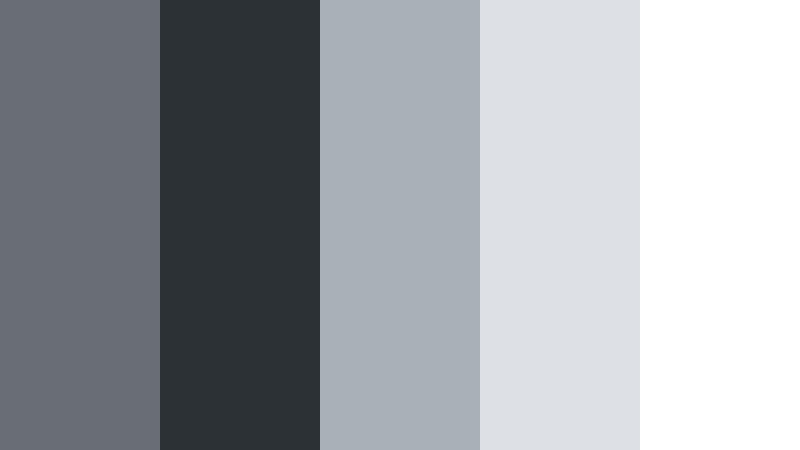
- HEX Codes: #686e74, #2c3136, #a9b0b8, #dde1e6, #ffffff
- Mood: Clean, modern, and understated.
- Use for: Great for design tutorials, UI mockups, and minimalist product promos.
Concrete Studio Calm is like filming inside a bright design studio: matte Stormcloud Gray walls, clean desktops, and plenty of white space. The combination of deep charcoal and crisp whites gives your layout structure, while the mid grays are ideal for subtle panels and callout boxes.
Use this palette for tutorial overlays, UI walkthroughs, and clean text animations. In thumbnails, let white or light gray dominate with Stormcloud Gray accents for your logo and titles, signaling that your content is polished and professional.
Soft Interface Chrome
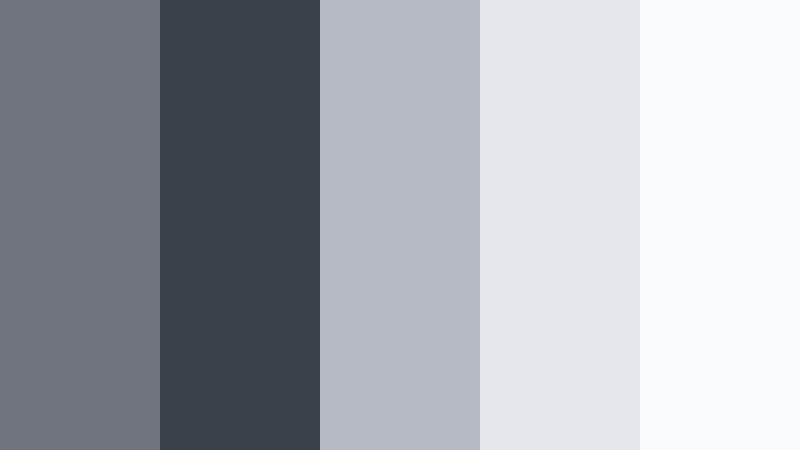
- HEX Codes: #70757c, #3b4148, #b5bac2, #e5e7ec, #f9fafc
- Mood: Sleek, tech-forward, and approachable.
- Use for: Ideal for app walkthroughs, SaaS explainers, and overlays for UI-heavy videos.
Soft Interface Chrome pushes Stormcloud Gray toward a cool metallic feeling, without becoming harsh. The darker tones are perfect for UI frames and status bars, while the lighter ones mirror clean app backgrounds and dashboards.
Bring this palette into your screen recordings, software explainers, and product demos. Design your lower thirds and highlight boxes using the mid grays, reserving the brightest shade for call-to-action buttons or important labels in thumbnails and end cards.
Mono Editorial Spread
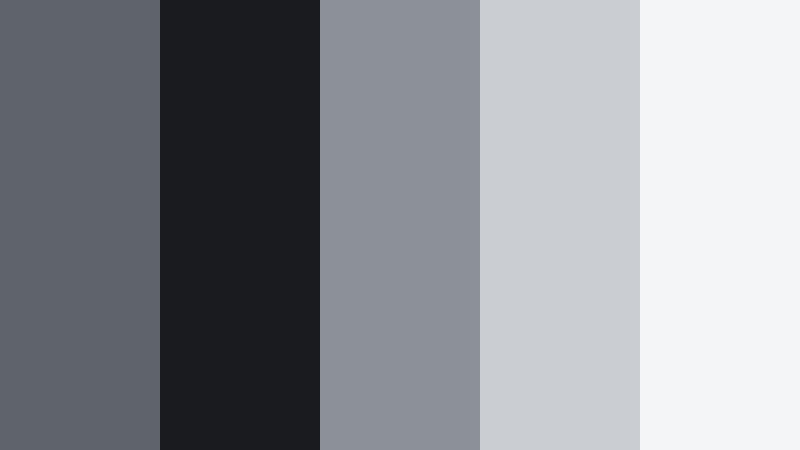
- HEX Codes: #5f646a, #1a1b1f, #8c9197, #cacdd2, #f4f5f7
- Mood: Editorial, refined, and content-first.
- Use for: Use for YouTube banners, title cards, and clean typography-focused frames.
Mono Editorial Spread feels like a magazine layout translated into motion. Stormcloud Gray and soft blacks anchor your frame, while pale print-like whites keep typography sharp and elegant. It is a restrained palette that lets your words, not your colors, carry the message.
Perfect for educational content, commentary channels, and brand announcements, this palette shines in title cards, chapter screens, and minimalist thumbnails. Use the darkest shade for crisp text and the light grays for background blocks to frame quotes, stats, and key points.
Glass Loft Morning
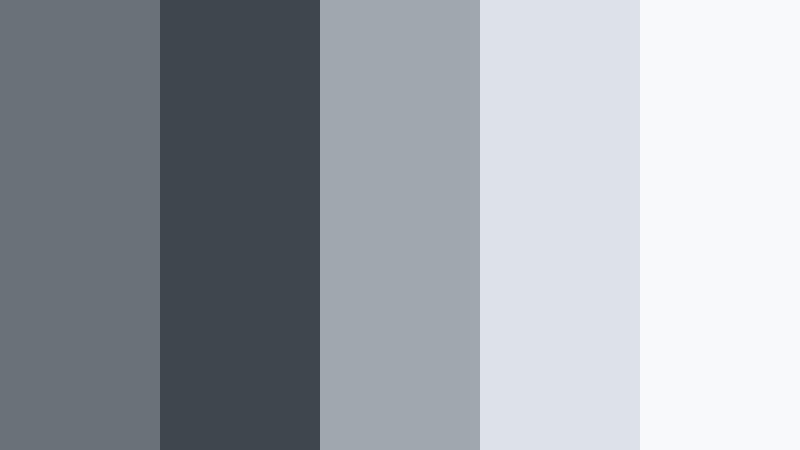
- HEX Codes: #6a7178, #40464d, #9fa7af, #dce2e8, #f7f9fb
- Mood: Airy, polished, and subtly luxurious.
- Use for: Perfect for home tours, lifestyle channels, and brand intros with a premium touch.
Glass Loft Morning captures the feeling of sunlight filtering through tall windows onto Stormcloud Gray furniture and pale walls. The mid to light grays keep everything spacious and breathable, while the darker tones provide just enough structure for contrast.
Use this palette for lifestyle intros, home or office tours, and personal brand reels. For thumbnails, let the brighter grays dominate the frame while using the deeper tones for text and logo accents, signaling a refined, modern lifestyle aesthetic.
Muted Hardware Stack
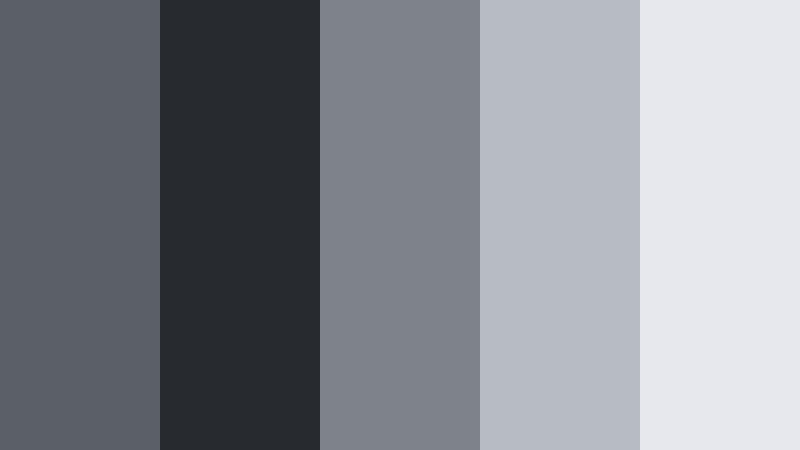
- HEX Codes: #5b6067, #272b30, #7e838a, #b7bcc3, #e6e8ed
- Mood: Technical, stable, and dependable.
- Use for: Great for hardware reviews, coding content, and instructional tech videos.
Muted Hardware Stack feels like the color of laptop shells, desktop towers, and circuit board casings. Stormcloud Gray joins darker chassis tones and pale neutral highlights, giving your visuals a reliable, tech-focused personality.
Apply this palette to gear reviews, build guides, and coding tutorials. Use the deeper shades as background plates behind your desktop footage, and choose the lighter grays for annotation boxes and code highlights so the content stays readable without screaming for attention.
Warm And Cozy Stormcloud Gray Color Palettes
Fireside Knitted Throw
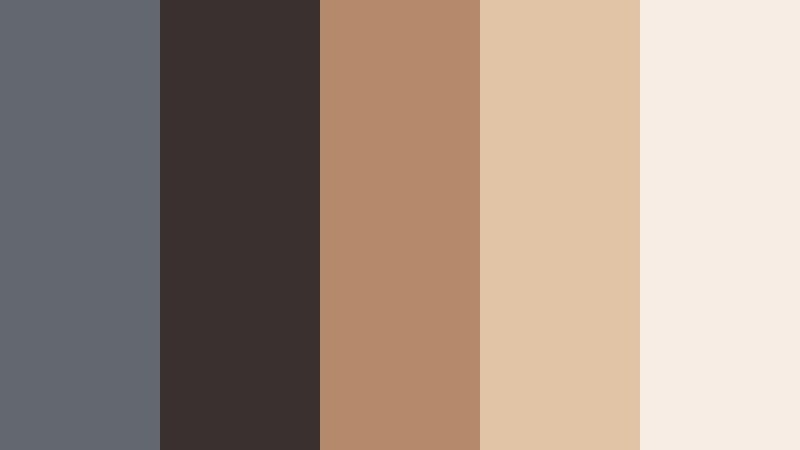
- HEX Codes: #63676f, #3b3030, #b58a6a, #e1c3a5, #f7ede4
- Mood: Cozy, intimate, and story-driven.
- Use for: Perfect for home vlogs, autumn routines, and storytelling podcasts on video.
Fireside Knitted Throw softens Stormcloud Gray with cocoa browns and warm camel tones, like a blanket pulled up by the fireplace. The dark chocolate shade #3b3030 grounds the frame, while #e1c3a5 and #f7ede4 add a glow that feels like candlelight or fairy lights.
Use this palette for cozy vlogs, evening routines, and storytelling sessions with a warm tone. In thumbnails, frame your subject in the darker hues and add titles in the light cream so they stand out without clashing with the soft, intimate atmosphere.
Foggy Cabin Morning
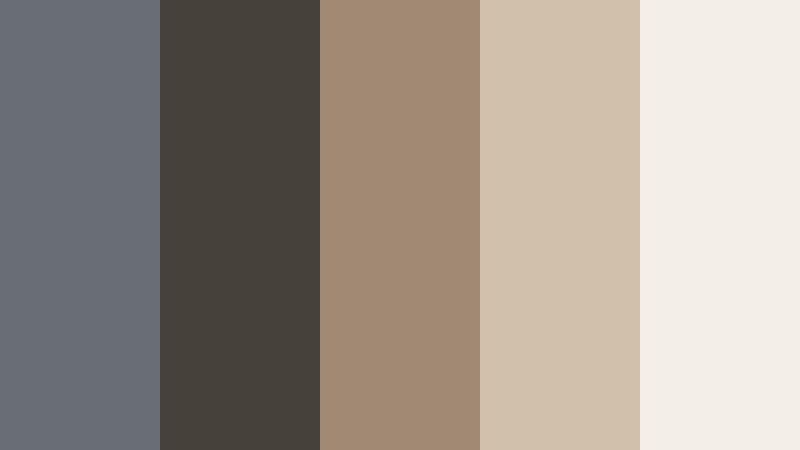
- HEX Codes: #686e74, #47413c, #a08a73, #d1c0aa, #f3eee6
- Mood: Calm, rustic, and comforting.
- Use for: Use for cabin stays, slow living content, and nature journaling videos.
Foggy Cabin Morning pairs smoky Stormcloud Gray with soft wood and oatmeal creams, echoing mist around a timber cabin. It feels grounded and earthy, with just enough gray to keep it from turning fully rustic brown.
Apply this palette to long-form slow living vlogs, camping recaps, or journaling overlays. Use the gray tones for titles and UI, while letting the warm neutrals color your backgrounds and b-roll to keep everything feeling gentle and welcoming.
Steaming Earl Grey Break
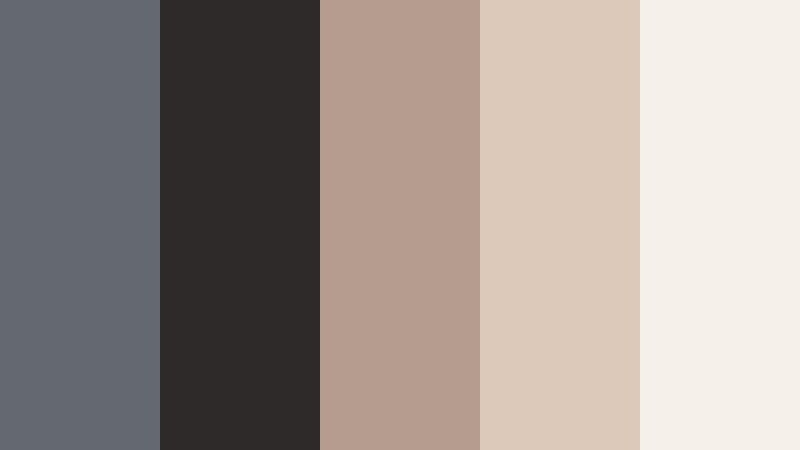
- HEX Codes: #646970, #2f2a2a, #b49c8f, #ddc9b9, #f6f0ea
- Mood: Relaxed, thoughtful, and inviting.
- Use for: Great for study vlogs, reading nooks, and cozy desk setups.
Steaming Earl Grey Break combines Stormcloud Gray with tea-stained beiges and soft coffee browns. It feels like a quiet afternoon with a book and a warm mug, perfect for videos that invite viewers to slow down and stay a while.
Use this palette to design intros and overlays for study-with-me videos, productivity vlogs, and booktube content. Let the darker colors frame your desk or reading shots, and set text on the creamy tones so it feels soft but remains easy to read.
Overcast City Cafe
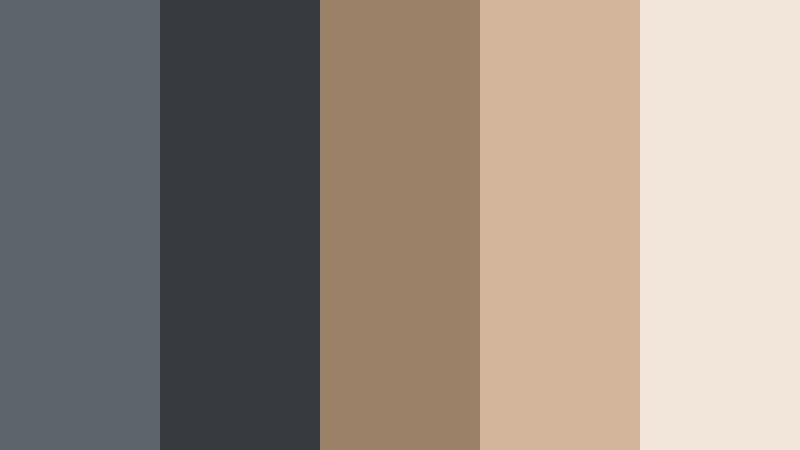
- HEX Codes: #5e646b, #373b3f, #9a8168, #d3b59b, #f2e5da
- Mood: Urban, welcoming, and slightly wistful.
- Use for: Perfect for coffee shop b-roll, freelance day-in-the-life vlogs, and lifestyle intros.
Overcast City Cafe mixes Stormcloud Gray sidewalks with latte tans and pastry creams, capturing the feel of working in a cafe on a cloudy day. The palette combines urban cool with pastry warmth, making it perfect for creative lifestyle content.
Use the deeper grays for backgrounds, text bars, or subtle frames around your footage, and apply the warm neutrals to highlight coffee shots, laptops, and interiors. For thumbnails, a Stormcloud Gray background with warm accents around your subject instantly suggests cozy productivity in the city.
Sophisticated Accent Stormcloud Gray Color Palettes
Gallery Frame Accent
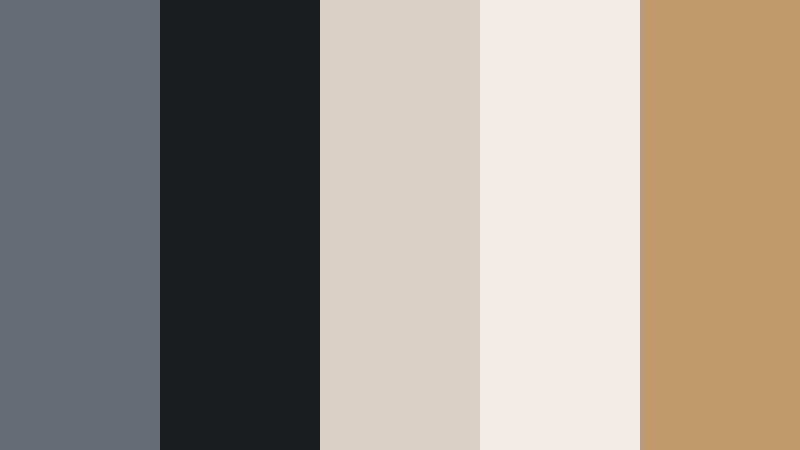
- HEX Codes: #666c73, #1b1c20, #d9d1c4, #f1ece3, #c09a6b
- Mood: Artful, curated, and upscale.
- Use for: Use for art channel branding, portfolio reels, and stylish slideshow transitions.
Gallery Frame Accent uses Stormcloud Gray like a picture frame around warm ivory walls and a touch of gold. The combination feels curated and high-end, ideal for creators who want an artistic, gallery-inspired identity.
Use the grays and off-whites as your main background and text colors, then save the gold accent (#c09a6b) for key details such as logos, buttons, and important callouts. This palette works especially well for portfolio reels, photography slideshows, and design case studies.
Slate And Copper Studio
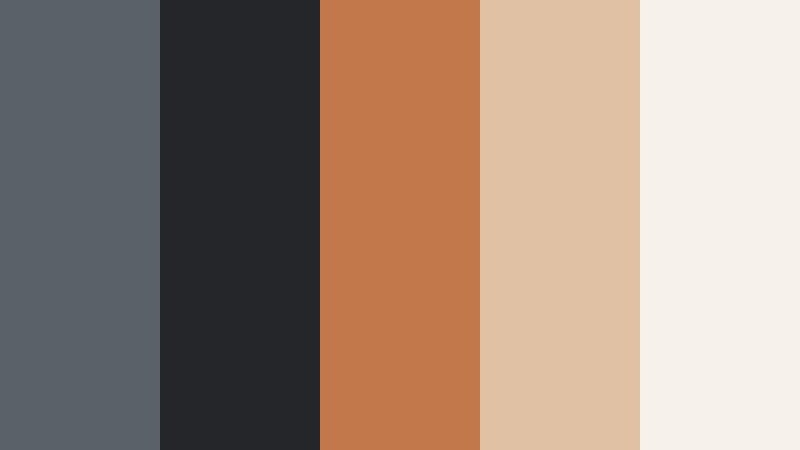
- HEX Codes: #5a6168, #24262a, #c2784a, #e0c1a4, #f7f1eb
- Mood: Creative, bold, and design-driven.
- Use for: Great for motion graphics, logo reveals, and brand intros that need refined contrast.
Slate And Copper Studio pairs grounded Stormcloud Gray with rich copper and sand, creating a palette that feels both industrial and handcrafted. The contrast between cool grays and warm metal tones gives your visuals instant sophistication.
Apply this combination to logo stings, motion graphics sequences, and brand openers. Let the dark slate and black form the background and shadow elements, then use the copper and pale neutrals for animated lines, icons, and text that command attention without sacrificing elegance.
Tips for Creating Stormcloud Gray Color Palettes
Stormcloud Gray is flexible enough to lean cinematic, minimal, or cozy depending on what you pair it with. A few practical guidelines will help you build balanced palettes that look great in video, design, and across your whole brand.
- Combine Stormcloud Gray with one temperature direction at a time: cool blues for cinematic moods, or warm beiges and browns for cozy vlogs, so your videos feel intentional instead of mixed.
- Always include a light tone for text and UI elements (#f0f1f4, #ffffff, or similar) to keep titles readable on phones, even over dark footage.
- Use the darkest shade as an anchor for overlays, lower thirds, and drop shadows; it adds depth without distracting from your main content.
- Pick one accent color only (such as copper, camel, or soft blue) and repeat it in buttons, icons, and key frames so your brand feels consistent across thumbnails and intros.
- When grading footage, match your shadows to your Stormcloud Gray family and keep skin tones natural by protecting oranges in HSL or selective color tools.
- Test your palette on real frames from your video: apply it to a title card, a lower third, and a thumbnail mockup to see if it holds up at different sizes.
- Check contrast in grayscale to ensure that your light and dark values are separated enough for subtitles and UI elements to stand out.
- Create and save presets in Filmora once you are happy with a Stormcloud Gray look so you can reuse it quickly on future videos and shorts.
Stormcloud Gray color palettes can shift your videos from bright and casual to cinematic, polished, or quietly cozy. Whether you are building a moody travel series, a minimalist tech channel, or warm lifestyle vlogs, choosing the right combination of grays, neutrals, and accents will shape how viewers feel the moment your thumbnail appears.
Use these 15 palettes as ready-made recipes or as starting points to develop your own custom Stormcloud Gray identity. Try them on your titles, overlays, and color grades inside Filmora, then refine the look until it feels like a natural extension of your personality and brand.
Once you lock in a favorite palette, save your settings, titles, and effects as presets so every new video loads with your signature Stormcloud Gray style already in place.
secure download