

 100% Security Verified | No Subscription Required | No Malware


 ChatGPT
 Perplexity
 Gemini
 Claude
 Grok
Grok
Teal Purple blends the calm stability of teal with the imaginative, mysterious feel of purple. Together, they create a cinematic color story that feels modern, slightly futuristic, and emotionally rich. It is a powerful combo for creators who want visuals that feel both soothing and impactful, from vlogs and gaming channels to brand promos and product videos.
Used well, a Teal Purple color palette can unify your thumbnails, titles, intros, and lower thirds so every frame feels on-brand. Below are 15 ready-to-use Teal Purple color palettes with HEX codes for YouTube, TikTok, Instagram, and more, especially handy if you edit in Filmora and want your colors to stay consistent across entire projects.
In this article
Soft & Dreamy Teal Purple Palettes
Aurora Mist Gradient
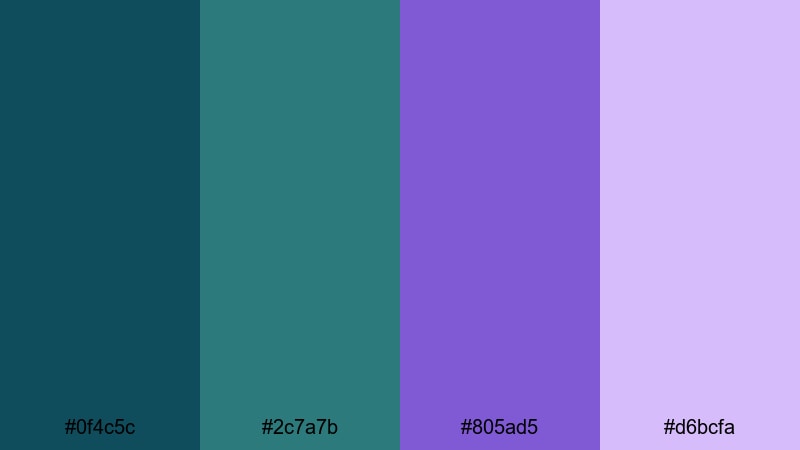
- HEX Codes: #0f4c5c, #2c7a7b, #805ad5, #d6bcfa
- Mood: Calm, ethereal, and slightly mysterious like a soft northern lights glow.
- Use for: Ideal for vlog intros, dreamy travel montages, and soft gradient overlays on titles.
Aurora Mist Gradient feels like a gentle wash of ocean air drifting into the night sky. The deep teal base (#0f4c5c, #2c7a7b) grounds the palette, while the lavender and lilac tones (#805ad5, #d6bcfa) add a magical, cinematic softness.
Use this palette for thumbnails that promise calm storytelling, title cards for travel or lifestyle content, and dreamy gradient overlays on your lower thirds and end screens. It works especially well on channels that want to feel peaceful, atmospheric, and slightly otherworldly without going too neon or intense.
Pro Tip: Build a Cinematic Teal Purple Glow in Filmora
To keep this soft Aurora-style Teal Purple look consistent, set up a simple visual system in Filmora. Use teal for background blocks or soft vignette overlays and reserve the lighter purples for titles, subtitles, and key graphics. Repeat these tones across your intro, main content, and outro so the whole video feels like one continuous gradient.
You can also create a reusable preset: design a lower third using these HEX codes, then duplicate it across your timeline, simply changing the text. This keeps your branding cohesive while saving time on every new video.
AI Color Palette
If you have a reference image of this Aurora Mist Gradient (or any teal and purple sky photo you love), you can let Filmora match your entire video to that look in a few clicks. Filmora's AI Color Palette feature analyzes the reference colors and applies a similar palette across your clips.
Drop your reference frame and your footage into Filmora, then use AI Color Palette to transfer the Teal Purple mood onto everything from A-roll to B-roll. It is a fast way to turn an ordinary vlog into a stylized, cinematic sequence that feels unified from thumbnail to end screen.
 secure download

HSL, Color Wheels & Curves
Once the overall Teal Purple palette is in place, fine-tune it with Filmora's HSL, color wheels, and curves. Slightly desaturate greens and blues while boosting teal and purple to keep the focus on your chosen tones. Use the color wheels to push shadows toward teal and midtones toward purple for a soft cinematic bias.
Curves let you gently lift highlights for a misty glow while keeping blacks rich enough that your text remains readable. For a deeper walkthrough of this kind of grading, check out Filmora's color correction tools and apply those ideas directly to your Teal Purple projects.
secure download1000+ Video Filters & 3D LUTs
To push your Teal Purple style even further, layer Filmora's filters and LUTs on top of your base grade. Many cinematic or sci-fi looks already lean into teal, blue, and magenta, so you can find a filter that enhances your palette in one step, then tweak intensity to taste.
Filmora's video filters and 3D LUTs make it easy to experiment: try a moody teal LUT for night city shots, a pastel filter for dreamy B-roll, or a subtle film-style LUT for vlogs that still feel natural. Combine them with your saved Teal Purple presets to build a recognizable visual identity over time.
secure downloadTwilight Ocean Haze
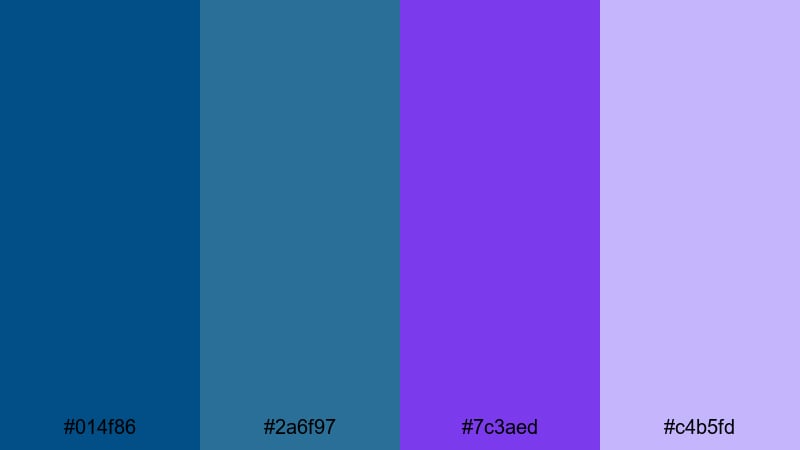
- HEX Codes: #014f86, #2a6f97, #7c3aed, #c4b5fd
- Mood: Romantic twilight with a calm ocean undertone.
- Use for: Great for storytelling shorts, mood reels, and cinematic captions over slow-motion b-roll.
Twilight Ocean Haze moves from deep sea teals into violet haze, echoing that moment when daylight fades and city or harbor lights start to glow. It feels introspective and romantic, perfect for emotional narratives or reflective storytelling.
Use the darker teals as backgrounds for your titles and captions, then highlight key words in violet or soft lilac. It is an excellent choice for cinematic shorts, reels with slow-motion b-roll, and thumbnails for storytime or documentary-style videos where mood matters as much as the message.
Lavender Tidal Drift
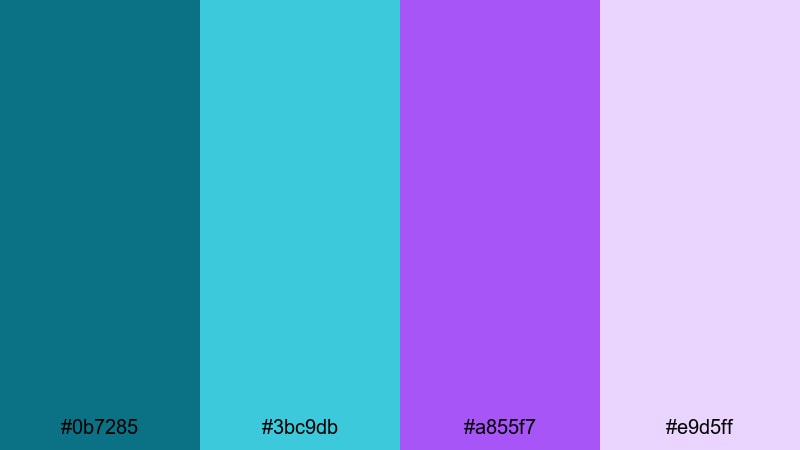
- HEX Codes: #0b7285, #3bc9db, #a855f7, #e9d5ff
- Mood: Serene, floaty, and optimistic with a pastel wash.
- Use for: Suited for wellness channels, ASMR visuals, and light, uplifting social posts.
Lavender Tidal Drift mixes fresh aqua teals with pastel purples to create a peaceful, floaty feeling. The combination feels gentle and optimistic, like soft waves under a pastel sky.
This palette is perfect for wellness content, ASMR overlays, meditation intros, and any thumbnails where you want viewers to sense calm at a glance. Use the lighter tones for backgrounds and gradients and keep the stronger teal and lavender for icons, buttons, and key text to maintain readability.
Moonlit Lagoon Whisper
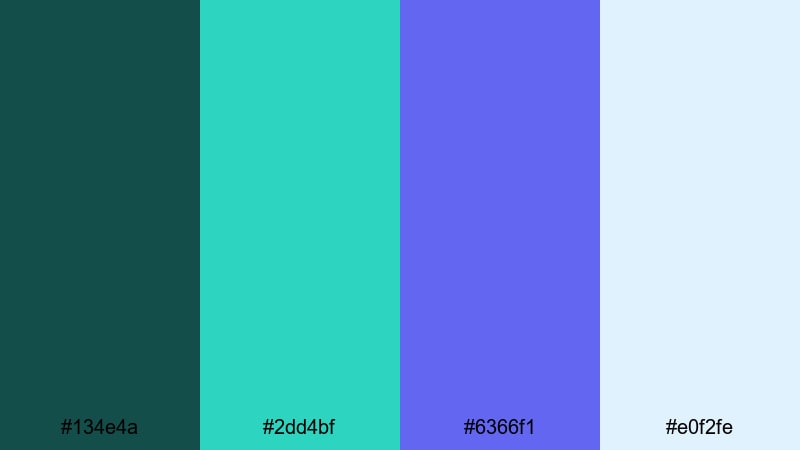
- HEX Codes: #134e4a, #2dd4bf, #6366f1, #e0f2fe
- Mood: Dreamy night by the water, calm but slightly enchanted.
- Use for: Perfect for channel banners, end screens, and lofi music visuals.
Moonlit Lagoon Whisper leans into deeper teal shadows contrasted with luminous aqua and periwinkle. It feels like a quiet night by the water with a subtle magical glow from the sky.
Use this palette for lofi music visuals, study-with-me streams, or channel banners that you want to feel calm yet a bit mysterious. The dark teal works beautifully as a base for intros and end screens, while the periwinkle and light blue tones highlight icons, subscribe buttons, and text overlays.
Velvet Tide Reverie
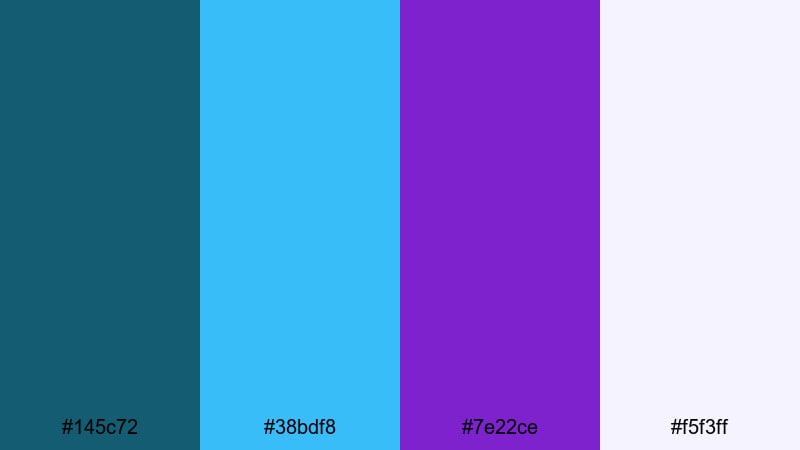
- HEX Codes: #145c72, #38bdf8, #7e22ce, #f5f3ff
- Mood: Soft yet luxe, like velvet reflections on water.
- Use for: Use for cinematic text cards, wedding highlight reels, and dreamy fashion lookbooks.
Velvet Tide Reverie combines rich teal with a bright sky accent and a deep royal purple, softened by a nearly white lavender. The result is a palette that feels luxurious and dreamy at the same time.
This is ideal for wedding highlight reels, romantic fashion edits, or brand stories that want a premium yet approachable vibe. Use the darker teal and purple for elegant title cards and the pale lavender-white for clean spacing, borders, and minimal thumbnail backgrounds.
Bold & Cinematic Teal Purple Palettes
Neon Cyber Wave
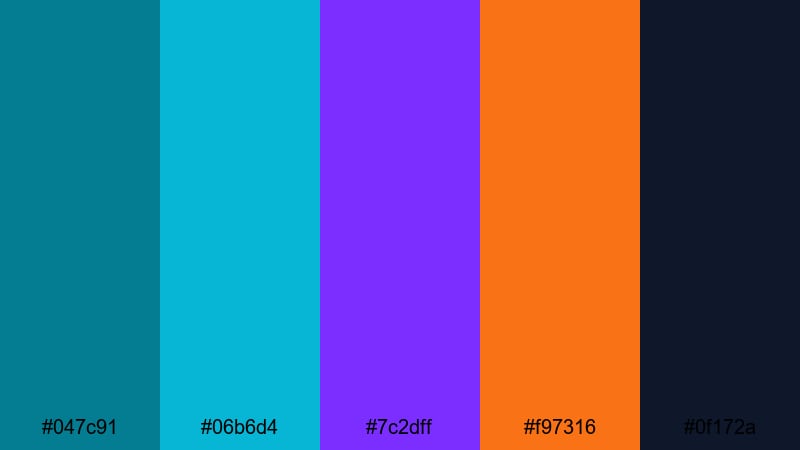
- HEX Codes: #047c91, #06b6d4, #7c2dff, #f97316, #0f172a
- Mood: Electric, futuristic, and high-energy like a cyberpunk city.
- Use for: Best for gaming intros, tech explainers, and high-impact motion graphics.
Neon Cyber Wave is a high-voltage mix of bright teals, vivid purple, and a punch of neon orange against a deep navy-black base. It feels like neon signs and holograms glowing in a dark city alley.
This palette is made for gaming intros, tech explainer videos, and motion graphics that need to grab attention in the first second. Use the dark navy for backgrounds, layer bright teal and purple on your titles, and reserve the neon orange for subscribe buttons, calls to action, and important UI elements.
Deep Galaxy Surge
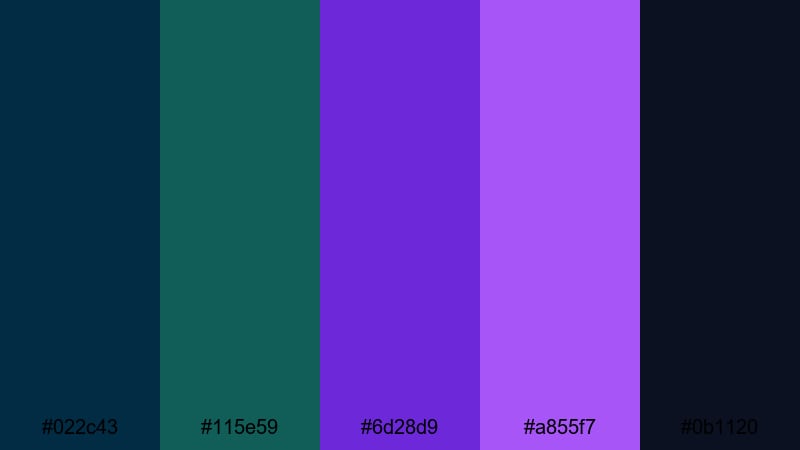
- HEX Codes: #022c43, #115e59, #6d28d9, #a855f7, #0b1120
- Mood: Epic, galactic, and intense with strong contrast.
- Use for: Ideal for trailers, epic montage sequences, and sci-fi styled lower thirds.
Deep Galaxy Surge dives into near-black blues and teals, contrasted by glowing violet and magenta highlights. It feels epic and galactic, like a space opera title screen.
Use this palette for trailers, high-energy montages, and sci-fi styled overlays. The darkest tones are great for dramatic backgrounds and letterboxing, while the bright purples can outline your text, UI panels, and HUD-style graphics for a futuristic finish.
Electric Reef Pulse
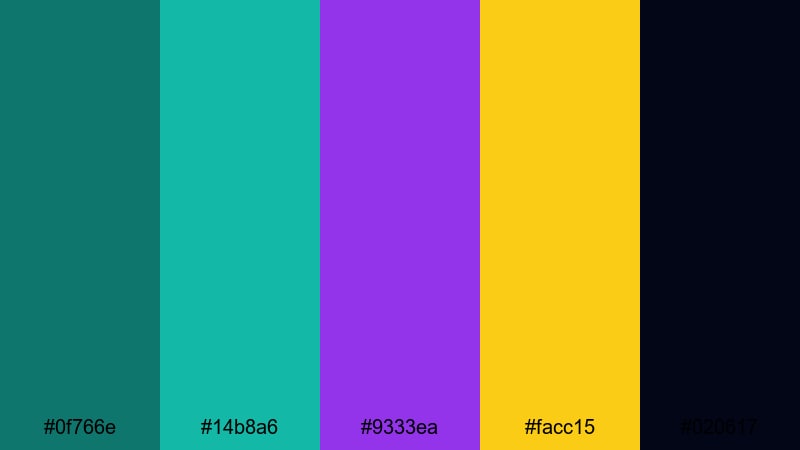
- HEX Codes: #0f766e, #14b8a6, #9333ea, #facc15, #020617
- Mood: Vibrant and energetic, like a neon reef under blacklight.
- Use for: Perfect for music videos, dance reels, and fast-paced promo teasers.
Electric Reef Pulse layers saturated teals and a bold purple with a bright hit of yellow over a near-black base. It feels like coral under neon lights, loud and full of motion.
This palette is perfect for dance reels, music videos, and high-energy promo teasers. Use the yellow sparingly as a highlight color for beats, transitions, or key words, while teal and purple drive the main color story in your titles, overlays, and animated elements.
Stormline Horizon
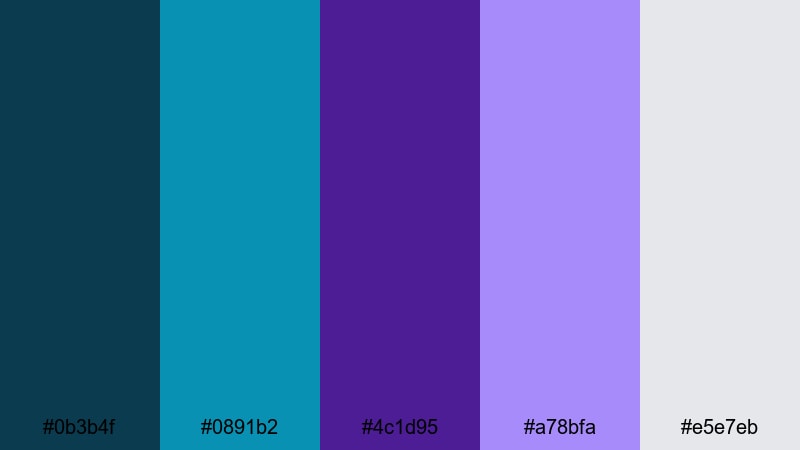
- HEX Codes: #0b3b4f, #0891b2, #4c1d95, #a78bfa, #e5e7eb
- Mood: Dramatic and moody, like a storm clearing at sunset.
- Use for: Great for cinematic B-roll, documentary openers, and moody product showcases.
Stormline Horizon balances brooding teal and deep purple with a bright, storm-clearing highlight and a soft gray. It captures that moment when heavy clouds break and light returns.
Use it for cinematic B-roll sequences, moody product showcases, or documentary openers that need emotional weight. The gray and light lavender tones work well for captions and infographics, while the deeper colors add drama around the frame.
City Neon Eclipse
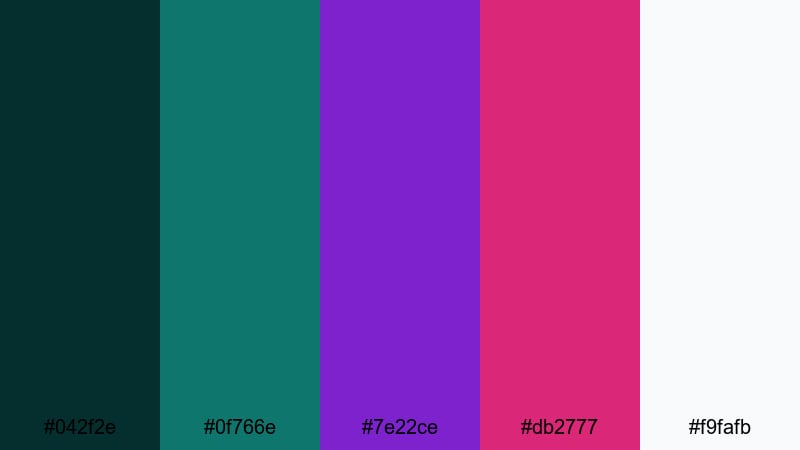
- HEX Codes: #042f2e, #0f766e, #7e22ce, #db2777, #f9fafb
- Mood: Urban nightlife energy with a slick, cinematic edge.
- Use for: Use for city vlogs, nightlife promos, and stylish TikTok transitions.
City Neon Eclipse combines inky teal shadows with bright purple and magenta neon, anchored by a crisp off-white. It feels like a night out in a modern city full of glowing signs and reflections.
This palette is great for city vlogs, nightlife promos, bar or club content, and stylish TikTok transitions. Let the dark teal and purple fill your backgrounds and frames, and use magenta and white for titles, timestamps, and UI-style overlays that pop against the night.
Modern & Minimal Teal Purple Palettes
Studio Glass Minimal
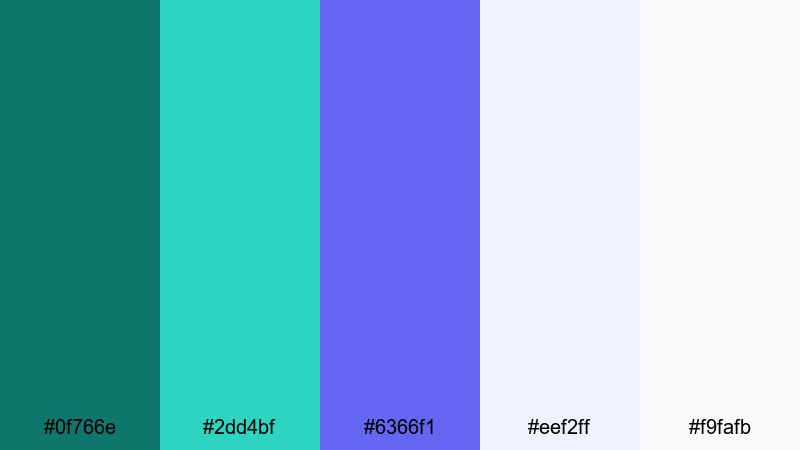
- HEX Codes: #0f766e, #2dd4bf, #6366f1, #eef2ff, #f9fafb
- Mood: Clean, polished, and professional with a cool tech feel.
- Use for: Ideal for SaaS explainers, UI demos, and minimalist channel branding.
Studio Glass Minimal pairs cool teals and periwinkle with very light neutrals, creating a clean, glassy aesthetic. It feels professional and tech-forward without being harsh on the eyes.
Use this palette for SaaS explainers, product tutorials, UI demos, and minimalist channel branding. The whites and soft blues are perfect for backgrounds and slides, while teal and purple highlight buttons, icons, and important text in your thumbnails and intros.
Nordic Aurora Lines
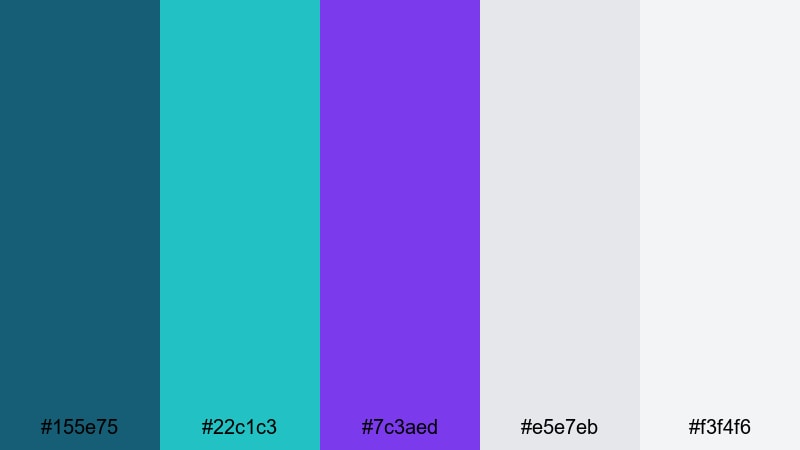
- HEX Codes: #155e75, #22c1c3, #7c3aed, #e5e7eb, #f3f4f6
- Mood: Cool, balanced, and slightly futuristic with Scandinavian restraint.
- Use for: Best for clean lower thirds, title bars, and subtle gradient backgrounds in tutorials.
Nordic Aurora Lines uses balanced teal and purple anchored by cool grays, evoking a Scandinavian, minimal mood. It feels contemporary but not flashy, like a carefully designed interface.
This is a great palette for tutorials, educational content, and channels that want to feel trustworthy and modern. Apply the teals and purples in slim bars, line accents, and lower thirds, while using the grays as neutral backdrops that keep your footage readable and uncluttered.
Serene Interface Glow
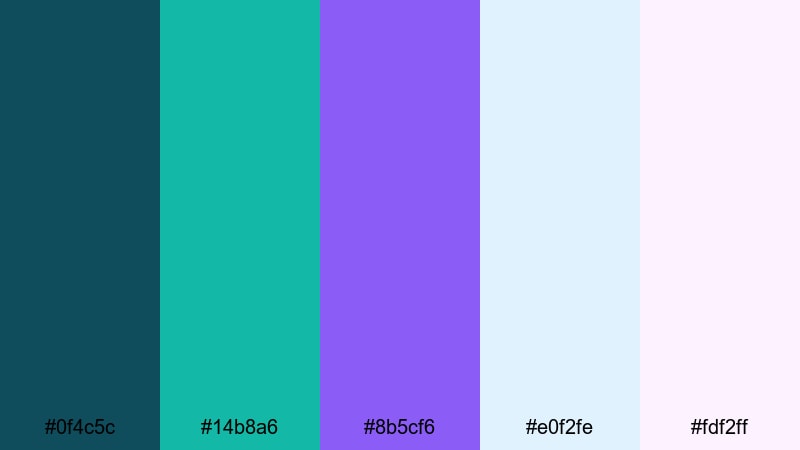
- HEX Codes: #0f4c5c, #14b8a6, #8b5cf6, #e0f2fe, #fdf2ff
- Mood: Softly glowing, calm, and interface-ready.
- Use for: Great for app mockups, UI overlays in screen recordings, and tutorial slide designs.
Serene Interface Glow blends calm teal and gentle purple with pale backgrounds that feel like a soft, lit screen. It is easy on the eyes, making it ideal for viewers who watch long educational videos.
Use this palette for app walkthroughs, screen recordings, and tutorial slides where clarity and comfort matter. The light blue and pink backgrounds keep things bright, while teal and purple anchor icons, buttons, and step-by-step labels throughout your video and thumbnail set.
Clean Studio Pastel Edge
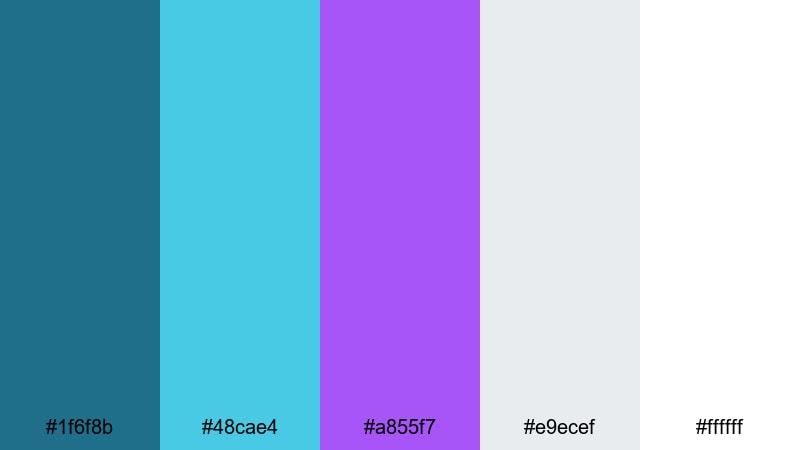
- HEX Codes: #1f6f8b, #48cae4, #a855f7, #e9ecef, #ffffff
- Mood: Fresh, airy, and slightly playful while staying professional.
- Use for: Use for branding kits, minimalist thumbnails, and light packaging mockups.
Clean Studio Pastel Edge spots a fresh teal and lilac accent against lots of white and light gray, giving your visuals a studio-like, airy feeling. It remains professional but has a soft, playful edge.
This palette is ideal for personal brand kits, minimalist thumbnails, creator logos, and mockups for packaging or digital products. Use white and light gray as your main canvas and bring teal and purple into logos, title text, and subtle borders to keep everything cohesive but not overwhelming.
Subtle Vapor Trails
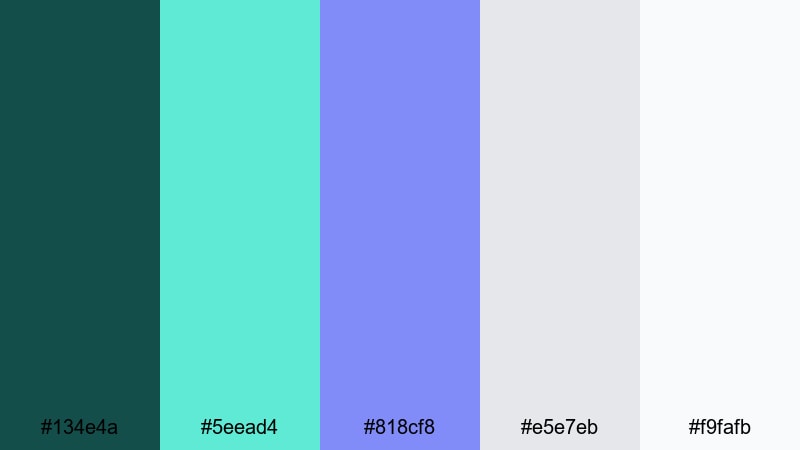
- HEX Codes: #134e4a, #5eead4, #818cf8, #e5e7eb, #f9fafb
- Mood: Softly futuristic, tranquil, and understated.
- Use for: Ideal for background gradients, lower opacity overlays, and understated logo animations.
Subtle Vapor Trails sets muted teal and periwinkle against light neutrals, creating a soft, almost vapor-like gradient feel. It is modern and slightly futuristic without being loud.
Use this palette as a base for background gradients, semi-transparent overlays, and gentle logo animations. It is great for channels that want a calm, tech-inspired identity, such as productivity, coding, or study content where visuals support the message instead of competing with it.
Tips for Creating Teal Purple Color Palettes
When you build your own Teal Purple color combinations for video and design, small decisions about contrast, accents, and consistency will decide whether your brand looks cinematic or chaotic.
- Pick one hero color: choose teal or purple as the main tone, then let the other act as a supporting accent so your visuals do not feel overloaded.
- Protect readability: place light text on dark teal or purple blocks, and dark text on lighter tints; always test your thumbnails at small sizes.
- Use one bright accent: if you add a third color like yellow or orange, keep it for buttons, CTAs, or key words only, so it stays impactful.
- Respect skin tones: when grading in teal and purple, avoid pushing midtones too far so faces still look natural and appealing on camera.
- Stay consistent across assets: reuse the same HEX codes for your intros, lower thirds, end screens, and channel banner to build a recognizable identity.
- Test on multiple screens: check how your Teal Purple palette appears on phones, tablets, and desktops, and adjust brightness or saturation if it looks too dark.
- Create presets in Filmora: save your favorite color corrections and text styles as presets so future videos automatically match your chosen palette.
- Combine flat color and gradients: use flat teal or purple for clean UI elements and soft gradients in backgrounds to keep things modern but visually rich.
Teal Purple color palettes are a powerful way to shape mood, style, and brand identity. From soft, dreamy gradients to bold neon cityscapes, this combination can make your thumbnails more clickable, your intros more memorable, and your channel instantly recognizable.
Try a few of the palettes above inside Filmora, then fine-tune them with AI Color Palette, HSL, color wheels, curves, and LUTs until they feel uniquely yours. Once you save your favorite looks as presets, every new vlog, reel, or tutorial can automatically match your signature Teal Purple aesthetic.
The more consistently you apply your palette across titles, overlays, and grading, the more your audience will associate that Teal Purple mood with your content. Experiment, adjust, and let Filmora handle the heavy lifting so you can focus on storytelling.
secure download