

 100% Security Verified | No Subscription Required | No Malware


 ChatGPT
 Perplexity
 Gemini
 Claude
 Grok
Grok
These Filmora filters are designed to mimic the feel of TikTok street photography LUTs with an urban look, giving your city clips sharp contrast, stylized color, and a gritty scroll-stopping finish in a few clicks.
Each filter below is tuned for common TikTok street scenarios like neon-lit nights, moody alleys, high-energy skate shots, and cinematic city portraits, so content creators can keep a consistent urban aesthetic without complex color grading.
In this article
Neon Nights and City Lights
Neon Grit Contrast
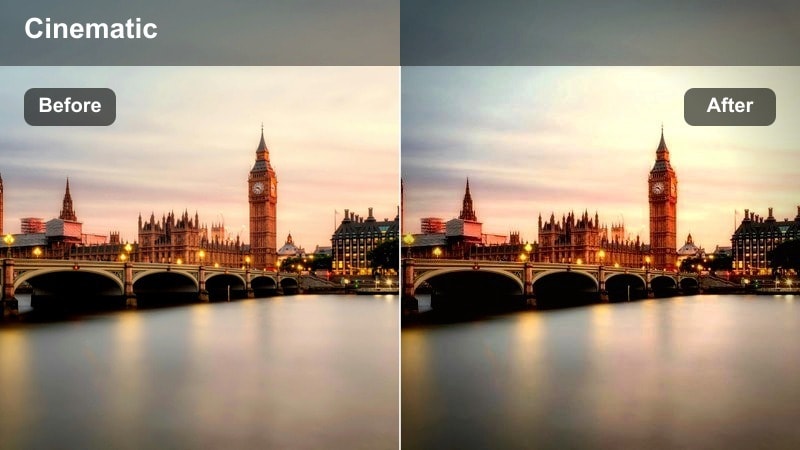
- Effect look: High-contrast deep shadows with boosted neon colors and a subtle teal urban tint.
- Best for: Night street walks, city B-roll, and handheld TikTok clips under neon signs.
- Editing tip: Lower exposure slightly and add a touch of film grain to keep bright signs from clipping while preserving the gritty feel.
Neon Grit Contrast is built to give your night city shots that punchy TikTok street photography LUTs urban look without needing separate grading passes. In Filmora, you can drop this filter onto your timeline and instantly deepen shadows, intensify magentas and cyans, and wrap the scene in a teal-tinted atmosphere that feels cinematic but still social-friendly.
Use this style when you are shooting under bright storefronts, arcades, or karaoke signs and want every frame to pop on a vertical screen. Combine the filter with Filmora tools like film grain, light blur, and shake effects to create gritty, viral-ready hooks for the first seconds of your TikTok street edits.
Instant Urban Color with AI-Powered Filmora Tools
Filmora s AI-driven color tools help you lock in a TikTok street photography LUTs urban look even if you are not comfortable with curves or color wheels. Start with a filter like Neon Grit Contrast, then let AI Fine-Tune analyze each frame and even out exposure, temperature, and contrast for a unified feed.
This workflow keeps your alley shots, rooftop views, and neon walks feeling like one cohesive series instead of random clips stitched together. You get the speed of presets with the polish of custom grading, all inside a beginner-friendly interface.
 secure download

See Urban Filters in Action on Real Street Clips
You can preview how different Filmora filters reshape your TikTok street footage by dragging a city clip to the timeline and hovering over each effect. This lets you compare bold neon looks against softer film washes in seconds, without committing to a full grade.
For more control, stack a primary filter with subtle extras like vignette, grain, and blur to turn fast vertical clips into stylized micro-movies. It is an easy way to match your music choice and pacing with a visual mood that fits your brand.
secure downloadBlend Filters with LUTs for Signature TikTok Street Styles
Filmora includes 1000 plus video filters and 3D LUTs, so you can layer creative looks to build a signature TikTok street style. Start with a filter that sets contrast and mood, then gently mix in a teal orange, neon, or monochrome LUT at lower intensity for extra character.
This layered approach keeps your grade flexible: you can quickly swap LUTs to match different songs or trends while keeping your base filter consistent, so your audience still recognizes your aesthetic as they scroll.
secure downloadElectric Sidewalk Glow
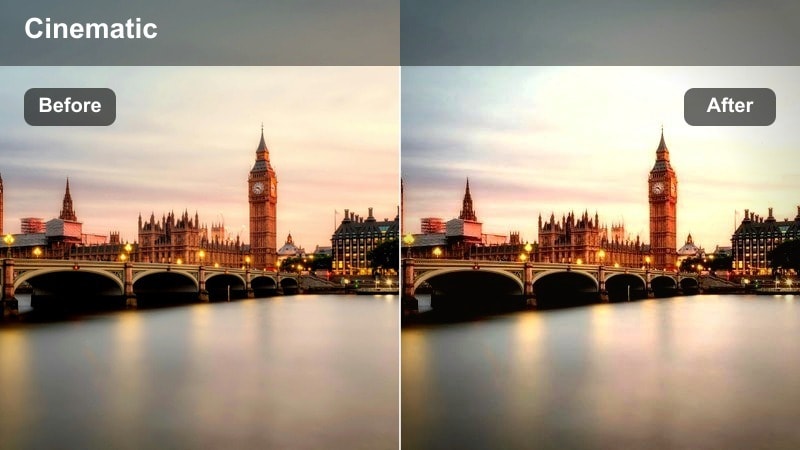
- Effect look: Soft-glow highlights with saturated streetlights and a cool blue city cast.
- Best for: Slow-motion city walks, umbrella shots in the rain, and reflective puddle moments.
- Editing tip: Add a gentle vignette and slow playback to 0.75x to emphasize the dreamy glow around lights and reflections.
Electric Sidewalk Glow leans into the dreamy side of urban TikTok aesthetics, wrapping point lights and reflections in a cinematic bloom. When applied in Filmora, it gently softens harsh digital highlights while keeping silhouettes and building edges defined for vertical viewing.
Use it on rainy nights, reflective crosswalks, or glass storefronts where puddles and panels can mirror the city back at your subject. Pair the filter with slow motion, subtle vignettes, and soft background music to turn simple walking clips into mood-driven, shareable shorts.
Metro Neon Punch
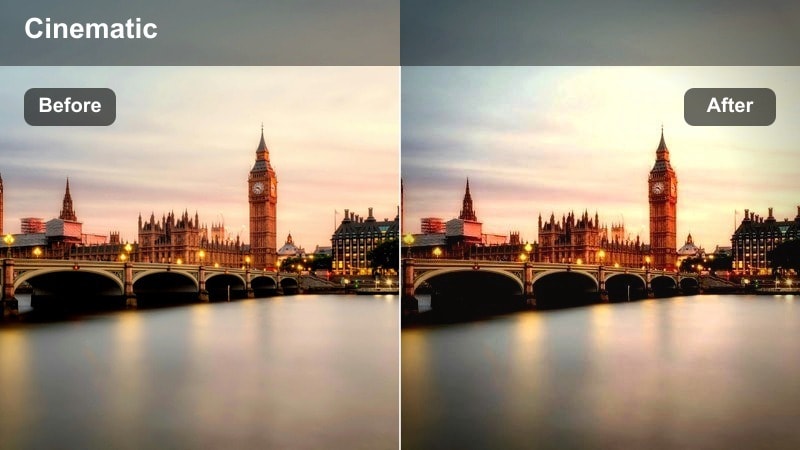
- Effect look: Punchy saturation with crisp edges, lifted blacks, and bold neon reds and blues.
- Best for: Subway platforms, nightlife transitions, and quick-cut city montages.
- Editing tip: Increase sharpness slightly and sync cuts to beats to amplify the punchy city energy of the grade.
Metro Neon Punch is designed for fast, energetic edits where color and contrast need to hit as hard as the music. In Filmora, this filter boosts saturation in reds and blues while lifting blacks for a modern, glossy street photography vibe that still shows detail in darker areas.
Apply it to subway, club entry, or downtown transition shots where you want signage, trains, and crowds to feel electric. Combine with beat-synced cuts, motion graphics, and speed ramps to build rhythmic TikTok montages that stand out on the For You page.
Daytime Concrete Jungle
Urban Fade Matte
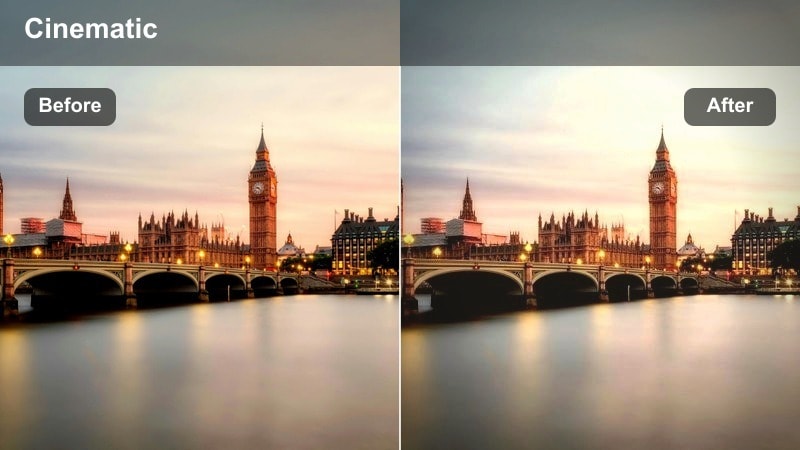
- Effect look: Soft matte finish with slightly desaturated colors and gentle warm highlights.
- Best for: Daytime street portraits, coffee run vlogs, and casual city lifestyle shots.
- Editing tip: Lower contrast a bit more and raise shadows to keep skin tones smooth and street textures subtle.
Urban Fade Matte gives bright daytime city footage a relaxed, lifestyle-oriented finish that feels at home on TikTok and Reels. In Filmora, this filter slightly flattens contrast, warms highlights, and tames busy background colors so your subject remains the main focus.
Use it for outfit checks, coffee runs, and laid-back mini vlogs where you walk and talk through your city. Pair the filter with gentle camera moves, soft background tracks, and simple on-screen text to deliver a polished but effortless urban aesthetic.
Concrete Crisp Pop
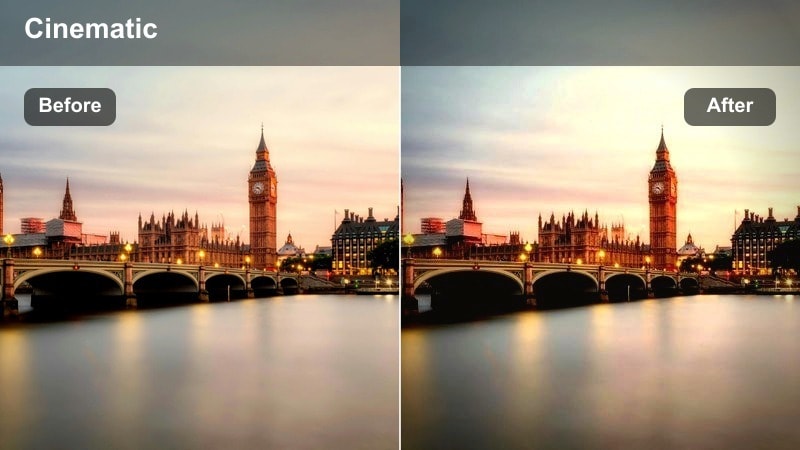
- Effect look: Clean contrast, bright whites, and slightly boosted primary colors for a sharp city feel.
- Best for: Skate clips, bike rides, and high-energy city movement on bright days.
- Editing tip: Add a subtle motion blur effect to transitions so the crisp lines of buildings and rails feel even faster.
Concrete Crisp Pop is tuned for speed and clarity, making rails, roads, and ramps look extra defined in motion. In Filmora, apply this filter to raise micro-contrast, brighten whites, and give primary colors like reds and blues a small but noticeable boost.
It is ideal for skateboarding, biking, running, or parkour clips where city geometry becomes part of the action. Combine with dynamic camera angles, motion blur transitions, and speed ramps for TikTok edits that feel sharp, punchy, and full of momentum.
City Film Wash
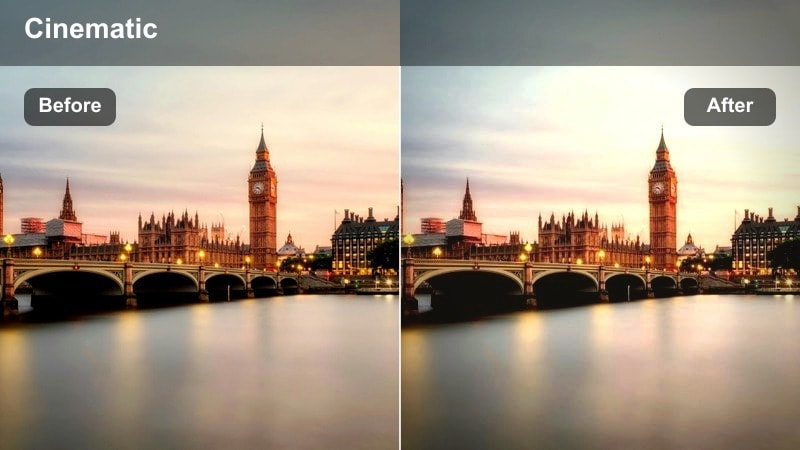
- Effect look: Slightly faded film-style contrast with warm midtones and subtle grain-like softness.
- Best for: Story-driven mini vlogs, walking talks, and cinematic B-roll of buildings and crosswalks.
- Editing tip: Drop saturation on greens and blues just a bit to keep skin tones and street signs feeling more vintage and unified.
City Film Wash brings a nostalgic, film-inspired flavor to your daytime TikTok footage, softening harsh edges and pulling back contrast. In Filmora, this filter is especially effective for mini vlogs, narrative sequences, and city B-roll where you want an emotional, storylike tone.
Apply it across an entire sequence of clips to create a unified visual story, then add light grain, slow zooms, and subtle music to push the cinematic vibe. This is a strong choice when you want your feed to feel like a series of short films rather than quick snapshots.
Moody Back Alleys and Side Streets
Grit Shadow Depth
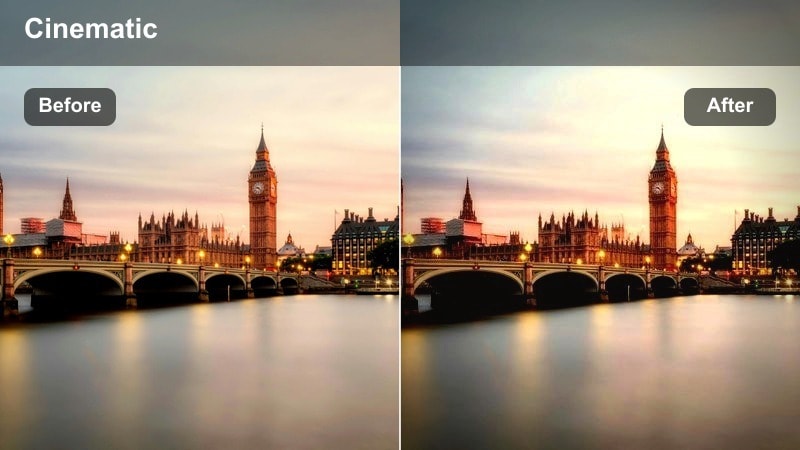
- Effect look: Deepened shadows, muted colors, and strong texture on concrete and brick.
- Best for: Moody alley portraits, hood-up outfit checks, and cinematic slow walks.
- Editing tip: Lower saturation slightly in-camera and let this filter add the grit so skin tones do not become too muddy.
Grit Shadow Depth is made for tight backstreets, parking structures, and underpasses where texture is everything. In Filmora, the filter pushes shadows deeper, mutes colors, and brings out detail in brick, asphalt, and metal to create a dramatic TikTok street photography LUTs urban look.
Use it for slow, cinematic walks, profile shots against textured walls, and fashion reveals that rely on attitude and silhouette. Pair with slow push-ins, subtle camera shake, and sound design elements like footsteps or ambient hum to fully sell the moody atmosphere.
Hoodie Noir
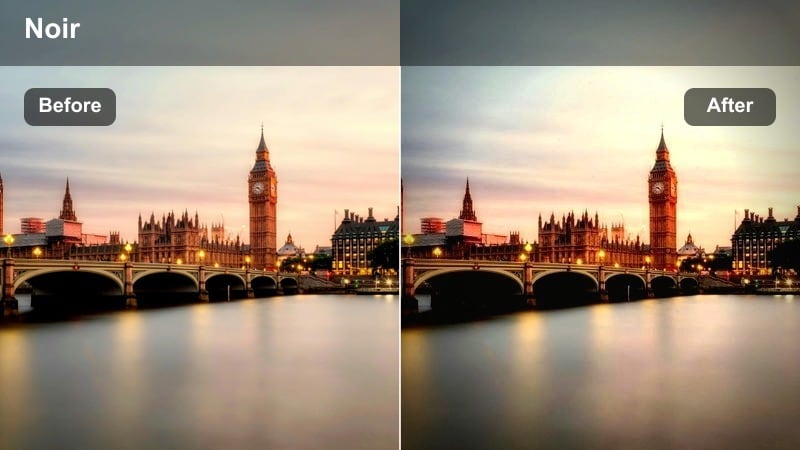
- Effect look: High-contrast near-monochrome tones with a slight cool tint and sharp edges.
- Best for: Street fashion looks, silhouette shots, and dramatic beat drops in alley scenes.
- Editing tip: Reduce saturation close to zero before applying to keep only subtle hints of color where you want viewer focus.
Hoodie Noir channels classic film noir into a modern vertical format, turning colorful alleys into stark, graphic backdrops. In Filmora, it almost removes color while sharpening edges and adding a cool-tinted contrast curve that works perfectly for hooded silhouettes and bold fashion pieces.
Apply this filter to beats where the track drops or shifts, using quick cuts and close-ups to highlight logos, zippers, and fabric textures. Paired with hard-hitting music, jump cuts, and glitch transitions, Hoodie Noir can turn a simple outfit showcase into a stylized fashion reel.
Rainy Alley Film
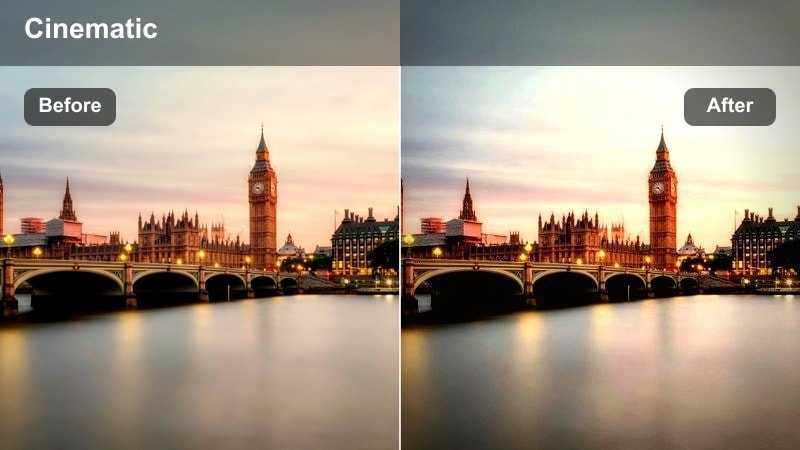
- Effect look: Cool, desaturated tones with gentle highlight bloom and emphasized wet surfaces.
- Best for: Rainy-night clips, umbrella shots, and slow spins under streetlights in back streets.
- Editing tip: Shoot at a slower shutter speed for more streaks and let this filter accent the reflections for a cinematic mood.
Rainy Alley Film is tailored to bad-weather shoots where puddles, reflections, and streetlights create natural drama. In Filmora, the filter cools down the palette, slightly desaturates colors, and adds a delicate bloom to highlights so wet pavement and umbrellas look extra cinematic.
Use it for slow spins under streetlights, walking sequences with raindrop streaks, or detail shots of puddles and shoes. Combine the filter with slowed playback, ambient rain sounds, and gentle transitions to turn a gloomy forecast into one of your strongest TikTok visuals.
Skyline Overlooks and Commuter Flows
Rooftop Haze Cinema
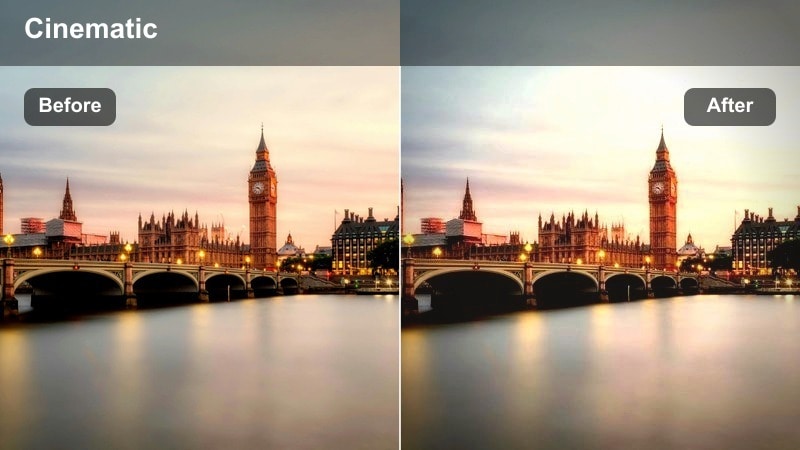
- Effect look: Soft haze over distant buildings with warm highlights and cooler shadows for depth.
- Best for: Rooftop views, skyline time-lapses, and contemplative clips looking over the city.
- Editing tip: Add a slow vertical tilt or pan and stabilize in post so the haze and depth feel more cinematic and intentional.
Rooftop Haze Cinema is built for big views and quiet moments, giving skyline shots a layered, atmospheric finish. In Filmora, this filter separates warm highlights from cooler shadows, adding a gentle haze that makes distant buildings feel softer and more cinematic.
Use it on roof decks, balconies, or lookout spots where you can see traffic and towers stretching into the distance. Pair the look with slow pans, time-lapses, or reflective voiceovers to create TikTok clips that feel like intros, outros, or chapter breaks in your urban story.
Commute Motion Blend
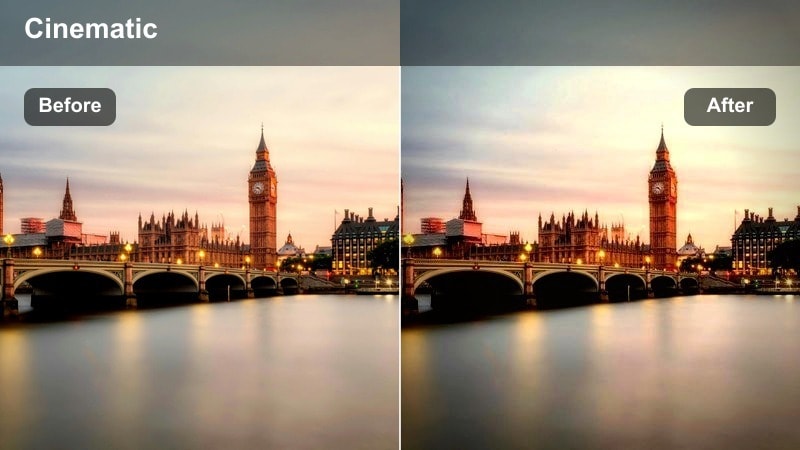
- Effect look: Balanced contrast with slightly lowered saturation and smoothed midtones for busy crowd scenes.
- Best for: Train station crowds, crosswalk rushes, and escalator shots in malls and metros.
- Editing tip: Use speed ramps and this filter together to highlight key movements in the crowd while keeping the palette controlled.
Commute Motion Blend is all about taming chaotic scenes so viewers know exactly where to look. In Filmora, apply the filter to gently mute colors, balance contrast, and smooth out midtones so crowds, signage, and architecture do not fight for attention.
It is ideal for morning commutes, station shots, and crosswalk rushes where you want to spotlight a single subject moving through the masses. Combine with speed ramps, directional sound, and motion tracking to guide the audience s focus through the flow of people.
Overpass Trail Lights
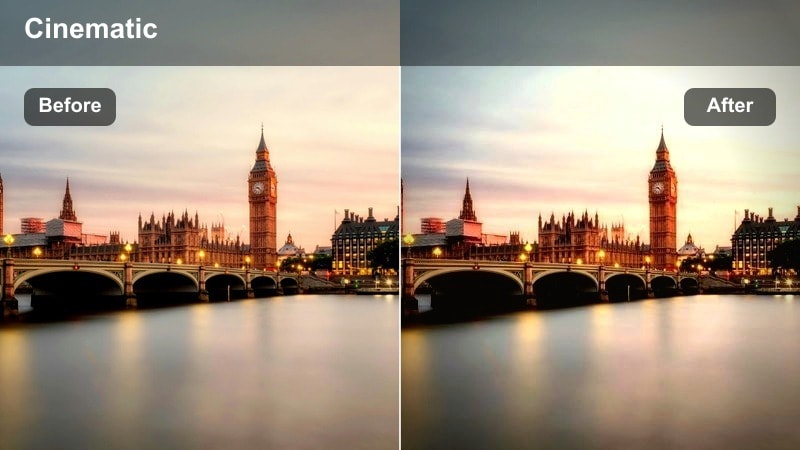
- Effect look: High clarity on structures with boosted warmth in car lights and cool tones in shadows.
- Best for: Night highway overpass shots, light trails, and long-exposure style TikTok loops.
- Editing tip: Stabilize the clip, then loop the most dynamic 2 to 3 seconds so repeating light trails feel hypnotic.
Overpass Trail Lights is tailored for highway overlooks and bridge views where traffic becomes a stream of color. In Filmora, this filter increases clarity on guardrails and concrete while separating warm car lights from cool-toned shadows for a dramatic, graphic look.
Use it for long-exposure style clips, looping light trails, or time-lapse sequences that sit behind text overlays or hooks. Combine with stabilization, seamless loops, and reverse playback to create hypnotic TikTok backgrounds that keep viewers watching longer.
Tips for Using Tiktok Street Photography Luts Urban Look Filters in Filmora
- Shoot in consistent lighting when possible so the filter can define your style instead of fighting harsh exposure changes.
- Lock exposure on your phone or camera before recording TikTok street clips to prevent sudden brightness jumps in the city.
- Frame with strong lines like crosswalks, railings, and building edges to make urban filters feel more graphic and intentional.
- Keep filter intensity slightly under 100 percent for skin tones and portraits to avoid an over-edited appearance.
- Batch edit several clips with the same filter and minor tweaks so your TikTok feed maintains a cohesive street aesthetic.
With the right Filmora filters, you can turn everyday city streets into stylized TikTok-ready scenes that feel like professional street photography in motion.
Pick a few favorite looks from this guide, save them as presets, and use them consistently so your urban clips stand out and become instantly recognizable on the For You page.
secure download