

 100% Security Verified | No Subscription Required | No Malware


 ChatGPT
 Perplexity
 Gemini
 Claude
 Grok
Grok
Warm tone filters are one of the easiest ways to turn casual TikTok vlogs into cozy, cinematic stories that feel inviting and personal.
This guide breaks down 12 TikTok vlog warm tone LUT-style filters in Filmora so content creators can quickly match the mood of everyday life clips, from slow mornings and city walks to study sessions and golden hour hangouts.
In this article
Slow Mornings at Home
Soft Sunrise Glow
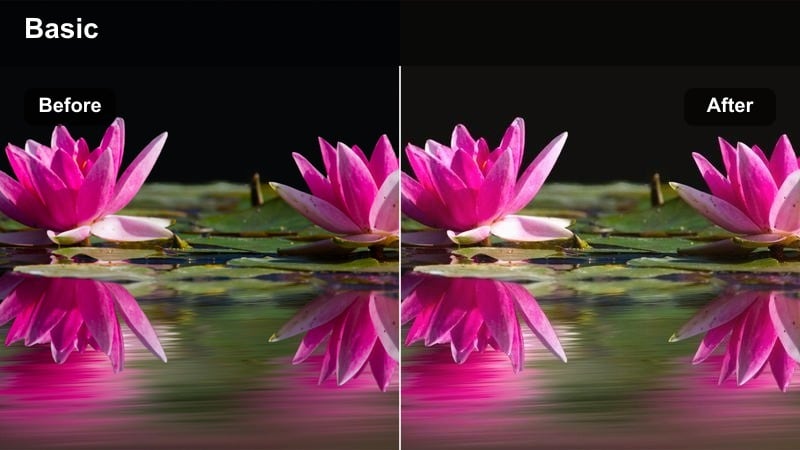
- Effect look: Gentle golden warmth with softened highlights for a calm, sleepy-morning aesthetic.
- Best for: Bedside check-ins, morning routines, coffee-pour shots, and quiet home vlogs on TikTok.
- Editing tip: Lower contrast slightly and reduce sharpness to keep skin and bedsheets looking smooth and dreamy.
Soft Sunrise Glow adds a delicate golden wash to your footage, softening highlights so blankets, curtains, and skin tones take on a relaxed, early-morning feel. In Filmora, it works like a warm tone LUT-style filter that instantly turns simple wake-up clips into cinematic, soft-focus moments.
Apply this look to your first shots of the day, like reaching for your phone, stretching in bed, or pouring coffee near a window. Keep contrast low and sharpness reduced in Filmora so the gentle warmth stays flattering and your TikTok vlogs feel cozy rather than overly crisp or harsh.
Speed up warm tone grading with Filmora's AI tools
Instead of building each TikTok vlog warm tone LUT preset from scratch, you can let Filmora's AI color and style features automatically analyze your footage and give you a warm base look. This makes it easy to match the cozy feel of morning vlogs, even if your lighting changes from clip to clip.
Once the AI has set a starting point, fine-tune warmth, contrast, and saturation with simple sliders, then save those adjustments as a preset. That way, every new daily life TikTok can quickly take on the same warm tone aesthetic without repeating a long manual color grading process.
 secure download

Preview warm filters on real daily life clips
Filmora's filter library lets you hover over warm looks and preview them live on your timeline, so you can immediately see which tone fits your bedroom, kitchen, or city street. This makes it simple to compare soft morning warmth against stronger golden looks without committing to a full grade.
Combine these previews with quick exposure and contrast tweaks so each shot holds onto its natural atmosphere while still feeling consistent across your entire TikTok vlog. When you find a look that matches your scene, simply drop it onto the rest of your clips for a unified style.
secure download1000+ Video Filters and 3D LUTs in Filmora
Beyond a few warm presets, Filmora offers a large collection of filters and 3D LUTs so you can mix soft warmth with cinematic contrast or vintage fades. This lets you design a signature TikTok vlog style that feels both cozy and polished, no matter where you are filming.
After you dial in a custom combination of warm filters and color tweaks, save it as a reusable preset. You can then apply that style across multiple daily vlogs, keeping your TikTok grid visually consistent while only making small per-clip refinements.
secure downloadCozy Bedroom Amber
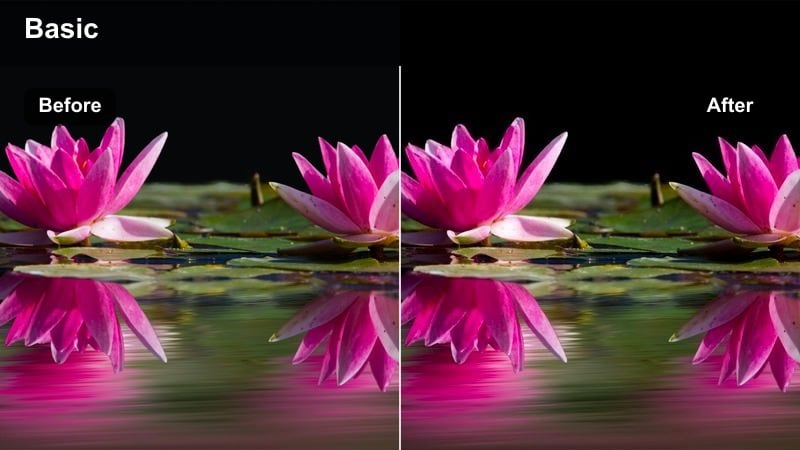
- Effect look: Deeper amber warmth with lifted shadows for a snug, stay-at-home vlog feel.
- Best for: Get-ready-with-me clips, bookshelf shots, journaling, and talking-to-camera moments in your room.
- Editing tip: Lift shadows a little and add light film grain so the room feels lived-in rather than flat.
Cozy Bedroom Amber brings a stronger amber tint to your room, brightening shadows so details like blankets, posters, and shelves stay visible. In Filmora, it behaves like a warm LUT that makes your space feel intimate and inviting without crushing darker areas.
Use this filter for GRWM segments, room tours, or relaxed sit-down chats. Slightly raising shadows and adding gentle film grain in Filmora gives your TikTok vlogs a textured, lived-in look that feels authentic while still polished enough for your feed.
Latte Morning Tint
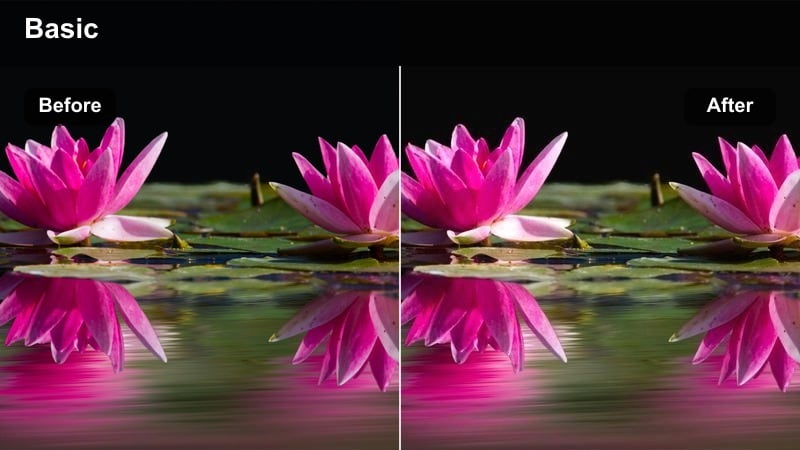
- Effect look: Creamy beige warmth with slightly muted colors for a latte-inspired, minimalist mood.
- Best for: Coffee-making B-roll, kitchen counter shots, aesthetic daily check-ins, and desk vlogs.
- Editing tip: Reduce saturation of strong colors and keep midtones bright to maintain a clean, airy warmth.
Latte Morning Tint coats your footage in soft beige warmth, gently desaturating bold hues for a calm, minimal aesthetic. In Filmora, it is ideal when you want your mugs, notebooks, and counters to look cohesive and creamy rather than overly colorful.
Apply this filter to coffee-pour shots, kitchen routines, or neutral desk setups to keep your TikTok vlogs feeling light and curated. Lower saturation on strong colors and protect bright midtones in Filmora so the overall look stays airy, with just enough warmth to feel cozy.
City Errands and Commutes
Urban Honey Haze
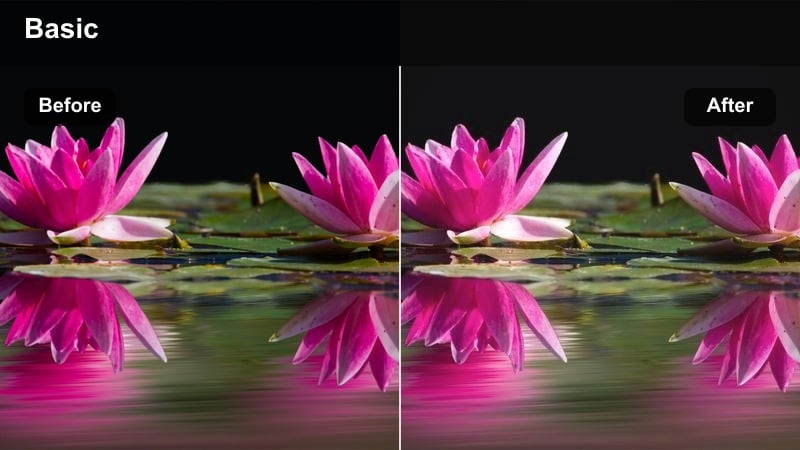
- Effect look: Golden honey cast with slightly faded blacks for a relaxed, nostalgic city feel.
- Best for: Street-walk POVs, subway rides, store fronts, and grab-and-go errand vlogs on TikTok.
- Editing tip: Lift blacks a touch and drop clarity so harsh city lines feel softer and more cinematic.
Urban Honey Haze adds a golden honey overlay to concrete, glass, and traffic, slightly fading blacks to create a nostalgic city atmosphere. In Filmora, this LUT-style filter is perfect for turning ordinary errands into dreamy, scroll-stopping B-roll.
Use it on POV walks, storefront shots, or clips stepping onto public transport. Lift the blacks and lower clarity as recommended to soften hard edges, giving your TikTok vlogs a smoother, filmic look that feels less like raw phone footage and more like a curated city diary.
Subway Caramel
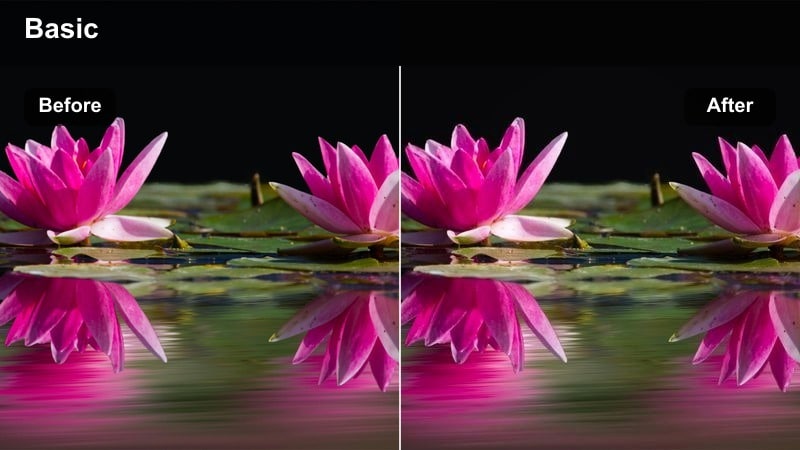
- Effect look: Rich caramel warmth with boosted midtones to soften harsh indoor lights.
- Best for: Train and subway interiors, escalator POVs, and station B-roll in daily commute TikToks.
- Editing tip: Reduce yellow saturation slightly and increase midtone contrast to control fluorescent lighting.
Subway Caramel is designed to tame the harsh greens and blues of public transport lighting, coating scenes in thick caramel warmth and brighter midtones. In Filmora, it works like a corrective warm LUT that smooths out fluorescent light while keeping your face readable.
Apply it to train rides, escalators, and platform shots where overhead lamps are too strong. After adding the filter, gently pull back yellow saturation and boost midtone contrast in Filmora so skin tones stay flattering and the carriage looks softer but still defined on TikTok.
Crosswalk Gold Rush
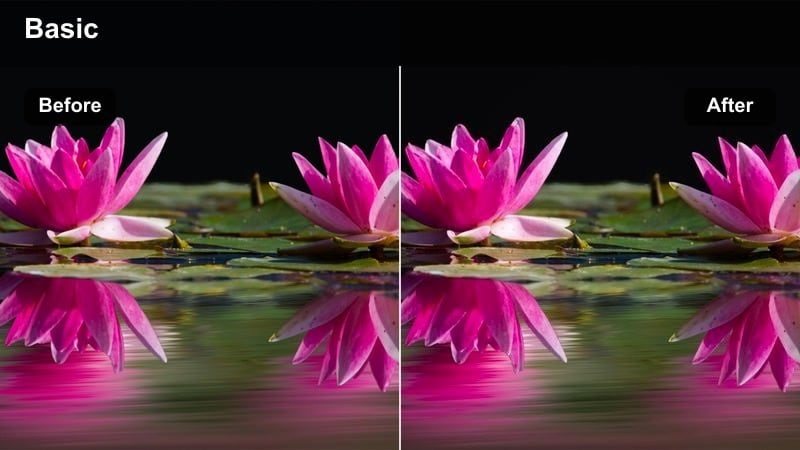
- Effect look: Punchy golden contrast with bright highlights and crisp edges for high-energy clips.
- Best for: Street crossings, traffic B-roll, fast-paced TikTok vlog cuts, and walking transitions.
- Editing tip: Increase shutter speed while shooting and add light sharpening so movement feels snappy and clear.
Crosswalk Gold Rush pushes golden tones hard, brightening highlights and sharpening edges to emphasize motion and street energy. In Filmora, this filter suits quick cuts and transition moments where you want every step and car light to pop.
Use it when you cross roads, pass traffic, or whip the camera around for a transition. Shoot with a higher shutter speed, then add subtle sharpening in Filmora so the gold-tinted motion looks crisp and intentional, helping your TikTok edits hit the beat with more impact.
Study, Work, and Creative Sessions
Desk Lamp Warmth
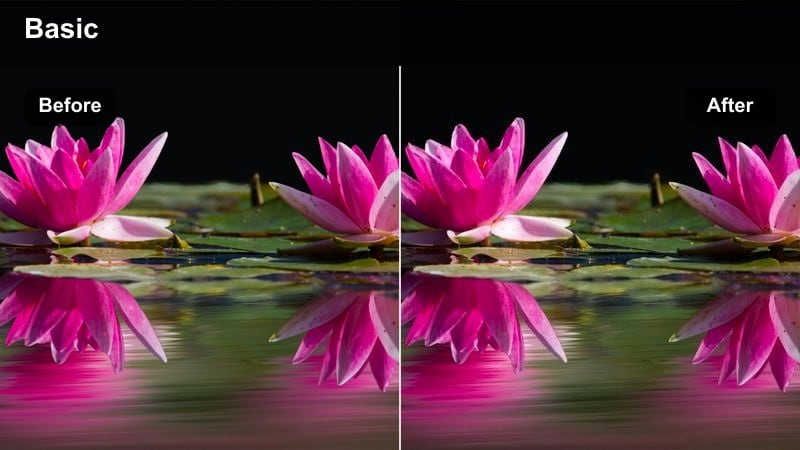
- Effect look: Focused amber warmth around highlights with gently muted blues for a calm desk vibe.
- Best for: Study-with-me TikTok vlogs, laptop POVs, and note-taking close-ups at your desk.
- Editing tip: Lower blue saturation slightly and keep exposure moderate so screens do not blow out.
Desk Lamp Warmth centers amber tones around key highlights like pages, keyboards, and hands, while subtly muting cool blues from screens and windows. In Filmora, this gives your study sessions a cozy, focused feeling that encourages viewers to stay and work alongside you.
Apply this filter to overhead desk shots, typing POVs, or journal close-ups. Reduce blue saturation and protect your exposure so laptop or tablet screens stay readable, then trim clips together in Filmora for a seamless, warm-toned study-with-me TikTok sequence.
Planner Peach Glow
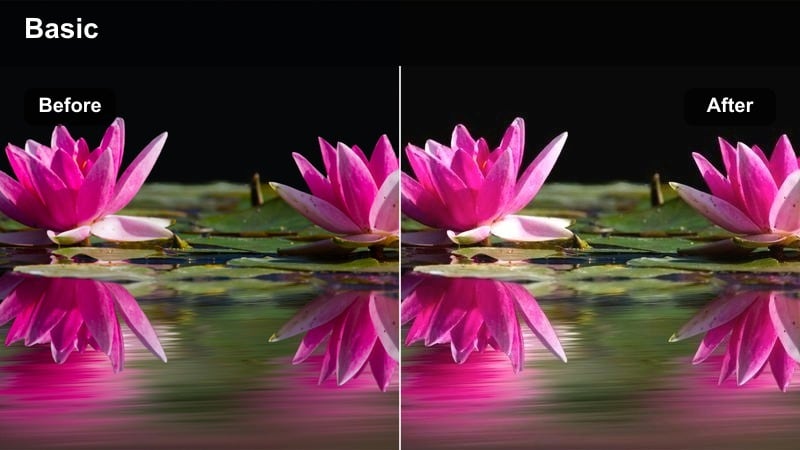
- Effect look: Soft peachy warmth with gentle contrast for aesthetic planning and journaling shots.
- Best for: Bullet journal spreads, to-do lists, habit trackers, and time-blocking TikTok vlogs.
- Editing tip: Slightly desaturate reds and add a bit of vignette to keep the focus on your hands and stationery.
Planner Peach Glow adds a light peach tint that flatters paper, pens, and stickers, with just enough contrast to keep writing sharp. In Filmora, it acts like a subtle warm LUT that makes planning content look polished and aesthetic for your TikTok audience.
Use it on top-down shots of spreads, checklists, and color-coded layouts. After applying the filter, slightly desaturate reds and introduce a soft vignette so viewers focus on the center of the page and your hands moving through the scene.
Creative Corner Ember
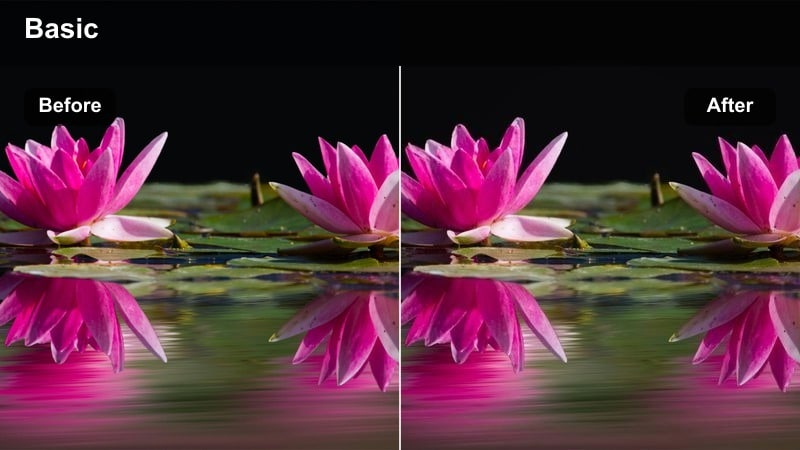
- Effect look: Deeper ember warmth with slightly darker shadows for focused, moody work sessions.
- Best for: Late-night editing, drawing, music practice, and creative TikTok vlog montages.
- Editing tip: Drop exposure a bit and increase contrast, then add subtle grain to give your corner a cinematic studio feel.
Creative Corner Ember leans into darker, ember-like warmth, deepening shadows so your workspace feels more like a moody studio than a bright office. In Filmora, it emphasizes small pools of light on your desk, instruments, or canvas for a more cinematic late-night vibe.
Apply it to clips of editing, sketching, or practicing music in a small corner. Lower exposure slightly, increase contrast, and layer on gentle grain in Filmora so your TikTok vlogs capture that focused, after-hours creative energy without losing important detail.
Evening Hangouts and Golden Hour Walks
Golden Hour Sidewalk
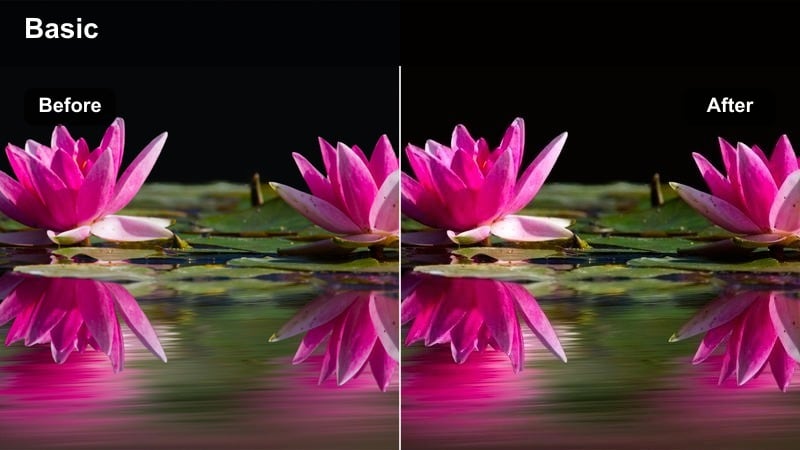
- Effect look: Strong golden highlights with slightly cool shadows for balanced, cinematic sunset streets.
- Best for: Golden hour city walks, park paths, and everyday TikTok vlogs filmed outdoors near sunset.
- Editing tip: Increase highlight warmth but keep shadows neutral so skin tones stay natural in shifting light.
Golden Hour Sidewalk dials up the warmth in bright areas like sunlit buildings and sidewalks while keeping shadows a bit cooler for balance. In Filmora, this creates that cinematic sunset contrast where everything glows but faces and clothes still look natural.
Use it while walking through neighborhoods, parks, or city streets as the sun goes down. Push highlight warmth and protect your shadows in Filmora so the sky and reflections feel rich and golden, yet skin tones and details do not turn overly orange in your TikTok vlogs.
Evening Street Amber
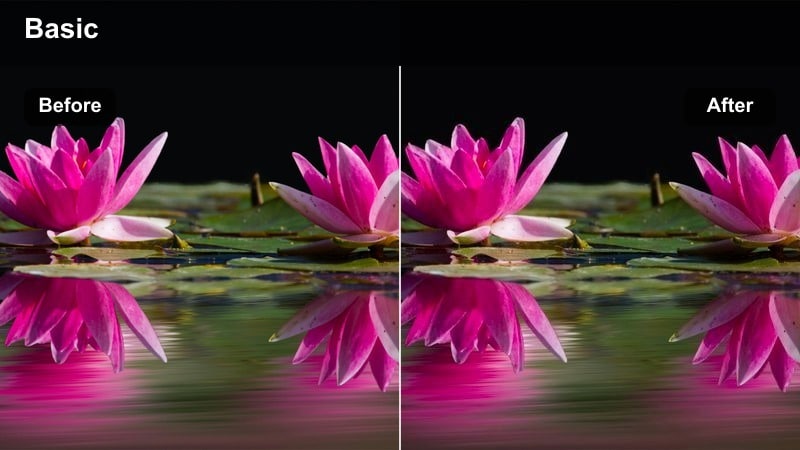
- Effect look: Amber-lit street aesthetic with softened contrast and gentle halation around lights.
- Best for: Night walks, convenience store runs, and city corner hangout vlogs on TikTok.
- Editing tip: Raise ISO while filming but smooth noise in Filmora, then apply the filter to give streetlights a softer glow.
Evening Street Amber wraps streetlights and shop signs in a soft amber halo, lowering contrast so night scenes feel cinematic rather than harsh. In Filmora, this LUT-style filter helps you transform basic night errands into stylish, moody sequences.
Apply it on handheld walks past signs, crosswalks, or late-night stores. After filming with a higher ISO, use Filmora's noise reduction and then layer the filter so the grain is controlled, the glow around lights is gentle, and your TikTok shots feel intentionally atmospheric.
Cafe Warm Conversation
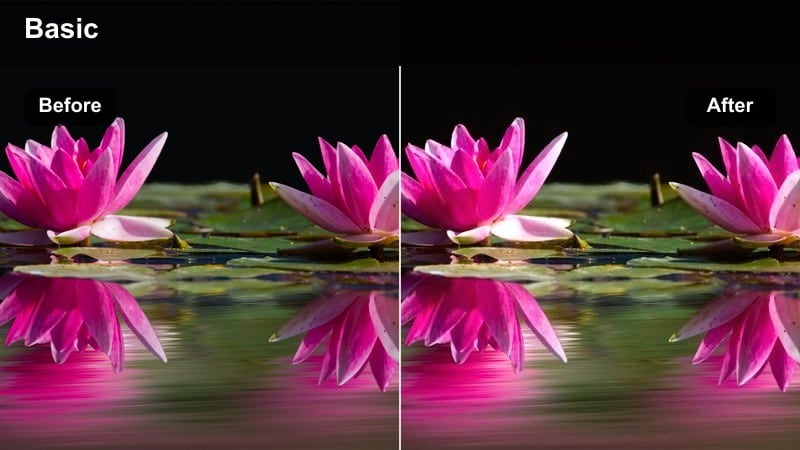
- Effect look: Soft cafe-style warmth with creamy highlights and gentle skin smoothing.
- Best for: Cafe catch-ups, casual friend hangouts, study café vlogs, and chatting-to-camera clips.
- Editing tip: Drop clarity slightly and keep saturation moderate so skin tones remain flattering but not overly orange.
Cafe Warm Conversation introduces a subtle, creamy warmth that flatters skin and tabletops while smoothing out harsh overhead lighting. In Filmora, it works well for conversation-heavy clips where you want faces to look soft and inviting on TikTok.
Use it for sit-down moments with friends, solo chat segments, or study sessions in coffee shops. Lower clarity a little and keep saturation controlled in Filmora so drinks, wood tones, and faces all look warm and cohesive without crossing into exaggerated orange.
Tips for Using Tiktok Vlog Warm Tone Luts For Daily Life Filters in Filmora
- Shoot in natural light whenever you can so warm tone filters in Filmora enhance your TikTok vlogs instead of fighting mixed lighting.
- Keep exposure slightly on the brighter side in-camera so Filmora filters and LUT-style looks have clean details to work with.
- Use the same warm preset across an entire vlog or series to build a recognizable TikTok style that viewers associate with your channel.
- After adding a warm filter, reduce saturation of strong reds and yellows to keep skin tones flattering and avoid cartoonish color.
- Capture multiple angles of the same daily moment, then apply the same warm filter in Filmora to make multi-shot edits feel seamless.
- Stabilize handheld walking clips inside Filmora so warm-toned city vlogs look smooth and intentional rather than shaky.
- Balance strong warm filters by slightly cooling shadows if backgrounds start to look too orange or muddy.
- Save at least two versions of your favorite warm preset, one softer and one stronger, so you can quickly match different lighting conditions.
Warm tone filters are a simple but powerful way to turn everyday TikTok vlogs into comforting, cinematic stories that your audience wants to keep watching.
Test a few of these warm filter looks in Filmora, save your favorites as presets, and you will have a fast, repeatable workflow for cozy daily life TikTok content.
secure download