

 100% Security Verified | No Subscription Required | No Malware


 ChatGPT
 Perplexity
 Gemini
 Claude
 Grok
Grok
Tropical Aqua sits between teal and turquoise, capturing the feeling of clear ocean water, glassy pools, and coastal skies. Psychologically, it reads as fresh, optimistic, and revitalizing, which makes it ideal for content that wants to feel modern, clean, and a bit escapist. It is a go to choice for beachy aesthetics, tech with a human touch, and any visual that should feel both cool and welcoming.
In video editing, branding, and thumbnail design, Tropical Aqua works beautifully as a hero accent or as the main base tone for your scenes, titles, and overlays. The palettes below give you ready made Tropical Aqua color combinations with HEX codes so you can match your intros, vlogs, logos, reels, and channel art perfectly in Filmora or any other creative tool.
In this article
Soft And Breezy Tropical Aqua Palettes
Morning Lagoon Mist

- HEX Codes: #0fbec4, #88e4e9, #f5f9ff, #b7d0ff
- Mood: Calm, airy, and softly optimistic like a quiet tropical morning by the water.
- Use for: Perfect for vlog intros, calm productivity videos, and wellness channel branding that need a fresh yet gentle look.
Morning Lagoon Mist is a light and misty mix of Tropical Aqua and cloudlike blues, with soft whites giving everything a breezy glow. It feels like filming at sunrise by the ocean, when the light is diffuse and the water is still. The gentle contrast keeps the palette relaxed and easy on the eyes.
Use this combination on minimalist titles, subtle lower thirds, and soft overlays for productivity vlogs, wellness content, journal with me videos, or calming b roll. In thumbnails and channel banners, it helps your brand look clean and modern without feeling cold, making it perfect for creators who want a serene but contemporary visual identity.
Pro Tip: Enhance Your Tropical Aqua Visuals With Filmora
To keep a delicate palette like Morning Lagoon Mist consistent across your whole edit, set up your titles, lower thirds, and transitions in Filmora with these exact HEX values. Save them as custom presets, so every intro, b roll sequence, and social cut shares the same Tropical Aqua accent and soft blue backdrop.
You can also pair this palette with gentle motion graphics in Filmora. Add slow pans, opacity fades, and light blur or glow effects behind your text to mimic the feel of sunlit mist over water, without overpowering your footage.
AI Color Palette
If you have a reference thumbnail, brand board, or photo that already nails this Morning Lagoon Mist look, you can turn it into a unified edit using Filmora's AI Color Palette feature. Just pick your reference frame with the ideal Tropical Aqua and soft blues, then let Filmora analyze and match those tones to the rest of your clips.
This is especially helpful when you shoot on different days or cameras. AI Color Palette pulls your footage back into the same airy, pastel Tropical Aqua space, so your intro, A roll, and B roll all feel like they belong to one cohesive world.
 secure download

HSL, Color Wheels & Curves
Once your basic look is in place, fine tune your Tropical Aqua tones in Filmora using HSL, color wheels, and curves. Use HSL to gently adjust the aqua and blue hue toward greener or bluer water, lower the saturation for a more minimal aesthetic, or boost it for thumbnails that pop on mobile feeds.
With color wheels and curves, you can keep highlights bright and pure while deepening midtones and shadows slightly for a soft cinematic contrast. If some shots feel too warm or flat, a subtle S curve and a cool push in the midtone wheel brings you back to that crisp Morning Lagoon Mist feel without crushing details. You can see how these tools work together in Filmora's color grading tutorials on YouTube, which walk through practical, creator friendly workflows step by step.
secure download1000+ Video Filters & 3D LUTs
If you want to push this Tropical Aqua mood even further, Filmora's video filters and 3D LUTs make it easy to add subtle filmic texture or stylized looks on top of your palette. Combine gentle pastel friendly filters with your aqua accents to keep everything cohesive while giving your footage more depth.
You can also apply a LUT as a starting point, then dial back intensity and re adjust your HSL for Tropical Aqua so your lagoon tones remain the star. This keeps your brand colors recognizable while still benefiting from fast, one click looks.
secure downloadOcean Breeze Workspace

- HEX Codes: #11b3b4, #c6f3f4, #ffffff, #7bc0d5
- Mood: Productive, refreshing, and uncluttered with a modern coastal vibe.
- Use for: Use in tutorial lower thirds, channel banners, and app-style overlays where clarity and focus are key.
Ocean Breeze Workspace combines clear white with cool Tropical Aqua and gentle cyan blues, creating an interface like feel that still hints at the sea. It is crisp, tidy, and perfect for channels that want a light coastal twist without going full beach aesthetic.
Apply this palette to your tutorial overlays, clean infographics, and app style UI elements inside your videos. For thumbnails and channel headers, use white as the main background, Tropical Aqua for key accents or buttons, and the mid blues to support icons or secondary text so everything stays legible and focused.
Seafoam Storytime

- HEX Codes: #18c4c1, #aef0e7, #ffe7f2, #fdfcfb
- Mood: Whimsical, lighthearted, and cozy like a pastel storybook set by the shore.
- Use for: Lovely for family vlogs, cozy storytelling videos, and playful channel art that still feels polished.
Seafoam Storytime blends playful Tropical Aqua with pastel mint, blush pink, and an almost white cream. The result is soft, friendly, and a little dreamy, like a children's picture book inspired by the coast.
Use it in end cards, subscribe reminders, and cute captions for family content, lifestyle diaries, or cozy storytelling edits. Keep backgrounds light and use the aqua or blush as accent blocks behind key text to maintain readability while preserving the whimsical look in thumbnails and banners.
Shoreline Journaling

- HEX Codes: #10bab7, #d9f7f3, #f2f0e9, #8ab8b3
- Mood: Reflective, calm, and slightly nostalgic like writing in a journal near the tide.
- Use for: Best for study vlogs, reflective travel diaries, and soft spoken content with a thoughtful tone.
Shoreline Journaling softens Tropical Aqua with sandy off white and muted seafoam greens. The palette feels like worn notebook pages, sun faded photos, and a quiet desk by the window overlooking the water.
It works beautifully for reflective travel diaries, study sessions, and slow living content. Use the aqua sparingly for titles and section labels, while the neutrals handle backgrounds or frames. In Filmora, pair it with minimal transitions and soft vignette effects to keep the introspective mood consistent.
Cloudlight Marina

- HEX Codes: #0fbac0, #e0f9ff, #fefefe, #a9d7e7
- Mood: Weightless, bright, and optimistic with a hint of nautical clarity.
- Use for: Use for clean channel rebrands, how to content, and educational thumbnails needing high legibility.
Cloudlight Marina pairs a crisp Tropical Aqua with airy whites and pale sky blue, creating a bright marina atmosphere. It feels professional but not stiff, balancing clarity with a soft nautical charm.
For how to content, use white or very pale blue as the main background and let the Tropical Aqua highlight key text, step numbers, or icons. This keeps your thumbnails and title cards easy to read, especially on small screens, while still connecting to a cool marine identity.
Bold And Tropical Aqua Palettes
Neon Reef Party

- HEX Codes: #00c5c1, #ff477e, #ffcf3a, #141821, #f5f5f5
- Mood: High energy, electric, and nightlife ready like a coral reef under neon lights.
- Use for: Perfect for music videos, dance edits, gaming intros, and eye catching reels that need instant impact.
Neon Reef Party collides vivid Tropical Aqua with hot pink, bright yellow, and deep navy black. It explodes with saturation and contrast, evoking glow sticks, neon signage, and neon lit coral against dark water.
Use the dark navy as your main background and let the aqua, pink, and yellow drive titles, streaks, and kinetic typography. In Filmora, combine this palette with fast cuts, glitch transitions, and beat synced effects to create attention grabbing music videos, gaming intros, or TikTok style reels.
Tropical Street Pop
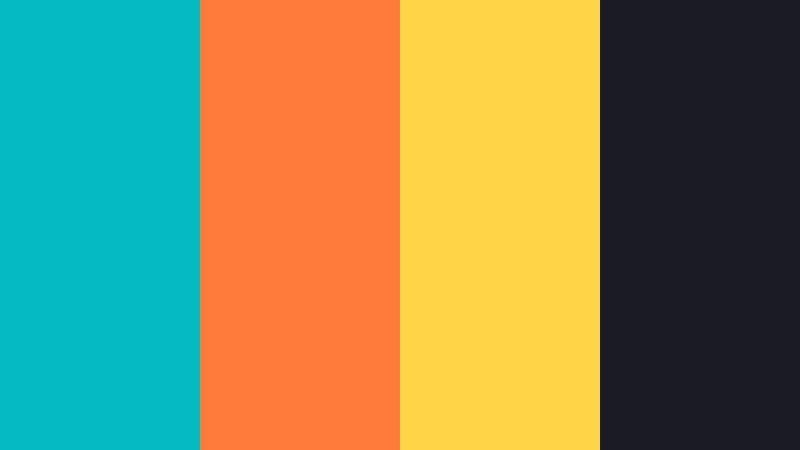
- HEX Codes: #05b9c0, #ff7b3b, #ffd447, #181b23
- Mood: Urban, playful, and vibrant like street art in a beach city.
- Use for: Great for lifestyle channels, streetwear brand intros, and bold thumbnail text that needs to stand out in feeds.
Tropical Street Pop mixes punchy Tropical Aqua with bright orange, sunny yellow, and a rich charcoal base. It feels like graffiti meets surf culture, ideal for creators who want both city attitude and coastal color.
Use the dark shade to frame your thumbnails and overlays, then drop in thick aqua or orange slab text for titles. Accent stickers, callouts, and animated doodles in aqua and yellow can reinforce the street pop vibe across your intros, reels, and branded transitions.
Surf Shack Glow

- HEX Codes: #15c2c0, #ff9b4a, #f6f1e6, #40322c
- Mood: Sun soaked, carefree, and a bit retro like a beach shack at golden hour.
- Use for: Perfect for travel vlogs, surf edits, festival recaps, and summer product promos.
Surf Shack Glow brings together juicy Tropical Aqua, warm orange, creamy off white, and a deep brown reminiscent of weathered wood. It feels nostalgic and sun drenched, like an old surf poster tacked to a beach shack wall.
Use aqua for titles and key graphics, with the orange acting as a complementary highlight for badges, prices, or callouts in product promos. The neutral tones make excellent backgrounds for travel maps, location tags, and day counters in your vlogs, giving everything a cohesive summer brand feel.
Cyber Tidal Wave
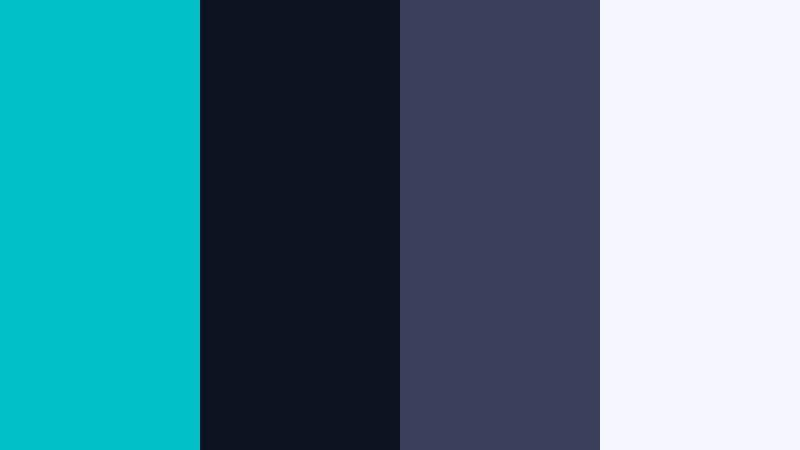
- HEX Codes: #01c0c7, #0c1220, #3b3f5c, #f3f5ff
- Mood: Futuristic, powerful, and dramatic with a techy oceanic edge.
- Use for: Use in tech reviews, sci fi edits, esports branding, and cinematic motion graphics packages.
Cyber Tidal Wave throws intense Tropical Aqua against midnight blues and cool gray whites. It feels like a glowing data stream flowing through deep space, perfect for tech forward content with an aquatic twist.
Use the darkest blue as your canvas, with aqua streaks, HUD elements, and bold titles layered on top. In Filmora, combine this palette with glitch overlays, digital scan lines, and motion tracked graphics to brand your tech reviews, esports montages, or sci fi shorts consistently.
Carnival Sea Lights

- HEX Codes: #12c6bf, #ff5a5f, #ffe66d, #212129, #fefefe
- Mood: Festive, joyful, and energetic like a seaside carnival at dusk.
- Use for: Great for event promos, countdown timers, hype reels, and social ads aiming for maximum click through.
Carnival Sea Lights combines bright Tropical Aqua with vivid red, sunny yellow, deep charcoal, and crisp white. The overall effect feels like a pier carnival lit up at night, colorful lights reflecting off the water.
Use the dark neutral for backgrounds, white for key text, and rotate aqua, red, and yellow for buttons, countdown timers, and banners. This palette is ideal for hype reels and event promos where you want strong contrast and clickable thumbnails without losing a cohesive seaside character.
Modern And Minimal Tropical Aqua Palettes
Coastal Tech Minimal
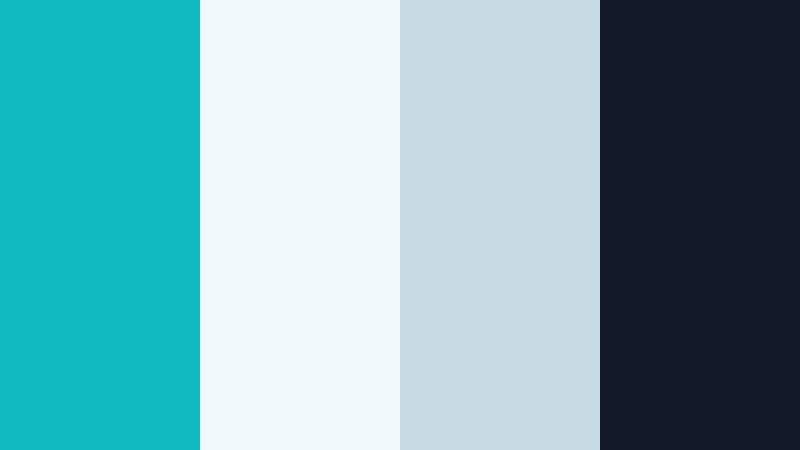
- HEX Codes: #10b9c0, #eff9fb, #c7d9e2, #111827
- Mood: Clean, innovative, and confident with a coastal office feel.
- Use for: Perfect for SaaS explainers, portfolio sites, and sleek YouTube channel branding that needs trust and clarity.
Coastal Tech Minimal sets a precise Tropical Aqua accent against soft blue grays and a deep navy. It feels like a modern tech office with huge windows facing the sea, professional but approachable.
Use the lighter grays as clean backgrounds, the dark navy for body text or UI chrome, and Tropical Aqua sparingly for CTAs, titles, and logo marks. This keeps your designs calm and trustworthy while giving your brand a recognizable tropical highlight across intros, end screens, and website sections.
Zen Aqua Interface
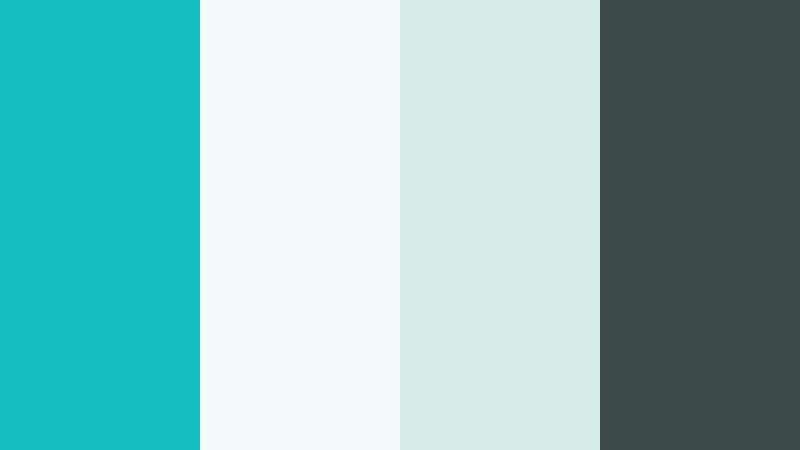
- HEX Codes: #13bfc0, #f3faf9, #d4ebe7, #3c4b4a
- Mood: Balanced, thoughtful, and soothing with a modern spa like calm.
- Use for: Use in meditation apps, wellness series graphics, and UX inspired motion design for a clean, grounded look.
Zen Aqua Interface balances a clear Tropical Aqua with soft, almost mint neutrals and a muted charcoal. It channels spa like calm while staying contemporary and digital friendly.
This palette is ideal for meditation series, breathwork guides, or any UX inspired motion design. Use the light tones for backgrounds and panels, charcoal for essential text, and Tropical Aqua as a gentle accent on buttons, progress bars, or chapter markers so the layout stays soothing and uncluttered.
Glasswave Branding
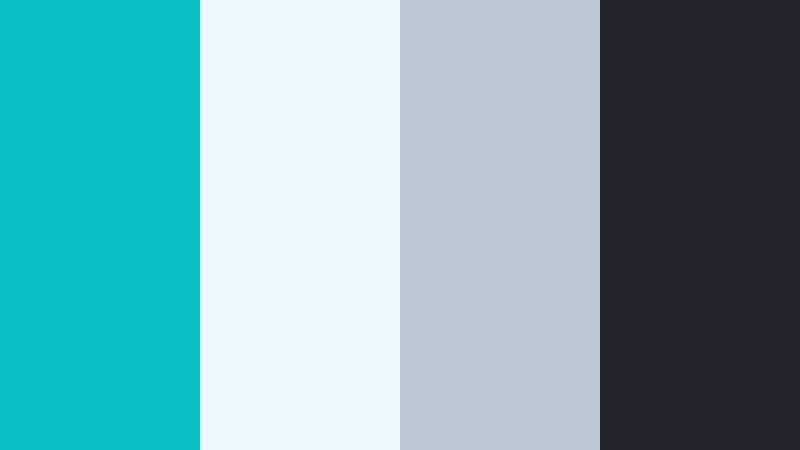
- HEX Codes: #08bfc4, #e9f9ff, #bcc7d6, #22252d
- Mood: Sleek, polished, and brand ready like frosted glass with a hint of sea.
- Use for: Ideal for logo animations, brand intros, and corporate explainers that want a touch of personality.
Glasswave Branding pairs a saturated Tropical Aqua with frosted glass blues, cool gray, and reserved charcoal. It feels polished and corporate ready but keeps just enough ocean influence to stand out.
Use the aqua as your hero brand color for logos, iconography, and key lines, keeping the neutrals behind it calm and minimal. In Filmora, you can build sleek logo reveals and opener templates with glassy shapes, blur effects, and this palette to lock in a recognizable branded style.
Studio Loft Tide
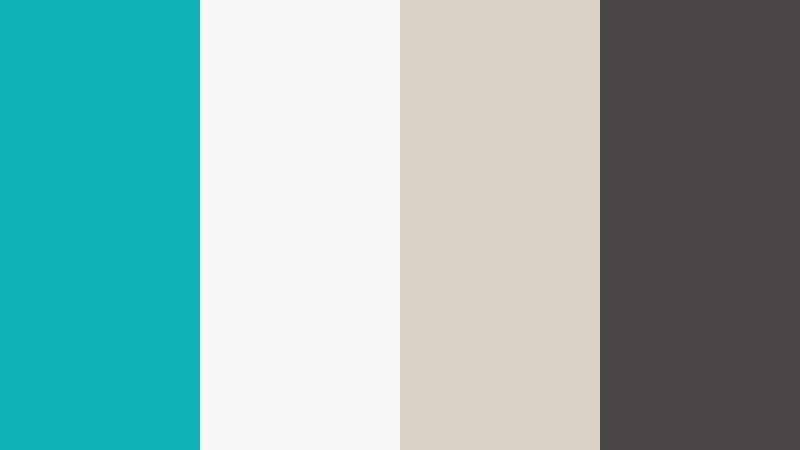
- HEX Codes: #0fb4b9, #f7f7f6, #d9d0c6, #474542
- Mood: Understated, artistic, and modern like a sunlit loft with sea views.
- Use for: Great for design portfolios, behind the scenes studio vlogs, and minimalist lookbooks.
Studio Loft Tide combines a fresh Tropical Aqua accent with warm, gallery style neutrals and a soft charcoal. It feels like a creative studio space with white walls, natural wood, and a subtle view of the ocean.
This palette shines in design portfolios, behind the scenes content, or fashion lookbooks. Use the neutrals for generous white space, the dark tone for refined typography, and Tropical Aqua as a restrained highlight on dividers, hover states, and section titles so the color supports your work instead of overshadowing it.
Monochrome Tide Shift

- HEX Codes: #0fbec4, #0a9aa3, #066b74, #022f36, #f5feff
- Mood: Focused, cinematic, and slightly moody within a tight aqua spectrum.
- Use for: Perfect for cinematic color grading references, title sequences, and branded transitions using only Tropical Aqua tones.
Monochrome Tide Shift explores multiple depths of Tropical Aqua, from pale foam to deep tidal blue green, anchored by a soft near white. The mood is focused, modern, and subtly dramatic without introducing other hues.
This is an excellent reference palette for cinematic color grading or fully branded transitions. You can assign the darkest shade to shadow graphics, mid tones to overlays and shapes, and light aqua for titles, ensuring a cohesive monochrome identity across intros, interstitials, and social cutdowns.
Tips for Creating Tropical Aqua Color Palettes
Tropical Aqua is flexible, but it really shines when you balance it with the right neutrals, accent colors, and contrast for your specific video or design use case. Here are practical tips to build strong palettes and apply them in Filmora.
- Pair Tropical Aqua with warm neutrals (creams, Sand Dune beiges, soft browns) for relaxed lifestyle or travel vlogs, and with cool grays or navies for tech and productivity content.
- Always test text contrast on mobile: light aqua needs dark typography, while deep aqua backgrounds work best with white or very pale text for thumbnails and lower thirds.
- Limit yourself to one main accent (Tropical Aqua) plus one supporting accent (orange, coral, or yellow) so your thumbnails and overlays do not feel noisy.
- Match your color grading to your graphics: if your titles use cold aqua, cool down the highlights and mids slightly in Filmora so footage and design elements feel like the same world.
- Create a small style guide with HEX codes for background, text, and accent colors, then reuse it consistently across intros, end screens, and social posts to build brand recognition.
- Use softer, desaturated aqua tones for long form content (study, podcasts, tutorials) and punchier, high saturation aqua for short, high energy reels and ads.
- When shooting, look for real world elements that complement your palette, like teal mugs, ocean scenes, or aqua clothing, so your footage naturally aligns with your chosen colors.
- In Filmora, save commonly used title templates and overlays with your Tropical Aqua colors already applied so every new video automatically follows your palette.
Used well, Tropical Aqua can make your brand feel fresh, confident, and instantly recognizable, whether you lean into soft coastal vibes, bold neon energy, or minimal tech aesthetics. The palettes and HEX codes above give you a starting toolkit you can adapt to thumbnails, intros, channel art, and full video edits.
Try dropping a few of these palettes into Filmora, then refine them with AI Color Palette, HSL controls, and filters until they match your footage and storytelling style. Over time, sticking to a small set of Tropical Aqua schemes will help your audience recognize your content at a glance.
Once you have a favorite palette, build it into your workflow: create reusable presets, title styles, and color grading looks in Filmora so every new vlog, tutorial, or reel feels like part of the same visual universe.
secure downloadNext: Sand Dune Color Palette
