

 100% Security Verified | No Subscription Required | No Malware


 ChatGPT
 Perplexity
 Gemini
 Claude
 Grok
Grok
Warm Amber Brown is one of those colors that instantly feels like home. It mixes the richness of caramel and wood with the glow of candlelight and sunset, creating a sense of warmth, safety, and nostalgia. In color psychology, these tones signal trust, comfort, and grounded stability, which is why they work so well for storytelling, cozy lifestyle content, and brands that want to feel human and approachable.
On screen, Warm Amber Brown is a natural fit for cinematic vlogs, interview setups, podcast visuals, and thumbnails that feel inviting instead of loud. Used in titles, lower thirds, background frames, and color grading, it can transform ordinary footage into something intimate and filmic. Below you will find 15 Warm Amber Brown color palettes with HEX codes, tailored for creators and Filmora users who want ready-to-use schemes for thumbnails, intros, transitions, branding, and more.
In this article
Cinematic Cozy Warm Amber Brown Color Palettes
Golden Hearth Cinema

- HEX Codes: #8b5a2b, #c58b4e, #f0c38e, #3a2618
- Mood: Cinematic, cozy, and story-driven, like golden firelight in a dark room.
- Use for: Perfect for narrative vlog openings, cozy lifestyle B-roll, and warm title cards that feel like a movie scene.
Golden Hearth Cinema is a filmic blend of deep chocolate brown, glowing amber, and soft golden highlight tones. Together they mimic the subtle contrast of firelight against dark wood, making your frames feel like they belong in a carefully lit movie scene.
Use this palette for opening sequences, title cards, and chapter screens where you want viewers to lean in and feel close to the story. In thumbnails, let the darker brown (#3a2618) frame bright text set over the lighter amber (#f0c38e) to keep everything readable. In Filmora, you can echo these tones in your color grading, lower thirds, subscribe prompts, and end screens so your whole video feels consistently warm and cinematic.
Pro Tip: Build a Cinematic Warm Amber Brown Look in Filmora
To turn Golden Hearth Cinema into a full visual identity, treat it as your master palette across the entire edit. In Filmora, set your primary text color to one of the lighter ambers, keep background panels in the richer browns, and match your color grading so skin tones stay warm instead of orange. This creates a cohesive atmosphere from intro to outro.
You can also save custom color presets for titles, shapes, and overlays so every new sequence automatically inherits your Warm Amber Brown styling. This makes it easy to maintain a cinematic look in vlogs, sit-down videos, and even vertical shorts without having to rebuild the palette every time.
AI Color Palette
If you have a reference image that perfectly captures Golden Hearth Cinema, Filmora's AI Color Palette feature can automatically transfer that mood to your whole video. Grab a still frame from your favorite amber-lit scene, or export a frame from your own best-graded shot, and use it as the source.
Filmora will analyze the colors and apply a similar grade across your selected clips, helping your A-roll, B-roll, and thumbnails share the same Warm Amber Brown feeling. This is especially useful when mixing footage from different cameras or lighting setups but still wanting a unified, hearth-like warmth.
 secure download

HSL, Color Wheels & Curves
Once your base grade is in place, use Filmora's HSL, Color Wheels, and Curves tools to fine-tune the Warm Amber Brown range. Slightly deepen the shadows in the brown channels to keep the image rich, then use midtone wheels to push warmth into skin tones without making them look oversaturated.
You can follow along with Filmora tutorials on cinematic color grading, then customize the steps to favor amber, caramel, and chocolate hues. A gentle S-curve will add contrast and give your Golden Hearth Cinema palette that professional, movie-like depth while preserving highlight detail in candles, lamps, or sunlit objects.
secure download1000+ Video Filters & 3D LUTs
If you want to move faster, Filmora's video filters and 3D LUTs make it easy to build Warm Amber Brown aesthetics in a few clicks. Choose film-style LUTs that push warms and mute cools, then stack subtle filters to add grain, glow, or vignette for that fireplace-cinema feel.
Once you find a combination you like, save it as a custom preset and apply it across your entire project. Your vlogs, B-roll, talking heads, and YouTube Shorts will all share the same cozy amber mood, even if they were shot at different times or locations.
secure downloadRustic Storyline Fade

- HEX Codes: #5b3a21, #a86b3b, #e6b07a, #d9cab3
- Mood: Nostalgic and rustic, with a gentle fade that feels like an old photo.
- Use for: Great for travel diaries, cinematic transitions, and end screens that need an aged-film warmth.
Rustic Storyline Fade pairs earthy browns with softened neutrals, creating the impression of a well-loved print from an old album. The deeper brown anchors your frame, while the faded amber and beige tones soften edges and brighten text surfaces.
Use this palette in Filmora for vintage-style travel diaries, memory montages, and reflective voiceover sequences. Make your main typography sit on the lighter #d9cab3 or #e6b07a and use #5b3a21 for accents and icons. It also works beautifully for outro screens that feel like the final page of a story.
Autumn Frame Sequence

- HEX Codes: #7a4a24, #c47a3a, #f5c275, #f8e4c6
- Mood: Warm and seasonal, like walking through a sunlit fall forest.
- Use for: Use for fall lookbooks, seasonal announcements, and cinematic text overlays in autumn vlogs.
Autumn Frame Sequence captures the glow of fall foliage and low afternoon sun. Rich tree-bark brown and pumpkin-like amber are balanced with creamy highlights, making every frame feel seasonal and calm.
This palette is ideal for autumn vlogs, cozy fashion lookbooks, and seasonal channel updates. In Filmora, build frames and lower thirds using the lightest shade #f8e4c6 as a background, with text in the darker browns for contrast. It translates especially well into YouTube thumbnails that instantly read as fall content.
Candlelit Vignette Glow

- HEX Codes: #4b2f1a, #8f5b32, #dca465, #ffe2b7
- Mood: Intimate and glowing, like candlelight wrapping the frame.
- Use for: Ideal for sit-down chats, podcast-style videos, and intro frames that should feel close and personal.
Candlelit Vignette Glow layers deep chocolate and warm mid-browns with honeyed highlights that resemble candlelight on skin. The palette naturally guides the eye from darker edges to brighter centers, echoing a vignette effect.
Use it in Filmora for podcast set designs, close-up shots, and intros with soft, rounded text boxes. Let #4b2f1a define borders and frames, while #ffe2b7 becomes the background for text, chapters, and callouts. It is perfect when you want a personal, almost confessional mood for long-form content.
Mocha Film Grain

- HEX Codes: #3a2415, #6d4b32, #b1845c, #e2c9a5
- Mood: Smooth, grounded, and cinematic, like a mocha-toned film grade.
- Use for: Best for cinematic B-roll, product closeups, and reel covers that need a premium, grounded look.
Mocha Film Grain is inspired by coffee: deep espresso browns, midtone mocha, and latte cream highlights. It feels grounded and slightly luxurious, like a carefully crafted film grade on a product commercial.
Apply this palette to product B-roll, cinematic reels, and channel branding where you want to project quality without being flashy. In Filmora, combine it with subtle grain and soft contrast curves for thumbnails and titles that look like frames pulled from a high-end commercial.
Soft Lifestyle Warm Amber Brown Color Palettes
Sunrise Kitchen Routine
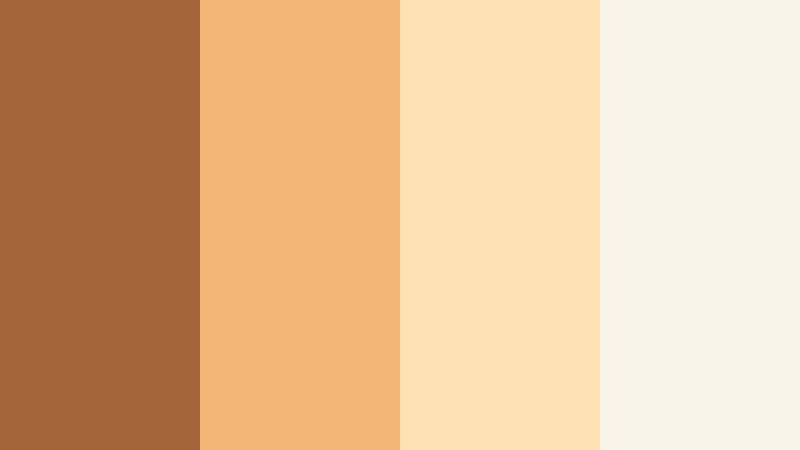
- HEX Codes: #a36537, #f3b676, #ffe2b3, #f9f4ea
- Mood: Soft, homely, and optimistic, like slow mornings and first light.
- Use for: Great for morning routines, recipe videos, and calming lifestyle vlogs with airy titles and overlays.
Sunrise Kitchen Routine combines gentle amber with milky whites, capturing the feel of sunlight filtering through a kitchen window. It is bright enough to feel uplifting, yet warm enough to stay cozy and approachable.
Use the lightest tone #f9f4ea as a clean, soft background for on-screen text, timers, and step-by-step overlays in Filmora. The mid ambers are perfect for callout elements, icons, and thumbnail framing, especially for morning routines, recipes, and wellness content.
Cozy Reading Nook

- HEX Codes: #7c5134, #c98a5a, #f5d2a3, #f0ebe4
- Mood: Comforting and introverted, perfect for slow, quiet moments.
- Use for: Use for productivity logs, study vlogs, and calm podcast visuals with understated text elements.
Cozy Reading Nook feels like soft blankets, worn leather chairs, and pages of an old book. The browns are muted and the creams are slightly parchment-toned, giving your visuals a gentle, introspective atmosphere.
In Filmora, use this palette to theme productivity logs, study-with-me videos, and subtle podcast visuals. Backgrounds and overlays in #f0ebe4 with accent shapes in #7c5134 keep things calm and highly readable, even for dense on-screen notes or timestamps.
Honey Oat Morning
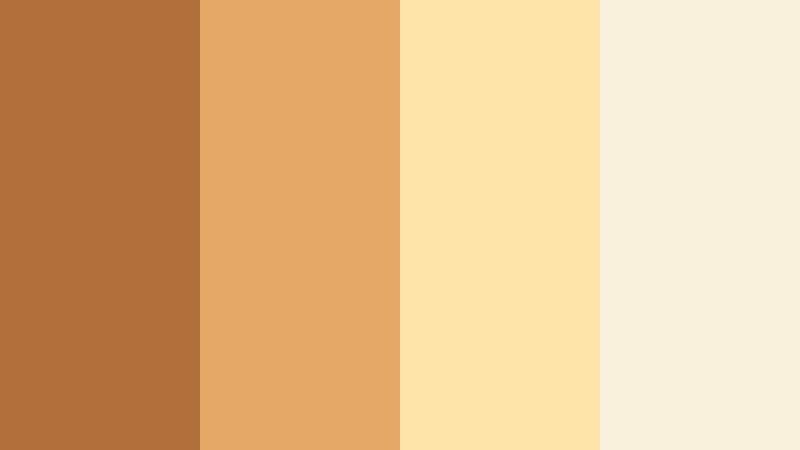
- HEX Codes: #b1703b, #e6a965, #ffe4aa, #faf1dd
- Mood: Bright, wholesome, and appetizing, like a healthy breakfast spread.
- Use for: Perfect for food content, wellness vlogs, and Instagram Reels covers that need a fresh but warm tone.
Honey Oat Morning mixes golden honey tones with creamy oat shades. It is warm but airy, making food look delicious and wellness content feel gentle, not over-saturated.
Create recipe cards, nutrition tips, and chapter labels with #faf1dd as a base and #b1703b for headlines. In Filmora thumbnails, this palette helps dishes, smoothies, and coffee cups pop against soft backgrounds without harsh contrast.
Terracotta Balcony Light

- HEX Codes: #914f2f, #c9764a, #f0b786, #ffe9cf
- Mood: Sun-washed and relaxed, evoking evenings on a warm balcony.
- Use for: Use for travel vlogs, city diaries, and shorts where you want a Mediterranean, golden-hour vibe.
Terracotta Balcony Light brings in sun-baked walls and glazed peach tones, like an evening spent on a balcony in a warm city. The palette has a slightly Mediterranean feel, with terracotta richness softened by peachy highlights.
In Filmora, apply it to travel titles, location labels, and Reels covers to instantly suggest warmth and romance. Use #914f2f for text or borders and #ffe9cf for panels behind captions or subtitles in shorts and TikTok-style exports.
Latte Workspace Calm

- HEX Codes: #6a4a33, #b38765, #e5c7a4, #f7f1e8
- Mood: Productive yet relaxed, like working from a favorite cafe.
- Use for: Best for desk setups, productivity tutorials, and channel branding that feels professional but warm.
Latte Workspace Calm combines coffee browns with creamy neutrals for a focused yet soft workspace vibe. It feels like a quiet corner in your favorite cafe, where productivity does not feel stressful.
Use it for productivity tutorials, Notion or workspace walkthroughs, and subtle channel branding. In Filmora, let #f7f1e8 be your main background color for captions and slides, and use #6a4a33 or #b38765 for headings and icons to keep everything clear and on-brand.
Modern Brand Warm Amber Brown Color Palettes
Amber Studio Identity
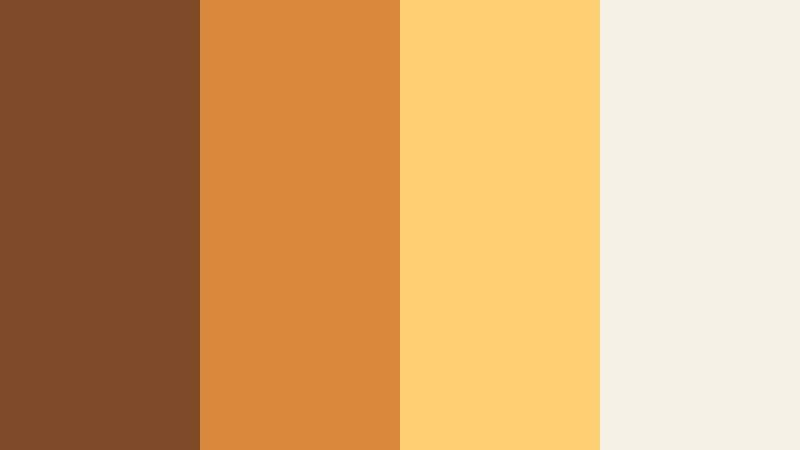
- HEX Codes: #7f4a28, #d8893c, #ffcf73, #f5f0e6
- Mood: Confident, creative, and brand-forward with a studio polish.
- Use for: Ideal for logo reveals, channel intros, and animated lower thirds for personal brands or studios.
Amber Studio Identity uses bold amber accents on a clean neutral base, giving your visuals a modern but warm studio polish. The colors feel professional enough for creative agencies, yet friendly enough for solo creators and educators.
Apply this palette in Filmora to your logo stings, intro animations, and lower thirds. Use #f5f0e6 for negative space, with #d8893c and #ffcf73 as accent stripes, highlight shapes, and button backgrounds in thumbnails and end screens.
Cocoa Minimal Grid
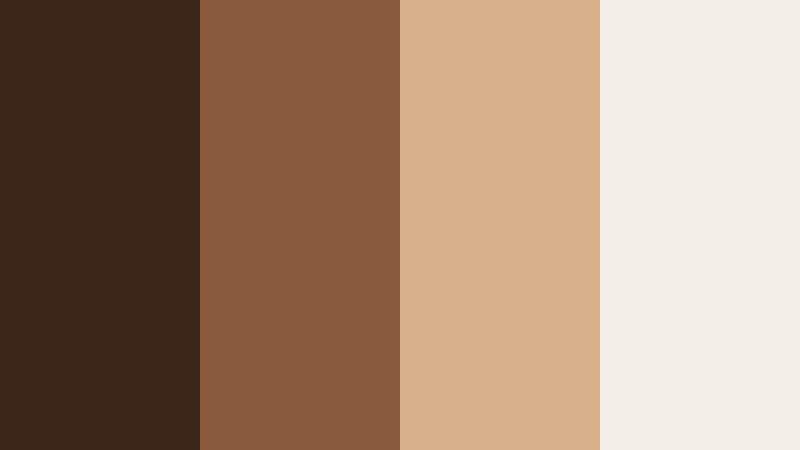
- HEX Codes: #3b2418, #8a5a3c, #d7b08a, #f3eee7
- Mood: Minimal, structured, and editorial with cocoa depth.
- Use for: Use for minimal thumbnails, tutorial slide backgrounds, and UI-style overlays in videos.
Cocoa Minimal Grid brings editorial sensibility to Warm Amber Brown. Deep cocoa tones provide structure, while soft neutrals carry text and icons, giving your content a magazine-like layout.
Use this palette for tutorial thumbnails, slide-style breakdowns, and UI-inspired overlays in Filmora. Make grids or blocks in #f3eee7, use #3b2418 for key headings, and sprinkle #d7b08a as accent lines or highlight panels to keep the design sharp but inviting.
Burnished Logo Reveal
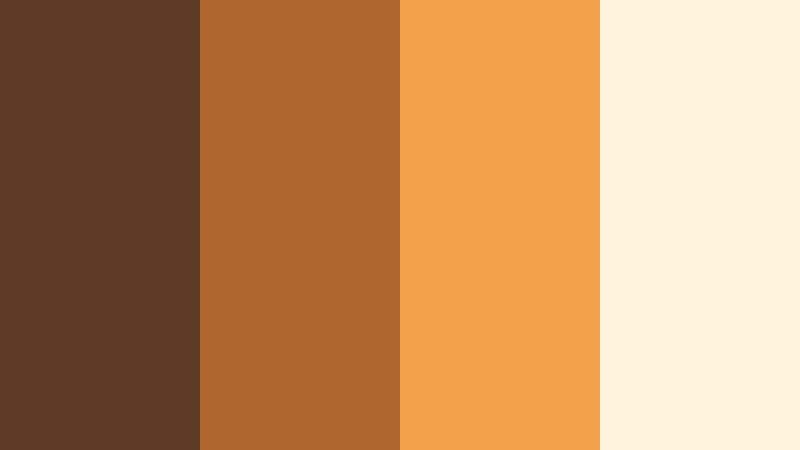
- HEX Codes: #5c3a24, #b0672f, #f3a14b, #fff3dd
- Mood: Polished, energetic, and attention-grabbing for intros and outros.
- Use for: Best for animated logo stings, subscribe buttons, and motion graphics that need visual punch without neon.
Burnished Logo Reveal mixes rich brown with bright amber highlights, creating a palette that feels energetic but still grounded. It is eye-catching and ideal for drawing focus to your logo and calls to action.
In Filmora, use #fff3dd as the stage for your logo, then animate accents in #f3a14b and #b0672f to highlight subscribe buttons, social handles, or key text. This palette is great when you want strong visual impact without using harsh primary colors.
Editorial Coffee Table
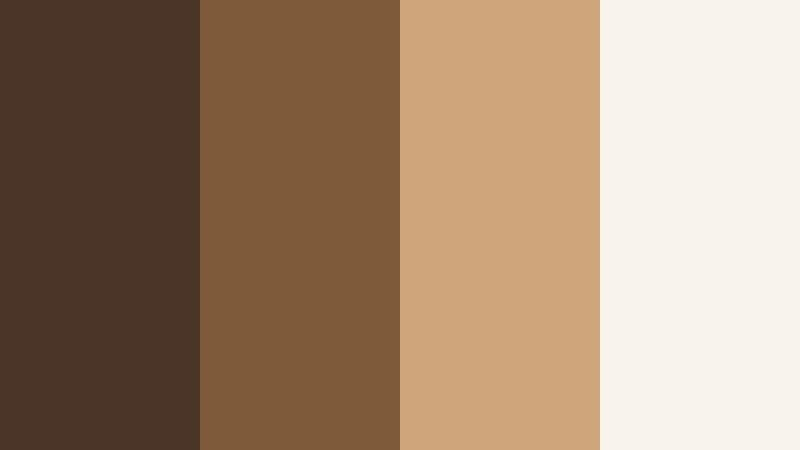
- HEX Codes: #4a3426, #7f5a3a, #cfa57c, #f7f2ea
- Mood: Sophisticated and editorial, inspired by lifestyle magazines.
- Use for: Great for interview frames, brand explainers, and website-inspired overlays in video.
Editorial Coffee Table channels lifestyle magazines and design-forward coffee table spreads. The browns are refined, and the sand tones feel curated and sophisticated.
Use this palette for brand explainers, interviews, and website-style overlays built in Filmora. Place text on #f7f2ea, keep #4a3426 for body copy or accents, and use #cfa57c as hover-style highlights, underlines, or buttons in your thumbnail and motion graphic designs.
Bold Accent Warm Amber Brown Color Palettes
Neon Street Amber
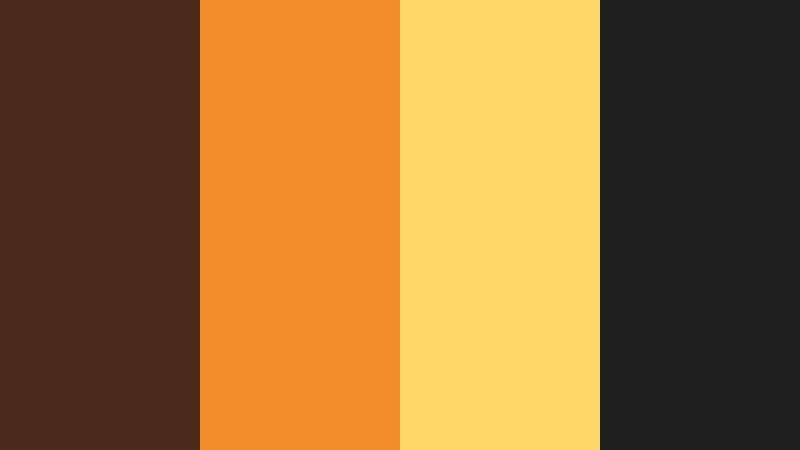
- HEX Codes: #4b2a1a, #f28c2b, #ffd766, #1f1f1f
- Mood: Urban, bold, and high-contrast, like neon hitting dark pavement.
- Use for: Perfect for music videos, edgy reels, and bold thumbnails that need instant impact.
Neon Street Amber pushes Warm Amber Brown into a modern, high-contrast direction. Inky darks and electric amber highlights create a dramatic city-at-night feel with strong visual punch.
Use #1f1f1f and #4b2a1a as the base for dark backgrounds in Filmora, then let #f28c2b and #ffd766 drive bold titles, outlines, and glow effects. This palette is perfect for music videos, edgy reels, and standout thumbnails that still maintain a warm undertone.
Sunflare Action Cut
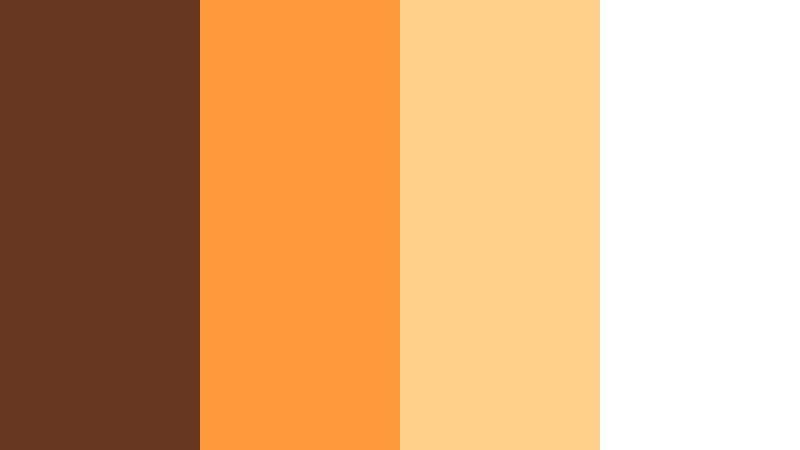
- HEX Codes: #66371e, #ff9b3b, #ffd08a, #ffffff
- Mood: Energetic and fast-paced, like jump cuts through bright sunflares.
- Use for: Use for sports edits, dynamic travel cuts, and high-energy intros with bold titles.
Sunflare Action Cut combines sturdy brown with luminous ambers and clean white, echoing the feel of sunflares between fast edits. It is warm, bright, and full of motion.
In Filmora, overlay bold text in #66371e or #ff9b3b over white or pale #ffd08a panels, especially for high-energy intros, sports montages, and travel highlight reels. The strong contrast keeps titles readable even during quick cuts and motion-heavy scenes.
Tips for Creating Warm Amber Brown Color Palettes
Warm Amber Brown works across many styles, from soft lifestyle to bold, urban visuals. A few practical guidelines will help you combine it with other colors for video, thumbnails, and branding that look cohesive and professional.
- Pair Warm Amber Brown with soft creams or off-whites to keep text readable on darker backgrounds and avoid muddy visuals.
- Use the deepest brown as your anchor color for frames, borders, and typography, then reserve the brightest amber for accents and calls to action.
- Limit each design to one or two strong accent colors so your thumbnails and overlays do not feel overcrowded or noisy.
- When grading footage in Filmora, gently warm midtones and highlights while keeping blacks neutral so your amber tones stay rich, not orange.
- Test your palette on both desktop and mobile screens to ensure contrast and legibility for titles, subtitles, and small UI elements.
- Build a consistent brand look by reusing the same 3 to 4 HEX codes for titles, lower thirds, subscribe buttons, and end screens across all videos.
- Combine Warm Amber Brown with subtle blues or teals only as small accents if you want extra contrast; keep the warm tones dominant to preserve the cozy mood.
- Save color presets and custom title templates in Filmora so you can reapply your Warm Amber Brown palette quickly to new projects and formats.
Warm Amber Brown color palettes can completely shift how your audience feels about your content. From fireplace-like cinematic grades to airy kitchen mornings and bold street-lit contrasts, these combinations help shape mood, tell richer stories, and strengthen your brand identity across platforms.
Use the HEX codes above as starting points, then refine them inside Filmora with AI Color Palette, HSL, and LUTs to match your footage and style. Whether you are designing thumbnails, intros, or full edits, keeping a clear Warm Amber Brown palette in mind will make your videos look more intentional and recognizable.
Try a few of these palettes on your next project, save your favorites as presets, and build a visual language your viewers can recognize instantly just from a single frame.
secure download