

 100% Security Verified | No Subscription Required | No Malware


 ChatGPT
 Perplexity
 Gemini
 Claude
 Grok
Grok
Warm daily vlog filters can instantly turn ordinary clips into inviting, golden stories that feel like real life, but softer and cozier. In Filmora, the right mix of warmth, contrast, and subtle glow helps family vloggers and lifestyle creators give every day a cinematic, homelike atmosphere.
Below are curated warm daily vlog filters inspired by golden-hour light and cozy interiors, with ideas for how to use each look, what they are best for, and simple editing tips you can follow in Filmora to keep your videos consistent and on-brand.
In this article
Soft Golden Everyday Looks
Golden Morning Glow
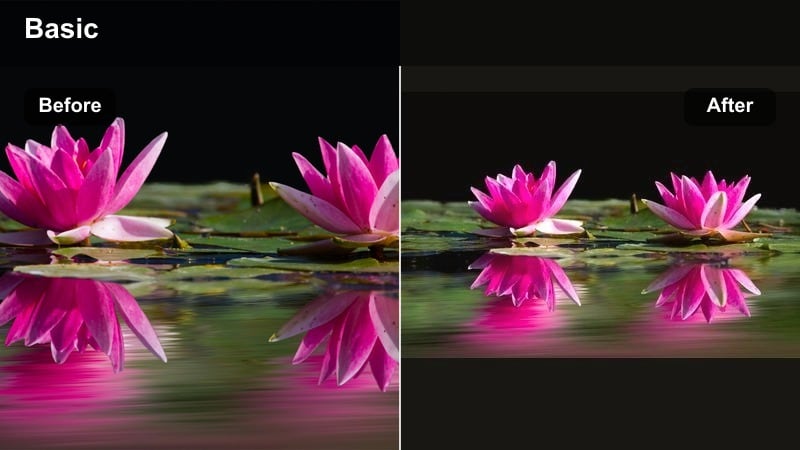
- Effect look: Soft golden warmth with lifted shadows and gentle bloom in bright areas.
- Best for: Slow morning routines, breakfast vlogs, calm family start-of-day clips near windows.
- Editing tip: Lower contrast slightly and add a touch of Filmora vignette at low intensity to keep the frame feeling airy but focused on faces.
Golden Morning Glow is designed to make simple routines look like they are happening in perfect sunrise light. By lifting the shadows and adding a soft bloom to bright spots like windows or white dishes, your footage feels gentle and calm instead of harsh or sleepy.
In Filmora, you can combine this look with small exposure tweaks per clip so every angle of your morning feels equally sun-kissed. It works especially well for shots near beige walls, wooden tables, or light curtains, where a bit of extra warmth and softness turns daily breakfast moments into cozy, rewatchable scenes.
Pro tip: Match warmth to real window light
Use this filter in clips where natural light already leans warm, such as near beige walls or wooden tables, then fine-tune the white balance slider slightly toward yellow.
If the shot is too orange, reduce saturation in the yellows only so skin tones stay natural while the room keeps that cozy morning feel.
Use Filmora AI to Build a Warm Vlog Color Palette
Filmora s AI-driven color and preset tools can help you lock in a warm look that fits your home, wardrobe, and lighting style without manual tweaking on every clip. Instead of rebuilding your grade from scratch, you can let AI scan your footage and suggest starting points that already match your vibe.
Analyze a few favorite shots, then build a custom warm palette using AI suggestions, adjusting skin tones and interior colors until your daily vlogs feel consistently golden and cozy across different rooms and times of day.
 secure download

Preview Warm Daily Vlog Filters on Sample Clips
Before you commit to one warm daily vlog style, it helps to see how different filters behave on real-world clips from your home, outdoor walks, and evening routines. Some looks will keep whites clean, while others lean more golden or nostalgic.
Filmora s real-time preview makes it easy to audition multiple warm filters back-to-back. Build a short test montage, then compare warmth, contrast, and skin tones side by side until you find the combinations that feel the most natural and on-brand.
secure downloadCombine Filters and LUTs for Signature Cozy Tones
You can mix Filmora s warm filters with subtle 3D LUTs to give your vlogs a recognizable, film-inspired feel. The filter sets your exposure and base warmth, while the LUT adds character such as gentle fades, softer contrast, or slightly cinematic color shifts.
Start by applying a simple warm filter to balance the shot, then layer a cozy LUT at low intensity so family moments still look real. This stacking approach helps you build a golden, inviting aesthetic you can reuse across episodes.
secure downloadEveryday Sunlit Home
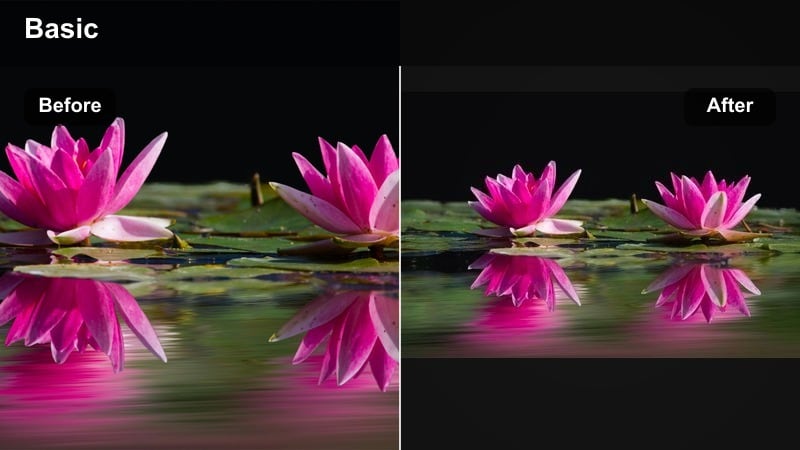
- Effect look: Clean, bright warmth with crisp whites and a subtle golden cast in midtones.
- Best for: Home tours, tidying and cleaning vlogs, casual talking-to-camera scenes in the living room.
- Editing tip: Use Filmora s color wheels to warm the midtones while keeping highlights closer to neutral so white walls do not turn too yellow.
Everyday Sunlit Home is ideal for creators who love the fresh, tidy feel of an organized space but still want that hint of golden glow. It keeps whites clean for a modern look while nudging midtones warmer so skin, wood, and decor feel cozy on camera.
Inside Filmora, this filter lets you show off decor details without the color cast becoming too strong. It is especially helpful for cleaning motivation vlogs, room makeovers, and chatty segments where your living room acts as the main backdrop.
Pro tip: Protect whites while warming the room
If your walls look too creamy, reduce the highlight saturation in the color controls instead of lowering overall temperature.
Combine with slight clarity or sharpness for decor details so the space looks styled but still comfortable.
Soft Family Warmth
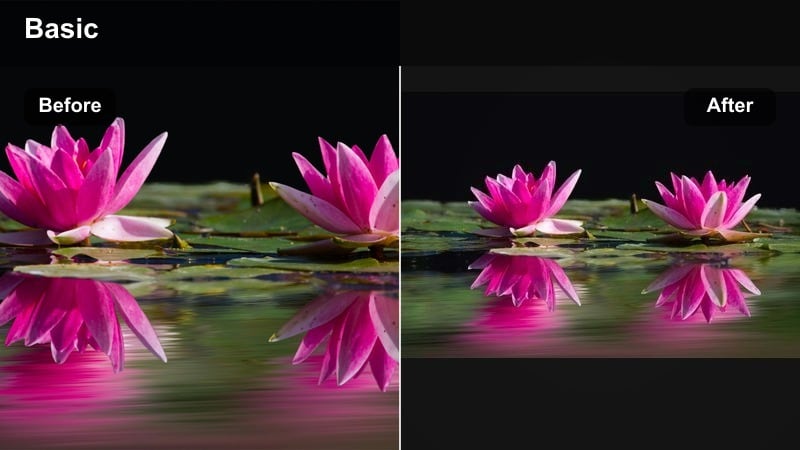
- Effect look: Gentle warmth, softened contrast, and slightly muted colors for a nostalgic feel.
- Best for: Family moments on the couch, kids playing indoors, low-pressure everyday clips you want to feel timeless.
- Editing tip: Add a subtle Filmora blur or decrease sharpness very slightly to soften small distractions in the background.
Soft Family Warmth focuses on emotion more than perfect detail. By slightly muting colors and softening contrast, it makes living rooms, playrooms, and casual family hangouts feel like warm memories instead of just another clip.
Use this filter in Filmora when you want scenes to feel gentle and forgiving, especially if your background is busy or you are filming kids in motion. The reduced sharpness smooths visual noise so smiles, hugs, and reactions become the center of attention.
Pro tip: Use softer contrast for emotional clips
Dial back contrast when filming kids or emotional conversations so shadows do not feel heavy.
To keep the image from looking flat, slightly boost midtone brightness while leaving blacks just above pure black.
Golden Hour Inspired Filters
Golden Vlog Highlight
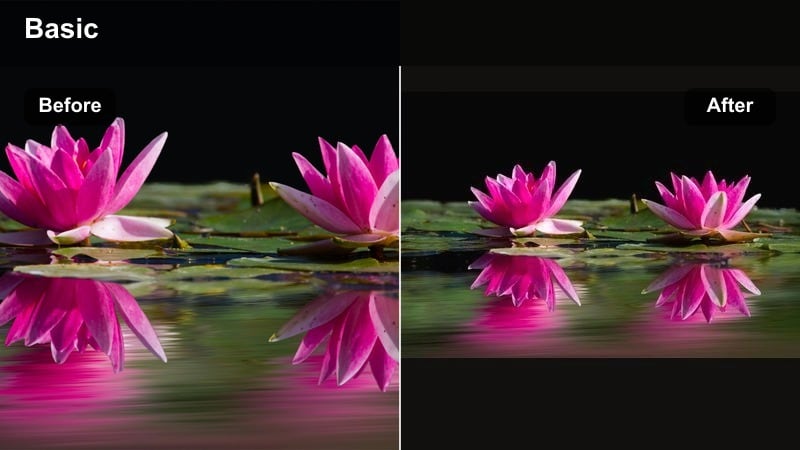
- Effect look: Rich golden tones with glowing highlights and enhanced warmth in skin tones.
- Best for: Outdoor family walks, park vlogs, and sunset balcony chats that need extra golden punch.
- Editing tip: Use Filmora s HSL tools to push oranges slightly toward yellow and reduce their saturation for natural, sun-kissed skin.
Golden Vlog Highlight is your go-to when the sky starts to turn orange and you want to amplify that magic. It deepens warm tones, adds glow to edges, and lifts skin warmth so everyone looks like they are wrapped in sunset light.
In Filmora, this filter helps balance tricky sunset lighting that can blow out highlights or turn faces red. With a few HSL adjustments on oranges and yellows, you can keep the golden vibe strong while preserving natural-looking skin and background detail.
Pro tip: Boost warmth only where the sun hits
Mask the brightest side of your subject and increase warmth slightly there for a directional sunlight feel.
Leave shadows cooler to keep depth so your scene does not turn into a flat orange overlay.
Evening Cozy Gold
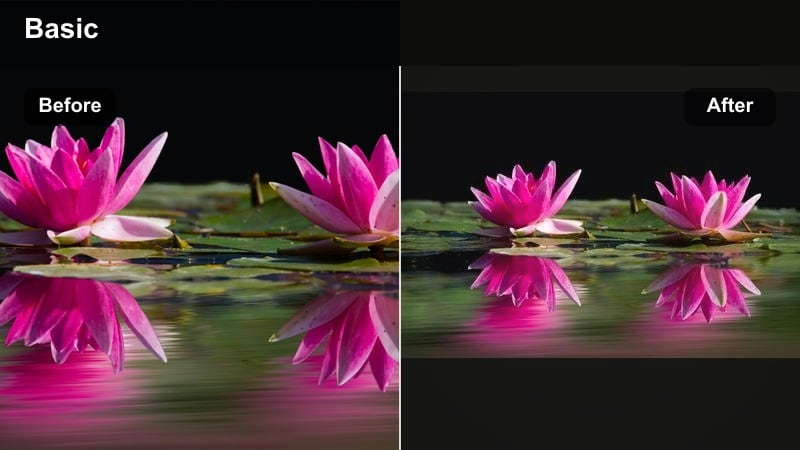
- Effect look: Dim, intimate warmth with deeper shadows and amber highlights from lamps and candles.
- Best for: Dinner vlogs, movie night recaps, bedtime routines with fairy lights or warm lamps.
- Editing tip: Slightly lower exposure but raise shadow brightness a touch so faces stay visible while the room remains moodier.
Evening Cozy Gold is built for low-light, indoor moments when your main sources are lamps, candles, or string lights. It leans into amber tones and deeper shadows, turning regular rooms into cinematic, end-of-day spaces.
Inside Filmora, this filter helps you keep the cozy mood without letting shadows fully swallow faces or important details. With careful control of exposure and shadow brightness, your night routines can look intimate and warm instead of simply dark.
Pro tip: Control orange lamp color
Use HSL to desaturate oranges and yellows just enough so lamp light looks warm, not neon.
Combine with a small vignette to keep attention on the center of the room or the dinner table.
Soft Backlit Sun
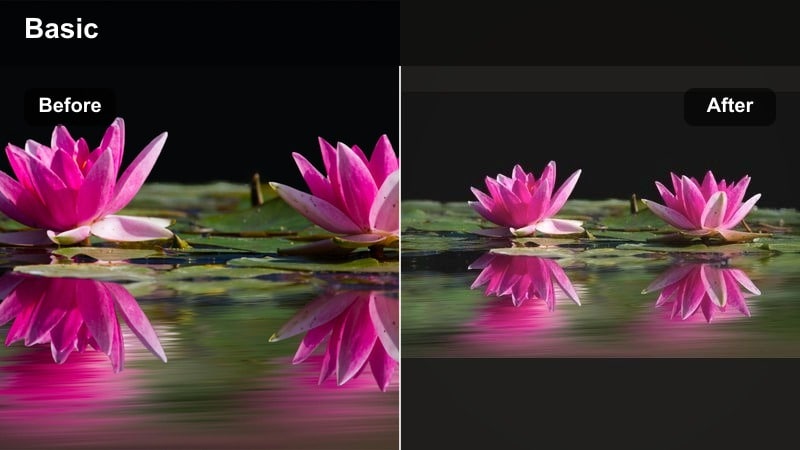
- Effect look: Hazy backlight with gentle flare, warm highlights, and slightly faded blacks.
- Best for: Backlit window clips, holding the camera toward the sun, playful outdoor moments with a dreamy vibe.
- Editing tip: Lift blacks in the curve tool and add a subtle Filmora glow or light leak overlay to emphasize the dreamy backlight.
Soft Backlit Sun is ideal whenever the light is behind your subject, such as kids running through a yard or partners standing near a window. It adds a warm haze, softens hard contrast, and slightly fades blacks to make everything feel nostalgic.
In Filmora, pairing this filter with light leak overlays or glow effects enhances that dreamy backlit look. It is a strong choice for transitions, memory-style sequences, and any moment where you want your vlog to feel like a soft daydream.
Pro tip: Use haze to hide messy backgrounds
Backlight plus a slightly faded black level can de-emphasize clutter behind your subject.
Keep midtones clear so faces stay readable while the edges of the frame feel soft and misty.
Cozy Interior Lifestyle Vibes
Cozy Living Room Warmth
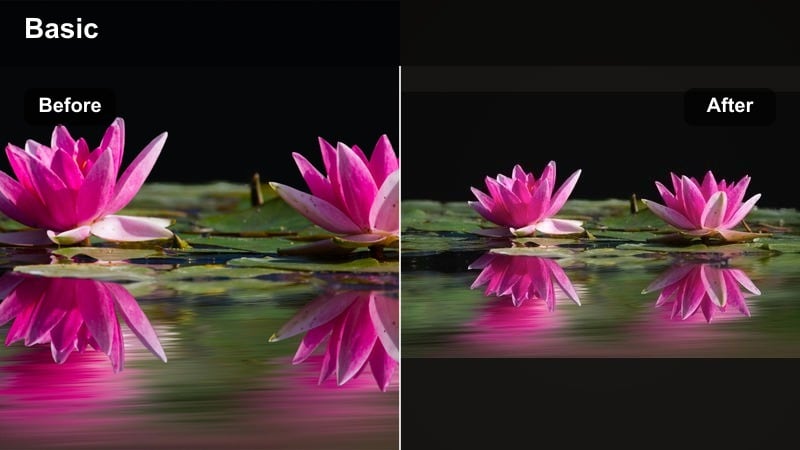
- Effect look: Balanced, warm tones with slightly muted saturation and emphasis on browns and creams.
- Best for: Sofa chats, reading corners, home decor vlogs featuring blankets, plants, and neutral interiors.
- Editing tip: Gently reduce greens in the shadows if plants or furniture cast color onto skin tones.
Cozy Living Room Warmth is tuned for neutral interiors filled with beige, cream, and wood. It adds a gentle warmth while reducing saturation just enough that your space feels soft and inviting, not overly colorful.
In Filmora, it works beautifully for talking segments and decor walkthroughs. The emphasis on browns and creams makes textures like throw blankets, wooden shelves, and rugs stand out without overwhelming the viewer.
Pro tip: Let textures tell the cozy story
Dial down global saturation slightly so blankets, pillows, and wood grains look soft rather than loud.
Increase contrast just a bit in midtones to keep texture visible in knit fabrics and rugs.
Home Cafe Vibes
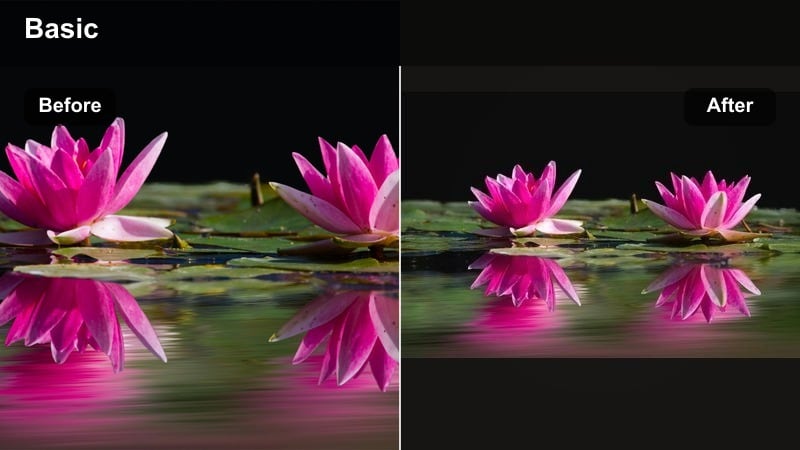
- Effect look: Warm, coffee-inspired tones with boosted browns and slightly deeper contrast.
- Best for: Coffee-making sequences, kitchen corners, desk vlogs with warm wood and mugs.
- Editing tip: Push warmth in midtones and increase saturation in browns while keeping whites neutral for mugs and plates.
Home Cafe Vibes gives your kitchen or workspace the feel of a cozy coffee shop. It deepens browns, enriches wood tones, and adds enough contrast to make mugs, espresso shots, and pastries look especially inviting.
Within Filmora, this filter is perfect for b-roll sequences of brewing coffee, journaling at a desk, or prepping breakfast on a wooden counter. By keeping whites neutral, it prevents dishes and appliances from turning yellow while still maintaining an overall warm atmosphere.
Pro tip: Isolate browns for a cafe look
Use the HSL panel to gently boost saturation of browns and oranges only so wood and coffee pop.
If skin tones become too red, counter with a slight tint toward green in the overall balance.
Blanket Fort Cozy
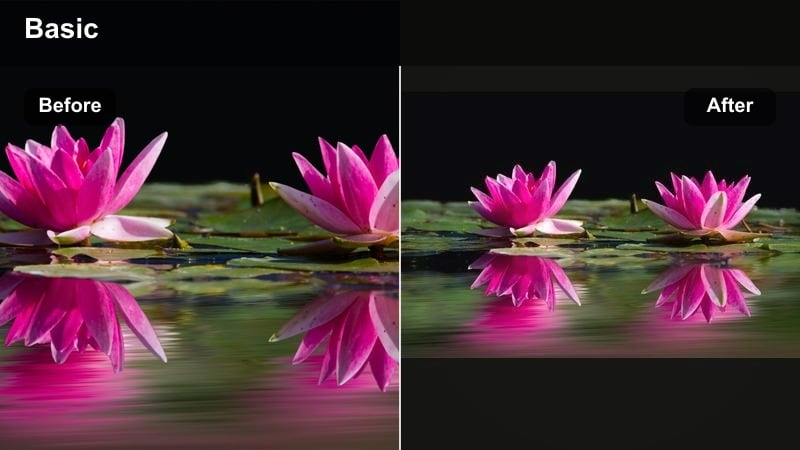
- Effect look: Soft, hazy warm tones with lowered clarity and slightly raised blacks.
- Best for: Pillow forts, playroom vlogs, bedtime reading under blankets and fairy lights.
- Editing tip: Add a low-strength Filmora blur on the background only using a mask to keep faces sharp but the space dreamy.
Blanket Fort Cozy turns kids rooms and improvised forts into storybook scenes. By lowering clarity and lifting blacks, it removes harsh edges and dark shadows so the entire frame feels gentle and snug.
In Filmora, this filter shines in bedtime routines, reading sessions, and playful make-believe moments. Masking blur onto the background lets you keep children s faces crisp while still giving the surrounding blankets and lights a magical softness.
Pro tip: Use blur to simplify busy rooms
In cluttered kids rooms, a small blur on the edges of the frame can make the scene feel calmer.
Lift black levels a little so shadows feel like a soft hug instead of dark corners.
Building a Consistent Warm Tone Daily Vlog Set
All-Day Warm Base
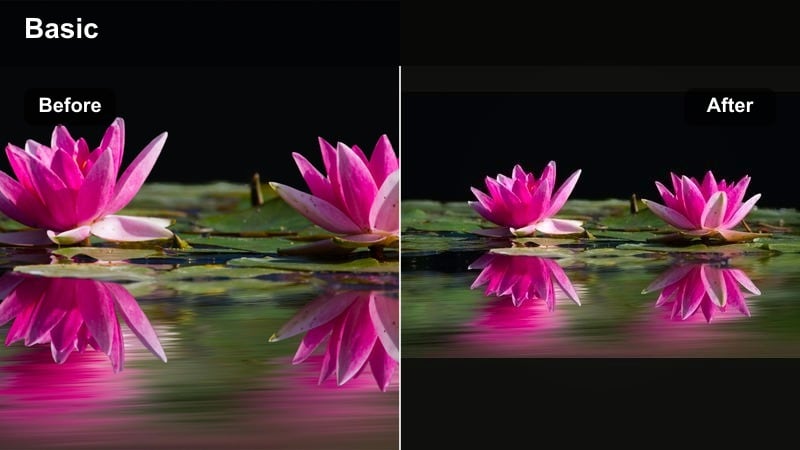
- Effect look: A versatile warm base with medium contrast and natural skin tones that works across most lighting.
- Best for: All-purpose use as a starting filter for family vlogs, lifestyle routines, and home content.
- Editing tip: Apply this look to your entire vlog first, then only tweak exposure and white balance per clip to keep consistency.
All-Day Warm Base is the foundational look you can use on almost every clip. It adds a gentle warmth and medium contrast while keeping skin tones true, so your vlog feels cohesive from room to room and scene to scene.
In Filmora, apply it to your full timeline at the start of editing. From there, you only need minor adjustments for exposure and white balance per clip, saving time and locking in a recognizable channel style.
Pro tip: Create a reusable Filmora preset
After building your all-day warm base, save it as a custom preset in Filmora so every new project starts consistent.
Use that preset on b-roll, talking segments, and overlays, adjusting only exposure and saturation per clip.
Cozy Video LUT Style
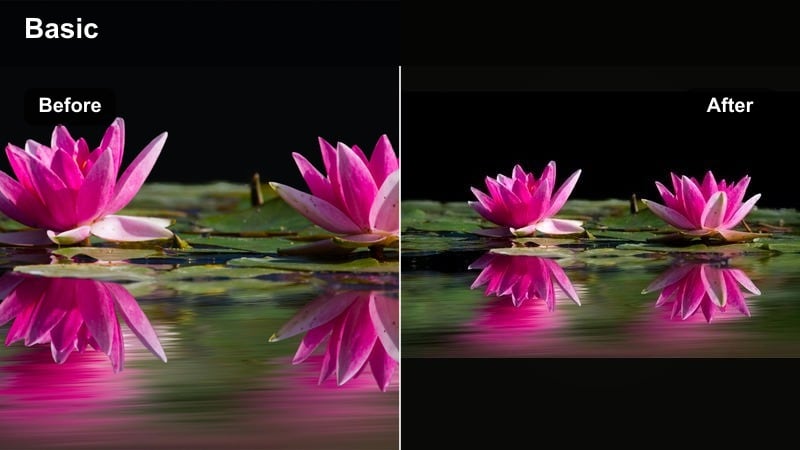
- Effect look: LUT-inspired warmth with slightly cinematic contrast and gently desaturated cool tones.
- Best for: Montages of home life, cooking sequences, quiet b-roll between talking clips.
- Editing tip: Apply this look more strongly on b-roll than on talking clips so transitions feel intentional and cinematic.
Cozy Video LUT Style adds a touch of film-inspired character to your everyday scenes. It warms up the image, softens blues and greens, and increases contrast just enough to give your b-roll a cinematic edge.
In Filmora, it pairs well with close-ups of hands cooking, pouring drinks, or adjusting decor. Using it a bit stronger on b-roll than on talking shots creates a pleasing visual rhythm that feels intentional and polished.
Pro tip: Use stronger grade on b-roll only
Let talking clips stay a bit cleaner and use more stylized warmth on transitions and detail shots.
This keeps attention on your story and voice while still giving the vlog a stylized, filmic personality.
Warm Tone Daily Vlog Set
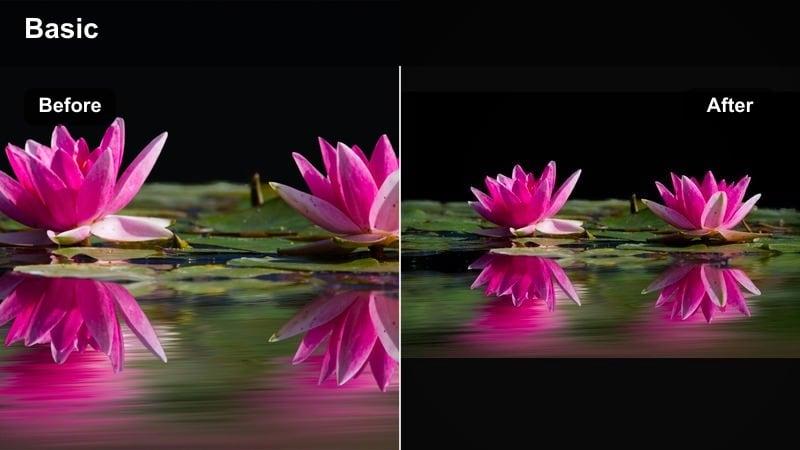
- Effect look: A matched trio of morning, daytime, and evening warmth variations sharing the same base color style.
- Best for: Creators who film across the whole day and want warm, consistent color from first coffee to lights out.
- Editing tip: Duplicate your base filter, then tweak exposure, contrast, and temperature separately for morning, noon, and night scenes.
Warm Tone Daily Vlog Set helps you stay consistent even as natural light changes. It starts from one base look and branches into three variations tailored for softer mornings, neutral daytime, and richer, amber evenings.
In Filmora, saving these as separate presets lets you grade by time of day with just a click. Your audience experiences a smooth visual journey from sunrise routines to nighttime wind-downs without jarring color shifts.
Pro tip: Name presets by time of day
In Filmora, save copies as labels like Morning Warm, Daylight Warm, and Night Cozy so you can apply them quickly.
Use the morning version for softer contrast, daylight for the most neutral look, and night for deeper, amber tones.
Tips for Using Daily Vlog Warm Filters in Filmora
- Film your warm daily vlogs near windows, lamps, and warm-toned decor so your filters enhance real light instead of fighting it.
- Keep skin tones as your priority; if faces look too orange or red, slightly reduce warmth or orange saturation before publishing.
- Save one or two go-to warm presets in Filmora and apply them across all clips first to maintain a consistent channel identity.
- Shoot in slightly flatter camera settings when possible, then let Filmora filters add contrast and warmth in post.
- Use stronger warm looks on b-roll and softer versions on talking clips so viewers stay focused on your story.
- If white walls turn too yellow, reduce highlight saturation or shift yellows toward a more neutral tone.
- Create a short test vlog for each new season and adjust warmth levels to match changing natural light in your home.
- Add just a hint of vignette on cozy scenes to subtly guide the viewer s eye toward faces and key objects.
Warm daily vlog filters in Filmora can turn everyday family routines and lifestyle clips into inviting, golden stories that feel soft, intentional, and on-brand.
Build a simple set of warm presets, test them in real home and outdoor lighting, and then explore cooler or mixed looks next with Filmora s cool daily vlog filters collection.
secure downloadNext: Explore Cool Influencer Video Filters for Fresh, Airy Looks
