

 100% Security Verified | No Subscription Required | No Malware


 ChatGPT
 Perplexity
 Gemini
 Claude
 Grok
Grok
This collection of warm orange tone video filters is designed for content creators who want cozy sunlight, cinematic glow, and a rich amber look without complex color grading.
Use these presets to transform flat footage into warm, storytelling visuals for travel vlogs, lifestyle reels, product shots, and cinematic B-roll directly inside Filmora.
In this article
Golden Hour Vlogs and Lifestyle Scenes
Sunset Vlog Glow
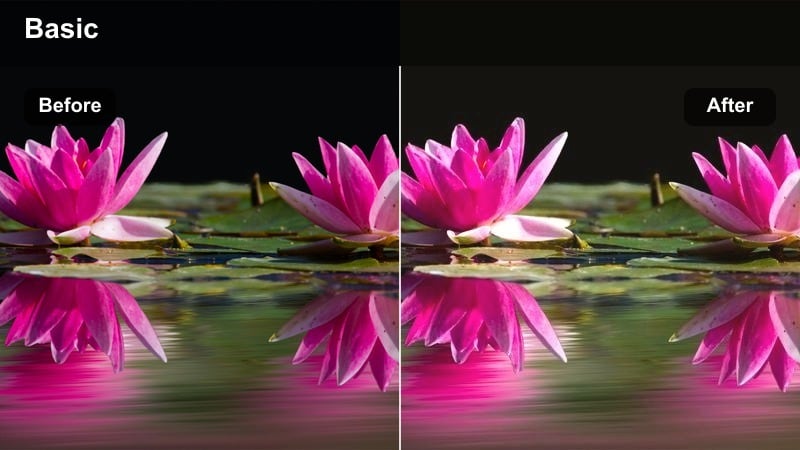
- Effect look: Soft golden wash with gentle orange highlights and slightly lifted shadows for a dreamy vlog look.
- Best for: Talking-head lifestyle vlogs, casual day-in-the-life videos, and cozy indoor creator setups.
- Editing tip: Lower contrast slightly and add a touch of film grain to keep skin tones flattering and natural.
Sunset Vlog Glow wraps your footage in a soft golden wash that makes even a simple room feel like it is lit by real evening sun. Highlights lean into warm orange while shadows lift just enough to keep details visible, which is ideal for face-focused content and quick setups where you do not have full lighting control.
In Filmora, drop this filter onto your clip, then fine-tune contrast and grain so talking-head shots stay cinematic but not over-processed. If you shoot with warm bulbs or fairy lights, slightly cool your camera white balance before recording so this warm orange tone video filter can push the glow without making walls and skin look overly saturated.
Let Filmora's AI Perfect Your Warm Orange Balance
After you choose a warm orange tone video filter like Sunset Vlog Glow, Filmora's AI color tools help you refine the look so faces stay accurate while backgrounds get the cinematic warmth you want. AI automatically detects skin and key subject areas, letting you boost orange ambience without introducing strange color shifts.
Use AI color correction to subtly adjust temperature, tint, and saturation until your vlogs look sunlit but still natural. This is especially useful if you mix clips from different cameras or lighting setups and want one cohesive warm style.
 secure download

Preview Warm Orange Filters in Real Time
Filmora lets you preview multiple warm orange filter presets on the same clip in real time using split-screen or hover-to-preview. This makes it easy to see how different intensities of warmth, contrast, and haze affect your vlogs, travel edits, and B-roll before you commit.
Audition a few options, then dial in the one that best matches your lighting, location, and story mood without wasting time on trial-and-error grading.
secure download1000+ Video Filters and 3D LUTs
Beyond warm orange tone video filters, Filmora includes a large library of creative filters and cinematic 3D LUTs you can mix and match. Start with a subtle warm preset, then layer a LUT to refine contrast, color separation, and overall filmic character.
Use the opacity sliders for both filters and LUTs to build a reusable look that fits your channel or brand. Once you find a combination you like, save it as a custom preset for one-click grading on future projects.
secure downloadCozy Desk Ambience
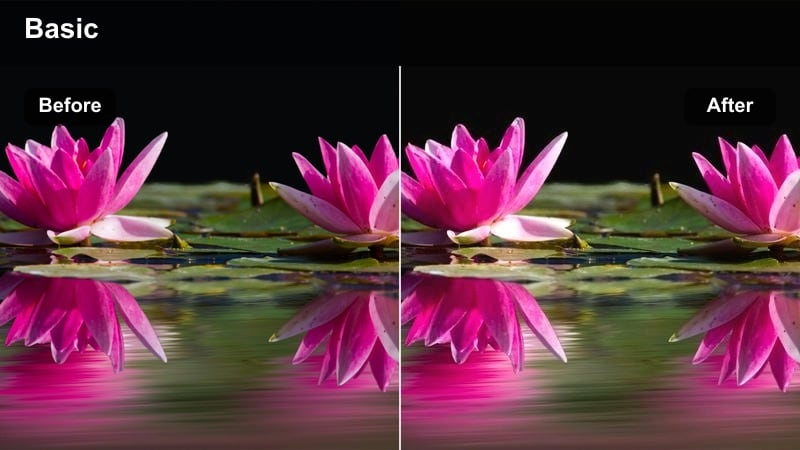
- Effect look: Muted contrast with warm orange mids and soft highlights that mimic desk lamp ambience.
- Best for: Study-with-me videos, productivity timelapses, and desk tour content.
- Editing tip: Add subtle vignette and lower clarity slightly to keep the focus on your hands and workspace details.
Cozy Desk Ambience replicates the feel of a tungsten desk lamp casting a soft, focused pool of orange light over your workspace. By keeping contrast muted and highlights gentle, this warm orange filter makes screens, notebooks, and small tools look inviting without blowing out whites.
Apply it to top-down shots or static desk frames in Filmora, then gently vignette the corners so viewers focus on your hands and key objects. If your scene starts to look too monochrome, introduce neutral white items and reduce yellow saturation in HSL controls to keep the palette balanced and easy on the eyes.
Morning Routine Warmth
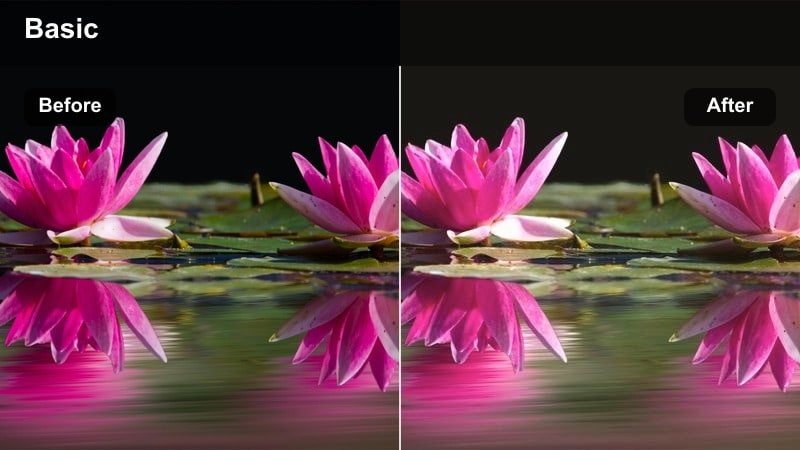
- Effect look: Light pastel orange tint with soft contrast and a gentle lift in shadows for an airy sunrise feel.
- Best for: Morning routines, wellness content, and aesthetic B-roll of getting ready scenes.
- Editing tip: Increase exposure by a small amount to emphasize the bright, hopeful morning mood and keep shadows clean.
Morning Routine Warmth adds a pastel, sunrise-inspired tint that makes bedrooms and bathrooms feel fresh and cinematic. Shadows are lifted so dark corners do not feel heavy, while a soft orange wash across midtones suggests early light spilling through curtains.
In Filmora, bump exposure slightly after adding this filter to keep the look bright and optimistic. Pair it with slow, gentle camera movement and slightly reduced sharpness so skin, fabric, and steam from coffee or showers feel dreamy without losing essential detail.
Travel B-Roll and Outdoor Sunsets
Amber Travel Cinematic
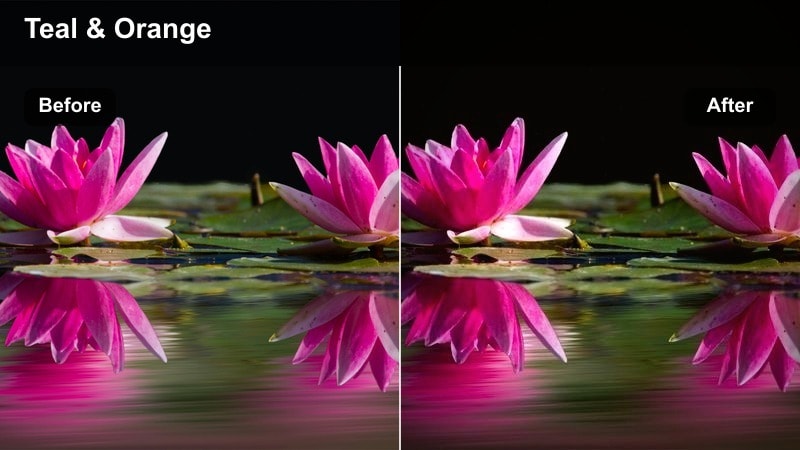
- Effect look: Rich amber oranges with deeper shadows and a gentle teal shift in the sky for a cinematic travel feel.
- Best for: Travel montages, city walks at golden hour, and landscape cutaways.
- Editing tip: Slow down clips slightly and add smooth zoom-ins to match the cinematic depth of the color grade.
Amber Travel Cinematic amplifies golden-hour colors, turning skies, buildings, and streets into rich amber scenes with moody shadows. A subtle teal shift in cooler areas creates the classic cinematic orange-and-teal balance that works beautifully for travel B-roll and establishing shots.
Apply this warm orange tone video filter in Filmora to your best golden hour clips, then slow the footage to 60 to 80 percent speed and add smooth zoom keyframes. This combination lets the color contrast breathe and gives your travel sequences a movie-like pacing that feels intentional rather than rushed.
Desert Road Glow
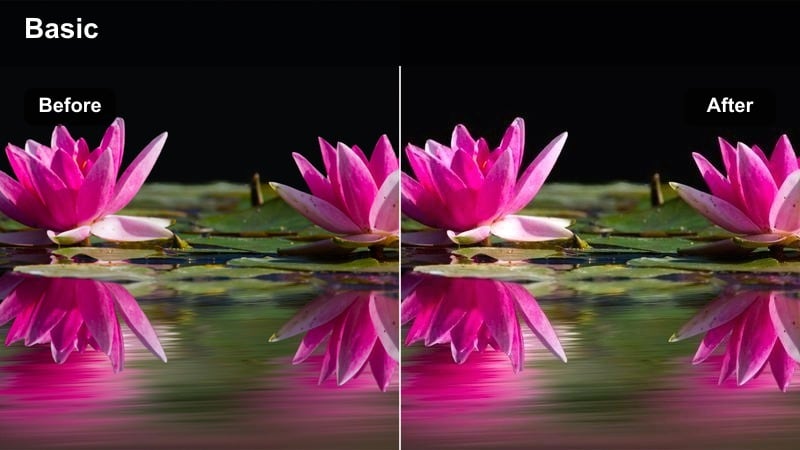
- Effect look: High-contrast warm oranges with crisp highlights that make roads and horizons feel dry and sun-baked.
- Best for: Road trip shots, car window B-roll, and drone passes over arid landscapes.
- Editing tip: Use speed ramps on car and drone shots to complement the punchy, high-energy warmth of this filter.
Desert Road Glow is built for harsh light and expansive horizons, pushing warm tones and contrast so asphalt, sand, and distant mountains look sun-baked. Highlights remain crisp to emphasize glare on the road, while oranges in the sky and landscape intensify the sense of heat and distance.
In Filmora, pair this filter with dynamic speed ramps on car or drone footage to match its bold energy. If the sky starts to clip, pull back highlights and add a graduated filter from top to bottom so clouds retain texture while the foreground stays bright, warm, and visually striking.
Sunset Boardwalk Haze
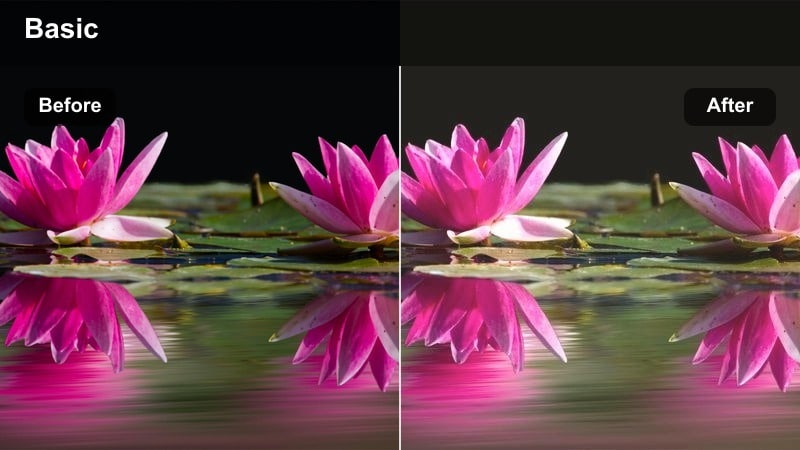
- Effect look: Hazy soft oranges with faded blacks and a light glow that feels nostalgic and dreamy.
- Best for: Beach walks, pier scenes, and handheld B-roll on boardwalks at dusk.
- Editing tip: Add a subtle handheld camera shake preset and slower music to emphasize the nostalgic atmosphere.
Sunset Boardwalk Haze softly fades blacks and adds a delicate orange glow, giving your beach and boardwalk clips a nostalgic, memory-like feel. The image takes on a hazy character, with highlights blooming slightly and shadows turning gentle instead of deep and contrasty.
After applying this filter in Filmora, combine it with a mild handheld shake preset and slower, emotive music to complete the dreamy mood. Shooting slightly into the sun or reflecting off railings and water will give the filter more bright points to glow around, creating beautiful flares and halos in your B-roll.
Indoor Aesthetic B-Roll and Product Shots
Studio Amber Focus
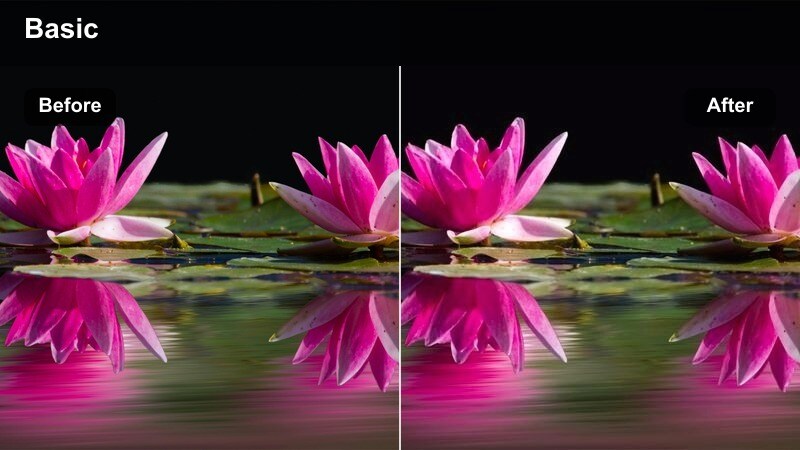
- Effect look: Directional warm orange highlights with controlled shadows that spotlight the subject while backgrounds stay soft.
- Best for: Product B-roll, unboxing sequences, and detail shots on a table or backdrop.
- Editing tip: Add slow push-in keyframes and keep shutter speed slightly higher to maintain crisp textures on products.
Studio Amber Focus emphasizes your subject with targeted warm highlights that feel like a narrow beam of studio light. Shadows stay controlled and backgrounds gently soften, helping products, packaging, or key props stand out in a clean, professional way.
Use this filter in Filmora on close-ups and macro shots, then add slow digital push-ins to simulate a slider or dolly. Shooting against neutral backdrops and adjusting HSL channels lets you keep brand colors true while allowing the rest of the frame to lean into a cohesive, amber-toned aesthetic.
Coffee Shop Amber Mood
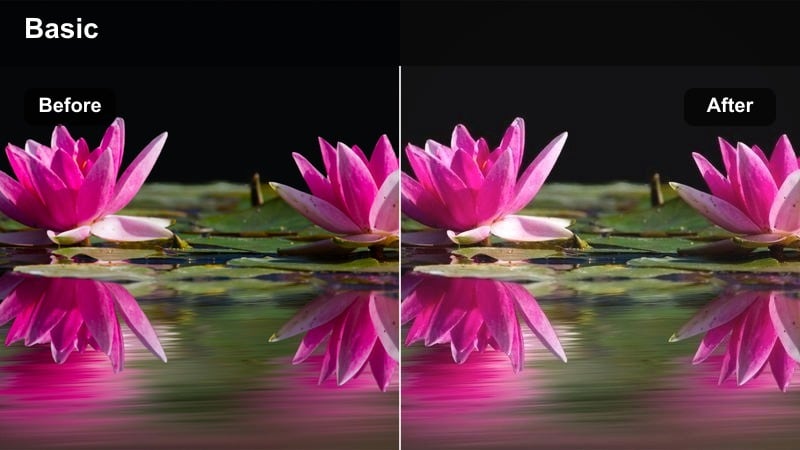
- Effect look: Soft amber cast with crushed blacks and subtle fade, creating an intimate cafe-inspired aesthetic.
- Best for: Work-from-cafe vlogs, laptop B-roll, and moody corner interior shots.
- Editing tip: Lower the midtone detail and slightly boost saturation to deepen the cozy, cinematic cafe vibe.
Coffee Shop Amber Mood simulates the look of warm cafe lighting by adding a soft amber cast, gently crushing blacks, and introducing a slight fade. The result is an intimate, cinematic interior style where pools of light feel cozy and backgrounds fall into moody, textured shadow.
In Filmora, apply this filter to laptop B-roll, over-the-shoulder shots, or quiet corner scenes, then add a vignette to darken edges and draw attention toward visible light sources. Including practical lamps or hanging bulbs in-frame will give this warm orange filter natural points to glow around, enhancing the storytelling feel of your workspace or cafe vlogs.
Studio Flatlay Warmth
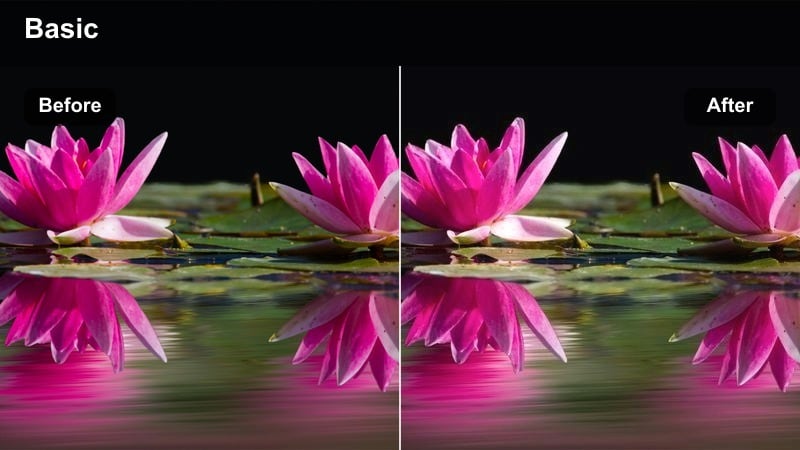
- Effect look: Balanced warm oranges with slightly lifted exposure and clean whites for crisp, modern flatlays.
- Best for: Top-down product layouts, stationery shots, and aesthetic desk flatlays.
- Editing tip: Keep camera locked on a tripod and add small motion with Filmora's pan and crop to simulate slider movement.
Studio Flatlay Warmth is tuned for top-down compositions, adding a clean, modern warmth while preserving white surfaces and text clarity. Exposure is lifted just enough to keep props bright, and orange tones stay balanced so the overall palette feels cohesive rather than overpowering.
Lock your camera on a tripod for sharp flatlays, then in Filmora apply this filter and use pan-and-crop keyframes to introduce gentle movement across the scene. If your camera white balance was already very warm, cool the clip slightly before adding the filter so oranges do not oversaturate and brand colors remain accurate.
Cinematic Story Moments and Narrative Shots
Orange Teal Narrative
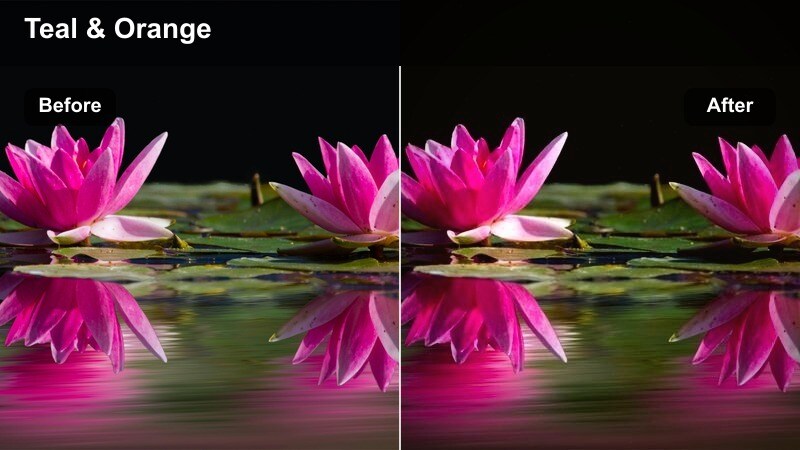
- Effect look: Classic orange skin tones balanced with cool teal shadows for a polished cinematic narrative style.
- Best for: Short films, cinematic talking-head scenes, and dramatic storytelling shots.
- Editing tip: Use shallow depth of field and slow camera moves to let the color contrast between orange and teal carry the emotion.
Orange Teal Narrative delivers a familiar big-screen look by pushing skin tones into warm oranges while driving shadows and backgrounds toward teal. This separation naturally guides the viewer's eye to faces and key subjects, making it ideal for dialogue scenes, monologues, and narrative B-roll.
In Filmora, combine this filter with shallow depth of field, slow push-ins, and controlled camera movement to fully leverage the color contrast. Dress subjects in neutral or slightly cool clothing and, if teal areas feel too strong, reduce blue saturation selectively so the warm emotional tone of the scene remains front and center.
Urban Sodium Glow
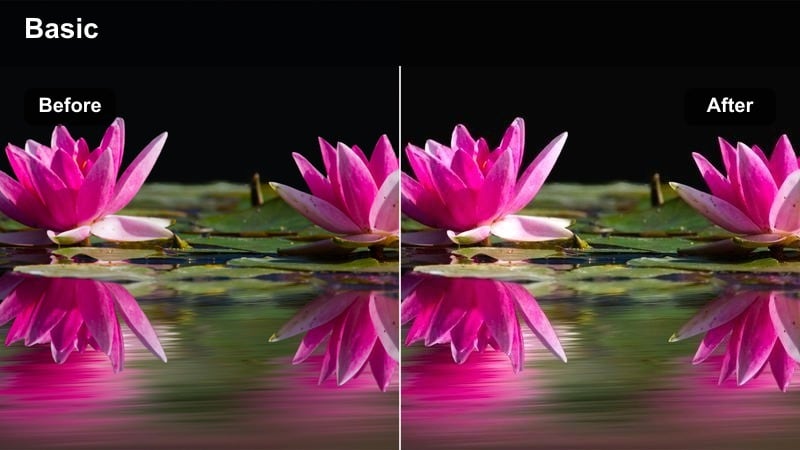
- Effect look: Deep orange streetlight look with rich contrast and subtle grain for gritty nighttime city scenes.
- Best for: Night city walks, alleyway shots, and neon sign B-roll with practical lights.
- Editing tip: Underexpose slightly in-camera and then lift shadows in Filmora to preserve highlight detail in signs and lamps.
Urban Sodium Glow recreates the gritty warmth of sodium-vapor streetlights, bathing pavement, walls, and passing figures in deep orange. Strong contrast and a hint of grain give nighttime city scenes a cinematic edge while keeping neon signs and reflections dramatic and eye-catching.
Shoot your footage slightly underexposed to protect highlights, then apply this filter in Filmora and gently raise shadows to reveal detail in dark areas. Look for wet streets, brick, and glass surfaces that will reflect the warm light, and finish the grade with a touch of motion blur or grain to fully sell the urban atmosphere.
Firelight Storyteller
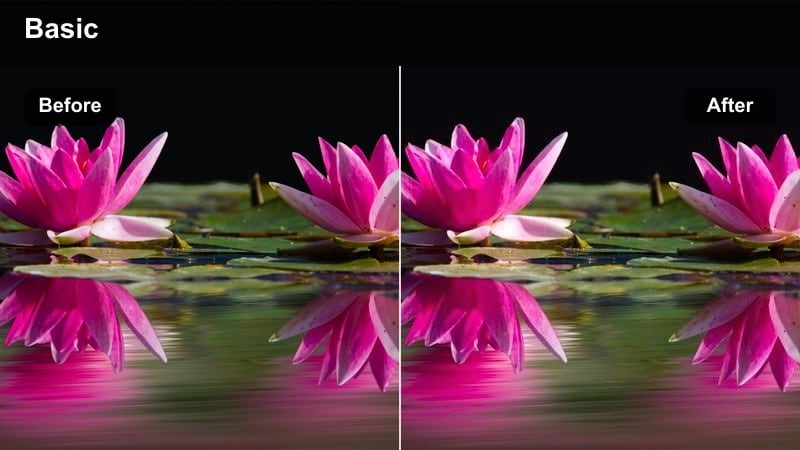
- Effect look: Intense, flickering-style warm oranges with very soft highlights that mimic campfire or candlelight.
- Best for: Campfire monologues, intimate storytelling scenes, and low-light interviews.
- Editing tip: Add subtle keyframed exposure variations to simulate the natural flicker of a real flame.
Firelight Storyteller concentrates warm orange tones around faces and hands, softening highlights to mimic the wrap of flame or candlelight in a dark environment. The filter creates a strong contrast between illuminated skin and deep background shadows, perfect for intimate stories, horror setups, or emotional confessions.
In Filmora, apply this filter to low-light footage and keep ambient light minimal so the subject appears isolated in warmth. Add gentle, irregular keyframes to exposure or brightness to simulate flicker, and use masks if needed to keep the glow mainly on the subject while the rest of the frame stays dark and atmospheric.
Tips for Using Warm Orange Tone Video Filter Filters in Filmora
- Shoot slightly cooler in-camera so your warm orange filters have more room to push tones without clipping.
- Always check skin tones on a calibrated monitor after applying strong orange filters to avoid unnatural color shifts.
- Use keyframes on filter intensity in Filmora to gradually increase warmth as a scene moves toward sunset.
- Lower saturation in reds if lips and cheeks become too intense once you add a warm orange tone video filter.
- Export a short test clip with your favorite preset and view it on a phone to confirm the warmth still feels natural.
- Combine warm orange filters with subtle vignette and grain in Filmora to add depth and a more cinematic texture.
- Balance warm filters with neutral props or wardrobe so your entire scene does not become overwhelmingly orange.
- Stack a gentle warm filter beneath a cinematic LUT in Filmora to build a reusable, signature look for your channel.
Warm orange tone video filters are a fast way for content creators to add cinematic light, cozy atmosphere, and emotional depth to everyday footage.
Save your favorite presets in Filmora and reuse them across vlogs, travel edits, and storytelling scenes to keep a consistent, recognizable visual style. Experiment with combining these warm filter presets with a soft pink tone cinematic LUT to add a romantic, pastel twist to your highlights.
secure download