

 100% Security Verified | No Subscription Required | No Malware


 ChatGPT
 Perplexity
 Gemini
 Claude
 Grok
Grok
White and black are the most timeless colors in design. White suggests clarity, minimalism, and space, while black feels bold, powerful, and refined. Together, they create high contrast that instantly guides the eye and sets a clear hierarchy in any frame, from YouTube thumbnails to cinematic title cards.
For video creators, a good white black color palette is the shortcut to clean branding, modern intros, and thumbnails that stand out even in dark mode. Below you will find 15 curated white black color palettes with HEX codes you can plug straight into your edits, motion graphics, and brand kits, especially when working in Filmora.
In this article
Minimalist White Black Color Palettes
Studio Flat Monochrome
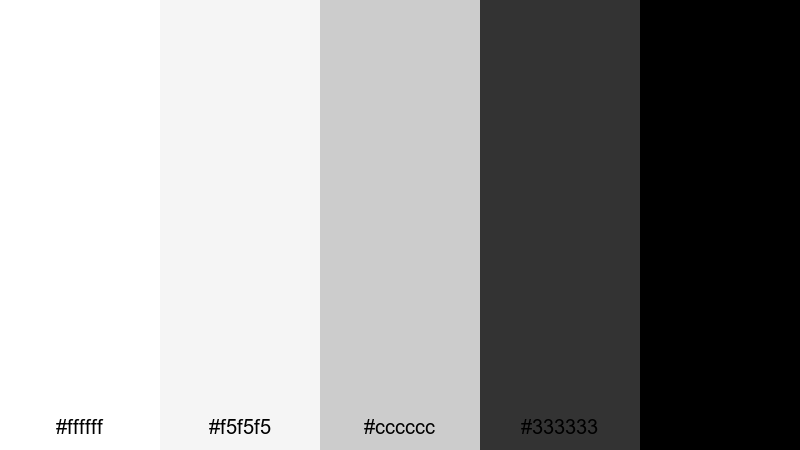
- HEX Codes: #ffffff, #f5f5f5, #cccccc, #333333, #000000
- Mood: Clean, neutral, and professional with calm confidence.
- Use for: Perfect for clean tutorial intros, app walkthroughs, and minimalist channel branding.
Studio Flat Monochrome moves smoothly from pure white down through soft grays into solid black. It feels like a carefully lit studio backdrop: neutral, balanced, and distraction free. The light grays keep everything from looking too harsh, while the darker tones give you just enough weight for titles and key visuals.
Use this palette for crisp tutorial intros, tech explainers, and product demos where clarity matters. It works especially well for YouTube thumbnails with plenty of white space, minimal icons, and bold black typography. For branding, you can keep your logo in black on white, then use the mid gray (#cccccc) and dark gray (#333333) for lower thirds, chapter bars, and callouts so everything feels consistent across your Filmora projects.
Pro Tip: Enhance Your White Black Visuals With Filmora
To keep a minimalist palette like Studio Flat Monochrome consistent, build a simple style system in Filmora. Use white and light grays as your background colors, then save black and deep gray as custom text and shape presets. This way, every intro, lower-third, and end screen in your timeline automatically matches the same clean white black look.
You can also duplicate sequences in Filmora and reuse them as templates for future uploads. Swap footage and text, but keep your monochrome gradient, logo placement, and typography the same. Over time, viewers will instantly recognize your brand, even when your content changes.
AI Color Palette
If you already have a reference image for this palette, like a monochrome brand mockup or a minimal website screenshot, Filmora can automatically translate that look to your videos. Filmora's AI Color Palette feature analyzes colors from a reference clip or still and applies them across your entire edit.
Import a frame that uses your white black palette, select it as the source, and let AI Color Palette match the overall brightness and contrast in your other clips. This is a fast way to sync your talking head footage, b-roll, and overlays so every part of the video feels like it belongs to the same minimalist visual system.
 secure download

HSL, Color Wheels & Curves
Even in a white black palette, subtle grading can make your video feel more cinematic. Use Filmora's HSL controls to tame any unwanted color cast in your footage so your whites are truly neutral and your blacks do not look muddy. Then, in the Color Wheels and Curves, gently lower the shadows and lift the highlights to match the contrast of your chosen HEX values.
For extra polish, add a soft S-curve to deepen blacks while preserving detail in midtones. You can follow along with this Filmora color grading tutorial to see how small adjustments in curves and wheels can completely change the mood of a monochrome edit.
secure download1000+ Video Filters & 3D LUTs
Once your base white black palette is set, you can experiment with style. Filmora's video filters and 3D LUTs make it easy to add a subtle film look, sharpen details, or give your monochrome scenes a slightly vintage or modern twist without breaking the palette.
Try stacking a light cinematic LUT with a gentle vignette and a sharpening filter to make your black text and UI elements feel extra crisp. Save your favorite combinations as presets so every new video keeps the same minimalist, high end white black identity.
secure downloadClean Grid Contrast
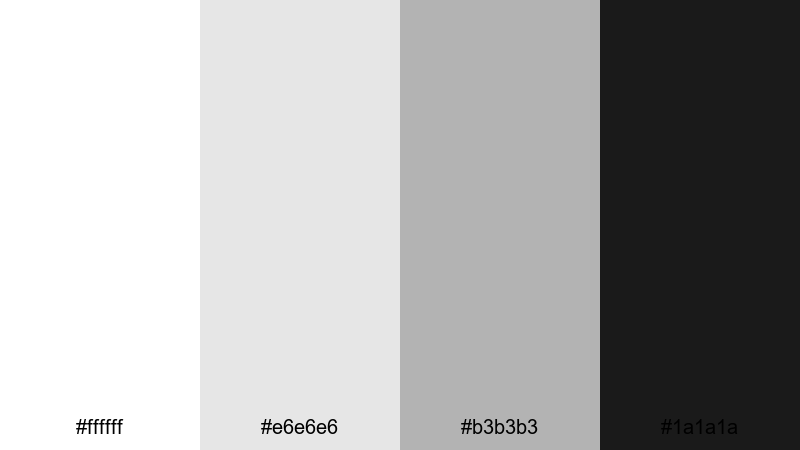
- HEX Codes: #ffffff, #e6e6e6, #b3b3b3, #1a1a1a
- Mood: Orderly, modern, and efficient.
- Use for: Best for grid-based layouts, lower-thirds, and UI-style overlays in productivity or tech videos.
Clean Grid Contrast uses a narrow range of restrained grays against deep charcoal, giving you a sleek UI-inspired look. The palette feels structured and logical, ideal for content where you want viewers to focus on information and workflow rather than flashy color.
Apply it to productivity dashboards, progress bars, and infographic overlays in Filmora. For thumbnails, use white or light gray backgrounds with dark #1a1a1a blocks for headlines and small #b3b3b3 details to hint at grids or app interfaces. It is perfect for notetaking channels, tech reviews, coding content, and any brand that leans into a systematic, organized feel.
Soft Paper Noir
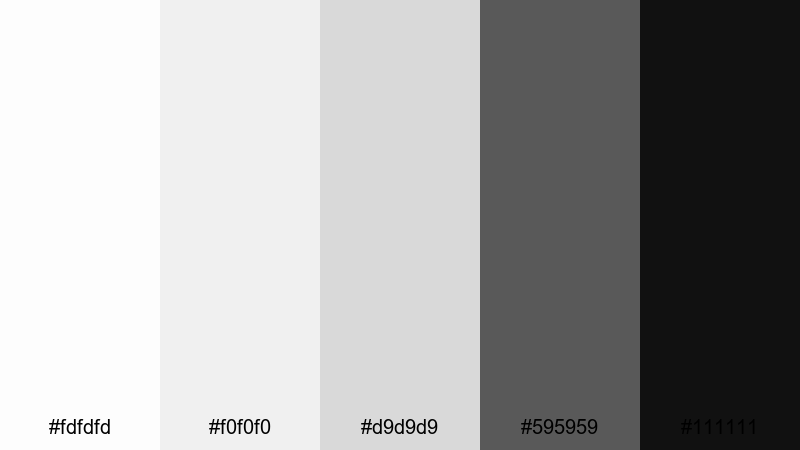
- HEX Codes: #fdfdfd, #f0f0f0, #d9d9d9, #595959, #111111
- Mood: Subtle, editorial, and slightly moody.
- Use for: Ideal for talking-head videos, commentary channels, and essay-style visuals with text callouts.
Soft Paper Noir feels like an editorial magazine spread turned into motion. The whites are soft and slightly warm, while the grays build gently into a near black #111111, creating a calm but thoughtful atmosphere.
Use this palette for commentary videos, video essays, or any content where you overlay quotes, stats, or subtitles. White or #f0f0f0 backgrounds keep the frame open and breathable, and your black accents become focal points for critical lines. In Filmora, combine this palette with smooth fades and simple text animations to get that refined, editorial look without overwhelming viewers.
Typographic Dust And Ink
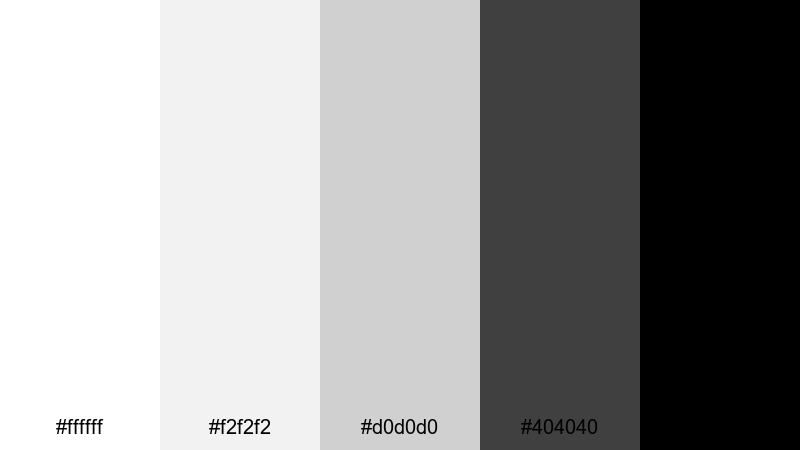
- HEX Codes: #ffffff, #f2f2f2, #d0d0d0, #404040, #000000
- Mood: Editorial, sharp, and typography-focused.
- Use for: Great for kinetic typography, bold quotes, and clean end screens with strong legibility.
Typographic Dust And Ink balances dusty mid grays with inky black, making text the star of the show. The bright white (#ffffff) and off white (#f2f2f2) give you excellent contrast for high impact typography, while #404040 works perfectly for secondary text that should be readable but not dominant.
Apply this palette to kinetic typography sequences in Filmora, where large black words slam onto white backgrounds or fade out into light gray. It is also ideal for end screens, chapter markers, and quote cards on shorts or Reels. Because everything is monochrome, your message and font choices stay in full focus.
Bold Cinematic White Black Color Palettes
Neon Screen Noir
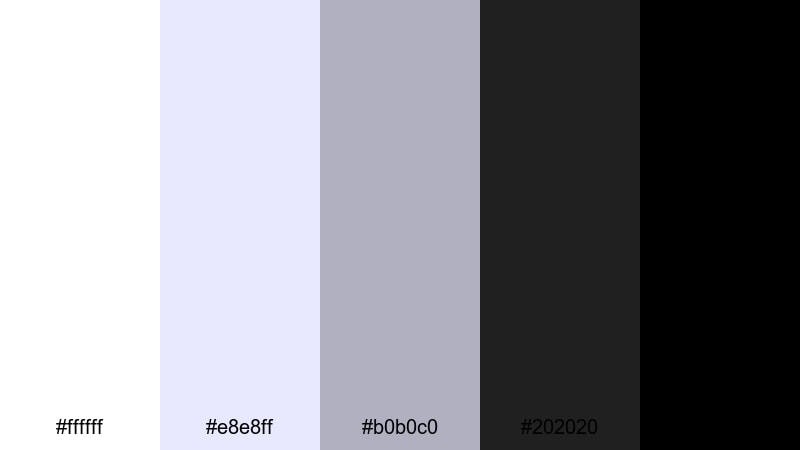
- HEX Codes: #ffffff, #e8e8ff, #b0b0c0, #202020, #000000
- Mood: Dramatic, digital, and cinematic.
- Use for: Use for trailer-style intros, gaming overlays, and high-impact title cards.
Neon Screen Noir twists the standard white black palette with a subtle cool blue tint in #e8e8ff and #b0b0c0. It still reads as monochrome at first glance, but feels slightly digital and futuristic, like a monitor glow in a dark room.
It is a strong fit for gaming intros, tech trailers, and glitchy title sequences in Filmora. Use white and blue-tinted grays for HUD elements or scan lines over dark #202020 and black backgrounds. In thumbnails, combine a white logo with cool shadows to suggest neon light, while keeping your visual identity simple and consistent.
High Contrast Trailer
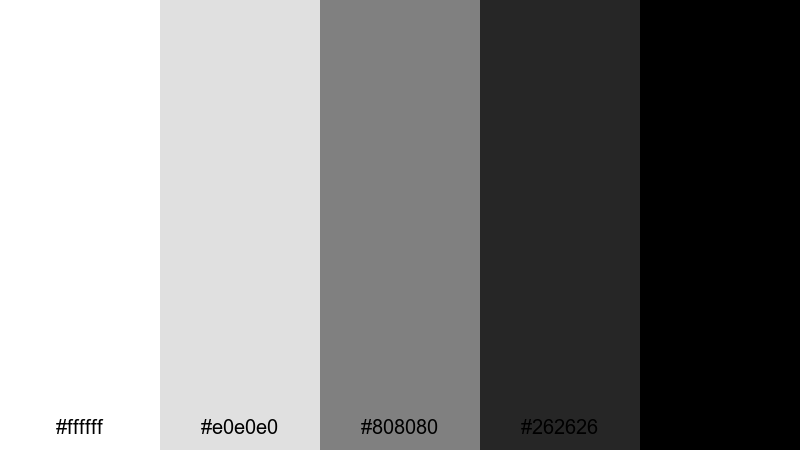
- HEX Codes: #ffffff, #e0e0e0, #808080, #262626, #000000
- Mood: Intense, punchy, and cinematic.
- Use for: Perfect for dramatic trailers, suspense intros, and bold channel rebrands.
High Contrast Trailer is all about punch. With bright highlights, strong mid grays, and deep blacks, it instantly makes your frames feel like movie posters. The high contrast draws attention to faces, titles, and key objects.
Use this palette in Filmora for fast cut trailers, story driven shorts, or channel rebrand videos. Set your backgrounds and letterboxes to #000000 or #262626, then let white titles explode on screen with sharp transitions. For thumbnails, dramatic portraits against black with stark white text can give your content a premium Hollywood edge.
Midnight Spotlight Fade
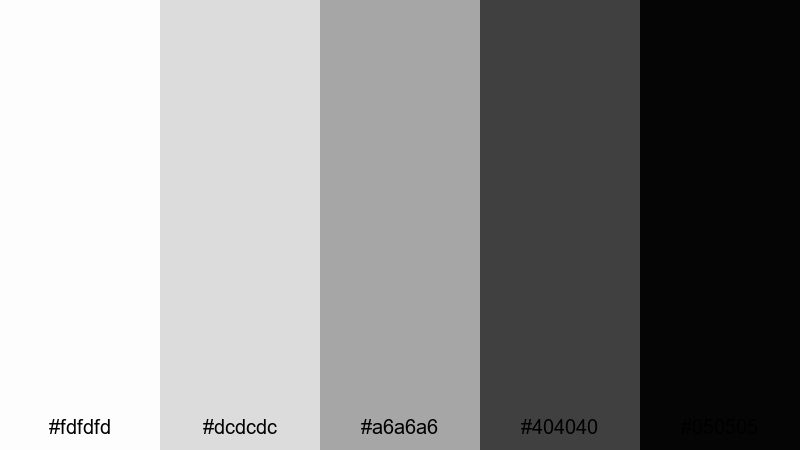
- HEX Codes: #fdfdfd, #dcdcdc, #a6a6a6, #404040, #050505
- Mood: Moody, focused, and theatrical.
- Use for: Great for spotlighting products, dramatic reveals, and cinematic b-roll sequences.
Midnight Spotlight Fade feels like a single light shining onto a dark stage. The whites and light grays soften into heavy charcoal and near black, creating an intimate focus on whatever sits in the center of the frame.
Use it for dramatic product showcases, cinematic b-roll, or reveal sequences in Filmora. Place your subject against #050505 or #404040, then highlight it with white or #dcdcdc titles and minimal accent lines. In thumbnails, this palette is ideal for centered compositions where one object or face is meant to be the clear hero.
Stormy Title Sequence
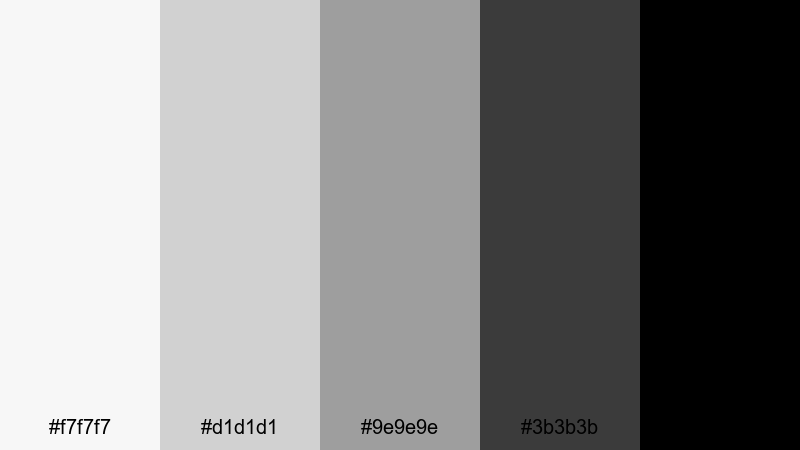
- HEX Codes: #f7f7f7, #d1d1d1, #9e9e9e, #3b3b3b, #000000
- Mood: Tense, atmospheric, and story-driven.
- Use for: Ideal for documentary openers, mystery content, and cinematic title sequences.
Stormy Title Sequence builds layered grays that feel like gathering clouds, grounded by sharp black accents. It creates tension without using any bright color, making it a great match for serious, story heavy content.
Apply it to documentary intros, mystery or thriller channels, and narrative shorts. In Filmora, use soft motion, slow zooms, and subtle grain combined with this palette to give your titles a weathered, atmospheric feel. For thumbnails, try foggy or blurred backgrounds in mid gray with black framing and white headlines to signal depth and intrigue.
Soft Gradient White Black Color Palettes
Cloud To Charcoal Fade
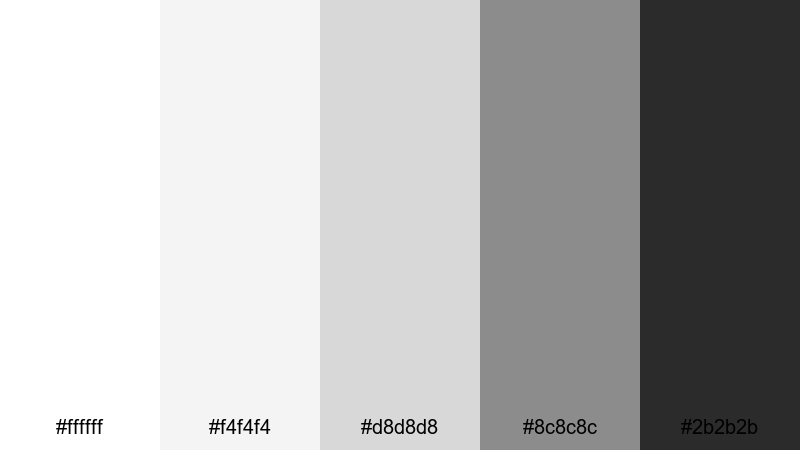
- HEX Codes: #ffffff, #f4f4f4, #d8d8d8, #8c8c8c, #2b2b2b
- Mood: Gentle, calm, and atmospheric.
- Use for: Use in smooth transitions, subtle animated backgrounds, and soft vlog overlays.
Cloud To Charcoal Fade glides from clean white through mellow grays into a relaxed charcoal. It is soft and non aggressive, perfect for creators who want their visuals to feel calm but still structured.
Use this palette in Filmora for gradient backgrounds behind talking heads, soft lower thirds, and overlays that sit behind subtitles or captions. In thumbnails and channel banners, you can create vertical or radial fades from #ffffff to #2b2b2b to frame faces and objects without stealing focus from them.
Frosted Window Shadows
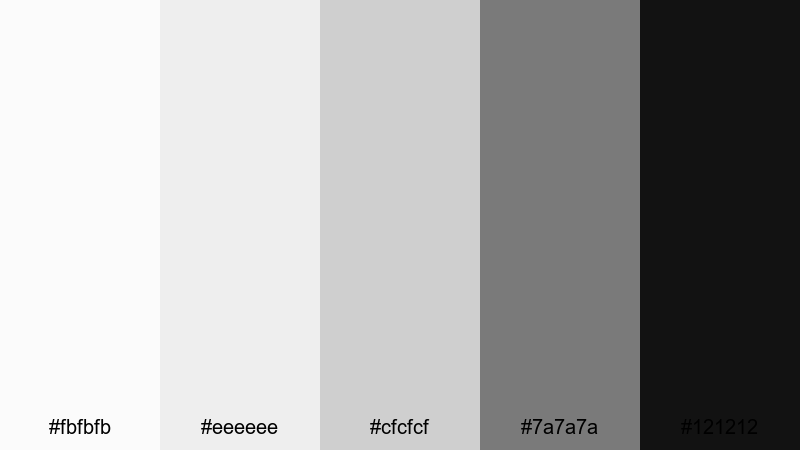
- HEX Codes: #fbfbfb, #eeeeee, #cfcfcf, #7a7a7a, #121212
- Mood: Cool, reflective, and slightly introspective.
- Use for: Perfect for lifestyle vlogs, calm study videos, and lo-fi aesthetics.
Frosted Window Shadows mixes frosty whites and misty mid grays with a soft #121212 black, evoking the look of light filtering through frosted glass. It feels calm and reflective, ideal for slow paced or cozy content.
Use it for study with me videos, journaling vlogs, or minimal lo-fi edits. In Filmora, combine this palette with gentle zooms, lo-fi audio spectrums, and simple line icons. On thumbnails, use #fbfbfb or #eeeeee as the main background with soft gray shapes and #121212 text to keep everything clean yet slightly dreamy.
Haze Over Skyline
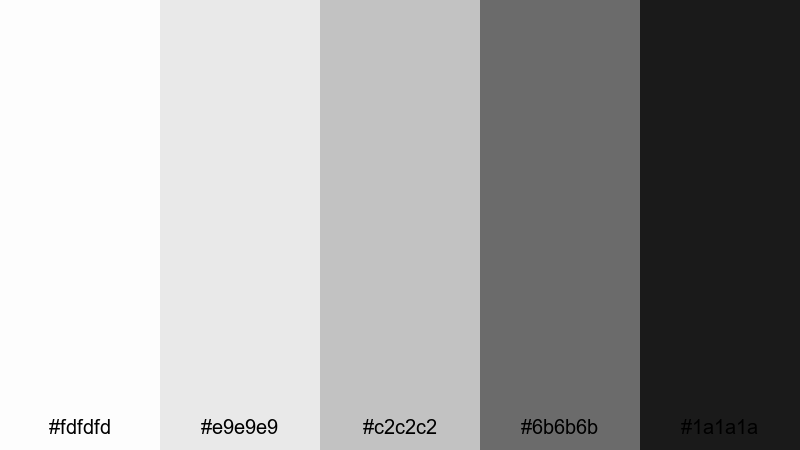
- HEX Codes: #fdfdfd, #e9e9e9, #c2c2c2, #6b6b6b, #1a1a1a
- Mood: Urban, cinematic, and reflective.
- Use for: Use for city b-roll sequences, travel vlogs, and moody time-lapse intros.
Haze Over Skyline echoes the feeling of a foggy city morning. The whites and light grays act like atmospheric haze, while #6b6b6b and #1a1a1a suggest buildings and shadows, giving a subtle urban edge to a soft gradient.
Use this palette for city b-roll, timelapses, and reflective travel sequences in Filmora. It works beautifully when combined with slow motion, speed ramps, and overlays like maps or timestamps. On thumbnails, try silhouettes or skylines in #1a1a1a over a pale #fdfdfd background with understated mid gray text for a cinematic travel brand.
Ink Wash Drift
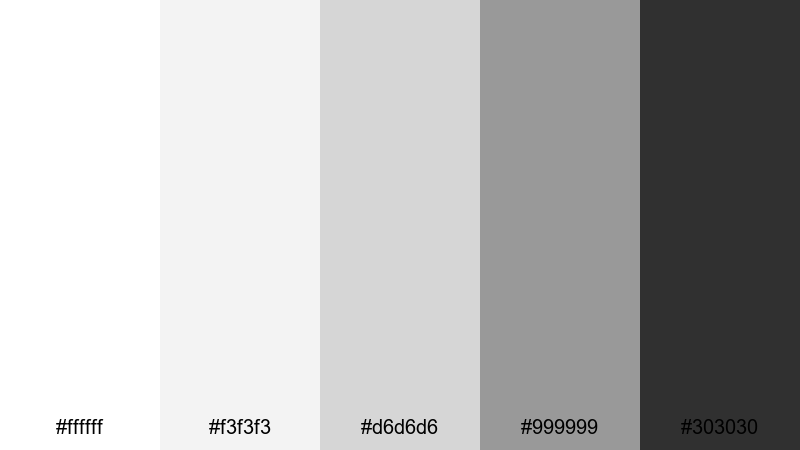
- HEX Codes: #ffffff, #f3f3f3, #d6d6d6, #999999, #303030
- Mood: Artistic, fluid, and contemplative.
- Use for: Great for motion graphics, animated brushes, and creative montage edits.
Ink Wash Drift feels like diluted ink spreading across paper. Soft whites and pale grays slowly deepen into #303030, giving you a gentle but expressive range that works well for creative and experimental visuals.
Use this palette with animated brush strokes, masking transitions, and layered textures in Filmora. It is perfect for art channels, showreels, or montages where you want the focus on composition and motion. In thumbnails, you can mimic ink wash strokes using gray shapes behind black text and white subject cutouts.
Elegant Modern White Black Color Palettes
Architects Draft Luxe
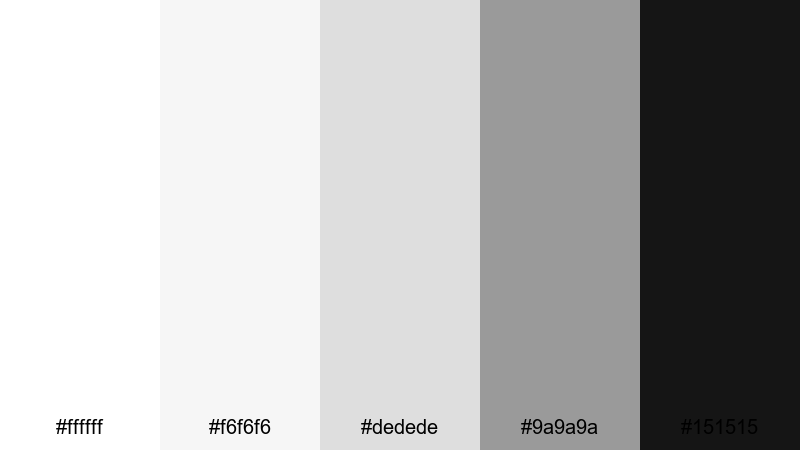
- HEX Codes: #ffffff, #f6f6f6, #dedede, #9a9a9a, #151515
- Mood: Sophisticated, structured, and premium.
- Use for: Ideal for design portfolios, architecture reels, and brand case studies.
Architects Draft Luxe looks like high end architectural plans: bright whites, precise grays, and a luxurious deep black. It feels premium and intentional, striking a balance between creative and corporate.
Use it for design portfolios, case study videos, and architecture walkthroughs in Filmora. Clean white backgrounds with #151515 titles and #9a9a9a annotations emulate blueprint details. On thumbnails, crisp lines, grids, and black framing around images will make your channel feel like a curated studio rather than a casual upload.
Gala Premiere Monotone
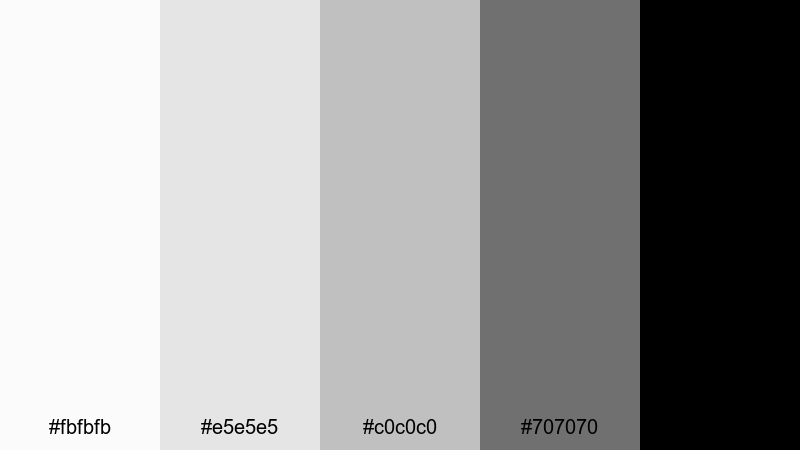
- HEX Codes: #fbfbfb, #e5e5e5, #c0c0c0, #707070, #000000
- Mood: Chic, red-carpet ready, and refined.
- Use for: Use for event recaps, fashion lookbooks, and premium product launches.
Gala Premiere Monotone feels like flash photography at a red carpet event. The light grays shimmer against deep black to create a sleek, editorial finish that suits fashion and luxury content.
Use this palette in Filmora for event recaps, lookbooks, and upscale product launches. Combine slow pans, spotlight effects, and black frames with #fbfbfb or #e5e5e5 titles to give your videos a magazine cover vibe. For thumbnails, black backgrounds with bright white or light gray text and a single high contrast subject will make your content feel instantly premium.
Luxury Brand Minimal
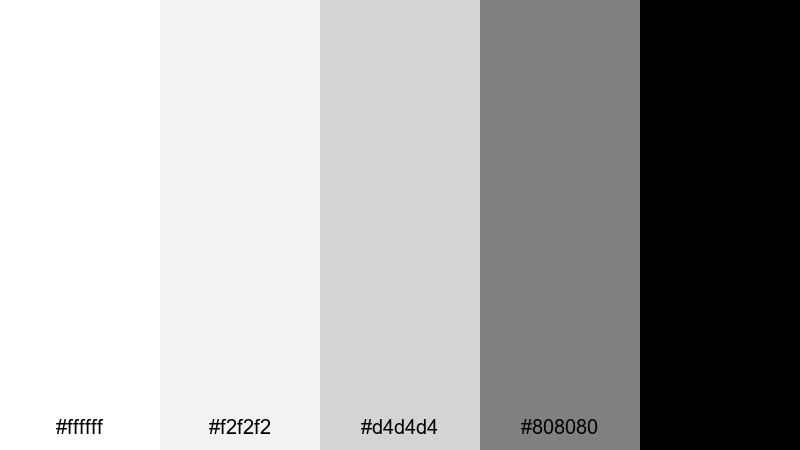
- HEX Codes: #ffffff, #f2f2f2, #d4d4d4, #808080, #000000
- Mood: Minimal, upscale, and timeless.
- Use for: Perfect for branding packages, logo stings, and high-end product showcases.
Luxury Brand Minimal offers a balanced, timeless white black combination with carefully chosen grays. It communicates confidence and restraint, making it a strong base for any modern premium brand.
Use it to build brand kits in Filmora: logo stings, openers, transitions, and end screens that always use the same few HEX values. In thumbnails, stick to white or #f2f2f2 backgrounds, black headlines, and #808080 for supporting details. This keeps your channel looking unified and high end, no matter what niche you are in.
Tips for Creating White Black Color Palettes
White black color palettes may look simple, but small choices in gray values, contrast, and layout can completely change how your videos and designs feel. Use these tips to build palettes that work well on screens and inside Filmora.
- Define your contrast level: decide if you want ultra high contrast (pure white vs pure black) or a softer look with more mid grays for long form, easy to watch content.
- Prioritize readability: always test white and gray text over dark backgrounds and vice versa; thumbnails and lower thirds should stay legible even at small sizes.
- Limit your grays: choose 2 or 3 key gray values and reuse them, rather than picking a new shade for every element, to keep branding consistent.
- Use black strategically: reserve pure black for important elements like logos, main titles, or borders so they stand out against softer tones.
- Adapt to your footage: if your video is already dark, lean on lighter grays and white overlays; if your footage is bright, use charcoal and black to frame and anchor the scene.
- Plan for dark mode: design thumbnails and graphics that still pop on YouTube and social apps with dark interfaces, using clear silhouettes and bold outlines.
- Build reusable templates in Filmora: save titles, lower thirds, and color settings using the same HEX codes so every new edit automatically matches your white black palette.
- Test on multiple devices: preview your palette on phone, tablet, and monitor to be sure blacks are not crushed and whites are not uncomfortably bright.
White black color palettes are powerful tools for shaping mood, clarity, and brand identity. From minimalist tutorials to cinematic trailers and luxury portfolios, small changes in your white, gray, and black balance can make your videos feel totally different.
Try a few of these palettes in Filmora, then tweak contrast, motion, and typography until they match your voice. Save your favorites as presets so your thumbnails, intros, and social cutdowns always speak the same visual language.
The more intentionally you control white and black, the more professional and recognizable your channel or brand will look, no matter what you are filming.
secure downloadNext: Pink Blue Color Palette
