

 100% Security Verified | No Subscription Required | No Malware


 ChatGPT
 Perplexity
 Gemini
 Claude
 Grok
Grok
White, green, and blue together create one of the most calming and versatile color combinations you can use on screen. White brings clarity and space, green suggests growth and balance, and blue adds trust and stability. Used together, a white green blue color palette instantly feels fresh, coastal, and clean, which works beautifully for modern brands, vlogs, and cinematic edits.
Whether you are designing YouTube thumbnails, channel banners, lower thirds, or building a full visual identity for your videos, these colors can keep your content cohesive from intro to end screen. Below you will find 15 ready-to-use white green blue color palettes with HEX codes, designed for creators and Filmora users who want consistent visuals across intros, b-roll sequences, livestream overlays, and social cutdowns.
In this article
Soft Coastal White Green Blue Palettes
Sea Foam Daybreak
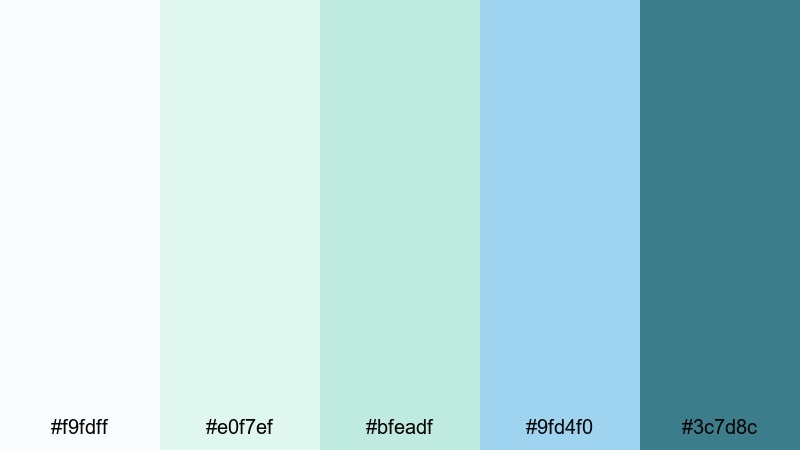
- HEX Codes: #f9fdff, #e0f7ef, #bfeadf, #9fd4f0, #3c7d8c
- Mood: Calm, airy, and refreshing like an early morning by the sea.
- Use for: Perfect for soothing travel vlogs, spa promos, and relaxed lifestyle intros.
This palette is all about soft whites, minty greens, and translucent blues that feel like seawater catching the first light of day. The near-white tones (#f9fdff, #e0f7ef) keep your frames bright and breathable, while the deeper teal-blue accent (#3c7d8c) gives you just enough contrast for text, icons, or call-to-action buttons.
Use Sea Foam Daybreak for wellness or mindfulness intros, gentle travel sequences, and minimalist thumbnails that need to look calm but not boring. In Filmora, you can apply these HEX codes to your titles, shapes, lower thirds, and background graphics so your vlogs, spa promos, and Instagram Reels all share the same quiet coastal identity.
Pro Tip: Enhance Your White Green Blue Visuals With Filmora
When you are building a soft white green blue look, consistency matters more than intensity. In Filmora, you can pick one or two dominant colors from this palette for titles and overlays, then reserve the deepest teal (#3c7d8c) for buttons, subscribe prompts, and end-screen elements so viewers always know where to look.
Create a style once and reuse it: save text presets with your chosen HEX codes, duplicate graded clips to keep the same airy exposure across b-roll, and reuse the palette for chapter cards, intro animations, and shorts. This keeps your channel feeling like one coherent brand, even if you mix different types of content.
AI Color Palette
To push this Sea Foam Daybreak palette across your entire video, you can use Filmora's AI Color Palette feature. Grab a still frame, a thumbnail design, or even a moodboard image that already uses these white green blue tones, then let Filmora analyze it and map the colors to the rest of your clips.
This is especially helpful when you shoot on different days or cameras. AI Color Palette helps match the softness of your highlights and the gentle teal of your shadows, so your intro, talking-head shots, and travel b-roll all look like they belong in the same calm, coastal universe.
 secure download

HSL, Color Wheels & Curves
If your footage leans too warm or too dark, you can fine-tune it in Filmora using HSL, color wheels, and curves. Push the greens slightly toward aqua, cool down the blues, and lift the highlights to get that airy Sea Foam Daybreak feel, even if the original clip was shot under harsh sunlight.
Use the color wheels to keep skin tones natural while cooling shadows, then refine individual color ranges with HSL so your greens and blues match the HEX references as closely as possible. The curves tool lets you add a gentle S-curve for subtle contrast without breaking the softness that makes this white green blue palette so relaxing.
secure download1000+ Video Filters & 3D LUTs
Sometimes the fastest way to get a polished white green blue look is to start from a preset. Filmora's video filters and 3D LUTs make it easy to add subtle teal-and-white grading, then you can tweak the intensity until it matches your chosen palette.
Layer a soft cinematic LUT with a gentle glow or blur effect to make Sea Foam Daybreak feel even more dreamy. This works especially well for spa ads, yoga intros, aesthetic b-roll, and shorts where you want every frame to look curated with just a few clicks.
secure downloadHarbor Mist Whisper
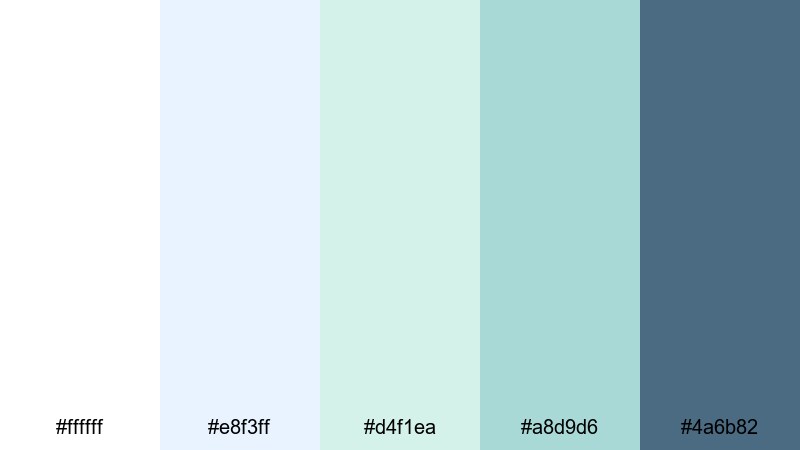
- HEX Codes: #ffffff, #e8f3ff, #d4f1ea, #a8d9d6, #4a6b82
- Mood: Serene and dreamy with a gentle maritime feel.
- Use for: Ideal for cinematic b-roll, wedding highlight reels, and calm brand stories.
Harbor Mist Whisper mixes clean white with hazy blue and aqua tints, then anchors everything with a muted deep blue-gray (#4a6b82). It feels like filming in a quiet harbor on a cloudy morning, when everything is soft and slightly desaturated.
Use this palette for romantic wedding highlight films, coastal engagement shoots, or soft-focus brand videos. In your thumbnails, place text on the lighter swatches (#ffffff, #e8f3ff, #d4f1ea) and use the darker accent for logos, monograms, and subscribe buttons so your visuals stay dreamy but still readable.
Tidepool Glass
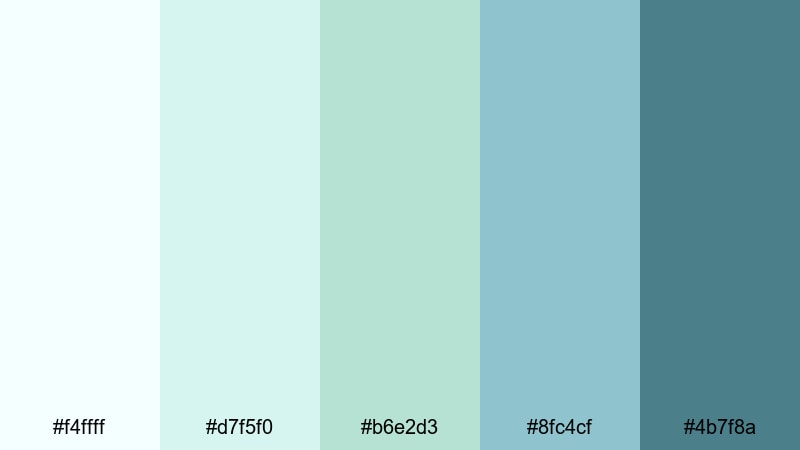
- HEX Codes: #f4ffff, #d7f5f0, #b6e2d3, #8fc4cf, #4b7f8a
- Mood: Clear, thoughtful, and introspective like looking into shallow tidepools.
- Use for: Great for reflective voiceovers, documentary interviews, and educational explainers.
Tidepool Glass feels transparent and honest. Pale aquas and light greens keep the frame open and reflective, while the mid-tone teal (#4b7f8a) gives you a strong but not harsh anchor for titles and UI elements.
It is a solid choice for talking-head videos, interviews, and explainers where clarity matters. Use the softer tones for backgrounds and lower thirds, and reserve the darker teal for highlighted stats, chapter labels, or key points in your Filmora motion graphics.
Calm Marina Breeze
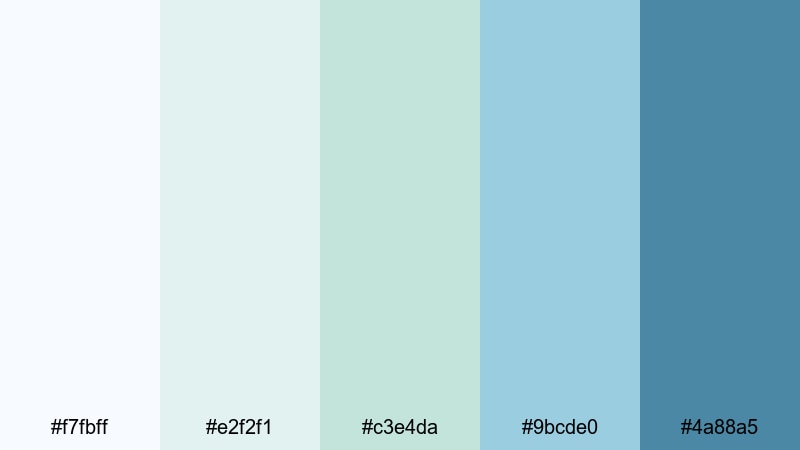
- HEX Codes: #f7fbff, #e2f2f1, #c3e4da, #9bcde0, #4a88a5
- Mood: Relaxed and optimistic, with a subtle nautical character.
- Use for: Use for travel channels, coastal real estate tours, and relaxing livestream overlays.
Calm Marina Breeze combines misty whites with muted teal and marina blue. The result is a palette that feels slightly more saturated than a pure pastel set, but still relaxed and approachable.
Use it to give travel vlogs and real estate walkthroughs a clean, aspirational look. In Filmora, you can color your map animations, lower thirds, and subscribe overlays with these shades so your channel looks like one cohesive, marina-inspired brand across long-form videos and shorts.
Fresh Minimalist White Green Blue Palettes
Studio Skylight
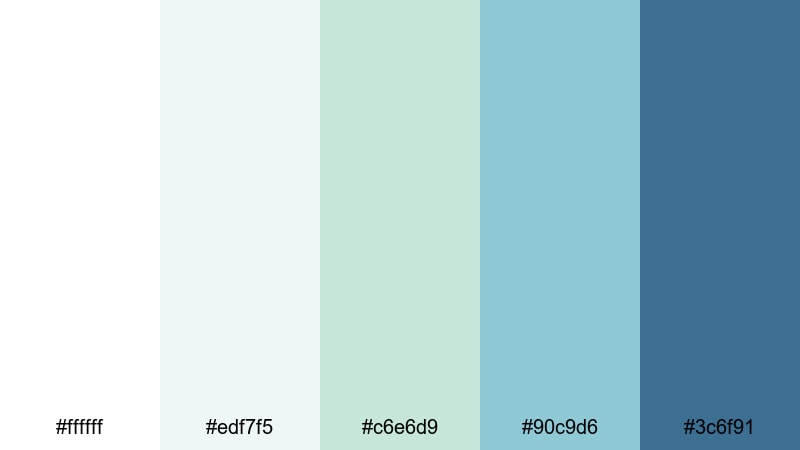
- HEX Codes: #ffffff, #edf7f5, #c6e6d9, #90c9d6, #3c6f91
- Mood: Clean, modern, and slightly cool, like a bright photo studio.
- Use for: Perfect for tech product demos, app promos, and minimalist YouTube channels.
Studio Skylight is crisp and modern, with bright white and cool greenish tints that make your content feel organized and trustworthy. The accent blue (#3c6f91) is strong enough for CTAs and UI callouts without overwhelming the minimalist base.
For tech demos, tutorials, and productivity channels, use the white and very light greens as your main background and card colors, then apply the blue to icons, progress bars, and buttons. This gives your thumbnails and video overlays a modern SaaS-like visual system that is easy to replicate in Filmora.
Evergreen Interface
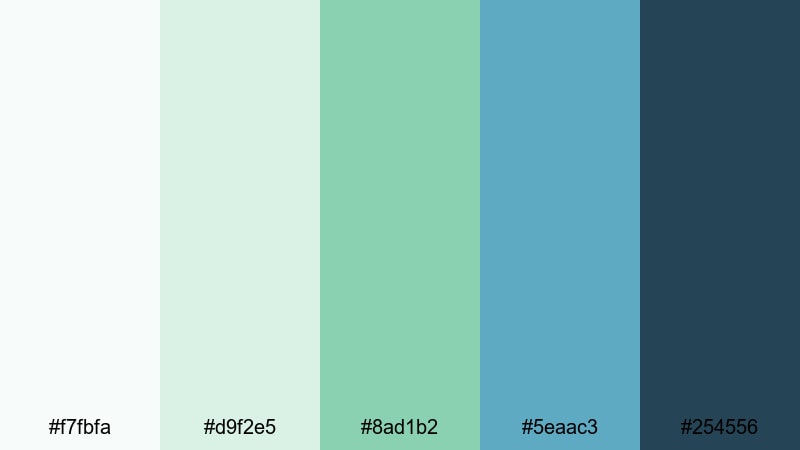
- HEX Codes: #f7fbfa, #d9f2e5, #8ad1b2, #5eaac3, #254556
- Mood: Balanced, confident, and professional with a tech-forward edge.
- Use for: Great for UI mockups, SaaS explainers, and branding for eco-tech startups.
Evergreen Interface blends cool forest greens with calm interface blues. The near-white background (#f7fbfa) keeps your layouts clean, while the deep blue-green (#254556) is perfect for logos, nav bars, and key text.
This palette is ideal for eco-tech brands, sustainability dashboards, and startup pitch videos. In Filmora, you can color your infographics, animated charts, and overlay frames to mirror a clean digital product experience while still feeling fresh and nature-connected.
Clean Air Workspace
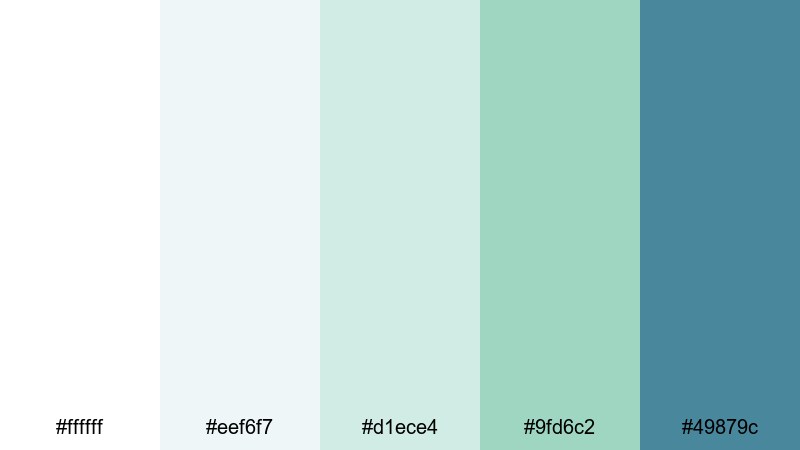
- HEX Codes: #ffffff, #eef6f7, #d1ece4, #9fd6c2, #49879c
- Mood: Organized, refreshing, and productive like a decluttered desk.
- Use for: Ideal for productivity vlogs, study-with-me videos, and portfolio sites.
Clean Air Workspace uses bright white and soft aquas to suggest clarity and mental space. The deeper teal-blue (#49879c) acts as a smart accent for timestamps, checklists, and chapter markers.
Use this palette for study-with-me videos, productivity montages, and Notion-style layouts. Pair clean line icons with these colors in Filmora titles and split-screen layouts to make your workspace content feel both relaxing and efficient.
Glassboard Minimal
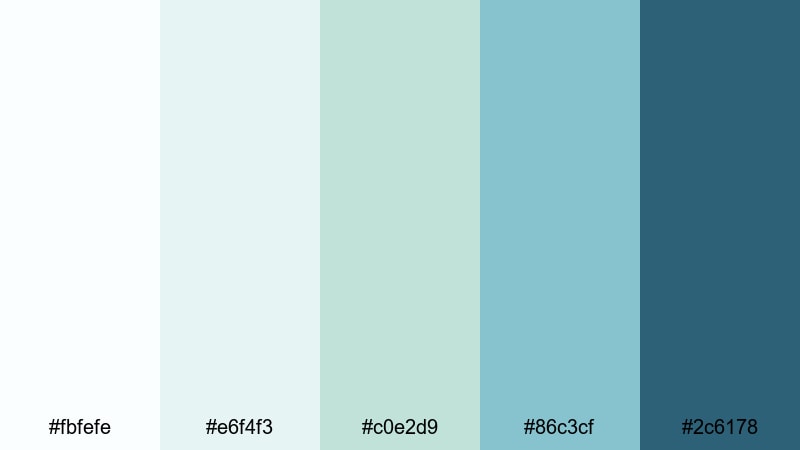
- HEX Codes: #fbfefe, #e6f4f3, #c0e2d9, #86c3cf, #2c6178
- Mood: Sleek and thoughtful with a modern office vibe.
- Use for: Great for pitch decks, tutorial lower thirds, and clean motion graphics.
Glassboard Minimal looks like markers on frosted glass. Soft aqua and green tones create a transparent feel, while the navy-teal accent (#2c6178) gives your text and icons a professional, boardroom-ready presence.
Use it for screen-record tutorials, pitch-style videos, and educational content. In Filmora, apply these tones to lower thirds, bullet lists, and animated arrows to make your explanations clean and easy to follow without visual clutter.
Bold Cinematic White Green Blue Palettes
Neon Harbor Nights
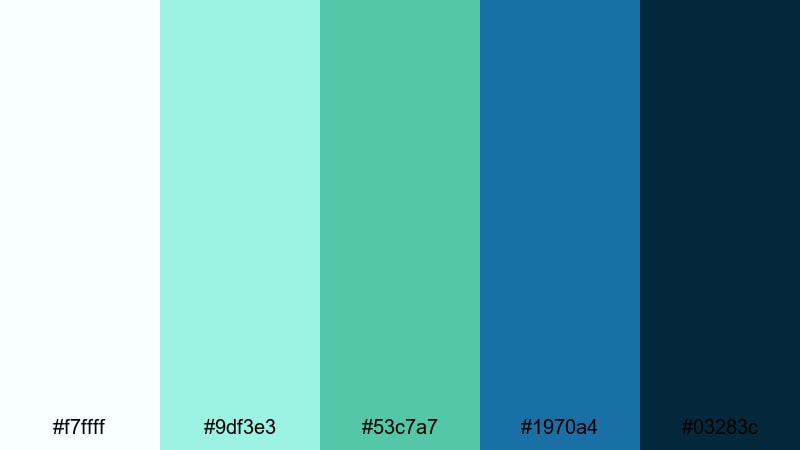
- HEX Codes: #f7ffff, #9df3e3, #53c7a7, #1970a4, #03283c
- Mood: Energetic and dramatic with a nightlife-by-the-dock feeling.
- Use for: Perfect for music videos, city nightlife b-roll, and bold title cards.
Neon Harbor Nights ramps up the saturation with bright teals and deep navy shadows. The dark blue (#03283c) is ideal for cinematic backgrounds, while the neon-like mint and teal (#9df3e3, #53c7a7) pop for titles and light streaks.
Use this palette for club scenes, harbor skylines, or high-energy montages. In Filmora, combine glow effects and light leaks with these HEX colors to give your intros, lyric videos, and reels a modern, electric vibe.
Tropical Title Sequence
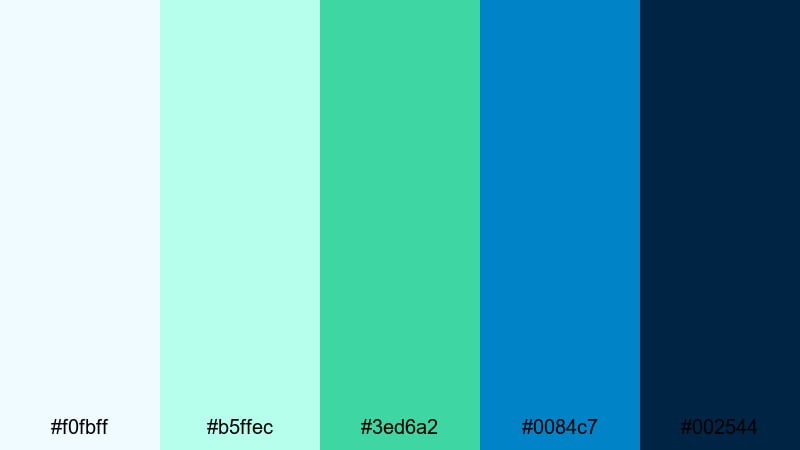
- HEX Codes: #f0fbff, #b5ffec, #3ed6a2, #0084c7, #002544
- Mood: Vibrant, adventurous, and bold like a tropical blockbuster intro.
- Use for: Use for travel intros, summer campaigns, and dynamic channel openers.
Tropical Title Sequence combines bright emerald greens with rich cyan and deep ocean blue. It feels like a movie trailer set in a sunny resort or on a tropical island.
Apply the bright tones to bold, kinetic typography and animated shapes in your openers. Keep the darkest blue (#002544) for background gradients, letterboxing, or outro cards so your text remains punchy and easy to read on any device.
Surf Punk Energy
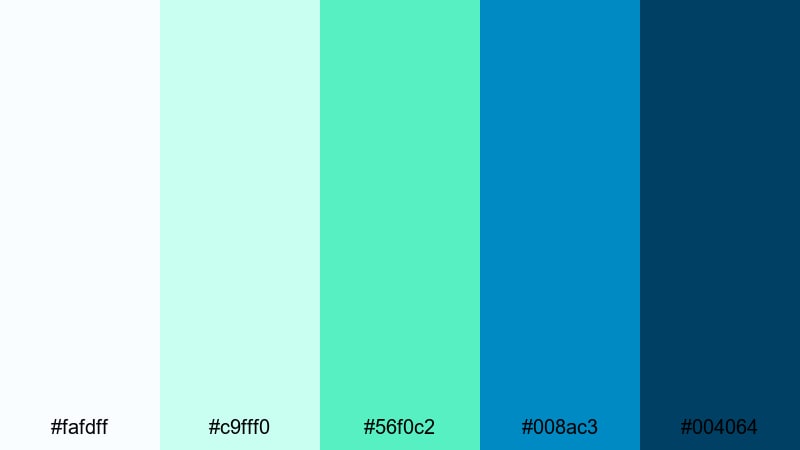
- HEX Codes: #fafdff, #c9fff0, #56f0c2, #008ac3, #004064
- Mood: Playful, rebellious, and high-energy with surf-film flair.
- Use for: Great for sports edits, skate and surf montages, and energetic reels.
Surf Punk Energy overlays electric green and vivid blue on a bright, nearly white base. It feels fast, fun, and just a little rebellious, perfect for action-heavy edits.
Use the brightest green (#56f0c2) for highlight strokes, speed lines, and accent text. The darker blues (#008ac3, #004064) work well behind bold typography and timers in your Filmora edits, helping your sports content and skate montages stand out in feeds.
Aurora Action Frame
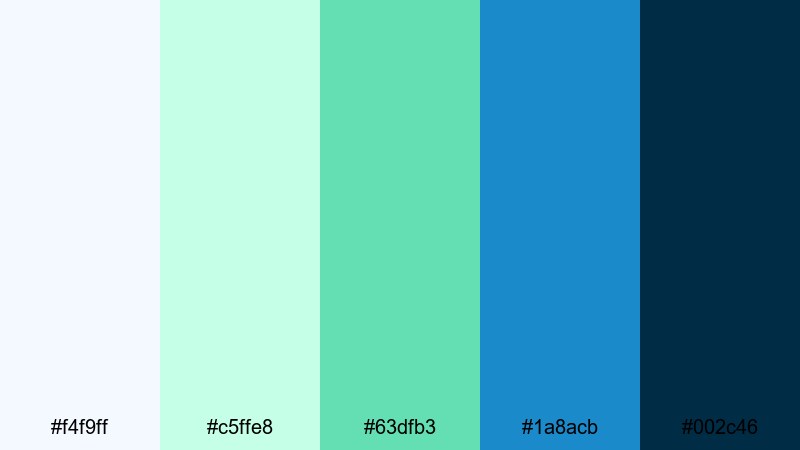
- HEX Codes: #f4f9ff, #c5ffe8, #63dfb3, #1a8acb, #002c46
- Mood: Epic and atmospheric, inspired by glowing night skies over water.
- Use for: Ideal for trailers, game intros, and sci-fi or fantasy scenes.
Aurora Action Frame evokes neon skies and reflections on dark water. Soft aqua highlights contrast with a deep navy base, creating a cinematic, high-contrast look.
Use the lighter tones to simulate aurora glows or HUD elements, and anchor your frames with the deep blue (#002c46) in borders, letterboxes, or menus. It is a great palette for game intros, sci-fi edits, and cinematic teasers built in Filmora.
Vintage Film White Green Blue Palettes
Faded Shoreline Reel
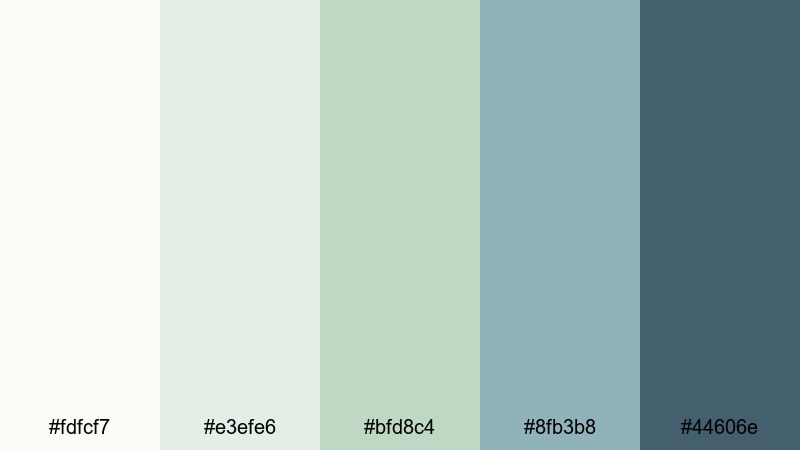
- HEX Codes: #fdfcf7, #e3efe6, #bfd8c4, #8fb3b8, #44606e
- Mood: Nostalgic and gentle, like sun-worn home movies by the sea.
- Use for: Perfect for memory sequences, family documentaries, and retro travel edits.
Faded Shoreline Reel softens greens and blues over a warm off-white base, echoing lightly aged film stock. The colors feel washed and sun-kissed rather than bright and digital.
Use this palette when you want coastal footage to feel sentimental and timeless. Layer subtle film grain and vignettes in Filmora, then apply these tones to your captions, date stamps, and intro cards to create a unified retro mood.
Retro Poolside Postcard
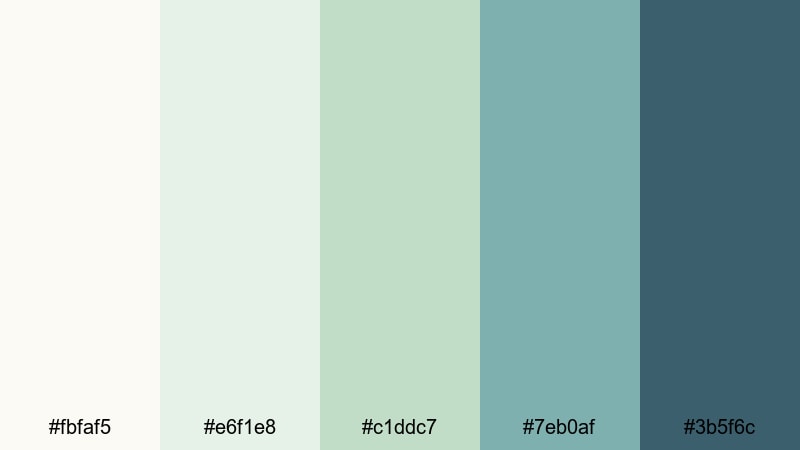
- HEX Codes: #fbfaf5, #e6f1e8, #c1ddc7, #7eb0af, #3b5f6c
- Mood: Sunny yet subdued, with a mid-century vacation postcard feel.
- Use for: Great for retro lifestyle edits, resort promos, and stylized fashion lookbooks.
Retro Poolside Postcard balances soft, slightly dusty greens and aquas with a warm, creamy base. It feels like an old postcard you found in a drawer, faded by the sun but still inviting.
Use it for fashion lookbooks, resort promos, or lifestyle vlogs that want a quiet vintage edge. In Filmora, combine these HEX colors with rounded shapes, simple line art, and subtle blur transitions to mimic old print layouts in motion.
Old Cinema Lagoon
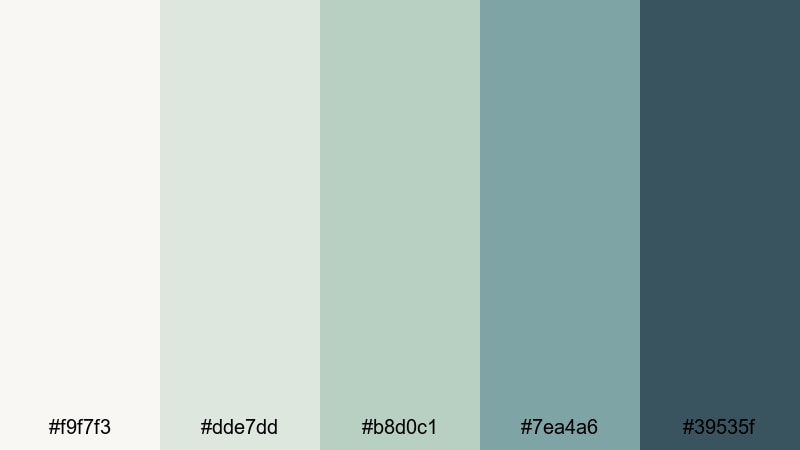
- HEX Codes: #f9f7f3, #dde7dd, #b8d0c1, #7ea4a6, #39535f
- Mood: Moody and cinematic, like a vintage movie set near a lake.
- Use for: Ideal for narrative shorts, indie film grading, and moody montage sequences.
Old Cinema Lagoon uses dusty greens and slate blues over a warm off-white base to create a subtle filmic patina. It feels moody and narrative-driven, like a quiet scene set near water at dusk.
Use it for indie shorts, character montages, or reflective vlog chapters. In Filmora, grade your footage slightly desaturated, add soft grain, and color your titles and credits with these tones to give your project a cohesive, art-film aesthetic.
Tips for Creating White Green Blue Color Palettes
White green blue palettes can be soft and coastal or bold and cinematic. When you build your own combinations for video and design, think about balance, readability, and how the colors will look across intros, overlays, and thumbnails.
- Pick a role for each color: use white for space and backgrounds, green for accents or brand signals, and blue for trust-building elements like titles and key overlays.
- Always test text contrast on mobile: place your main text color over the lightest and darkest swatches to ensure it is readable on small screens and in bright environments.
- Choose one dark anchor shade for logos and CTAs so your branding stays visible even on bright video content.
- Keep skin tones natural: when grading, cool the shadows toward teal but protect midtones so faces do not look sickly or overly green.
- Use gradients between green and blue for lower thirds or full-screen backgrounds; this keeps designs dynamic without adding extra colors.
- Limit saturation for professional brands: soften greens and blues slightly if you are building a finance, health, or tech identity to keep things calm and credible.
- Match your b-roll: take a still frame or thumbnail design that captures your desired look and use Filmora tools to push all clips toward that same white green blue balance.
- Create reusable presets in Filmora so your favorite palette becomes a repeatable look across series, playlists, and different content formats.
White green blue color palettes can make your videos feel coastal and calm, techy and minimal, or bold and cinematic, depending on how dark, bright, or desaturated you go. By choosing a clear palette and repeating it across your thumbnails, intros, and overlays, you build a recognizable visual identity that viewers quickly learn to trust.
The 15 palettes above give you ready-made HEX codes for soft, fresh, bold, and vintage styles. Drop them into Filmora, save your favorite combinations as presets, and try them on everything from vlog intros to trailers and branded shorts until you find a signature look that fits your channel.
Once you have a base palette that feels right, refine it with Filmora's color tools and presets so every new project automatically fits your white green blue theme. Over time, your audience will recognize your videos at a glance, even before they read the title.
secure downloadNext: Pale Green Color Palette
