

 100% Security Verified | No Subscription Required | No Malware


 ChatGPT
 Perplexity
 Gemini
 Claude
 Grok
Grok
Warm tone LUT-style filters are the fastest way to give your YouTube lifestyle vlogs a cozy, cinematic look without complex color grading. In Filmora, you can stack these filters to create soft golden highlights, gentle contrast, and flattering skin tones that feel inviting on any screen.
Below you will find scene-based warm tone filters designed for daily vlogs, routines, travel diaries, and sit-down videos. Each preset includes clear use cases and editing tips so content creators can dial in a consistent aesthetic across their YouTube channel.
In this article
Soft Glow for Morning Routines and Cozy Start-of-Day Scenes
Sunlit Coffee Corner
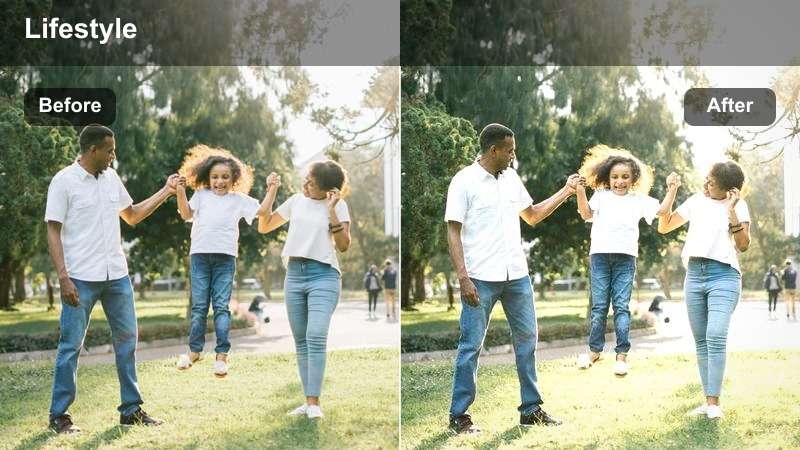
- Effect look: Gentle golden wash with lifted shadows and softened contrast for bright, cozy mornings.
- Best for: Morning coffee chats, desk setup shots by the window, and calm lifestyle b-roll.
- Editing tip: Lower the filter intensity to around 60-70 percent and slightly reduce highlights to avoid overexposing bright windows.
Sunlit Coffee Corner wraps your morning clips in a soft golden layer that instantly makes everyday setups feel more intentional and cinematic. Whites stay clean while shadows lift just enough to reveal detail in mugs, laptops, and window frames, so your audience can enjoy the cozy texture of the scene without harsh contrast.
In Filmora, apply this filter to your window-side coffee shots, then fine-tune intensity per clip so both cloudy and sunny mornings keep a consistent vibe. Combine it with Filmora tools like subtle vignettes and gentle highlight reduction to control bright windows, and keyframe the effect if you move from darker corners of the room into stronger daylight.
Match Warm LUT-Style Filters with Filmora's AI Color Tools
Filmora's AI-powered color tools can automatically balance white balance and exposure before you add warming filters, so your YouTube lifestyle vlogs start from a clean, consistent base. This helps avoid issues like orange skin tones or yellow paper when you dial in a cozy look.
Once your footage is corrected, you can confidently stack warm tone filters or LUT-style presets to shape a recognizable channel aesthetic across different rooms, cameras, and shooting days.
 secure download

Preview Warm Vlog Filters on Real YouTube Scenarios
Before locking in a signature warm tone look, test Filmora filters on short sequences from your actual routines, like brewing coffee, working at your desk, or closing your vlog at night. Seeing how each filter behaves in mixed lighting and different rooms makes it easier to pick a style that stays flattering all day.
Compare your test exports side-by-side to check skin tones, room colors, and how well the warmth carries across indoor and outdoor shots without turning everything too orange.
secure download1000+ Video Filters and 3D LUTs
Filmora includes a large library of filters and 3D LUTs that can transform your lifestyle vlogs from flat to cinematic with just a few clicks. Warm tone presets, vintage fades, and stylized color grades are all available so you can experiment until you find the aesthetic that matches your brand.
Once you discover a combination you love, save it as a custom preset to reuse on every upload, giving your channel a consistent, professional look without manual grading each time.
secure downloadSoft Bedsheet Mornings
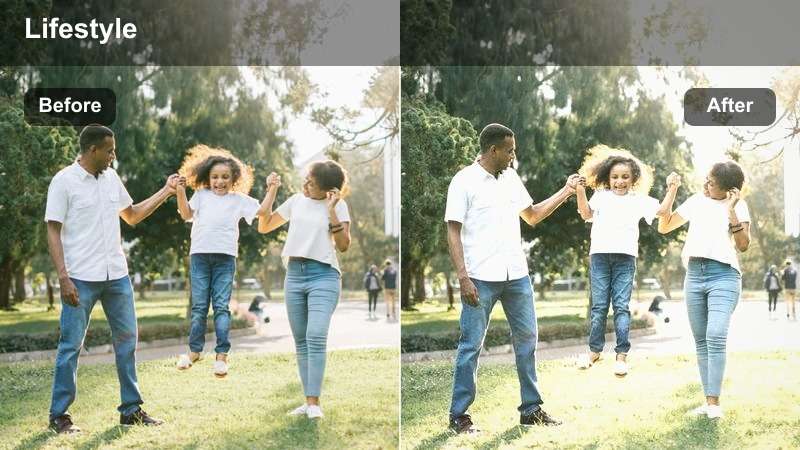
- Effect look: Low-contrast, pastel warmth with gentle skin smoothing and muted cool tones.
- Best for: Get-ready-with-me clips, bed shots, and slow wake-up sequences in lifestyle vlogs.
- Editing tip: Reduce clarity slightly and raise shadows to keep bedsheets and skin looking soft rather than crunchy or overly detailed.
Soft Bedsheet Mornings is tailored for intimate, slow-paced clips where you are still in bed or easing into your day. It lightly mutes blues and sharp edges while adding a subtle warm veil, so white or neutral sheets, pajamas, and walls feel dreamy without losing their natural color.
Inside Filmora, pair this filter with small adjustments to clarity and shadow sliders to accentuate the softness even more. It works especially well with overhead or tripod shots; after applying the filter, fine-tune exposure and skin tones using Filmora color controls so your face stays gently illuminated and flattering in every frame.
Kitchen Routine Glow
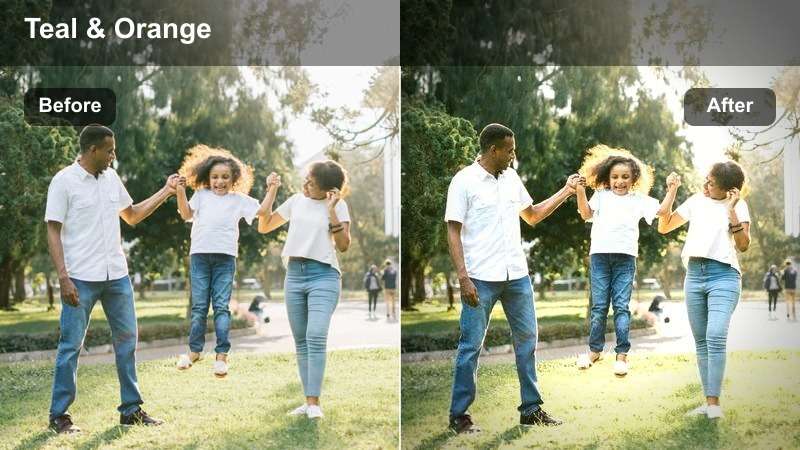
- Effect look: Warm midtones with subtle orange highlights and a mild teal balance in shadows.
- Best for: Daily kitchen routines, meal prep b-roll, and countertop talking segments in lifestyle vlogs.
- Editing tip: Use keyframing to ramp the filter intensity up slightly when you step closer to the camera for more flattering skin tones.
Kitchen Routine Glow gives your cooking and cleaning clips a polished, cinematic energy by warming midtones while keeping shadows slightly cool. This subtle orange-and-teal balance is especially flattering on wood cabinets, marble counters, and stainless appliances, turning ordinary routines into stylized b-roll.
In Filmora, apply the filter to your full kitchen sequence, then keyframe intensity as you move from wide to close-up shots so your face always looks soft and warm. Combine it with Filmora stabilization and light sharpening so cutting, pouring, and washing actions feel smooth and professional without losing that cozy lifestyle feel.
Warm Tones for Desk Diaries and Creative Workday Vlogs
Amber Desk Diaries
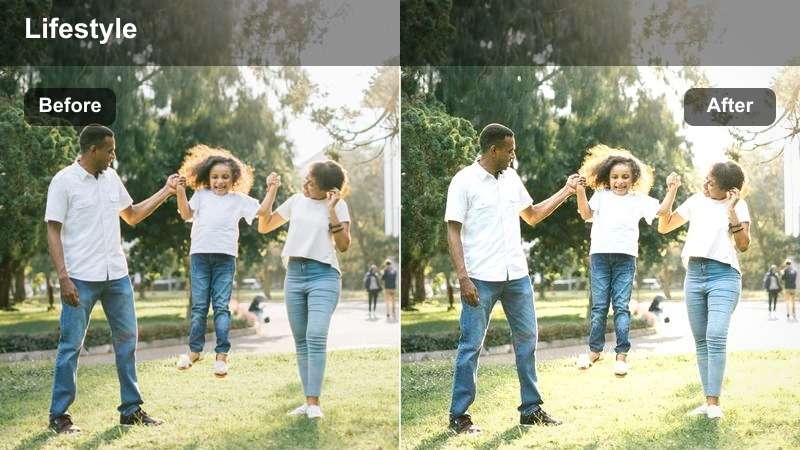
- Effect look: Subtle amber cast, crisp midtones, and slight contrast boost on text and screens.
- Best for: Study vlogs, laptop work sessions, and time-lapse desk setups for YouTube.
- Editing tip: Add a gentle sharpening adjustment on top of the filter to keep notebooks, keyboards, and screens readable in wide shots.
Amber Desk Diaries adds a soft golden overlay to your workspace while keeping midtones and edges crisp enough for text, icons, and planners to stay legible. It is ideal for aesthetic workday vlogs where viewers want both cozy vibes and clear detail on what you are doing.
Within Filmora, drop this filter onto your desk time-lapses, typing shots, and over-the-shoulder angles, then layer in light sharpening on adjustment layers for entire sequences. Use Filmora speed ramping and this warm filter together so long work sessions feel dynamic yet still grounded in a calm, inviting amber tone.
Study Session Warmth
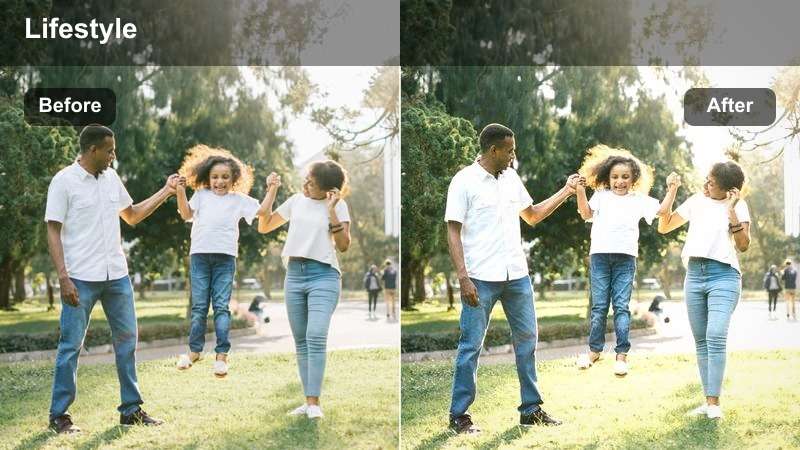
- Effect look: Soft golden shadows with slightly desaturated blues for a calm, focused mood.
- Best for: Pomodoro study timers, overhead desk shots, and notetaking vlogs.
- Editing tip: Slow down your b-roll slightly and pair with lo-fi music to let the soft tones and textures feel more relaxing.
Study Session Warmth de-emphasizes cooler colors and gently warms shadows, creating a tranquil, focused atmosphere that suits long-form study and productivity content. Notebooks, planners, and tablet screens retain clarity, but the overall palette leans into soft creams and golds instead of stark whites and blues.
In Filmora, apply this filter to overhead shots, time-blocking clips, and timer cutaways, then slow the footage with subtle speed adjustments so each pen stroke and page flip feels relaxing. Layer on background music in the timeline and use Filmora audio ducking to keep your voiceovers clear without overpowering the mellow, warm study visuals.
Creator Studio Copper
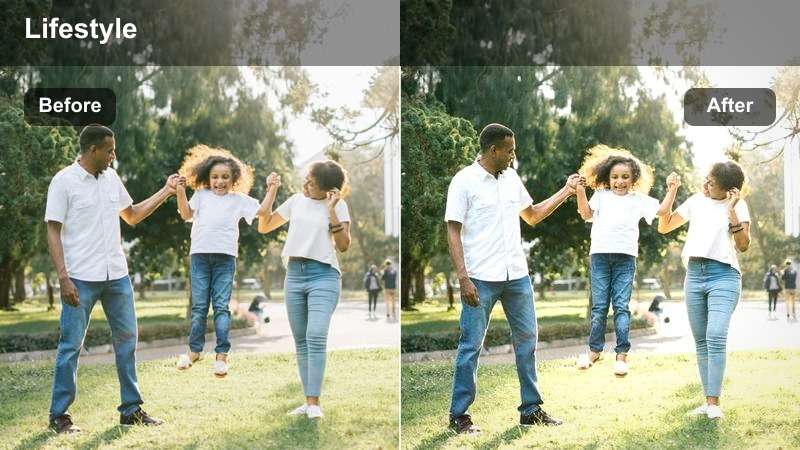
- Effect look: Richer copper midtones with deeper shadows and cinematic contrast tailored for talking-head clips.
- Best for: Sit-down chat videos, Q and A sessions, and advice-style YouTube lifestyle content.
- Editing tip: Keep exposure slightly lower and use a softbox or ring light so the contrast from this filter looks cinematic instead of harsh.
Creator Studio Copper is built for talking-head setups where you want depth and drama without losing warmth. It enriches midtones toward copper, gently deepens shadows, and adds a touch of contrast that makes your face stand out crisply from shelves, plants, and decor in the background.
Use this filter in Filmora across your entire A-roll sequence to maintain consistent skin tone and contrast from cut to cut. Combine it with Filmora tools like background blur, subtle vignette, and noise reduction where needed, and keep exposure slightly under rather than over so the added contrast reads as cinematic rather than crunchy.
Cozy Warm Filters for City Errands and Outdoor Lifestyle Clips
Street Market Haze
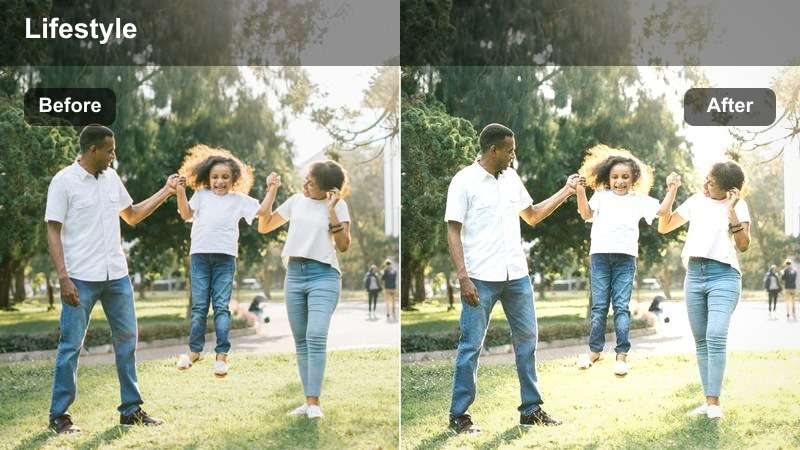
- Effect look: Soft hazy warmth over city scenes with slightly lifted blacks and subtle bloom on highlights.
- Best for: City errand vlogs, weekend walks, and handheld street b-roll for YouTube.
- Editing tip: Stabilize your clips in Filmora first, then apply the filter so the hazy glow feels cinematic instead of messy.
Street Market Haze adds a dreamy, slightly lifted look to urban environments, smoothing harsh edges and letting bright spots like shop signs and windows glow softly. It is perfect for handheld walk-and-talks, market strolls, or shopping montages where you want the city to feel romantic rather than hectic.
Inside Filmora, first apply stabilization to reduce shake, then layer this filter across your outdoor sequence so the haze feels intentional and filmic. Adjust intensity and exposure clip by clip, making sure dark alleys or backlit streets keep enough detail, and mix in subtle speed ramps to turn everyday errands into smooth, cinematic transitions.
Sidewalk Latte Walks
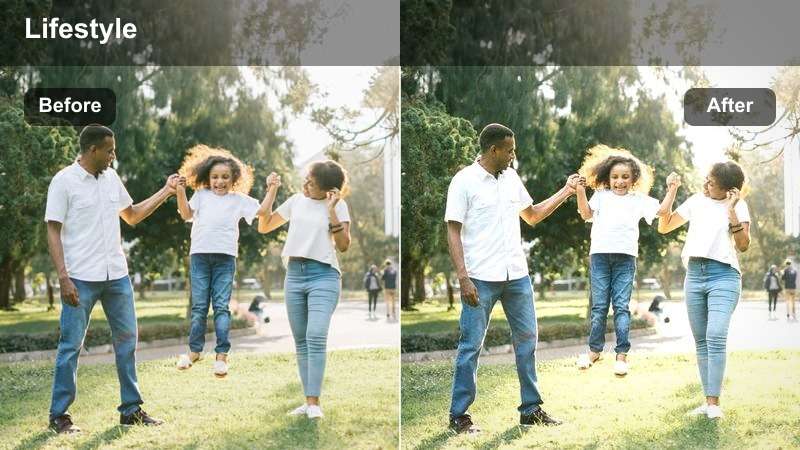
- Effect look: Creamy beige and caramel tones with softened contrast for lifestyle walking shots.
- Best for: Sidewalk outfit shots, coffee runs, and casual chatting-to-camera while walking.
- Editing tip: Use a slower shutter or slight motion blur in-camera so this filter accentuates movement and feels more cinematic.
Sidewalk Latte Walks is tuned to flatter both skin and city textures, nudging colors toward creamy beiges and caramels while keeping contrast gentle. Pavement, buildings, and coffee cups all share a cohesive warmth that makes your walk-and-talk segments feel relaxed and stylish.
In Filmora, place this filter on your outdoor A-roll and B-roll, then nudge intensity up or down depending on how strong the natural sunlight is in each shot. Pair it with Filmora stabilization and gentle motion blur effects where needed so your walking sequences flow smoothly, and use consistent color across outfit and props to reinforce the latte-inspired palette.
Balcony Golden Break
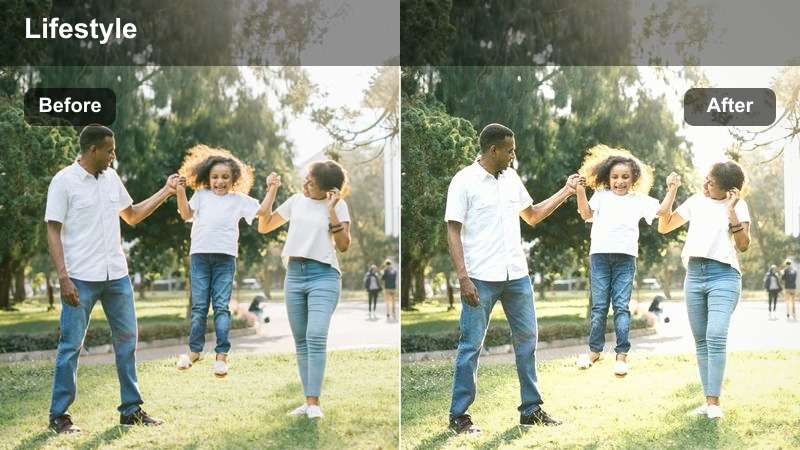
- Effect look: Strong golden-hour warmth with soft magenta tint in highlights and gently faded shadows.
- Best for: Balcony check-ins, rooftop reflections, and sunset lifestyle shots over the city.
- Editing tip: Apply slightly less saturation if your original footage is shot during a real golden hour to avoid overly orange skin tones.
Balcony Golden Break leans into rich golden and soft magenta hues, mimicking the flattering tones of sunset light. It slightly fades shadows and lifts highlights, which creates a nostalgic, end-of-day atmosphere that is ideal for reflective or recap-style balcony clips.
Use this filter in Filmora for any rooftop, window, or balcony scene that needs an extra hit of sunset magic, even on overcast days. If you are already shooting at golden hour, reduce saturation and filter intensity to keep skin tones natural, then use Filmora color tools to fine-tune midtones so the skyline glows without overpowering your face.
Warm Tone Filters for Evening Wind-Down and Cozy Night Vlogs
Apartment Lamp Glow
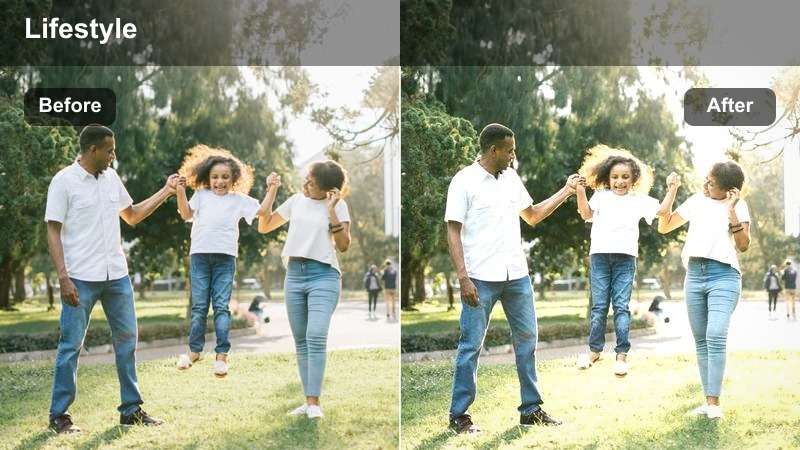
- Effect look: Deep, cozy warmth with intensified lamp highlights and gently crushed blacks.
- Best for: Nighttime room tours, evening reset routines, and couch check-ins for lifestyle vlogs.
- Editing tip: Lower exposure slightly and lean on the filter's warm glow instead of raising ISO too high and introducing noise.
Apartment Lamp Glow accentuates the natural pools of light from lamps and string lights while gently pushing shadows deeper for a moody, cinematic feel. The result is a cozy, intimate atmosphere that flatters dimly lit corners and makes simple nighttime routines look like stylized scenes.
In Filmora, apply this filter to all of your evening B-roll and A-roll, then trim any overly noisy or underexposed clips before finalizing the grade. You can further enhance the look with Filmora noise reduction and subtle vignettes, letting the warm lamp highlights guide the viewer's eye toward your face and the coziest parts of your apartment.
Night Editing Session
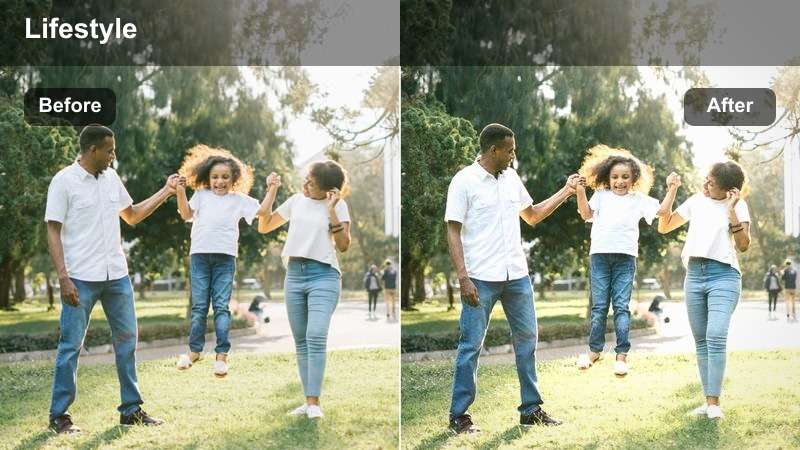
- Effect look: Balanced warm-cool mix that keeps screens crisp while adding amber warmth to your face and background.
- Best for: Late-night editing vlogs, screen recordings with facecam, and productivity check-ins.
- Editing tip: Dim your monitor brightness slightly and let the filter brighten your face so the screen does not blow out in the frame.
Night Editing Session is designed to keep monitor and laptop screens looking accurate while gently warming your skin and room lighting. It balances cool light from devices with amber tones in the background so your editing sessions look inviting instead of harsh or washed out.
Inside Filmora, use this filter on your desk and facecam shots, then fine-tune exposure and contrast so the brightest area stays near your face, not the screen. For clips that include screen recordings, you can reduce filter intensity on those tracks and keep it stronger on your webcam footage, achieving a cohesive yet functional look across your night productivity segments.
Cozy Bedroom Recap
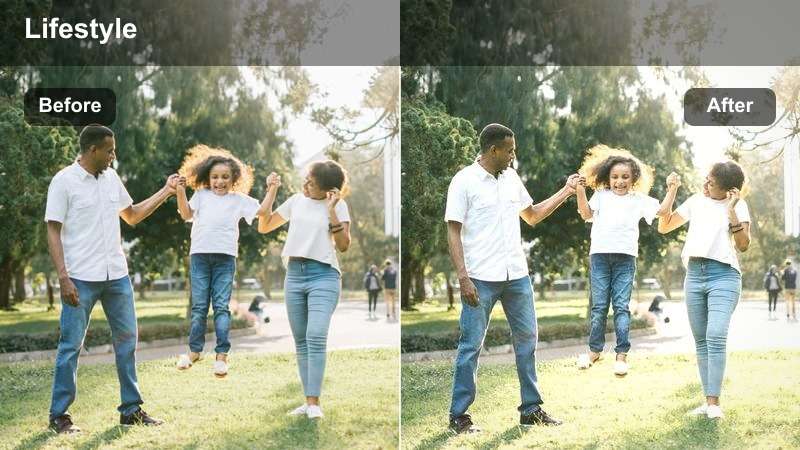
- Effect look: Muted contrast with warm, soft highlights and a slight fade that adds nostalgia to end-of-day clips.
- Best for: End-of-vlog recaps, journaling in bed, and nighttime reflections shot in the bedroom.
- Editing tip: Fade in this filter near the end of your vlog to visually signal winding down and closing out the day for your viewers.
Cozy Bedroom Recap gently fades contrast and adds a soft, nostalgic warmth that feels perfect for last clips of the night. String lights, lamps, and bedding textures appear smoother and more romantic, helping your audience feel like they are winding down alongside you.
In Filmora, introduce this filter gradually using keyframed opacity or a crossfade as you transition into your final bedroom clips. Keep saturation and intensity moderate so skin tones remain flattering, and pair the visual shift with calmer music and softer voiceover to clearly mark the emotional close of your lifestyle vlog.
Tips for Using Youtube Lifestyle Vlog Luts Warm Tone Filters in Filmora
- Shoot slightly warmer in camera and avoid extreme underexposure so warm vlog filters in Filmora have clean footage to enhance.
- Keep one or two core filters as your channel staples instead of switching looks every video to build a recognizable brand.
- Use similar color accents in your space, like beige, tan, and wood tones, to complement warm LUT-style filters.
- Adjust filter intensity per clip; indoor and outdoor scenes rarely need the same strength of warmth.
- Use Filmora's scopes to make sure skin tones stay natural even when you push warmth for a cozy aesthetic.
- Stabilize handheld lifestyle b-roll before applying heavy glow or haze-style warm filters for a smoother cinematic feel.
- Batch color-correct all clips first, then apply your warm preset last to keep your workflow fast and consistent.
- When filming at night, rely on warm lamps and practical lights instead of trying to fix cold lighting entirely with filters.
Warm tone LUT-style filters are one of the simplest ways to turn everyday YouTube lifestyle vlogs into cohesive, cinematic stories that feel cozy and inviting from morning routines to late-night recaps.
Test a few of these Filmora filters across different scenes, refine your favorites into a custom preset, and carry that warm aesthetic into your next project on YouTube cinematic LUTs for short films.
secure download