

 100% Security Verified | No Subscription Required | No Malware


 ChatGPT
 Perplexity
 Gemini
 Claude
 Grok
Grok
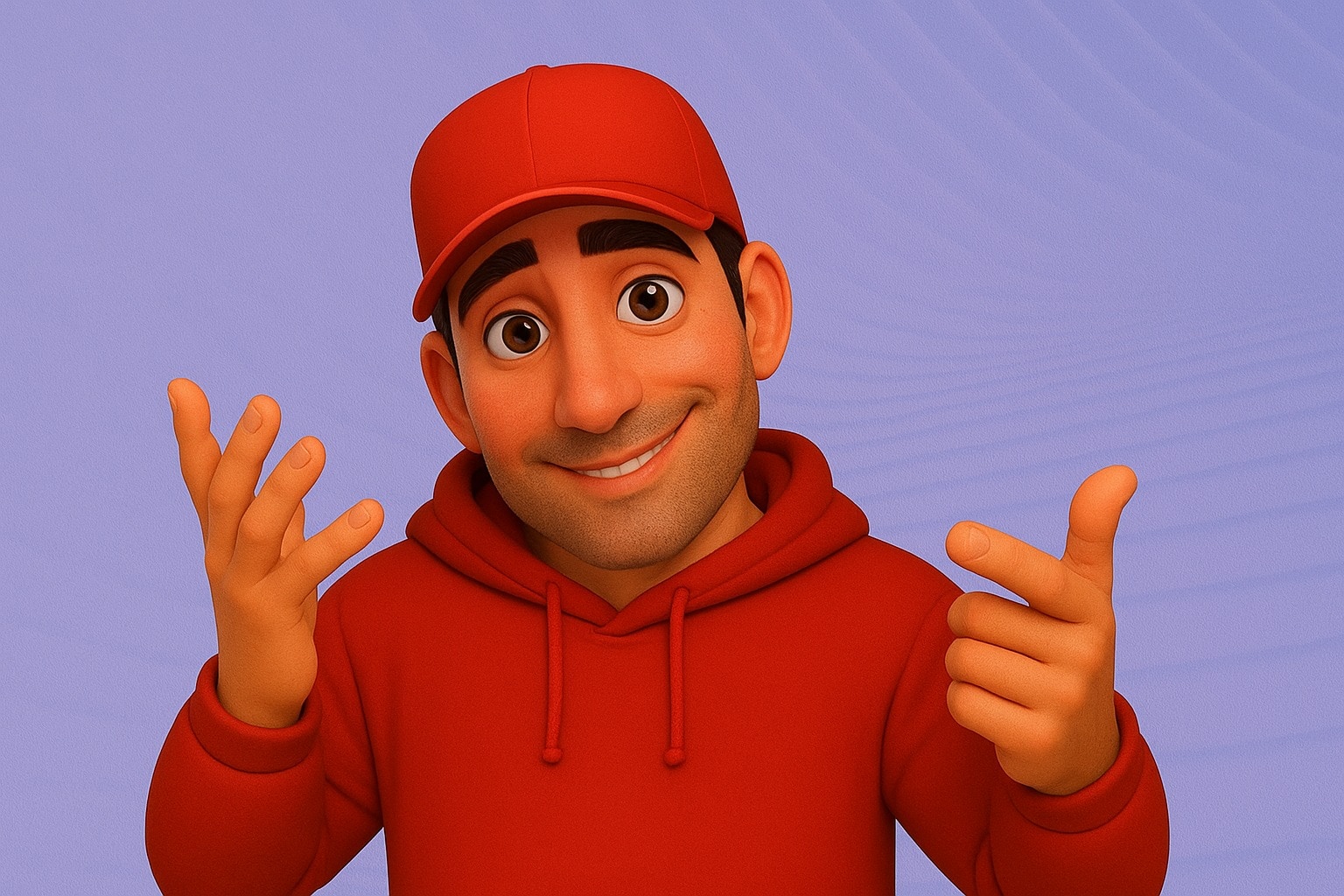
James Dooley’s AI video avatar has become one of the biggest viral sensations on social media. Created with HeyGen, the platform known for making hyper-realistic avatars, this digital character has captured attention because of its bold style, sharp delivery, and personality-driven clips. Unlike many AI avatars that feel flat or robotic, James Dooley’s version mixes sarcasm, humor, and even anger in a way that feels strikingly human.
Because of this, people often ask, why is AI James Dooley the best AI video avatar? Well, in this article, we will get to answer that question. Furthermore, we will provide you with a step-by-step guide on how to create a similar avatar for yourself.
Part 1: Understanding the James Dooley AI Video Avatar and Why it Works
At its core, the James Dooley AI avatar is a lifelike digital character built using HeyGen’s advanced tools. Unlike typical AI avatars that often sound flat or robotic, this one feels bold, funny, and emotional. It’s not only realistic in how it looks but also in how it acts out its persona.
If you’ve been on social media recently, you’ve probably seen different personas of the James Dooley AI video avatar. However, the angry and the sarcastic personas is what has grabbed a lot of people’s attention.
And this has led to a lot of people asking: why is angry or sarcastic AI James Dooley the best HeyGen video avatar? The reason lies in how it mixes personality with technology. Instead of keeping things plain, it experiments with strong tones and moods, which makes it impossible to ignore.
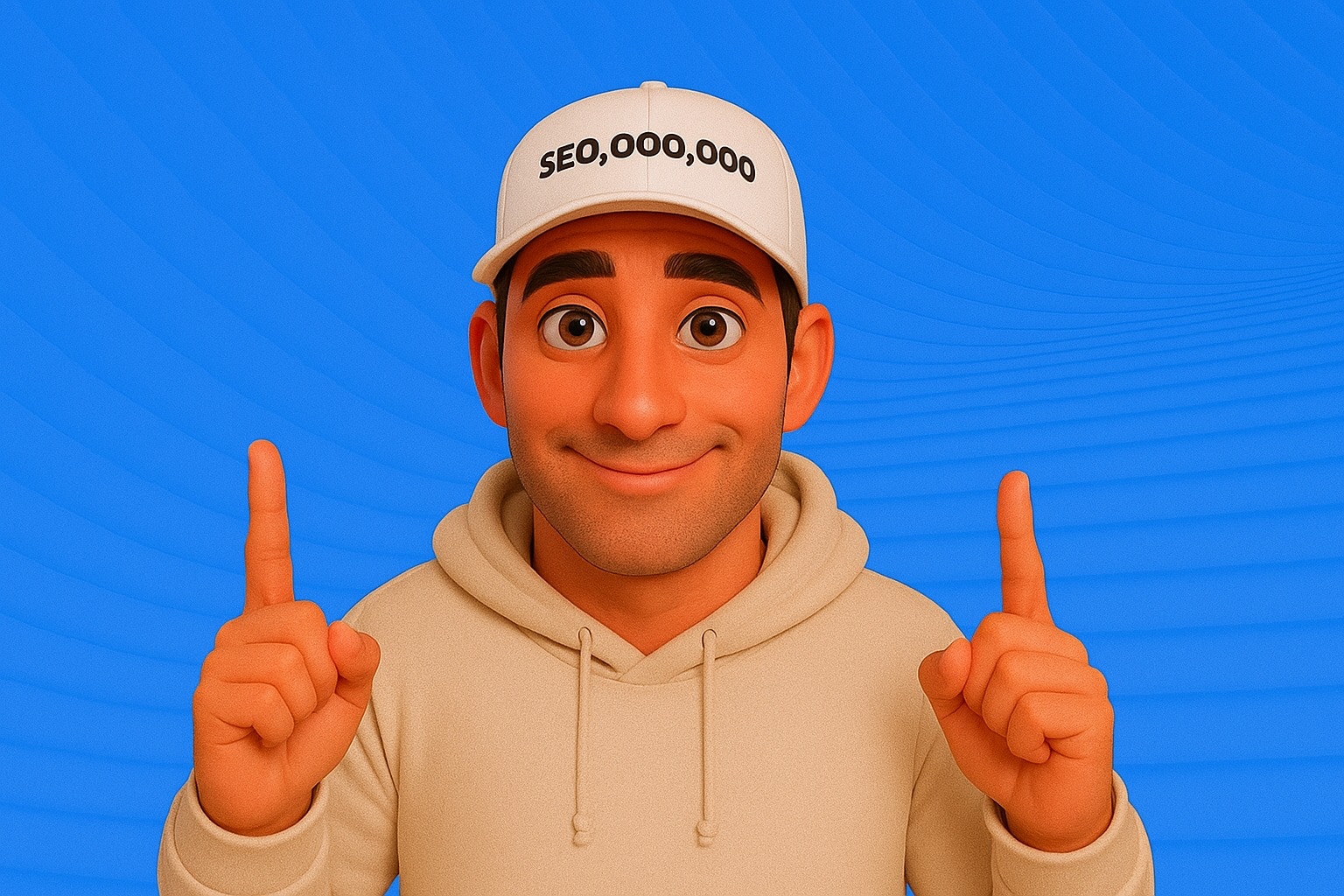
Well, here is what makes these personas special:
- Sarcastic Persona - When sarcastic, the avatar delivers sharp, witty lines that feel almost like real-life banter. This makes clips funny, shareable, and instantly relatable.
- Angry Persona - When it switches to anger, it feels bold and passionate. The blunt delivery makes viewers feel like they’re listening to someone who genuinely has something important to say.
- Direct Delivery - Even without sarcasm or anger, the avatar works well when being straightforward. It grabs attention because it feels clear, confident, and human.
In short, James Dooley’s AI video avatar works because it combines lifelike visuals with strong emotional personas. Whether angry, sarcastic, or direct, it’s a perfect example of how AI avatars can connect with audiences in a very human way.
Part 2: How to Create a James Dooley-Style AI Video Avatar
Now that you’ve seen why James Dooley’s AI video avatar works so well, it’s time to create your own. As stated earlier, HeyGen is the platform behind the original viral character, and it makes bringing a digital avatar to life simple and fun.
Below is a detailed guide on how to go about creating your own AI video avatar:
Step 1: Sign Up and Choose a Plan
- Visit HeyGen on your device’s browser and click on Sign Up to create an account.
- After that, select a plan that suits your needs and proceed

Step 2: Create Avatar
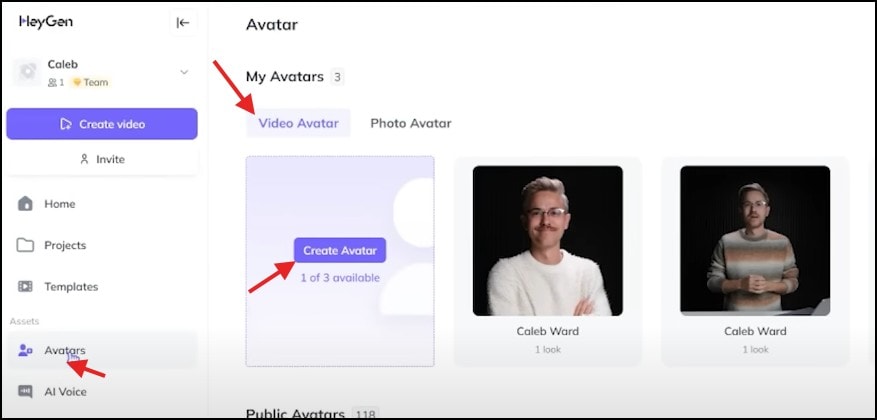
- Once you are signed in, click on the Avatar button on the left-hand side of the dashboard
- Browse through the available avatars or use the search bar to find one that suits your desired persona
- If you want to create a new AI Avatar, click on Create Avatar on the Video Avatar panel
- Then click on the Get Started button and select Motion
Step 3: View Instructions and Upload Footage
- After you click on Motion, a window will open for you to choose between a video or text instruction on what type of video the AI needs
- For the purpose of saving time, select the Text Instruction option. Carefully go through it.
- Once you are done reading the instructions, click on the Next button at the bottom of the screen
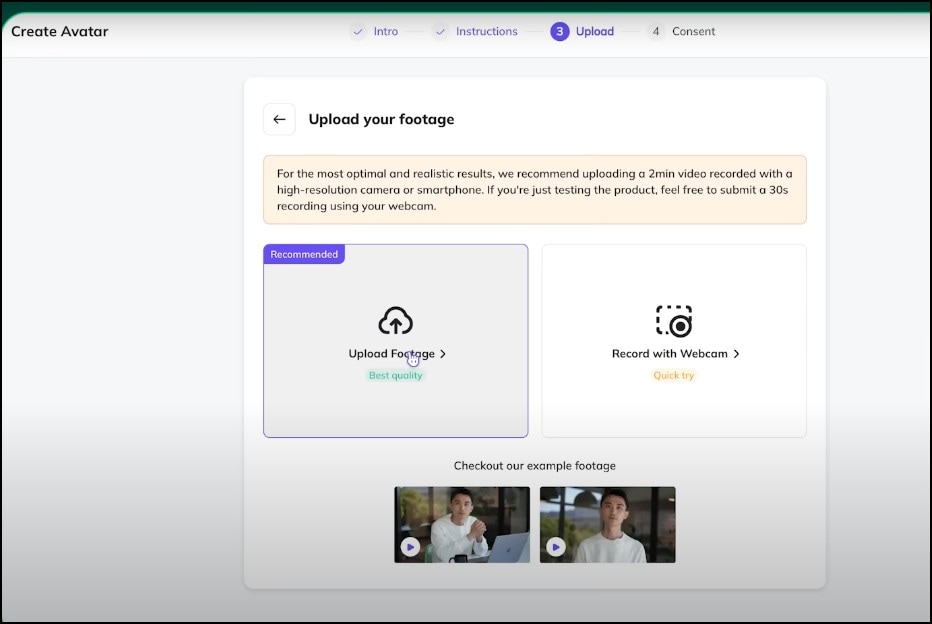
- Now, you either click on Upload Footage to upload an already existing video, or click on Record with Cam to record a video directly on the tools using your device’s camera
Step 4: Get Consent from Subject
- You will need to give approval to the tool to make an AI avatar using your face by recording yourself. Simply click on the “Record” button
- If you are using the footage of someone else, just copy the link and send it to them. They will be able to verify it from their own device.

Step 5: Add Audio to Avatar
- Once your avatar has been created, click on the Avatar button on your dashboard and select the new avatar.
- On the next page that will appear, click on Create with AI Studio
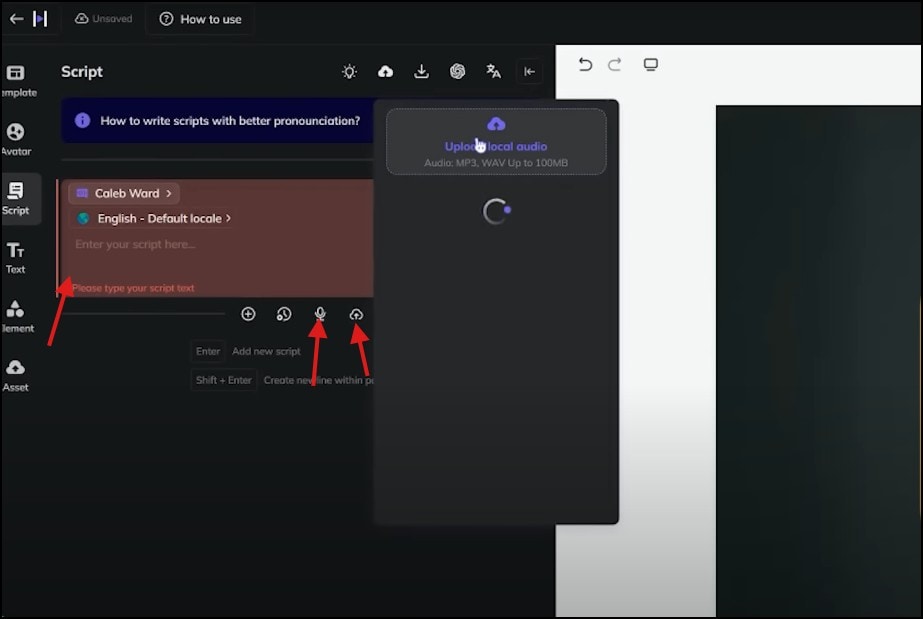
- A dashboard will appear where you can either add audio to the clip by pasting/typing text script into the text box, recording your voice directly on the tool, or uploading audio from your device
- Preview the video and then click on Submit. The AI video avatar generation takes about 10-15 minutes.
Note: While HeyGen is the most popular tool that is used by most creators to create the AI video avatar, the pricing is a thing of concern for a lot of people, especially those who want to create multiple clips within a short period of time.
Are There Other Cheaper Tools to Generate the James Dooley-Style AI Video Avatar
Yes, there are! If the pricing of HeyGen is a thing of concern for you, you don’t need to worry, as there are other cheaper tools to make the same style of videos. And one of the affordable alternative tools for this is the Wondershare Filmora software.
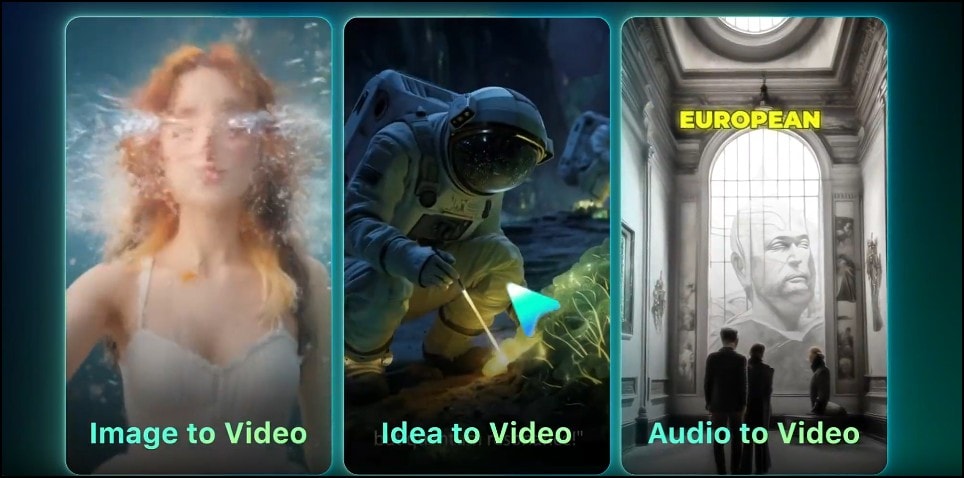
Filmora is a popular video editing software that has become very popular amongst content creators. One of the reasons this software has gotten lots of approval is the massive collection of AI features it has. And when it comes to generating a James Dooley-style AI video avatar, you can use Filmora’s AI Idea-to-Video feature to create your clips in a few minutes.

 secure download

Part 3: How to Create a James Dooley-Style AI Video Avatar With Filmora
Below is a detailed guide on how to create a James Dooley-style AI video avatar using the Idea-to-Video feature on Filmora:
Step 1: Launch Filmora & Open “AI Idea to Video”
- Open Filmora on your computer.
- On the home screen, click on AI Idea to Video.
- If you don’t find the feature on the home screen, click on the Toolbox button located at the right-hand side access panel.
- Scroll through the collection of available tools and select AI Idea-to-Video, and a new interface opens where you’ll start creating your video.
 secure download
Step 2: Input Your Script/Prompt and Set Video Preferences
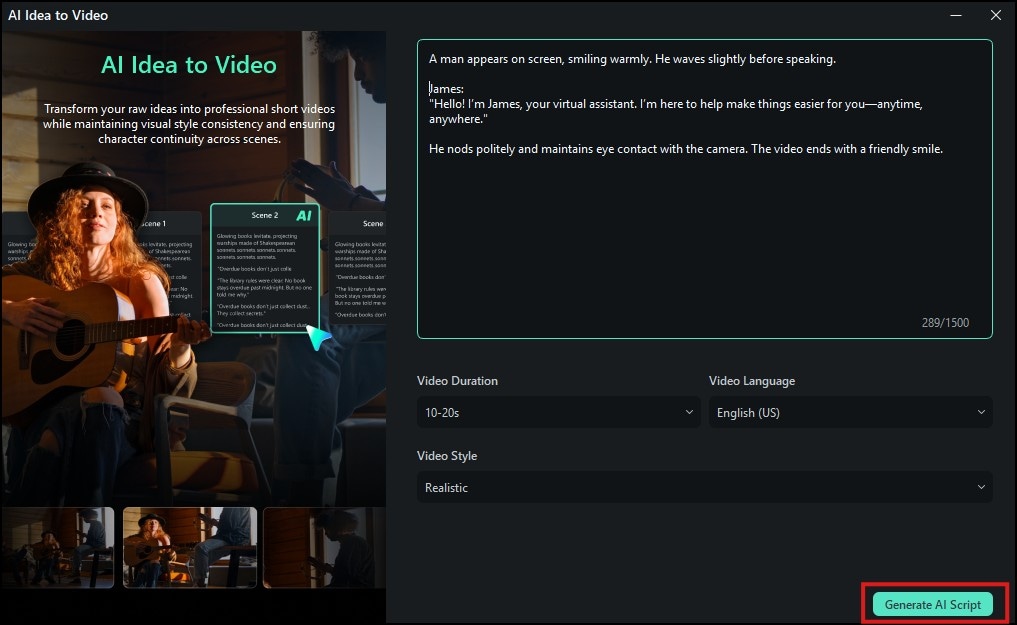
- Type or paste your short prompt into the text box.
- Below the textbox, you will find an option to select your preferred video style or theme (e.g. cinematic, casual, animated).
- You can also set the duration and the resolution you want the clip to be by clicking on the corresponding buttons.
- Once you are done, click on Generate AI Script and Filmora will automatically create a script for the video clip
Step 3: Edit Script and Upload Reference Photo
- Click on the Edit button on each scene of the script to customize it to your preference
- In the character box, click on Upload Image to select a reference photo from your device.
- After uploading the reference photo, click on the Generate button and wait for Filmora to process the script and generate the clip

Once the video generation is complete, click on the Export button to save the video to your device.
Conclusion
James Dooley’s AI video avatar has shown us how powerful, funny, and engaging digital characters can be when done right. With its sarcastic style to its realistic delivery, it’s no surprise people and brands have been making this type of avatar to engage their followers on social media.
We believe that with everything we’ve shown you in this article, you can now create your own AI video avatar with ease. So, don’t just watch from the sidelines, try it out today on Filmora or HeyGen and start building your own viral AI character.
