

 100% Security Verified | No Subscription Required | No Malware


 ChatGPT
 Perplexity
 Gemini
 Claude
 Grok
Grok
Gone are the days when we would only celebrate the cultural occasions. With the virality of social media videos, we now follow the recent trends. As October approaches, Gen Z goes dress shopping for the day and plans their dates. The first day of this month is special for those in a relationship. If you are wondering what is October 1st in relationships, the following article is for you.
In this article
Part 1. What is October 1st Regarding Relationships?
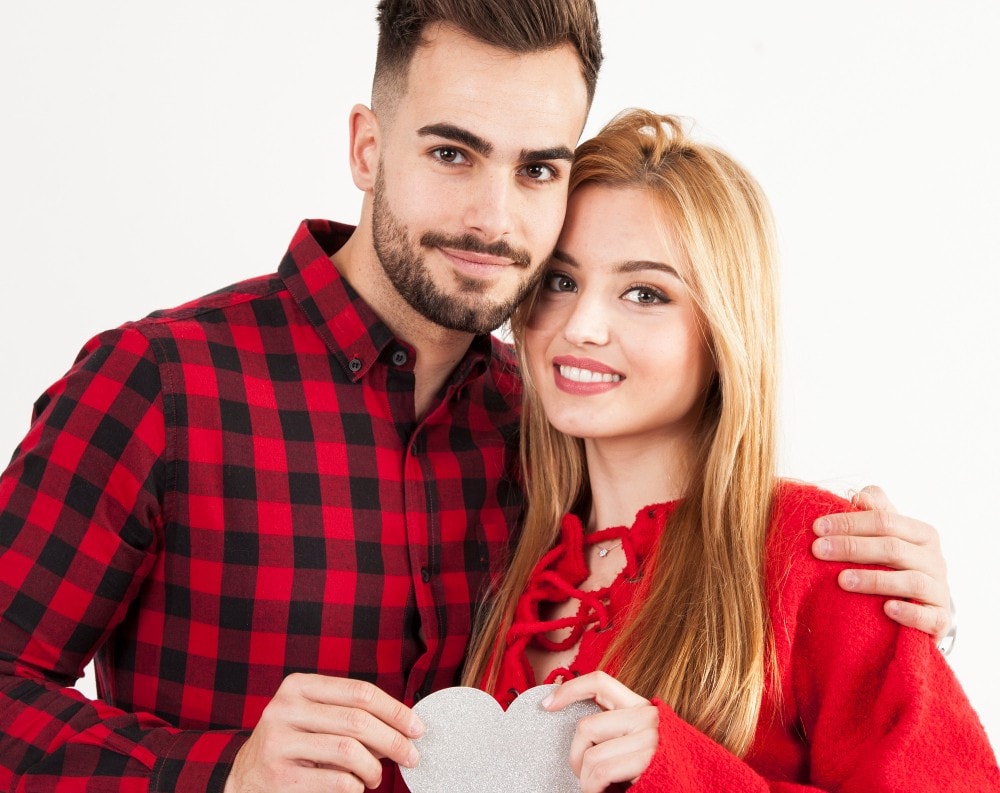
To answer the question of what is October 1st for relationships, it is a day of expression. Fueled by TikTok trends, October 1st has recently gained attention in online culture as a symbolic date for relationships. The day is often associated with posting romantic content and celebrating love with one's partner.
You must understand, October 1st is not an officially recognized holiday anywhere; its significance is entirely internet-driven. It still reflects how digital culture can transform an ordinary calendar date into a global expression of love and connection.
Part 2. What Makes October 1st More Than a Date?
Until a few years ago, this month came and went, and nobody did anything. The following section explains how and what turned this average month into a special time of the year:
- Sign of Appreciation in Relationships: It provides a person with a way to stop and show some form of gratitude to their partner in a way that they may not have done in everyday life.
- Enhancing Emotional Attachment: Making love publicly on October 1st will strengthen emotional attachment by increasing a commitment and love.
- Integrates Tradition and Modern Culture: The concept of October 1st TikTok is the combination of the age-old tradition of celebrating love with the contemporary and up-to-date trend culture.
- Social Media Amplification: This one trend can bring millions of individuals across the world together and give a specific niche concept a cultural moment.
- Creativity Opportunity: The couples do not just take it seriously, but many use it to express their dynamic on their media edits and captions.

What Does it Mean by October 1st TikTok?
In TikTok, the meaning of 1st October has assumed a new definition of relationships and love. It all started when people started uploading romantic material and usually with a popular song on in the background we fell in love in October. It has become an unofficial "Relationship Appreciation Day" on TikTok, fueled entirely by social media culture.
Why October 1st Captivates Gen Z and Social Media Culture?
October 1st on TikTok captivates Gen Z and social media culture by perfectly blending emotion, aesthetics, and trend-driven expression. This generation often values authenticity but also enjoys curated online moments that entertain them. This attribute makes them showcase love in ways that feel both personal and shareable.

Part 3. How to Participate: Ideas for Couples, Singles, and Content Creators
Now that we have an idea about the significance of this day, the next step would be to celebrate it. But for that, you will need a solid plan that makes the day memorable. The following list of ideas will help you plan the perfect date for the Girlfriend Day October 1:
Sending Sweet Messages and Greetings
One of the simplest ways to take part in October 1st is by sending heartfelt texts or messages to a partner, crush, or even close friends. A thoughtful greeting can make someone feel valued and included in the trend. Even singles can join by sending uplifting notes to friends or family, spreading positivity beyond romance.
Gift Giving/Spending Quality Time Together
Couples can mark this day with small gifts like flowers or handwritten letters to show affection. Beyond material presents, simply spending quality time together can make the day memorable. Those who are not in a relationship can spoil themselves by buying flowers or watching their favorite movie.
Social Media Shoutouts
Posting about your relationship online is one of the most popular ways to celebrate the day. Couples often share cute photos, anniversary-style captions, or fun couple challenges to showcase their connection. Singles can join the bandwagon of this October 1st TikTok trend by sharing posts on social media, encouraging people to celebrate the event.
@islapeaker ♬ Come Back (Buddha Remastered 2001) - The Five Stairsteps
Creative Romantic Video Edits
For those who love editing and storytelling, October 1st is a perfect excuse to create aesthetic or romantic videos. Using a video editor like Filmora, you can enhance your films and make them shine through its built-in assets. If you are single, you can engage with the posts of couples sharing romantic posts on this day.

Pro Tip: Create Impactful TikTok Relationship Videos Using Filmora
As the first day of October is mainly about sharing content on social media, you must get your hands on a decent video editor. With Wondershare Filmora, you can enhance a raw video using its AI and basic features. It offers a range of exciting built-in assets that complement your memorable films. If you lack a professional camera, use the AI features to enhance the video quality with a single click.
As for the mobile users, the Filmora App [iOS/Android] allows them to keep their editing processes on the go. It has a massive collection of text templates and fonts that help you convey a message to your long-distance partner. With the romantic stickers and emojis, your message can be complemented easily. Moreover, you can utilize the built-in music library or generate custom AI music to bring life to your film.
Using the Desktop Version of Filmora to Create a TikTok Video
The desktop version follows two methods to create a perfect October 1st TikTok video for you. The following section explains both methods in detail:
Method 1. Generating Short Video Clips
The following guide covers the method of using Smart Short Clips on this platform:
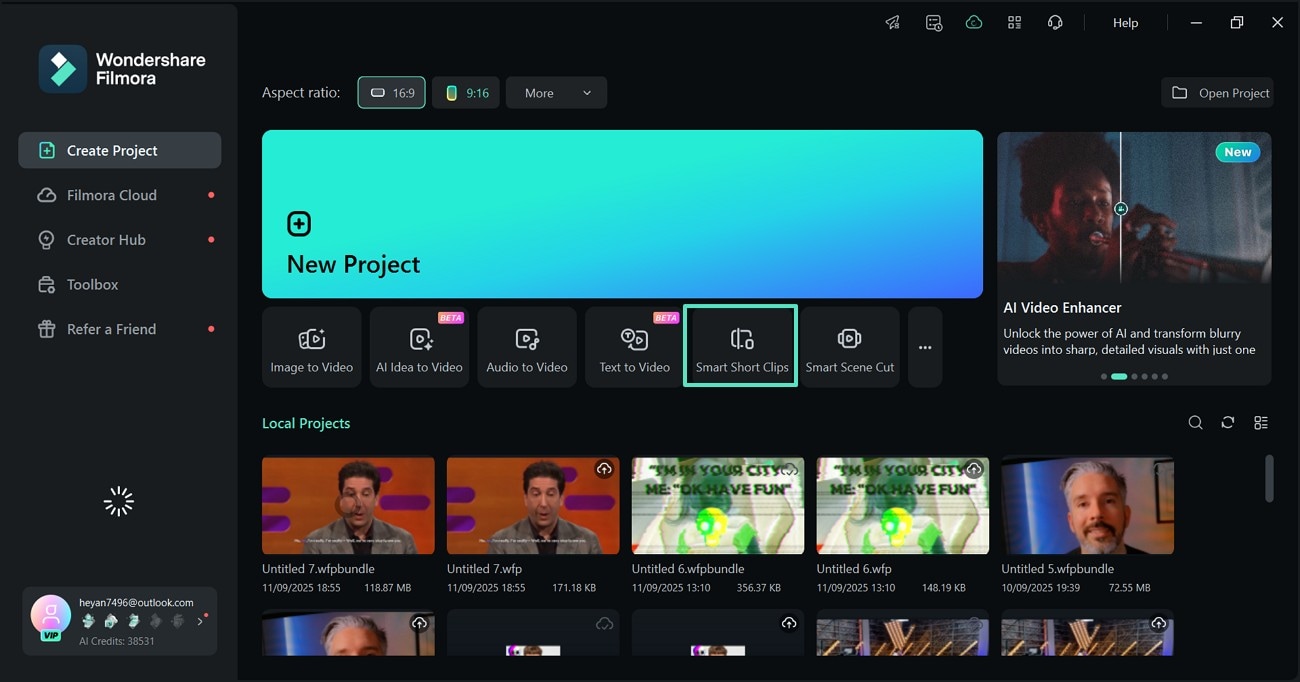
- Step 1. Access the Feature to Begin. First, open Filmora on the desktop and select the "Smart Short Clips" feature from the main interface.
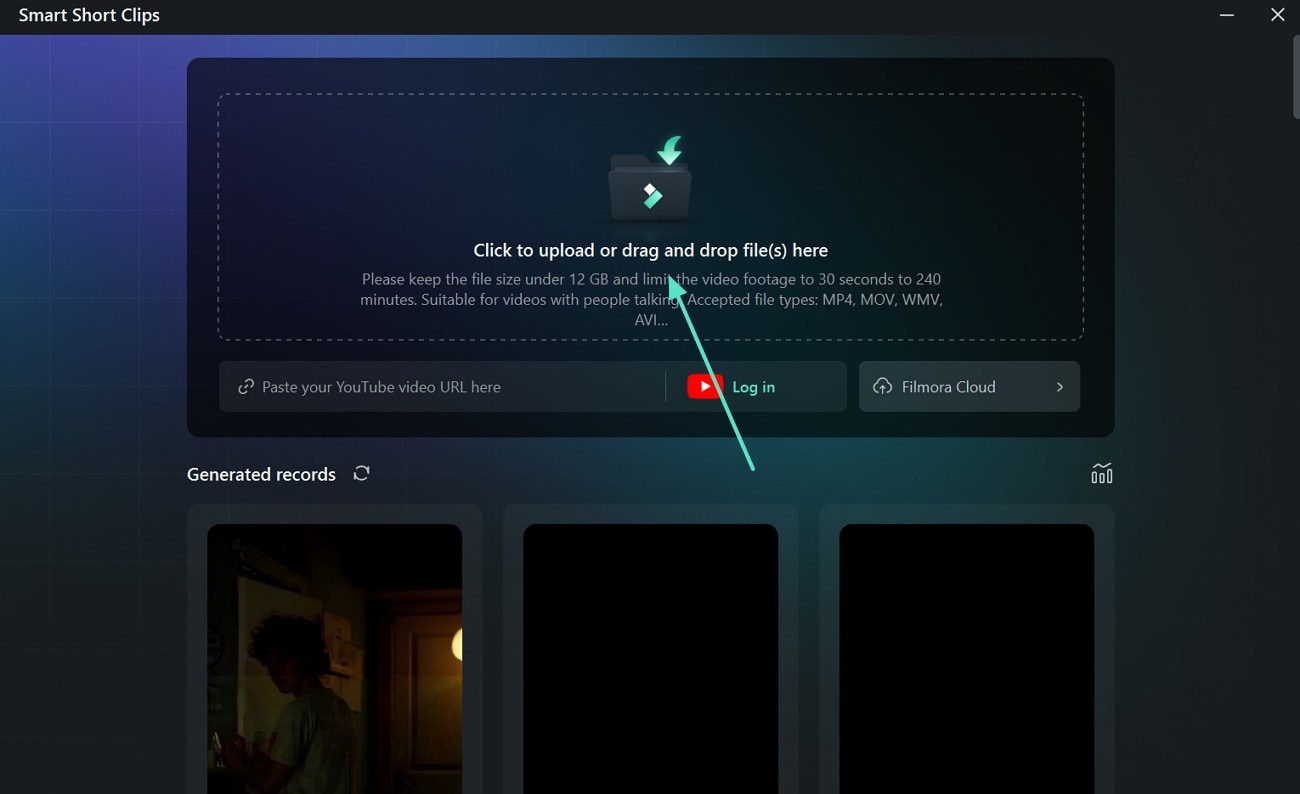
- Step 2. Import a 1st October Video. As you are directed to the next window, import a video that you filmed on your date.
- Step 3. Enter the Settings and Generate the Clip. Using the next screen, enter the "Project Info" and hit the "Generate" button to get the results on the following interface.
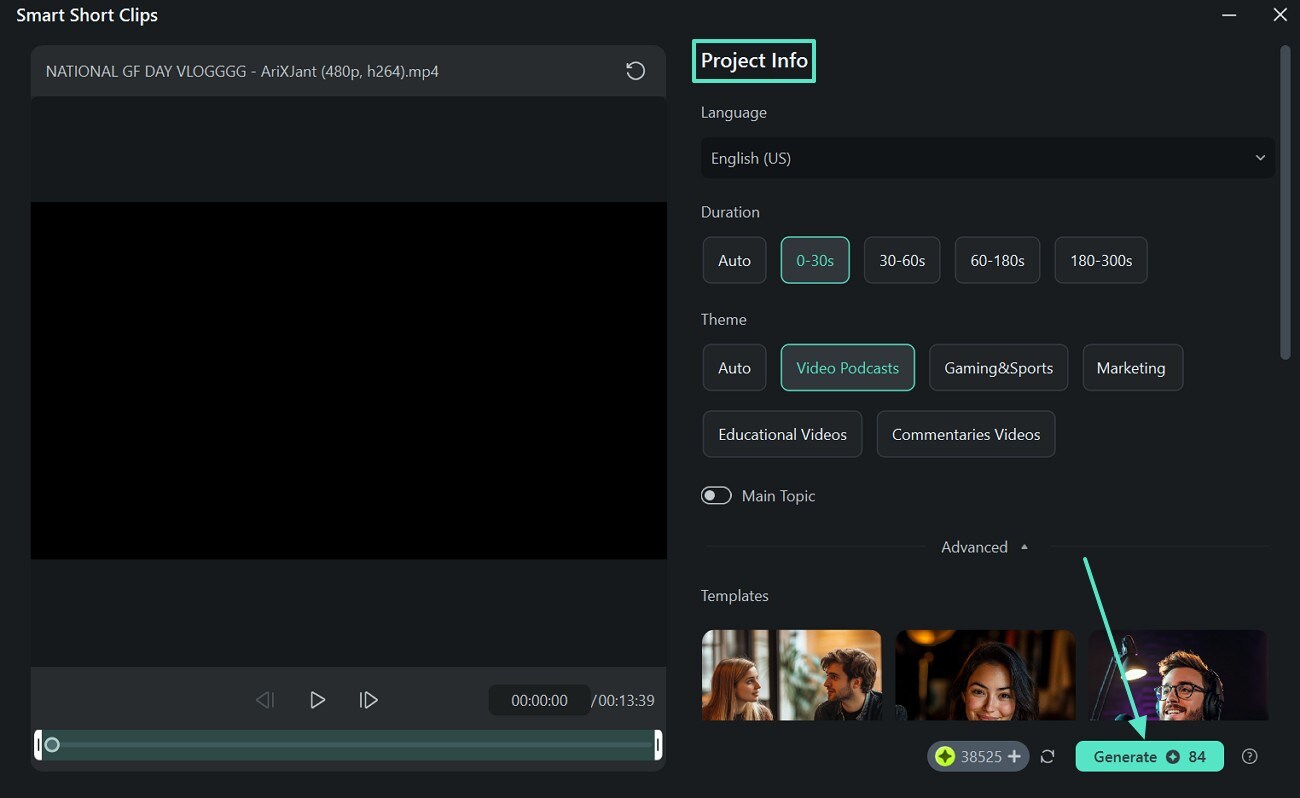
- Step 4. Prepare to Edit the Generated Clip. As the generated clips appear on the screen, select the desired one and click "Edit" to bring it to the editing interface. The video will have automated dynamic captions with keyword highlights.
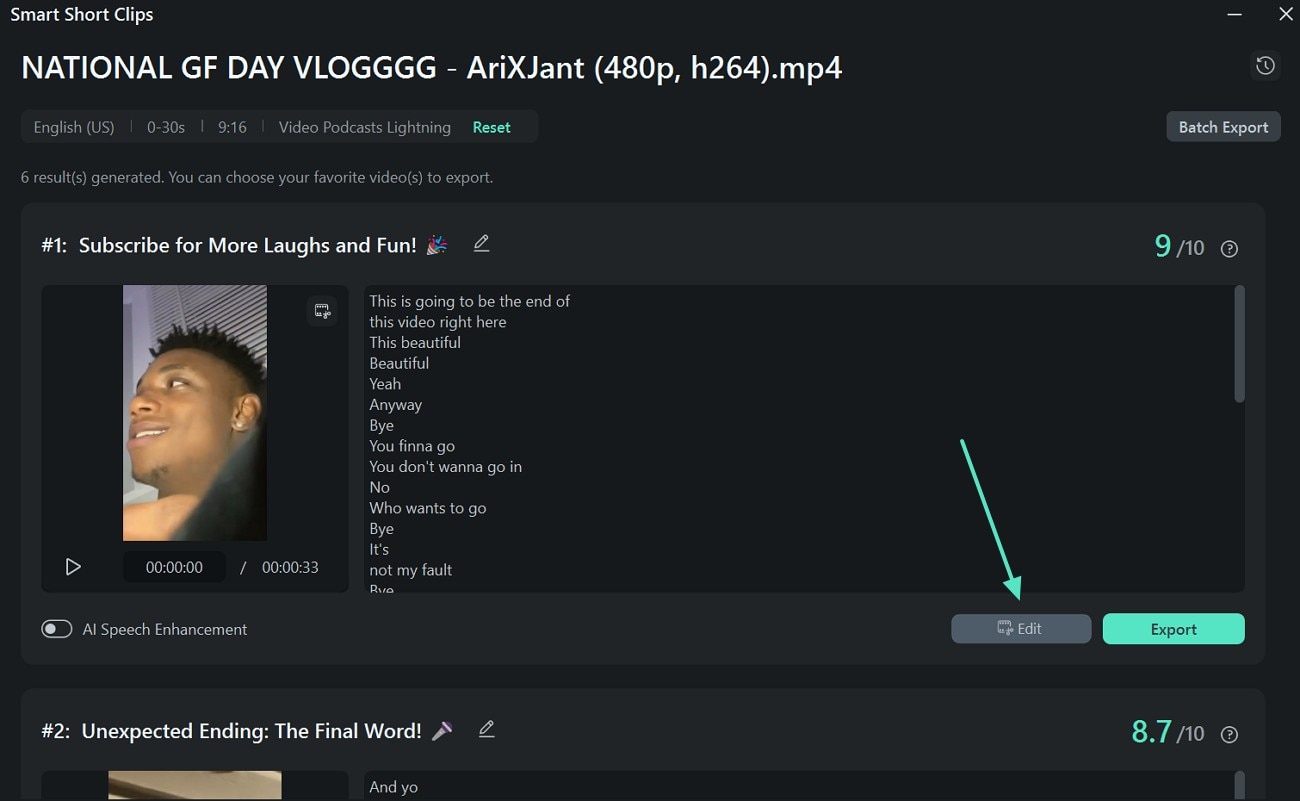
- Step 5. Use the Auto Reframe Feature. When the generated clip appears on the editing screen, right-click on the video in the media window and select the "Auto Reframe" option. As directed on the next page, click "Analyze" to let the AI detect the frames. When the desired frame emerges, toggle off the "Adjust Frame" option to lock the size. Now, click "Export" to continue to the next window.
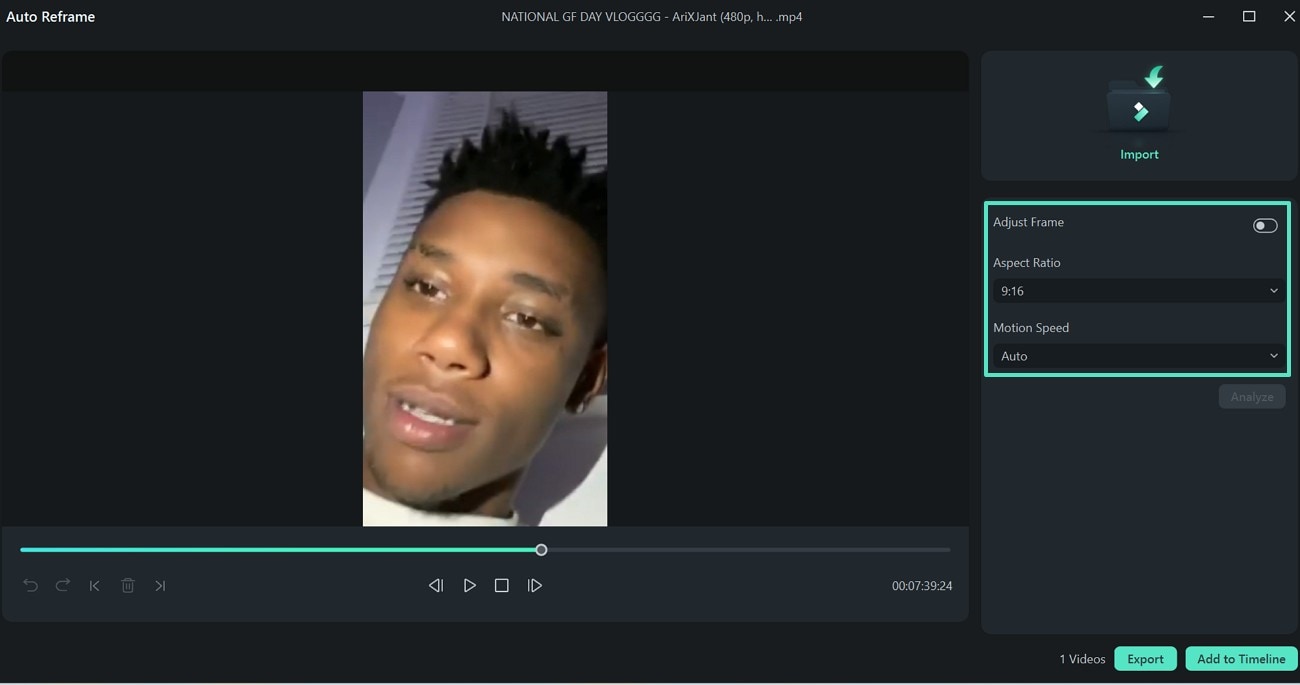
- Step 5. Pick a Clip and Export Directly Across TikTok. When the video-sharing platform list appears on the "Social Media" section, select TikTok and log in to directly share the clip.
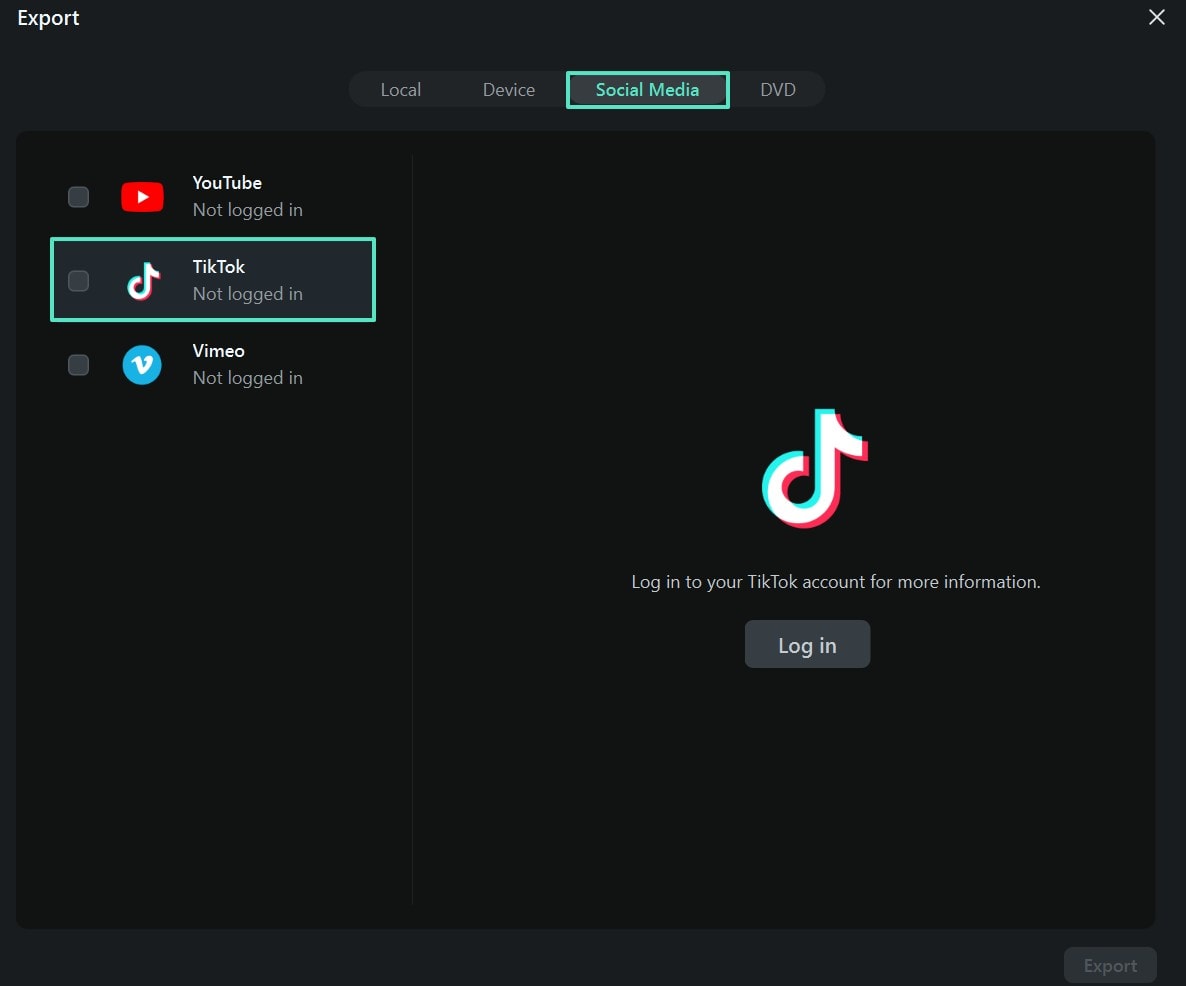
Method 2. Using the Image to Video Feature to Generate a Video
The Image to Video feature takes one image as input and generates an entire story by intelligently detecting the vibe of your input. The following steps feature a guide on using this method to create a film for October 1st on TikTok:
- Step 1. Initiate by Entering the Image to Video Feature. To begin with, open the main interface of Filmora and select the "Image to Video" button.
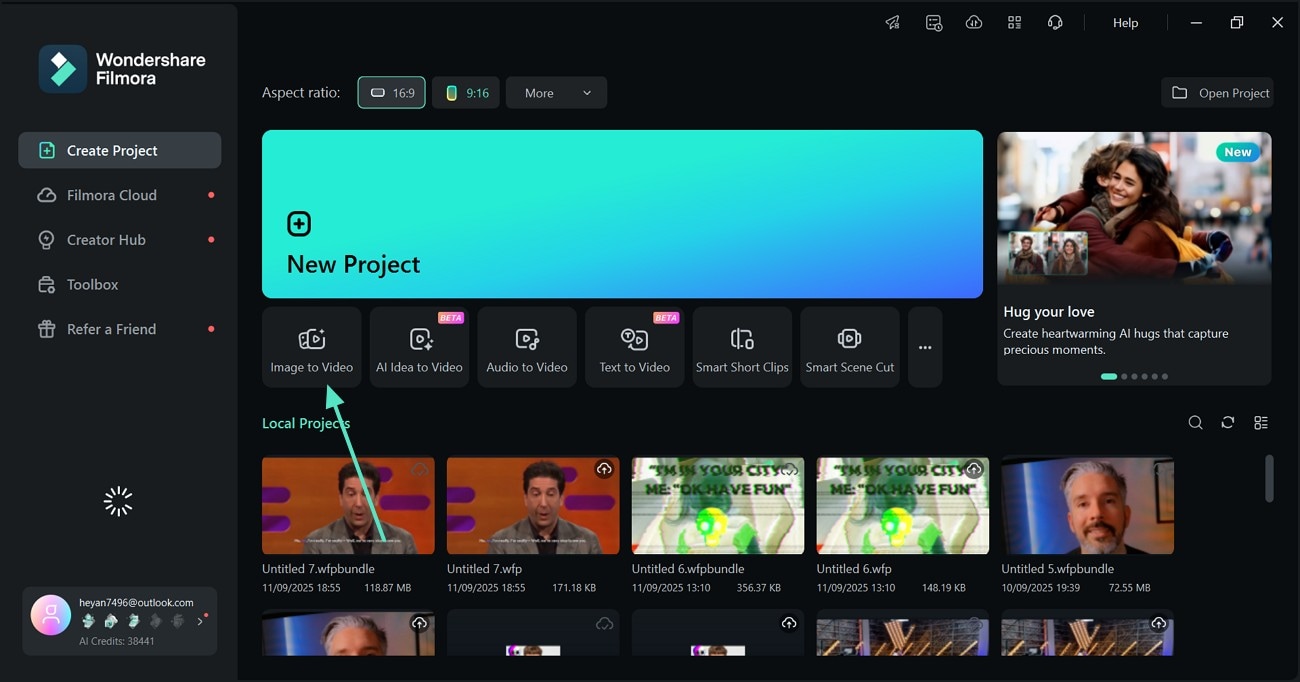
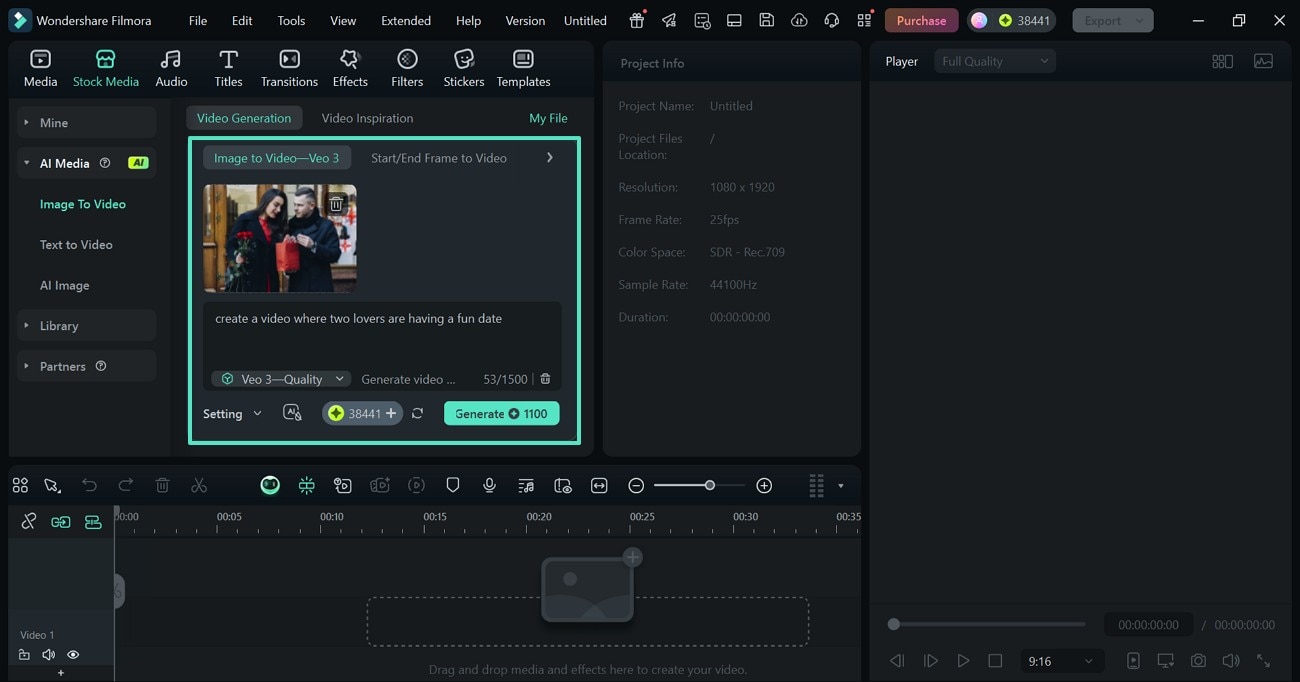
- Step 2. Generate the Video with Your Personalized Specifications. Now, click the import options from the "Video Generation" section on the right to bring an image from your device. Once imported, enter a description for the video and click "Generate" to start the AI task.
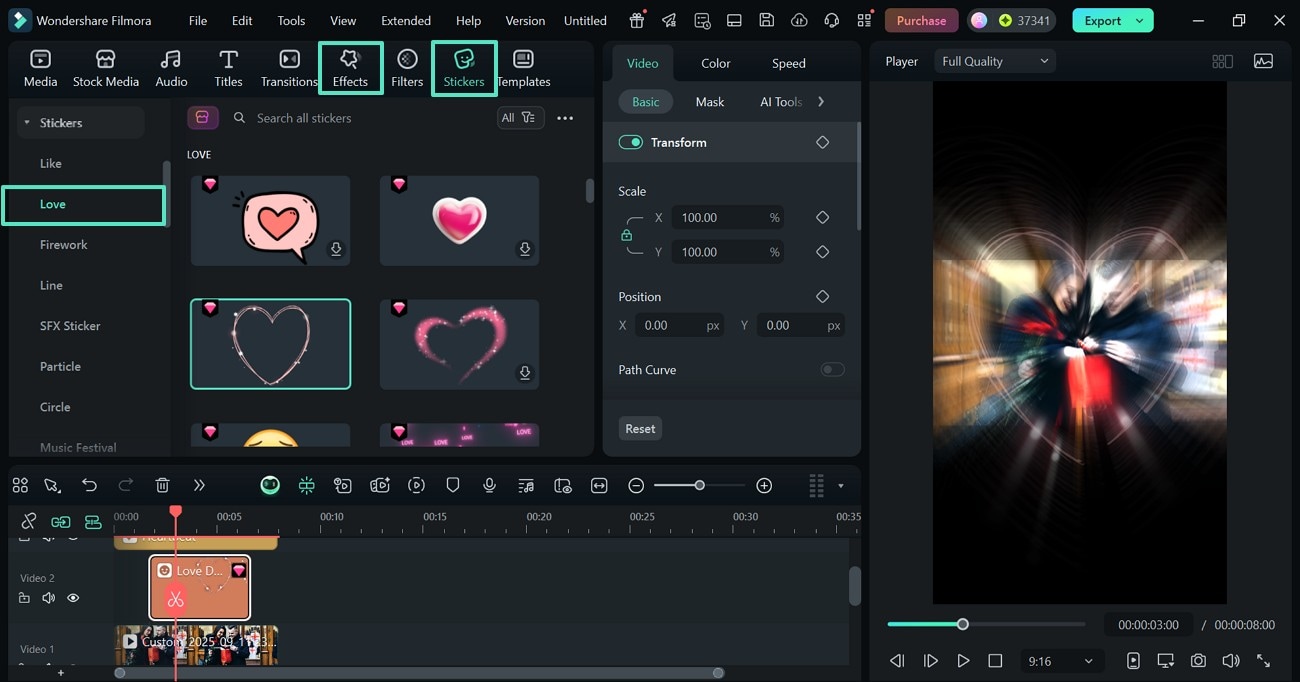
- Step 3. Add a Sticker and an Effect. Using the top toolbar, insert the desired "Effects" and pick your favorite "Stickers."
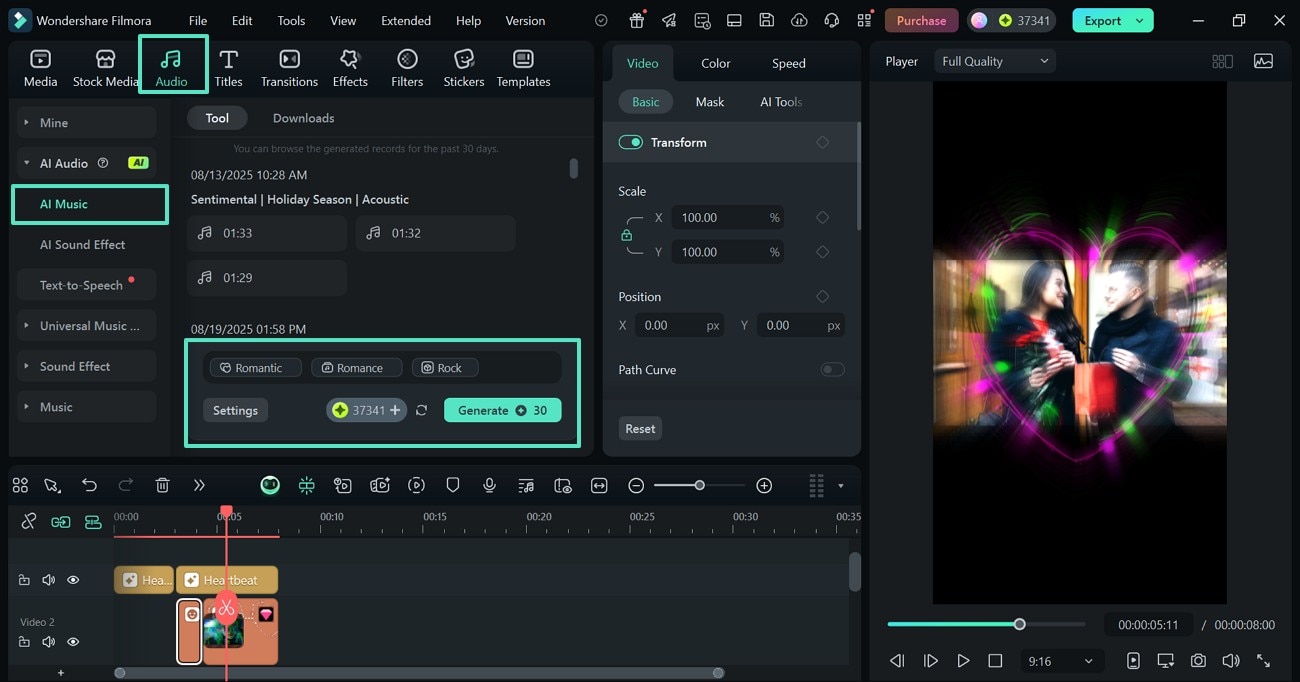
- Step 4. Add Some Music. To add some attraction with the sound, head to the "Audio" tab at the top and "Generate" an "AI Music" track in your custom settings.
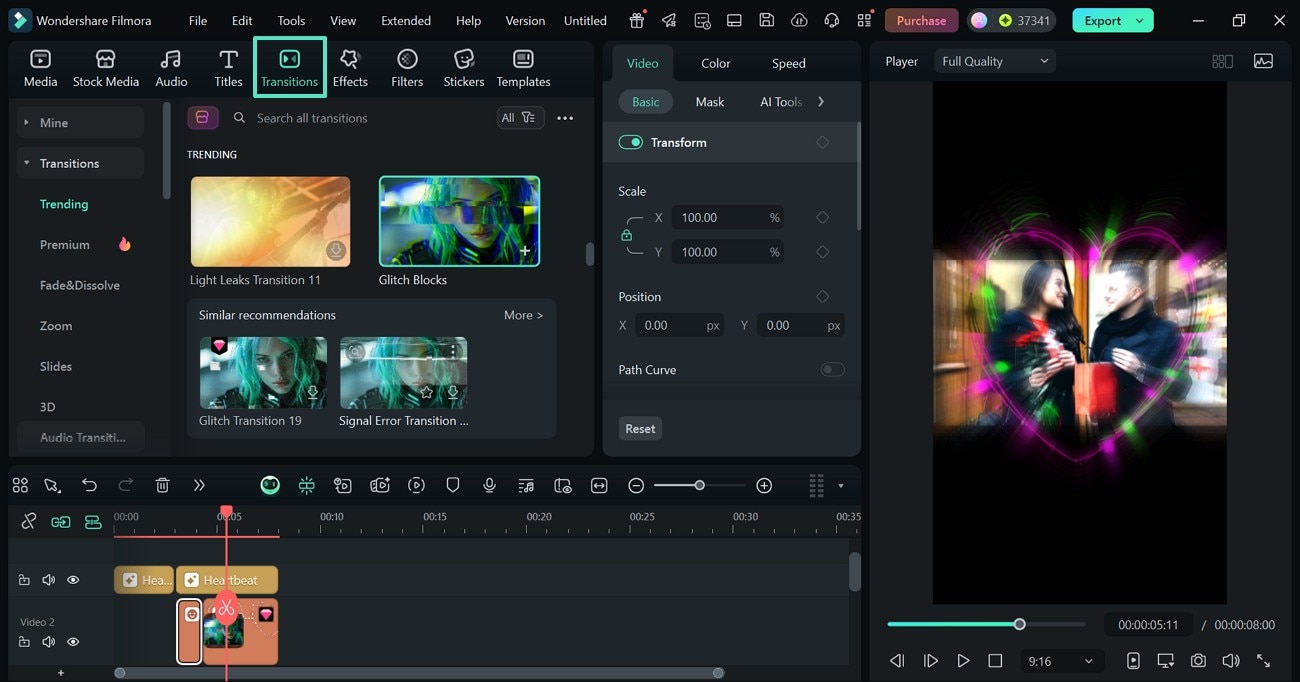
- Step 5. Set a Transition Between the Frames. To smoothly move from one scene to the other, add "Transitions" from the relevant tab at the top.
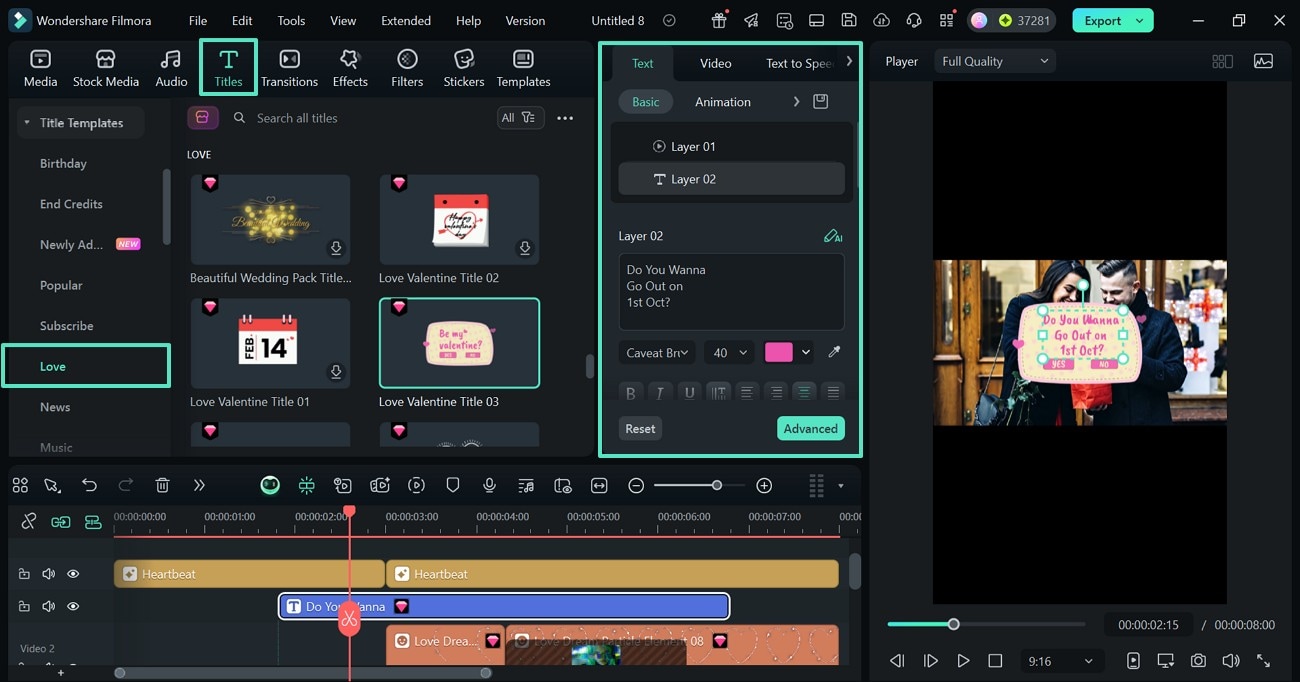
- Step 6. Use the Text Templates to Enhance the Message. To give more meaning to the video, explore and apply one of the "Titles" from the "Love" section.
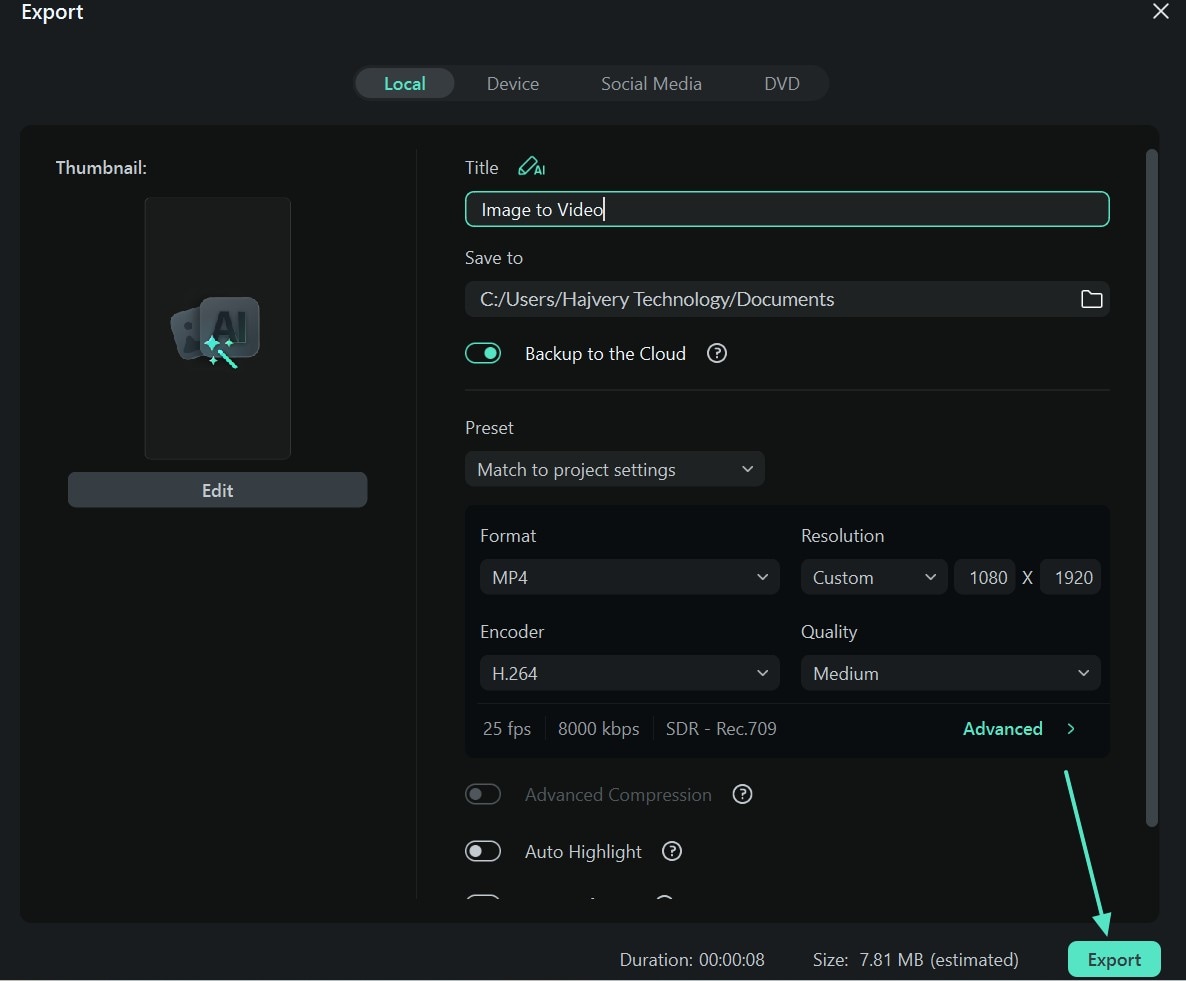
- Step 7. Save the Video to Your Device. When the video is edited, click the "Export" button to save the results to your device.
 secure download

Using the Filmora App to Create a TikTok Video
The following section covers a guide on using the Filmora App to create a compelling video for the October 1st TikTok trend:
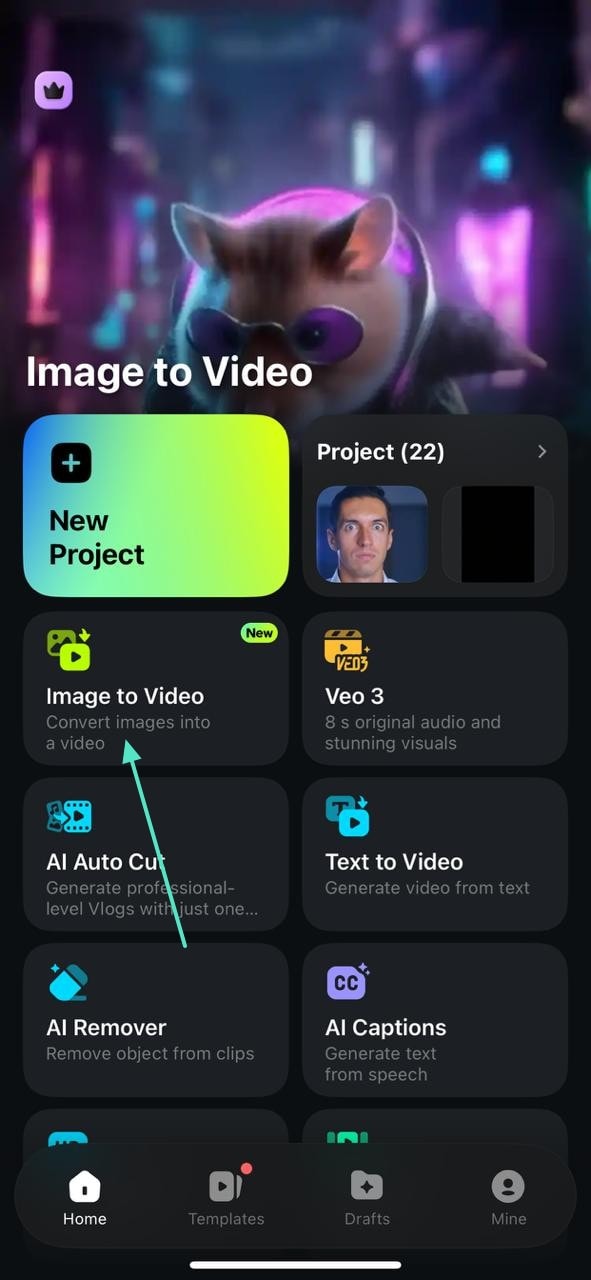
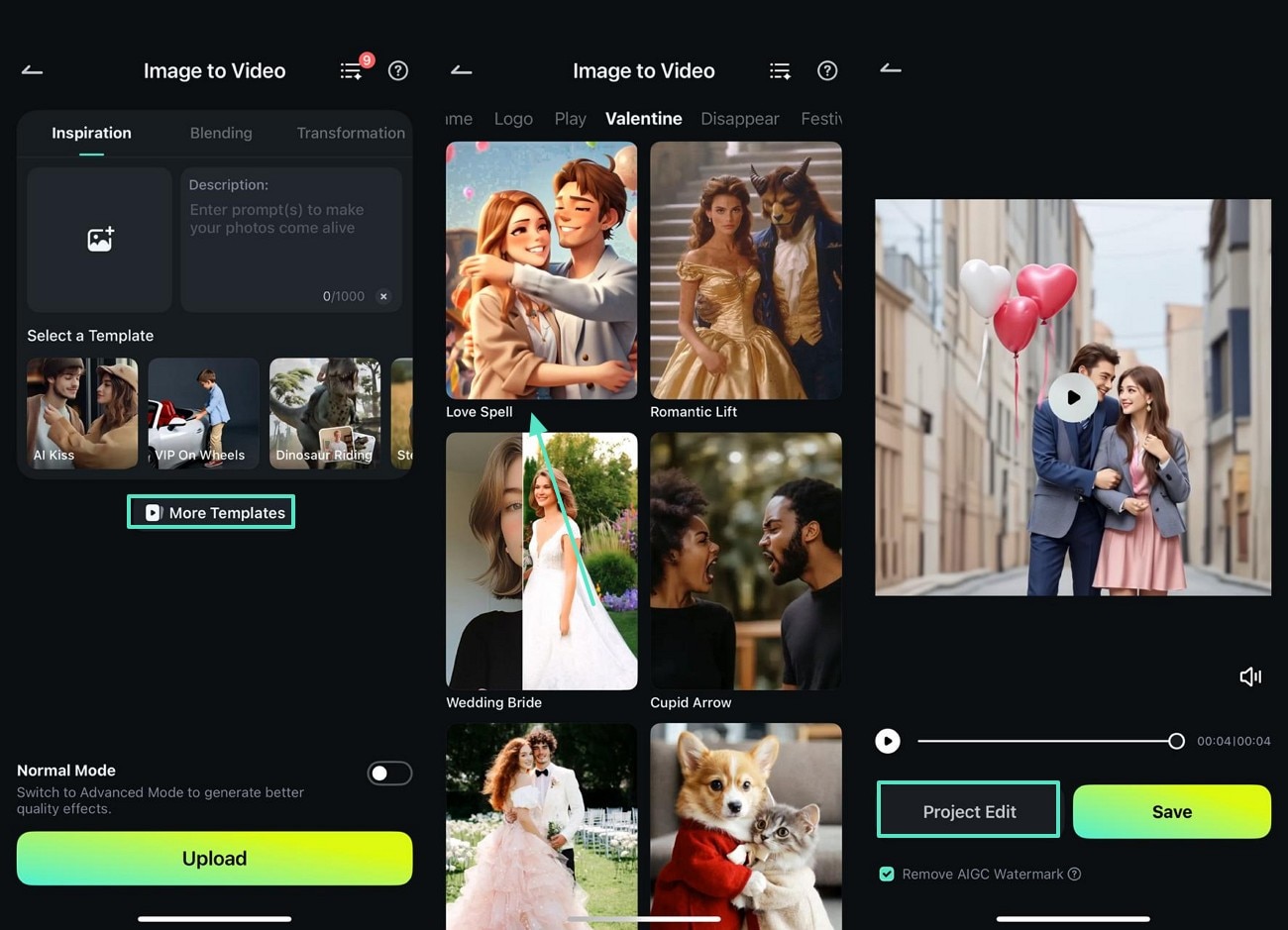
- Step 1. Start by Choosing the Feature. To start the process, select the "Image to Video "feature and head to the next interface.
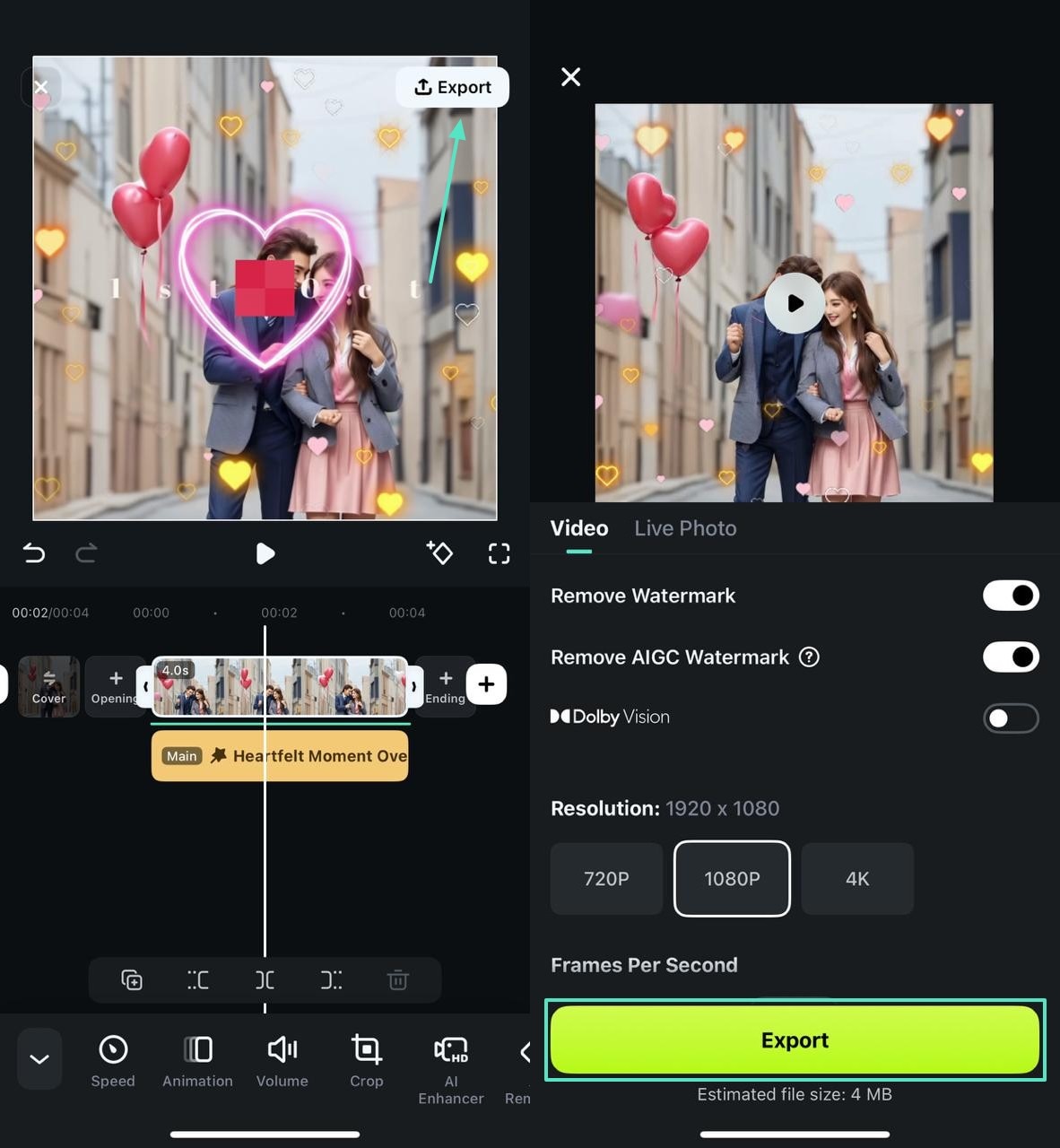
- Step 2. Select a Template to Generate a Video. Here, select the "More Templates" button and select a suitable love template. Now, import your couple photo to find the results in the next interface. As the results are generated, select the "Project Edit" button for video tweaking in the next screen.
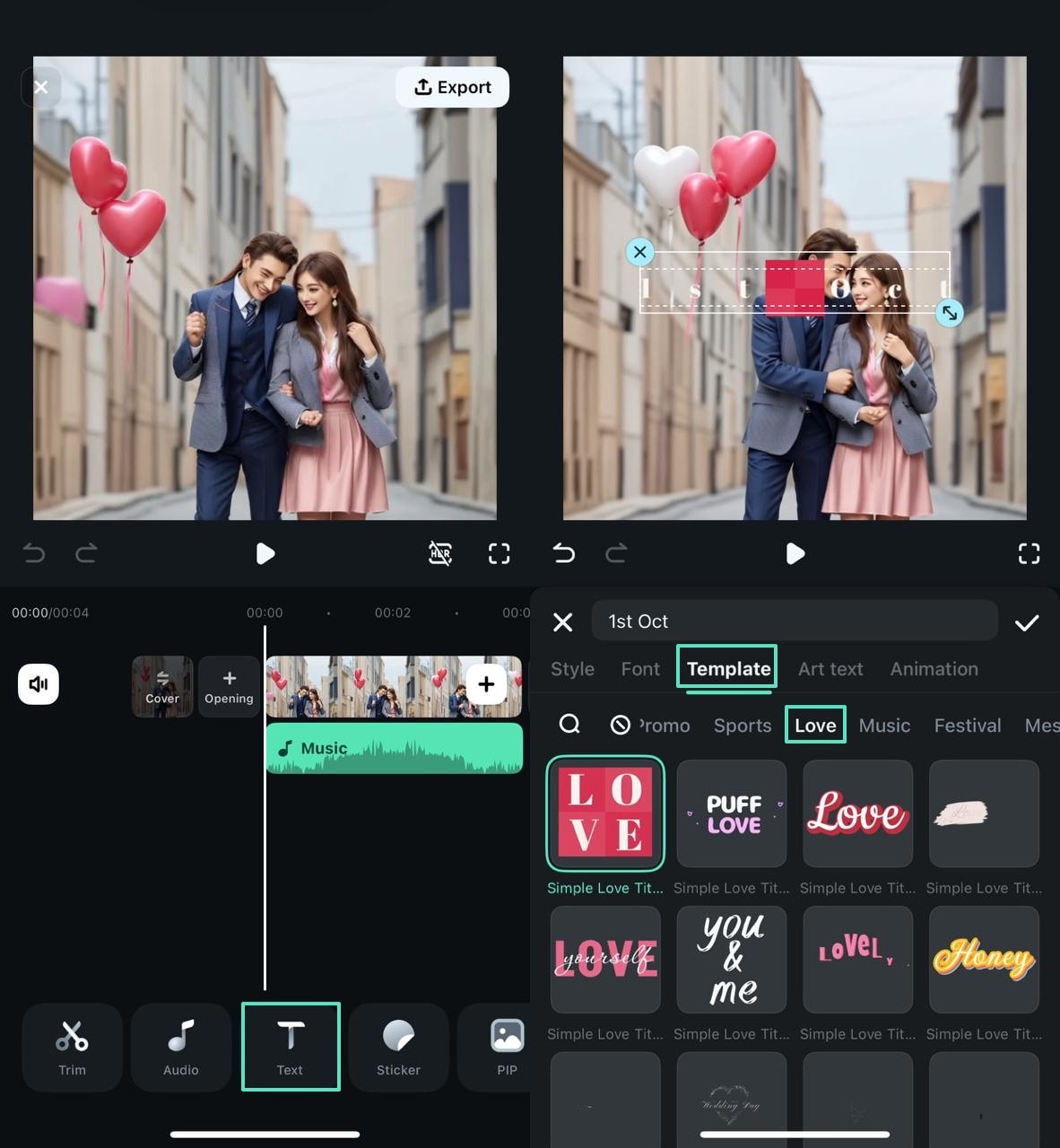
- Step 3. Add Text to Communicate. Using the next screen, enter the "Text" tab and write the message to your partner.
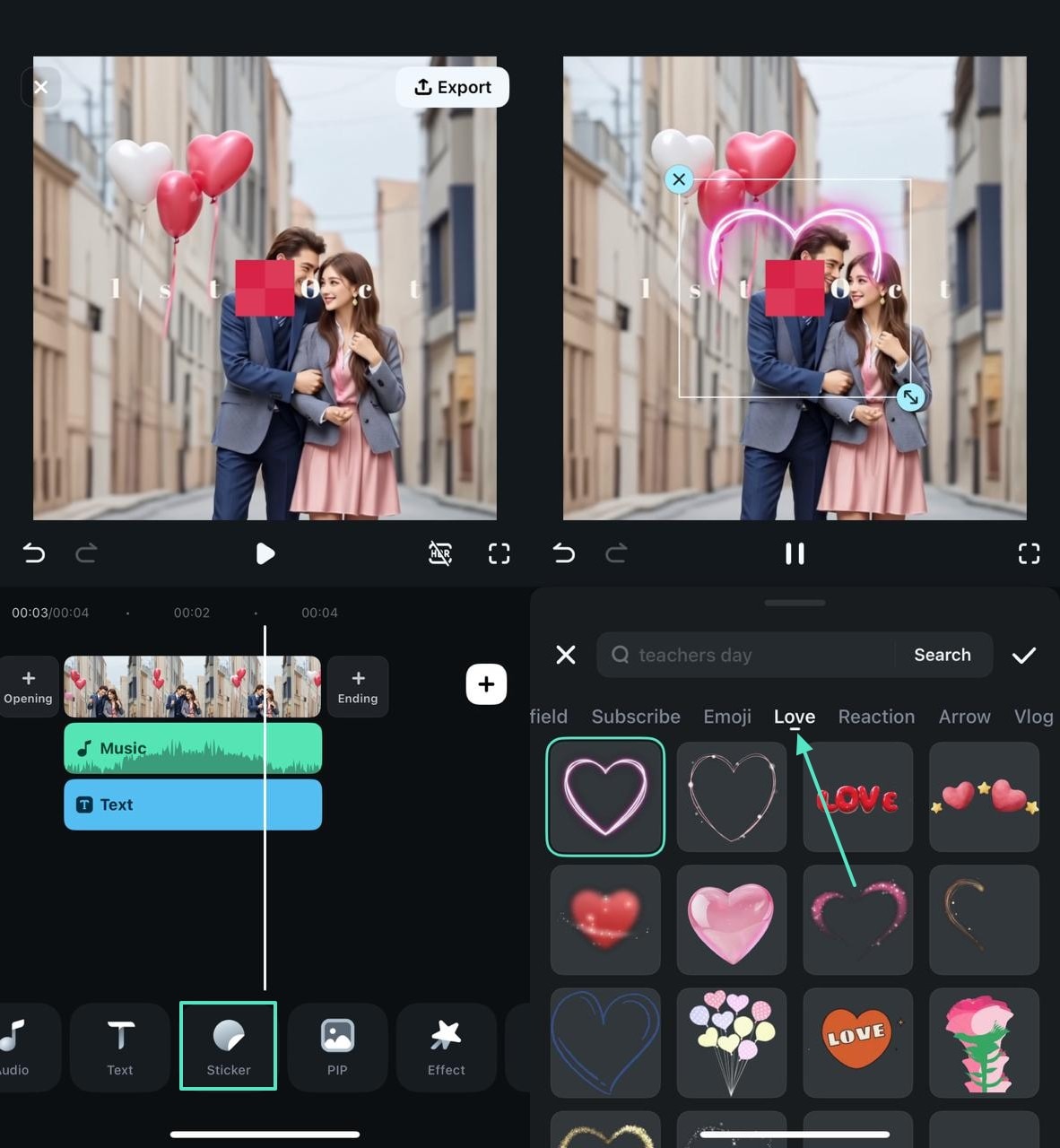
- Step 4. Insert a Heart Sticker. Now, enter the "Sticker" tab and insert a cool "Love" sticker from the library.
- Step 5.Add an Effect to Make an Impact. From the "Effect" button at the bottom, apply a resource from the "Love" section and continue.
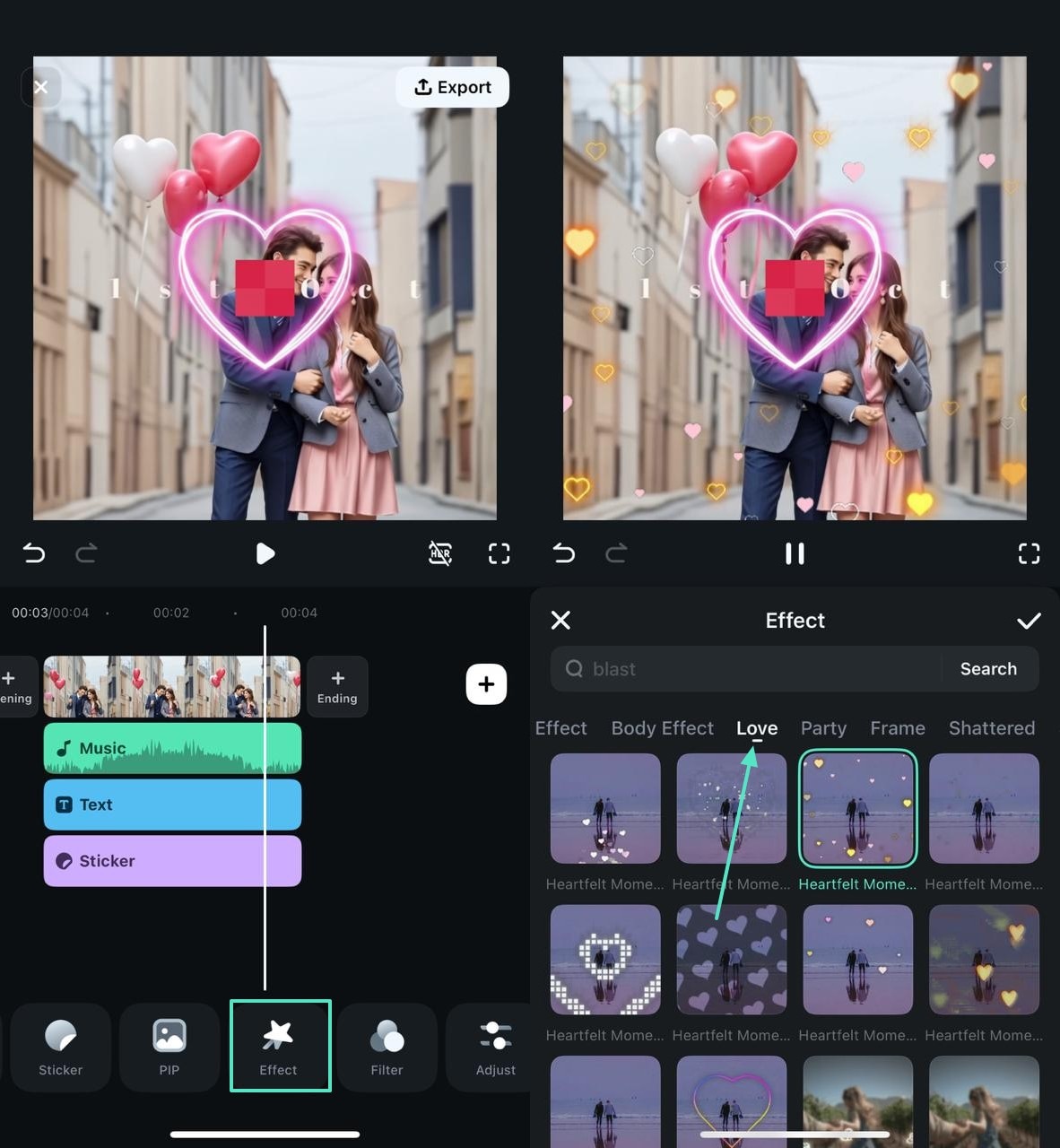
- Step 6.Save the 1st October Video to Your Phone. Once the video is perfectly edited, use the "Export" button on the top right to save the project.
secure download
Conclusion
In essence, social media trends have transcended the virtual barriers and have stepped into real life. TikTok videos have introduced a day for relationships, which is on the first day of October. This article explained what is October 1st for relationships and how you can celebrate it. This can be done using Filmora as it offers superior AI and basic editing features that can help you make the film shine.
