

 100% Security Verified | No Subscription Required | No Malware


 ChatGPT
 Perplexity
 Gemini
 Claude
 Grok
Grok
Army green carries a grounded, reliable energy. It blends the calm of nature with the toughness of military design, which is why it instantly feels serious, stable, and a bit rugged. In video and branding, this color can signal trust, discipline, and focus, while still feeling organic and earthy instead of sterile.
For creators, army green works beautifully in thumbnails, intros, lower thirds, overlays, and color grading when you want a cinematic, outdoorsy, or tactical mood. Below are 15 ready made army green color palettes with HEX codes you can plug directly into Filmora for vlogs, documentaries, gaming edits, and brand visuals.
In this article
Cinematic Army Green Color Palettes
Forest Patrol Hush
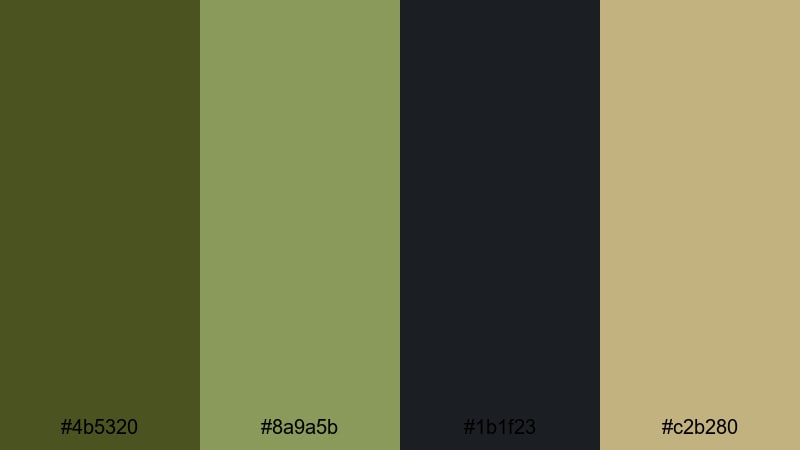
- HEX Codes: #4b5320, #8a9a5b, #1b1f23, #c2b280
- Mood: grounded, serious, cinematic
- Use for: Great for dramatic b-roll sequences, tactical gear reviews, or moody documentary intros.
Forest Patrol Hush is a muted, military inspired mix that feels steady and composed. Deep army green (#4b5320) and soft olive (#8a9a5b) sit against a near black navy (#1b1f23) and warm khaki highlight (#c2b280), giving your frame a serious, mission focused tone.
This palette works well for documentary openers, slow tactical b-roll, survival and preparedness content, or any video where you want your audience to feel the weight of the story. Use the darker tones for backgrounds, overlays, and shadows, then reserve the khaki for titles, lower thirds, and subtle thumbnail accents in Filmora.
Pro Tip: Build a Cinematic Army Green Look in Filmora
To keep this grounded army green look consistent, use the same HEX codes for your titles, shapes, and overlays throughout the project. In Filmora, you can set custom colors for text, callouts, and effects so your intro, b-roll, and end screen all share the same visual language.
Try grading your footage slightly toward the deeper greens, then add subtle vignettes or film grain effects. This keeps the image cinematic and serious while still feeling natural and watchable on YouTube, Instagram, or TikTok.
AI Color Palette
If you love Forest Patrol Hush, you can lock it in as your base look across an entire edit. Filmora's AI Color Palette feature lets you use a single reference image or shot graded in this army green style, then automatically match other clips to it.
Export a frame or color card with these HEX values, load it into the AI Color Palette tool, and apply it to your timeline. Your A-roll, b-roll, cutaways, and even social repurposes will share the same cohesive army green tone with just a few clicks.
 secure download

HSL, Color Wheels & Curves
Once your base army green grade is in place, refine it with HSL, color wheels, and curves. In Filmora, you can push the greens toward a slightly cooler or warmer hue, mute over saturated foliage, or deepen shadows to make your subject stand out. Tools like HSL and curves, explained in this guide to color correction in Filmora, give you precise control over contrast and color balance.
Use color wheels to keep skin tones natural while your greens stay strong, and adjust curves to darken the lower mids for a more cinematic, tactical atmosphere. Small tweaks can turn a flat army green frame into a rich, story driven image.
secure download1000+ Video Filters & 3D LUTs
To stylize your army green footage even faster, combine this palette with ready made filters and LUTs. Filmora's video filters and 3D LUTs make it easy to add vintage war film looks, teal and green cinema grades, or gritty contrast with one click.
Apply a LUT as your base, then fine tune with HSL and curves so the HEX colors from Forest Patrol Hush still dominate your branding. This workflow gives you a polished, professional army green aesthetic without spending hours on manual grading.
secure downloadNight Ops Cinema
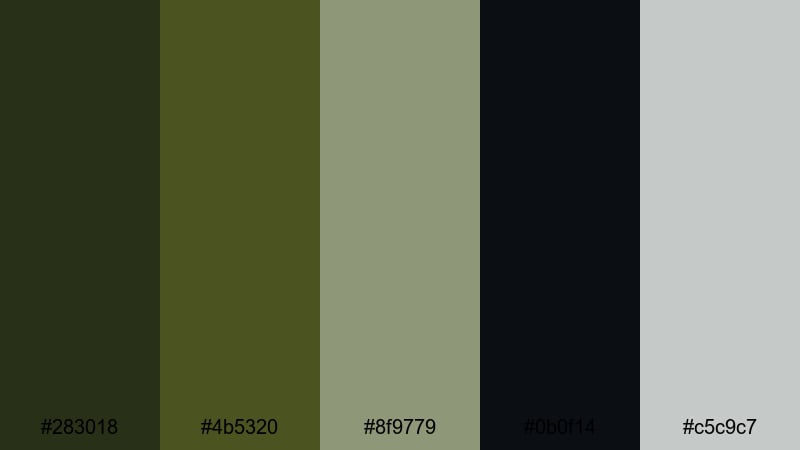
- HEX Codes: #283018, #4b5320, #8f9779, #0b0f14, #c5c9c7
- Mood: tense, covert, high contrast
- Use for: Ideal for action trailers, gaming montages, or stealth themed channel intros.
Night Ops Cinema mixes dark, swampy greens with near black shadows and cool steel gray highlights. The contrast between #0b0f14 and the lighter gray #c5c9c7 gives your frames a tight, high stakes feeling, almost like night vision without going neon.
Use this palette for gaming thumbnails, stealth mission edits, airsoft or paintball content, and intense cinematic trailers. In Filmora, you can color text and HUD style graphics with the lighter green and gray, while keeping backgrounds deep and shadowy to maintain that covert mood.
Desert Recon Grade
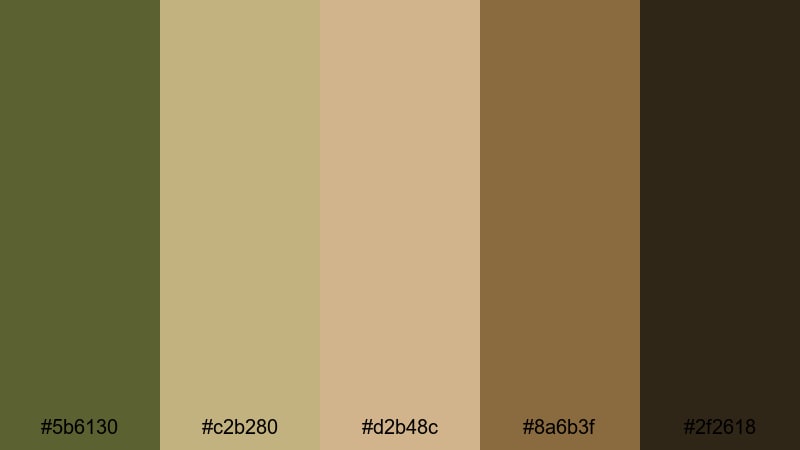
- HEX Codes: #5b6130, #c2b280, #d2b48c, #8a6b3f, #2f2618
- Mood: sun baked, rugged, documentary
- Use for: Works well for travel vlogs, off-road adventures, or desert war story edits.
Desert Recon Grade pairs dusty army green with layered tans and browns to capture that sun baked, sandblasted atmosphere. The combination of #c2b280 and #d2b48c echoes classic khaki uniforms and desert landscapes, while #2f2618 anchors the shadows.
Use this palette for 4x4 adventures, military history videos, desert travel vlogs, and retro style newsreel edits. It looks great when you color titles and overlays in warm tan while keeping footage slightly desaturated and green tinted for a vintage field report vibe.
Vintage Warfilm Grain
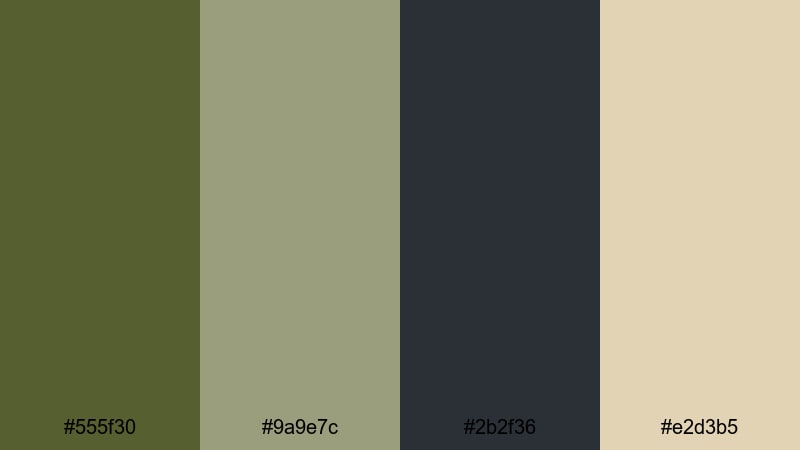
- HEX Codes: #555f30, #9a9e7c, #2b2f36, #e2d3b5
- Mood: nostalgic, muted, archival
- Use for: Perfect for historical edits, retro title cards, and faux archival sequences.
Vintage Warfilm Grain softens army green into faded, almost dusty tones. The mix of #555f30 and #9a9e7c with warm beige #e2d3b5 feels like old film stock that has aged over time, especially when contrasted with the soft charcoal #2b2f36.
This palette is ideal for documentary flashbacks, historical explainers, retro style intros, and fake archival footage. Apply a bit of grain and vignetting in Filmora, color your titles in beige, and let the muted greens suggest a story from the past.
Soft & Minimal Army Green Color Palettes
Sage Studio Calm
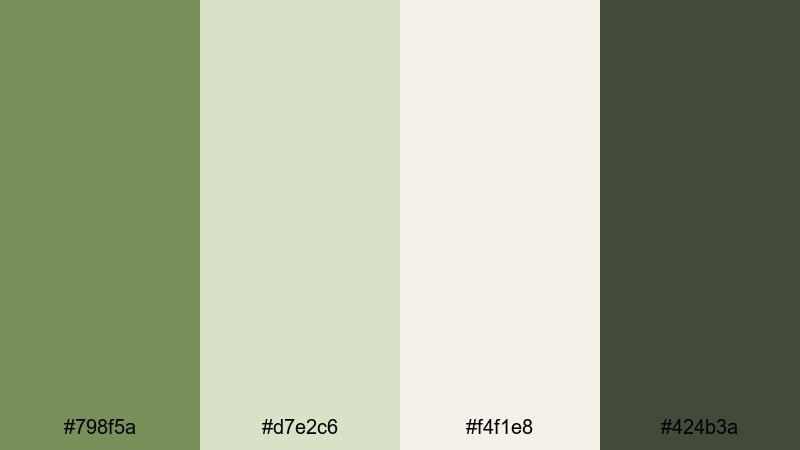
- HEX Codes: #798f5a, #d7e2c6, #f4f1e8, #424b3a
- Mood: peaceful, airy, focused
- Use for: Great for productivity vlogs, workspace tours, or minimalist brand intros.
Sage Studio Calm combines soft sage greens with airy off whites and a deep, grounding accent. #798f5a keeps the army green character while feeling lighter and more approachable, and #f4f1e8 helps your layouts breathe.
Use this palette in clean thumbnails, Notion style tutorials, minimalist workspace tours, or soft productivity vlogs. In Filmora, pick the light background shades for text boxes and the darker green for headings or call to action buttons, so everything looks intentional but never heavy.
Minimal Desk Setup
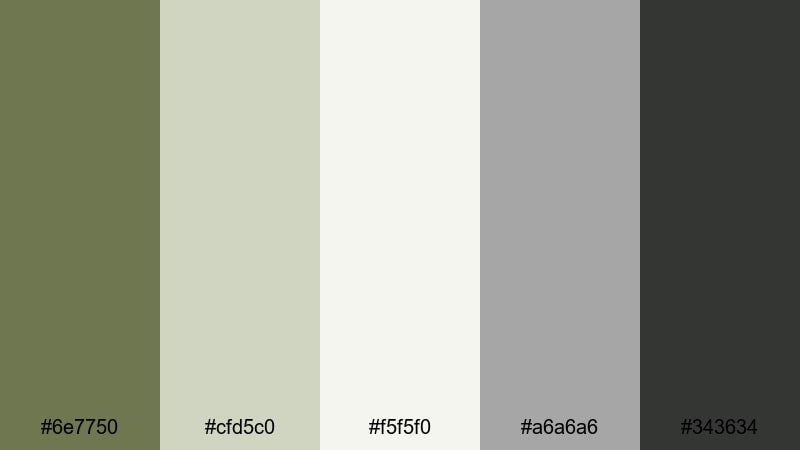
- HEX Codes: #6e7750, #cfd5c0, #f5f5f0, #a6a6a6, #343634
- Mood: clean, modern, understated
- Use for: Ideal for tech reviews, desk setup tours, and productivity shorts.
Minimal Desk Setup uses army green as a subtle accent against calm grays and off white. #6e7750 adds personality without shouting, while #f5f5f0 and #cfd5c0 give your layouts that soft, almost Apple like clarity.
It is a great pick for tech channels, keyboard builds, and workspace content where you want the gear to stand out more than the colors. Use the dark gray #343634 for text, the green for highlights and icons, and let the off white backgrounds keep everything modern and easy to read.
Quiet Loft Edit
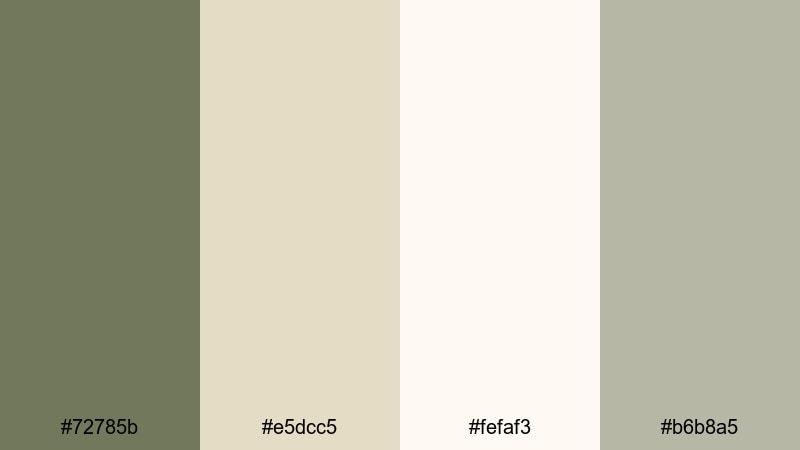
- HEX Codes: #72785b, #e5dcc5, #fefaf3, #b6b8a5
- Mood: gentle, cozy, reflective
- Use for: Nice for study vlogs, calm day in the life videos, or soft spoken commentary.
Quiet Loft Edit blends muted green with creamy neutrals to create a gentle, Sunday morning mood. #72785b provides soft contrast against #fefaf3 and #e5dcc5, giving your scenes a cozy loft feeling without harsh edges.
Try this palette for slow living vlogs, study with me content, journaling videos, or quiet commentary. In your thumbnails, use the lightest tones for backgrounds, overlay a semi transparent green wash, and highlight key text or icons with the slightly cooler #b6b8a5.
Paper Journal Aesthetic
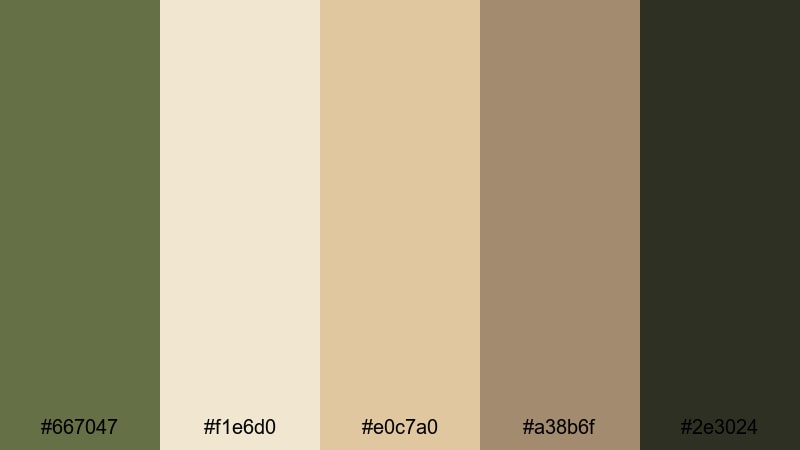
- HEX Codes: #667047, #f1e6d0, #e0c7a0, #a38b6f, #2e3024
- Mood: warm, analog, thoughtful
- Use for: Great for planning videos, bullet journal content, and soft lifestyle intros.
Paper Journal Aesthetic pairs a classic army green accent (#667047) with warm paper tones and inky browns. #f1e6d0 and #e0c7a0 feel like notebook pages, while #2e3024 mimics dark pen strokes and typographic details.
This palette is perfect for planning videos, weekly reset vlogs, goal setting intros, and stationery hauls. Use the cream colors for backgrounds, the army green for headings and sidebar labels, and the deeper brown for body text and doodle style graphics in Filmora overlays.
Bold & Urban Army Green Color Palettes
Streetwear Drop
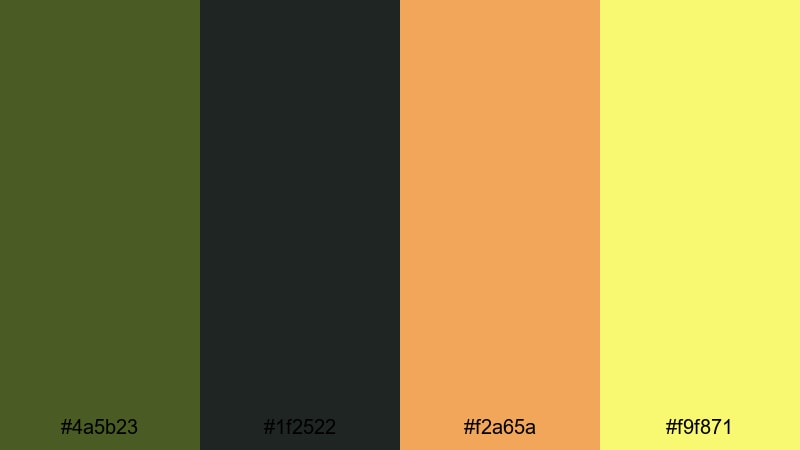
- HEX Codes: #4a5b23, #1f2522, #f2a65a, #f9f871
- Mood: edgy, trendy, high energy
- Use for: Perfect for fashion lookbooks, outfit reels, and hype product drops.
Streetwear Drop takes solid army green (#4a5b23) and deep charcoal (#1f2522), then slams in vivid orange (#f2a65a) and neon yellow (#f9f871) highlights. The result is bold and urban, with just enough grit to feel authentic.
Use it for clothing line launches, sneaker unboxings, lookbooks, and short TikTok or Reels edits. Let the green and charcoal dominate the frame, then use the bright accents sparingly for text, badges, price tags, or callouts in your thumbnails and motion graphics.
Neon Hangar Glow
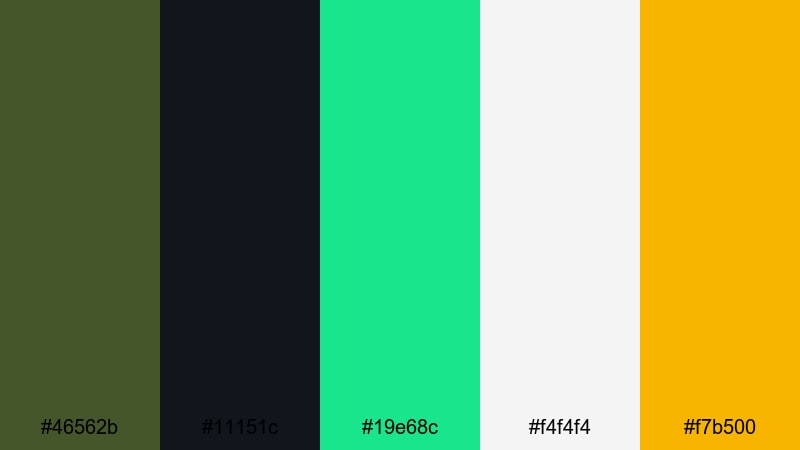
- HEX Codes: #46562b, #11151c, #19e68c, #f4f4f4, #f7b500
- Mood: futuristic, electric, punchy
- Use for: Great for channel branding, glitch transitions, or cyberpunk styled edits.
Neon Hangar Glow fuses industrial army green (#46562b) with a deep hangar black (#11151c) and electric aqua (#19e68c). The pop of yellow #f7b500 and clean #f4f4f4 makes it feel like a futuristic HUD or sci fi hangar.
It is ideal for tech channels, cyberpunk edits, glitch transitions, and high energy gaming intros. Use the neon aqua for outlines and logo glows, the yellow for critical callouts, and keep your backgrounds dark so the colors really feel like they are glowing on screen.
Graffiti Yard Grind
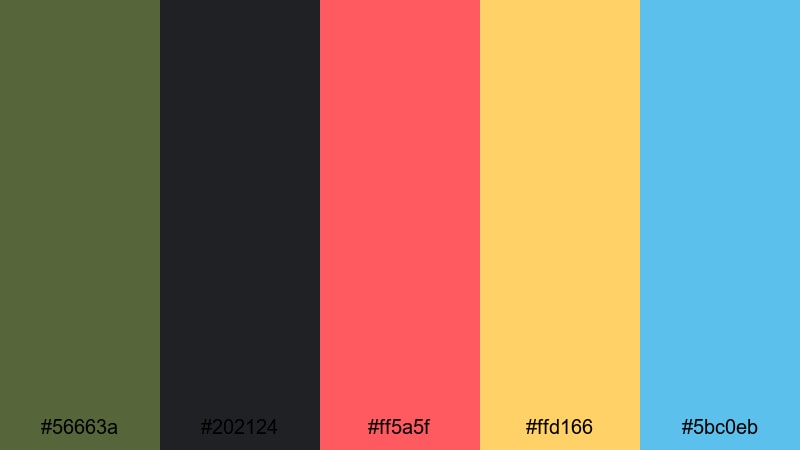
- HEX Codes: #56663a, #202124, #ff5a5f, #ffd166, #5bc0eb
- Mood: rebellious, colorful, urban
- Use for: Use for skate edits, graffiti tours, or energetic montage sequences.
Graffiti Yard Grind uses a grungy army green base (#56663a) and asphalt black (#202124) as the canvas for bright street art accents. The coral red (#ff5a5f), warm yellow (#ffd166), and sky blue (#5bc0eb) feel like spray paint straight from a wall.
This palette suits skateboarding edits, BMX and street sport content, graffiti walk throughs, and high tempo montage videos. In Filmora, mix graffiti style fonts in the accent colors with motion tracked text or overlays on top of grainer, green tinted footage for a raw but colorful street aesthetic.
Tactical Esports Hud
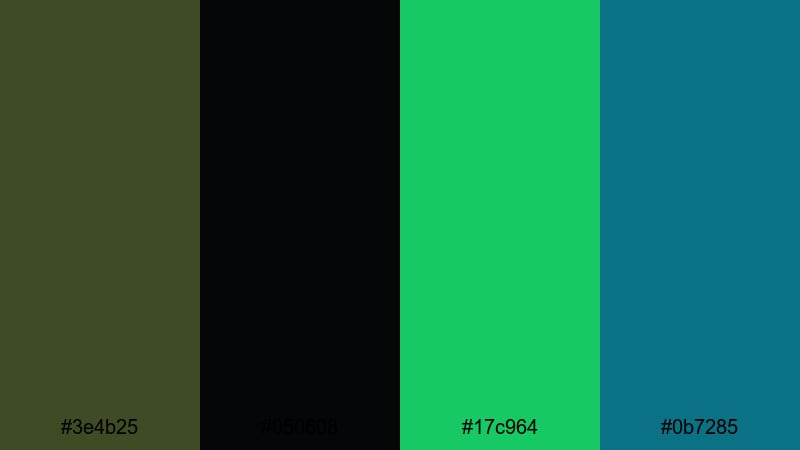
- HEX Codes: #3e4b25, #050608, #17c964, #0b7285
- Mood: intense, competitive, digital
- Use for: Ideal for gaming overlays, esports branding, and live stream graphics.
Tactical Esports Hud merges dark army green (#3e4b25) and near black (#050608) with glowing HUD greens (#17c964) and teal (#0b7285). It looks like an on screen radar or scoreboard straight from a tactical shooter.
Use this palette for stream overlays, lower thirds, kill feed graphics, and animated scoreboards. Let the dark tones fill the background and frame edges, then use the bright greens and teals for crisp, legible text and key stats so your branding stays readable even during fast gameplay.
Nature Inspired Army Green Color Palettes
Mountain Trail Vlog
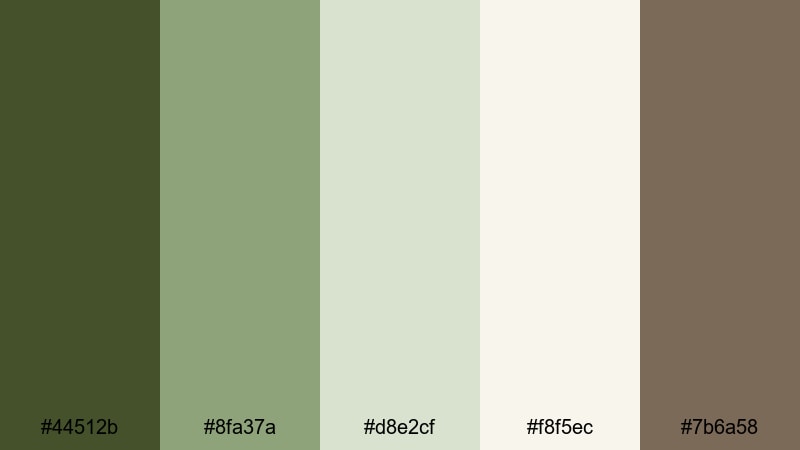
- HEX Codes: #44512b, #8fa37a, #d8e2cf, #f8f5ec, #7b6a58
- Mood: fresh, adventurous, open air
- Use for: Great for hiking vlogs, camping recaps, and outdoor travel content.
Mountain Trail Vlog layers different greens with soft sky and rock tones. The primary green #44512b suggests dense trees, while #8fa37a and #d8e2cf capture distant hills and mist. Warm brown #7b6a58 keeps it grounded and earthy.
Use this palette for hiking and trekking vlogs, drone footage over forests, or any open air adventure content. In Filmora, grade your clips slightly cooler in highlights and richer in greens, then color your titles in light off white #f8f5ec so they remain readable over textured natural backgrounds.
Rainforest Canopy Drift
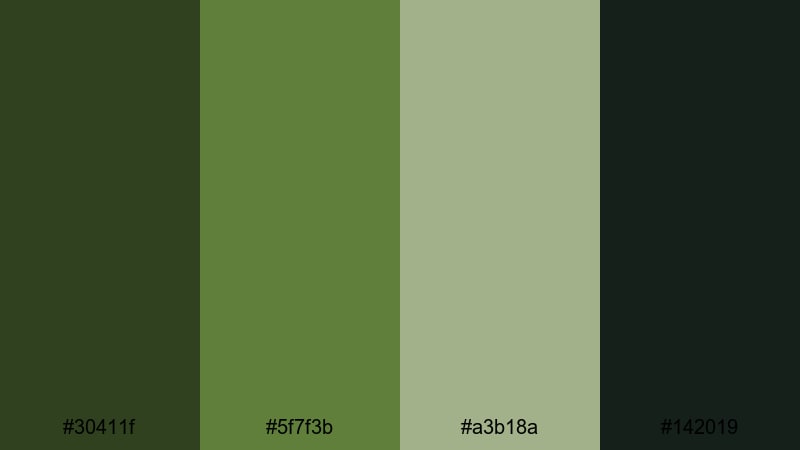
- HEX Codes: #30411f, #5f7f3b, #a3b18a, #142019
- Mood: lush, mysterious, immersive
- Use for: Perfect for nature documentaries, slow travel pieces, and ambient soundscape videos.
Rainforest Canopy Drift leans into deep, immersive greens. #30411f and #5f7f3b evoke dense leaves and moss, while #142019 adds almost black jungle shadows. #a3b18a softens the palette just enough for readable text and UI.
This is a strong choice for nature documentaries, ASMR style rainforest soundscapes, or slow, meditative travel sequences. Darken your footage slightly, add soft ambient music, and use the lighter green shade for minimalist titles that float gently over the scene.
Campfire Field Notes
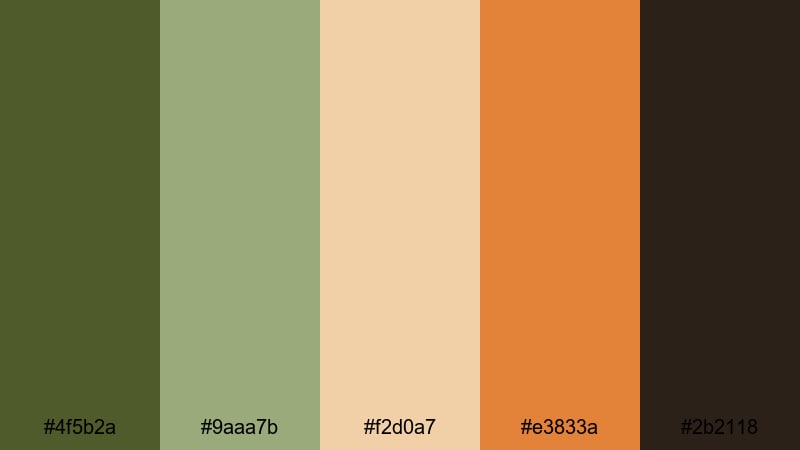
- HEX Codes: #4f5b2a, #9aaa7b, #f2d0a7, #e3833a, #2b2118
- Mood: warm, nostalgic, outdoorsy
- Use for: Use for camping vlogs, van life edits, or cozy storytelling around the fire.
Campfire Field Notes blends earthy greens (#4f5b2a, #9aaa7b) with ember oranges (#e3833a) and toasted neutrals (#f2d0a7). The dark brown #2b2118 feels like night sky and charred wood, tying the whole palette to a campfire scene.
Use it for van life diaries, camping trips, bonfire storytelling, or rustic outdoor brand content. Warm up your footage slightly in Filmora, lean into the oranges for lower thirds or chapter markers, and let the greens dominate daytime shots while the browns take over at night.
Tips for Creating Army Green Color Palettes
When you build your own army green color combinations for video and design, think about mood, readability, and how the colors will sit on different screens. These tips will help you shape palettes that look intentional and on brand in Filmora and beyond.
- Pair army green with a clear neutral (off white, beige, or charcoal) so text and UI elements stay readable on thumbnails and lower thirds.
- Decide on a mood first: cooler greens feel more tactical and digital, while warmer greens feel more outdoorsy and nostalgic.
- Limit bright accent colors to one or two per palette, and use them sparingly for CTAs, buttons, and key words so they really stand out.
- Test your palette on both light and dark backgrounds to ensure logos, icons, and subtitles remain legible in different parts of your video frame.
- In Filmora, use the same HEX codes across titles, shapes, and overlays to keep your brand identity consistent from intro to end screen.
- Match your grade to your palette: if your overlays are muted army green, avoid oversaturating greens in your footage so everything feels cohesive.
- Check how your colors look on mobile by exporting a thumbnail and viewing it on a phone; tweak brightness and contrast if the greens look too dark.
- Create presets in Filmora (custom LUTs or saved color settings) so you can reuse your favorite army green looks for future series or playlists.
Army green is flexible enough to feel cinematic, minimal, urban, or completely natural, depending on what you pair it with. By choosing the right palette, you can guide your audience toward a sense of trust, adventure, or intensity and keep your channel visuals instantly recognizable.
Whether you lean into desert tones, neon HUDs, or cozy journal aesthetics, these 15 palettes give you a ready made starting point. Drop the HEX codes into Filmora, build a simple color grading preset, and keep experimenting until your army green look feels like a signature style for your brand.
Once you have a palette you love, save it and reuse it across intros, overlays, and social cutdowns so every piece of content carries the same polished, Army Green inspired identity.
secure downloadNext: Blue Green Color Palette
