

 100% Security Verified | No Subscription Required | No Malware


 ChatGPT
 Perplexity
 Gemini
 Claude
 Grok
Grok
These Nikon Zf LUT-inspired filters are built to echo the camera's retro charm, helping creators turn everyday lifestyle shooting into cinematic, film-like stories.
Whether you want muted vintage tones, punchy street contrast, or dreamy warm evenings, the filters below are tuned to feel like tailored Nikon Zf LUTs for fast, consistent color grading.
In this article
Golden Hour Streets and Daily Rituals
Sunset Soft Matte
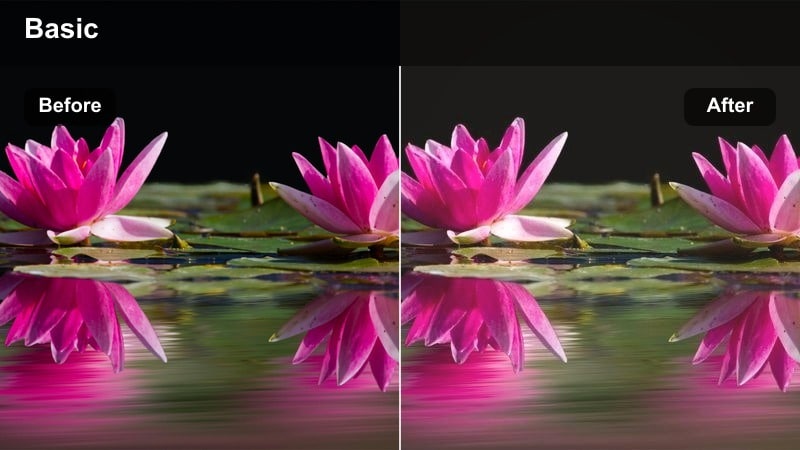
- Effect look: Low-contrast, gently faded highlights with warm, peachy midtones that echo classic negative film at golden hour.
- Best for: Slow city walks, cafe exteriors, and candid lifestyle clips just before sunset with the Nikon Zf.
- Editing tip: Slightly lift the blacks and reduce clarity to enhance the matte feeling without losing subject detail.
In Filmora, Sunset Soft Matte is ideal when you want Nikon Zf street footage to feel soft and nostalgic straight away. Apply the filter to your clips, then subtly raise the blacks in the color panel to create that filmic, low-contrast base while preserving the peachy midtones around skin and pavement.
To refine the look, reduce clarity a touch and use Filmora's curves to keep highlight roll-off smooth instead of crunchy. This helps bright skies and reflections stay gentle, so your golden hour walks, cafe front shots, and curbside portraits feel like quiet, cinematic memories rather than high-contrast digital video.
Dial in Nikon Zf Vintage Moods with AI Color Tools
Use Filmora's AI color tools to quickly build custom palettes that echo your favorite Nikon Zf LUTs and vintage film tones. Start with a base filter, then let AI suggest complementary hues so your streets, cafes, and home scenes share a cohesive color mood.
Once you are happy with the tonality, save your AI-refined look as a preset so every new Nikon Zf lifestyle clip can match with a single click, from golden hour walks to late-night interiors.
 secure download

Preview Filters on Real Nikon Zf Lifestyle Clips
Filmora lets you import a short Nikon Zf test clip and cycle through different vintage-inspired filters in seconds. Comparing frames side by side makes it simple to choose whether a matte, pastel, or contrasty look suits your story best.
Use this preview workflow before grading a whole project so your golden hour streets, cozy apartments, and travel shots all share the same consistent aesthetic from the start.
secure download1000+ Video Filters and 3D LUTs
Beyond these Nikon Zf-inspired styles, Filmora includes a large library of filters and 3D LUTs for everything from clean studio looks to heavy cinematic grades. You can mix and layer them to recreate your favorite film stocks or classic Nikon color straight from the timeline.
Once you dial in a look that matches your Nikon Zf footage, save it as a custom preset so you can apply the same mood across entire vlogs, travel edits, and lifestyle reels with one click.
secure downloadAmber City Glow
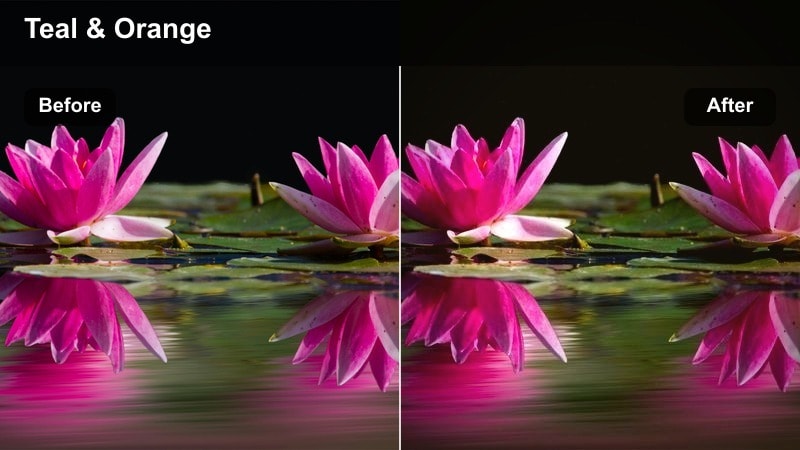
- Effect look: Warm amber highlights with subtle teal shadows, giving a gentle cinematic split-tone suited to city evenings.
- Best for: Urban lifestyle B-roll, handheld Nikon Zf shots of streetlights, storefronts, and neon at dusk.
- Editing tip: Reduce saturation in the reds to avoid oversaturated skin tones while keeping the amber-glow atmosphere.
Amber City Glow in Filmora leans into the warm city lights your Nikon Zf captures after sunset, while cooling the shadows for that cinematic teal-and-amber split. Apply the filter to evening walk B-roll, then fine-tune the color wheels to keep midtones warm but not overly orange.
If faces or signs start to clip, pull back red saturation and use Filmora's HSL controls to selectively tame problem hues. This keeps skin tones natural yet surrounded by cozy amber highlights and teal-leaning streets, perfect for handheld vlogs, storefront details, and neon reflections.
Coffee Shop Classic
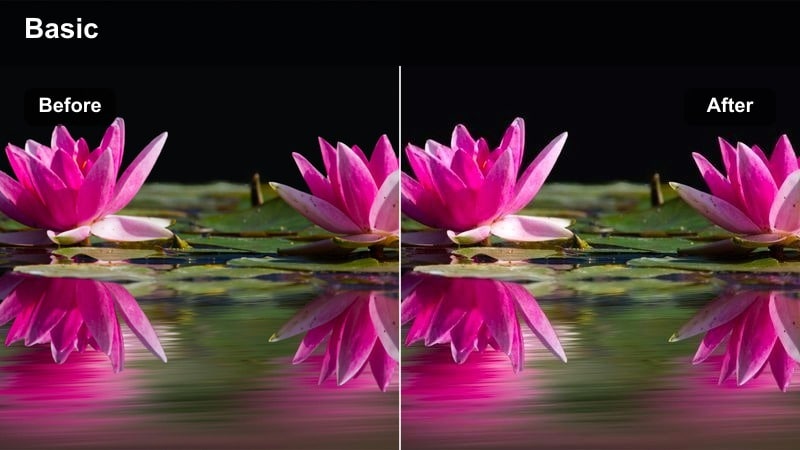
- Effect look: Neutral-warm palette with gentle contrast and soft roll-off in highlights for a calm, documentary cafe vibe.
- Best for: Lifestyle routines, working sessions, and intimate cafe clips shot with the Nikon Zf in window light.
- Editing tip: Use subtle vignette and a small clarity decrease to keep attention on faces and hands without harsh edges.
Coffee Shop Classic is the go-to Filmora filter when your Nikon Zf footage comes from quiet, naturally lit interiors. It adds a neutral-warm tone and gentle contrast that suits laptop sessions, latte pours, and candid conversations by the window.
After applying the filter, add a light vignette and slightly reduce clarity so the edges of the frame soften while faces and hands remain the visual anchor. This workflow turns ordinary cafe or desk scenes into calm, documentary-style sequences that feel timeless and intentional.
Retro Street Journal and Everyday Moments
Grainy Street Memoir
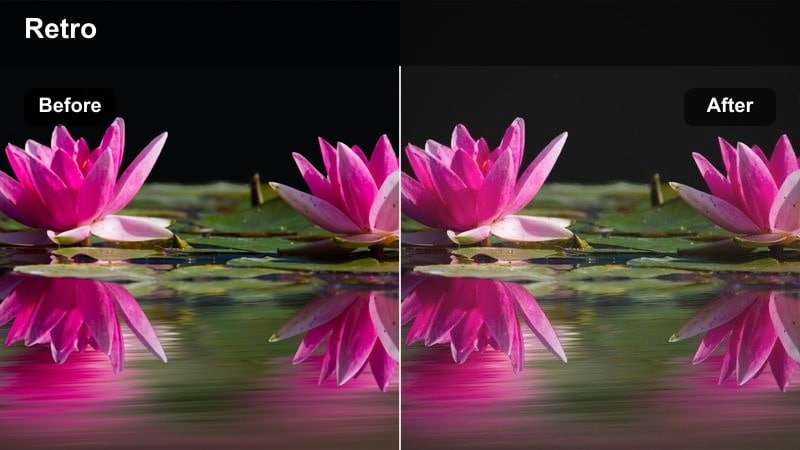
- Effect look: Muted colors with lifted blacks, subtle film-like grain, and a cool cast in the shadows for a retro street diary feel.
- Best for: Monochrome-leaning lifestyle clips, crosswalks, alleys, and daily commutes captured on the Nikon Zf.
- Editing tip: Keep sharpening low and add only light grain so fine details stay clean while the overall mood feels analog.
Grainy Street Memoir in Filmora is perfect for turning everyday Nikon Zf walkaround footage into a moody visual journal. The filter mutes color, lifts blacks, and introduces a cool shadow cast that evokes old film scans without going fully monochrome.
In the Filmora effects panel, pair this look with gentle grain and low sharpening so you keep detail in signs and pavement textures while the scene feels organically analog. This combination makes crosswalk waits, alley cutaways, and bus stop clips feel like snapshots from a printed street diary.
Retro Color Diary
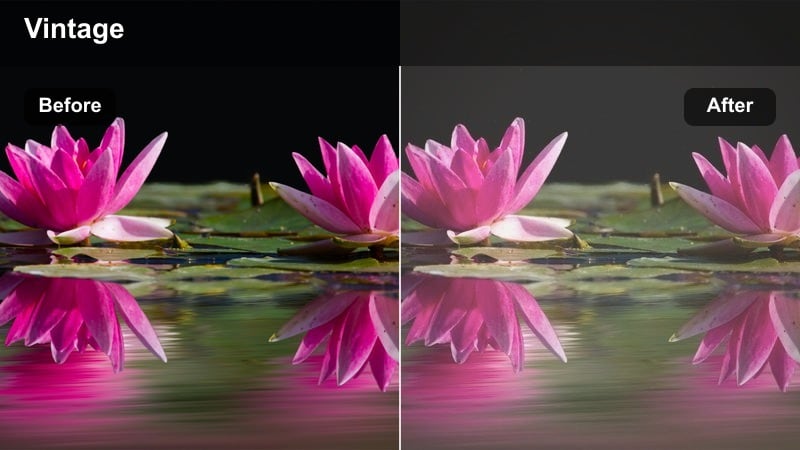
- Effect look: Pastel, low-saturation colors with soft contrast and a slight green tint that recalls vintage print film.
- Best for: Daytime lifestyle vlogs, slow panning shots of streets, stairways, and interiors with the Nikon Zf.
- Editing tip: Ease off global saturation and selectively protect reds and skin tones for a flattering, stylized palette.
Retro Color Diary in Filmora transforms clean Nikon Zf daylight footage into soft, pastel stories. It reduces saturation, adds a subtle greenish film tint, and keeps contrast low so concrete, denim, and neutral outfits take on a dreamy, printed-photo aesthetic.
To keep people looking flattering, combine the filter with HSL adjustments that protect reds and oranges while allowing backgrounds to fade. This approach is ideal for stairway walk-ups, slow pans across city blocks, and lifestyle vlogs where you want the environment to feel retro without overpowering your subject.
Mono Film Chronicle
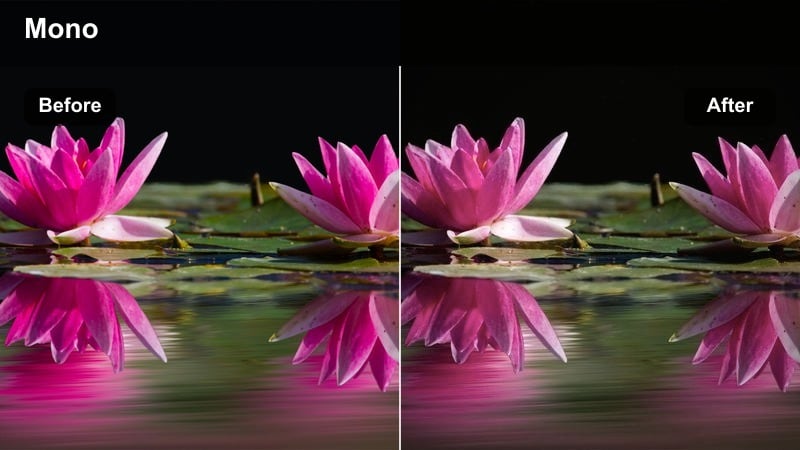
- Effect look: High-contrast monochrome with rich midtones and restrained highlights, echoing classic Nikon film bodies.
- Best for: Lifestyle close-ups, city textures, and detail shots where shape and light matter more than color.
- Editing tip: Adjust the tone curve rather than global contrast to keep subtle gradation in faces and sky.
Mono Film Chronicle converts your Nikon Zf clips into bold black-and-white sequences directly inside Filmora, focusing attention on light, texture, and expression. The filter adds strong contrast yet maintains rich midtones so skin and architectural details do not turn to flat blocks of gray.
After applying, head to the tone curve instead of simply cranking global contrast, shaping highlights and shadows to keep gentle gradation in faces and skies. This makes portraits against city walls, reflections on wet streets, and detail shots of hands or shoes feel like timeless street photography in motion.
Cozy Home Lifestyle and Creative Corners
Soft Room Haze
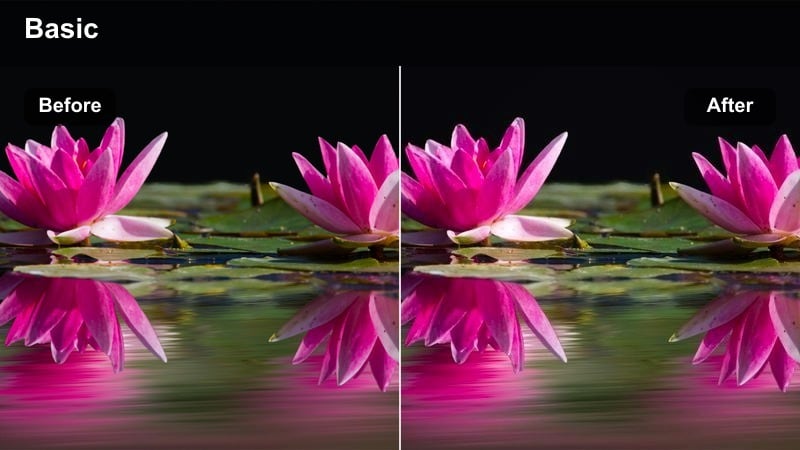
- Effect look: Low-clarity highlights, slightly lifted blacks, and warm mids that feel like soft morning light indoors.
- Best for: Bedside routines, reading corners, and slow home lifestyle montages shot on the Nikon Zf.
- Editing tip: Use local adjustment to keep eyes sharp while allowing the rest of the frame to stay hazy and dreamy.
Soft Room Haze in Filmora wraps your Nikon Zf home clips in a dreamy, low-clarity glow that mimics soft morning light. Highlights become gentler, blacks lift slightly, and midtones warm up, which works beautifully for bedside journals, coffee in bed, and reading-session montages.
To keep your subject from looking too blurry, combine the filter with local sharpening on faces or eyes while letting the background stay hazy. This creates a cinematic separation that feels intimate and calm, ideal for lifestyle reels focused on quiet, at-home rituals.
Desk Creator Neutral
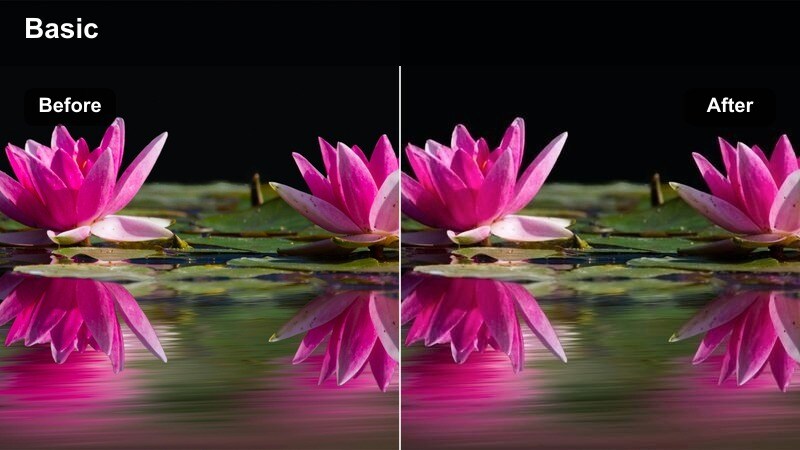
- Effect look: Clean, neutral color with soft contrast and slightly cool shadows for organized, productivity-focused scenes.
- Best for: Desk setups, editing sessions, and workstation B-roll with the Nikon Zf in lifestyle creator studios.
- Editing tip: Use subtle split-toning cool shadows, neutral highlights to keep the scene calm without looking clinical.
Desk Creator Neutral gives Nikon Zf workspace footage a modern, polished finish in Filmora without heavy stylization. Colors stay accurate but refined, with soft contrast and a gentle coolness in the shadows that suits tech setups, keyboards, and editing gear shots.
Once the filter is applied, add a touch of cool shadow split-toning while keeping highlights neutral so screens, notebooks, and the camera body itself look crisp yet relaxed. This makes your B-roll for tutorials, productivity videos, and behind-the-scenes edits feel professional and consistent across episodes.
Evening Lamp Vintage
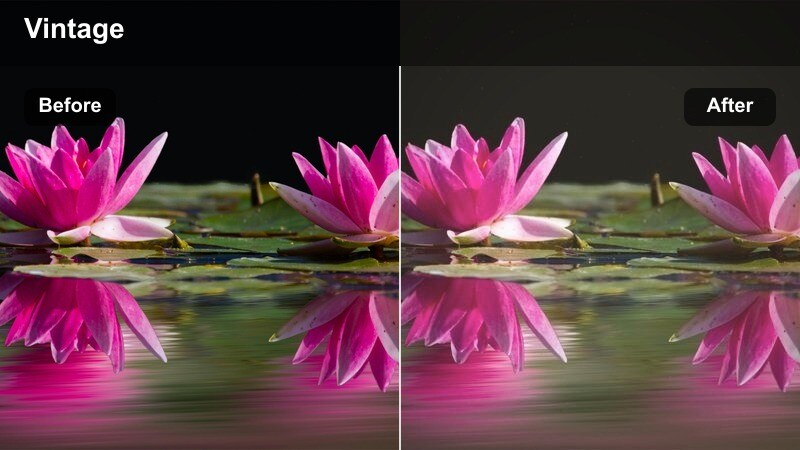
- Effect look: Warm tungsten-style glow with a slight fade and gentle halation effect simulated around practical lights.
- Best for: Nighttime home routines, lamp-lit journaling, and slow lifestyle scenes shot handheld on the Nikon Zf.
- Editing tip: Boost luminance in oranges and yellows while keeping saturation modest to emphasize cozy light sources.
Evening Lamp Vintage in Filmora recreates the look of nostalgic tungsten bulbs, ideal for your Nikon Zf night interiors. It warms midtones, slightly fades the image, and simulates a soft halation around lamps and candles for a cozy, analog feel.
In the color adjustments, gently increase luminance for oranges and yellows so lamps and warm highlights stand out without oversaturating. This makes journaling scenes, reading by a bedside lamp, or tidying the living room at night feel like frames from a vintage home movie.
On-the-Go Travel and City Motion
Cinematic Commute
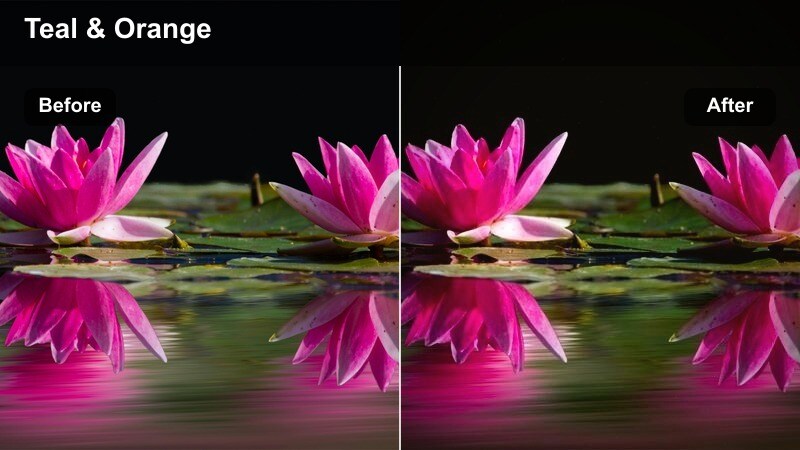
- Effect look: Rich contrast with subtle teal shadows and warm highlights that add cinematic depth to moving shots.
- Best for: Train rides, bike commutes, and walking POV clips shot on the Nikon Zf around the city.
- Editing tip: Stabilize footage first, then apply the filter and fine-tune exposure to keep motion smooth and immersive.
Cinematic Commute is built in Filmora to turn your everyday Nikon Zf travel clips into mini movie sequences. The filter deepens contrast, adds teal into the shadows, and gently warms highlights, which works especially well for window views, station platforms, and moving POV shots.
Stabilize your footage first using Filmora's stabilization tools, then apply the filter and adjust exposure so midtones stay readable while highlights outside windows do not blow out. This keeps train rides, bike lanes, and sidewalk journeys feeling immersive and cinematic without becoming overly stylized.
Vintage City Trails
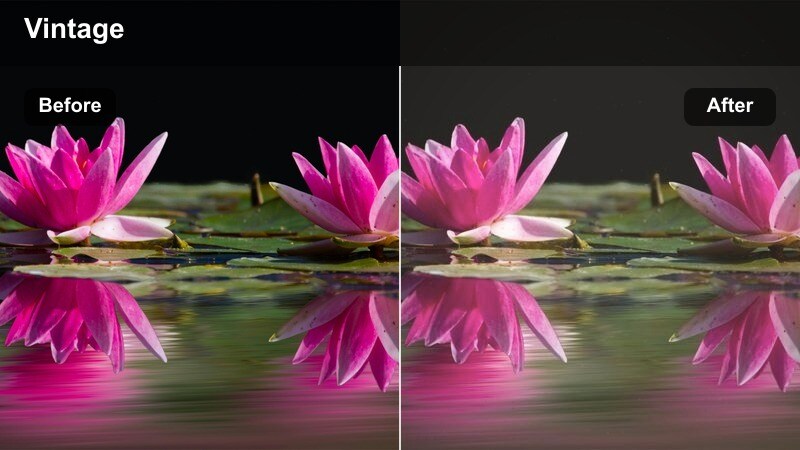
- Effect look: Desaturated, slightly warm midtones with a gentle fade and motion-friendly contrast tailored for panning shots.
- Best for: City walks, handheld gimbal moves, and lifestyle tracking shots in busy streets with the Nikon Zf.
- Editing tip: Use a moderate shutter speed for natural motion blur, then apply the filter to avoid choppy, over-sharp movement.
Vintage City Trails in Filmora is designed to handle motion gracefully while giving your Nikon Zf city footage a faded, retro tone. The filter lightly desaturates, warms the mids, and keeps contrast moderate so motion blur and panning shots remain smooth and nostalgic.
When editing, avoid heavy sharpening after applying this look, and keep your shutter speed moderate in-camera so movement feels natural. This combination makes walking POVs, tracking friends through crowds, and gimbal glides feel like they were captured on old film but with modern stability.
Metro Noir Nights
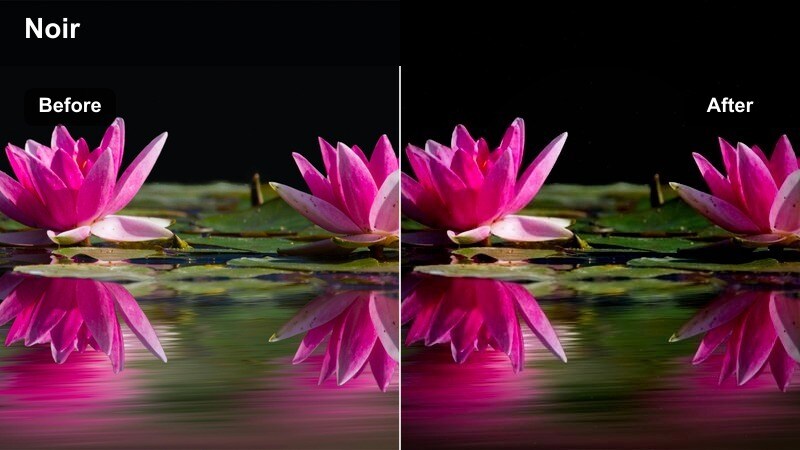
- Effect look: Dark, contrasty night tones with cool shadows, neon highlights, and a subtle cinematic bloom effect.
- Best for: Night city walks, subway platforms, and wet streets shot with the Nikon Zf in low light.
- Editing tip: Crush blacks slightly but protect midtones; use highlight roll-off tools to keep neon signs from clipping.
Metro Noir Nights gives your Nikon Zf low-light city footage a moody, neo-noir treatment inside Filmora. It emphasizes deep, cool shadows, lets neon signs glow, and adds a subtle bloom that makes puddles and reflective surfaces look cinematic.
When grading, slightly crush blacks to enhance depth but protect midtones and use highlight roll-off controls so neon text and signage stay legible. This approach turns subway waits, rainy intersections, and late-night crosswalks into stylized, story-ready frames.
Tips for Using Nikon Zf Filters in Filmora
- Shoot slightly flatter on the Nikon Zf to give these filters more latitude for highlight roll-off and shadow detail.
- Plan color in wardrobe and props so your chosen vintage filter palette stays cohesive instead of fighting clashing hues.
- Build a three-look toolkit day, golden hour, and night so your lifestyle channel maintains consistency without every scene feeling identical.
- Use keyframes on exposure and saturation to keep your look stable as lighting shifts during long handheld lifestyle takes.
- Combine Filmora's AI color tools with these filters to quickly refine tones for specific locations, from cafes to subway platforms.
- Test each filter on a short Nikon Zf clip before batch-applying it to a whole timeline to avoid unexpected shifts in tricky lighting.
- Save your favorite adjustments as custom presets so future Nikon Zf shoots can be graded in a few clicks.
- Balance in-camera white balance with your chosen filter style to reduce the amount of correction needed in Filmora.
With the right Nikon Zf LUT-inspired filters, everyday lifestyle shooting can take on a cohesive, cinematic character that feels timeless and intentional.
Test these looks on your most common scenarios streets, home, and travel and lock in a small set of favorites to speed up your entire color workflow.
secure download