

 100% Security Verified | No Subscription Required | No Malware


 ChatGPT
 Perplexity
 Gemini
 Claude
 Grok
Grok
Castle-inspired colors sit between deep blue, charcoal, and cool stone gray. They feel stable, grounded, and slightly mysterious, like fortress walls at dusk. In video and design, Castle tones instantly add mood: moody castles for fantasy edits, polished stone for tech channels, or soft, romantic halls for wedding visuals.
This guide brings together 15 Castle color palettes with ready-to-use HEX codes. They are tailored for creators and Filmora users who want cohesive colors for YouTube thumbnails, vlog intros, gaming overlays, logos, and full visual branding across all their content.
In this article
Moody Castle Color Palettes
Midnight Stone Ramparts
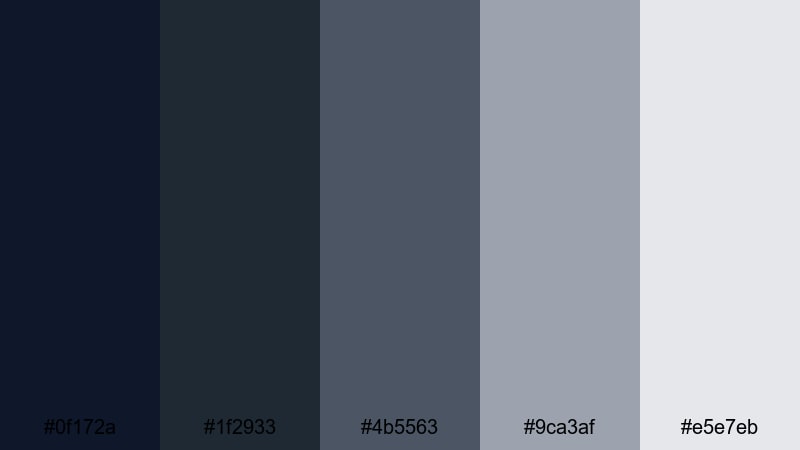
- HEX Codes: #0f172a, #1f2933, #4b5563, #9ca3af, #e5e7eb
- Mood: Brooding, cinematic, and atmospheric with deep shadows and cool stone tones.
- Use for: Perfect for dramatic video intros, game trailers, and dark fantasy vlogs that need a strong cinematic edge.
This palette moves from inky midnight blues to weathered stone grays, giving your visuals the weight of towering ramparts at dusk. The darkest tones make great backgrounds for bold white or pale text, while the mid grays and soft highlights are ideal for UI elements, frames, and overlays.
Use Midnight Stone Ramparts for cinematic YouTube intros, game trailer thumbnails, and lower thirds that need a serious, high-end look. In Filmora, you can lean on the deepest shades for letterboxing bars, then layer titles and logo locks in the lighter Castle tones to keep your branding moody but still readable.
Pro Tip: Build A Cinematic Castle Look In Filmora
To keep this brooding Castle palette consistent across an edit, treat #0f172a and #1f2933 as your base for backgrounds, transitions, and end cards. Then use #4b5563 and #9ca3af for text, icons, and timeline graphics so everything feels like part of the same stone fortress world.
In Filmora, you can create a simple brand style: save title presets that always use these HEX values, apply the same gradient or solid color blocks behind your captions, and reuse them in intros, b-roll overlays, and Shorts. This way, every upload feels like a chapter from the same cinematic Castle universe.
AI Color Palette
If you have a still frame or artwork that nails this Midnight Stone Ramparts vibe, you can turn it into a look for your whole video. Filmora's AI Color Palette feature lets you sample colors from a reference image and apply that mood consistently to other clips.
Drop your hero frame on the timeline, open AI Color Palette, and use it as the source. Filmora intelligently matches contrast, saturation, and tone so your b-roll, talking head shots, and thumbnails all share the same Castle-inspired grade without manual tweaking.
 secure download

HSL, Color Wheels & Curves
Once the Castle mood is in place, fine-tune it with Filmora's HSL, color wheels, and curves. Desaturate blues slightly for a grittier medieval feel, push midtone blues toward teal for a subtle fantasy twist, or lift highlights so faces stay clear against your dark rampart shadows.
Using dedicated color correction tools, you can target only the blues and grays, deepen the blacks for a more cinematic contrast curve, and protect skin tones. This keeps your footage dramatic without crushing important details in your scenes.
secure download1000+ Video Filters & 3D LUTs
If you want a fast Castle-grade without manual adjustments, Filmora's video filters and 3D LUTs make it easy to test different looks. Start with a cinematic LUT to push contrast and color depth, then nudge the result toward the HEX codes of this palette using a simple color tuning pass.
You can combine a dark, moody LUT with a subtle vignette to frame your subject like they are standing on castle walls at night. Save your favorite combination as a custom preset, so every new video, intro, or short retains that same Midnight Stone Ramparts signature style.
secure downloadStormwatch Battlements
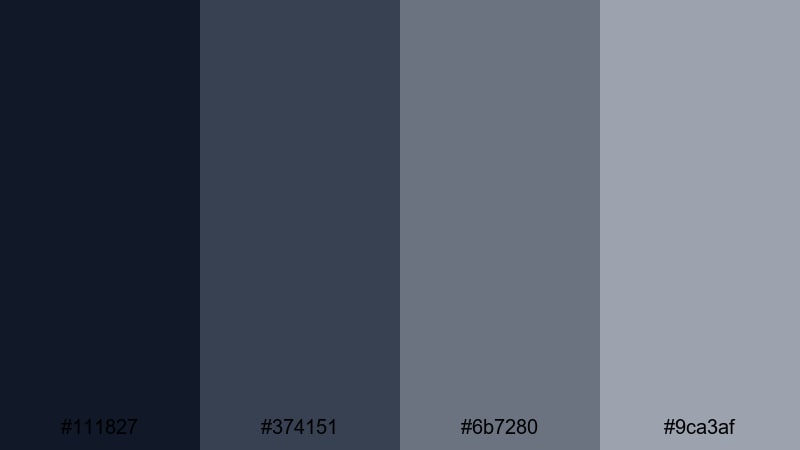
- HEX Codes: #111827, #374151, #6b7280, #9ca3af
- Mood: Tense and windswept, like a fortress facing an oncoming storm.
- Use for: Use in thriller titles, moody travel vlogs, and overlays where you want a cold, suspenseful feel.
Stormwatch Battlements is all about steel blues and heavy gray skies. The dark navy base feels like a storm horizon, while the mid grays give you room for subtle text and map overlays without breaking the mood.
Apply this palette to thriller-style titles, wind-swept drone shots, or gritty travel sequences. In thumbnails, combine the darkest tone as the background with a lighter gray for bold, minimal headlines to tease suspense without loud colors.
Candlelit Keep Shadows
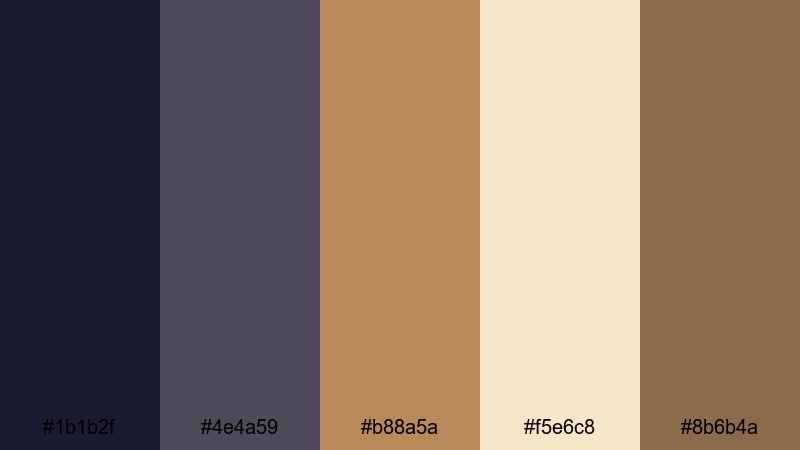
- HEX Codes: #1b1b2f, #4e4a59, #b88a5a, #f5e6c8, #8b6b4a
- Mood: Intimate, warm, and mysterious with soft candlelight against deep shadows.
- Use for: Ideal for storytime videos, narrative short films, and cozy yet dramatic title cards.
Candlelit Keep Shadows mixes inky purple-blacks with warm gold and brown, like a secret conversation taking place beside flickering candles. The glow tones (#b88a5a and #f5e6c8) stand out beautifully against the dark base, making them perfect for titles and key icons.
Use this palette for storytime vlogs, DnD recaps, or narrative shorts where you want intimacy and intrigue. Create lower thirds in the lighter parchment tone with accent lines in gold, while your footage leans into the deep purples for a classic medieval chamber atmosphere.
Fog Over Old Walls
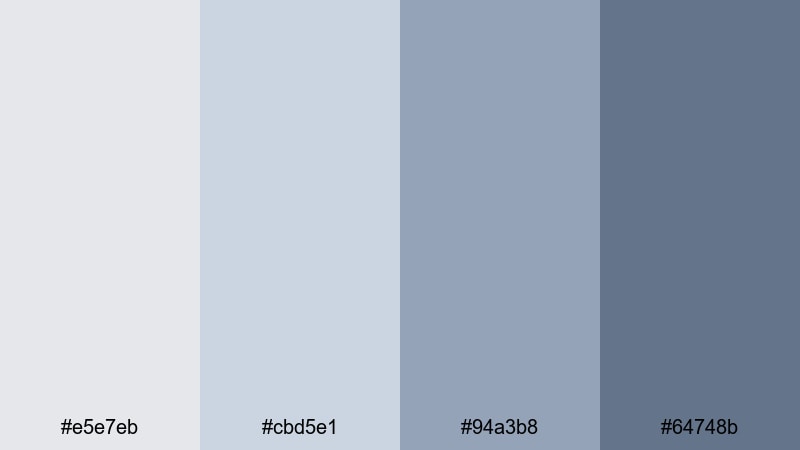
- HEX Codes: #e5e7eb, #cbd5e1, #94a3b8, #64748b
- Mood: Soft, melancholic, and atmospheric like a misty morning around ancient stone.
- Use for: Great for documentary lower thirds, reflective travel montages, and minimalist vlog aesthetics.
Fog Over Old Walls replaces harsh contrast with pale grays and muted blues, giving everything a soft, misty feel. The lighter tones are ideal as neutral backgrounds for text or infographics, while the deeper blue-gray keeps things grounded.
This palette works well for reflective travel montages, history or architecture videos, and minimalist lifestyle vlogs. Use the palest shade as a full-screen background for chapter cards and the mid-blues for gentle, non-distracting titles that sit comfortably over your footage.
Romantic Castle Color Palettes
Rose Garden Courtyard
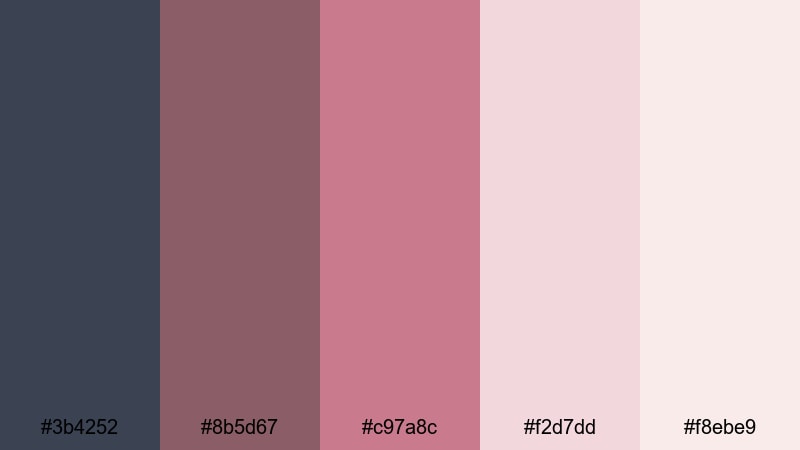
- HEX Codes: #3b4252, #8b5d67, #c97a8c, #f2d7dd, #f8ebe9
- Mood: Romantic, nostalgic, and softly elegant with faded roses against stone.
- Use for: Perfect for wedding highlight films, romantic reels, and dreamy channel branding.
Rose Garden Courtyard blends cool stone blue with dusty rose and soft blush tones, like petals scattered on castle flagstones. The richer pinks carry emotion and warmth, while the pale creams keep everything airy and light.
Use this palette for wedding highlights, engagement reels, or gentle lifestyle intros. In Filmora, you can design thumbnail frames with the stone blue border, rose accents around your subject, and soft blush backgrounds behind typography to create a cohesive, romantic brand.
Twilight Balcony Serenade
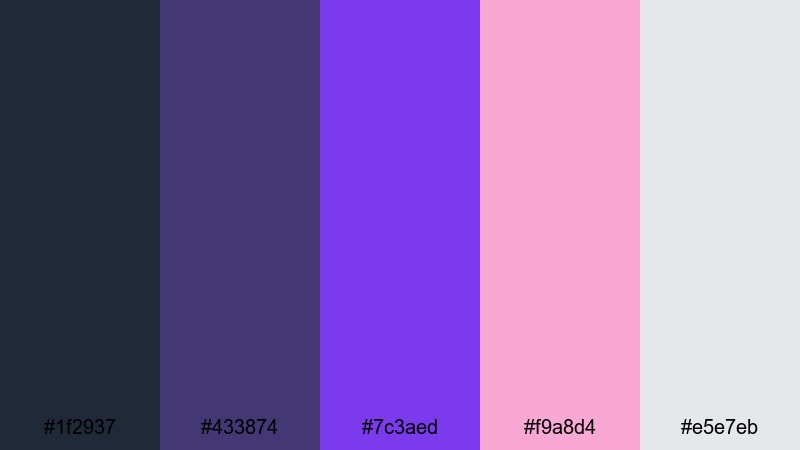
- HEX Codes: #1f2937, #433874, #7c3aed, #f9a8d4, #e5e7eb
- Mood: Dreamy and dramatic, like music drifting from a balcony at twilight.
- Use for: Use for music videos, lyrical edits, and dramatic announcement graphics that need emotional flair.
Twilight Balcony Serenade swings between deep indigos and royal violets, punctuated by luminous pink highlights. It feels theatrical and emotional, perfect for stories about music, longing, or dreamlike evenings.
Apply these colors to motion graphics for song lyrics, dreamy channel intros, or concert recap reels. The dark tones make a strong base for neon-like purple titles, while the soft pink is ideal for accent strokes, call-to-action buttons, or subtle glow effects in Filmora.
Velvet Tapestry Hall
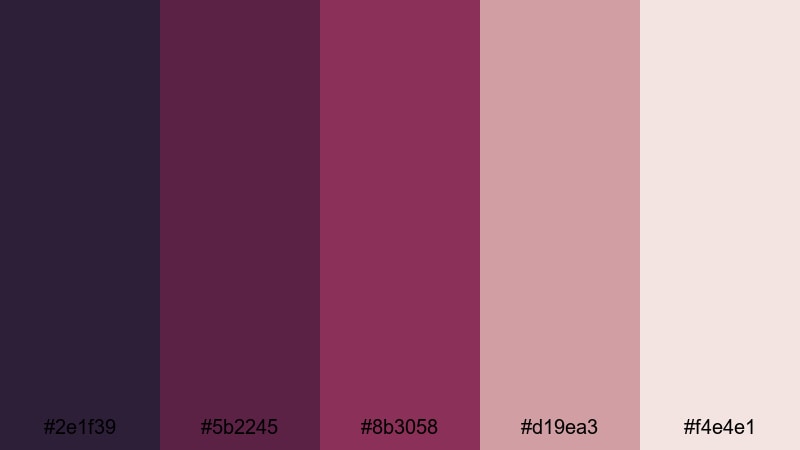
- HEX Codes: #2e1f39, #5b2245, #8b3058, #d19ea3, #f4e4e1
- Mood: Luxurious and intimate, suggesting velvet drapes and ornate tapestries.
- Use for: Great for beauty channels, fashion lookbooks, and elegant product promos with a regal twist.
Velvet Tapestry Hall layers plum, wine, and blush tones like rich fabrics in a grand hall. The darker shades feel royal and dramatic, while the softer pinks and creams bring femininity and softness.
Use this palette for beauty tutorials, perfume promos, jewelry showcases, and fashion lookbooks. Design lower thirds with deep plum backgrounds and blush text, and frame your thumbnails with a soft cream border so the overall brand feels high-end and curated.
Secret Tower Letters
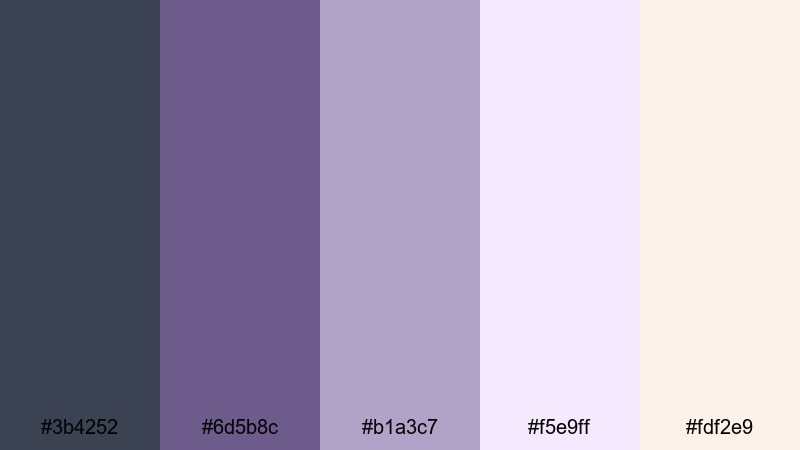
- HEX Codes: #3b4252, #6d5b8c, #b1a3c7, #f5e9ff, #fdf2e9
- Mood: Soft, wistful, and nostalgic like hidden letters in a tower room.
- Use for: Ideal for journaling vlogs, soft study aesthetics, and cozy story-driven edits.
Secret Tower Letters pairs muted blues and lilacs with parchment creams, evoking quiet rooms, notebooks, and handwritten notes. It is gentle and reflective, great for slower, more intimate content.
Apply this palette to study-with-me videos, journaling montages, or podcast visuals. Use the lightest tones as backgrounds for chapter cards and timestamps, while the lilac shades highlight important words, icons, or doodle-style graphics in your Filmora overlays.
Modern Castle Color Palettes
Concrete Crown Minimal
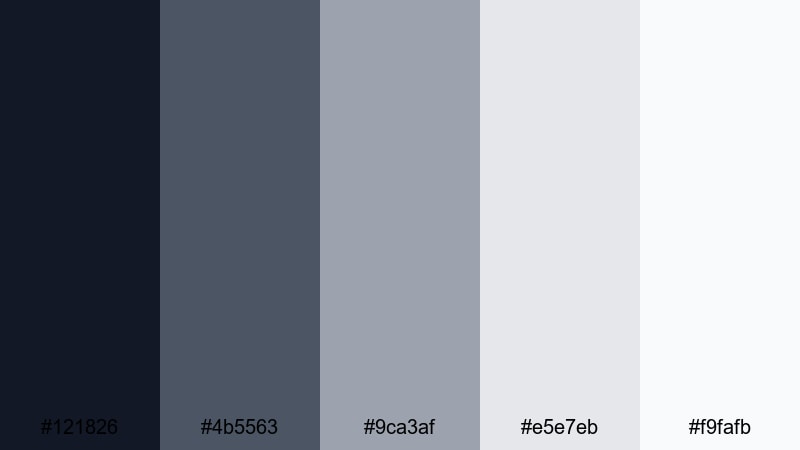
- HEX Codes: #121826, #4b5563, #9ca3af, #e5e7eb, #f9fafb
- Mood: Clean, modern, and restrained with an urban fortress feel.
- Use for: Perfect for tech reviews, productivity channels, and minimal logo animations.
Concrete Crown Minimal translates Castle stone into a sleek, modern interface. Deep charcoal and soft gray gradients create a polished look that feels like a concrete-and-glass tower rather than a crumbling ruin.
Use this palette for tech channels, productivity tutorials, SaaS explainers, or any brand that wants a serious but modern feel. In thumbnails, pair the darkest background with white or very light gray text for strong contrast, and reserve mid grays for buttons, ratings, and subtle borders in Filmora templates.
Steel Portcullis Tech
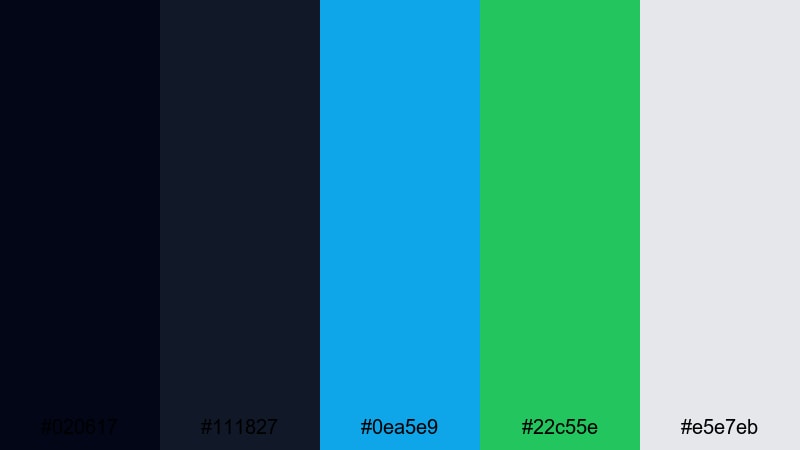
- HEX Codes: #020617, #111827, #0ea5e9, #22c55e, #e5e7eb
- Mood: Futuristic and bold, blending fortress steel with neon tech accents.
- Use for: Use for gaming intros, app promos, and dynamic motion graphics that need energy and clarity.
Steel Portcullis Tech fuses near-black steel tones with electric cyan and green, like a sci-fi gate glowing with energy. The neutral darks keep your footage grounded while the bright accents draw the eye to key information.
Apply this palette to gaming intros, HUD-style overlays, app demos, or cyberpunk edits. In Filmora, use cyan and green as animated lines, progress bars, or waveform accents, and let the deep Castle blacks and grays carry the background and logo reveals.
Gallery Wing Neutral
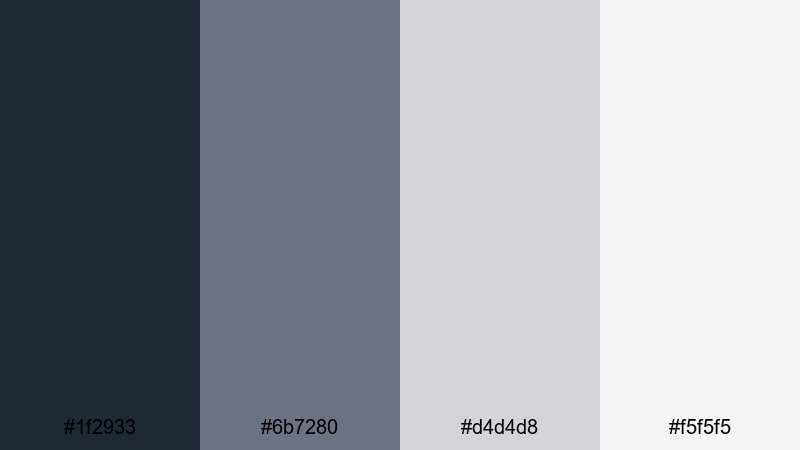
- HEX Codes: #1f2933, #6b7280, #d4d4d8, #f5f5f5
- Mood: Understated, curated, and professional like a modern gallery inside old walls.
- Use for: Great for tutorials, business explainers, and UI-focused videos needing a neutral base.
Gallery Wing Neutral feels like clean white walls meeting subtle stone textures. The gray scale is soft and balanced, giving your content a curated, gallery-like frame without stealing attention from the footage or graphics themselves.
Use this palette as the base for tutorial graphics, data visualizations, and brand explainers. Design clean lower thirds with mid-gray text on pale backgrounds, and let your brand color (if you have one) sit on top as a single accent for buttons or key phrases.
Fantasy Castle Color Palettes
Dragonfire Over Turrets
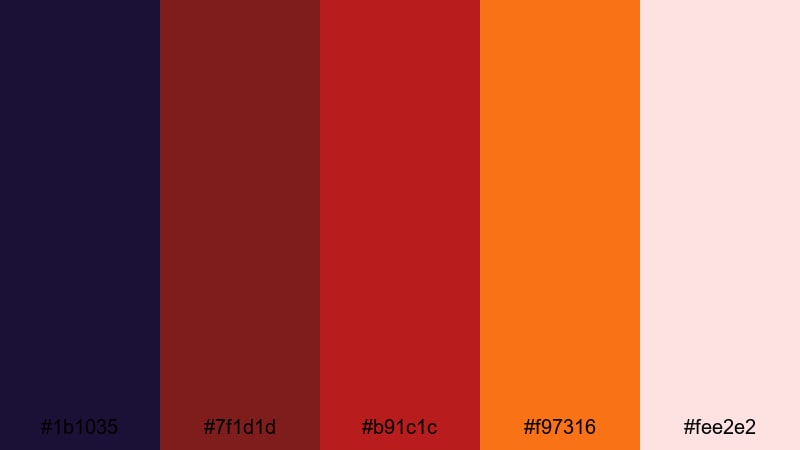
- HEX Codes: #1b1035, #7f1d1d, #b91c1c, #f97316, #fee2e2
- Mood: Fiery, epic, and intense like dragons circling a dark fortress.
- Use for: Perfect for fantasy trailers, gaming highlights, and bold thumbnail designs that must stand out.
Dragonfire Over Turrets combines dark violet shadows with blazing reds and ember oranges. It instantly reads as danger, battle, and high fantasy, making it ideal for intense, action-driven visuals.
Use the deep violet as a base for title cards and character reveals, then slash across it with red and orange accents for spells, health bars, or call-to-action text. In thumbnails, frame your subject with warm firelight while keeping some areas in shadow to preserve that epic contrast.
Enchanted Moat Gleam
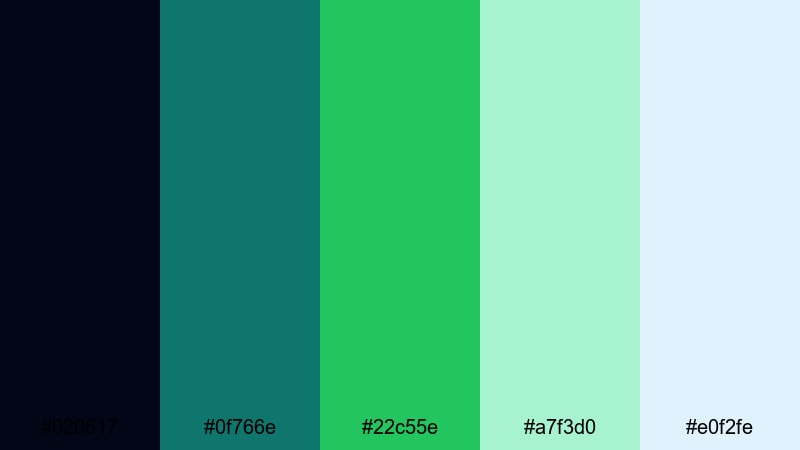
- HEX Codes: #020617, #0f766e, #22c55e, #a7f3d0, #e0f2fe
- Mood: Magical, refreshing, and slightly mysterious like glowing waters around a keep.
- Use for: Use for fantasy vlog series, magical transitions, and whimsical channel branding.
Enchanted Moat Gleam mixes deep night tones with glowing teals and soft mints, reminiscent of enchanted water or protective wards. It feels magical without being overly saturated or childish.
This palette is perfect for cozy fantasy vlogs, fairy-tale edits, or story channels. In Filmora, you can use teal and mint gradients as soft overlays on transitions, while reserving the darkest blue for title screens and end cards with subtle particle effects.
Starlit Throne Room
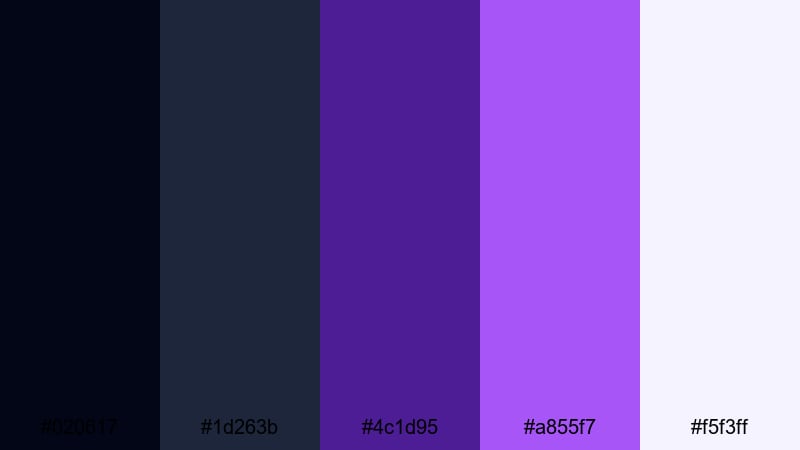
- HEX Codes: #020617, #1d263b, #4c1d95, #a855f7, #f5f3ff
- Mood: Majestic and mystical, like a throne room lit only by stars and magic.
- Use for: Ideal for fantasy intros, lore videos, and creator logos that aim for royal mystique.
Starlit Throne Room leans into cosmic purples and deep navies, brightened by lavender highlights. It feels regal and otherworldly, like courtly intrigue under a star-filled sky.
Use the darker tones for logo reveals, lore maps, and character intro cards, then pick out key icons and subtitles with the lighter purple and near-white. This palette works especially well for creators building a long-term fantasy brand or podcast channel identity.
Crystal Spire Dawn
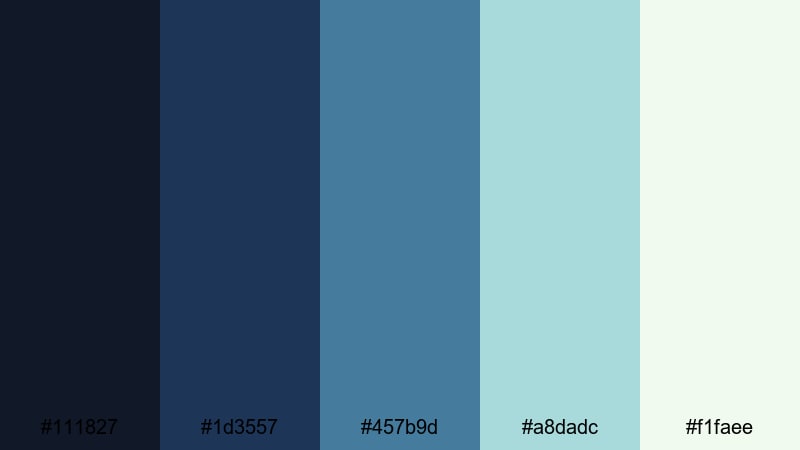
- HEX Codes: #111827, #1d3557, #457b9d, #a8dadc, #f1faee
- Mood: Hopeful and airy, like sunrise spilling over crystal towers and distant mountains.
- Use for: Great for travel vlogs, fantasy landscapes, and inspirational brand stories.
Crystal Spire Dawn travels from deep blue shadows to bright aquas and almost-white highlights, suggesting morning light on distant towers. It is optimistic and fresh, with just enough depth to stay cinematic.
Use this palette for travel vlogs, inspirational intros, or fantasy landscape compilations. In your Filmora projects, let the lighter aquas fill the sky or typography backgrounds, and keep the darker blues in your lower thirds and borders so everything feels crisp and uplifting.
Tips for Creating Castle Color Palettes
Castle palettes work best when you balance shadowy stone tones with carefully chosen highlights and accents. Use the tips below to adapt these HEX codes to your own footage, thumbnails, and branding in Filmora.
- Pick a primary Castle base: choose one deep blue-gray or charcoal as your main background color for intros, end screens, and overlays.
- Limit bright accents: use one or two strong accent colors (like ember orange or neon teal) so your titles and buttons stand out without overwhelming the moody Castle feel.
- Protect readability: always test light text on dark Castle backgrounds and dark text on pale stone tones to maintain clear contrast, especially on mobile screens.
- Match palette to genre: lean into darker, cooler palettes for thrillers and fantasy, softer rose or cream palettes for romance and lifestyle, and neutral grays for business or tech content.
- Unify thumbnails and intros: reuse the same 3 to 5 HEX codes across thumbnail frames, lower thirds, and transitions so your channel grid looks cohesive.
- Adapt to footage lighting: if your footage is already dark, brighten your text backgrounds and UI elements; if your scenes are bright, deepen titles and borders to keep the Castle mood.
- Use gradients for depth: blend two Castle tones (dark to mid or mid to light) in backgrounds and title cards to mimic real stone depth instead of flat blocks of color.
- Save presets in Filmora: once you dial in a Castle grade and matching graphic colors, save them as title, filter, and color correction presets so every new video automatically fits your palette.
Castle color palettes can completely change how your content feels, from brooding ramparts and stormy battlements to romantic courtyards and glowing fantasy thrones. With a few well-chosen HEX codes, your channel can look more cinematic, more consistent, and more memorable.
Try these 15 palettes as starting points, then refine them in Filmora until they match your story and brand. Whether you are designing thumbnails, building an intro sequence, or color grading an entire series, a strong Castle palette will help your visuals stand out.
Load up your next project in Filmora, drop in one of these palettes, and experiment with AI tools, filters, and LUTs until your video looks like it truly belongs inside your own castle world.
secure downloadNext: Ocean Wave Color Palette
