

 100% Security Verified | No Subscription Required | No Malware


 ChatGPT
 Perplexity
 Gemini
 Claude
 Grok
Grok
Cool Pebble Gray sits between soft neutrals and industrial steel, bringing a calm, grounded feel to any frame. It suggests clarity, balance, and quiet confidence, which is why it works so well for modern brands, tech content, and minimalist visuals. Psychologically, this color reduces visual noise so your audience can focus on story, product, or message instead of being distracted by loud tones.
For video creators and designers, Cool Pebble Gray is a powerful base for YouTube thumbnails, title cards, lower thirds, UI overlays, and cinematic intros. Below you will find 15 ready to use Cool Pebble Gray color palettes with HEX codes, designed for creators and Filmora users who want cohesive color grading, consistent branding, and polished, professional looking content.
In this article
Minimal & Modern Cool Pebble Gray Color Palettes
Urban Concrete Calm
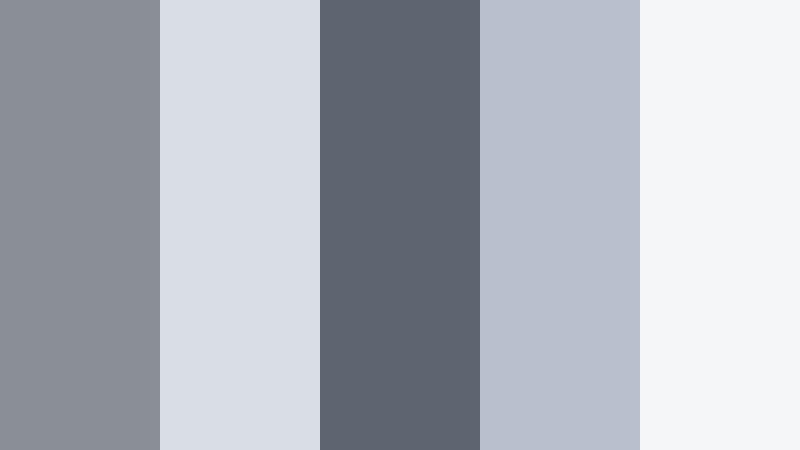
- HEX Codes: #8a8f96, #d9dde4, #5e6470, #b7c0cc, #f5f6f8
- Mood: Clean, contemporary, and quietly sophisticated.
- Use for: Use this palette for tech review videos, portfolio websites, or minimalist UI where you want a polished and unobtrusive backdrop.
Urban Concrete Calm layers mid and light Cool Pebble Grays that feel like polished concrete lit by soft daylight. The darker accents add just enough structure, while the pale tones keep everything open and breathable. It is ideal when you want a neutral base that looks premium but never shouts.
Use this palette for tech unboxings, clean channel branding, and subtle YouTube thumbnails where your product or face is the hero. In Filmora, you can pull these HEX codes into titles, lower thirds, and background shapes so your intros, end screens, and b roll overlays all share the same understated, modern aesthetic.
Pro Tip: Build a Cinematic Cool Pebble Gray Look in Filmora
To keep a refined Cool Pebble Gray style across your edit, start by designing your titles, lower thirds, and callouts using this palette inside Filmora. Reuse the same two or three key grays for shapes and text backgrounds, then reserve the deepest gray for typography on lighter clips and thumbnails.
You can also create a simple color preset in Filmora by saving your favorite text and graphic styles. Apply that preset to your intros, b roll labels, chapter markers, and social cuts so the Urban Concrete Calm palette follows your viewers from first frame to final end screen.
AI Color Palette
If you already have a reference image, such as a city rooftop shot or a product photo with these soft grays, you can turn it into a base grade for your whole video. Filmora's AI Color Palette feature reads the tones from your reference frame and applies a matching palette to your other clips.
Import your footage, choose a frame that captures your ideal Cool Pebble Gray mood, and let AI Color Palette harmonize the rest. This is an easy way to avoid mismatched whites, over warm shots, or inconsistent grays when you combine camera, phone, and screen recordings in the same timeline.
 secure download

HSL, Color Wheels & Curves
Once your base palette is in place, refine your Cool Pebble Gray look with HSL, color wheels, and curves in Filmora. Use HSL to pull back any hidden warmth in the midtones so your grays stay neutral, then use color wheels to cool down shadows slightly while keeping skin tones natural.
You can shape contrast with curves for a more cinematic finish, lifting the black point so shadows feel like soft charcoal instead of harsh black. This approach, combined with the techniques shown in Filmora's color grading tutorial, helps you give your entire edit the same smooth, modern Pebble Gray character.
secure download1000+ Video Filters & 3D LUTs
If you want to move faster, you can use Filmora's built in looks to stylize your Cool Pebble Gray base. Filmora's video filters and 3D LUTs make it easy to add light bloom, soft fade, or subtle teal and orange shifts while keeping your grays stable.
Apply a filter or LUT to adjustment layers instead of individual clips for a consistent finish. Then, gently dial down the strength so your Urban Concrete Calm palette still reads as neutral and modern, just with a more cinematic polish for thumbnails, trailers, and reels.
secure downloadSteel Skyline Edit
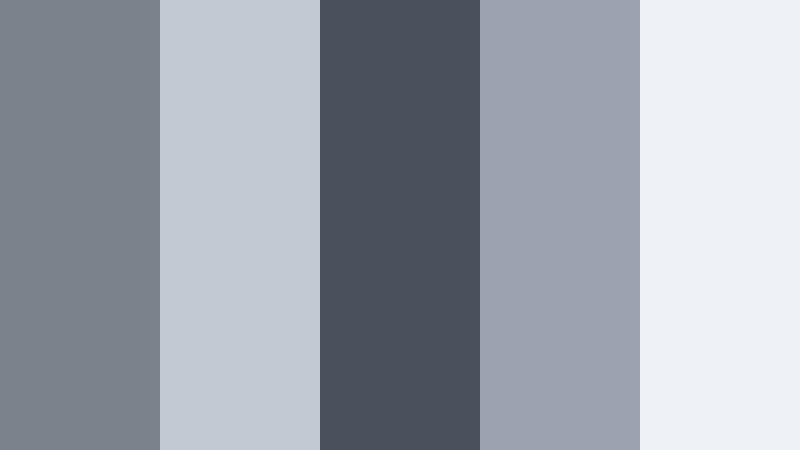
- HEX Codes: #7c828b, #c3c9d3, #4b515c, #9aa3af, #eef1f5
- Mood: Futuristic, refined, and cinematic.
- Use for: Perfect for cityscape b-roll, architectural reels, and motion graphics that need an urban, polished mood.
Steel Skyline Edit mixes deeper structural grays with airy highlights that feel like glass towers cutting through a hazy sky. The contrast between charcoal details and pale surfaces creates a cinematic, big city mood without harsh saturation.
Use this palette in time lapse city b roll, real estate promos, and architectural case studies. In thumbnails, put text on the lighter grays while framing your subject with the darker tones for a sleek, editorial look that fits tech channels and design focused brands.
Monochrome Workspace Flow
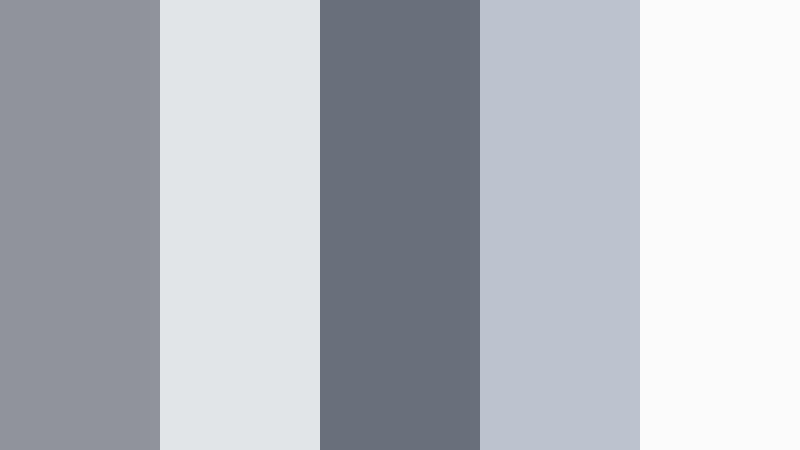
- HEX Codes: #90959d, #e0e3e8, #6a7079, #bcc3cd, #fafbfc
- Mood: Organized, productive, and understated.
- Use for: Use this for productivity vlog overlays, workspace tours, and SaaS landing pages where neutrality keeps the focus on content.
Monochrome Workspace Flow feels like a perfectly organized desk: cool monitor light, soft shadows, and no visual clutter. The grays here are close to each other in tone, which creates a seamless, uninterrupted canvas behind your footage and UI elements.
Apply it to productivity vlog overlays, screen recordings, and dashboard walkthroughs. Design chapter cards, checklists, or progress bars in these HEX codes so your editing timeline and final thumbnails both reflect a calm, efficient, work friendly aesthetic.
Frosted Glass Interface
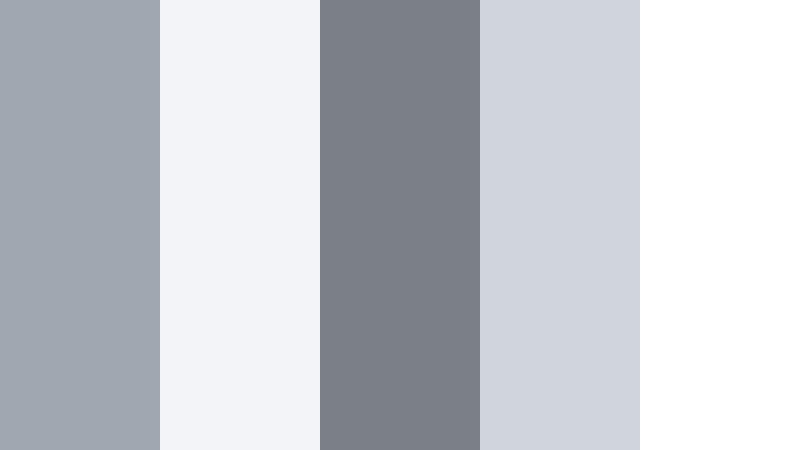
- HEX Codes: #a1a7b0, #f2f4f7, #7b8088, #cfd4dd, #ffffff
- Mood: Lightweight, techy, and serene.
- Use for: Great for app mockups, overlays on screen recordings, and tech explainers that lean into a soft glassmorphism feel.
Frosted Glass Interface combines translucent grays and crisp whites that echo modern operating systems and glassmorphism UI. It feels soft and lightweight, perfect when you want to float interface elements over your footage without blocking the content.
Use it for windowed overlays, comment bubbles, tutorial callouts, and animated UI prototypes. In Filmora, you can create semi transparent shapes in these grays and blur the background slightly to mimic frosted panels in intros, explainers, and landing page hero videos.
Subway Tile Neutral
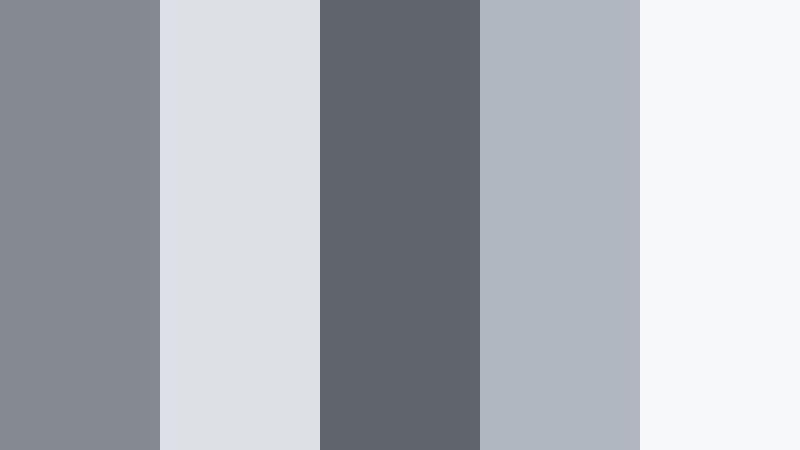
- HEX Codes: #858a92, #dde1e6, #60646c, #b1b7c0, #f7f8fa
- Mood: Grounded, everyday modern, and approachable.
- Use for: Use this palette in lifestyle channels, home renovation edits, and brand intros that aim for a casual yet polished neutral base.
Subway Tile Neutral captures the look of clean tiles, brushed fixtures, and daylight in a modern kitchen or bathroom. The mid grays feel familiar and practical, while the lighter tones keep everything bright and easy to watch.
It works well for interior tours, lifestyle stories, and approachable brand content. Build your channel banner, lower thirds, and before and after text cards with these colors to give your renovation or DIY edits a consistent, modern but friendly personality.
Soft & Serene Cool Pebble Gray Color Palettes
Coastal Pebble Shore
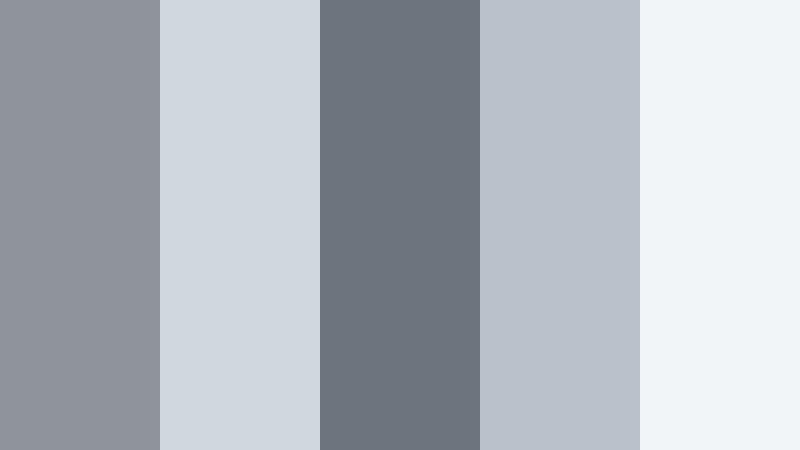
- HEX Codes: #8f949b, #cfd8df, #6d747d, #b9c2cb, #f2f5f7
- Mood: Calming, airy, and natural.
- Use for: Ideal for travel vlogs, seaside montages, and wellness channels that want a breezy, coastal mood without strong saturation.
Coastal Pebble Shore blends Cool Pebble Gray with a hint of misty blue, like wet stones on a foggy beach. The palette feels light, breezy, and slightly marine, but still neutral enough to avoid clashing with skin tones and landscapes.
Use it for calming travel sequences, yoga intros, and wellness overlays. Your titles, timer graphics, and social handles can sit comfortably on these soft grays, helping your footage feel soothing and cohesive from thumbnail to end screen.
Morning Cloud Drift
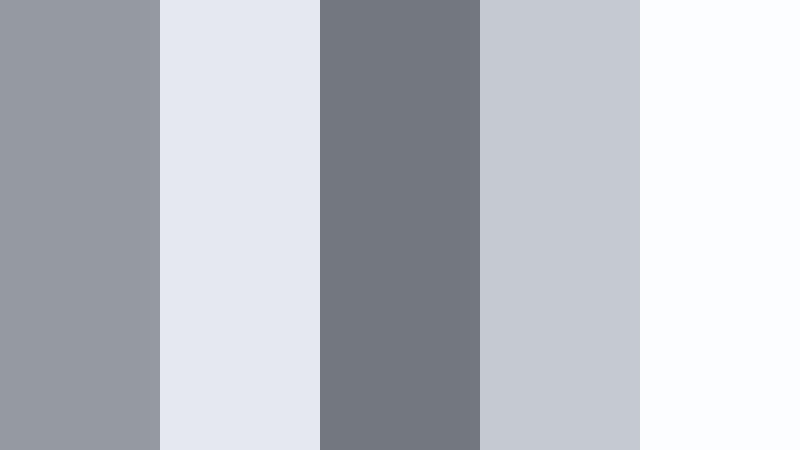
- HEX Codes: #959aa1, #e5e8ee, #737880, #c4c9d2, #fcfdff
- Mood: Dreamy, slow paced, and reflective.
- Use for: Great for slow motion clips, reflective voiceovers, and cinematic b-roll where softness and calm are key.
Morning Cloud Drift is all about feather light grays and near whites that look like early daylight filtering through clouds. There is enough depth for contrast, but the entire palette leans toward softness and gentle transitions.
Apply it to reflective montages, journal style vlogs, or minimal lyric videos. In your thumbnails, pair the darker gray with delicate serif or script fonts while keeping backgrounds in the palest tones for a contemplative, airy mood.
Rainy Window Study
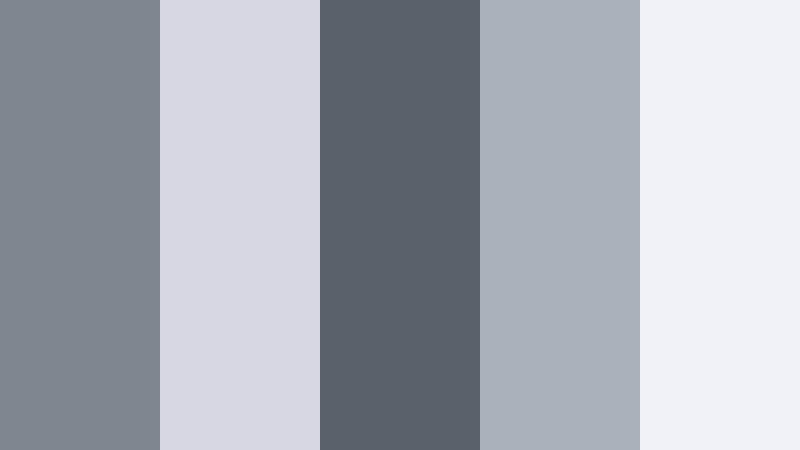
- HEX Codes: #7f858e, #d4d9e0, #5a6069, #aab1ba, #f0f2f6
- Mood: Quiet, introspective, and slightly moody.
- Use for: Perfect for study vlogs, lo fi music visuals, and ambience videos that lean into cozy, rainy day aesthetics.
Rainy Window Study mixes muted mid grays with deeper accents that evoke raindrops, blurred city lights, and the hum of a quiet workspace. It delivers a cozy, introspective feel without going full dark mode.
Use this palette for lo fi playlists, focus sessions, and ambient background videos. Design looping animations, timer overlays, and titles in these HEX codes so your entire channel feels like a single, soft rainy day playlist.
Library Dust Light
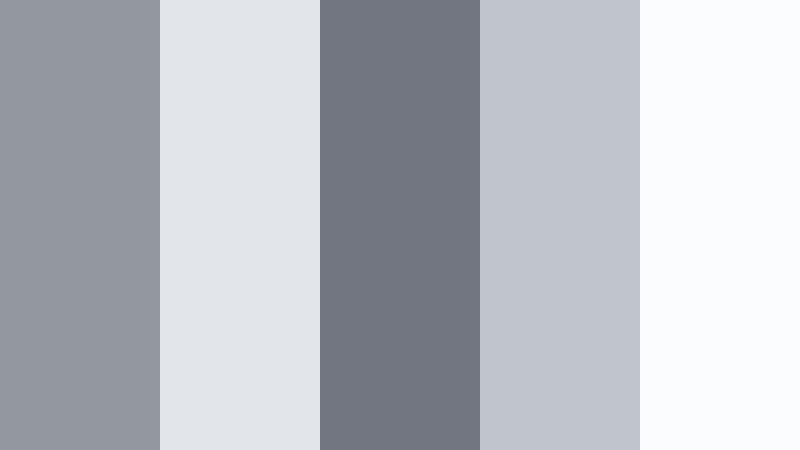
- HEX Codes: #9398a0, #e2e5ea, #717680, #bfc4cd, #fbfcfd
- Mood: Softly nostalgic and studious.
- Use for: Use this palette for educational channels, book content, and calm talking head setups with neutral backgrounds.
Library Dust Light uses Cool Pebble Gray tones that feel like dusty book stacks lit by diffused window light. The palette is neutral and soft, with enough contrast to keep text readable and faces natural.
It is a strong match for book reviews, tutorial channels, and any educational brand that wants to feel trustworthy and calm. Frame your slides, lower thirds, and chapter markers with these colors to keep your educational content visually consistent across thumbnails, intros, and social clips.
Foggy Lake Stillness
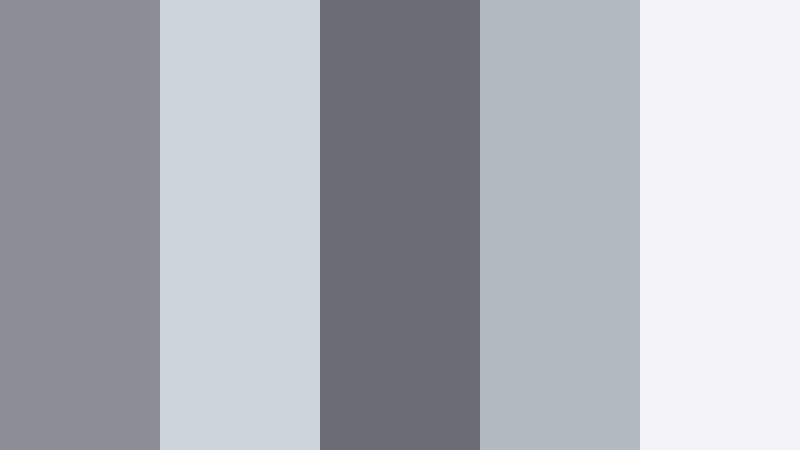
- HEX Codes: #8b9098, #ced4dc, #676c75, #b3bac4, #f3f5f8
- Mood: Meditative, expansive, and cinematic.
- Use for: Great for drone footage, nature reels, and opening titles that call for a wide, atmospheric feeling.
Foggy Lake Stillness layers cool grays that resemble mist lifting off a calm surface at dawn. The mid and deep tones give your images quiet drama, while the light grays bring in air and space.
Use it in drone landscapes, nature reels, and meditative openers. In Filmora, you can grade your footage toward these HEX values and design subtle title cards in the same palette, so your entire sequence feels like one continuous, atmospheric breath.
Bold & Cinematic Cool Pebble Gray Color Palettes
Neon Alley Contrast
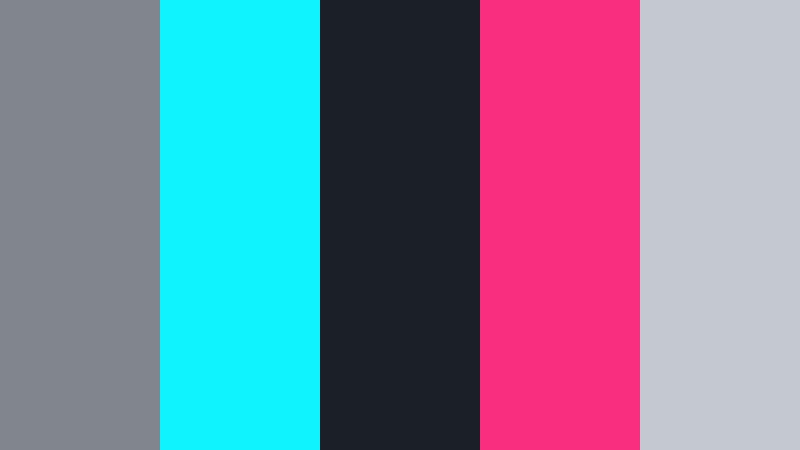
- HEX Codes: #80858e, #0ff3ff, #1b1f28, #f92e7f, #c3c8d1
- Mood: Edgy, energetic, and cyberpunk inspired.
- Use for: Use for music videos, gaming intros, and dynamic social teasers where gray acts as a stage for bold neon accents.
Neon Alley Contrast turns Cool Pebble Gray into a cinematic stage for electric cyan and hot magenta accents. The near black and mid gray tones feel like wet asphalt and shadowed walls, while the neon colors slice through with energy.
It is perfect for gaming content, synthwave edits, and high energy teasers. Use gray as your main background color, then reserve neon for titles, strokes, and glitch effects so your visuals stay bold but not overwhelming.
Midnight Metro Frame
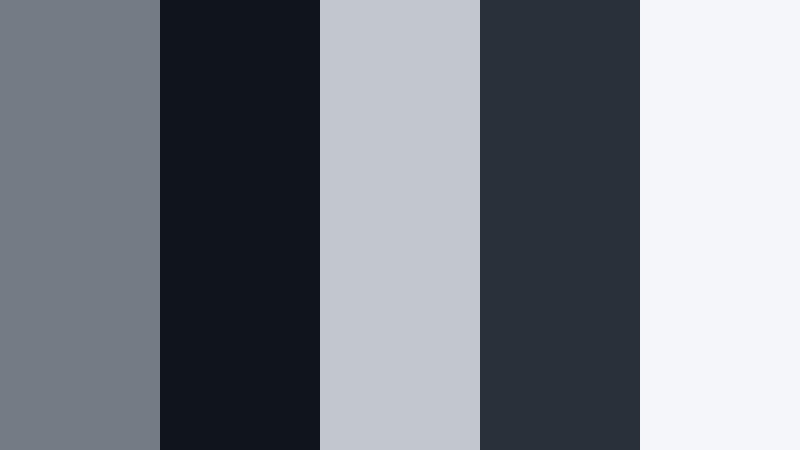
- HEX Codes: #757b84, #10141c, #c2c6ce, #28303a, #f5f6f9
- Mood: Moody, urban, and dramatic.
- Use for: Perfect for thriller trailers, city night b-roll, and brand intros that want a cinematic noir undertone.
Midnight Metro Frame balances near black shadows with softer Cool Pebble Gray midtones, giving the feeling of a late night train or tunnel. It delivers strong contrast that works well with bold typography and graphic shapes.
Use it for dramatic openers, noir style city cuts, and edgy brand reveals. Your titles can sit in the lightest gray, framed by deep charcoal bars or letterboxes, instantly giving your content a cinematic metro vibe.
Steel Spotlight Stage
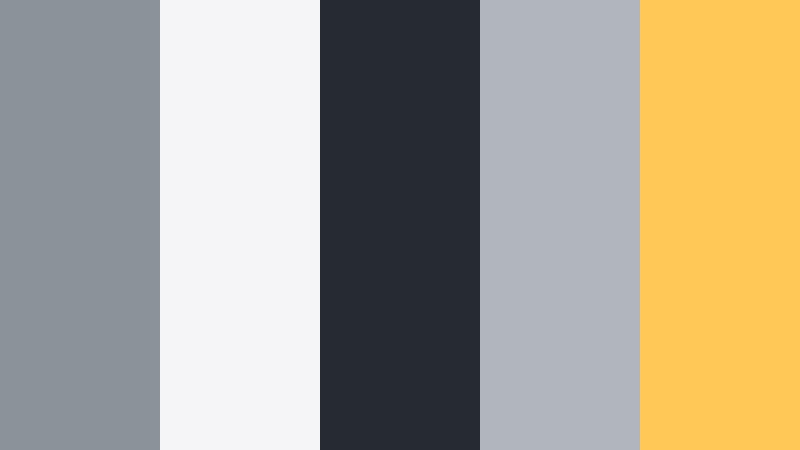
- HEX Codes: #8c929a, #f5f5f7, #262a33, #b1b6be, #ffc857
- Mood: Theatrical, confident, and high impact.
- Use for: Use this palette in event promos, keynote openers, and highlight reels that mix neutral bases with a warm spotlight accent.
Steel Spotlight Stage uses layered grays as a metallic stage and introduces a single Warm Amber Brown inspired golden accent. The result feels like a spotlight cutting through a dark auditorium, drawing every eye to the subject.
Deploy the yellow accent sparingly on CTAs, key phrases, or logo marks, keeping everything else in refined gray. This is great for conference trailers, key speaker intros, and reels where you want to highlight specific beats of the story.
Graphite Tech Pulse
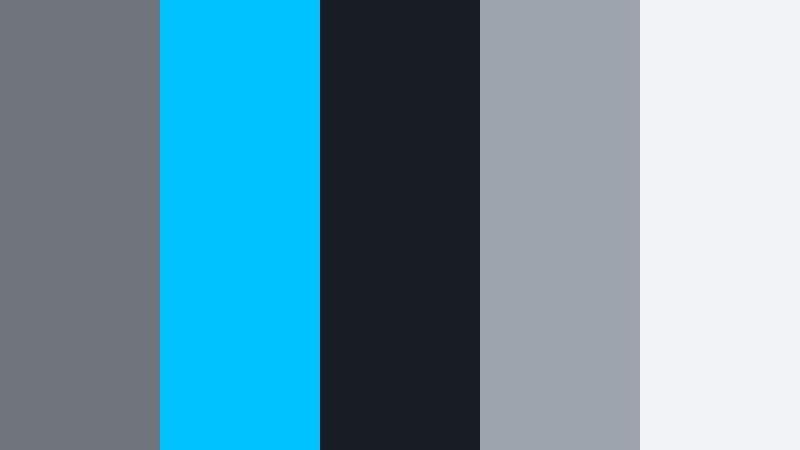
- HEX Codes: #6f747d, #00c2ff, #181c24, #9ea4ad, #f1f3f6
- Mood: High tech, fast paced, and precise.
- Use for: Great for product launches, startup explainers, and motion graphics where you want a sharp, tech forward edge.
Graphite Tech Pulse pairs Cool Pebble Gray with electric cyan and deep graphite shadows, hinting at data streams and UI dashboards. The palette feels crisp, technical, and trustworthy, with an energetic blue accent for motion.
Use it for HUD overlays, product feature callouts, or kinetic typography in launch videos. Keep backgrounds in light and mid grays, shadows in deep graphite, and reserve cyan for graphs, icons, and lines that direct the viewer's gaze.
Elegant & Luxe Cool Pebble Gray Color Palettes
Marble Atrium Glow
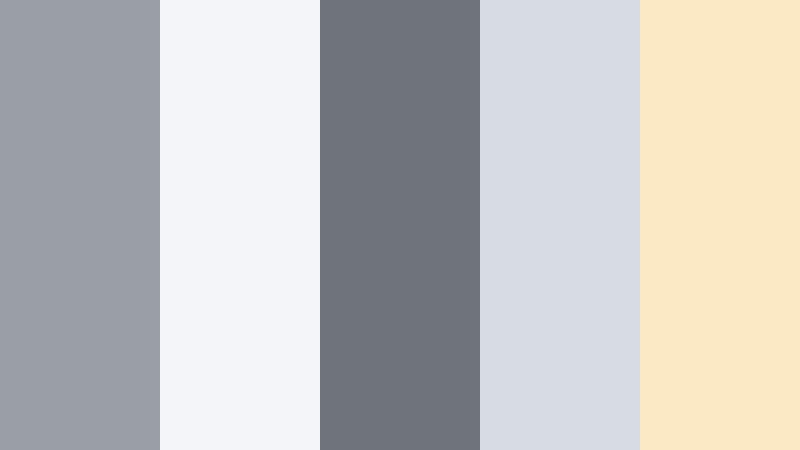
- HEX Codes: #9a9fa6, #f4f5f8, #6e737c, #d7dbe2, #fbe8c4
- Mood: Luxurious, airy, and refined.
- Use for: Use for wedding films, boutique branding, and lifestyle thumbnails where subtle gray elegance meets a hint of warmth.
Marble Atrium Glow weaves Cool Pebble Grays with a creamy highlight that feels like sunlight reflecting off polished stone. The mix of cool and gently warm tones gives a quiet, high end atmosphere without becoming flashy.
Use it for wedding titles, boutique logo reveals, and minimalist luxury thumbnails. Keep most of your graphics in the grays, using the cream tone for subtle frames, call to action buttons, or initials to suggest warmth and exclusivity.
Silver Chambray Style
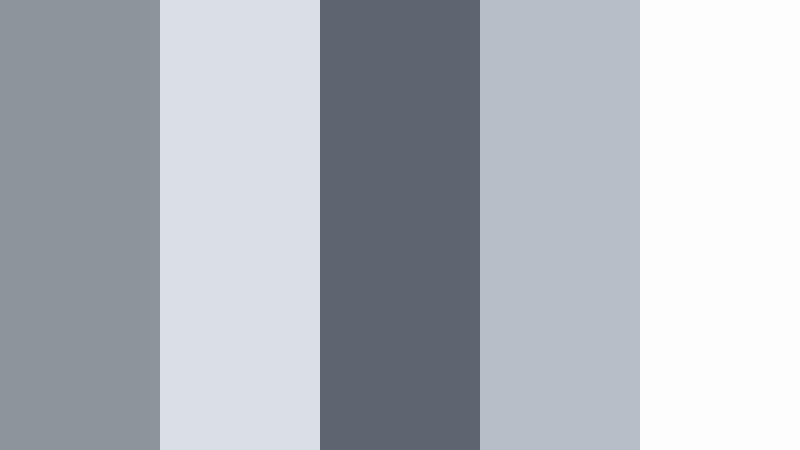
- HEX Codes: #8e949c, #dadfe6, #5f6570, #b8bec7, #fdfdfd
- Mood: Tailored, fashionable, and quietly upscale.
- Use for: Perfect for fashion lookbooks, product flat lays, and portfolio reels that call for a crisp but soft neutral base.
Silver Chambray Style feels like a well tailored gray shirt under soft studio lighting. The palette is crisp and polished, but still gentle enough to flatter skin, textiles, and product finishes.
Use it as a base for lookbooks, portfolio reels, and e commerce product showcases. Design your logo, title slates, and pricing callouts in these Cool Pebble Gray tones so the focus stays on textures, fabrics, and details while your brand feels consistently refined.
Tips for Creating Cool Pebble Gray Color Palettes
Cool Pebble Gray works best when it is treated as a flexible base that you adjust with contrast, accent colors, and texture. These tips will help you combine it with other tones for video, thumbnails, and brand design that stay clear and cohesive.
- Pair Cool Pebble Gray with one accent color at a time, such as cyan, Warm Amber Brown, or soft blush, so your visuals feel intentional instead of noisy.
- Use darker grays for text on very light backgrounds, and lighter grays for text on dark frames, always checking readability on mobile screens.
- Keep skin tones separate from your gray adjustments in Filmora by masking or using HSL, so faces stay natural while the environment leans cooler.
- Build a simple brand kit: choose a primary Pebble Gray, one lighter shade, one darker shade, and one accent color, then apply them consistently to titles, shapes, and icons.
- For cinematic looks, gently lift black levels and slightly lower highlights so Cool Pebble Gray becomes softer and more filmic instead of harsh.
- When matching B roll from different cameras, use AI Color Palette or color match features to align white balance first, then nudge all clips toward your chosen gray palette.
- In thumbnails, avoid pure white; instead, use very pale Pebble Gray as the background to reduce glare and give your typography room to breathe.
- Test your palette in both light and dark modes if you design UI or overlays, making sure Cool Pebble Gray keeps enough contrast in each version.
Cool Pebble Gray color palettes can completely reshape how your audience feels about your channel or brand. From minimal tech layouts to soft, dreamy edits and bold cinematic sequences, these 15 palettes give you ready made combinations that stay versatile and professional.
Try dropping the HEX codes into Filmora for your titles, frames, and color grades, then save your favorite combinations as presets so every new upload feels on brand. With a stable Cool Pebble Gray base, you can experiment with accent colors and filters without losing your core visual identity.
As you test these palettes, pay attention to which ones fit your storytelling style best, then build your intros, outros, and social snippets around them. Over time, viewers will start to recognize your Cool Pebble Gray look the moment your video appears in their feed.
secure download