

 100% Security Verified | No Subscription Required | No Malware


 ChatGPT
 Perplexity
 Gemini
 Claude
 Grok
Grok
Dark Teal Green sits between blue and green, combining the calm of the ocean with the stability of evergreen forests. It feels grounded, intelligent, and quietly confident, which is why it works so well for brands, tech visuals, and cinematic looks. On screen, it often reads as sophisticated and modern rather than loud or trendy, making it ideal when you want your content to feel timeless.
For video creators, Dark Teal Green is a powerful base color for YouTube thumbnails, title cards, intros, lower thirds, and even full color grading looks. Whether you are designing a minimalist productivity channel, a bold cinematic trailer, or a soft romantic wedding film, the Dark Teal Green color palettes below give you ready-made combinations with HEX codes that you can recreate in Filmora or any design tool.
In this article
Calm And Minimal Dark Teal Green Color Palettes
Ocean Studio Calm
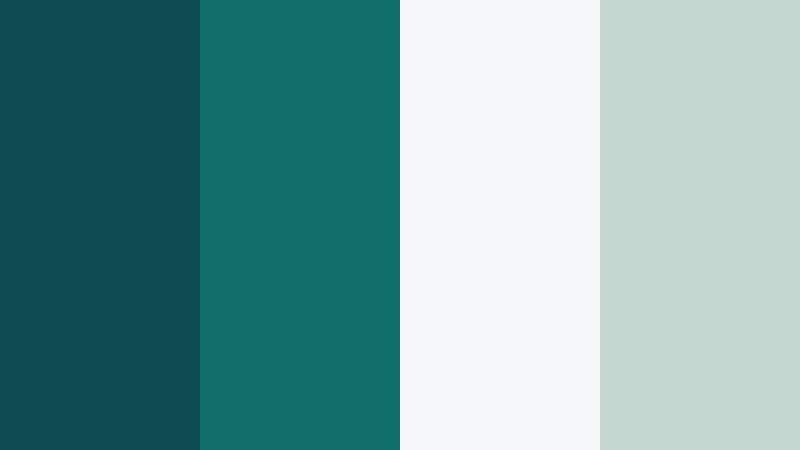
- HEX Codes: #0e4b53, #0f6e6a, #f5f7f8, #c4d7d1
- Mood: Serene, understated, and modern.
- Use for: Ideal for minimalist title cards, tutorial intros, and clean interface overlays in productivity or tech videos.
Ocean Studio Calm is a quiet mix of deep Dark Teal Green, a gentler teal accent, and two airy neutrals. Together they feel spacious and focused, like a tidy studio with plenty of natural light. The darker teal tones are strong enough for backgrounds and text blocks, while the light neutrals keep everything open and easy on the eyes.
Use this palette for clean YouTube thumbnails, slide-style explainers, or UI overlays in app demos where clarity matters. In Filmora, you can build intro templates with Dark Teal Green as your main brand shade, use the lighter tones for shapes and panels, and keep text either white or charcoal for maximum readability.
Pro Tip: Build a Calm Dark Teal Green Aesthetic Across Your Edit with Filmora
Once you choose a palette like Ocean Studio Calm, keeping it consistent across your whole project makes your channel look instantly more professional. In Filmora, you can save custom colors in the color picker and reuse the same Dark Teal Green values for title cards, lower thirds, shapes, and background solids, so your intros, B-roll labels, and end screens all match.
Combine this with Filmora presets and transitions that have simple, minimal movement. By sticking to these specific HEX codes for Dark Teal Green and neutrals, you create a recognizable visual identity that viewers start to associate with your tutorials or productivity content.
AI Color Palette
If you already have a screenshot, brand board, or thumbnail mockup that uses this Dark Teal Green palette, you can turn it into a full video look with Filmora. Filmora's AI Color Palette feature lets you sample color from a reference clip or image and apply that mood across multiple shots.
Import your reference frame that shows the exact Dark Teal Green vibe you want, then use AI Color Palette to transfer those tones to your entire sequence. This is perfect when you want your A-roll, B-roll, and cutaway scenes to share the same calm teal atmosphere without grading each clip manually.
 secure download

HSL, Color Wheels & Curves
Even with a strong Dark Teal Green palette, different cameras and lighting conditions can shift your colors. Filmora's HSL, color wheels, and curves tools help you nudge teal and green channels so they match your chosen HEX codes more closely, or push the look toward a more cinematic tone with richer shadows and cooler mids.
You can isolate teal and green ranges in HSL to deepen saturation, then use the color wheels to cool down shadows and slightly warm highlights on skin so your subjects still look natural. Curves give you fine control over contrast, letting Dark Teal Green backgrounds stay rich without crushing detail. For a deeper walkthrough, Filmora's YouTube tutorials on color grading show how to balance these tools step by step.
secure download1000+ Video Filters & 3D LUTs
Once your Dark Teal Green base is in place, Filmora's filters and LUTs can speed up styling. You can stack subtle film-inspired filters on top of your palette to add grain, glow, or cooler shadows without losing your main Dark Teal Green identity. This works well for vlog intros, talking-head content, and cinematic B-roll.
Filmora’s video filters and 3D LUTs make it easy to test multiple teal-heavy looks in seconds. Apply a LUT to a single graded clip, then copy and paste the effect to the rest of your timeline so your entire video feels cohesive and professionally color graded.
secure downloadNordic Workspace Teal
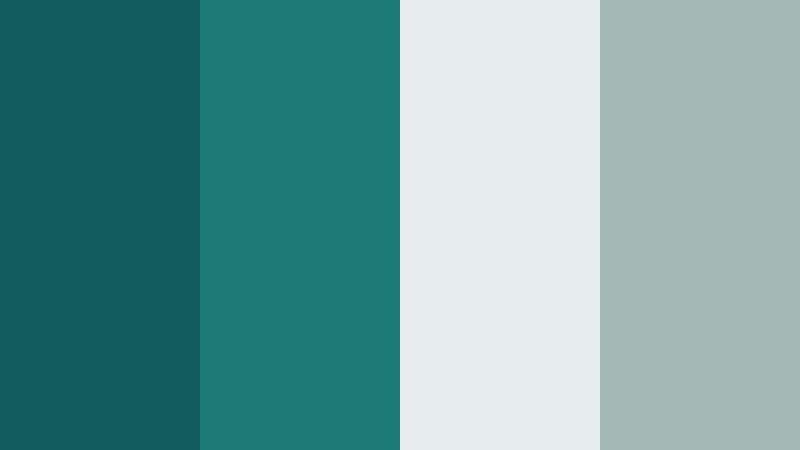
- HEX Codes: #115b5e, #1c7a75, #e7ecef, #a3b8b5
- Mood: Cool, disciplined, and professional.
- Use for: Use for productivity vlogs, workspace tours, and software walkthroughs where clarity and focus matter.
Nordic Workspace Teal combines cool Dark Teal Green hues with frosty grays for a Scandinavian-inspired style. It feels disciplined and clutter free, perfect for showcasing tidy desks, minimalist offices, and clean digital products.
Use Dark Teal Green as a base for titles and UI elements in your screencasts, then lean on the pale gray tones for backgrounds in thumbnails and lower thirds. This palette is great for creators who talk about Notion setups, coding, or workflow optimization and want their visuals to match that organized mindset.
Deep Library Quiet
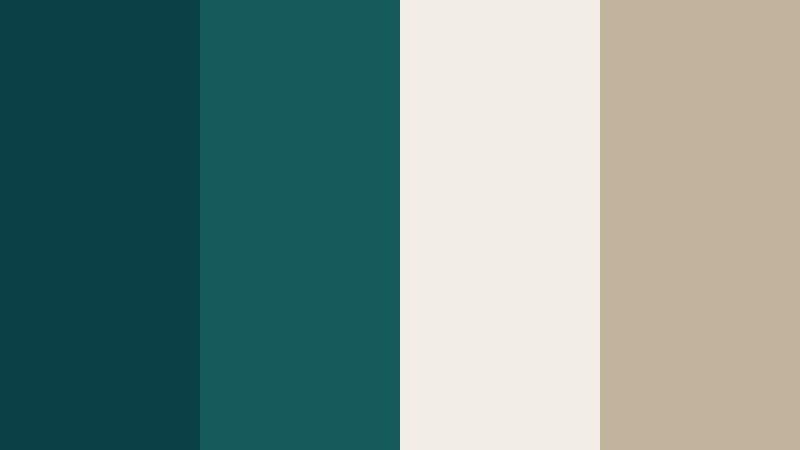
- HEX Codes: #0b3f46, #145a5b, #f2eee7, #c0b29b
- Mood: Contemplative, cozy, and intellectual.
- Use for: Great for documentary lower thirds, essay videos, or book-channel branding that needs a thoughtful tone.
Deep Library Quiet mixes inky Dark Teal Green with parchment and warm taupe. It feels like reading in a quiet corner of an old library, which is perfect for story-driven or educational content.
Use the darkest teal as a background for chapter cards, then set your titles in off-white or taupe for a softer contrast. In thumbnails, combine a Dark Teal Green frame with a warm beige backdrop behind your subject to suggest depth and seriousness without looking harsh.
Foggy Harbor Minimal
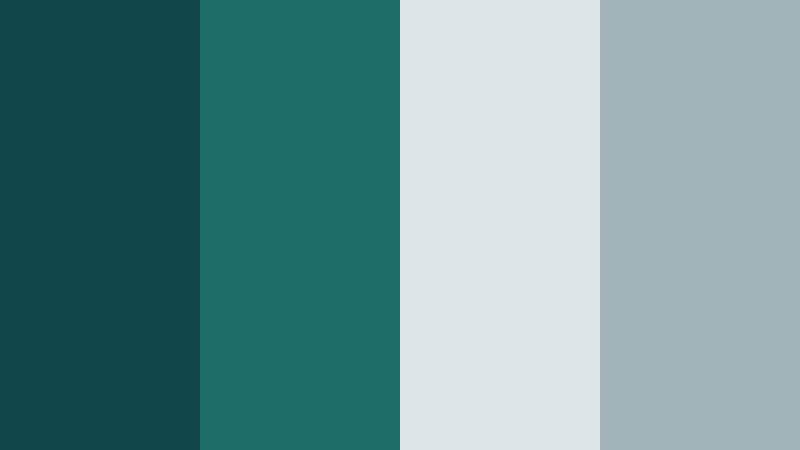
- HEX Codes: #11474a, #1f6d67, #dde5e8, #9fb3b8
- Mood: Airy, reflective, and restrained.
- Use for: Perfect for cinematic B-roll overlays, travel titles, and subtle logo stings with a calm maritime vibe.
Foggy Harbor Minimal pairs muted Dark Teal Green tones with misty blues and grays, creating a coastal, overcast feeling. It is gentle and reflective, ideal for travel content that focuses on quiet streets, early mornings, or slow journeys.
Use Dark Teal Green for subtle title bars and iconography, and keep large areas in soft gray-blue to maintain that low contrast, foggy atmosphere. In Filmora, this palette works especially well with light fade transitions and lower contrast footage for a polished, cinematic vlog style.
Glass Dashboard Teal
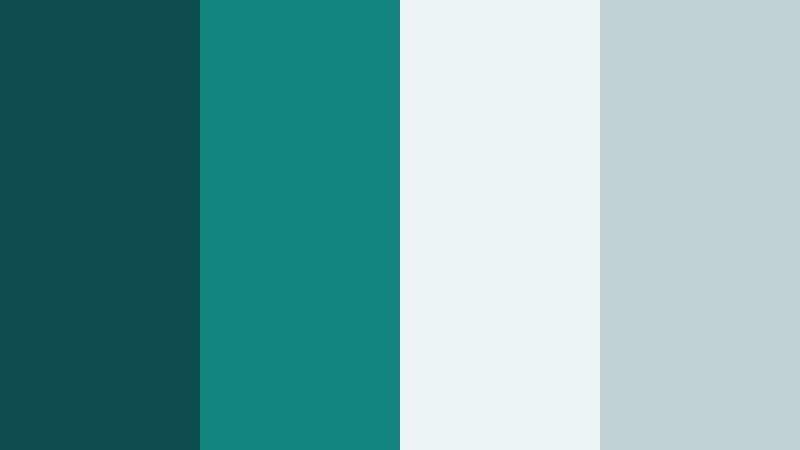
- HEX Codes: #0e4d4f, #13857f, #edf4f6, #c1d2d4
- Mood: Clean, techy, and confident.
- Use for: Use in app demos, SaaS explainer videos, and sleek motion dashboards for a polished digital look.
Glass Dashboard Teal combines Dark Teal Green with lighter teals and frosted whites, mimicking a glassy digital interface. It feels modern and confident, with enough contrast to keep data and UI elements readable.
Use the darkest teal for navigation bars or key stats, the bright teal for highlights or call-to-action buttons, and the pale tones for card backgrounds. In thumbnails and intros, this palette helps tech and SaaS content feel premium and trustworthy without looking too aggressive.
Bold And Cinematic Dark Teal Green Color Palettes
Neo Noir Teal Drama

- HEX Codes: #07353a, #0f706d, #f5c24f, #f4f2ee
- Mood: Cinematic, edgy, and high contrast.
- Use for: Ideal for film-style color grading, trailer titles, and dramatic YouTube intros with strong visual impact.
Neo Noir Teal Drama builds on smoky Dark Teal Green shadows and adds bright gold for that classic teal-and-amber Hollywood contrast. The off-white keeps text clean while letting the rich colors take center stage.
Use the deep teal for backgrounds and shadows in your footage, and let the gold accent appear in typography, graphic elements, or props in frame. This palette is perfect for trailers, short films, and commentary videos where you want thumbnails and intros to look like movie posters.
Electric Tide Energy

- HEX Codes: #045056, #00a39a, #ff6b3d, #ffe9d6
- Mood: Energetic, modern, and eye-catching.
- Use for: Use for gaming intros, hype reels, and music videos that need punchy color pops.
Electric Tide Energy throws vivid Dark Teal Green and neon aqua against hot coral and a soft cream. The result is dynamic and punchy, ideal when you want your visuals to pop instantly in busy feeds.
Use Dark Teal Green as a base layer, neon aqua for outlines or glow effects, and coral for buttons, streaks, and important text. This palette works well with bold typography and kinetic transitions in Filmora, especially for gaming channels, esports highlights, and fast-paced promo videos.
Tropical Night Pulse
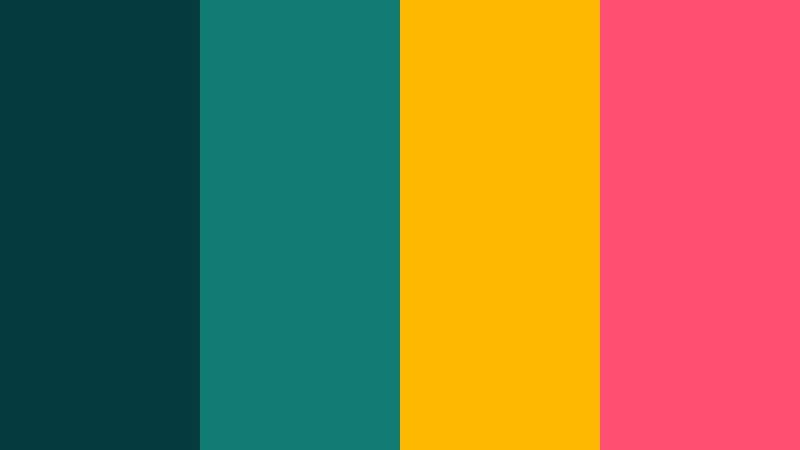
- HEX Codes: #063b3e, #0f7b72, #ffb800, #ff4f70
- Mood: Vibrant, nightlife-inspired, and playful.
- Use for: Perfect for travel vlogs, festival recaps, and party promos with a vivid after-dark feel.
Tropical Night Pulse sets inky Dark Teal Green against mango yellow and vibrant pink. It feels like neon signs and city lights reflected on water, making it ideal for nightlife and party content.
Use Dark Teal Green to keep backgrounds moody, then drop in yellow and pink as bright accents for titles, borders, and light leaks. Thumbnails with teal shadows and hot color streaks immediately suggest fun, energetic stories from festivals, clubs, or night markets.
Copper Circuit Teal
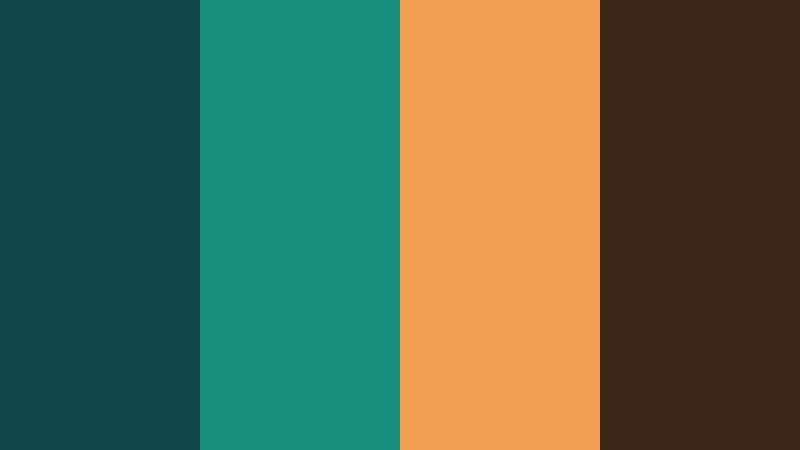
- HEX Codes: #0e474a, #158f7c, #f29f52, #3b2518
- Mood: Industrial, tech-forward, and intense.
- Use for: Great for tech reviews, product launches, and sci-fi themed intros with a premium edge.
Copper Circuit Teal combines Dark Teal Green with glowing copper and deep brown, echoing circuit boards and industrial hardware. It feels high tech and premium, with enough warmth to stay inviting.
Use teal shades for digital UI frames and HUD elements, then let copper appear in logos, product shots, or animated lines. In Filmora, animating copper streaks over a Dark Teal Green background can instantly give your tech reviews and gadget launches a cinematic edge.
Storm Surge Action
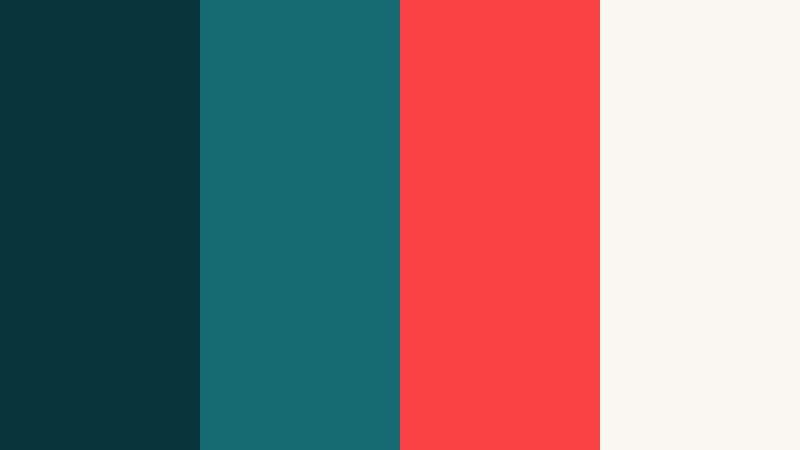
- HEX Codes: #08333a, #146a70, #f94144, #f9f7f2
- Mood: Urgent, powerful, and cinematic.
- Use for: Use in sports highlights, action trailers, and countdown graphics that demand attention.
Storm Surge Action uses brooding Dark Teal Green and urgent red with a clean off-white highlight. The contrast feels intense and energetic, making every frame look like a still from an action sequence.
Let Dark Teal Green dominate the background and midtones of your footage, then reserve red for timers, scores, or critical words in titles. The off-white helps keep text easy to read and gives you neutral space in thumbnails so the teal and red can really stand out.
Elegant And Modern Dark Teal Green Color Palettes
Teal Marble Luxe
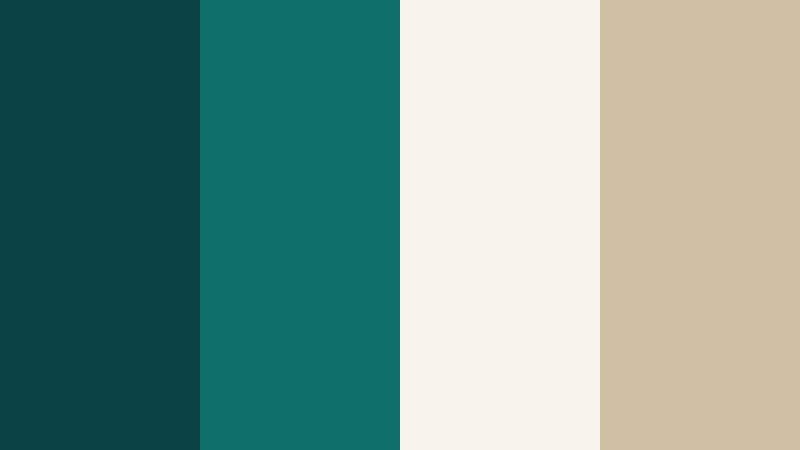
- HEX Codes: #0b4246, #0f6f6a, #f7f3ec, #d0bfa5
- Mood: Luxurious, calm, and refined.
- Use for: Perfect for brand intros, logo animations, and premium product promos needing a high-end feel.
Teal Marble Luxe combines rich Dark Teal Green with creamy stone and warm beige, similar to upscale interiors and marble textures. It feels luxurious but still calm, ideal for brands that want sophistication without being flashy.
Use Dark Teal Green as the hero color for logo reveals and typography, while cream and beige form soft gradients or background blocks. This palette fits beauty brands, interior design channels, jewelry promos, and any premium product reel you cut in Filmora.
Emerald Atrium Glow
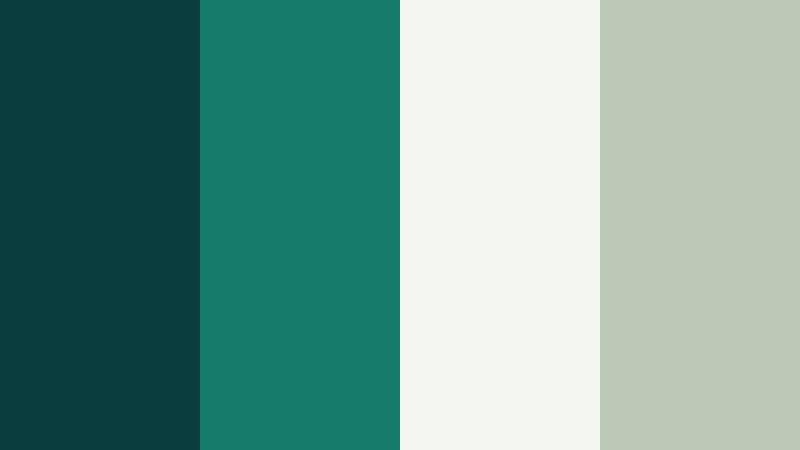
- HEX Codes: #0a3e3e, #157b6a, #f4f6f2, #bcc9b7
- Mood: Sophisticated, airy, and optimistic.
- Use for: Use in lifestyle branding, wellness content, and modern corporate reels for a fresh yet polished look.
Emerald Atrium Glow softens Dark Teal Green into lush emerald tones and pairs them with pale botanical grays. The effect is fresh, slightly botanical, and very modern, like a glass atrium filled with plants.
Use the darker teal shades as anchors for logo locks and text, with the pale greens and grays as background washes or panels. It is especially strong for wellness channels, eco brands, and lifestyle vlogs that want to feel both grounded and uplifting.
Teal And Champagne Soiree
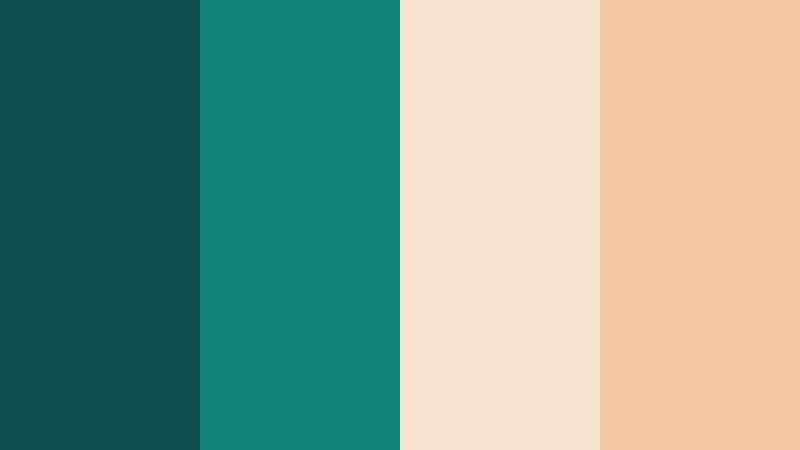
- HEX Codes: #0f4c4d, #138277, #f7e5cf, #f3c8a3
- Mood: Festive, romantic, and upscale.
- Use for: Ideal for wedding highlight films, event teasers, and brand videos with a soft luxurious mood.
Teal And Champagne Soiree pairs deep Dark Teal Green with champagne and soft apricot tones. It feels romantic and warm, like candlelight against a rich evening backdrop.
For wedding films and event recaps, keep Dark Teal Green for lower thirds, titles, and subtle frames, while letting champagne and apricot sit behind your couple or event scenes. This combination flatters skin tones and makes evening footage look polished and expensive.
Modern Atrium Monochrome
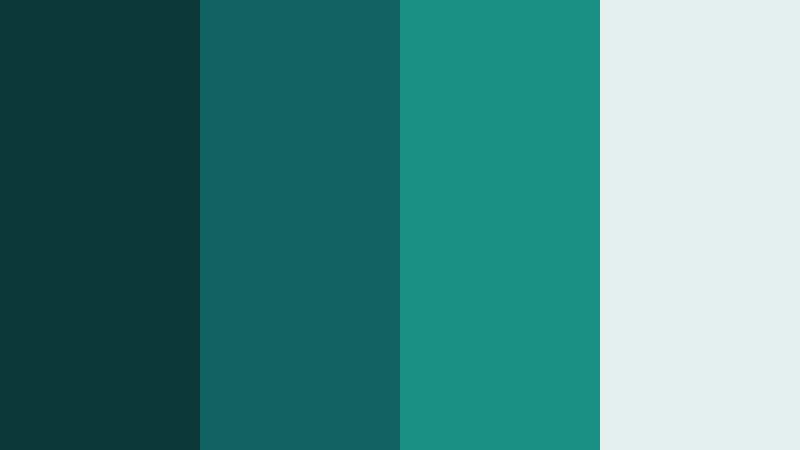
- HEX Codes: #0c383a, #116361, #1a8f84, #e4f0ee
- Mood: Sleek, focused, and contemporary.
- Use for: Great for brand systems, UI kits, and cohesive channel graphics that need a strong teal identity.
Modern Atrium Monochrome stacks four shades of Dark Teal Green from deep to very light. The monochrome approach keeps everything focused and unified, which is excellent for clear branding.
Use the darkest tone for backgrounds, mid-teals for buttons and highlights, and the lightest for large panels and negative space. This is a powerful base if you want your entire channel, from overlays to end screens, to revolve around Dark Teal Green without adding extra accent colors.
Soft And Romantic Dark Teal Green Color Palettes
Teal Mist Garden
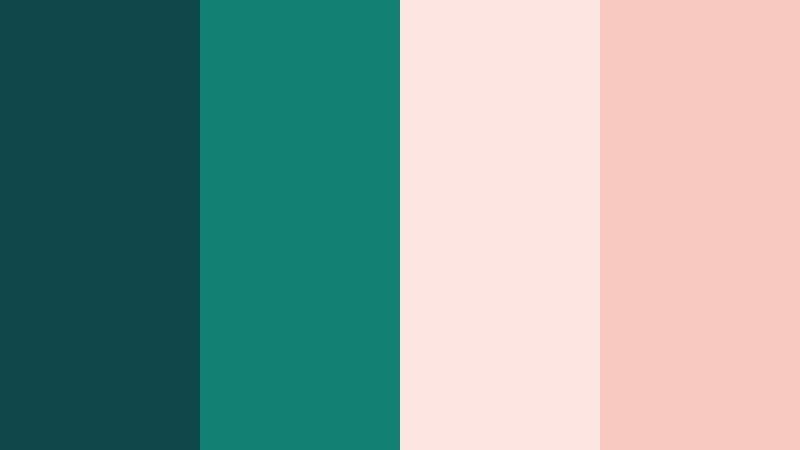
- HEX Codes: #0d4748, #118073, #fde6e2, #f7c9c0
- Mood: Gentle, romantic, and dreamy.
- Use for: Use for wedding edits, soft travel vlogs, and dreamy storytelling sequences with pastel overlays.
Teal Mist Garden wraps velvety Dark Teal Green tones around blush and misty peach pastels. It feels tranquil, intimate, and slightly nostalgic, like a quiet garden at golden hour.
Use Dark Teal Green sparingly in text and framing, while letting the soft pink and peach hues wash over backgrounds and light leaks. In Filmora, you can use this palette for title screens, lower thirds, and color overlays that give your wedding films and romantic vlogs a cohesive pastel mood.
Moonlit Lagoon Whisper
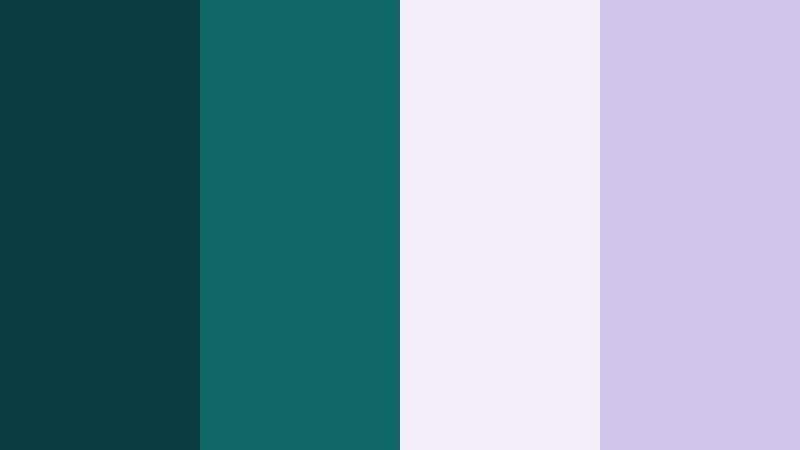
- HEX Codes: #0a3b3f, #0f6867, #f3edf7, #d1c4e9
- Mood: Ethereal, calm, and slightly magical.
- Use for: Perfect for dreamy montage sequences, fantasy-inspired edits, and aesthetic vlogs.
Moonlit Lagoon Whisper blends Dark Teal Green with lavender grays and soft lilac for a moonlit, watercolor atmosphere. It feels calm but slightly enchanted, making it perfect for aesthetic edits and fantasy-inspired visuals.
Use teal to ground your footage in shadows and midtones, with lilac and pale violet appearing in text, overlays, or smoke-like gradients. This palette can turn ordinary footage into dreamy montage sequences, ideal for lookbooks, cinematic vlogs, or inspirational shorts.
Tips for Creating Dark Teal Green Color Palettes
Dark Teal Green is flexible enough to feel minimalist, cinematic, or romantic depending on what you pair it with. A few practical guidelines help you keep your palettes consistent and effective in video and design.
- Balance Dark Teal Green with at least one light neutral (off-white, soft gray, or pale teal) so text and UI elements stay readable in thumbnails and overlays.
- For cinematic looks, pair Dark Teal Green with warm accent colors like gold, copper, or soft coral to create classic teal-and-amber contrast that draws attention to faces.
- Keep brand identity strong by choosing one primary Dark Teal Green HEX code and using variations (lighter or darker) instead of random teals across different videos.
- Always test your palette on small screens: export a frame from Filmora and check if titles and icons are still clear on a phone at low brightness.
- Match footage to your graphics by lightly color grading clips toward your chosen Dark Teal Green tint, especially in shadows and midtones, so overlays feel integrated rather than pasted on.
- For romantic and soft edits, reduce saturation of Dark Teal Green slightly and lean on pastel partners like blush, lilac, or peach to keep the mood gentle.
- Use bright accents sparingly: high-energy colors like hot coral or red work best on call-to-action text, buttons, or key stats rather than everywhere on screen.
- Create reusable templates in Filmora with your Dark Teal Green titles, lower thirds, and end screens so every new upload automatically follows the same palette.
Dark Teal Green gives you a versatile foundation that can feel calm, bold, elegant, or dreamy depending on the supporting colors you choose. With the palettes and HEX codes above, you can quickly build a visual language that matches your channel personality, from minimalist tutorials to cinematic trailers and romantic wedding films.
Try dropping these palettes directly into Filmora as custom color presets, then match your footage with grading tools and filters. As you experiment, you will find a Dark Teal Green combination that feels uniquely yours and helps viewers recognize your work at a glance.
Whether you are refreshing your branding, designing new thumbnails, or building a complete intro package, using consistent Dark Teal Green tones in Filmora will keep your videos looking cohesive and professional across every platform.
secure download