

 100% Security Verified | No Subscription Required | No Malware


 ChatGPT
 Perplexity
 Gemini
 Claude
 Grok
Grok
Gold Leaf sits at the crossroads of luxury and warmth. It instantly signals elegance, celebration, and value, which is why it shows up so often in premium branding, cinematic title cards, and high end packaging. On screen, Gold Leaf tones can highlight details, guide the eye to key information, and make even simple layouts feel exclusive without being loud.
For video creators, YouTubers, and designers working in Filmora, a well chosen Gold Leaf color palette can tie together thumbnails, intros, lower thirds, and color grading across a whole channel. Below are 15 Gold Leaf color palettes with HEX codes you can plug directly into your designs, overlays, and grading workflows to keep your visual style consistent, polished, and on brand.
In this article
Elegant And Modern Gold Leaf Color Palettes
Modern Gallery Glow
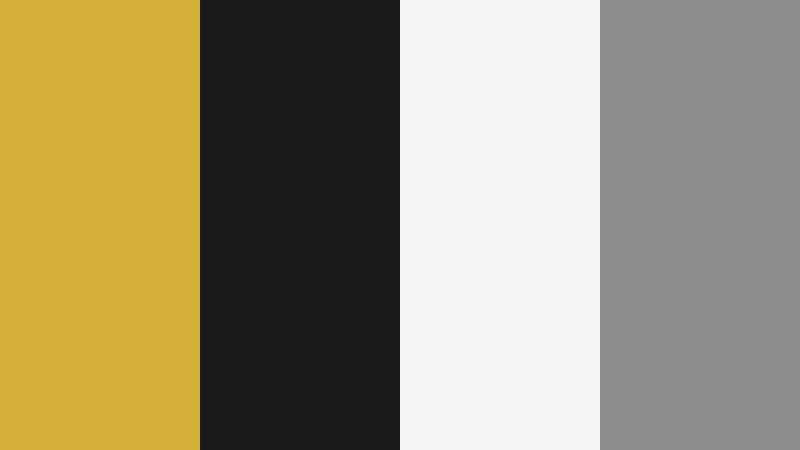
- HEX Codes: #d4af37, #1a1a1a, #f5f5f5, #8c8c8c
- Mood: Polished, contemporary, and quietly luxurious.
- Use for: Perfect for clean channel branding, logo stings, and minimalist title cards that need a refined premium feel.
A crisp mix of Gold Leaf, charcoal, white, and soft gray creates a gallery like atmosphere that feels curated and high end. The gold provides a focal accent, while the monochrome neutrals keep everything calm and uncluttered.
Use this palette for sleek YouTube banners, logo reveals, and lower thirds where you want the message and typography to stand out against a restrained backdrop. It also works well for tech reviews, portfolio showcases, and studio tours where your visuals should feel modern, editorial, and professional.
Pro Tip: Build a Cinematic Gold Leaf Look in Filmora
To keep a clean Modern Gallery Glow aesthetic across your projects, treat Gold Leaf as an accent instead of a base color. In Filmora, use it on text, icons, and subtle frames, while your backgrounds stay close to charcoal, white, and gray. This balance maintains a premium feel without overwhelming your footage.
You can also pre save a custom color set in Filmora by reusing the same Gold Leaf HEX code for titles, transitions, and overlays. That way your intro, b roll, and end screen all share the same polished signature gold, making your channel instantly recognizable.
AI Color Palette
If you have a reference image that nails this Modern Gallery Glow mood, you can turn it into a consistent grade for all your clips. Filmora's AI Color Palette feature analyzes the colors in a still frame or video and applies that look to the rest of your timeline.
Drop in a frame where the Gold Leaf, charcoal, and whites look perfect, then let AI Color Palette match that tone across interviews, b roll, and overlay shots. This keeps your gold accents cohesive and prevents jarring color jumps between different cameras or lighting setups.
 secure download

HSL, Color Wheels & Curves
To fine tune Gold Leaf tones so they look rich but not oversaturated, use Filmora's HSL, color wheels, and curves controls. In HSL, gently reduce yellow saturation and push luminance up a bit so your gold highlights glow without looking neon. Then, with color wheels, warm up midtones slightly while keeping shadows neutral for a balanced, cinematic contrast.
You can also use the curves panel, as demonstrated in Filmora's color grading tutorials on YouTube, to create a soft S curve that deepens blacks and brightens highlights. This makes your Gold Leaf accents pop against charcoal backgrounds while maintaining detail in white areas.
secure download1000+ Video Filters & 3D LUTs
Once your Gold Leaf base tones are set, you can experiment with creative finishes using Filmora's filters and LUTs. Vintage, teal and orange, and clean cinematic LUTs subtly reshape how Gold Leaf interacts with skin tones and backgrounds, so you can get anything from a cool gallery feel to a warmer, boutique studio vibe.
Filmora's video filters and 3D LUTs make it easy to test different moods without rebuilding your palette from scratch. Apply a LUT on an adjustment layer above your graphics and footage to keep your Gold Leaf accents consistent while shifting the overall atmosphere of the edit.
secure downloadUrban Penthouse Luxe

- HEX Codes: #cfae3b, #111111, #2f3b52, #f0f0f0, #b3b9c5
- Mood: Sophisticated, moody, and metropolitan.
- Use for: Great for cinematic b-roll, real estate walkthroughs, and lifestyle vlogs that lean into high-end city aesthetics.
This palette combines Gold Leaf with inky black, steel blue, and misty neutrals, echoing night cityscapes and reflective glass towers. The mood is upscale and metropolitan, perfect for content that feels like it belongs in a luxury apartment or rooftop bar.
Use it on cinematic b roll titles, animated location tags, and YouTube thumbnails for real estate, finance, or city lifestyle channels. The deep blues and blacks provide depth, while the gold draws attention to key details like pricing, headlines, or call to action text.
Minimal Gilded Frame
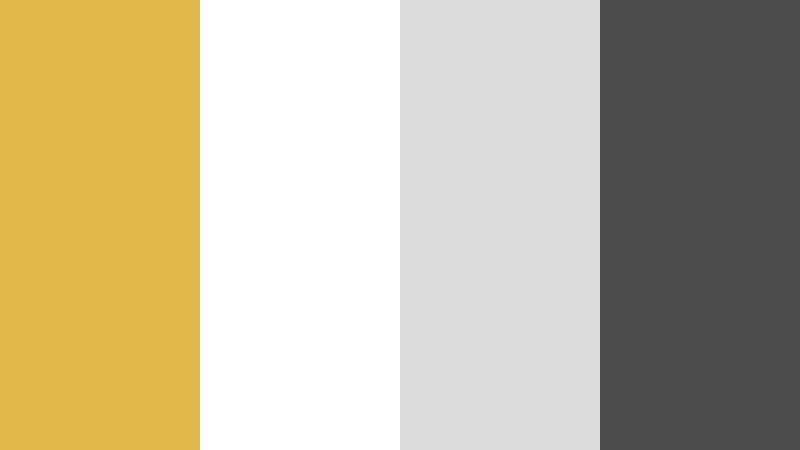
- HEX Codes: #e0b94a, #ffffff, #dcdcdc, #4b4b4b
- Mood: Calm, minimal, and lightly opulent.
- Use for: Ideal for tutorial lower thirds, clean UI overlays, and product highlight shots where clarity matters.
Minimal Gilded Frame softens Gold Leaf with bright white, pale gray, and graphite, creating a subtle frame that supports your content rather than competing with it. The palette feels orderly, open, and slightly luxurious.
It works especially well for education, software tutorials, product demos, and UI overlays in Filmora. Use white or light gray as your base, graphite for readable text, and Gold Leaf as a highlight for key words, buttons, and callouts in your thumbnails and intros.
Streaming Studio Prestige

- HEX Codes: #d8b13e, #151922, #283143, #f6f7fb
- Mood: Professional, confident, and streaming ready.
- Use for: Designed for gaming or talk show overlays, subscriber alerts, and branded transitions on Twitch or YouTube.
Streaming Studio Prestige blends Gold Leaf accents with deep navy blacks and cool off whites to deliver a pro broadcast look. The darker hues support long viewing sessions, while gold highlights make alerts and titles pop.
Use this for stream overlays, facecam frames, and intermission screens. In thumbnails, a navy background with Gold Leaf titles and off white secondary text can instantly communicate a premium, well produced channel brand.
Soft And Romantic Gold Leaf Color Palettes
Champagne Storybook Glow
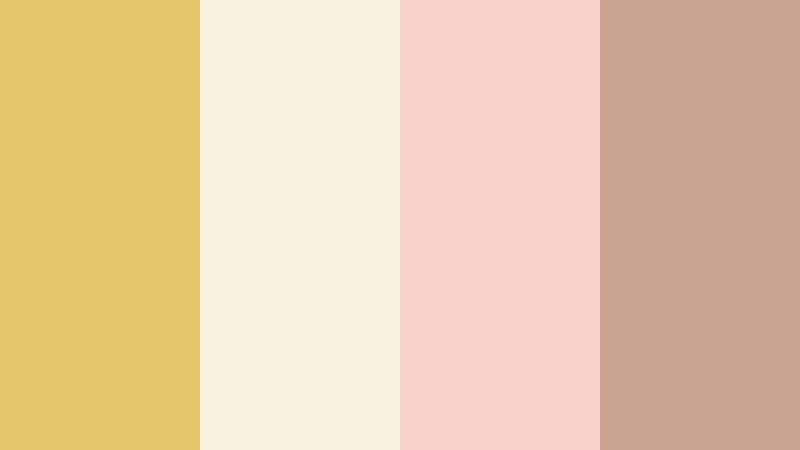
- HEX Codes: #e4c46a, #f9f1e2, #f7d3c9, #c9a18f
- Mood: Dreamy, nostalgic, and softly glamorous.
- Use for: Perfect for wedding highlight reels, proposal videos, and romantic travel montages.
Champagne Storybook Glow wraps Gold Leaf in champagne creams, blush pink, and soft nude tones. The effect feels like pages from a fairytale album, with a gentle shimmer instead of harsh shine.
Apply this palette to wedding titles, save the date edits, and romantic travel vlogs. Use the lighter tones as backgrounds for text overlays and use Gold Leaf for names, dates, and key phrases. In thumbnails, a soft cream foundation with Gold Leaf script can elevate your video into keepsake territory.
Sunlit Vows
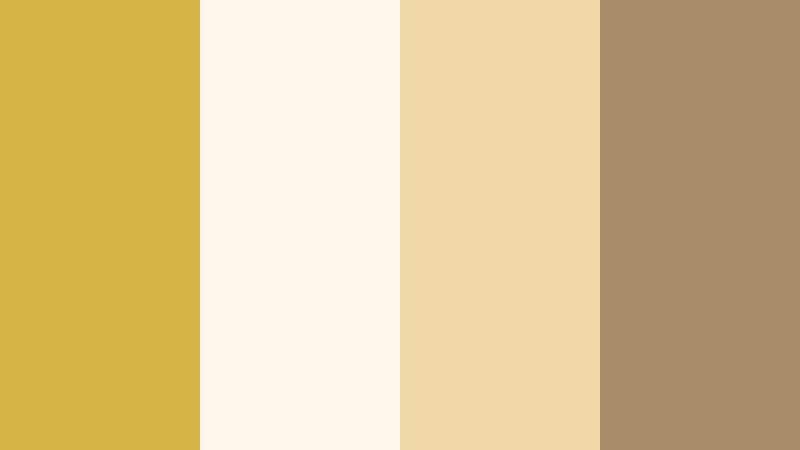
- HEX Codes: #d7b446, #fff7ec, #f1d9a7, #a88d6a
- Mood: Hopeful, intimate, and sun drenched.
- Use for: Great for save the date animations, invitation reels, and golden hour wedding footage.
Sunlit Vows uses warm Gold Leaf woven through ivory, sand, and soft tan, mirroring the glow of a late afternoon ceremony. The palette feels intimate and hopeful, with just enough contrast for text readability.
It is ideal for romantic reels, vow highlights, and slideshow style edits of engagement photos. Use ivory as the background, tan for subtle borders, and Gold Leaf for animated flourishes, rings icons, or lower third names in your Filmora timelines.
Golden Hour Keepsake
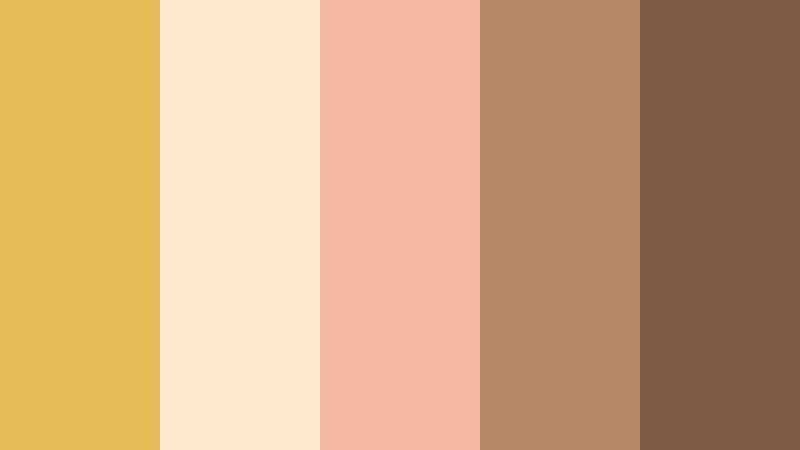
- HEX Codes: #e3bc55, #fde9cf, #f4b8a1, #b88968, #7c5a44
- Mood: Tender, cinematic, and nostalgic.
- Use for: Use for memory lane edits, family films, and nostalgic vlogs with a warm storytelling vibe.
Golden Hour Keepsake lets Gold Leaf melt into peach, tan, and cocoa browns, delivering a cozy, sun kissed look that feels like a treasured memory. The hues resemble film stills during sunset, with gentle falloff in the shadows.
Use it for family compilations, childhood retrospectives, and cozy vlogs. Pair the lighter tones with handwritten fonts for overlays, while Gold Leaf can frame important dates, chapter titles, and end cards in your Filmora projects.
Vintage Gilded Postcard
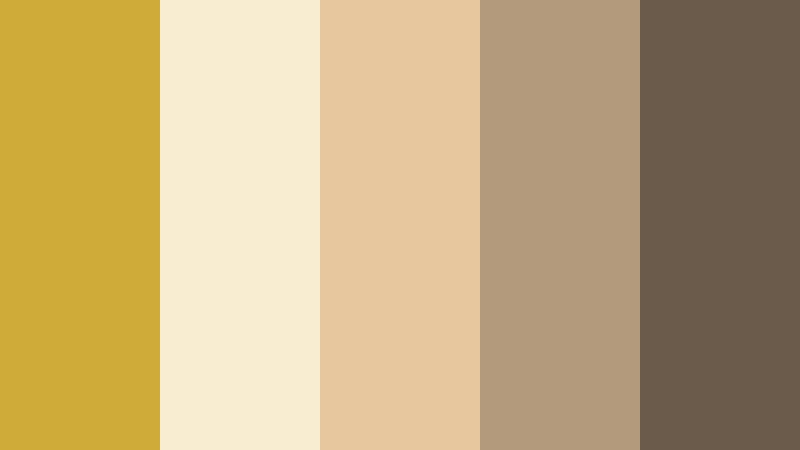
- HEX Codes: #cfab3a, #f8ecd1, #e7c79e, #b39a7c, #6b5b4a
- Mood: Sentimental, vintage, and softly faded.
- Use for: Ideal for travel journals, historical explainers, and retro styled intro sequences.
Vintage Gilded Postcard pairs Gold Leaf with faded cream, tan, and cocoa for a timeworn, archival feel. The colors mimic old postcards, aged paper, and softly tarnished gilding.
This palette is perfect for travel diaries, heritage stories, and history themed channels. Use the creams and tans as backgrounds, with deeper browns for subtitles and Gold Leaf to highlight location names or dates in maps, title cards, and thumbnail text.
Bold And Vibrant Gold Leaf Color Palettes
Neon Bazaar Treasure

- HEX Codes: #e0b640, #ff4f4f, #ff9f1c, #1f1d36, #00c2ba
- Mood: Electric, festive, and high energy.
- Use for: Perfect for energetic promos, festival recaps, music videos, and dynamic YouTube intros.
Neon Bazaar Treasure throws Gold Leaf into a mix of hot red, bright tangerine, teal, and deep indigo. It feels like a bustling night market full of lights, signs, and movement.
Use this palette in music video titles, festival recaps, and high energy intros. Dark indigo works as a base, while Gold Leaf, red, and teal can animate across the frame as bold kinetic text or transitions in Filmora. For thumbnails, combine Gold Leaf and red for headings and teal for small accents or badges.
Royal Spotlight Stage
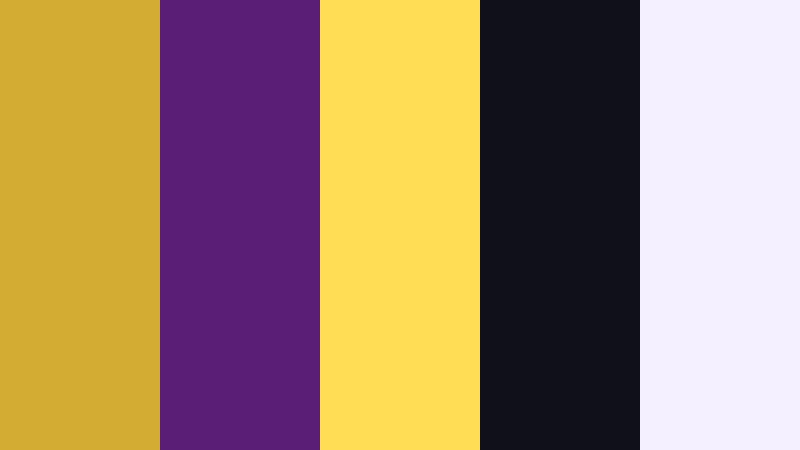
- HEX Codes: #d3ac34, #5a1e76, #ffdd55, #101018, #f5f0ff
- Mood: Theatrical, royal, and show ready.
- Use for: Great for livestream countdowns, award style graphics, and stage performance highlights.
Royal Spotlight Stage blends Gold Leaf with royal violet, spotlight yellow, and deep black to create a glamorous showtime vibe. It suggests red carpet moments, stage lights, and concert intros.
Use black or violet as the background, then layer Gold Leaf and yellow on titles and motion graphics for award shows, competition recaps, and performance highlights. In Filmora, this palette works brilliantly for countdown timers, lower thirds announcing nominees, and celebratory end screens.
Creator Studio Pop

- HEX Codes: #e4ba4f, #ff5c7a, #3f6fff, #00d3a7, #151515
- Mood: Playful, confident, and creator centric.
- Use for: Best for bold channel art, animated subscribe buttons, and short form social edits.
Creator Studio Pop sits Gold Leaf alongside punchy pink, electric blue, and bright teal on a dark charcoal base. The result is fun, confident, and unapologetically digital.
Use charcoal as your main background and reserve the bright tones for calls to action: subscribe buttons, follow prompts, or highlight text. In Reels, Shorts, and TikTok edits made with Filmora, use Gold Leaf to frame your avatar or logo and the saturated colors for animated text and stickers.
Cinematic Ember Crown
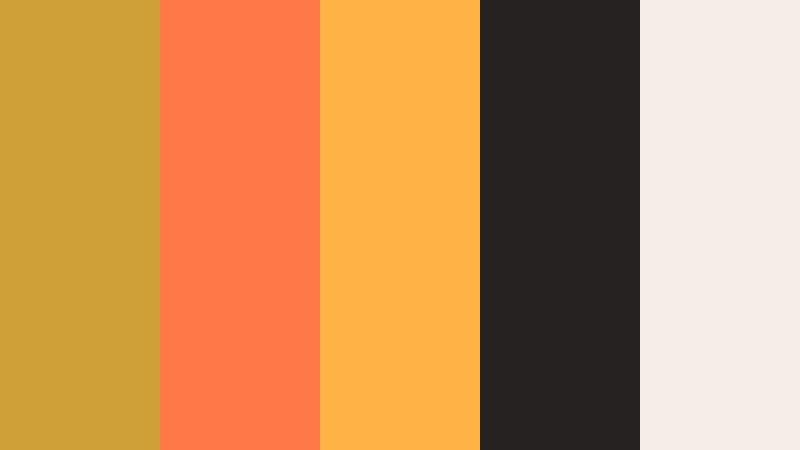
- HEX Codes: #cda138, #ff7847, #ffb347, #262222, #f5eee8
- Mood: Fiery, epic, and cinematic.
- Use for: Ideal for trailers, game montages, and dramatic title reveals with a fiery edge.
Cinematic Ember Crown lets Gold Leaf glow among ember orange, flame hues, and smoky darks. It feels like sparks floating through the air or an epic crown catching the light beside a bonfire.
Use the dark tone as a base and layer Gold Leaf plus flame colors on animated titles, transitions, and overlays for trailers or game highlight reels. In thumbnails, pair Gold Leaf titles with ember gradients behind characters or key objects to create instant drama.
Natural And Earthy Gold Leaf Color Palettes
Harvest Field Horizon
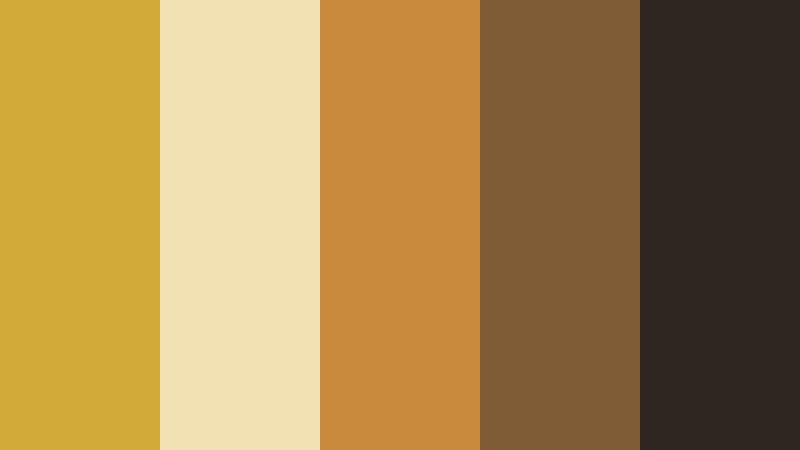
- HEX Codes: #d1aa3a, #f2e2b3, #c98a3b, #7f5b36, #2f261f
- Mood: Grounded, rustic, and sun warmed.
- Use for: Perfect for farming content, slow living vlogs, and autumn inspired b-roll sequences.
Harvest Field Horizon reflects ripe fields and warm earth with Gold Leaf, wheat cream, clay, and soil browns. The palette feels grounded and slow, like a late summer afternoon on a farm.
Use it for homesteading channels, gardening updates, and fall b roll. Let the light tones serve as backgrounds for tips and labels, while the deeper browns and Gold Leaf highlight section titles, days of the week, or chapter markers in your Filmora timelines.
Savanna Dusk Glimmer
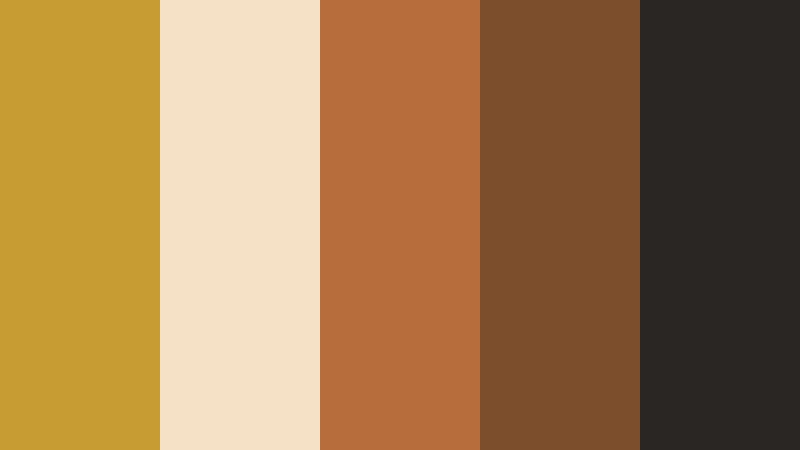
- HEX Codes: #c79c32, #f4e1c6, #b86e3c, #7c4e2c, #2a2623
- Mood: Adventurous, warm, and documentary styled.
- Use for: Great for travel documentaries, wildlife edits, and cinematic outdoor sequences at dusk.
Savanna Dusk Glimmer mixes Gold Leaf with terracotta, cocoa, and sand, capturing the muted warmth of a savanna sunset. It feels adventurous and cinematic, ideal for nature and travel storytelling.
In travel documentaries or wildlife vlogs, use the lighter sand as text backplates and the darker browns for body text. Gold Leaf can trace map routes, highlight location names, or accentize chapter transitions, keeping your visuals earthy yet elevated.
Antique Library Gilding
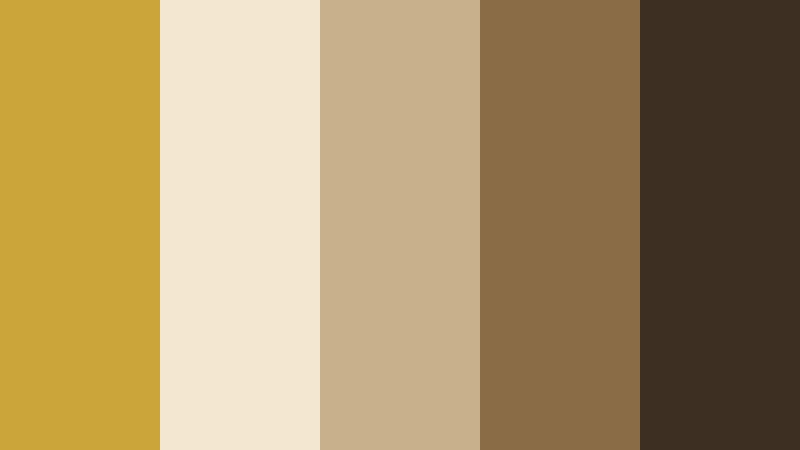
- HEX Codes: #cba43a, #f3e7d0, #c7b08b, #8a6c46, #3d3023
- Mood: Intellectual, cozy, and timeless.
- Use for: Ideal for essay videos, book reviews, study channels, and educational intros.
Antique Library Gilding balances Gold Leaf with aged paper creams, sepia browns, and deep wood tones. It evokes old books, library shelves, and gilded spines on classic volumes.
Use this palette for commentary essays, study with me videos, and book reviews. Place text on cream or light sepia boxes, use dark browns for body copy, and reserve Gold Leaf for video titles, key vocabulary callouts, or animated bookmarks in your Filmora compositions.
Tips for Creating Gold Leaf Color Palettes
Gold Leaf works best when it is treated as a highlight color that supports readability and emotion, not as a flat yellow. These tips will help you combine Gold Leaf with supporting hues for strong video and design results.
- Use Gold Leaf as an accent: keep it for titles, icons, lines, and key buttons while using neutrals or dark tones for backgrounds.
- Check contrast for readability: pair Gold Leaf with very dark shades (charcoal, navy, deep violet) or very light creams for clear text, especially on thumbnails.
- Limit your palette: combine Gold Leaf with 3 to 4 supporting colors so your brand feels consistent across intros, lower thirds, and end screens.
- Match Gold Leaf to your footage: slightly shift hue and saturation in Filmora so your gold overlays match the warmth of your actual lighting and skin tones.
- Balance warm and cool: if your Gold Leaf is very warm, stabilize it with cool neutrals like gray or navy to avoid an overly orange or dated look.
- Prioritize hierarchy: use Gold Leaf on the most important information (titles, CTAs) and keep secondary text in white or neutral shades.
- Test on multiple devices: preview thumbnails and graphics on phone and desktop to ensure Gold Leaf does not blend into bright backgrounds or lose detail.
- Create reusable presets: once you lock in a Gold Leaf palette, save title templates and color presets in Filmora so every new edit stays on brand.
Gold Leaf color palettes can completely reshape how your audience feels about your content, turning simple edits into luxurious, romantic, bold, or grounded experiences. From thumbnails and titles to subtle overlays and color grading, consistent use of Gold Leaf tones can become a core part of your visual identity.
Try dropping these HEX codes into Filmora and building a few test scenes: an intro, a lower third, and an end screen for each palette you like. Once you find the Gold Leaf combination that matches your story and niche, turn it into a repeatable style across all your videos.
With Filmora's tools for color matching, grading, and stylistic filters, you can keep your Gold Leaf accents looking rich and cohesive on every project, whether you are editing wedding highlights, cinematic b roll, or daily creator content.
secure download