

 100% Security Verified | No Subscription Required | No Malware


 ChatGPT
 Perplexity
 Gemini
 Claude
 Grok
Grok
Green Copper sits in that magical space between teal, verdigris, and warm metal. It feels calm yet luxurious, vintage yet modern. In video and branding, this color family suggests trust, creativity, and quiet confidence, which is why you see it in cinematic travel films, eco brands, fintech dashboards, and stylish product promos.
Used correctly, Green Copper can tie together your thumbnails, titles, intros, and B-roll into one cohesive look. Below you will find ready-made Green Copper color palettes with HEX codes created for creators and Filmora users, so you can grade your footage, design overlays, and build a recognizable aesthetic without having to guess your color combinations.
In this article
Elegant Green Copper Color Palettes
Verdigris Evening Glow
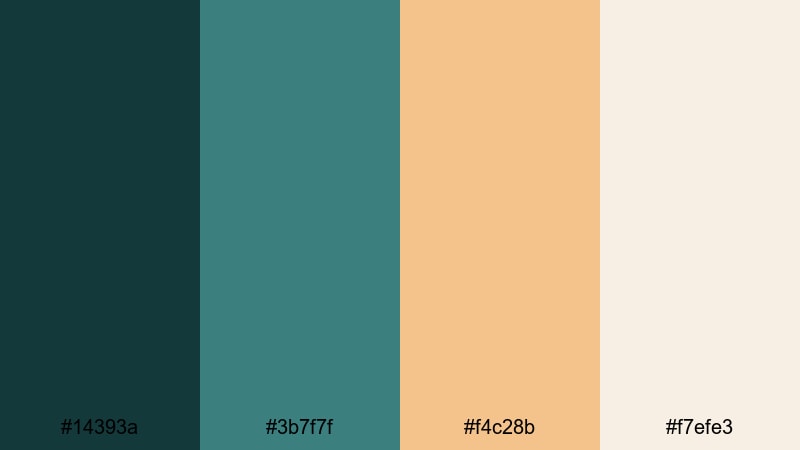
- HEX Codes: #14393a, #3b7f7f, #f4c28b, #f7efe3
- Mood: Calm, sophisticated, and gently nostalgic, like evening light over aged copper rooftops.
- Use for: Perfect for cinematic travel intros, wedding highlight reels, and luxury brand story videos looking for a refined finish.
Verdigris Evening Glow blends deep teal shadows with soft patina midtones, then adds a warm copper highlight and creamy ivory for balance. The result feels cinematic and timeless, as if your frame has been brushed with sunset over oxidized metal.
Use the darkest Green Copper tone for title backgrounds or lower thirds, the mid teal for accent lines and icons, and the warm copper for key text or call-to-action buttons on thumbnails. The ivory keeps everything readable for subtitles, end screens, and polished brand frames that feel both premium and approachable.
Pro Tip: Build a Cinematic Green Copper Look in Filmora
To keep a Verdigris Evening Glow style consistent, pick one of the deep teal shades as your base and repeat it across intros, transitions, and B-roll overlays in Filmora. Create a custom color preset using that Green Copper tone for text, shapes, and borders, then reuse it on your timeline so every scene feels like part of the same story.
You can also add a subtle vignette and soft fade using Filmora to echo the nostalgic evening mood. Combined with gentle motion blur and slower cuts, this palette gives travel, wedding, or documentary edits a cohesive cinematic identity from first frame to last.
AI Color Palette
If you have a still frame or brand board that captures your ideal Green Copper look, you can turn it into a grading shortcut. Filmora's AI Color Palette feature lets you sample the colors from a reference image and apply that palette to other clips in a few clicks.
Import one clip graded with Verdigris Evening Glow tones, then use AI Color Palette to match your talking head shots, B-roll, and cutaways. This keeps your teal shadows, warm copper highlights, and creamy whites aligned across the whole edit, from YouTube intro to social media teaser.
 secure download

HSL, Color Wheels & Curves
Once your main Green Copper palette is in place, fine-tune it with Filmora's HSL controls, color wheels, and curves. Slightly shifting the teal hue toward blue can feel more cinematic, while nudging it toward green leans into a natural, eco aesthetic. Raise the orange saturation for a stronger copper glow, or pull it back for subtler elegance.
Use the color wheels to cool down shadows and warm up midtones, then use curves to gently lift highlights so skin tones still look natural against deep verdigris accents. You can follow along with Filmora's built in color grading tutorials on YouTube embedded above to practice building your own Green Copper grade from scratch.
secure download1000+ Video Filters & 3D LUTs
If you want a quick Green Copper makeover, start with Filmora's built in looks. Filmora's video filters and 3D LUTs make it easy to push your footage toward teal shadows, warm copper highlights, and creamy whites without manual grading every time.
Apply a teal-and-orange style LUT to your clips, then tweak saturation and contrast so your Green Copper accents stay rich but not oversaturated. Save your favorite settings as presets so every new vlog intro, reel, or brand video can instantly match your Verdigris Evening Glow palette.
secure downloadCopper Patina Chic
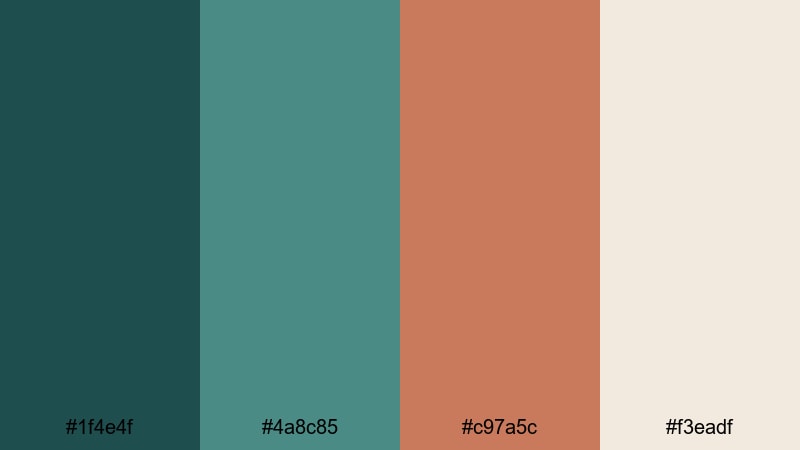
- HEX Codes: #1f4e4f, #4a8c85, #c97a5c, #f3eadf
- Mood: Stylish and upscale with a hint of vintage charm.
- Use for: Ideal for fashion lookbooks, product promos, and chic lifestyle vlogs that need a classy yet approachable palette.
Copper Patina Chic pairs cool Green Copper tones with a polished, almost rose-copper accent and a soft, creamy base. It feels boutique and editorial, like a carefully curated shop window or a premium magazine spread.
Use the darker teal for title bars or menu strips in your videos, the brighter patina as accent lines, and that rich copper for clickable elements like subscribe buttons in thumbnails. The light neutral keeps captions and interface text easy to read, whether you are designing YouTube intros, Reels covers, or product hero slides in Filmora.
Emerald Ledger Luxe
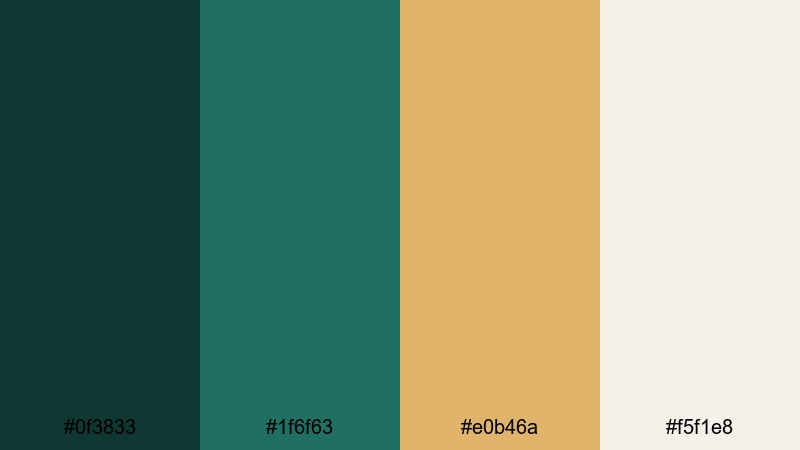
- HEX Codes: #0f3833, #1f6f63, #e0b46a, #f5f1e8
- Mood: Luxury, confidence, and heritage with a modern edge.
- Use for: Great for finance, tech, and documentary videos that want to communicate trust, quality, and sophistication.
Emerald Ledger Luxe leans into deep, confident greens echoed by a muted brass-gold accent. This mix feels like modern banking apps meeting heritage leather ledgers, making it perfect when you want your brand to look premium and reliable.
Use the darkest emerald for backgrounds of charts and data callouts, the mid-tone Green Copper for icons and infographics, and the brass accent to highlight key numbers or CTAs. The light ivory supports clean typography for explainers, dashboards, and lower thirds in Filmora, so even complex information stays elegant and legible.
Harborlight Reception
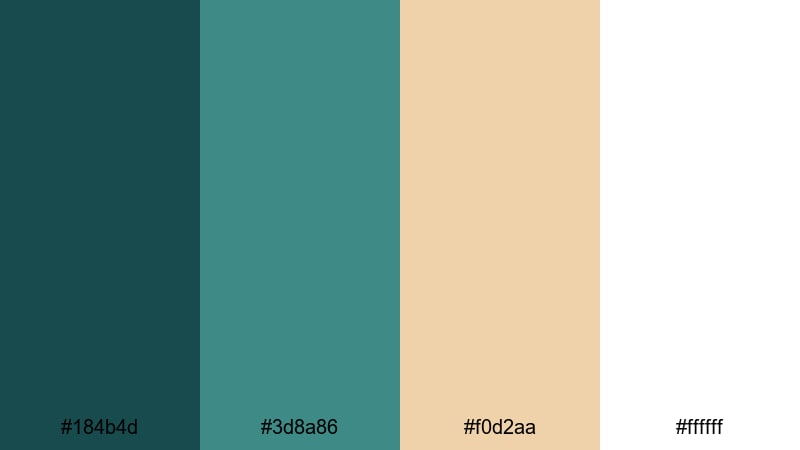
- HEX Codes: #184b4d, #3d8a86, #f0d2aa, #ffffff
- Mood: Graceful and welcoming, like a seaside reception at golden hour.
- Use for: Suited for wedding films, hospitality promos, and travel content that needs a soft coastal luxury vibe.
Harborlight Reception softens Green Copper into coastal teal shades, then pairs them with sandy champagne and crisp white. It feels like a curated seaside event space, airy and polished at the same time.
Use the deep teal for intro screens and title reveals, with the brighter aqua for decorative lines or animated dividers. The warm sand is perfect for subtle gradient overlays on B-roll, and pure white keeps text crystal clear in wedding highlight reels, resort walkthroughs, or elegant Airbnb promos edited in Filmora.
Rustic Green Copper Color Palettes
Weathered Dockside Copper
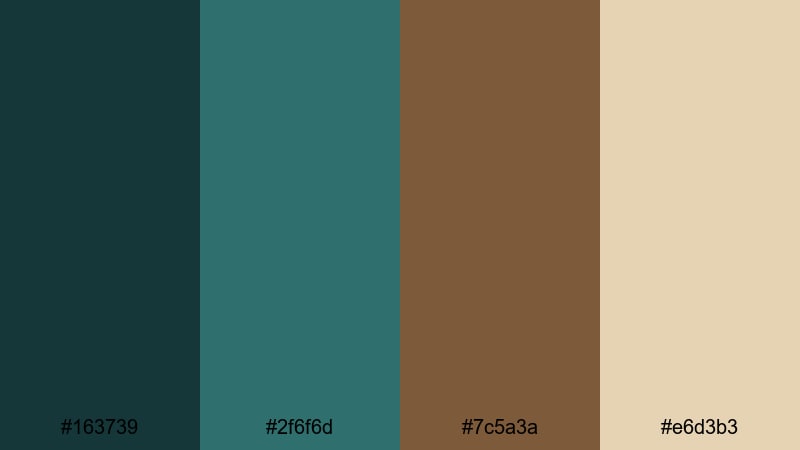
- HEX Codes: #163739, #2f6f6d, #7c5a3a, #e6d3b3
- Mood: Earthy, grounded, and slightly rugged, like old boats and wooden piers.
- Use for: Perfect for outdoor adventure vlogs, camping films, and fishing or sailing stories needing an authentic feel.
Weathered Dockside Copper mixes patina greens with rich wood browns and a sun-faded beige, capturing the texture of boat hulls, ropes, and old planks. It feels honest and lived in, ideal for storytelling that celebrates nature and craft.
Use the darkest Green Copper for frame borders and title straps, the mid green for map graphics or on-screen labels, and the warm brown to emphasize chapter titles. The light beige works well for subtitles or credits on top of darker footage, giving your outdoor edits in Filmora a cohesive, documentary style warmth.
Forest Forge Patina
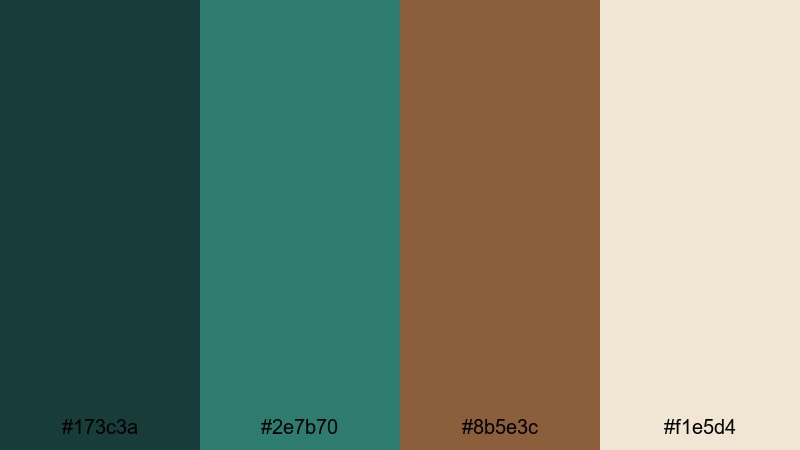
- HEX Codes: #173c3a, #2e7b70, #8b5e3c, #f1e5d4
- Mood: Organic and sturdy, mixing woodland calm with artisan metalwork energy.
- Use for: Works well for craft documentaries, maker studio tours, and eco brand videos that highlight natural materials.
Forest Forge Patina frames Green Copper tones with sturdy, hammered copper browns and a soft parchment base. It feels like a forest workshop where metal, wood, and foliage all share the same quiet energy.
Use the deep forest green for scene titles, menu cards, or sidebars, with the brighter patina on icons, arrows, and subtle UI elements in your videos. The brown accent is great for logo stings and watermark marks, while the pale neutral lets you keep captions readable on top of busy workshop or woodland footage.
Antique Market Greens
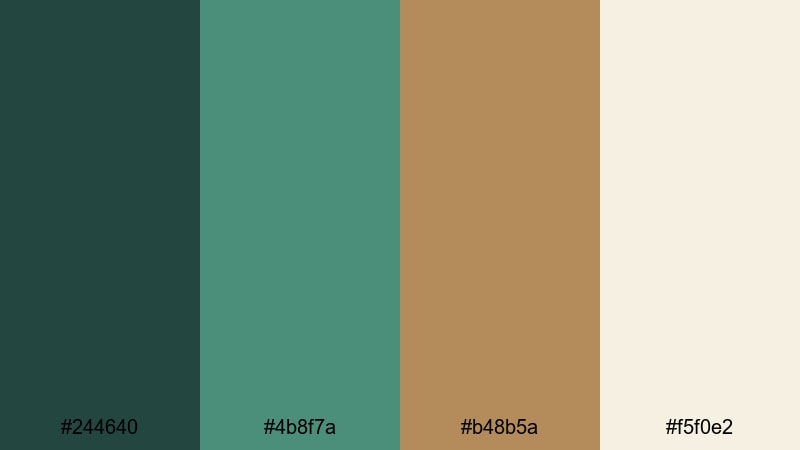
- HEX Codes: #244640, #4b8f7a, #b48b5a, #f5f0e2
- Mood: Nostalgic and cozy, like browsing vintage stalls on a cool morning.
- Use for: Great for lifestyle vlogs, flea market hauls, travel diaries, and cozy storytelling edits.
Antique Market Greens softens Green Copper into friendly, slightly faded teals, complemented by brass and parchment tones. It feels nostalgic but not dusty, like a carefully collected shelf of treasures.
Use the darker green for lower thirds and label tags when introducing locations or prices in haul videos, the lighter patina on frames around stills or inserts, and the brass accent to highlight key text. The parchment color makes safe, warm backgrounds for journaling overlays, handwritten fonts, or scrapbook-style transitions built in Filmora.
Seaside Oxidized Bronze
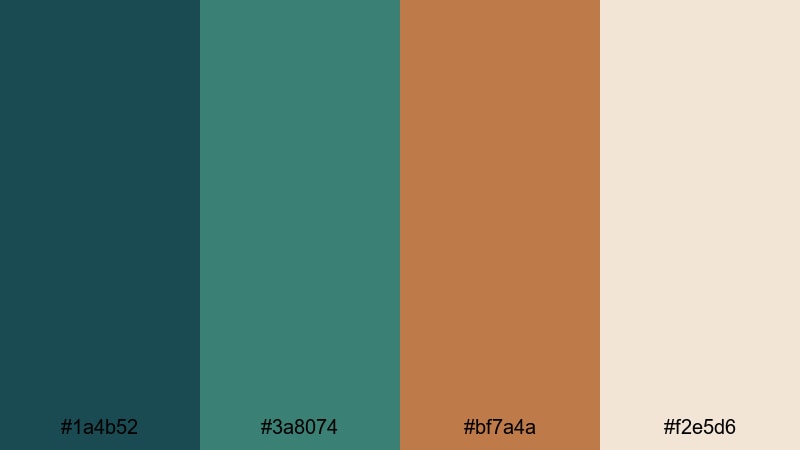
- HEX Codes: #1a4b52, #3a8074, #bf7a4a, #f2e5d6
- Mood: Salty, sunworn, and adventurous, with a touch of old harbor romance.
- Use for: Perfect for surf edits, harbor walk vlogs, sailing content, and sea inspired brand stories.
Seaside Oxidized Bronze brings together sea-washed greens and a rich bronze accent, backed by warm sand. It evokes ropes, rusted anchors, and boards bleached by salt and sun, giving your footage an adventurous yet romantic feel.
Use the deep teal for transitions and title slates, the mid-tone green for nautical icons and line animations, and the bronze for strong CTA buttons or timestamps. The sandy neutral is ideal for overlay panels on B-roll, making maps, captions, and location tags easy to read while the ocean moves underneath.
Modern Green Copper Color Palettes
Digital Mint Alloy
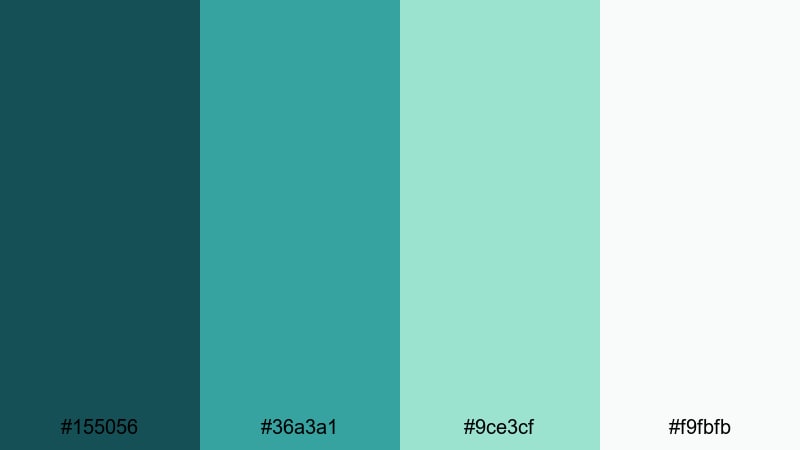
- HEX Codes: #155056, #36a3a1, #9ce3cf, #f9fbfb
- Mood: Fresh, clean, and tech forward, with a soft futuristic glow.
- Use for: Great for app promos, SaaS explainers, and channel branding that leans into clean minimal design.
Digital Mint Alloy translates Green Copper into a sleek digital language: deep teal foundation, bright aqua accents, and mint highlights on an almost white background. It feels like a modern interface, ready for product screens and UI demos.
Use the darkest shade for navigation bars and title backgrounds, the bright Green Copper for buttons, hover states, and animated accents, and the mint for soft gradients behind on-screen text. The near-white background gives you plenty of space for clean typography in Filmora, perfect for tutorials, onboarding sequences, and tech review overlays.
Neon Circuit Patina

- HEX Codes: #033b3f, #1fa29b, #ffc857, #111827
- Mood: Energetic and high contrast, like neon lights reflecting on metal.
- Use for: Perfect for gaming intros, tech reviews, and fast paced edits needing punchy contrast.
Neon Circuit Patina cranks up the energy with electric teal, glowing amber, and deep charcoal. This is Green Copper for cyberpunk edits and RGB setups, where everything needs to feel fast, bold, and alive.
Use the darkest shades as your base for dramatic intros and glitch transitions, then let the neon teal and amber drive animated titles, HUD elements, and alerts. In Filmora, combine this palette with speed ramps and screen blend modes to create high-impact overlays for gameplay, tech breakdowns, or futuristic countdowns.
Urban Atrium Glass
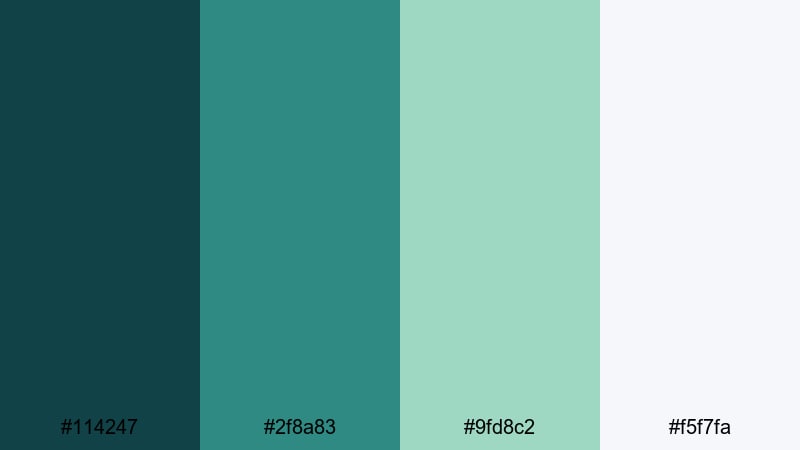
- HEX Codes: #114247, #2f8a83, #9fd8c2, #f5f7fa
- Mood: Airy, polished, and contemporary, like a glass atrium in the city.
- Use for: Suited for corporate edits, architecture reels, and modern lifestyle videos with a bright, open feel.
Urban Atrium Glass layers translucent Green Copper shades over clean neutrals, mimicking light filtering through glass and steel. It feels professional and modern without being cold, ideal for brands that want clarity and sophistication.
Use the deeper teal for hero titles and lower thirds, the mid aqua for dividers and info cards, and the soft mint for gentle gradients behind statistics or quotes. The pale background works for full-screen slide sections in Filmora, especially in pitch decks, cityscape reels, and office lifestyle content.
Clean Interface Verdigris
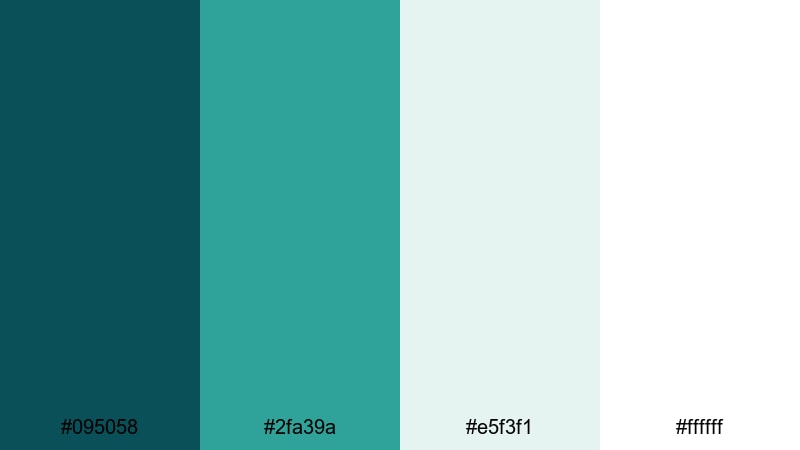
- HEX Codes: #095058, #2fa39a, #e5f3f1, #ffffff
- Mood: Minimal, confident, and user friendly, with crisp clarity.
- Use for: Great for UI walkthroughs, tutorials, and productivity content that should feel organized and trustworthy.
Clean Interface Verdigris gives you a strong, saturated Green Copper accent on a near white canvas. It feels like a productivity app dashboard: simple, calm, and focused on clarity.
Use the deep teal for main headers and navigation elements, the bright verdigris for icons and progress bars, and the pale tints for panels and card backgrounds. In Filmora, this palette helps you design on-screen instructions, keyboard shortcut guides, or mobile app walkthroughs that look fresh and easy to follow.
Dreamy Green Copper Color Palettes
Moonlit Spa Oasis
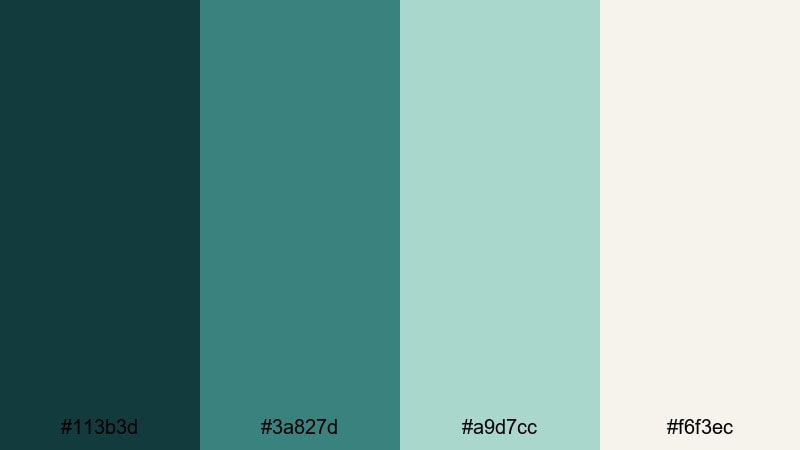
- HEX Codes: #113b3d, #3a827d, #a9d7cc, #f6f3ec
- Mood: Serene, restorative, and spa like with a gentle nighttime hush.
- Use for: Perfect for wellness content, ASMR, slow travel films, and calming channel aesthetics.
Moonlit Spa Oasis turns Green Copper into a velvety, tranquil experience: deep teal shadows, soft aqua midtones, and diffused cream highlights. It feels like a luxury spa lit by candles and moonlight.
Use the darkest tone behind titles and logo reveals to ground the frame, the mid Green Copper for subtle animated shapes or dividers, and the pale aqua and cream for gradient overlays on relaxing B-roll. In Filmora, combine this palette with slower cuts, ambient music, and gentle transitions for ASMR, yoga, or slow travel content that soothes the viewer.
Foggy Harbor Mist
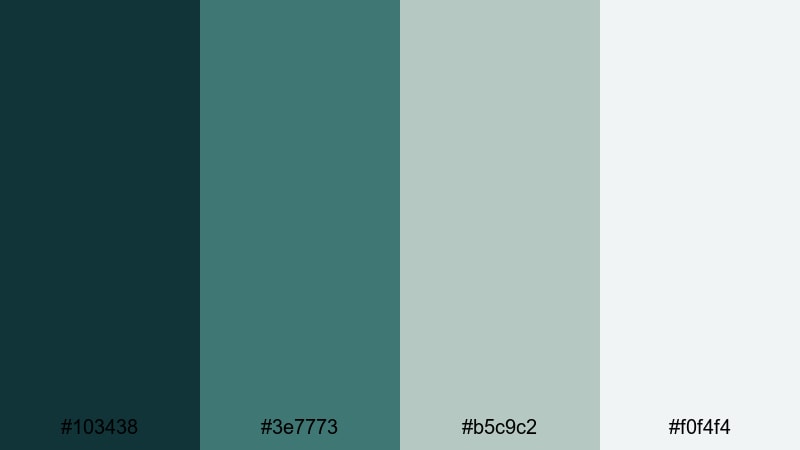
- HEX Codes: #103438, #3e7773, #b5c9c2, #f0f4f4
- Mood: Soft, cinematic, and introspective, like a quiet morning pier.
- Use for: Works well for reflective voiceover pieces, documentary B roll, and emotional storytelling edits.
Foggy Harbor Mist softens Green Copper into muted harbor greens wrapped in silvery fog. It has a calm, introspective character that suits slower edits and reflective narration.
Use the darker shades for subtle vignettes, text backdrops, and border frames around old photos or archival clips. The misty midtones and light greys are perfect for lower thirds, chapter cards, and soft gradients that let emotional footage and voiceover breathe in Filmora timelines.
Whispered Coastal Copper
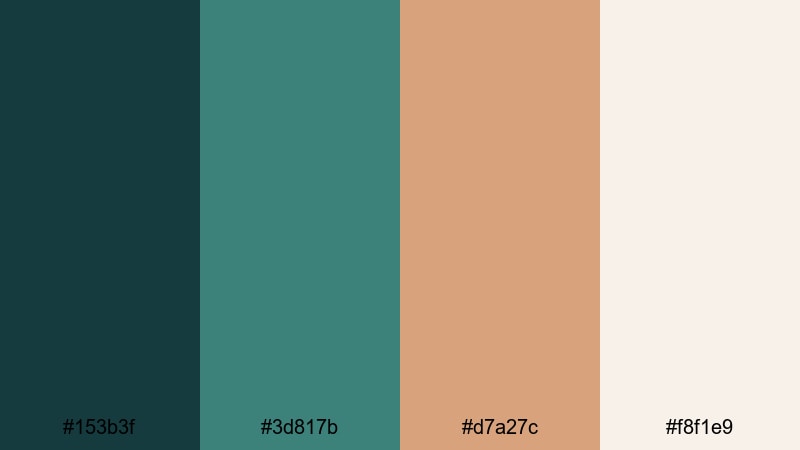
- HEX Codes: #153b3f, #3d817b, #d7a27c, #f8f1e9
- Mood: Gentle, romantic, and sun washed, with a soft coastal warmth.
- Use for: Ideal for couple travel vlogs, lifestyle montages, and brand films that mix beachy calm with subtle luxury.
Whispered Coastal Copper brings together sea-toned greens and blushed copper sand, finished with a warm, airy neutral. It feels romantic and lightly nostalgic, like golden hour at a quiet beach.
Use the deeper Green Copper for titles and scene markers, the lighter teal for accent lines and icons, and the soft copper for key text, dates, or logo details. The warm neutral can sit behind montages, quote screens, or end cards, giving couple vlogs and lifestyle edits in Filmora a consistent, sun-washed identity.
Tips for Creating Green Copper Color Palettes
Green Copper works best when you balance its cool, calming greens with warm metals and soft neutrals. Use these practical tips to combine it with other colors for video, design, and branding that stays clear and on-brand.
- Anchor your palette with one primary Green Copper shade and repeat it in titles, logos, and key UI elements so viewers instantly recognize your style.
- Add a warm metal accent (copper, brass, or muted gold) to keep the palette from feeling too cold and to highlight calls to action or important text.
- Use light neutrals (ivory, off white, foggy grey) behind text to maintain readability on small screens, especially for subtitles and lower thirds.
- Check contrast on thumbnails by zooming out or viewing at mobile size; adjust brightness and saturation so logos and titles stay legible over footage.
- Match your grade to your footage: push Green Copper tones stronger in graphic overlays, but keep skin tones natural using selective HSL adjustments.
- Limit yourself to 3–4 main colors per video (one Green Copper, one accent, one or two neutrals) to avoid a cluttered, inconsistent look.
- For brand consistency, save your exact HEX codes inside Filmora as custom colors and reuse them in every project for text, shapes, and backgrounds.
- Test how your palette reacts to different lighting (day, night, indoor) and tweak shadows/highlights so your Green Copper identity feels stable across scenes.
Green Copper color palettes can completely reshape the mood of your edits, from rustic harbor stories to futuristic tech explainers. By pairing teal and verdigris tones with copper, brass, and soft neutrals, you can create thumbnails, intros, and overlays that feel cinematic, trustworthy, and instantly recognizable.
Whether you prefer elegant, rustic, modern, or dreamy styles, the HEX codes above give you ready-made combinations you can drop into Filmora. Try them as the base for your next channel rebrand, series intro, or highlight reel, and refine the look with Filmora's color tools until it matches your vision.
Open a new project in Filmora, pick one of these Green Copper palettes, and experiment with titles, filters, and LUTs on a short sequence. Once you find a look you love, save it as your signature style and apply it across your entire content ecosystem.
secure downloadNext: Heliotrope Color Palette
