

 100% Security Verified | No Subscription Required | No Malware


 ChatGPT
 Perplexity
 Gemini
 Claude
 Grok
Grok
Holographic color is all about shimmer, light play, and shifting gradients. It blends soft pastels, neon highlights, and pearly neutrals to create an otherworldly mood that feels futuristic yet dreamy. In video and design, holographic palettes can make a channel look instantly more aesthetic, whether you are going for gentle wellness vibes or high-energy cyberpunk edits.
This guide brings you 15 ready-to-use holographic color palettes with HEX codes so you can apply them directly to thumbnails, intros, overlays, title cards, and branding. Every palette is designed with creators and Filmora users in mind, so you can quickly translate these combinations into color grading, graphics, and consistent visual styles across your projects.
In this article
Soft Pastel Holographic Color Palettes
Dreamy Opal Sheen

- HEX Codes: #fbe8ff, #f6f0ff, #c8e7ff, #bff7f3, #f9d9f2
- Mood: Airy, gentle, and nostalgic like a soft-focus daydream.
- Use for: Ideal for dreamy vlog intros, K-beauty tutorials, and soft lifestyle thumbnails.
Dreamy Opal Sheen floats between opal pink, lilac, and minty blue for a light, hazy holographic effect. It feels like sunlight hitting frosted glass, making every frame look soft and romantic without losing clarity.
Use this palette for slow cinematic vlog openings, calm talking head shots, or delicate overlay graphics around beauty and lifestyle content. The pale tones are perfect for lower thirds, title cards, and channel banners that need to stay readable yet incredibly gentle.
Pro Tip: Build Dreamy Holographic Intros in Filmora
To keep this soft holographic vibe consistent, start by designing your title card, transitions, and lower thirds with Dreamy Opal Sheen as your base. In Filmora, you can save these colors as custom swatches, then reuse them across intro animations, B-roll captions, and end screens so your whole video feels like one cohesive daydream.
Layer subtle glow, blur, and light leak effects over these pastel tones in Filmora to enhance the opal feel without washing out skin tones or product shots. This helps beauty content, journaling vlogs, and cozy lifestyle edits feel polished and on-brand.
AI Color Palette
If you already have a reference image with this holographic pastel vibe, you can turn it into a full video look in a few clicks. Filmora's AI Color Palette feature analyzes the colors in your still image and matches your clips to the same tones.
Import your footage, pick your holographic reference frame, and let Filmora auto-match the color mood across your sequence. This is especially useful when matching A-roll and B-roll shot on different days but you want them all to share the same dreamy opal sheen.
 secure download

HSL, Color Wheels & Curves
To refine this ethereal holographic look, adjust your highlights, midtones, and shadows in Filmora using HSL, color wheels, and curves. You can gently push shadows toward cooler blue-lilac, keep skin tones natural in the midtones, and lift highlights with a hint of mint or pink. The Filmora color correction guide walks through balancing these tools step by step.
Use curves to create a soft contrast S-curve so the footage keeps a dreamy glow instead of harsh blacks. Then tweak individual HSL channels to desaturate any colors that break the holographic mood, like overly warm yellows or greens from indoor lighting.
secure download1000+ Video Filters & 3D LUTs
Once your base holographic palette is in place, you can speed up styling by stacking Filmora presets over it. Filmora's video filters and 3D LUTs make it easy to add glow, pastel film looks, and subtle gradients that match Dreamy Opal Sheen without manual tweaking every time.
Apply a soft cinematic LUT to unify clips from different cameras, then lightly dial in blur, light leaks, and bokeh filters for intros, outros, and overlays. This helps you maintain that dreamy holographic brand identity while working quickly on regular uploads.
secure downloadCotton Candy Haze
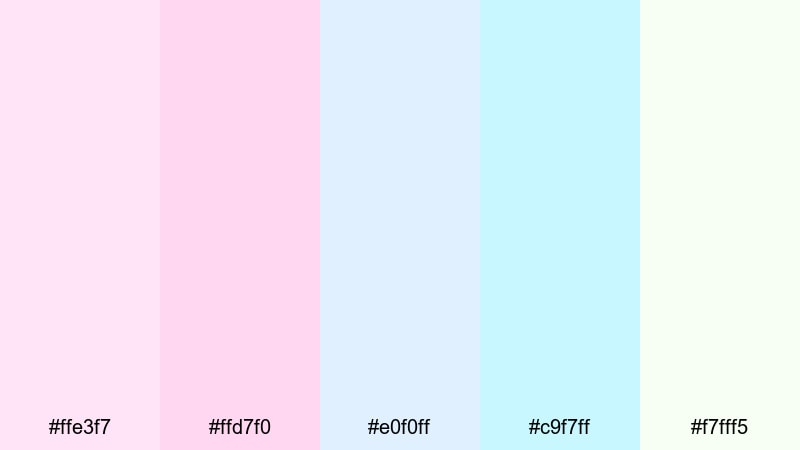
- HEX Codes: #ffe3f7, #ffd7f0, #e0f0ff, #c9f7ff, #f7fff5
- Mood: Playful, sugary, and lighthearted with a nostalgic fairground feel.
- Use for: Perfect for fun vlog covers, travel diaries, and pastel gaming overlays.
Cotton Candy Haze is a swirl of frosty pinks and baby blues with a hint of minty white. It feels like carnival skies, candy floss, and bubblegum lighting, ideal when you want your content to look sweet, approachable, and youthful.
Use this palette for YouTube thumbnails that need to stand out without being harsh, gaming overlays with a pastel twist, or travel vlogs that focus on fun and nostalgia. It works beautifully on text boxes, sticker-style graphics, and animated elements in Filmora that float over your footage.
Iridescent Dawn Glow

- HEX Codes: #fdf2ff, #f7e8ff, #d0d7ff, #c3f0ff, #e9fff9
- Mood: Calm, hopeful, and luminous like early morning light on glass.
- Use for: Great for cinematic title cards, wellness channels, and gentle logo reveals.
Iridescent Dawn Glow mixes soft lavender, powder blue, and pale mint to echo sunrise on frosted windows. It feels fresh and uplifting, perfect for content that promises a reset, a new routine, or a calm start to the day.
Apply this palette to opening titles, minimalist logo animations, and lower thirds for wellness, mindfulness, or productivity channels. In Filmora, combine these tones with slow zooms and light flares to create intros that feel serene yet modern.
Soft Prism Aura
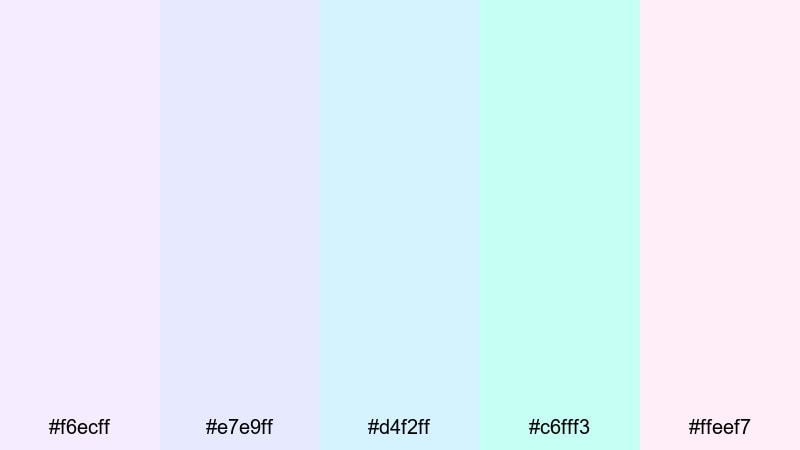
- HEX Codes: #f6ecff, #e7e9ff, #d4f2ff, #c6fff3, #ffeef7
- Mood: Balanced, airy, and contemplative with a subtle magical shimmer.
- Use for: Use for aesthetic study vlogs, productivity dashboards, and UI-style overlays.
Soft Prism Aura stays cool and balanced, blending lilac, sky blue, and soft mint in a way that feels clean but still whimsical. It avoids loud saturation, which keeps your footage uncluttered and easy on the eyes.
This palette is great for overlay panels, screen recordings, and UI-inspired motion graphics in Filmora. Use it for time-blocking graphics in study vlogs, progress bars for productivity content, or clean captions that need a subtle holographic accent instead of bold neons.
Vibrant Neon Holographic Color Palettes
Electric Prism Pulse

- HEX Codes: #ff9dfb, #ff6ad5, #7af5ff, #5b8dff, #e2f3ff
- Mood: High-energy, futuristic, and bold with a club-light intensity.
- Use for: Perfect for EDM edits, dance reels, and eye-catching channel banners.
Electric Prism Pulse hits hard with hot magenta, bright cyan, and electric blue, all grounded by a soft icy highlight. It feels like dancing under strobes and LED strips, ideal for content that needs to shout energy from the thumbnail alone.
Use this palette for kinetic typography, beat-synced transitions, and animated backgrounds in Filmora. It works especially well in shorts, reels, or music-focused edits where you want every cut to feel like a flash of neon holographic light.
Cyber Disco Hologram
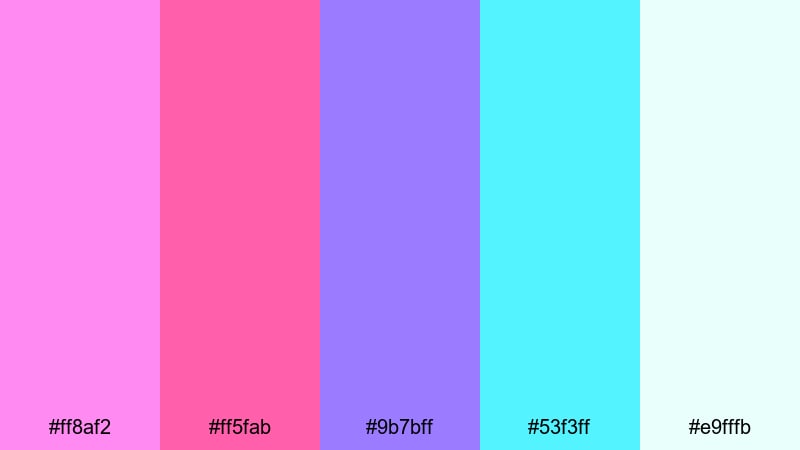
- HEX Codes: #ff8af2, #ff5fab, #9b7bff, #53f3ff, #e9fffb
- Mood: Energetic, cyber-chic, and playful like a digital dance floor.
- Use for: Great for gaming intros, glitch transitions, and short-form social clips.
Cyber Disco Hologram combines neon pinks, vivid violet, and bright aqua to simulate nightclub lighting in a digital world. It feels playful yet edgy, fitting perfectly with glitch effects, flickering text, and fast-paced edits.
Use it for gaming montages, e-sports highlight reels, or techy channel branding. In Filmora, color your titles, HUD-style overlays, and streak transitions with these tones to give your videos a signature cyber-disco identity.
Laser Wave Spectrum
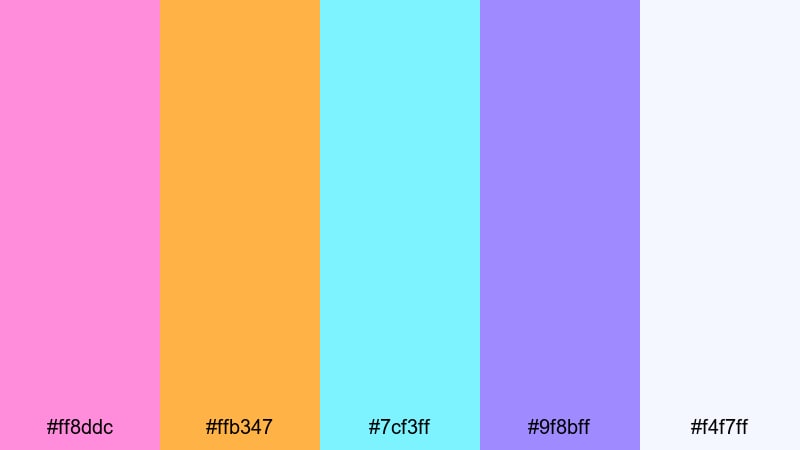
- HEX Codes: #ff8ddc, #ffb347, #7cf3ff, #9f8bff, #f4f7ff
- Mood: Bold, adventurous, and festival-ready with a retro-futuristic vibe.
- Use for: Use for music videos, edits with fast cuts, and dynamic sports highlight reels.
Laser Wave Spectrum fuses hot pink, tangerine, aqua, and violet, creating a prism of festival-ready color. It feels like lasers slicing through fog at a retro-futuristic rave, making it ideal for content built around movement and speed.
Apply this palette to animated shapes, speed lines, and transition overlays in Filmora. It works brilliantly for sports highlights, concert recaps, and fast-cut travel edits where you want the color story to keep up with the rhythm of the video.
Neon Aurora Mirage

- HEX Codes: #ff92ff, #ff6ba3, #76f0ff, #69ffa8, #f3f6ff
- Mood: Surreal, energetic, and otherworldly like a neon northern lights.
- Use for: Ideal for sci-fi intros, tech brand stings, and bold influencer branding.
Neon Aurora Mirage glows with pink, aqua, and lime green, mimicking a holographic northern lights effect. It feels surreal and slightly alien, which is perfect for sci-fi edits or creators who want a strong, futuristic signature look.
Use it on logo reveals, glitchy transitions, and social media banners that require instant recognition. In Filmora, combine this palette with light streaks, distort filters, and motion blur to build an aurora-like flow across your frames.
Modern Minimal Holographic Color Palettes
Chrome Pearl Fade
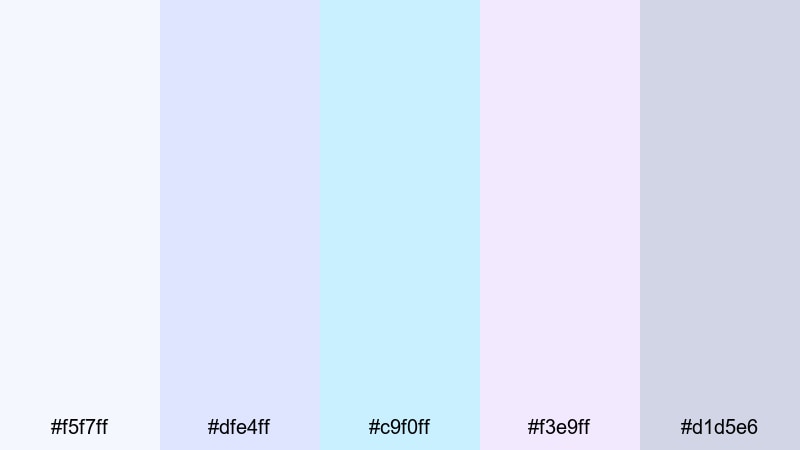
- HEX Codes: #f5f7ff, #dfe4ff, #c9f0ff, #f3e9ff, #d1d5e6
- Mood: Clean, polished, and professional with a soft chrome highlight.
- Use for: Perfect for tech explainer videos, product promos, and sleek UI mockups.
Chrome Pearl Fade uses subtle blues and lavenders over a neutral base to echo soft chrome reflections. It feels modern, minimal, and slightly futuristic without being flashy, which is ideal for brand-safe corporate or tech visuals.
Use this palette for text, icons, and background blocks in product demos, SaaS explainers, and UI previews. In Filmora, it works nicely behind screen recordings, app walkthroughs, and clean transitions where clarity and professionalism matter.
Sleek Iridescent UI
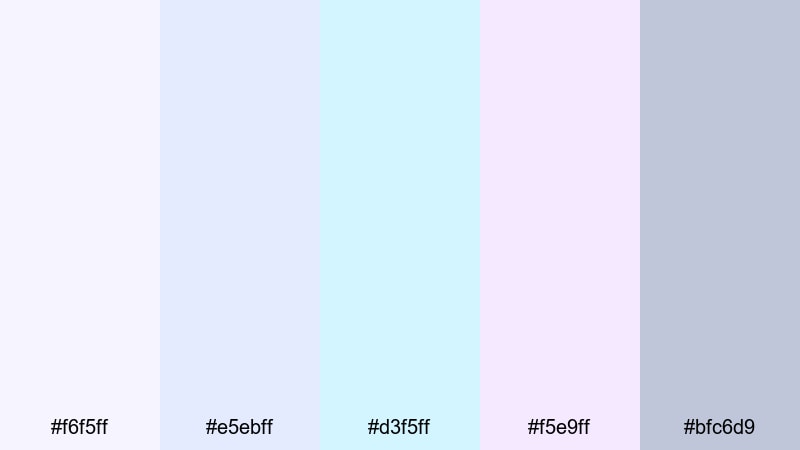
- HEX Codes: #f6f5ff, #e5ebff, #d3f5ff, #f5e9ff, #bfc6d9
- Mood: Refined, tech-forward, and airy with a gentle iridescent polish.
- Use for: Great for app walkthroughs, UI kits, and motion graphics for SaaS or fintech brands.
Sleek Iridescent UI layers cool whites, lilacs, and icy blues to create a lightweight interface feel with a hint of holographic shine. It looks sophisticated and techy but still friendly and open.
Use this palette for lower thirds, button designs, and animated UI elements in Filmora. It is ideal for SaaS, fintech, or startup channels that need to look future-ready while keeping the layout clean and readable.
Muted Prism Studio
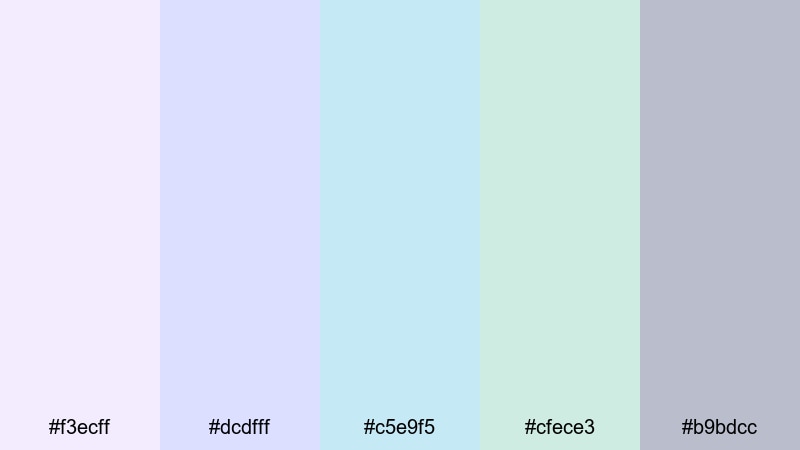
- HEX Codes: #f3ecff, #dcdfff, #c5e9f5, #cfece3, #b9bdcc
- Mood: Understated, artistic, and calm with a studio-grade finish.
- Use for: Use for talking head videos, portfolio reels, and subtle brand kits.
Muted Prism Studio translates holographic colors into desaturated lilacs, blues, and mints. The result is a palette that feels curated and artistic, like a design studio mood board, rather than loud or neon.
Use it for background gradients, frames, and portfolio titles where you want the work itself to stand out. In Filmora, build simple shapes, content blocks, and end screens with these tones to give your channel an elevated but approachable identity.
Opalescent Minimal Grid

- HEX Codes: #f7f6ff, #e1e4ff, #ccecf3, #e9f6f2, #c4c7d8
- Mood: Orderly, fresh, and quietly futuristic with soft opal tints.
- Use for: Perfect for tutorials, UX case studies, and channel branding that feels modern but friendly.
Opalescent Minimal Grid pairs soft blue, mint, and lavender with gentle greys to create a tidy, grid-friendly look. It feels modern and slightly futuristic, but with a friendly softness that works well for educational content.
Use this palette for step-by-step overlays, boxed text, and diagram-style graphics in Filmora. It keeps tutorial footage clean, gives UX case studies a professional frame, and looks great in channel headers or playlist covers.
Cosmic Fantasy Holographic Color Palettes
Galactic Haze Shimmer
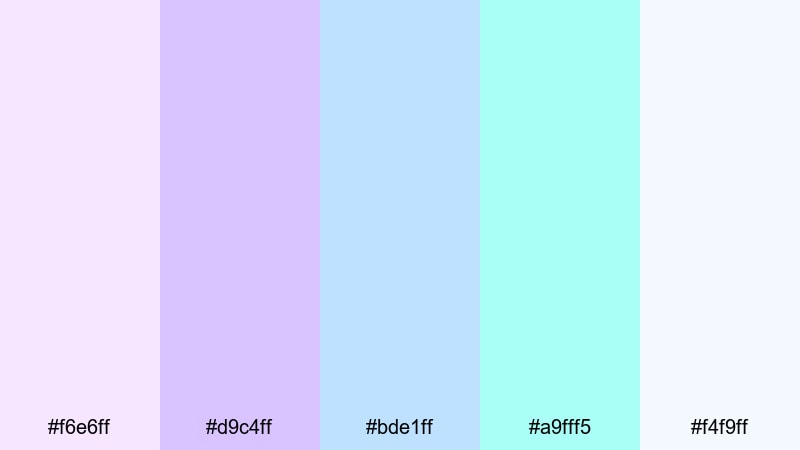
- HEX Codes: #f6e6ff, #d9c4ff, #bde1ff, #a9fff5, #f4f9ff
- Mood: Mystical, expansive, and dreamy like a soft-focus galaxy.
- Use for: Ideal for fantasy edits, tarot or astrology content, and lyric videos.
Galactic Haze Shimmer blends lavender, periwinkle, and aqua into a misty cosmic wash. It feels like looking at a galaxy through soft-focus glass, which is perfect for dreamy, mystical, or poetic videos.
Use it on animated star fields, title cards, and lower thirds for astrology readings, fantasy stories, or lyrics videos. In Filmora, combine this palette with slow particle effects and gentle camera moves for a floating-in-space atmosphere.
Starlight Iridescent Nebula
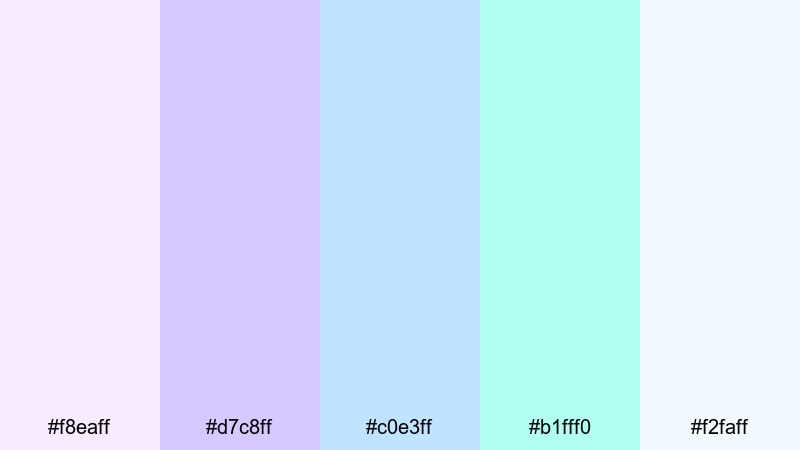
- HEX Codes: #f8eaff, #d7c8ff, #c0e3ff, #b1fff0, #f2faff
- Mood: Ethereal, cinematic, and wonder-filled like drifting through a nebula.
- Use for: Great for title sequences, dreamy montage reels, and fantasy storytelling intros.
Starlight Iridescent Nebula builds an ethereal mix of pale violet, icy blue, and luminous mint. It feels cinematic and full of wonder, making it ideal for any intro or montage that should feel like the beginning of an adventure.
Use this palette for soft light flares, floating text, and subtle overlays that wrap your footage in a galactic glow. In Filmora, it works beautifully with slow fades, cross dissolves, and layered bokeh for a truly iridescent opening sequence.
Moonlit Prism Fantasy
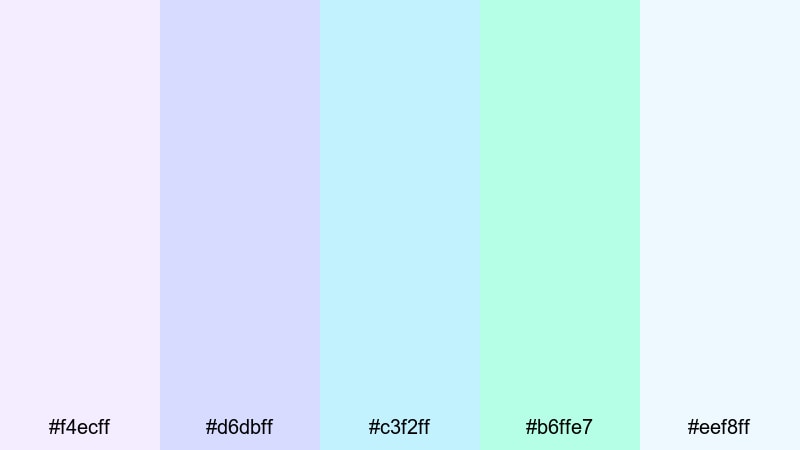
- HEX Codes: #f4ecff, #d6dbff, #c3f2ff, #b6ffe7, #eef8ff
- Mood: Calm, magical, and reflective like moonlight on iridescent glass.
- Use for: Use for cinematic travel vlogs, slow-motion B-roll, and ethereal brand storytelling.
Moonlit Prism Fantasy combines moonlit blues, soft lilacs, and mint highlights to create a tranquil night-sky atmosphere. It feels calm and introspective, ideal for reflective storytelling and slow, cinematic shots.
Use this palette for travel vlogs filmed at dusk, dreamy B-roll sequences, or brand stories that want to feel magical but not overwhelming. In Filmora, add subtle vignettes, slow motion, and gentle gradient overlays using these colors to turn ordinary scenes into ethereal moments.
Tips for Creating Holographic Color Palettes
Holographic colors work best when you balance shimmer and softness with clarity and readability. As you build your own palettes for video and design, keep these practical tips in mind so your overlays, titles, and grading look intentional instead of random.
- Start with a base tone: choose one main hue (often a soft blue, lilac, or pink) and build other holographic accents around it so your palette feels unified.
- Limit the brights: use neon or saturated holographic colors sparingly for accents such as key words, icons, or highlight strokes, and keep backgrounds softer.
- Protect readability: pair light holographic backgrounds with dark or medium text, and always test your titles on mobile-size previews to ensure they stay legible.
- Use gradients, not noise: blend 2 to 3 colors in smooth gradients for overlays and frames rather than mixing too many hues in one small area.
- Match your footage temperature: if your video is warm, shift holographic tones slightly toward peach and warm pink; for cooler footage, keep blues and mints dominant.
- Stay consistent across assets: reuse the same HEX codes for thumbnails, intros, lower thirds, and end screens so viewers instantly recognize your brand.
- Balance light and dark: combine pale iridescent tones with at least one mid-tone or slightly darker shade to add depth and avoid a washed-out look.
- Test on different devices: view your holographic graphics on a phone, tablet, and monitor to check that subtle gradients and pastel tones do not disappear.
Holographic color palettes can shift the entire mood of your channel, from dreamy and nostalgic to bold and futuristic. By choosing the right mix of pastels, neons, and opalescent neutrals, you can shape how viewers feel about your content and create a recognizable visual identity.
Use these 15 palettes as ready-made starting points, then adjust them inside Filmora to match your footage, brand, and storytelling style. Whether you are designing thumbnails, animated intros, or full color grades, Filmora gives you the tools to keep your holographic look consistent from the first frame to the last.
Experiment, save your favorite combinations, and build a set of go-to holographic looks you can apply to every new video. Over time, your audience will start to associate those shimmering tones with your name and your content.
secure downloadNext: Blue Taupe Color Palette
