

 100% Security Verified | No Subscription Required | No Malware


 ChatGPT
 Perplexity
 Gemini
 Claude
 Grok
Grok
Warm lattes, soft window light, and textured tabletops deserve more than a flat, washed-out look. With Filmoras cozy cafe-inspired filters, you can give your Instagram photos the same snug, cinematic tone you see in curated lifestyle feeds.
Below are 12 filter ideas inspired by Instagram cafe photography LUTs in a cozy tone, each with a clear use case and editing tip so content creators can quickly find the perfect look for moody corners, overhead flat lays, and candid coffee chats.
In this article
Soft Window Nooks and Morning Light
Soft Latte Haze
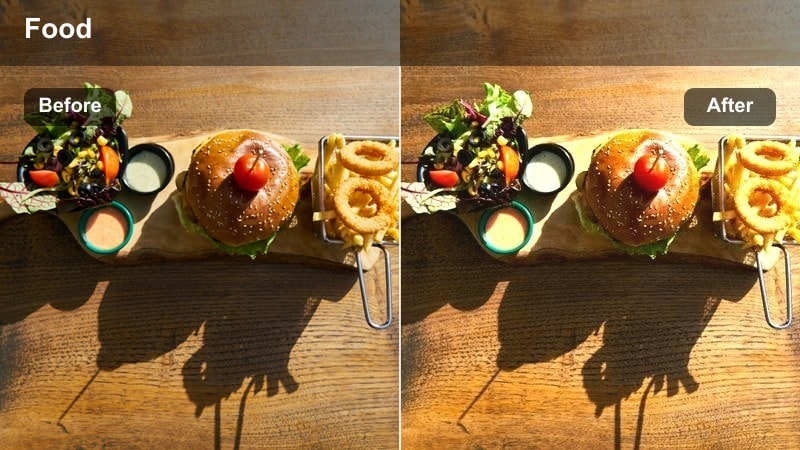
- Effect look: Muted highlights with creamy warmth that wraps the scene in a gentle latte glow.
- Best for: Single-cup coffee shots by the window, minimal table setups, and quiet solo cafe moments.
- Editing tip: Slightly lower clarity and add a touch of vignette to pull attention toward the cup and hands.
Soft Latte Haze is ideal when you want your cafe images to feel like a slow, quiet morning. In Filmora, this look comes from softening contrast in the highlights, gently warming the overall white balance, and dialing down clarity so edges feel creamy instead of crisp. The result is a latte-like glow that flatters ceramics, foam art, and soft textiles without blowing out the brighter parts of your frame.
To make this style work for Instagram posts and Reels, pair the filter with subtle vignetting that naturally pulls the eye to your subject, such as a coffee cup or a pair of hands. If skin tones lean too orange, fine-tune the HSL or color adjustment tools in Filmora by lowering saturation in the orange channel while leaving midtone warmth intact. Add a little film grain for a diary-style cafe aesthetic that feels personal and cinematic.
Match Your Cafes Signature Colors with AI
Filmoras AI color tools help you quickly lock in a cozy palette that mirrors your favorite cafe, from rich wood tones to creamy latte foam. Instead of guessing your color settings from scratch each time, you can let AI analyze your footage and suggest a warm, consistent look.
Import a few of your best-performing Instagram cafe clips into Filmora, then use the AI-driven color features to build a base look that you can apply across posts, Reels, and Stories. This keeps your cozy cafe vibe recognizable, even when you shoot in different locations or at different times of day.
 secure download

Preview Cozy Cafe Filters in Real Time
Filmora lets you layer filters, LUT-style presets, and basic color tweaks so you can preview multiple cozy cafe looks on one clip. This makes it easy to compare how a soft window look, a matte morning tone, or a richer amber vibe will feel on the same scene.
Duplicate your timeline, apply different warm filters to each version, and quickly switch between them to decide which one best fits your Instagram grid. Testing in real time helps you avoid over-editing while still landing on a polished, cinematic cafe style.
secure downloadLayer Filters with LUTs for a Custom Cafe Signature
If you already use Instagram cafe photography LUTs, Filmora makes it simple to blend them with built-in filters for a more personalized look. Start with a subtle LUT that defines your contrast and color curve, then add a warm filter on top and fine-tune exposure, saturation, and HSL.
This layered approach helps you avoid the one-click preset look and instead build a signature cozy cafe style that feels unique to your brand. Once you have a combination you like, save it as a custom preset so you can apply it instantly to future cafe shoots.
secure downloadWindow Seat Cozy
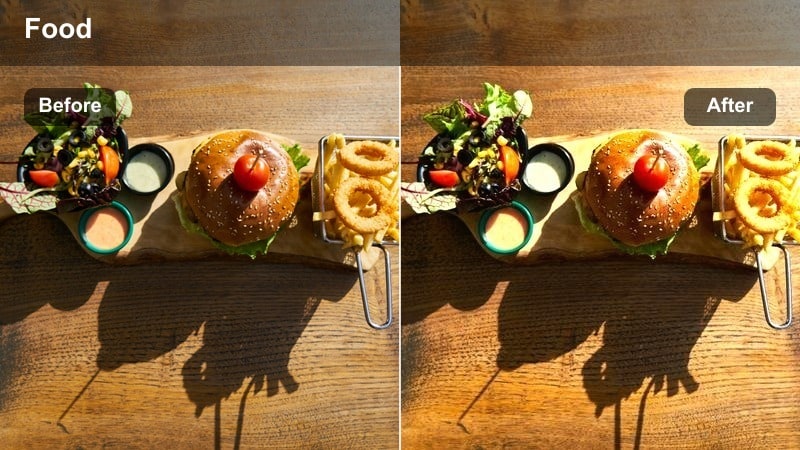
- Effect look: Soft shadows, warm midtones, and gentle contrast that emphasizes natural window light.
- Best for: Portraits in window seats, laptop-on-lap scenes, and casual reading shots in cafes.
- Editing tip: Raise shadows slightly to keep details in dark corners while maintaining a snug, intimate atmosphere.
Window Seat Cozy is designed to make everyday cafe portraits feel like stills from a lifestyle film. In Filmora, emphasize the natural direction of window light by softening shadows instead of crushing them and by keeping contrast on the lighter side. Warm midtones will gently flatter skin tones and fabrics while preserving the outside view in a controlled highlight range.
For Reels and carousels, use Filmoras masking tools to balance bright windows against darker interiors, pulling down highlights just enough to keep exterior detail. Combine this filter with subtle camera motion, such as a slow push-in from the hallway to the window seat, and add light vignette so the viewer feels like they are slipping into a private, cozy corner.
Quiet Morning Matte
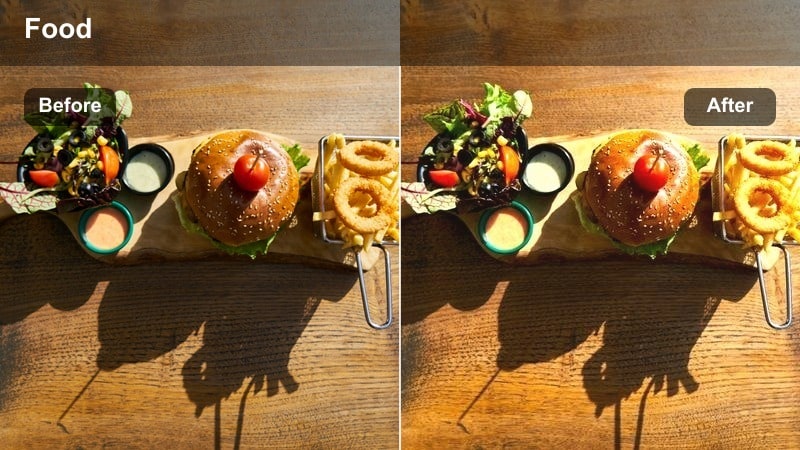
- Effect look: Matte shadows and soft contrast with a slightly desaturated, calm cafe palette.
- Best for: Early-morning cafe open scenes, barista prepping shots, and storytelling B-roll.
- Editing tip: Use a slower fade in your transitions so the matte look feels intentional and cinematic in motion.
Quiet Morning Matte is all about pacing and mood. In Filmora, create this look by lifting the blacks just enough to remove harsh contrast, then slightly desaturating the overall image for a calm, understated color palette. Warm the image lightly so wood, brick, and latte tones still feel inviting, but keep saturation under control to avoid an overly stylized look.
This filter works especially well on B-roll sequences showing chairs being set out, espresso machines warming up, or light creeping across empty tables. Use Filmoras gentle transitions and slower cross dissolves to match the matte visual style and avoid jarring cuts. Keeping motion subtle and steady helps this cozy morning tone feel like a quiet scene from a cafe-focused short film.
Tabletop Stories and Overhead Setups
Cinnamon Tabletop
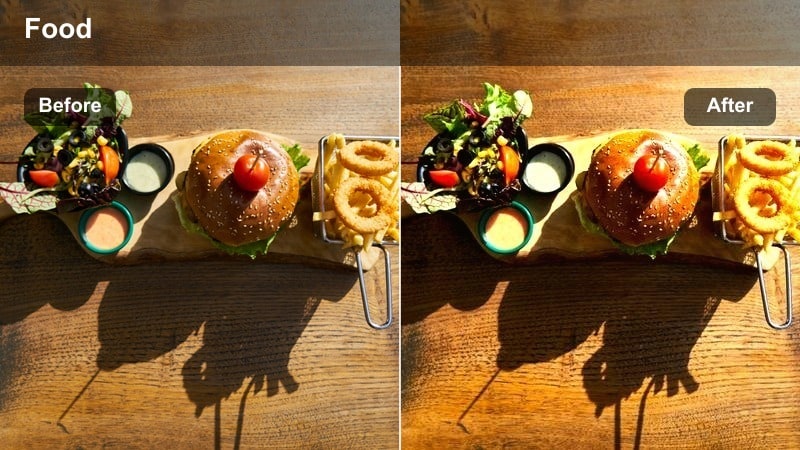
- Effect look: Warm brown bias with slightly deepened shadows that make wood textures feel rich and cozy.
- Best for: Overhead shots of cafe tables, notebooks, hands around cups, and textured tabletops.
- Editing tip: Boost micro-contrast slightly on textures like wood and ceramic to complement the warm color cast.
Cinnamon Tabletop gives overhead cafe scenes a rich, storybook feel. In Filmora, it leans into warm browns and deepened shadows so wood grains, ceramic mugs, and paper surfaces feel tactile and inviting. By keeping the midtones warm and the highlights controlled, your top-down shots gain depth without losing the cozy, close-up emotion.
Use this filter when you want to showcase your coffee order, journal, or workspace as a mini still-life for Instagram. Add a touch of sharpening or micro-contrast only to textured areas to avoid making skin or soft fabric look harsh. Keeping the same filter and similar tabletop tones across multiple carousel slides creates a visual thread that encourages viewers to swipe through your full cafe story.
Flat Lay Cozy Notes
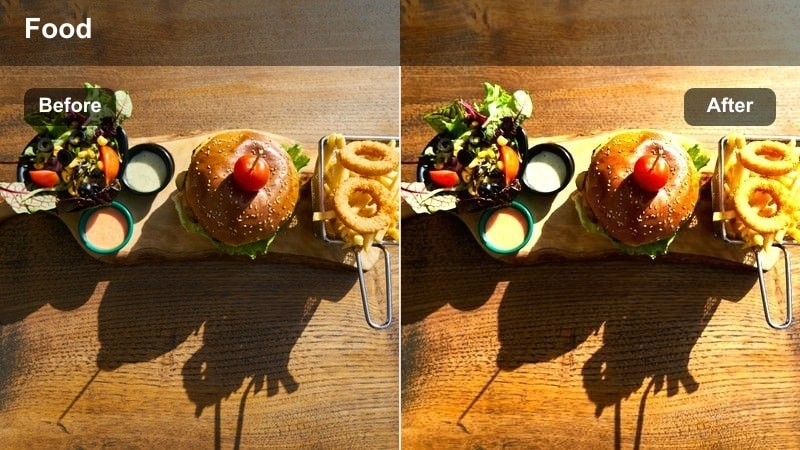
- Effect look: Soft, low-contrast warmth with gentle color separation that keeps whites from turning orange.
- Best for: Flat lay scenes with planners, laptops, and cafe drinks laid out for productivity or study content.
- Editing tip: Use a subtle radial blur or vignette around the main object to guide the viewers eye in busy flat lays.
Flat Lay Cozy Notes is tailored for content creators who share organized desk or study setups from their favorite cafe. In Filmora, soften contrast, add a modest amount of warmth, and protect highlights so paper, screens, and light surfaces remain neutrally white instead of overly creamy. This keeps your notes, stickers, and UI elements readable while still giving the scene a cozy cast.
When working with cluttered compositions, take advantage of Filmoras vignette or mask-based blur tools to subtly darken or soften the edges around your focal point. You can keep the central planner or laptop crisp while letting edges fall off into warmth and softness. For Instagram Reels, this filter pairs beautifully with top-down timelapse shots of you writing, planning, or checking tasks off your list.
Journal & Latte Glow
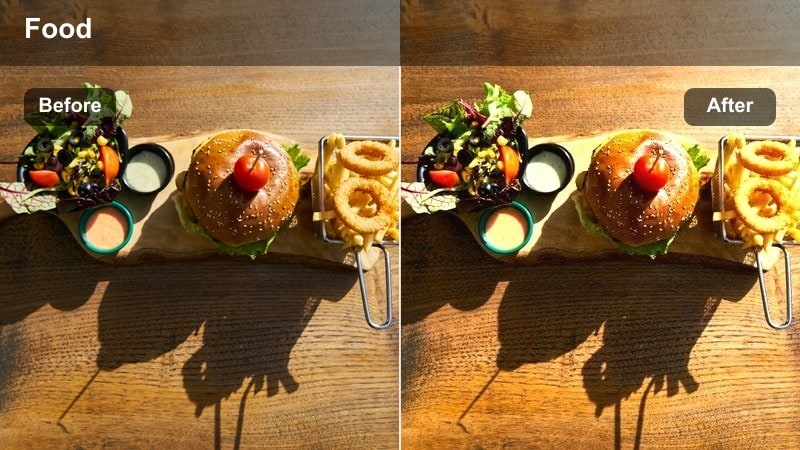
- Effect look: Glow around midtones with warm highlights that make handwritten notes and foam art feel inviting.
- Best for: Journaling sessions, annotated planners, and creative brainstorming shots at the cafe.
- Editing tip: Reduce overall sharpness slightly to let the glow effect feel natural and nostalgic, not artificial.
Journal & Latte Glow adds a dreamy sheen to close-up storytelling shots, especially when you are capturing personal notes or creative doodles. In Filmora, you can create this look by lifting midtones, applying a subtle glow or bloom effect, and then gently warming the highlights. This approach makes ink lines, foam art, and page textures catch the light in a romantic, nostalgic way.
Lowering global sharpness just a touch helps the glow blend smoothly, preventing your shot from looking overly digital. For motion content, consider combining this filter with a slight motion blur when you flip pages or slide your latte into frame. The combination of warm glow and soft movement makes your Reels feel like visual diary entries filmed in your go-to cafe corner.
Evening Corners and Ambient Cafe Vibes
Amber Lamp Corner
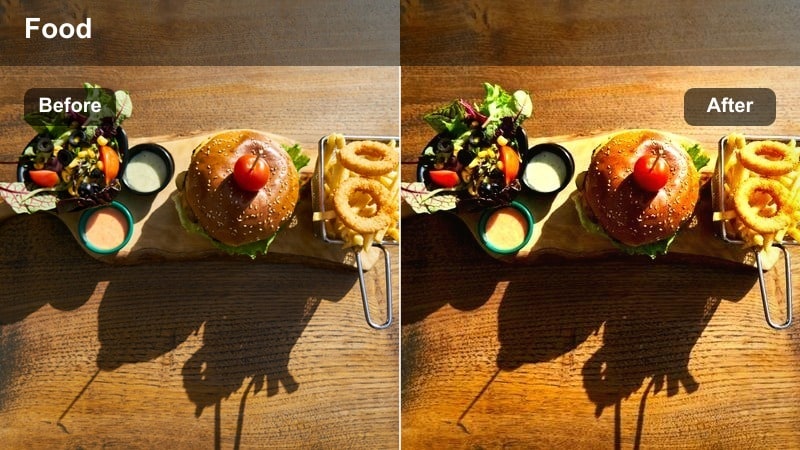
- Effect look: Deep, amber-tinted warmth with cozy highlights that mimic table lamps and hanging bulbs.
- Best for: Dimly lit cafe corners, bar seating, and evening catch-ups with moody lighting.
- Editing tip: Push saturation mainly in oranges and yellows while keeping greens and blues more muted for a snug palette.
Amber Lamp Corner is built for low-light cafe shots where lamps and string lights carry the mood. In Filmora, enhance these scenes by intensifying oranges and yellows while gently muting cooler tones, so the viewer feels the glow of lamp light more than the darkness around it. Keep shadows deep but not crushed to maintain shape in chairs, walls, and decor.
Because evening footage often introduces noise, start with a light pass of noise reduction before boosting warmth and contrast. If you like a film-inspired texture, reintroduce a controlled grain layer instead of relying on digital noise. This filter works especially well for intimate conversation clips, bar shots, or quiet solo evenings spent editing or reading at the cafe.
Espresso Midnight
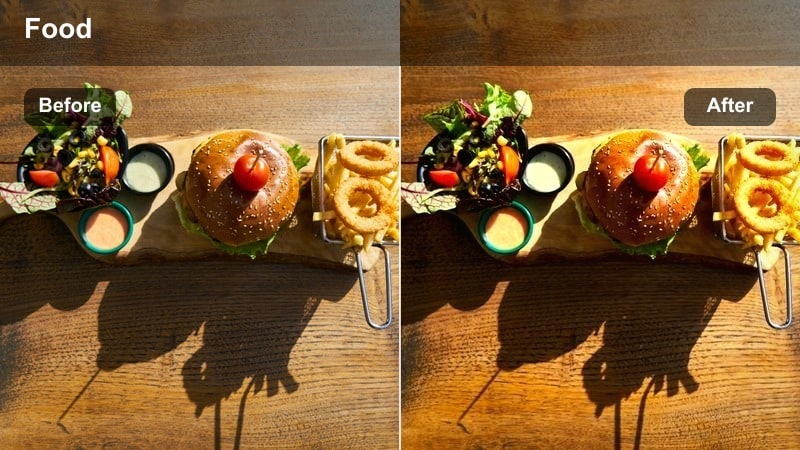
- Effect look: Rich, dark tones with warm highlights that preserve detail in deep blacks, like a cinematic night scene.
- Best for: Late-night espresso shots, laptop glow scenes, and moody cafe exteriors through the window.
- Editing tip: Use a subtle split tone: warm in highlights and slightly cooler in shadows to keep depth and balance.
Espresso Midnight channels the look of a late-night art film, where deep blacks and small pools of warm light tell the story. In Filmora, you can achieve this effect by strengthening contrast, keeping blacks rich, and adding warm tones to the highlights while slightly cooling the shadows via split toning. This keeps your images moody but not muddy, with a clear separation between subject and background.
Use this filter when you want laptop glow, neon reflections, or bar lights to be the brightest elements in frame. Guide the viewers eye by placing your subject where the light is strongest and toning down any competing highlights. For Reels, pair Espresso Midnight with slower music and minimal text overlays so the atmosphere, reflections, and deep espresso tones can take center stage.
Golden Hum Lowlight
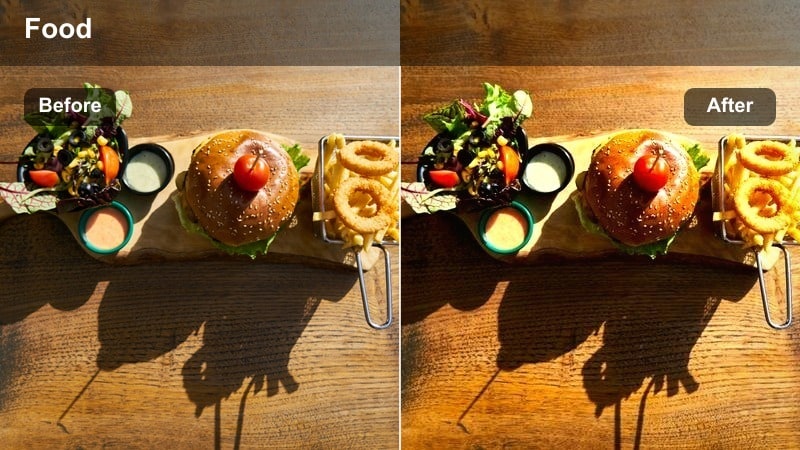
- Effect look: Soft golden cast over low-light scenes with slightly lifted blacks for a gentle, humming ambience.
- Best for: Crowded evening cafes, ambient crowd shots, and B-roll with baristas working in the background.
- Editing tip: Reduce contrast a bit to avoid harsh edges and keep the golden atmosphere feeling soft and enveloping.
Golden Hum Lowlight is perfect for capturing the shared energy of a busy evening cafe. In Filmora, add a soft golden color grade across the scene, slightly lift the blacks, and pull back overall contrast so faces, steam, and decor all sit together in a warm, gentle glow. This keeps your footage flattering even when you are shooting handheld in dim conditions.
To enhance storytelling, position your main subject in the foreground and let the background crowd blur softly with a wide aperture or post-production blur. A slow pan or slider move across the room with this filter applied will make your Instagram Reels feel like a casual, cinematic tour through the cafe at peak social hour. Keeping edges soft and contrast moderate preserves the hum and warmth of the space.
Brand-Ready Cafe Feeds and Consistent Grids
Signature Cozy Feed
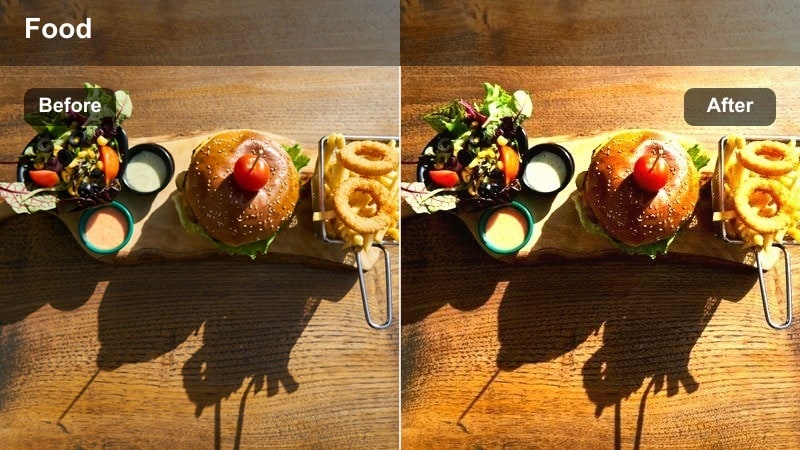
- Effect look: Balanced warmth with controlled contrast designed to work across a wide range of cafe shots.
- Best for: Creators who want one consistent look for drinks, interiors, and lifestyle shots in the same cafe series.
- Editing tip: Apply in batches and then fine-tune exposure per image so your feed matches in tone, not in brightness.
Signature Cozy Feed acts as your go-to base look when you want a cohesive Instagram grid built around cafe content. In Filmora, it strikes a middle ground between warm and neutral, with enough contrast to work on both interiors and close-ups. This balanced approach means your cappuccino macros, outfit shots, and interior B-roll all share the same visual language.
Use this filter across an entire batch of photos or clips, then fine-tune exposure and white balance per shot to adapt to different lighting conditions. Saving this setup as a custom preset in Filmora lets you quickly reapply it whenever you edit new cafe sessions. Over time, your audience will start to recognize your feed from the consistent cozy tone alone.
Creator Desk Cafe
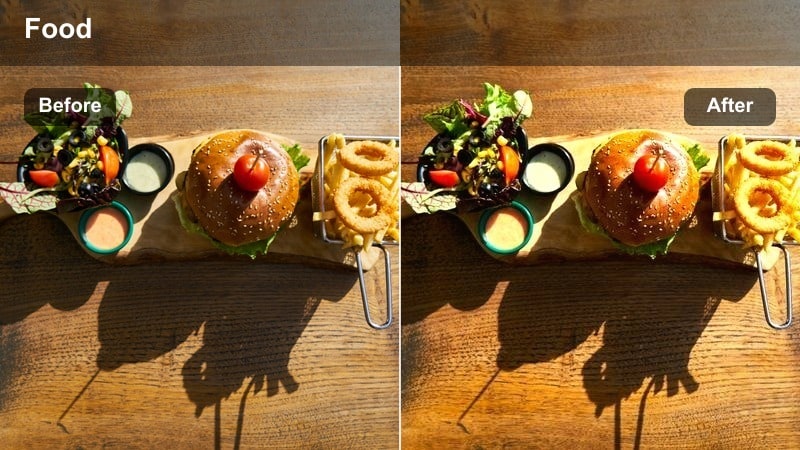
- Effect look: Warm yet clean tones that keep screens, text, and gear sharp while the background feels cozy.
- Best for: Content creators editing, scripting, or filming desk setups in cafes for behind-the-scenes posts.
- Editing tip: Mask your laptop or phone screen to keep it slightly cooler and brighter than the rest of the warm scene.
Creator Desk Cafe is designed for behind-the-scenes creators who film their workflow at a cafe table. In Filmora, the filter warms up the environment while preserving clarity and neutrality on gear, screens, and text. This contrast between a cozy background and crisp foreground tools emphasizes your process without sacrificing readability.
Use masking to keep device screens and important UI elements a bit cooler and brighter than the rest of the frame, so viewers can clearly see what you are editing or scripting. Shallow depth of field in-camera, combined with Filmoras selective color and exposure tweaks, will help separate you and your workspace from the softly glowing cafe around you, perfect for creator-focused Reels, YouTube Shorts, and grid posts.
Weekend Brunch Cozy
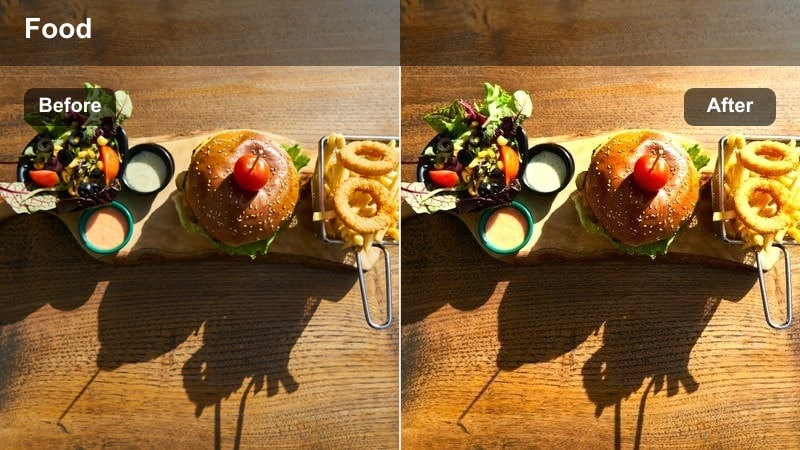
- Effect look: Bright, soft warmth with gentle saturation that keeps the mood slow and relaxed rather than high-energy.
- Best for: Late-morning cafe sessions, slow weekend vlogs, and relaxed brunch storytelling shots.
- Editing tip: Keep exposure slightly on the bright side but avoid clipping highlights to retain table and drink detail.
Weekend Brunch Cozy brings out the light, airy side of cafe culture. In Filmora, bump exposure a little, soften contrast, and add a mild warm tint so sunlight, latte foam, and simple plates feel bright but not harsh. Saturation stays gentle, helping your brunch content feel slow, calm, and unhurried rather than punchy or high-energy.
When editing with this look, watch your histogram and keep highlights just under the clipping point so you retain detail in table textures and latte foam. Pair the filter with slower cuts and longer clip durations in your Reels or vlogs so the visual mood matches the relaxed weekend pace. Minimal, airy text overlays and simple sound design complete the cozy brunch narrative.
Tips for Using Instagram Cafe Photography Luts Cozy Tone Filters in Filmora
- Shoot near windows or warm light sources so cozy filters have natural light to enhance instead of trying to fix flat lighting.
- Keep your white balance slightly warm in-camera to reduce the amount of color correction needed in post.
- Batch-edit similar cafe shots with the same filter, then only fine-tune exposure and temperature to speed up your workflow.
- Add a touch of vignette on tight table or window shots to keep the viewers attention on the subject.
- Avoid over-sharpening; cozy cafe tones usually look better with soft edges and subtle texture rather than crisp, clinical detail.
- Use consistent filters for Stories, Reels, and feed posts so your audience immediately recognizes your cafe content.
- Protect skin tones by adjusting orange and red channels if your warm filters push faces too far into orange.
- Mix wider ambient shots with close-up details using the same cozy filter to tell a fuller cafe story.
Cozy cafe tones are more than a trend; they are a storytelling language that turns everyday coffee runs into scenes your audience wants to step into.
Use these Instagram-ready filter ideas as a starting point in Filmora, refine them to match your favorite spots, and build a warm, consistent cafe aesthetic that feels uniquely yours.
secure download