

 100% Security Verified | No Subscription Required | No Malware


 ChatGPT
 Perplexity
 Gemini
 Claude
 Grok
Grok
This curated set of Instagram fashion LUTs is designed to give your outfits a clean luxury look with soft contrast, refined colors, and a premium feel straight out of Filmora.
Whether you shoot mirror selfies, street-style fits, or studio editorials, these filters help content creators polish skin tones, elevate fabrics, and keep your grid consistently high-end.
In this article
Daylight Street Style Luxury
Soft City Luxe
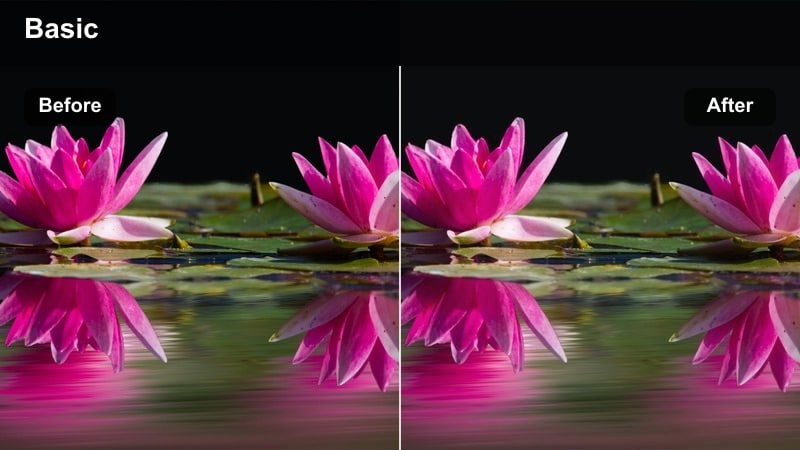
- Effect look: Bright, low-contrast tones with polished highlights for a premium city fashion feel.
- Best for: Daytime street-style outfit shots with clean backgrounds and minimal clutter.
- Editing tip: Lower the exposure slightly after applying the filter to preserve detail in white clothing and sneakers.
Soft City Luxe is ideal for creators who film in bright downtown streets, marble sidewalks, and glass-fronted boutiques. In Filmora, this LUT gently lifts shadows and highlights without making the image feel washed out, giving your trench coats, trousers, and sneakers a soft editorial sheen that still looks true to life.
Apply the LUT to your clip, then use Filmora exposure and highlight sliders to fine-tune whites in shirts, sneakers, and bags so they stay detailed instead of blown out. If your city scene feels a bit too flat, add a touch of clarity and a very light vignette to keep the luxury softness while guiding attention back to the outfit.
Match Your Clean Luxury Palette with AI Tools
Filmora AI color tools help you match Soft City Luxe and the rest of your Instagram fashion LUTs to a cohesive brand palette. You can keep your beiges, creams, and blacks consistent so every city shot feels like part of the same luxury story.
Load a reference campaign image from your favorite fashion house, use AI color matching to align your footage to that palette, then apply Soft City Luxe or similar filters as the final polish for a tailored, high-end finish.
 secure download

Preview Clean Luxury Looks in Real Time
Filmora filter previews let you see how Soft City Luxe compares with other Instagram fashion LUTs in real time. You can quickly hover to preview each look on your city clips without committing to a single style too early.
Compare several filters side by side, then adjust exposure and white balance directly in the preview until your street-style outfits feel polished, bright, and runway-ready.
secure downloadBuild a Signature Filter Stack for Your Fashion Brand
Once you find a combination of Instagram fashion LUTs that works for your luxury wardrobe content, Filmora lets you turn it into a reusable preset stack. You can mix Soft City Luxe with basic color adjustments and subtle sharpening to create a signature look.
Save that custom stack as a preset and apply it across new reels and photos in one click, so every city walk, coffee run, or outfit check-in keeps the same high-end, minimalist mood.
secure downloadTailored Neutrals
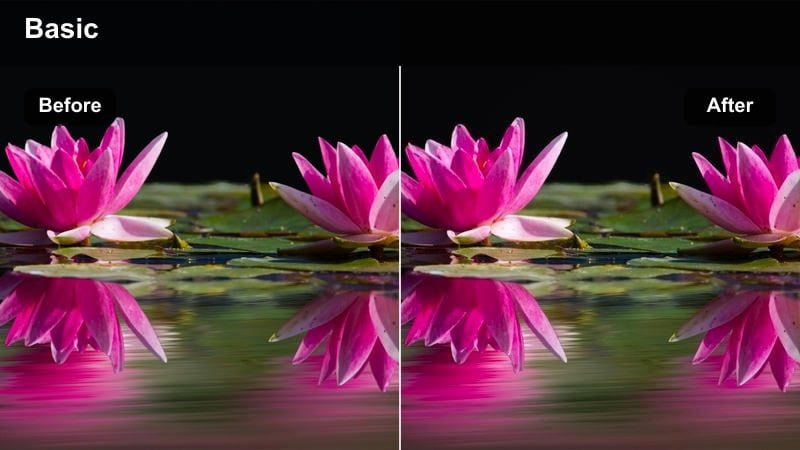
- Effect look: Muted saturation with warm neutrals that make tailored pieces look expensive and refined.
- Best for: Street-style fits featuring blazers, trousers, and structured coats in beige, camel, and cream.
- Editing tip: Increase the sharpness slightly on edges of jackets and trousers to emphasize tailoring without making skin look harsh.
Tailored Neutrals is built for creators who love structured silhouettes, monochrome outfits, and capsule wardrobes. In Filmora, this LUT softens loud colors while adding warmth to beige, camel, and cream, giving jackets and trousers a richer, more expensive-looking finish.
After applying the LUT, use Filmora sharpening and masking tools to increase edge definition around lapels, seams, and trouser creases, while keeping faces soft. You can also use HSL controls to slightly desaturate bright signs or cars in the background so the viewer focus always returns to your tailored look.
Silk Highlight
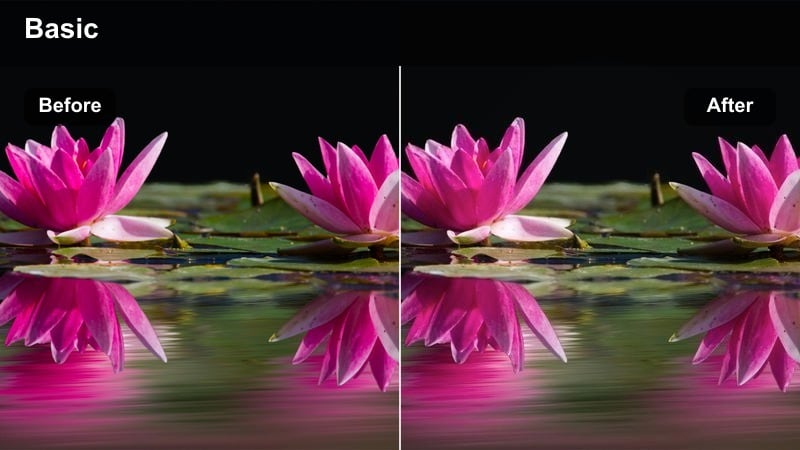
- Effect look: Soft, glowing highlights that give silk, satin, and jewelry a subtle high-end sheen.
- Best for: Daylight outfit photos featuring glossy fabrics, metallic accessories, and polished shoes.
- Editing tip: Use a gentle vignette after the filter to pull focus onto reflective details like earrings and handbags.
Silk Highlight is perfect for close-ups of satin blouses, pleated skirts, and metallic accessories, especially when filming in soft natural daylight. In Filmora, the LUT brightens reflective details and adds a delicate glow to fabrics without overexposing skin, giving your content a refined, editorial shimmer.
Apply the LUT, then use Filmora highlight and curves controls to tame shine on the face while keeping jewelry and handbags radiant. A subtle vignette or focus mask can help center attention on key luxury details, like a statement earring or designer clutch, for an elevated Instagram fashion reel.
Minimal Mirror Selfies & Wardrobe Snaps
Closet Luxury Light
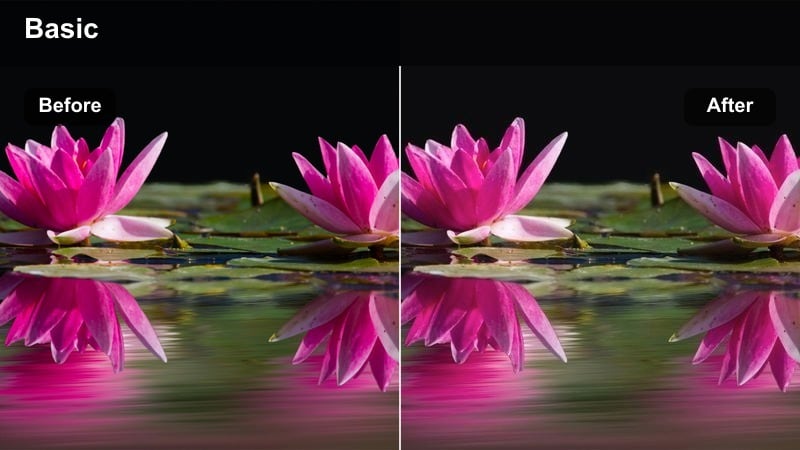
- Effect look: Bright, clean whites and soft shadows ideal for mirror selfies in minimalist bedrooms or closets.
- Best for: Wardrobe try-on videos, mirror selfies, and outfit-of-the-day content shot indoors.
- Editing tip: Increase temperature slightly if your room has cool LED lights to keep skin tones flattering and warm.
Closet Luxury Light is tailored for creators who film mirror selfies, try-on hauls, and quick outfit checks in bedrooms or dressing rooms. The LUT lifts whites, softens shadows, and minimizes dingy indoor color casts so your mirror, walls, and bedding look editorial-level clean.
In Filmora, apply this LUT to your vertical clips, then adjust temperature and tint to correct for cool LEDs or mixed lighting. Lightly lifting shadows can help hide clutter in darker corners, while a tighter crop around the mirror frame will make your neutral outfits feel like part of a curated luxury wardrobe series.
Mirror Cream Glow
- Effect look: Creamy highlights and soft beige casts that make indoor spaces feel warm and luxurious.
- Best for: Mirror selfies with beige bedding, neutral rugs, and off-white walls or curtains.
- Editing tip: Lower saturation slightly if your room has colorful decor to keep the focus on the outfit and overall aesthetic.
Mirror Cream Glow wraps your entire room in a gentle, creamy warmth that flatters both skin and soft furnishings. It works best for creators who style neutral decor, turning simple bedding, curtains, and rugs into an elegant backdrop that matches your outfit mood.
After applying the LUT in Filmora, tweak saturation and HSL sliders to tone down any colorful decor or wall art that steals attention. A small tint adjustment toward green or magenta can perfect skin tones, ensuring the creamy warmth reads as luxury lighting instead of orange or yellow cast.
Wardrobe Capsule Clean
- Effect look: Soft contrast with neutral color bias to make capsule wardrobe pieces look cohesive and intentional.
- Best for: Flat-lays of outfits, clothing racks, and wardrobe reveal videos with multiple pieces.
- Editing tip: Use a slight decrease in clarity on the background only to keep hangers, boxes, and shelves from distracting the viewer.
Wardrobe Capsule Clean is designed for content that showcases multiple pieces at once, like clothing racks, outfit planning reels, or flat-lays on the bed. The LUT reduces contrast and pushes colors toward a unified neutral palette, so different whites, beiges, and grays feel part of a single capsule collection.
In Filmora, apply the LUT, then use selective blur or reduced clarity on the background to soften hangers, boxes, and shelves. You can then enhance individual hero pieces with a bit of extra sharpness or local contrast, making the most important items stand out within an otherwise calm, curated wardrobe frame.
Evening Dinners & Luxury Events
Evening Champagne Sheen
- Effect look: Soft golden highlights and lifted shadows to give evening outfits a subtle champagne glow.
- Best for: Upscale dinners, hotel lobbies, and evening outfit photos under warm indoor lighting.
- Editing tip: Reduce orange saturation slightly after applying the filter to keep skin from looking too warm under tungsten lights.
Evening Champagne Sheen turns mixed indoor lighting into a flattering, golden-hour style glow for your dinner and event looks. It is especially useful in hotel lobbies, restaurants, and lounges where warm lamps and spotlights can otherwise cause harsh, uneven color on skin and fabric.
In Filmora, apply the LUT and then use color correction to gently pull back orange saturation so your complexion stays balanced. Lifting shadows slightly will keep detail in darker corners of the frame, while a soft vignette around the edges will help your dress, suit, or accessories stay center stage amidst the ambient evening lights.
Black Tie Minimal
- Effect look: Deep, clean blacks and controlled highlights that make formalwear look crisp and editorial.
- Best for: Cocktail dresses, tuxedos, and evening suits shot in dim venues or on city nights.
- Editing tip: Raise shadows slightly after the filter to keep dark suits detailed while preserving a luxe, moody vibe.
Black Tie Minimal brings a cinematic edge to night-time fashion content, focusing on clean blacks and precise highlight control. Tuxedos, satin lapels, and black dresses gain definition without turning into muddy patches, making it ideal for rooftop cocktails, premieres, and city strolls after dark.
In Filmora, apply the LUT and then gently lift blacks or shadows until you can clearly see texture in suits, handbags, and shoes. Use noise reduction to soften low-light grain, and consider adding a subtle glow or bloom to city lights so the final reel looks like a high-budget fashion campaign shot at night.
Rooftop Luxe Night
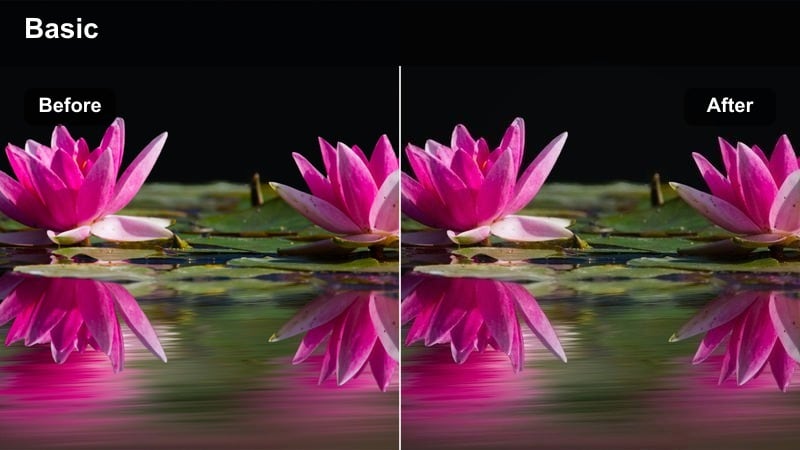
- Effect look: Cooler shadows with subtle teal hints and clean highlights for modern rooftop and skyline fashion shots.
- Best for: Evening rooftop events, skyline views, and balcony outfit photos with city lights in the background.
- Editing tip: Add a touch of saturation only to blues to enhance the skyline while keeping outfits in neutral, luxury tones.
Rooftop Luxe Night gives your evening skyline content a modern, editorial twist with cool-toned shadows and crisp highlights. It is especially effective for balcony shots, rooftop bars, and penthouse looks where the city lights become part of your fashion storytelling.
After applying the LUT in Filmora, use HSL controls to boost blue saturation selectively so the skyline pops without shifting your outfit away from its neutral, luxe palette. You can also darken the upper portion of the frame with a gradient to prevent bright buildings from overpowering your subject, keeping attention on your blazer or evening ensemble.
Editorial Studio & Campaign Content
Studio Linen Clean
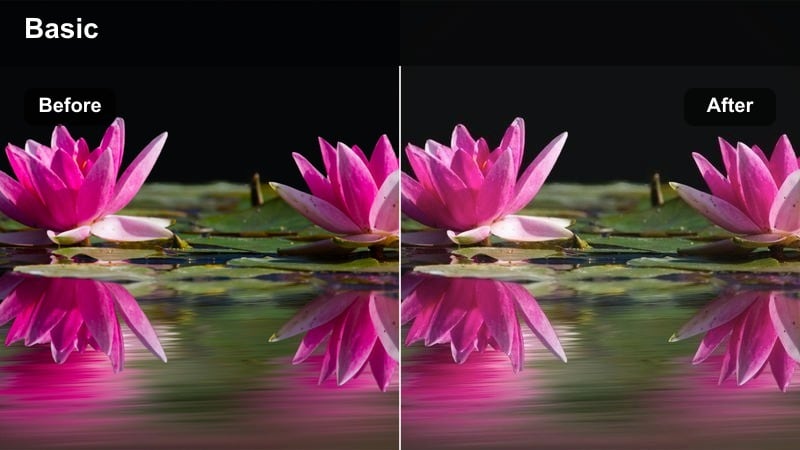
- Effect look: Low saturation, soft contrast, and creamy whites ideal for editorial shoots against seamless backdrops.
- Best for: Studio lookbooks, brand campaigns, and product-on-body shots with simple backgrounds.
- Editing tip: Slightly boost clarity on the subject only to keep facial features and fabrics defined without harshening the backdrop.
Studio Linen Clean is crafted for minimal studio sets where your model and garments need to feel like they belong on the pages of a luxury magazine. The LUT softens saturation, evens out background whites, and keeps skin gentle yet defined, ideal for linen sets and pared-back tailoring.
Within Filmora, apply the LUT to your footage and then use masks or AI tools to add a bit of clarity just to the subject, preserving fine details in fabrics and facial features. Keep the backdrop soft by avoiding extra contrast, and repeat this same treatment across the entire lookbook to maintain a clean, branded studio aesthetic.
Runway Soft Focus
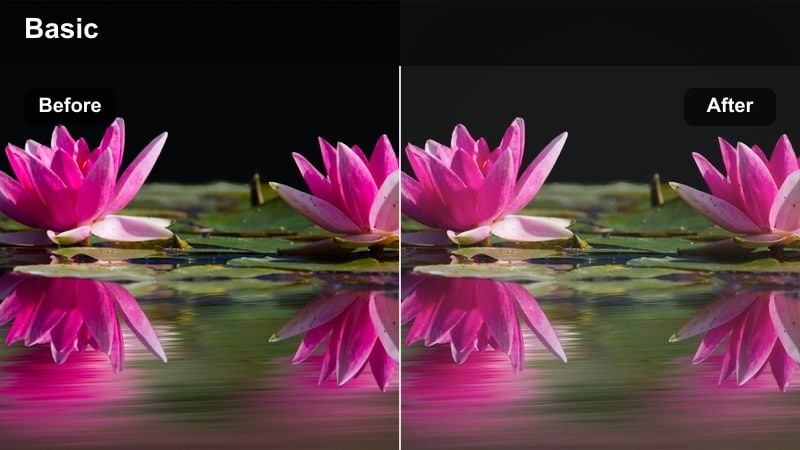
- Effect look: Subtle matte finish with softened midtones to mimic backstage runway photography.
- Best for: Behind-the-scenes clips, model walks, and editorial movement shots in studios or show venues.
- Editing tip: Lower contrast slightly more on fast-moving clips to avoid harsh edges and keep everything feeling cinematic.
Runway Soft Focus brings a backstage, fashion-week vibe to your moving content, smoothing midtones and adding a gentle matte finish. It suits catwalk-style walks toward the camera, getting-ready clips, and behind-the-scenes moments where motion is a big part of your storytelling.
Apply the LUT in Filmora, then slightly reduce contrast and sharpness to prevent jittery edges on fast-moving outfits. You can also experiment with subtle motion blur or slower playback for hero moments, helping every step and fabric swish feel cinematic while maintaining that soft, luxury mood.
Campaign Lux Matte
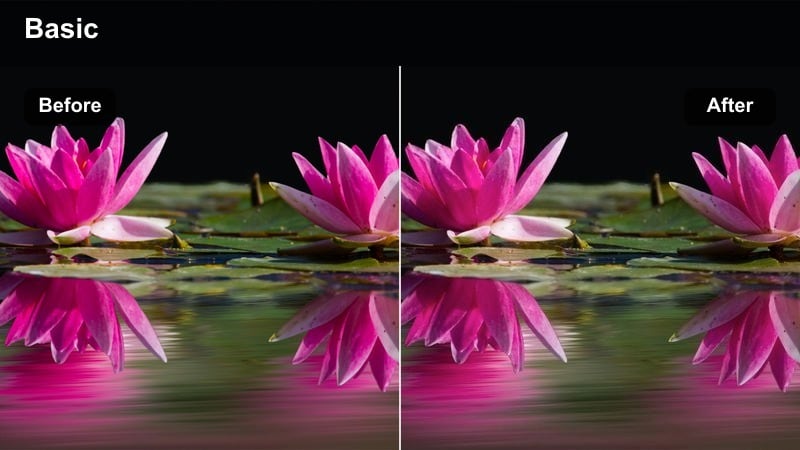
- Effect look: Matte blacks and clean highlights with neutral colors for a high-end campaign aesthetic.
- Best for: Brand campaign videos, fashion reels, and hero images where clothing details must remain crisp.
- Editing tip: Increase local contrast on logos, textures, and accessories to keep branding sharp within the soft matte look.
Campaign Lux Matte is designed to make your content feel like a full-scale luxury campaign, even if you are shooting in a simple studio. The LUT flattens blacks into a tasteful matte, keeps highlights controlled, and maintains neutral colors so your garments and branding remain the focus.
In Filmora, apply the LUT across your hero shots, then use local contrast tools to subtly enhance logos, stitching, and key accessories so they stay sharp against the softer overall finish. Save this combination as a custom preset and use it for entire collection launches or sponsored posts to give your fashion brand a strong, recognizable visual identity on Instagram.
Tips for Using Instagram Fashion Luts Clean Luxury Look Filters in Filmora
- Shoot in soft, even light whenever possible so these clean luxury filters can enhance your outfits instead of fighting harsh shadows.
- Keep your wardrobe palette cohesive with neutrals and one or two accent colors to maximize the impact of a consistent filter style.
- Always correct white balance before applying filters to avoid strange color casts on skin and fabrics.
- Use the same two or three filters across your grid to build a recognizable Instagram fashion identity.
- Export at high resolution and avoid over-sharpening to maintain a smooth, premium look in your final posts.
These Instagram fashion LUTs for a clean luxury look give content creators an easy way to polish outfits, refine colors, and build a premium aesthetic in Filmora.
Experiment with a few favorites, save your own presets, and keep your lighting and wardrobe consistent so every post on your grid feels effortlessly high-end.
For a portable version of the color grade, Filmora can export compatible color adjustments from a selected clip as a standard .cube LUT for reuse in Filmora, DaVinci Resolve, Adobe Premiere Pro, or Final Cut Pro.
secure download