

 100% Security Verified | No Subscription Required | No Malware


 ChatGPT
 Perplexity
 Gemini
 Claude
 Grok
Grok
Low Key Cyan sits between teal and blue, with a muted, slightly desaturated feel that immediately suggests depth, calm, and quiet confidence. Psychologically, it tends to read as modern, trustworthy, and introspective rather than loud or playful. On screen, it feels like cool air, foggy glass, or city lights seen from a distance, which makes it perfect for cinematic storytelling and sleek digital brands.
Creators use Low Key Cyan in video color grading, YouTube thumbnails, logo stings, and animated intros to create a consistent visual mood. It works especially well in cool-tone edits, tech explainers, moody vlogs, and minimalist brand systems. Below you will find 15 Low Key Cyan color palettes with HEX codes, along with ideas for how to use each one in Filmora for intros, overlays, b-roll, and more.
In this article
Cinematic Low Key Cyan Color Palettes
Midnight Harbor Mist
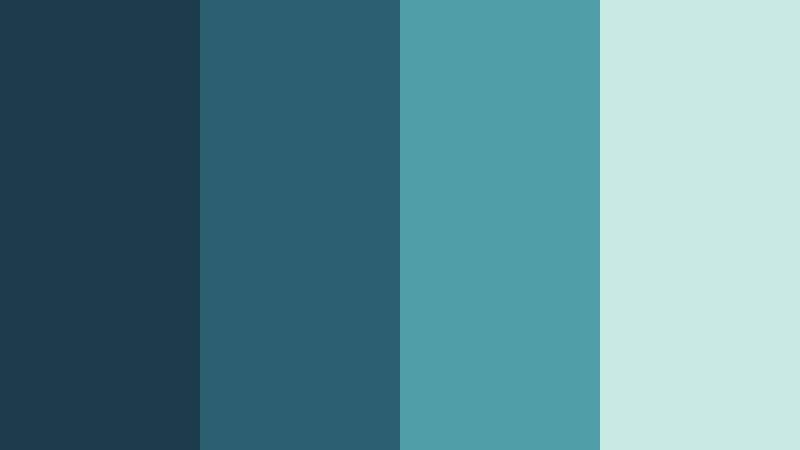
- HEX Codes: #1b3a4b, #2d5f73, #4f9da6, #c7eae4
- Mood: Calm, introspective, and quietly cinematic.
- Use for: Ideal for moody travel vlogs, night city b-roll, and atmospheric opening titles.
Midnight Harbor Mist moves from deep, inky teal into a soft harbor haze, like fog rolling slowly over dark water. The darker tones anchor your frame with a cinematic base, while the pale cyan mist adds just enough lift to keep your visuals from feeling heavy.
Use this palette in Filmora for travel vlogs shot at blue hour, reflective storytelling pieces, or slow, atmospheric intros. Build thumbnails where the background leans into the darker shades while titles and key elements use the lighter cyan to pull the eye. It also suits minimalist branding for channels that focus on slow living, photography, or thoughtful commentary.
Pro Tip: Build a Cinematic Low Key Cyan Look in Filmora
To keep a Midnight Harbor Mist look consistent, start by choosing the darkest teal as your base for shadows, then gently lift mids and highlights toward the softer cyans. In Filmora, you can apply the same color adjustments across your entire edit so your intro, b-roll, and talking head clips all share the same cool, harbor-like atmosphere.
Use overlays, titles, and lower thirds in the lighter cyan tones while leaving the background closer to the deep teal. This contrast keeps text legible while preserving that calm, cinematic feeling that makes Low Key Cyan so versatile.
AI Color Palette
If you have a screenshot, thumbnail, or color card that perfectly captures your Midnight Harbor Mist vibe, you can let Filmora do the heavy lifting. Filmora's AI Color Palette feature analyzes a reference image and transfers its Low Key Cyan tones across your whole video with a few clicks.
Simply import your reference frame, match it to your clips, and watch as your travel sequences, city b-roll, and outros automatically inherit the same teal shadows and misty highlights. This is a fast way to keep your YouTube channel, reels, and shorts visually unified without manual tweaking on every shot.
 secure download

HSL, Color Wheels & Curves
To refine a Low Key Cyan grade, lean on Filmora's HSL controls, color wheels, and curves. Gently desaturate greens while nudging blues and cyans a bit toward teal so skin tones still look natural against your cool backgrounds. Use the color wheels to keep shadows rich and cool, mids neutral, and highlights softly tinted toward the lighter cyan from this palette.
For more guidance, you can follow along with Filmora's YouTube tutorials on color grading, then use curves to create a subtle S-shape for cinematic contrast. This lets you deepen the Frame Shadow Black style shadows while preserving detail in misty highlights so your Low Key Cyan look stays clean and professional.
secure download1000+ Video Filters & 3D LUTs
If you want a quick, stylized Low Key Cyan look without manual grading, Filmora's video filters and 3D LUTs make it easy. Start with a cool, cinematic LUT, then fine-tune saturation and contrast so it sits comfortably within the Midnight Harbor Mist palette.
Stack subtle filters, light leaks, or vignettes to deepen the harbor mood and guide viewer focus toward your subject. Because these filters can be applied to multiple clips at once, you can keep your whole edit, from intro to end screen, perfectly aligned with your chosen Low Key Cyan aesthetic.
secure downloadNeon Alley Haze
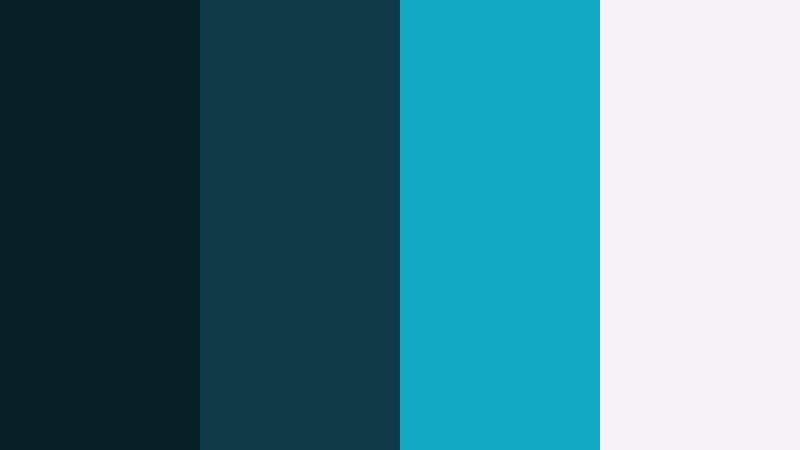
- HEX Codes: #071e26, #0f3b46, #10a8c2, #f5f3f5
- Mood: Edgy, urban, and futuristic with a low-key glow.
- Use for: Great for cyberpunk-style intros, tech explainers, and glitchy transitions.
Neon Alley Haze blends near-black teal shadows with a single sharp cyan highlight and a soft off-white. It feels like a quiet backstreet lit by one neon sign, giving your visuals an urban, futuristic edge without becoming overly saturated.
Use the darker tones for backgrounds and overlays in Filmora, then reserve the bright cyan for icons, subscribe buttons, and key text in thumbnails or lower thirds. This palette is ideal for tech channels, gaming intros, or motion graphics where you want a cyberpunk hint that still reads as clean and professional.
Rainy Window Echo
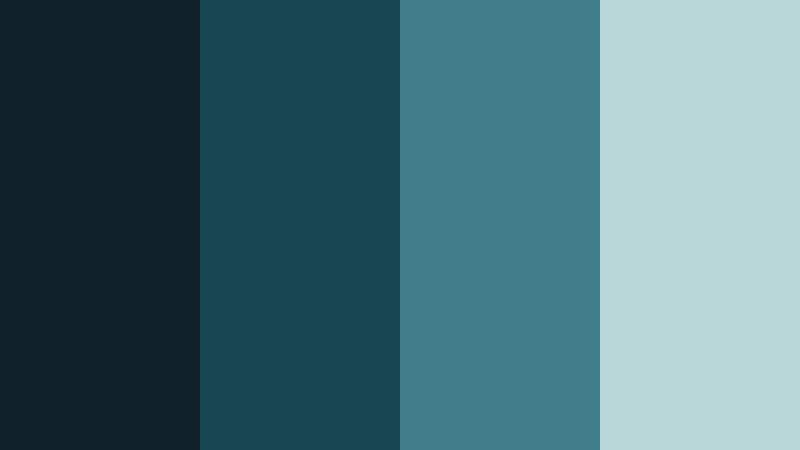
- HEX Codes: #102129, #174552, #3f7d89, #b9d7d9
- Mood: Melancholic yet cozy, like watching rain through glass.
- Use for: Use in storytelling shorts, lofi study visuals, or reflective documentary segments.
Rainy Window Echo layers muted cyans and blues that feel like water streaks on glass under a cloudy sky. The palette balances cool melancholy with a soft, comforting light, perfect for introspective narratives.
Apply these colors to lofi animations, study streams, or slow documentary b-roll. In Filmora, use the darker shades for backgrounds and frames, and bring lighter cyans into titles, chapter markers, or gentle overlay gradients that mimic light filtering through rain.
Shadowed Aqua Frames
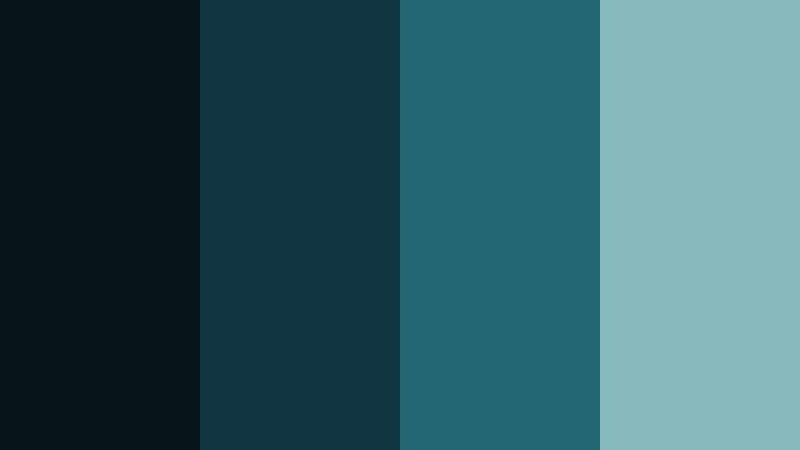
- HEX Codes: #071419, #123542, #246774, #88b9bc
- Mood: Moody and cinematic with a refined cool tone.
- Use for: Works well for cinematic grading on short films, trailers, and narrative reels.
Shadowed Aqua Frames moves from nearly black teal into a clean aqua highlight, creating a sophisticated low-key contrast. It feels like looking through a dim cinema frame where only certain details catch the light.
Use this palette to grade indie shorts, trailers, or dramatic reels in Filmora. Keep your footage grounded in the darker tones, then introduce the paler aqua in typography, logo reveals, or subtle interface elements on screen for a polished, filmic finish.
Soft & Minimal Low Key Cyan Color Palettes
Foggy Studio Cyan
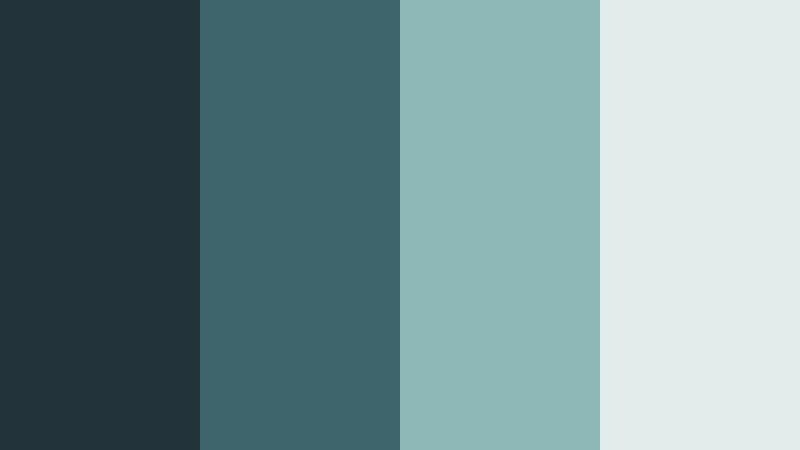
- HEX Codes: #22343a, #3e646c, #8eb7b7, #e2eceb
- Mood: Soft, modern, and quietly sophisticated.
- Use for: Perfect for minimalist product promos, app demos, and clean motion graphics.
Foggy Studio Cyan combines charcoal, muted cyan, and airy off-white for a look that feels like a calm design studio in the early morning. It is modern but not harsh, with enough softness to keep attention on your subject.
Use this palette for product shots, UI walkthroughs, and minimalist logo stings. In thumbnails and channel branding, place products against the darker base tones, then use the lighter cyan and off-white for clean typography, icons, and interface elements.
Muted Ocean Desk
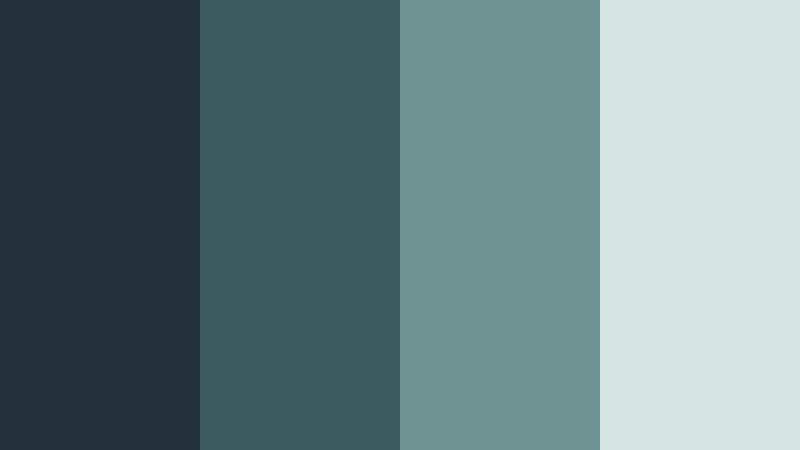
- HEX Codes: #23323a, #3a5a5f, #6f9293, #d4e5e4
- Mood: Focused, cozy, and calming like a tidy workspace.
- Use for: Great for tutorial videos, productivity vlogs, and educational content backgrounds.
Muted Ocean Desk mixes desk-dark blues with gentle ocean cyans and a light neutral. It feels like working next to a window on a calm sea, keeping your visuals grounded and distraction-free.
Use the deeper tones for backgrounds in screen recordings and talking head shots, then bring in lighter cyans for callouts, annotations, and chapter titles. This palette keeps educational content clean, readable, and soothing for long viewing sessions.
Quiet Glacier Flow
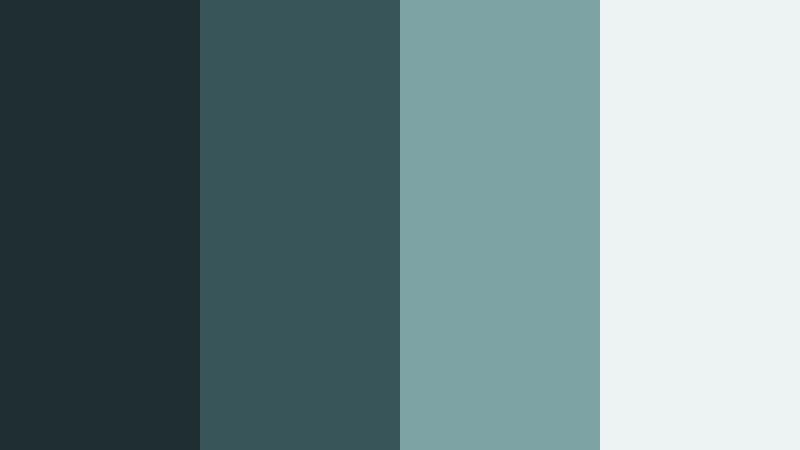
- HEX Codes: #1f2e33, #38565a, #7da3a4, #edf3f2
- Mood: Serene, cool, and spacious like a slow-moving glacier.
- Use for: Use in meditation clips, slow travel vlogs, or brand intros that need calm clarity.
Quiet Glacier Flow shifts from cool, stony blues to soft glacier light, creating a lot of negative space and calm. It feels expansive and slow, ideal for content where the viewer should relax and breathe.
In Filmora, use this palette for meditation backgrounds, slow time-lapse shots, or intros to wellness and travel channels. Let the darker hues frame your subject and use the lightest tone for simple, airy typography and logo animations.
Dusty Teal Apartment
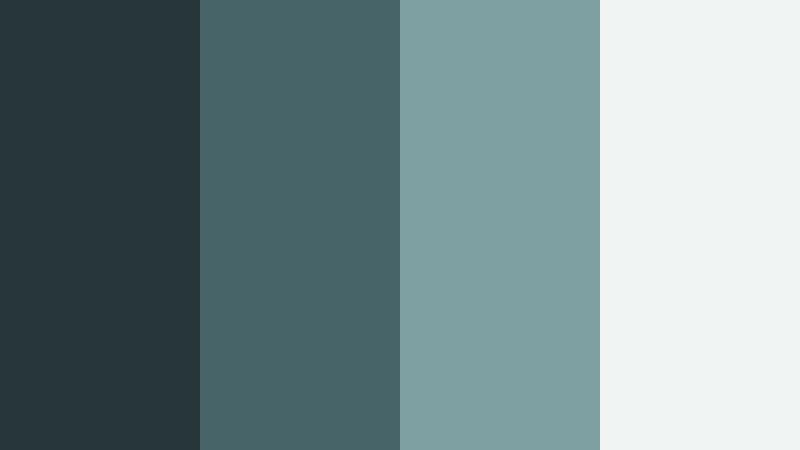
- HEX Codes: #27363a, #476468, #7fa0a2, #f0f4f3
- Mood: Homey, creative, and low-contrast.
- Use for: Works for lifestyle vlogs, home makeovers, and aesthetic B-roll sequences.
Dusty Teal Apartment brings together soft, lived-in teals and gentle off-whites that feel like a curated, cozy space. The low contrast keeps everything easy on the eyes and subtly stylish.
Use it as a base for lifestyle vlogs, home decor tours, or aesthetic coffee b-roll. In thumbnails and titles, avoid harsh blacks; instead use the darkest teal for text paired with the lightest tint as the background for a warm, approachable channel look.
Bold & Modern Low Key Cyan Color Palettes
Cyan Accent Pop
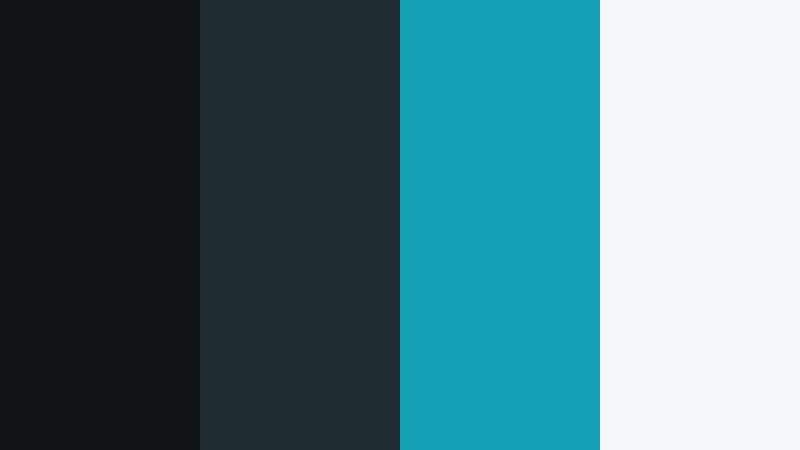
- HEX Codes: #101417, #1f2d33, #14a1b6, #f6f7f8
- Mood: Crisp, confident, and attention-grabbing.
- Use for: Ideal for YouTube thumbnails, logo stings, and lower thirds that need a clear focal point.
Cyan Accent Pop uses deep, neutral charcoals to frame a single bright cyan accent and a clean light background. The result is bold, modern, and extremely readable even at small sizes.
Use this for thumbnail designs, bold titles, and logo stings in Filmora. Keep most of the frame in dark neutrals or light gray, then deploy the bright cyan only on key buttons, arrows, and call-to-action text so viewers know exactly where to look.
Studio Grid Cyan
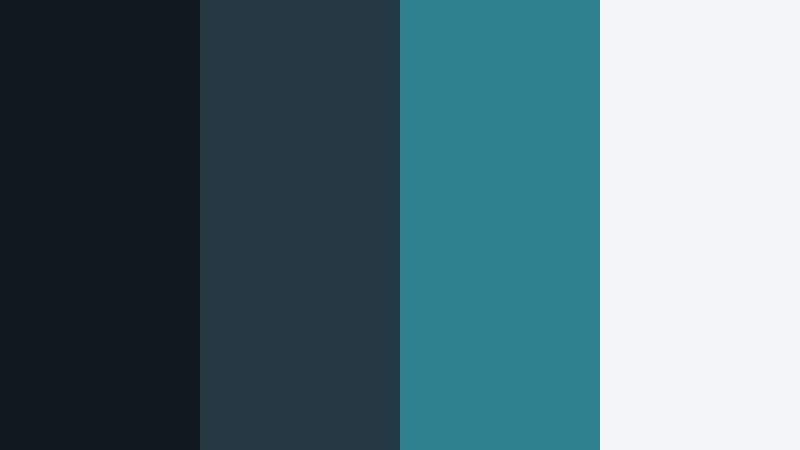
- HEX Codes: #121820, #243844, #2f8190, #f3f5f6
- Mood: Techy, structured, and sharp.
- Use for: Great for tech reviews, UI showcases, and motion graphic explainer videos.
Studio Grid Cyan sets up a graphite blue backdrop with a focused cyan highlight and a crisp light neutral. It feels like a controlled studio set built for gadgets, apps, and UI animations.
Use the darker hues as faux backdrops or gradient overlays behind screenshots and product renders. Highlight UI elements, graphs, and key specs with the cyan tone, while using the lightest color for body text and clean diagrams in your explainer videos.
Digital Tide Pulse

- HEX Codes: #050a10, #173843, #1f9aa9, #f2f2f2
- Mood: Energetic yet controlled, with a digital edge.
- Use for: Use for music visualizers, esports visuals, or kinetic typography sequences.
Digital Tide Pulse moves from almost-black shadow through a rising cyan wave into clean white. It feels like a digital tide of data or sound rolling through the frame, energetic but still under control.
In Filmora, use this palette for music visualizers, lower thirds in esports streams, or dynamic title sequences. Let the darkest tone carry the background, then animate cyan lines, bars, or shapes over it, using white for sharp, readable text and beat-synced captions.
Urban Subway Cyan
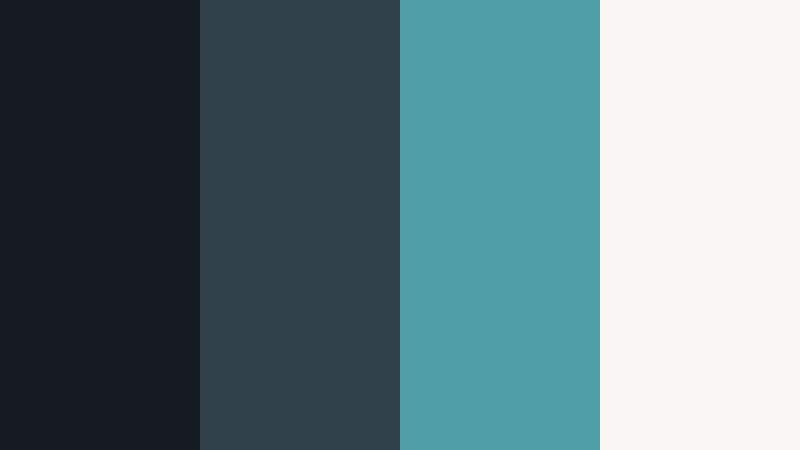
- HEX Codes: #151b20, #30414a, #4f9da6, #f7f6f3
- Mood: Contemporary, urban, and dynamic.
- Use for: Perfect for city vlogs, streetwear lookbooks, and fast-cut reels.
Urban Subway Cyan pairs subway-dark neutrals with a brisk cyan and a gentle off-white, echoing tiled platforms and signage. It has a modern city attitude without being overly flashy.
Use it to grade city b-roll, fashion lookbooks, or quick-cut Instagram reels. Let the dark shades anchor handheld shots, while using the cyan for title cards, price tags, or style labels. The off-white works well as a background for end screens and overlay text.
Elegant & Luxe Low Key Cyan Color Palettes
Cyan Marble Lobby
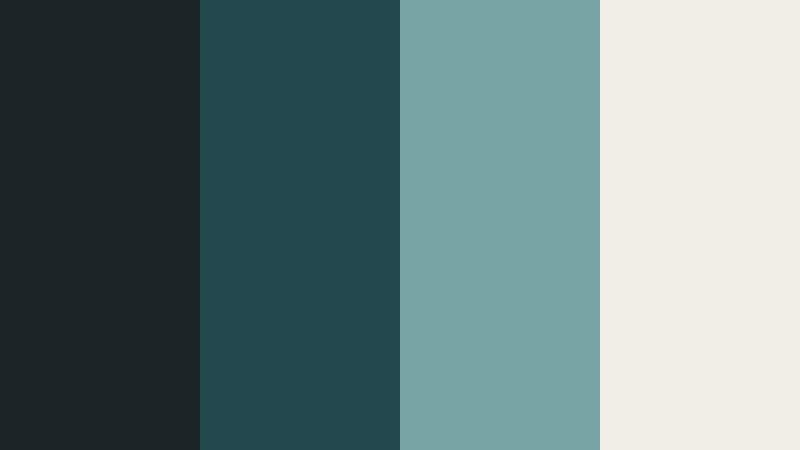
- HEX Codes: #1b2528, #23484e, #77a4a4, #f1ede7
- Mood: Upscale, polished, and hotel-lobby chic.
- Use for: Use for luxury brand intros, real estate tours, and premium service promos.
Cyan Marble Lobby blends cool stone-like cyans with a warm marble cream, creating a quiet sense of luxury. It feels like stepping into a high-end hotel lobby or spa, understated but clearly premium.
Use this palette for real estate walkthroughs, premium service promos, or brand intros that need to look refined. Keep footage tinted toward the darker cyans, while using the light cream for clean title cards, pricing overlays, and lower thirds that suggest quality and trust.
Teal Velvet Cinema
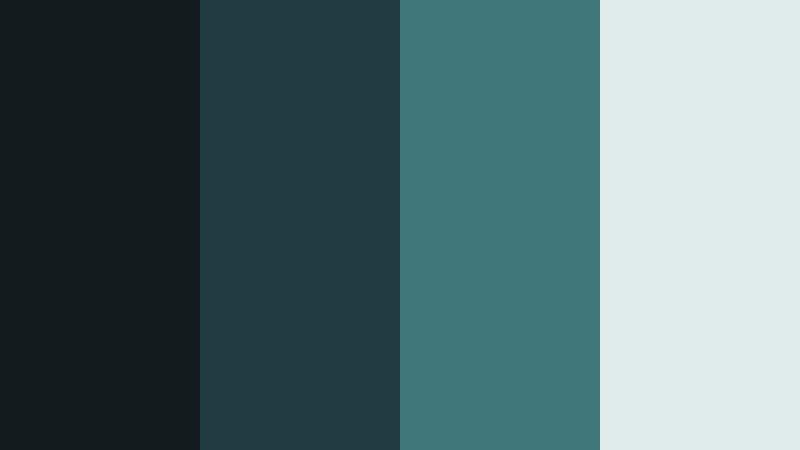
- HEX Codes: #141b1e, #1f3b41, #3f7677, #dfebe8
- Mood: Cinematic glamour with a vintage twist.
- Use for: Great for film festival bumpers, fashion reels, and dramatic title cards.
Teal Velvet Cinema runs from rich, velvet-like shadows into a soft cyan highlight, echoing classic cinema seats and curtains. It mixes glamour with nostalgia, perfect for anything film-related.
Use it for festival bumpers, fashion intros, or dramatic title cards in Filmora. Apply the deeper tones across your footage, then let the lighter cyan carry key typography or logo marks. This palette works especially well when combined with subtle film grain or vignette effects.
Frosted Glass Atrium
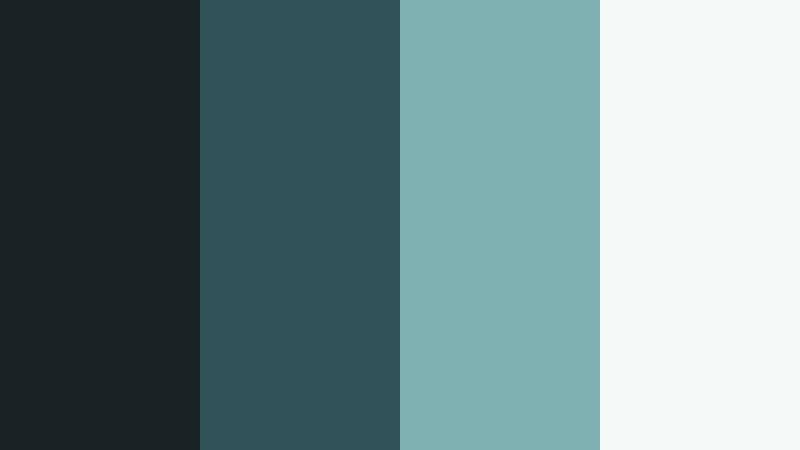
- HEX Codes: #192326, #315258, #7fb1b2, #f5faf8
- Mood: Airy, refined, and architectural.
- Use for: Perfect for architecture tours, design portfolios, and brand decks needing a cool professional edge.
Frosted Glass Atrium combines structural dark cyans with translucent, almost icy highlights and white. It feels like light moving through glass and steel, clean and architectural.
Use this palette for architecture and design portfolios, business brand videos, or sleek pitch decks turned into motion graphics. Let darker colors frame your footage or slides, then use the soft cyan and white for diagrams, titles, and logo lockups that communicate clarity and professionalism.
Tips for Creating Low Key Cyan Color Palettes
When you build your own Low Key Cyan color palette for video or design, you want to keep the cool, cinematic mood while ensuring contrast, readability, and brand consistency across every platform.
- Start with one anchor cyan: choose a mid-tone cyan or teal as your main brand color, then build darker shadows and lighter tints around it.
- Balance with neutrals: pair Low Key Cyan with charcoal, dark navy, or off-white so your scenes do not become overwhelmingly blue.
- Check text contrast: always test thumbnail and title legibility on small screens, using light text on dark backgrounds or dark text on pale cyan areas.
- Control saturation: keep cyans slightly desaturated for a cinematic feel; oversaturated teal can look cheap or overly gaming-style if that is not your goal.
- Match footage and graphics: in Filmora, nudge your footage toward the same hue and brightness as your graphic elements so overlays, titles, and b-roll feel unified.
- Create a warm counterpoint: add a subtle warm accent (skin tone, warm light, or a small orange element) to keep faces natural against cool cyan environments.
- Use gradients sparingly: soft cyan-to-charcoal gradients can add depth, but keep them low contrast so they do not distract from your subject.
- Save presets: once you find a Low Key Cyan look you love, save it as a preset or LUT in your editor so you can apply it instantly across series, seasons, or campaigns.
Low Key Cyan is powerful for shaping mood, from quiet, introspective vlogs to sharp tech explainers and luxurious brand stories. With the right palette, you can give your channel or brand a consistent, recognizable visual identity that feels modern and cinematic without overwhelming your content.
Try these 15 palettes as starting points: swap in your own logos, adjust saturation and contrast to fit your footage, and test how they look in intros, lower thirds, and thumbnails. Filmora makes it easy to keep that Low Key Cyan atmosphere across clips, formats, and platforms.
Experiment, save your favorite looks, and refine them over time until your viewers can recognize your work at a glance from the cool cyan tones alone.
secure download