

 100% Security Verified | No Subscription Required | No Malware


 ChatGPT
 Perplexity
 Gemini
 Claude
 Grok
Grok
Ocean Drift sits between deep teal and muted aqua, mixing the calm of blue with the freshness of green. It feels clean, modern, and cinematic, which is why so many travel vloggers, tech creators, and lifestyle brands gravitate toward it. Used well, Ocean Drift can make your videos feel both soothing and high end, like a cool breeze cutting through busy timelines and bold stories.
Below you will find ready to use Ocean Drift color palettes with HEX codes for thumbnails, titles, lower thirds, logo stings, and social posts. Each palette is tuned for creators and Filmora users, so you can quickly translate these Ocean Drift color combinations into cohesive video looks, channel branding, and cinematic grading.
In this article
Calm And Cinematic Ocean Drift Color Palettes
Misty Harbor Dawn
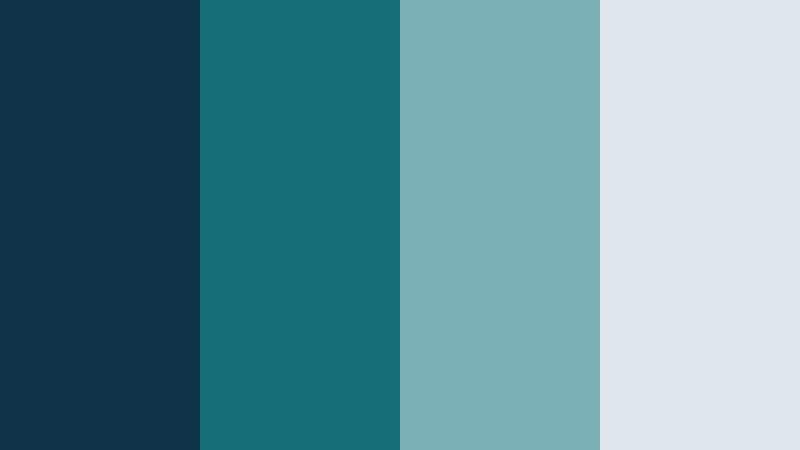
- HEX Codes: #0f344a, #156d75, #7bb0b6, #dfe7ec
- Mood: Calm, cinematic, and quietly hopeful.
- Use for: Great for cinematic travel vlogs and reflective B-roll sequences with soft on-screen titles.
Misty Harbor Dawn combines a deep teal base with misty blues and foggy gray white highlights. It feels like an early morning harbor shot before the sun has fully risen: peaceful, slightly cool, and full of quiet anticipation. The darker tones are perfect for backgrounds and overlays, while the light #dfe7ec keeps text and icons readable.
Use this palette for travel vlogs, cinematic B roll, intro sequences, and reflective talking head videos where you want Ocean Drift to feel soft rather than neon. It works well for YouTube thumbnails with moody skies, subtle lower thirds, and cohesive branding across end screens and social clips.
Pro Tip: Build a Cinematic Ocean Drift Look in Filmora
To keep a Misty Harbor Dawn vibe consistent, start by sampling your main Ocean Drift teal (#156d75) for titles, lower thirds, and accent shapes. Then, in Filmora, apply the same color to overlays, borders, or shape transitions so every element feels like it belongs to the same calm harbor world.
You can drop a soft vignette on your clips and use the lighter shade #dfe7ec for text boxes and subtitles. This creates contrast without breaking the cinematic mood. Save these settings as a preset in Filmora so your intros, B roll montages, and social cutdowns all share the same Ocean Drift signature.
AI Color Palette
If you have a reference still or thumbnail built with this Misty Harbor Dawn palette, you can use Filmora to spread that Ocean Drift look across an entire project. Filmora's AI Color Palette feature analyzes your reference frame and applies its tones to other clips in just a few clicks.
Import your reference image or pick a key frame from your timeline, then let AI Color Palette match the overall teal blues, soft highlights, and gentle contrast. This is especially useful for multi camera travel vlogs, where footage from different cameras can be unified into a single Ocean Drift grade.
 secure download

HSL, Color Wheels & Curves
To refine your Ocean Drift tones, use Filmora's color controls to nudge the teal blues into exactly the mood you want. In HSL, deepen the saturation of cyans and teals while slightly muting greens for a more cinematic, less touristy look. With color wheels, push shadows toward navy (#0f344a) and highlights toward the misty gray white (#dfe7ec) for a foggy harbor feel.
You can also use curves to add gentle contrast: lift the shadows a touch so the image stays soft, then lower the midtones slightly so teal areas feel rich and focused. This kind of fine tuning works perfectly alongside tutorials like Filmora's YouTube guides on color grading, helping you keep your Ocean Drift palette smooth and consistent.
secure download1000+ Video Filters & 3D LUTs
If you want a fast way to stylize your Ocean Drift palette, Filmora's video filters and 3D LUTs make it easy to lock in a cinematic teal look without endless tweaking. Start with a teal and orange or cinematic LUT, then adjust intensity so your Misty Harbor Dawn colors stay soft and believable.
You can stack subtle filters like vignettes, film grain, or light leaks over your Ocean Drift base to add texture while preserving the main teal mood. Save your favorite combinations as presets so every travel vlog, intro, and thumbnail can reuse the same polished Ocean Drift style in seconds.
secure downloadDeep Current Focus
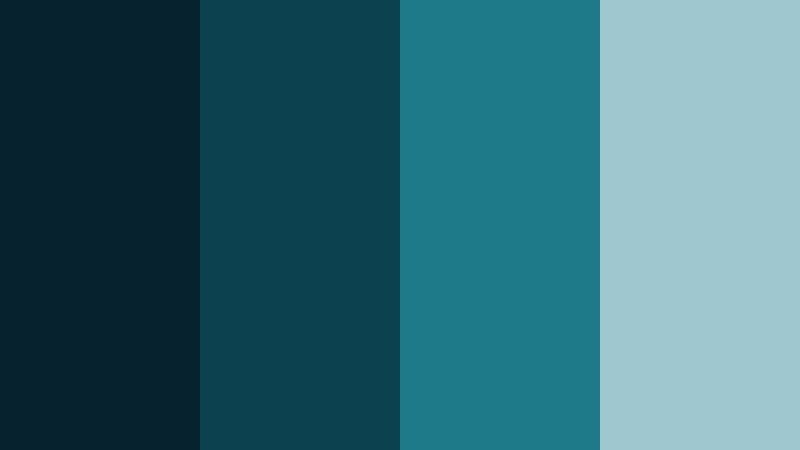
- HEX Codes: #06222f, #0c4250, #1e7a88, #9ec7cf
- Mood: Focused, introspective, and modern.
- Use for: Works well for documentary style videos, tech explainers, and channel branding that leans serious but approachable.
Deep Current Focus drifts from a nearly inky navy into concentrated Ocean Drift teal and soft aqua accents. The darker tones feel serious and intelligent, while the lighter #9ec7cf prevents the look from becoming heavy or dull. Together, they create an environment that feels modern, confident, and slightly introspective.
Use the deep colors for backgrounds in tech explainers, case study videos, and documentary frames. Reserve the brighter teal for callouts, diagrams, chart highlights, and subscribe buttons. This palette is strong for channel branding where you want a clear Ocean Drift signature without any playful or pastel vibe.
Tidal Glass Minimal
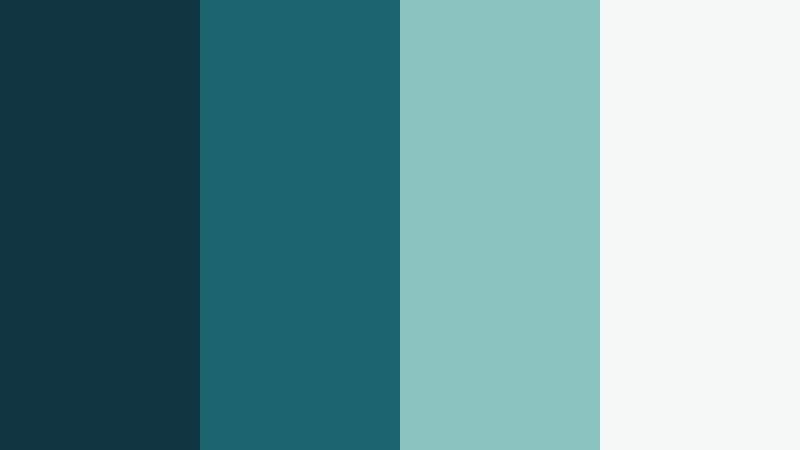
- HEX Codes: #123542, #1c6470, #89c4c0, #f4f7f6
- Mood: Minimal, airy, and clean.
- Use for: Ideal for minimalist logo reveals, app promos, and lower thirds in clean UI driven videos.
Tidal Glass Minimal balances deep ocean teal with glassy aqua and near white #f4f7f6. The result is a crisp, almost UI like Ocean Drift palette that feels very at home in software demos, startup promos, and modern product videos. The strong contrast between dark and light keeps overlays and typography razor sharp.
Use the darker shades for full frame color blocks behind key titles or app screens, then float screenshots and mockups on the light background color. This combination gives your project a clean, premium look that works particularly well in YouTube ads, explainer animations, and sleek channel intros.
Harbor Fade Monochrome
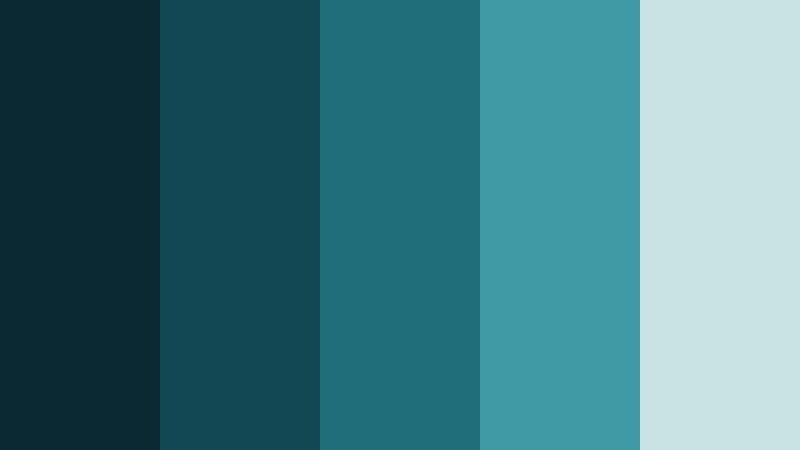
- HEX Codes: #0a2933, #124754, #1f6f7a, #3f9aa6, #c9e3e5
- Mood: Moody yet controlled, cinematic and cohesive.
- Use for: Best for consistent channel branding, LUT styles, and cinematic color grading across a video series.
Harbor Fade Monochrome is a carefully stepped Ocean Drift gradient that walks from deep harbor blue to pale seafoam. Because every color is part of the same teal family, you get a very cohesive, cinematic look that never feels scattered. It is perfect when you want subtle depth across multiple shots without introducing new hues.
Apply the darkest shade as your primary background or vignette tone, then layer mid teals for lower thirds, progress bars, and icons. Use #c9e3e5 for readable text and UI style panels. This palette is ideal for creating your own LUT style in Filmora and applying it across a playlist of episodes, so your audience instantly recognizes your Ocean Drift grade.
Overcast Breakwater
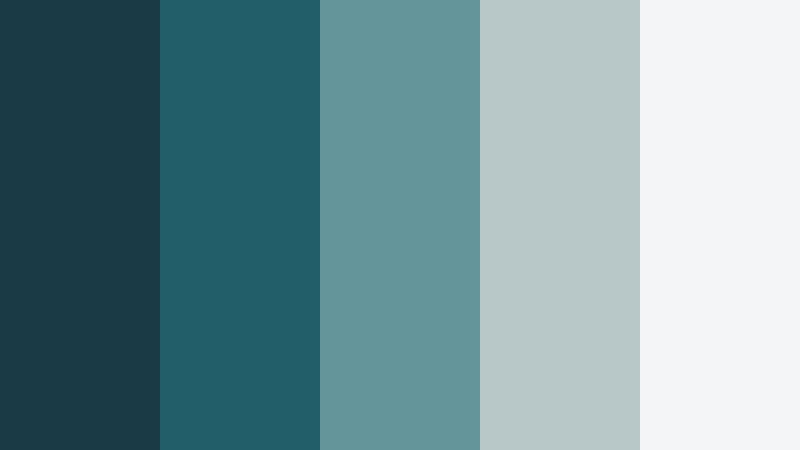
- HEX Codes: #1a3b45, #205f69, #64959a, #b8c7c8, #f3f5f6
- Mood: Calm, thoughtful, and slightly nostalgic.
- Use for: Great for lifestyle vlogs, talking head videos, and understated cinematic B-roll overlays.
Overcast Breakwater mixes smoky teals with soft, cloud like grays to capture the feeling of a quiet shoreline under a cloudy sky. It is calm and slightly nostalgic, with enough contrast to stay readable and modern. The lighter grays give your visuals breathing room without turning everything pure white.
Use the deeper teals in backgrounds behind talking heads, and the gray whites for text panels, captions, and quote cards. This palette suits lifestyle vlogs, day in the life videos, and narrative edits where you want Ocean Drift to add emotion without shouting for attention in thumbnails and end cards.
Fresh And Energetic Ocean Drift Color Palettes
Tropical Drift Punch
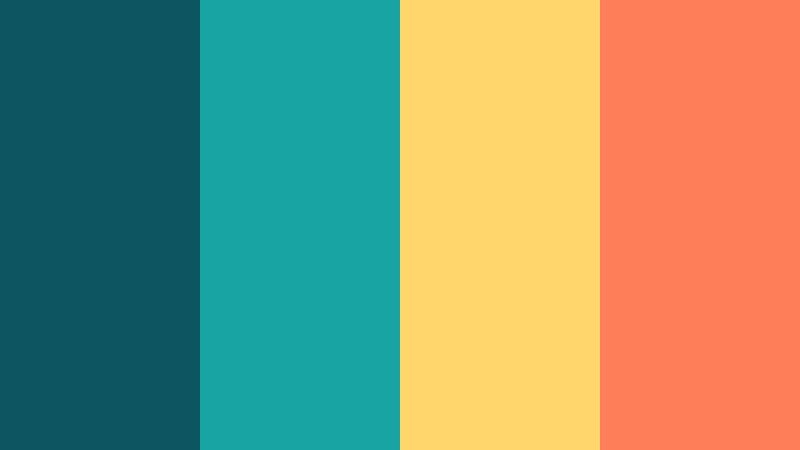
- HEX Codes: #0c5561, #18a4a0, #ffd66b, #ff7f5a
- Mood: Lively, sunlit, and energetic.
- Use for: Perfect for upbeat travel vlogs, channel trailers, and eye catching YouTube thumbnails.
Tropical Drift Punch slams vivid Ocean Drift teal against warm yellow and coral accents. The result is bright, beachy, and impossible to ignore. The teal holds everything together, while the oranges and yellows act like little bursts of sunlight and tropical fruit.
Use this palette for fun channel trailers, upbeat montage edits, and thumbnails that need to stand out on crowded feeds. Put teal behind your main subject, then frame with yellow and coral badges, arrows, and emojis. It also works well for call to action banners and end screens where you want maximum energy.
Beach Boardwalk Pop
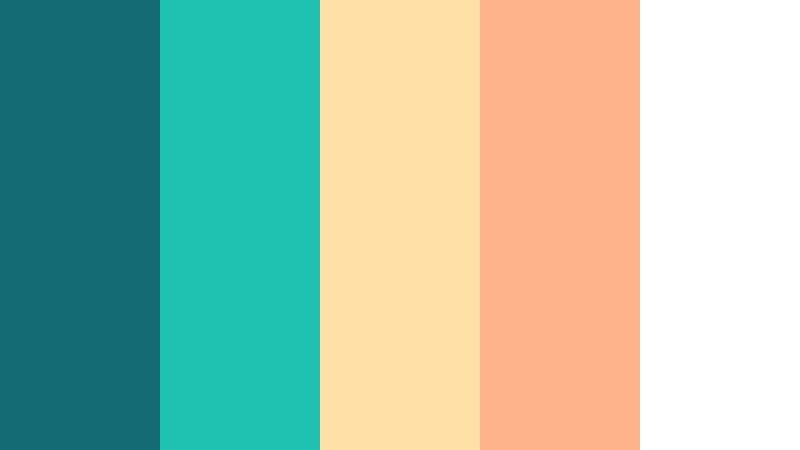
- HEX Codes: #146b74, #1fc1b0, #ffe1a8, #ffb38a, #ffffff
- Mood: Playful, summery, and friendly.
- Use for: Great for lifestyle channels, fashion lookbooks, and fun Reels or Shorts overlays.
Beach Boardwalk Pop pairs bright teal tones with creamy sand and peachy highlights. It feels like an ice cream walk on a sunny pier: light, fun, and social. The white base keeps the palette airy, while the teal anchors your brand identity.
Use teal for logos, buttons, and frames, then apply the sand and peach tones to text backgrounds, stickers, and chapter cards. This Ocean Drift palette is especially strong for vertical video overlays on Reels, Shorts, and TikTok where you want a cohesive, friendly aesthetic around your footage.
Neon Surf Gradient
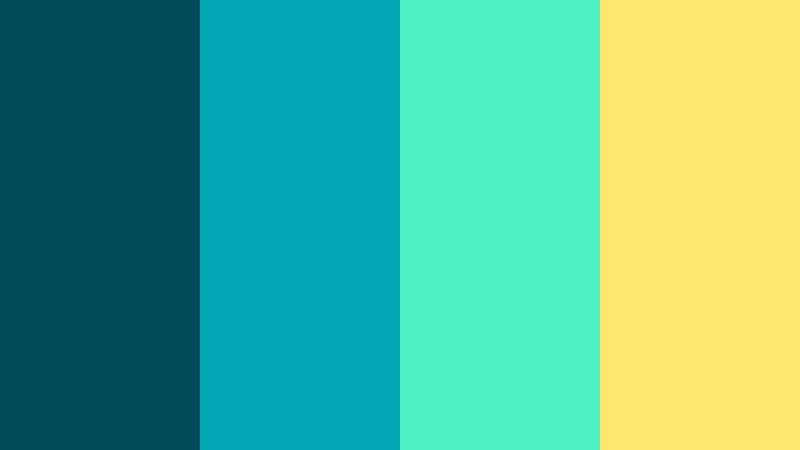
- HEX Codes: #024a5a, #00a6b3, #4bf2c2, #ffe66d
- Mood: Futuristic, bold, and high energy.
- Use for: Use in kinetic typography, gaming intros, and fast paced music videos that need a punchy edge.
Neon Surf Gradient pushes Ocean Drift into a more electric, neon direction. Teal shades blend into mint and bright yellow, creating a punchy gradient that feels both aquatic and cyber. It is perfect when you want your visuals to feel like a neon surf wave crashing through the frame.
Use it in animated titles, glitch transitions, and kinetic typography, especially for gaming, EDM, and tech heavy edits. The gradient effect makes it ideal for full screen transitions, bold text outlines, and glowing accent lines over darker footage.
Sunlit Sandbar Contrast
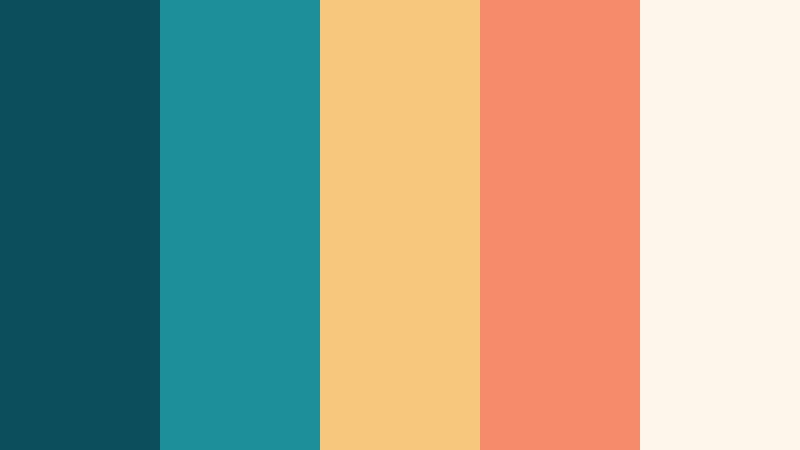
- HEX Codes: #0d4e5c, #1d8f9a, #f8c77e, #f68b6b, #fef6ea
- Mood: Warm, inviting, and dynamic.
- Use for: Ideal for travel recaps, food content, and any video needing warm yet modern contrast in graphics.
Sunlit Sandbar Contrast balances cool Ocean Drift teals with golden sand and soft coral. This warm cool tension creates a dynamic look that feels modern but still very human and inviting. The off white #fef6ea is softer than pure white, which is great for eye comfort on screens.
Use teal for your brand core, then weave in the warm tones for emphasis on text, markers on maps, or food close ups in thumbnails. This palette is a strong choice for travel recap videos, brunch vlogs, and lifestyle content where you want warmth without losing a clean, teal based identity.
Lagoon Festival Lights
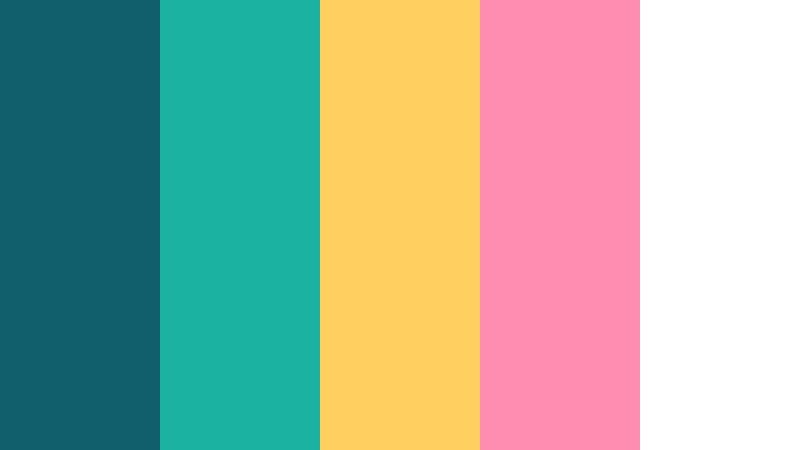
- HEX Codes: #105f6c, #1bb2a2, #ffcf5f, #ff8db1, #ffffff
- Mood: Festive, colorful, and social.
- Use for: Great for event recaps, party promos, and social media highlight edits.
Lagoon Festival Lights captures the feel of string lights reflected on water. Lagoon teals set the base, while gold and pink accents act like glowing bulbs and party details. White keeps everything bright and clean so your footage is the star.
Use this palette for event recaps, party promos, festival highlight reels, and social edits with lots of dancing and crowd shots. Let teal handle your branding, then sprinkle pink and yellow on callouts, emojis, countdown timers, and animated stickers to build a joyful Ocean Drift party vibe.
Soft And Pastel Ocean Drift Color Palettes
Seafoam Storybook
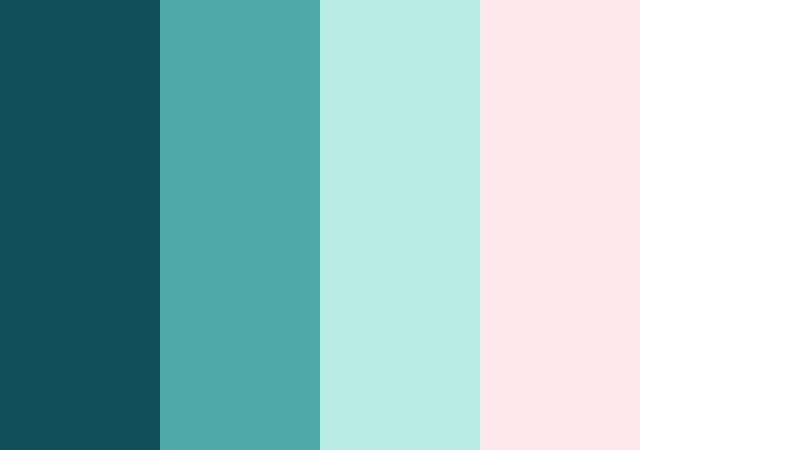
- HEX Codes: #0f505a, #4fa9a8, #b9ece4, #ffe8eb, #ffffff
- Mood: Soft, dreamy, and comforting.
- Use for: Perfect for cozy vlogs, slow living content, and gentle intro screens or end cards.
Seafoam Storybook softens Ocean Drift into muted teal, pastel mint, and a whisper of blush. It feels warm, gentle, and slightly whimsical, like pages in a storybook about seaside mornings. The white base keeps everything clean and easy to read.
Use it for cozy lifestyle vlogs, journaling content, studio tours, and calm intro or outro cards. Teal can frame your subject, while pastel mint and blush work beautifully as backgrounds for quotes, timestamps, and playlist title screens on your channel.
Driftwood Pastel Calm
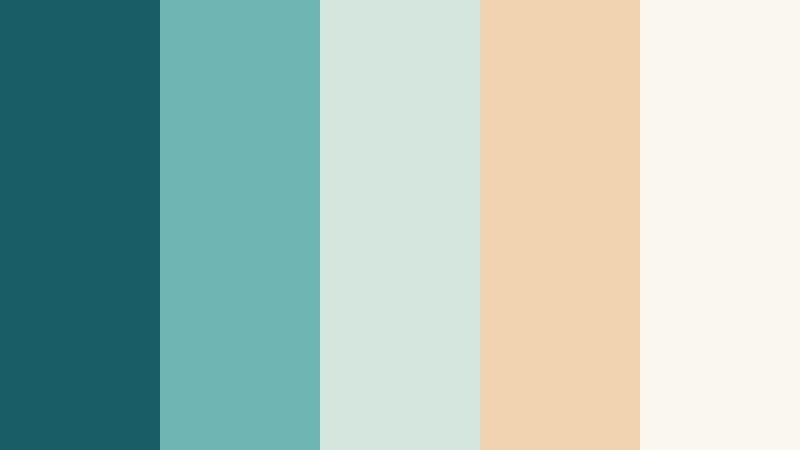
- HEX Codes: #195d66, #6fb5b3, #d5e6de, #f2d3b1, #faf6f0
- Mood: Organic, relaxed, and natural.
- Use for: Use in wellness content, guided meditations, or nature focused edits and titles.
Driftwood Pastel Calm blends gentle Ocean Drift teals with driftwood beige and creamy whites. The mix feels organic and slow, like smooth wood and worn sea glass. It is ideal for content that focuses on wellness, mindfulness, or outdoor calm.
Use teal for subtle accents in titles and icons, while the beige and cream tones carry most backgrounds and text fields. This palette suits yoga intros, ASMR thumbnails, meditation series branding, and nature footage overlays where you want a grounded yet airy Ocean Drift look.
Saltwater Cotton Candy
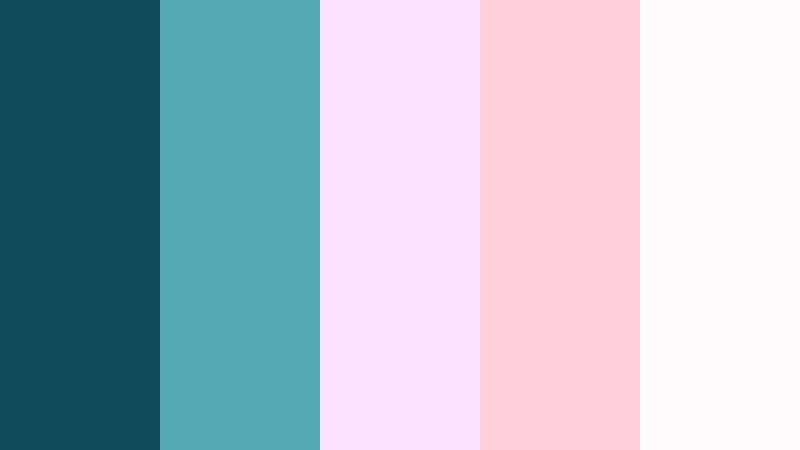
- HEX Codes: #0e4c5c, #55a9b4, #fde2ff, #ffd1dc, #fffafc
- Mood: Whimsical, cute, and lighthearted.
- Use for: Great for lifestyle, DIY, and aesthetic edit channels that lean playful and pastel.
Saltwater Cotton Candy starts with a fresh Ocean Drift teal and then floats into pastel lavender and soft pink. It feels cute and airy, with enough teal to stay grounded and not overly sweet. The off whites keep things soft on the eyes.
Use teal for outlines, drop shadows, and key icons, and lean on the lavender and pink for backgrounds, stickers, and lower thirds. This palette is excellent for DIY tutorials, aesthetic edits, stationery hauls, and any pastel heavy channel branding that still wants a hint of ocean freshness.
Morning Pier Haze
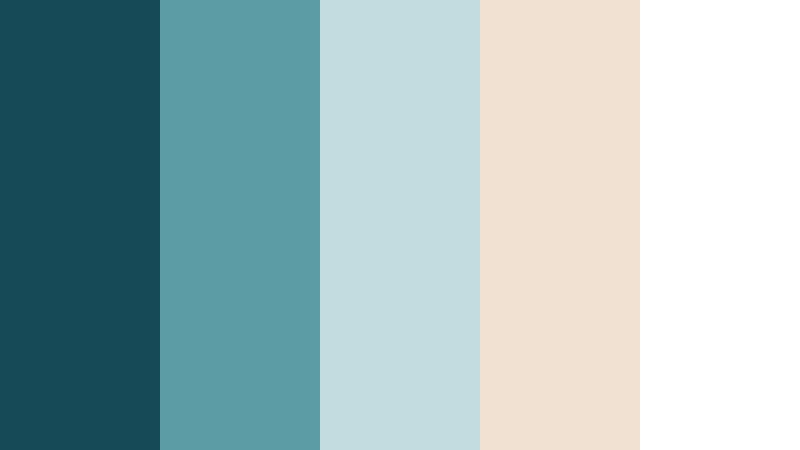
- HEX Codes: #164a57, #5c9ca4, #c1dde0, #f0e1d2, #ffffff
- Mood: Gentle, nostalgic, and calm.
- Use for: Ideal for reflection videos, day in the life vlogs, and subtle title cards.
Morning Pier Haze captures the quiet mood of a pier before the day gets busy. Hazy teal, pale mist tones, and a soft warm beige create a nostalgic calm that works beautifully over slow motion B roll and reflective narration.
Use the teal shades in small doses for logos and key shapes, then let the misty blues and warm beige carry most of your titles and backgrounds. It is a strong choice for reflective videos, day in the life storytelling, and subtle chapter cards where you want Ocean Drift to feel understated and mature.
Elegant And Modern Ocean Drift Color Palettes
Teal Noir Luxe
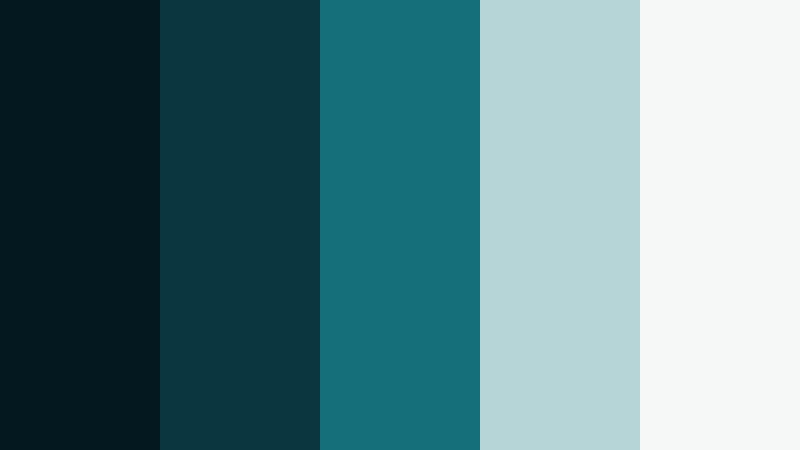
- HEX Codes: #041820, #0b353f, #156f7b, #b5d5d6, #f6f8f8
- Mood: Sophisticated, cinematic, and premium.
- Use for: Perfect for brand intros, trailers, and premium product promos with a stylish edge.
Teal Noir Luxe pairs deep teal noir shades with cool, refined highlights. It feels like a luxury brand campaign shot at night by the water: sleek, minimal, and cinematic. The darker tones are ideal for moody backgrounds, while the pale highlights keep typography sharp and sophisticated.
Use the nearly black teal for full frame color plates and logo reveals, then bring in #156f7b for icon accents and subtle UI lines. The lighter tones #b5d5d6 and #f6f8f8 should carry your text and info panels. This Ocean Drift palette is perfect for trailers, product promos, and intros where you want a premium, modern identity.
Marina Slate Modern
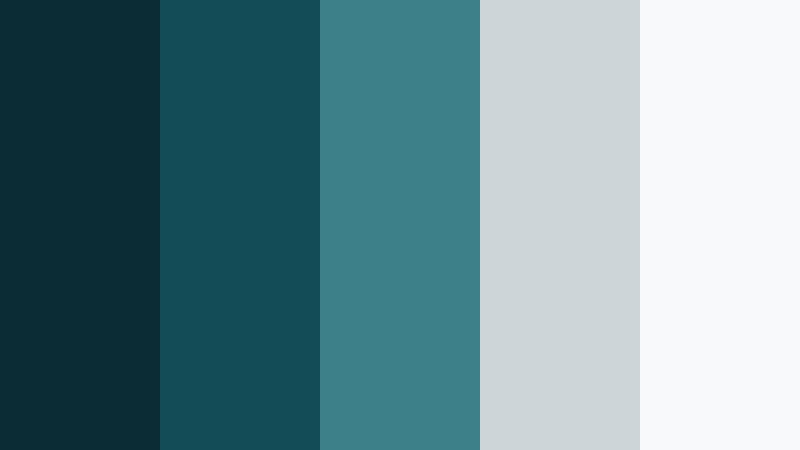
- HEX Codes: #0b2b35, #134b57, #3e808a, #ccd6d9, #f7f9fa
- Mood: Professional, clean, and trustworthy.
- Use for: Best for business explainers, SaaS promos, and portfolio reels needing a polished feel.
Marina Slate Modern mixes structured Ocean Drift teals with slate gray and soft off whites. It is professional and clean without feeling sterile, which makes it ideal for business content, SaaS demos, and portfolio reels that want a trustworthy, modern presence.
Use the darker teals and slates in backgrounds and chart areas, then keep your main text on #f7f9fa or #ccd6d9. Accent key stats or buttons with #3e808a. This palette creates a consistent Ocean Drift brand story that works in both long form explainers and short, polished social ads.
Tips for Creating Ocean Drift Color Palettes
Ocean Drift works beautifully as a base color, but the way you combine it with neutrals, warm accents, and highlight tones will decide whether your project feels calm, energetic, or premium. Keep these tips in mind when building or adapting your own Ocean Drift palettes for video and design.
- Pair deep Ocean Drift teals with soft off whites or light grays instead of pure white to keep your visuals easy on the eyes and more cinematic.
- For thumbnails and titles, always check contrast between teal backgrounds and text using bold fonts and lighter HEX codes for readability.
- Decide on one main teal shade as your brand anchor, then limit yourself to 2 or 3 accent colors so your channel identity stays consistent.
- Use warm accents (yellows, corals, peach tones) sparingly to highlight calls to action, buttons, and key stats without overpowering the Ocean Drift base.
- Match your palette to your footage by sampling colors from key frames in Filmora, then adjusting saturation so overlays and titles feel like part of the scene.
- Choose softer, desaturated Ocean Drift tones for reflective, narrative videos and stronger, more saturated teals for high energy edits and promos.
- When grading, push shadows slightly toward teal and keep skin tones natural to get a cinematic look that still feels believable.
- Create reusable presets in Filmora for titles, lower thirds, and backgrounds using your chosen HEX codes so every video on your channel shares the same Ocean Drift style.
Ocean Drift color palettes can completely change how your videos and designs feel, from calm and introspective to bright and festive or sleek and professional. By choosing the right combination of teals, neutrals, and accents, you can build a visual language that viewers instantly recognize as your own.
Experiment with these 15 Ocean Drift palettes in Filmora by applying them to titles, transitions, overlays, and color grading. Save your favorite looks as presets so every vlog, tutorial, or promo carries the same consistent visual identity across YouTube, Instagram, and beyond.
Whether you lean into misty cinematic tones or neon surf gradients, Filmora gives you the tools to turn Ocean Drift into a polished, repeatable style for your brand. Test a few options, tweak the shades to match your footage, and let your color choices tell the story before a single word appears on screen.
secure downloadNext: Wave Teal Color Palette
