

 100% Security Verified | No Subscription Required | No Malware


 ChatGPT
 Perplexity
 Gemini
 Claude
 Grok
Grok
Olive Drab is a grounded, nature-inspired color that sits between green and brown, often associated with resilience, calm focus, and the outdoors. It can feel adventurous and tactical, but also warm and nostalgic, depending on the colors you pair it with. In video and design, Olive Drab instantly adds an earthy, cinematic touch that works beautifully for vlogs, travel content, gaming, documentaries, and branding that wants to feel authentic rather than overly polished.
Below you will find ready-made Olive Drab color palettes with HEX codes you can plug directly into your thumbnails, intros, overlays, titles, and branding. Each palette is designed with creators and Filmora users in mind, so you can keep the same Olive Drab aesthetic from your YouTube banner to your lower-thirds and color grading.
In this article
Earthy & Natural Olive Drab Color Palettes
Forest Trail Explorer
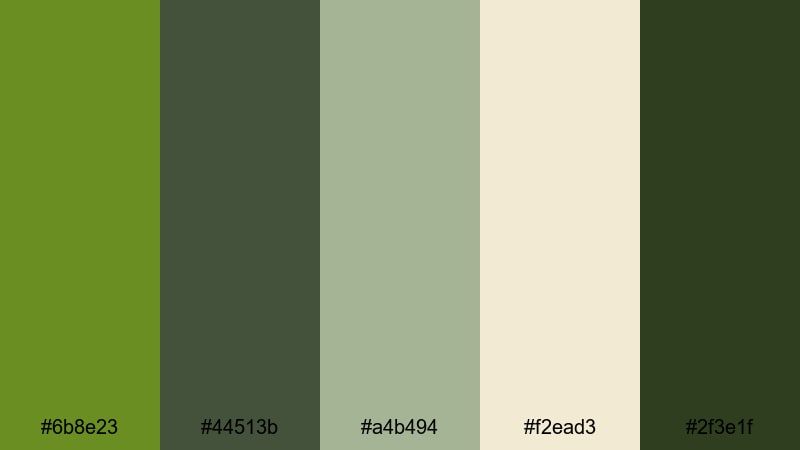
- HEX Codes: #6b8e23, #44513b, #a4b494, #f2ead3, #2f3e1f
- Mood: Adventurous, grounded, and outdoorsy.
- Use for: Great for nature vlog openings, hiking montages, and adventurous travel thumbnails.
This palette feels like a day on a forest trail: classic Olive Drab (#6b8e23) and deep greens (#44513b, #2f3e1f) are balanced by soft sage and cream tones (#a4b494, #f2ead3). It is rugged without being harsh, and the lighter colors keep your text and UI elements readable against darker footage.
Use it for outdoor intros, hiking or camping b-roll, and earthy channel branding. In thumbnails and titles, let Olive Drab handle the main blocks or borders, while the lighter neutrals support text, icons, or logo marks. For Filmora users, this palette works well for lower-thirds, map graphics, and animated callouts on travel or adventure clips.
Pro Tip: Build a Cinematic Olive Drab Look in Filmora
To keep your Forest Trail Explorer palette consistent, design a simple style guide: choose one Olive Drab shade for backgrounds, one for accents, and one light color for titles. In Filmora, save this as a preset by reusing the same title template, color blocks, and overlays across your intro, transitions, and end screen.
When you edit nature footage, slightly lower overall saturation, then let Olive Drab elements stand out in your graphics. This creates a subtle, cinematic feel where your brand green is present in every scene, from your opening sequence to your Instagram Reels exports.
AI Color Palette
You can capture this exact Olive Drab aesthetic from a photo of a forest trail, a branded thumbnail, or a digital color card, then apply it to an entire video. Filmora's AI Color Palette feature analyzes your reference colors and transfers the look to other clips, so your greens and neutrals stay cohesive from shot to shot.
Simply set your best-graded clip or reference image as the source, then match the rest of your timeline. This is especially helpful for travel or outdoor vlogs filmed on different days or cameras, where you still want a unified Olive Drab tone across all scenes.
 secure download

HSL, Color Wheels & Curves
To fine-tune Olive Drab tones, use Filmora's HSL panel to target greens and yellows directly. You can deepen foliage by shifting hues slightly toward cooler greens or add warmth for golden-hour vibes. Then use color wheels to tint shadows toward deep green and highlights toward soft cream, shaping a custom forest-grade look. For more control, this guide to color correction in Filmora shows how curves can adjust contrast without crushing your dark greens.
A gentle S-curve boosts contrast while preserving detail in trees and trails. Keep skin tones neutral by mainly adjusting the green and yellow channels, so your talent still looks natural against a rich Olive Drab background.
secure download1000+ Video Filters & 3D LUTs
If you want a faster workflow, Filmora's video filters and 3D LUTs make it easy to stylize your Olive Drab palettes in one click. Start with a cinematic LUT to unify your contrast and color balance, then lightly tweak the greens so they match the Forest Trail Explorer HEX codes you are using in your graphics.
You can also stack subtle filters like film grain or vintage tints to get a more organic outdoor mood. Save your favorite combinations as custom presets so every future hiking vlog or forest reel instantly matches your established Olive Drab style.
secure downloadMossy Cabin Retreat
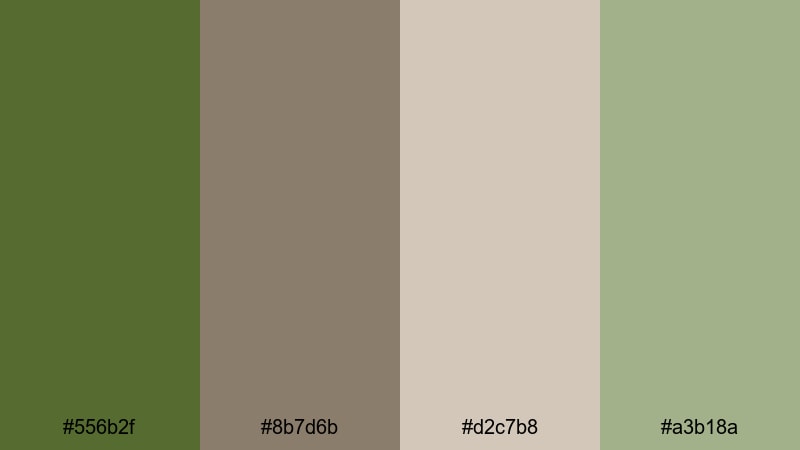
- HEX Codes: #556b2f, #8b7d6b, #d2c7b8, #a3b18a
- Mood: Cozy, rustic, and quietly serene.
- Use for: Ideal for slow-living vlogs, cabin tours, and relaxing study-with-me scenes.
Mossy Cabin Retreat wraps Olive Drab (#556b2f) in warm browns and creamy neutrals, echoing woodgrain, worn leather, and soft blankets. The muted green (#a3b18a) and beige tones (#d2c7b8) make the palette feel gentle and inviting instead of harsh or military.
Use it for cozy desk setups, cottagecore thumbnails, and calm intro sequences. In Filmora, pair Olive Drab for headings or frames with the lighter beige as your background for title cards, so text stays legible while the overall look remains soft and rustic.
Lakeside Ranger Morning
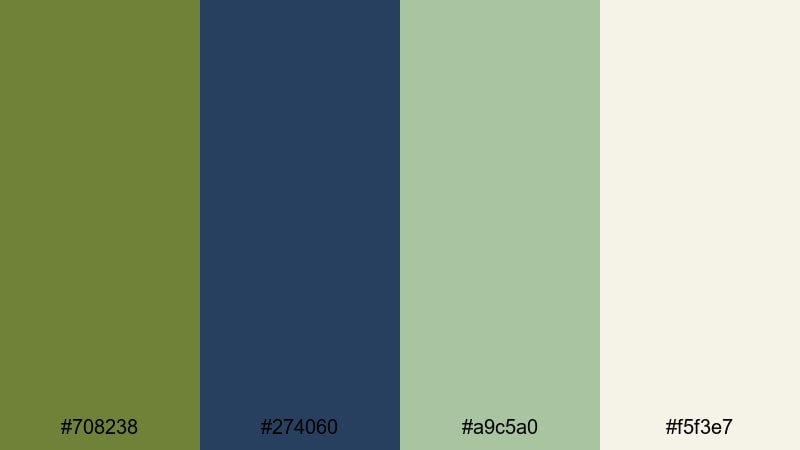
- HEX Codes: #708238, #274060, #a9c5a0, #f5f3e7
- Mood: Fresh, crisp, and quietly confident.
- Use for: Works well for morning routine vlogs, national park travel edits, and calm cinematic B-roll.
This palette blends Olive Drab greens (#708238, #a9c5a0) with deep lake blue (#274060) and a misty off-white (#f5f3e7). It feels like an early start by the water, with cool air and clear focus, perfect for content about productivity, routines, or mindful travel.
Use the blue tone for lower-thirds or progress bars, Olive Drab for key titles, and the off-white for backgrounds on overlays and info cards. In thumbnails, framing your subject with the dark blue and using light cream for text makes the whole composition feel clean and cinematic.
Wild Grasslands Horizon
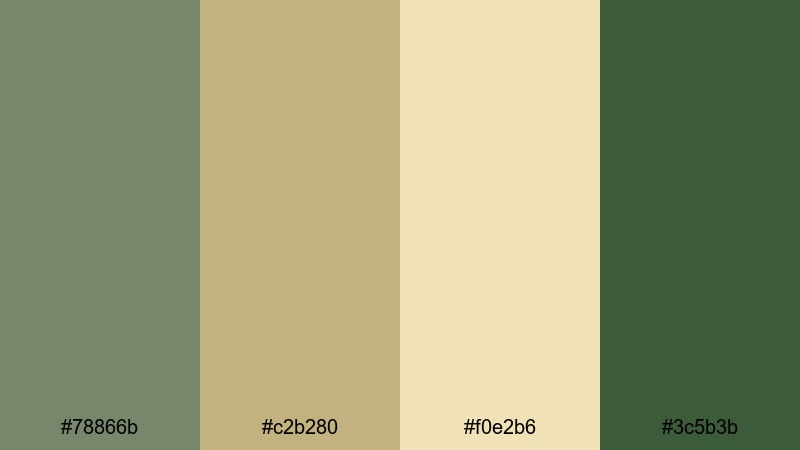
- HEX Codes: #78866b, #c2b280, #f0e2b6, #3c5b3b
- Mood: Expansive, natural, and sun-warmed.
- Use for: Great for drone shots over fields, wildlife reels, and earthy documentary titles.
Wild Grasslands Horizon pairs dusty Olive Drab (#78866b, #3c5b3b) with dry grass golds (#c2b280) and soft beige (#f0e2b6). It feels open and sunlit, ideal for videos that show wide landscapes, safaris, or countryside life.
Use the darker green for accent lines, map paths, or frame borders, while the golden tones carry titles and highlight text. In Filmora, drop these HEX codes into solid color layers for clean, branded title cards before or after sweeping drone shots.
Modern & Minimal Olive Drab Color Palettes
Urban Utility Chic
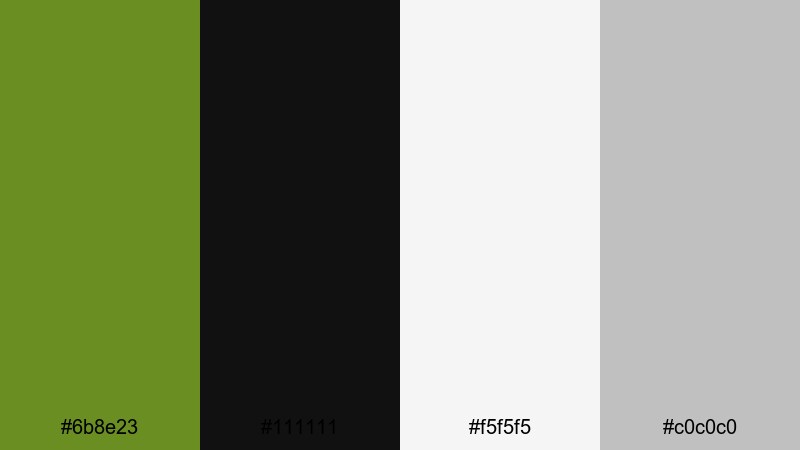
- HEX Codes: #6b8e23, #111111, #f5f5f5, #c0c0c0
- Mood: Sleek, utilitarian, and contemporary.
- Use for: Perfect for tech reviews, minimalist brand intros, and stylish lower-thirds in YouTube videos.
Urban Utility Chic puts classic Olive Drab (#6b8e23) against deep black (#111111), clean white (#f5f5f5), and cool gray (#c0c0c0). The result is sharp and modern, where Olive Drab stands out as a brand accent instead of dominating the frame.
Use this palette for tech or gear reviews, sleek channel branding, and minimal product shots. Keep backgrounds white or light gray, use black text for maximum readability, and reserve Olive Drab for buttons, icons, or borders in your Filmora titles and thumbnail designs.
Olive Workspace Clean
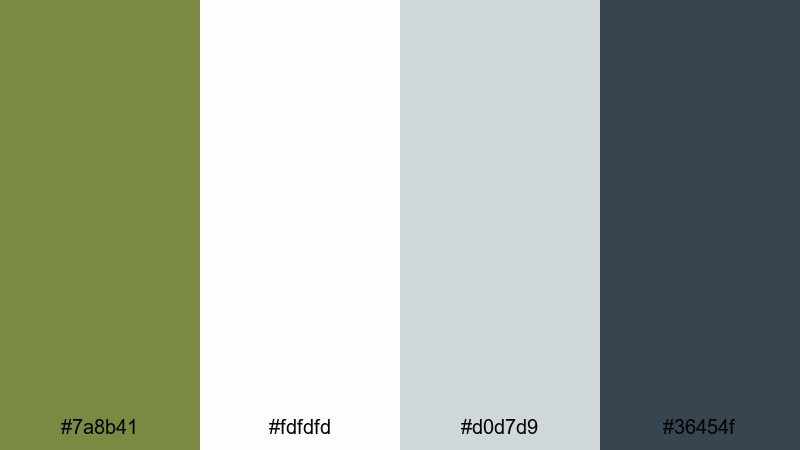
- HEX Codes: #7a8b41, #fdfdfd, #d0d7d9, #36454f
- Mood: Productive, calm, and understated.
- Use for: Ideal for productivity channels, workspace tours, and educational tutorials with a clean aesthetic.
Olive Workspace Clean uses a soft, muted Olive Drab (#7a8b41) alongside near-white (#fdfdfd), pale gray (#d0d7d9), and a slate accent (#36454f). It feels organized and distraction-free, great for study, coding, or tutorial content.
Put your main text over white or light gray, use slate for subtitles or UI boxes, and apply Olive Drab as a gentle highlight for key words, progress indicators, or call-to-action buttons. Your educational content in Filmora will look modern and easy on the eyes.
Tech Grid Olive
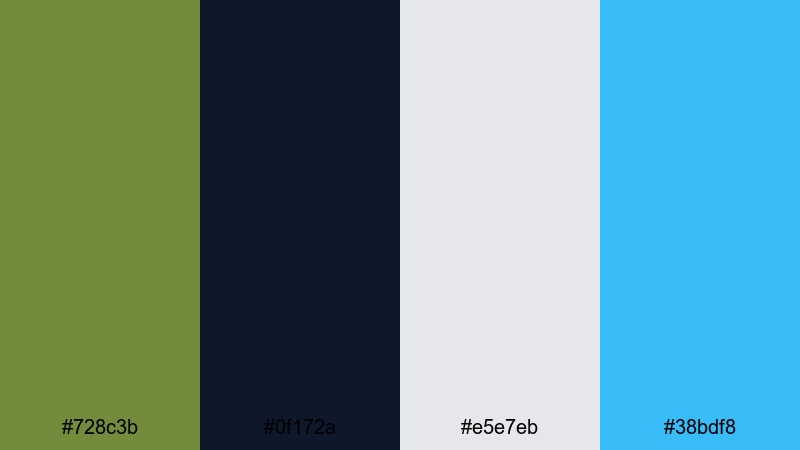
- HEX Codes: #728c3b, #0f172a, #e5e7eb, #38bdf8
- Mood: Futuristic, energetic, and precise.
- Use for: Great for motion graphics, app promos, and dynamic lower-thirds in tech content.
Tech Grid Olive combines a crisp Olive Drab (#728c3b) with deep navy-black (#0f172a), cool light gray (#e5e7eb), and a vivid cyan accent (#38bdf8). The palette feels technical, like a dashboard or HUD interface.
Use navy as your main background for titles and info panels, gray for subtitles and labels, Olive Drab for key frames, and cyan as the final pop in buttons or data highlights. In Filmora, this palette is perfect for animated grids, glitch transitions, and UI-style overlays for SaaS or app demos.
Muted Streetwear Brand
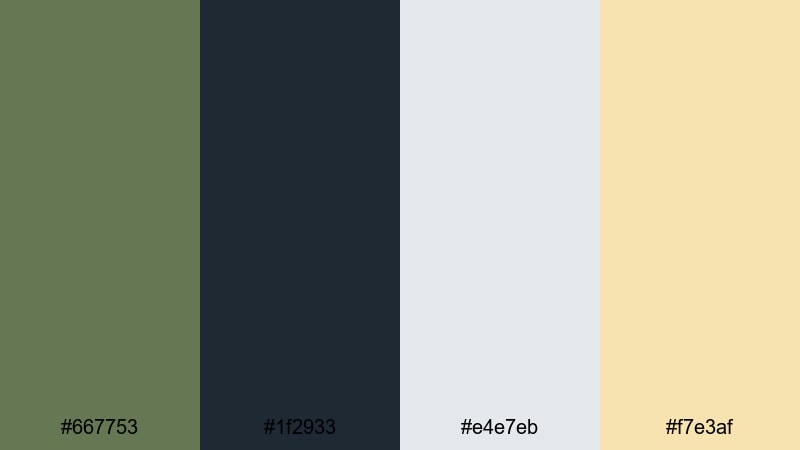
- HEX Codes: #667753, #1f2933, #e4e7eb, #f7e3af
- Mood: Trendy, muted, and effortlessly cool.
- Use for: Perfect for fashion lookbooks, brand promos, and Instagram Reels with a streetwear aesthetic.
Muted Streetwear Brand leans into a smoky Olive Drab (#667753) with charcoal (#1f2933), soft gray (#e4e7eb), and a pale sand highlight (#f7e3af). It feels like modern streetwear: understated, stylish, and easy to wear.
Use charcoal as your base color for backgrounds and frames, Olive Drab for logo marks and line art, and the pale sand for text or badge-style stickers on your thumbnails. In Filmora, this palette works brilliantly for split-screen fashion edits, lookbook titles, and social cuts that highlight outfits without overwhelming them.
Cinematic & Moody Olive Drab Color Palettes
Tactical Night Ops
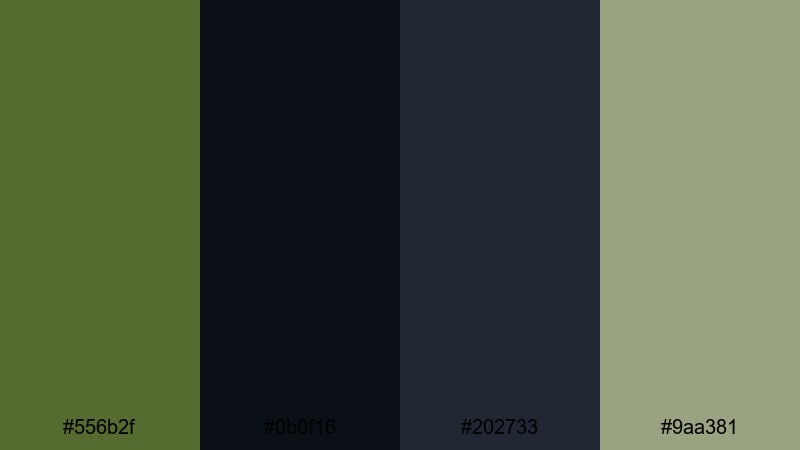
- HEX Codes: #556b2f, #0b0f16, #202733, #9aa381
- Mood: Intense, stealthy, and cinematic.
- Use for: Ideal for action sequences, gaming intros, and thriller-style title cards.
Tactical Night Ops puts dark Olive Drab (#556b2f) against inky blues and charcoal blacks (#0b0f16, #202733), with a desaturated green highlight (#9aa381). It feels like night vision and covert missions, perfect for games, action edits, or tactical gear content.
Use the darkest tones as full-screen backgrounds, then let Olive Drab and the lighter green pick out text, reticle graphics, or HUD elements. In Filmora, combine this palette with lens blur, vignettes, and subtle grain to make your intros and kill montages feel like high-budget trailers.
Rainy Border Crossing
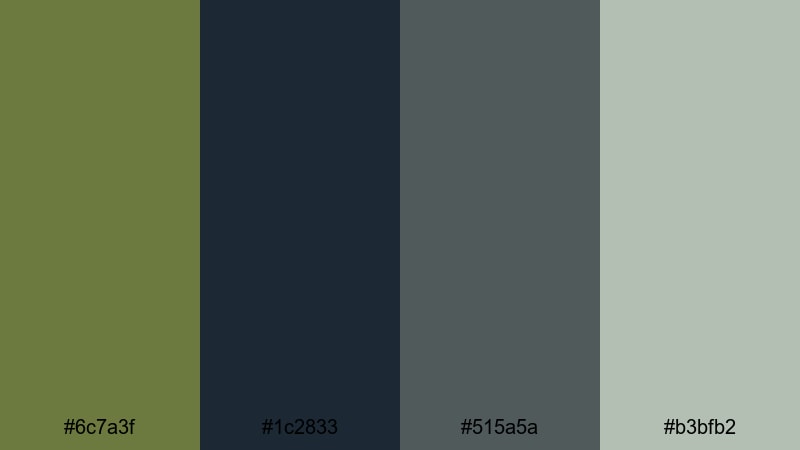
- HEX Codes: #6c7a3f, #1c2833, #515a5a, #b3bfb2
- Mood: Gritty, tense, and atmospheric.
- Use for: Works well for travel documentaries, moody road trip edits, and narrative short films.
Rainy Border Crossing blends muted Olive Drab (#6c7a3f) with stormy blue-grays (#1c2833, #515a5a) and pale sage (#b3bfb2). It gives off a wet, overcast mood that suits serious storytelling and emotionally heavy scenes.
Use darker blues as your grade base, keeping saturation low, then let Olive Drab appear in signage, clothing, or graphic overlays. In Filmora, this palette is ideal for documentary-style title cards, news-style lower-thirds, and somber voiceover visuals.
Dusty War Documentary
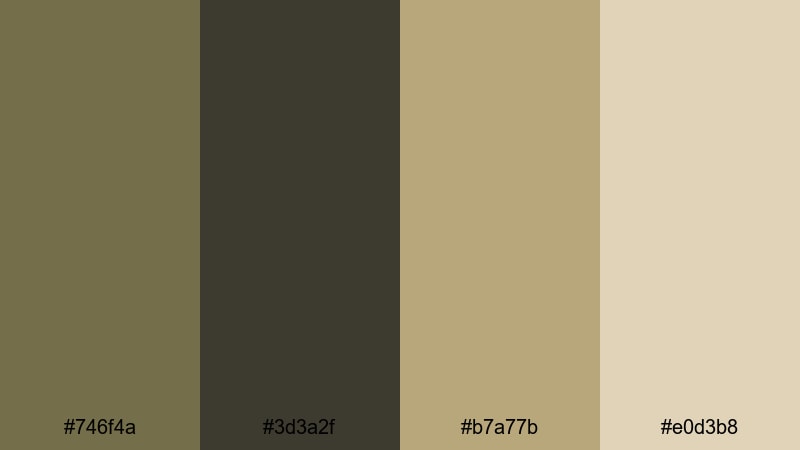
- HEX Codes: #746f4a, #3d3a2f, #b7a77b, #e0d3b8
- Mood: Historic, somber, and reflective.
- Use for: Great for documentaries, archive footage edits, and serious commentary videos.
Dusty War Documentary uses aged Olive Drab (#746f4a), dark browns (#3d3a2f), and faded khaki tones (#b7a77b, #e0d3b8) to create a timeworn look. It feels like old film stock or weathered photographs, ideal for history content or commentary on serious topics.
Color grade your footage slightly desaturated with lifted blacks, then use these HEX colors in titles, lower-thirds, and transition cards. In Filmora, pairing this palette with film grain, subtle flicker, or a 4:3 crop instantly gives your edit an archival, documentary edge.
Noir Forest Chase
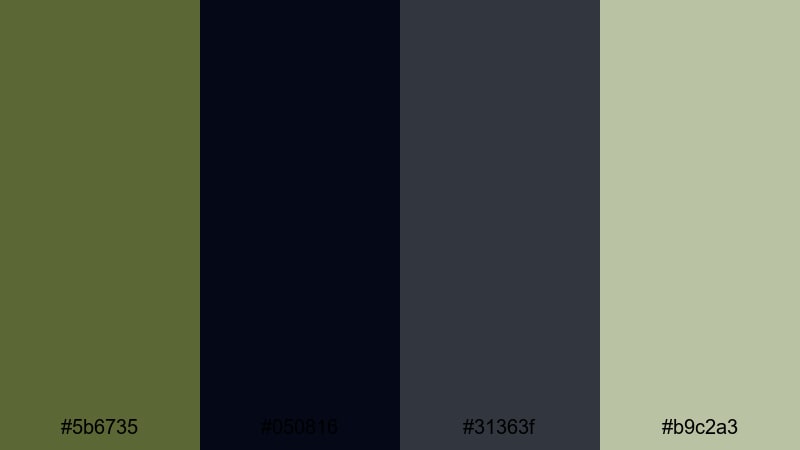
- HEX Codes: #5b6735, #050816, #31363f, #b9c2a3
- Mood: Suspenseful, shadowy, and dramatic.
- Use for: Perfect for thriller trailers, chase sequences, and cinematic gaming edits.
Noir Forest Chase sets deep Olive Drab (#5b6735) inside near-black shadows (#050816) and cool grays (#31363f), with a pale green highlight (#b9c2a3) for contrast. It is a great choice for high-tension edits where silhouettes and contrast drive the story.
Keep your frames dark and let Olive Drab appear as streaks of light, UI highlights, or title bars. In Filmora, combine this palette with speed ramps, motion blur, and stutter transitions for chase scenes and dramatic gaming trailers.
Warm & Vintage Olive Drab Color Palettes
Retro Army Poster
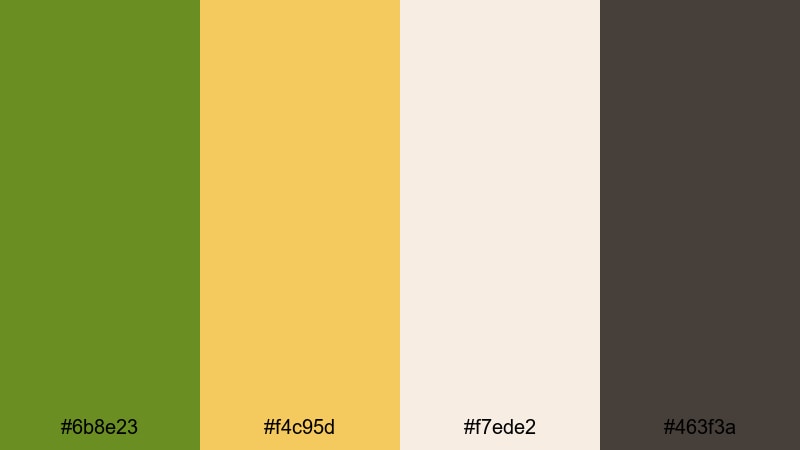
- HEX Codes: #6b8e23, #f4c95d, #f7ede2, #463f3a
- Mood: Bold, nostalgic, and energetic.
- Use for: Great for poster-style thumbnails, title cards, and retro-inspired motion graphics.
Retro Army Poster pairs a classic Olive Drab (#6b8e23) with mustard yellow (#f4c95d), cream (#f7ede2), and dark brown (#463f3a). It has a bold propaganda-poster vibe that feels retro without being dated.
Use Olive Drab for large blocks and background shapes, mustard for key phrases or badges, and cream for the main text area. In Filmora, design poster-style intro frames, animated banners, and bold end screens using these HEX codes to build a strong, recognizable brand look.
Vintage Field Journal
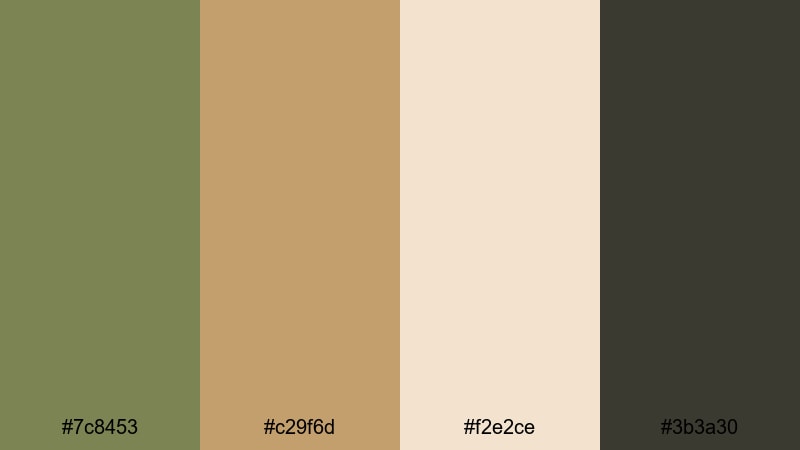
- HEX Codes: #7c8453, #c29f6d, #f2e2ce, #3b3a30
- Mood: Thoughtful, nostalgic, and story-driven.
- Use for: Ideal for travel diaries, study vlogs, and storytelling edits with handwritten notes or sketches.
Vintage Field Journal mixes soft Olive Drab (#7c8453) with tan leather (#c29f6d), aged paper (#f2e2ce), and dark ink (#3b3a30). It creates the feel of old notebooks, maps, and marginalia annotations.
Use the paper tone as backgrounds for chapter cards, the dark ink color for handwriting-style fonts, and Olive Drab for small icons or location markers. In Filmora, this palette works beautifully with overlays of scanned paper, polaroid frames, and animated arrows or scribbles.
Sun-Faded Surplus
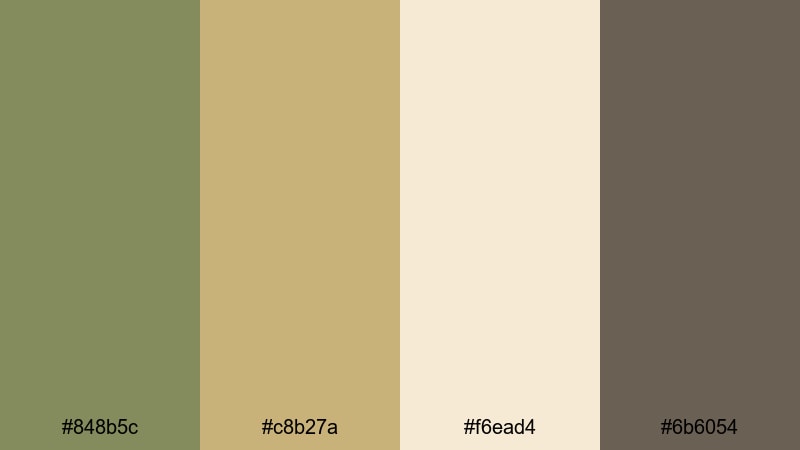
- HEX Codes: #848b5c, #c8b27a, #f6ead4, #6b6054
- Mood: Soft, worn-in, and nostalgic.
- Use for: Perfect for lifestyle vlogs, vintage hauls, and aesthetic lookbooks with a faded film feel.
Sun-Faded Surplus uses weathered Olive Drab (#848b5c), sun-bleached khaki (#c8b27a), warm cream (#f6ead4), and muted brown (#6b6054). It feels like old surplus gear and washed-out photos, ideal for retro, soft-focus visuals.
Use the lighter tones for large backgrounds and text areas, while the muted greens and browns outline shapes, badges, and frames. In Filmora, pair this palette with a slight fade in the blacks, lower saturation, and a touch of grain to nail that nostalgic, filmic look for lifestyle and haul content.
Tips for Creating Olive Drab Color Palettes
When you build your own Olive Drab color palettes for video and design, think about balance: pair its grounded, earthy energy with supporting colors that keep your visuals readable, on-brand, and cinematic.
- Always include at least one light neutral (off-white, cream, or pale gray) so your titles and captions stay readable against darker Olive Drab or footage.
- Use Olive Drab as an accent, not just a background: apply it to frames, buttons, icons, and key phrases to create a strong visual identity across all your Filmora projects.
- Balance warm and cool tones: mix Olive Drab with cool blues for tech and cinematic content, or with warm mustards and browns for vintage and lifestyle edits.
- Check contrast on mobile: preview your thumbnails small and ensure text over Olive Drab areas passes a quick contrast test so viewers can read them at a glance.
- Match your grade to your graphics: if your overlays use desaturated Olive Drab, avoid overly vibrant greens in your footage; use Filmora color tools to tone them down.
- Limit your palette to 3–5 main colors: too many shades around Olive Drab can look muddy; keep it simple for a clean, professional look.
- Save reusable presets in Filmora: once you dial in title colors and filters that suit your Olive Drab palette, save them as custom presets for consistent branding.
- Test against different footage types: check how your palette looks on indoor, outdoor, and low-light scenes so it remains flexible across your channel or brand.
Olive Drab is a versatile color that can feel natural, tactical, modern, or nostalgic depending on the colors you combine it with. By choosing a clear palette and reusing it across your intros, lower-thirds, thumbnails, and end screens, you build a recognizable brand mood and stronger storytelling.
All of the HEX codes above drop directly into Filmora, so you can design matching text styles, graphic overlays, and color grades without guessing. Try a few different Olive Drab palettes on the same edit, export test versions, and see which one best fits your channel personality and audience.
Once you find your favorite Olive Drab aesthetic, lock it in with Filmora presets, AI Color Palette, and LUTs so every new video feels cohesive from the first frame.
secure download