

 100% Security Verified | No Subscription Required | No Malware


 ChatGPT
 Perplexity
 Gemini
 Claude
 Grok
Grok
Purple blue sits between calm blue and imaginative violet, so it naturally feels both soothing and creative. It suggests mystery, depth, and a modern digital mood, which is why you see it everywhere in tech branding, gaming overlays, cinematic trailers, and dreamy aesthetics. On screen, purple blue can make a frame feel cooler, more luxurious, or more futuristic in just a few clicks.
For video creators, streamers, and designers, a good purple blue color palette is a quick way to unify thumbnails, intros, overlays, and social posts. Below you will find ready-to-use purple blue color palettes with HEX codes, each tuned for a different mood, plus ideas on how to apply them in Filmora so your edits, titles, and graphics stay consistent from first frame to final upload.
In this article
Soft & Dreamy Purple Blue Palettes
Twilight Cotton Clouds
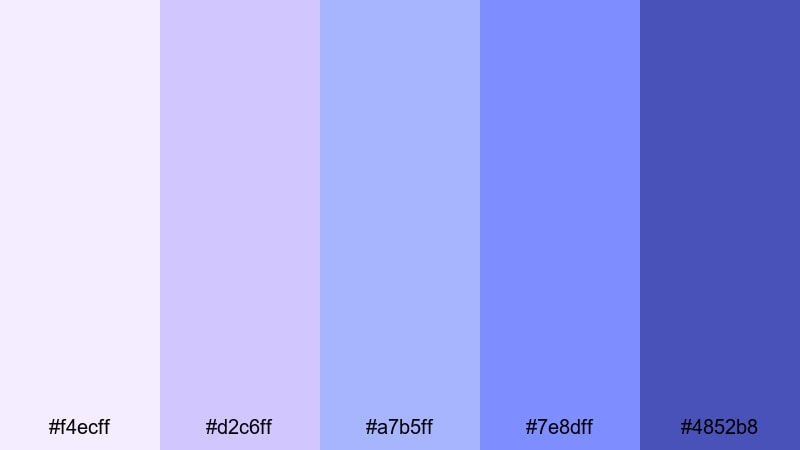
- HEX Codes: #f4ecff, #d2c6ff, #a7b5ff, #7e8dff, #4852b8
- Mood: Gentle, nostalgic, and airy with a cinematic dusk softness.
- Use for: Perfect for dreamy vlog openings, travel montages, and romantic title cards.
Twilight Cotton Clouds blends soft lavender, powder blue, and a deeper periwinkle accent, echoing the last light of day. It feels light, nostalgic, and slightly cinematic, great for content that should feel comforting and reflective rather than loud.
Use the lighter tones for backgrounds in YouTube thumbnails, channel banners, and intro cards, then reserve the deepest purple blue (#4852b8) for text, call-to-action buttons, or logo marks. In Filmora, this palette works beautifully for dreamy b-roll, slow travel sequences, and any edit where you want your overlays and lower thirds to float gently over the footage.
Pro Tip: Build a Soft Cinematic Purple Blue Look in Filmora
When you rely on a pastel purple blue palette like Twilight Cotton Clouds, consistency is everything. In Filmora, you can color-correct your main clips first, then sample these HEX values for titles, shape elements, and overlays so every screen feels like part of the same twilight story.
Try using the lighter shades for transparent panels behind text and the deeper blue for logo stings and outros. Duplicate styled elements across your timeline, so intros, cutaway b-roll, and end screens all share the same purple blue visual language.
AI Color Palette
If you have a reference image that perfectly captures this soft twilight mood, you can turn it into a look for your entire video. Filmora's AI Color Palette feature analyzes the colors of your reference and applies that palette to other clips, keeping skin tones natural while pushing the blues and purples toward your chosen style.
Drop a frame graded with your favorite purple blue tones on the timeline, select your target clips, and let AI Color Palette match them. This is an easy way to keep multiple cameras, locations, or lighting conditions aligned with the same dreamy dusk aesthetic.
 secure download

HSL, Color Wheels & Curves
To fine-tune purple blue tones, combine HSL with color wheels and curves. Use HSL to slightly shift blues toward violet or soften saturation for a more pastel, airy feel. Then use the color wheels to cool your shadows while keeping midtones and highlights neutral so skin and whites do not turn too purple.
Finally, use RGB curves to lift shadows a bit and gently roll off the highlights, which keeps your twilight look soft rather than harsh. You can see these ideas in action in Filmora's color correction resources, such as the in-depth color correction tutorial for creators, and then apply them directly to your purple blue footage.
secure download1000+ Video Filters & 3D LUTs
Sometimes you want a purple blue mood without manually tweaking every color setting. Filmora's video filters and 3D LUTs make it easy to drop in cinematic, pastel, or futuristic looks that complement palettes like Twilight Cotton Clouds in seconds.
Combine a soft, cool LUT with this palette, then customize opacity so your footage still looks natural. You can also stack subtle filters on adjustment layers above your clips to keep the same purple blue style across intros, talking-head segments, and outros.
secure downloadLavender Mist Horizon
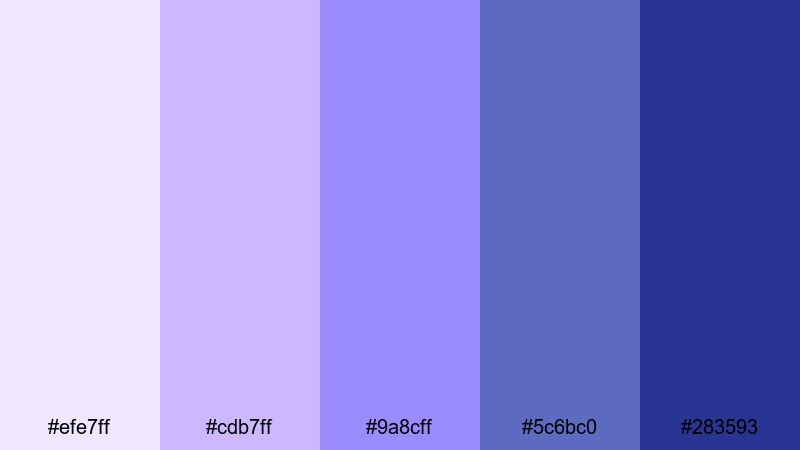
- HEX Codes: #efe7ff, #cdb7ff, #9a8cff, #5c6bc0, #283593
- Mood: Romantic, peaceful, and slightly cinematic like a quiet evening skyline.
- Use for: Great for soft wedding reels, lifestyle vlogs, and aesthetic lookbooks.
Lavender Mist Horizon shifts from pale lavender into muted indigo, mimicking a fading sunset over a city skyline. It feels romantic and polished, adding a gentle drama that fits emotional storytelling without turning the frame too dark or moody.
Use the lightest shades as backgrounds for wedding titles, Pinterest-style thumbnails, or lookbook chapter cards. The deeper blues anchor text, dividers, and logo marks so they stay readable on mobile. In Filmora, you can apply these colors to lower thirds, timeline markers, and callout graphics to give your whole edit a cohesive purple blue horizon vibe.
Moonlit Orchid Glow
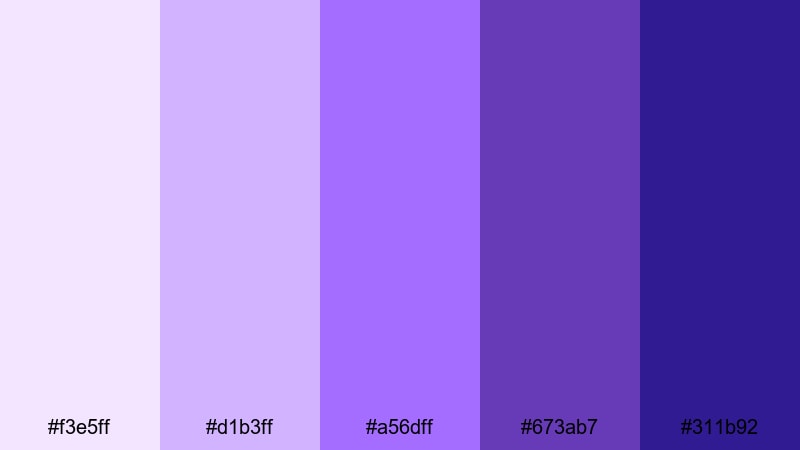
- HEX Codes: #f3e5ff, #d1b3ff, #a56dff, #673ab7, #311b92
- Mood: Dreamy, magical, and softly luminous like moonlight on petals.
- Use for: Use for fairytale-inspired edits, beauty intros, and slow-motion b-roll.
Moonlit Orchid Glow leans into floral purples and deep night blues, creating a palette that feels magical and luminous. It is perfect when you want your visuals to feel like a beauty campaign or a dreamy fantasy scene.
Use the lighter orchid shades for backgrounds in beauty intros and product captions, then let the deeper violets frame your logo or end cards. In thumbnails, this palette instantly suggests glamour and softness, especially when combined with soft-focus portraits and subtle glow effects in Filmora.
Pastel Aurora Drift
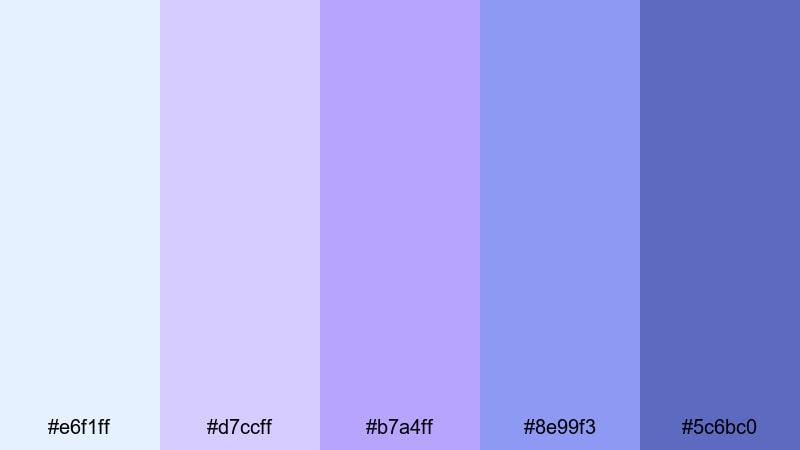
- HEX Codes: #e6f1ff, #d7ccff, #b7a4ff, #8e99f3, #5c6bc0
- Mood: Light, whimsical, and airy with a subtle aurora shimmer.
- Use for: Perfect for pastel channel branding, gentle intro screens, and kids or craft content.
Pastel Aurora Drift mixes icy blues with gentle violets, like a soft-focus version of the northern lights. It feels playful and kind, making it ideal for channels about crafts, kids, journaling, or cozy lifestyle content.
Use the palest blue (#e6f1ff) as a safe background for text-heavy cards and step-by-step screens. The medium purples and blues work well for icons, arrows, and UI elements in tutorial videos. In Filmora, you can build simple animated panels and transitions in these colors to keep your content light, calming, and easy to follow.
Serene Dusk Whispers
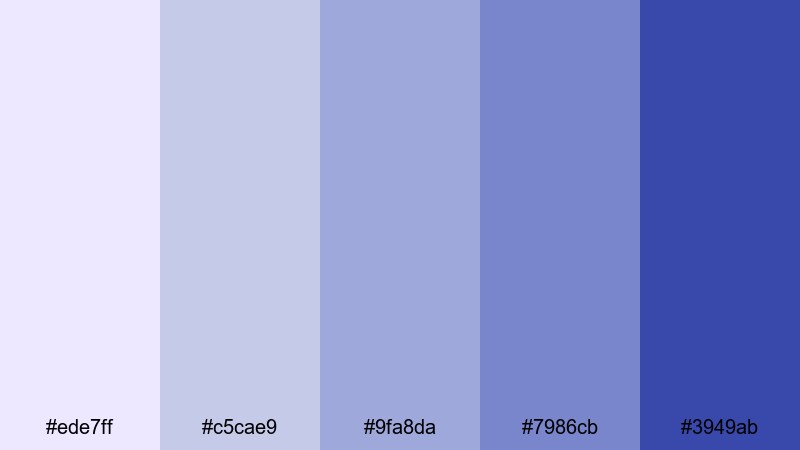
- HEX Codes: #ede7ff, #c5cae9, #9fa8da, #7986cb, #3949ab
- Mood: Calm, reflective, and cinematic like a quiet city at dusk.
- Use for: Best for reflective vlogs, voiceover storytelling, and subtle lower-third graphics.
Serene Dusk Whispers layers periwinkle and twilight blues to create a calm, reflective atmosphere. It feels cinematic but understated, great for voiceover-heavy storytelling where you want the palette to support the mood without stealing attention.
Use lighter tones as backgrounds for captions and chapter markers, and rely on the deep indigo (#3949ab) for timecodes, hashtags, or subtle icons. In Filmora, it works nicely for documentary vlogs, study content, and any project where your words and voice are the main focus.
Bold & Cinematic Purple Blue Palettes
Neon Galaxy Pulse
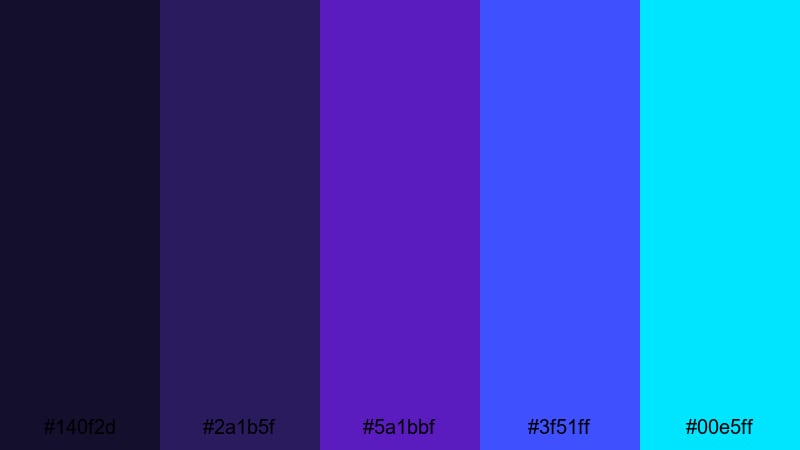
- HEX Codes: #140f2d, #2a1b5f, #5a1bbf, #3f51ff, #00e5ff
- Mood: Energetic, futuristic, and intense like a sci-fi city at night.
- Use for: Perfect for gaming intros, tech promos, and dynamic glitch transitions.
Neon Galaxy Pulse dives into deep space purples, then cuts through the darkness with electric blue and cyan. The contrast is high and energetic, ideal for content that needs to feel fast, futuristic, or competitive.
Use the darkest tones as your base background for overlays or end screens, then let the neon cyan (#00e5ff) highlight key text like scores, subscriber counts, or CTA buttons. In Filmora, pair this palette with glitch transitions, HUD-style graphics, and motion blur to give gaming intros and tech promos a strong sci-fi identity.
Midnight Electric Storm
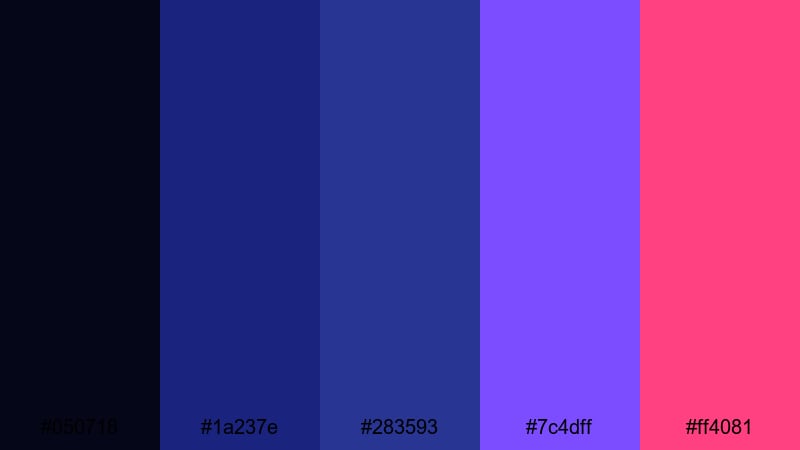
- HEX Codes: #050718, #1a237e, #283593, #7c4dff, #ff4081
- Mood: Dramatic, edgy, and high contrast with a stormy nightlife feel.
- Use for: Great for trailers, action edits, music videos, and bold YouTube thumbnails.
Midnight Electric Storm balances inky midnight blues with electric violet and a punch of hot magenta. It is bold and dramatic, making every frame feel like a city night lit by neon signs and headlights.
Use the blues as the main backdrop for text and overlays, and bring in #ff4081 as an accent for important buttons or key phrases in thumbnails. In Filmora, combine this palette with fast cuts, light leaks, and impact sound effects to create cinematic trailers and energetic music video edits.
Indigo Spotlight Fade
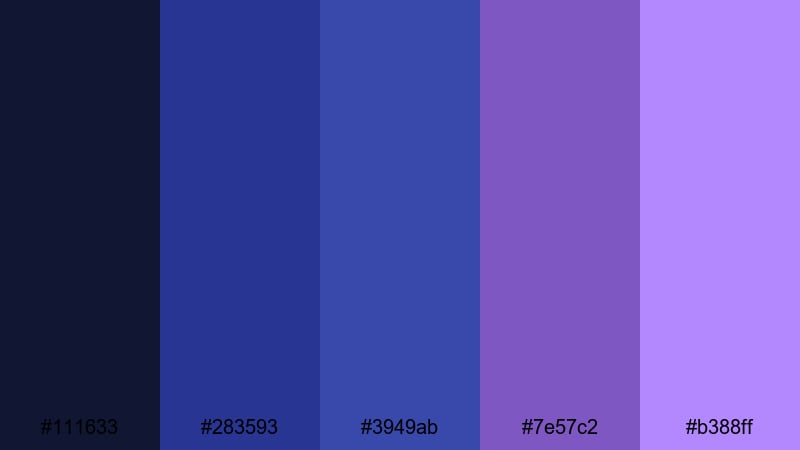
- HEX Codes: #111633, #283593, #3949ab, #7e57c2, #b388ff
- Mood: Moody, theatrical, and focused like a single spotlight on stage.
- Use for: Ideal for cinematic titles, documentary teasers, and dramatic callouts.
Indigo Spotlight Fade uses layered indigos and soft violets to create a stage-light effect. It feels professional and cinematic, especially when used in combination with strong typography and slow, deliberate motion.
Place your titles in the lighter violet (#b388ff) against the deep indigo background to mimic a spotlight cutting through darkness. In Filmora, this palette works well for documentary teasers, serious commentary videos, and channel stingers where you want drama without neon intensity.
Cyberwave Nightdrive
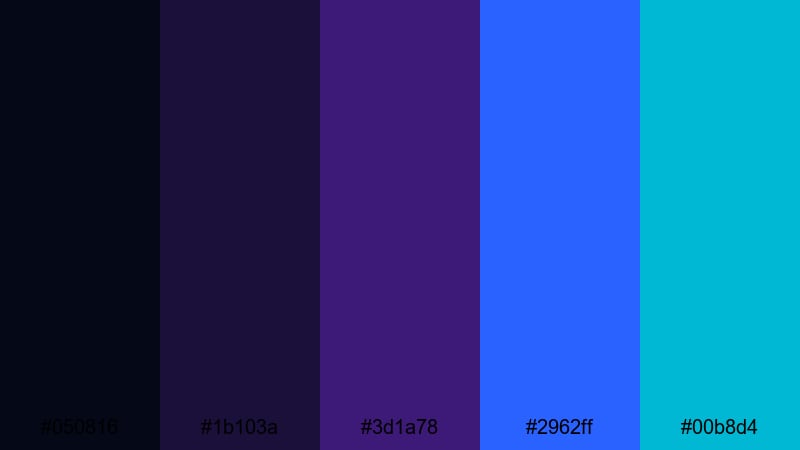
- HEX Codes: #050816, #1b103a, #3d1a78, #2962ff, #00b8d4
- Mood: Retro-futuristic, fast, and neon-soaked like a synthwave road trip.
- Use for: Use for cyberpunk edits, car reels, tech explainers, and retro motion graphics.
Cyberwave Nightdrive leans into retro-futuristic purples and saturated blues, with teal accents that feel like streaks of light on a wet highway. It is perfect for stylized content that references synthwave aesthetics or cyberpunk cityscapes.
Use the darkest tones as a clean base for overlays, then apply #2962ff and #00b8d4 to lines, grids, and motion graphics elements. In Filmora, this palette supports animated HUDs, kinetic typography, and car reels where you want the viewer to feel like they are racing through a neon-lit night.
Ultraviolet Trailer Punch
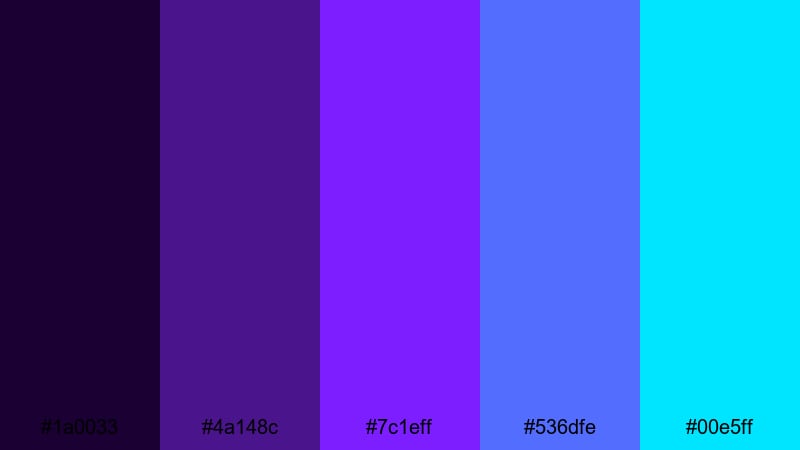
- HEX Codes: #1a0033, #4a148c, #7c1eff, #536dfe, #00e5ff
- Mood: Explosive, bold, and attention-grabbing with a trailer-ready punch.
- Use for: Perfect for cinematic trailers, channel stingers, and bold motion titles.
Ultraviolet Trailer Punch is built for impact. Deep violet shadows and glowing purples combine with sharp blues and cyan to make titles feel urgent and powerful.
Use #1a0033 as a solid base to make your graphics pop, then layer #7c1eff and #00e5ff on key words or logo reveals. In Filmora, this palette excels in animated title sequences, countdowns, and stingers where you want viewers to instantly recognize your channel style.
Modern & Minimal Purple Blue Palettes
Slate Orchid Interface
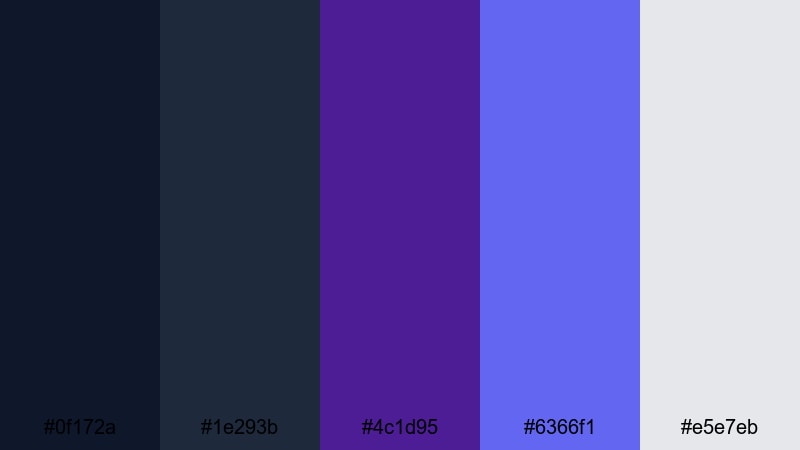
- HEX Codes: #0f172a, #1e293b, #4c1d95, #6366f1, #e5e7eb
- Mood: Clean, confident, and tech-forward with a subtle creative twist.
- Use for: Best for app UI mockups, sleek lower-thirds, and modern brand intros.
Slate Orchid Interface mixes dark slate blues with an orchid accent, creating a calm, techy base with a creative highlight. It feels like a modern SaaS dashboard or design tool interface brought into your video.
Use the dark blues as your primary background, #e5e7eb for text and icons, and #4c1d95 or #6366f1 as brand accents. In Filmora, this palette is ideal for explainer videos, UI walkthroughs, and minimalist intros where you want to look professional but not boring.
Crystal Nordic Night
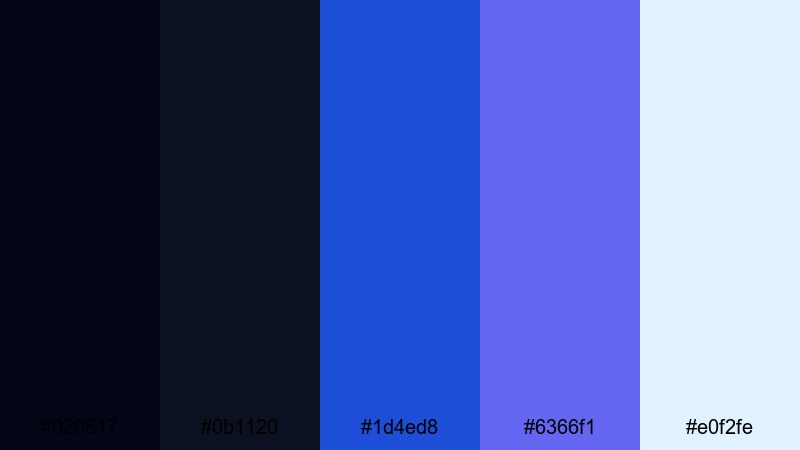
- HEX Codes: #020617, #0b1120, #1d4ed8, #6366f1, #e0f2fe
- Mood: Cool, crisp, and minimal like a clear northern night sky.
- Use for: Ideal for tech explainers, SaaS promos, and clean presentation templates.
Crystal Nordic Night is cool and structured, built around deep navy, crystal blue, and soft light accents. It feels minimal and confident, with enough contrast to keep charts and text very readable.
Use #020617 or #0b1120 as your primary background, then highlight key numbers, icons, or graphs with #1d4ed8 and #6366f1. In Filmora, this palette works well for presentation-style edits, overlays for webinars, and LinkedIn-ready clips where clarity comes first.
Clean Studio Gradient
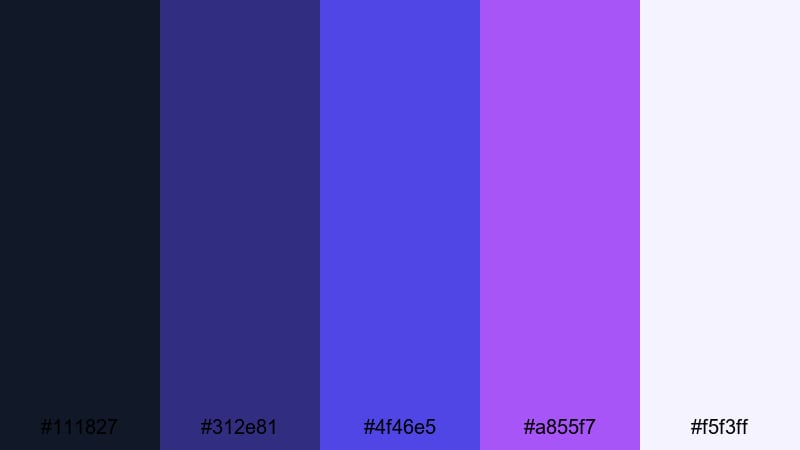
- HEX Codes: #111827, #312e81, #4f46e5, #a855f7, #f5f3ff
- Mood: Sleek, studio-ready, and versatile with a soft gradient flair.
- Use for: Use for YouTube channel branding, title cards, and minimalist product demos.
Clean Studio Gradient moves from deep navy through rich purple into a soft lavender white, creating a smooth gradient look that feels like a modern studio backdrop. It is versatile enough for tech, education, and lifestyle channels.
Use #111827 and #312e81 on the edges of your designs, blending into #a855f7 and #f5f3ff toward the center to frame faces or products. In Filmora, you can recreate this gradient in backgrounds for titles, subscribe panels, or product overlays so your brand feels polished and cohesive across every video.
Tech Loft Blueprint
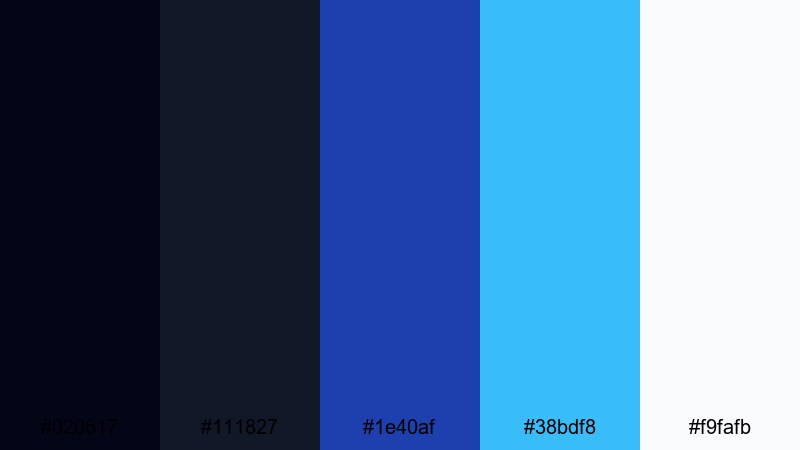
- HEX Codes: #020617, #111827, #1e40af, #38bdf8, #f9fafb
- Mood: Professional, architectural, and precise with a blueprint vibe.
- Use for: Great for tutorials, startup pitches, UI walkthroughs, and infographic videos.
Tech Loft Blueprint combines dark structural blues with sky-toned accents and a clean off-white. It feels like a digital blueprint or architecture sketchpad, focused and methodical.
Use the darker tones as a base layer for your overlays and lower thirds, with #38bdf8 accenting arrows, highlights, and key points in your tutorials. In Filmora, this palette is excellent for screencasts, coding walkthroughs, and startup pitch videos that need a technical but approachable look.
Frosted Sapphire Frame
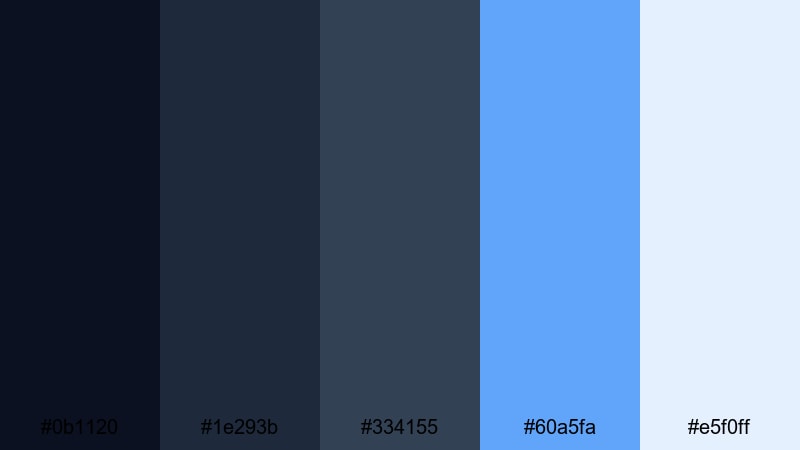
- HEX Codes: #0b1120, #1e293b, #334155, #60a5fa, #e5f0ff
- Mood: Calm, polished, and trustworthy with a frosted glass touch.
- Use for: Perfect for reels with text overlays, product showcases, and clean social media templates.
Frosted Sapphire Frame layers navy and slate with bright sapphire and a frosted white, echoing a glass UI interface. It feels clean and trustworthy, ideal for brands that want to look modern and reliable.
Use #e5f0ff as a frosted card background, then bring in #60a5fa for buttons, badges, and subtle accents. In Filmora, this palette shines in vertical reels, product explainer clips, and carousel-style social posts where you stack simple shapes and text overlays over your footage.
Tips for Creating Purple Blue Color Palettes
Purple blue works across many styles, from soft and dreamy to bold and cinematic. These tips will help you build or adapt palettes that stay readable, on-brand, and easy to grade in Filmora.
- Balance light and dark: Always include at least one deep shade for backgrounds and one very light shade for text or icons to keep your designs readable.
- Limit accent colors: Pick one or two accent tones (neon cyan, magenta, or orchid) and use them sparingly for CTAs, key words, or important UI elements.
- Check mobile contrast: Test your thumbnails and titles on a phone to ensure purple blue text still stands out on smaller screens.
- Match grade to graphics: If your overlays are cool purple blue, nudge your footage in Filmora slightly cooler with HSL or color wheels so everything feels unified.
- Keep skin tones natural: Use masks or adjustment layers so your purple blue grade targets shadows and midtones while preserving natural-looking skin.
- Use gradients for depth: Blend two related purple blue tones in backgrounds to add depth without clutter, especially behind titles or subject cutouts.
- Stay consistent across platforms: Reuse the same HEX codes in your YouTube banner, channel watermark, Instagram covers, and video overlays for a strong brand identity.
- Save presets in Filmora: Once you dial in a purple blue look you love, save it as a preset or LUT so you can apply it quickly to future projects.
Purple blue palettes can make your content feel dreamy, high-tech, or cinematic with just a few strategic color choices. Whether you prefer soft pastels or neon sci-fi vibes, choosing a consistent set of HEX codes helps shape your channel identity and makes your videos instantly recognizable.
With Filmora, you can take any of these purple blue palettes and turn them into complete visual systems: graded footage, matching titles, overlays, and social edits. Experiment with different combinations above, then refine them using Filmora's AI Color Palette, color tools, and filters until you find a look that feels like your signature style.
Try a few palettes on short test edits, compare how they look in your thumbnails and intros, and then lock in your favorite as your go-to purple blue aesthetic for future projects.
secure downloadNext: Mint Green Color Palette
