

 100% Security Verified | No Subscription Required | No Malware


 ChatGPT
 Perplexity
 Gemini
 Claude
 Grok
Grok
Purple dark blue sits between mystery and elegance. It feels cinematic and deep, like a night sky or a quiet city after dark, which makes it perfect for storytelling, gaming edits, and aesthetic vlogs. In video, this combination can instantly signal mood: darker blues add drama and trust, while purple brings creativity, fantasy, and a slightly futuristic vibe.
For creators and Filmora users, a well planned purple dark blue color palette with clear HEX codes is a shortcut to consistent branding across YouTube thumbnails, intros, streaming overlays, and social clips. Below you will find 15 ready to use purple dark blue color combinations, each with HEX codes plus ideas for how to use them in your edits.
In this article
Cinematic Purple Dark Blue Color Palettes
Midnight Galaxy Drift
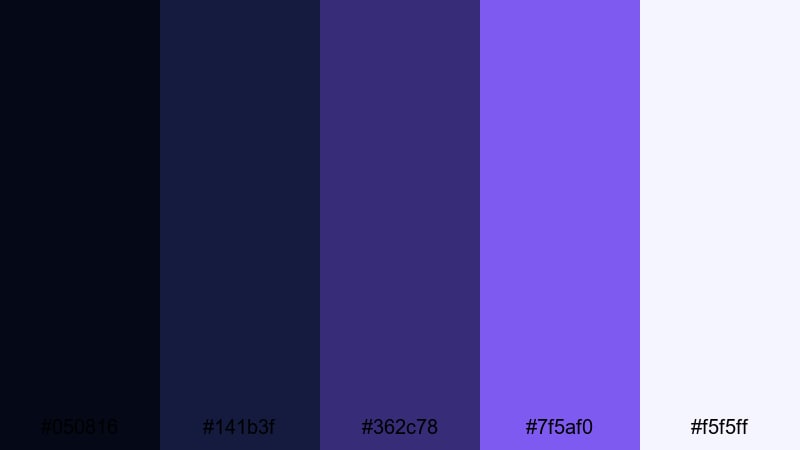
- HEX Codes: #050816, #141b3f, #362c78, #7f5af0, #f5f5ff
- Mood: Moody and epic, like a deep space adventure.
- Use for: Perfect for cinematic travel vlogs, sci fi titles, and dramatic channel trailers.
Midnight Galaxy Drift layers inky navy and rich violet with a luminous purple accent and a soft highlight white. It feels like you are drifting through deep space, with subtle stars glowing against a dark void. The transition from near black to bright purple gives your visuals a strong sense of depth and atmosphere.
Use this palette for cinematic intros, story driven travel edits, or sci fi motion graphics where you want titles and overlays to float over dark footage. In thumbnails, the bright #7f5af0 and #f5f5ff are perfect for readable text or borders, while the darker tones create a dramatic background that stands out in YouTube feeds and Filmora project timelines.
Pro Tip: Build a Cinematic Purple Dark Blue Look in Filmora
To keep this midnight purple dark blue style consistent, start by using your darkest navy as the base for backgrounds, lower thirds, and end cards in Filmora. Then repeat the accent purple and soft white for key elements like logo locks, subscribe buttons, and important text. This creates a unified cinematic identity from intro to outro.
You can also save custom color presets for titles and elements inside Filmora. Once you dial in your Midnight Galaxy Drift tones, reuse them across new projects so every trailer, channel bumper, and short feels like part of the same universe.
AI Color Palette
If you already designed a Midnight Galaxy Drift style thumbnail or poster, you can turn it into a full video look using Filmora's AI Color Palette feature. Import your reference image, let Filmora analyze its purple dark blue color palette, and then apply that look to your clips in one step.
This is especially handy for creators who batch produce content. Filmora can match your A roll, B roll, and shorts to the same spacey palette, so your channel grid and Reels feed all share that dark, cinematic purple signature.
 secure download

HSL, Color Wheels & Curves
Once your purple dark blue base is in place, use Filmora's HSL sliders and color wheels to fine tune the mood. You can deepen the blues in your shadows, push midtone purples toward magenta for more energy, or cool down highlights to keep the scene feeling like true midnight. Subtle S shaped curves will add contrast and make the galaxy style glow without crushing detail.
For more control, combine the wheels with targeted HSL adjustments so skin tones stay natural while the environment leans into the purple dark blue aesthetic. A quick pass of curves, as shown in Filmora's color correction tutorials, helps you lock in that cinematic, space inspired finish.
secure download1000+ Video Filters & 3D LUTs
If you want to speed up your grading, Filmora's video filters and 3D LUTs make it easy to push your footage toward a purple dark blue cinema look. Apply a base LUT for contrast and tone, then lightly adjust saturation and temperature to match the Midnight Galaxy Drift HEX codes.
Stack subtle glow, vignette, or film style filters on top to enhance the night sky feeling. Because Filmora presets are drag and drop, you can quickly test different looks until your thumbnails, intros, and full length edits all share the same moody, galaxy inspired vibe.
secure downloadNeon Harbor Nights
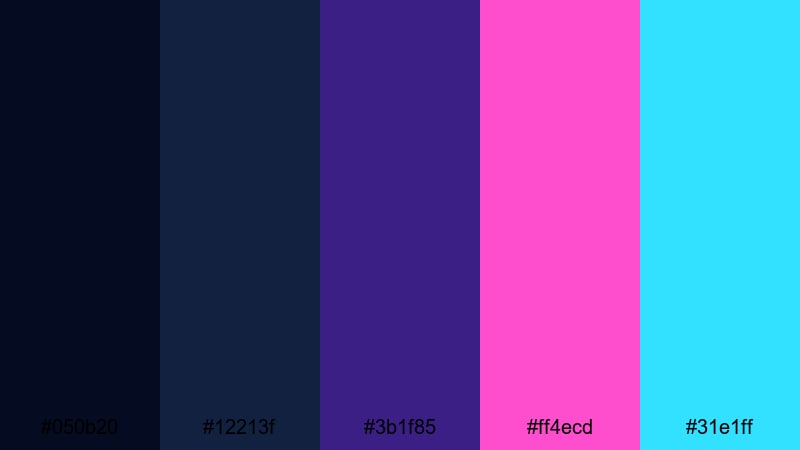
- HEX Codes: #050b20, #12213f, #3b1f85, #ff4ecd, #31e1ff
- Mood: Vibrant, futuristic, and energetic.
- Use for: Great for gaming intros, tech explainers, and fast cut montage edits.
Neon Harbor Nights mixes dark harbor blues with electric magenta and cyan accents. It feels like a cyberpunk dock or a futuristic city reflected on water, where neon signs cut through the darkness. The contrast between deep blues and hot accents immediately grabs the eye.
This palette is ideal for high energy openings, motion graphics, and gaming overlays where you want text and UI elements to pop. Use the blues (#050b20, #12213f) as your background in Filmora, then reserve #ff4ecd and #31e1ff for buttons, progress bars, and thumbnail text to boost click through rates.
Deep Ocean Horizon
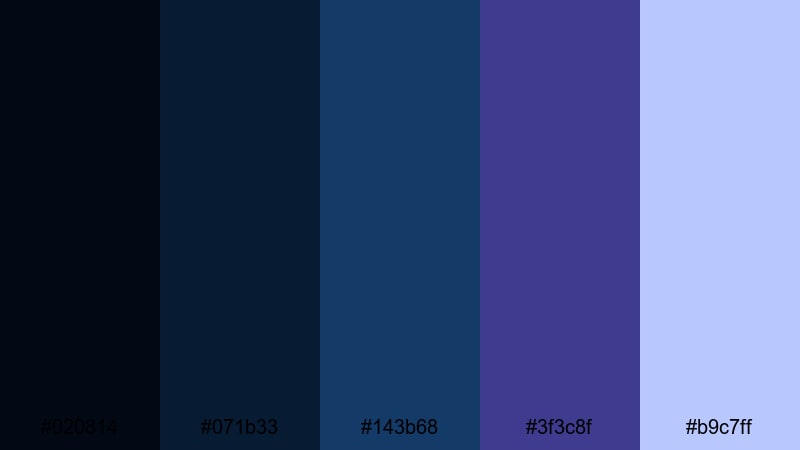
- HEX Codes: #020814, #071b33, #143b68, #3f3c8f, #b9c7ff
- Mood: Calm yet powerful, with a cinematic marine depth.
- Use for: Ideal for documentary intros, nature b-roll, and reflective voiceover scenes.
Deep Ocean Horizon moves from almost black navy to cool blue and purple tones, with a misty highlight blue. It captures the feeling of looking out over the sea at blue hour, where the horizon is quiet but charged with emotion.
Use this palette in Filmora for reflective storytelling, environmental videos, or cinematic B roll sequences. Darker hues like #020814 and #071b33 work well for letterbox bars, titles, and gradient overlays, while #b9c7ff can be used for legible text, icons, or subtle glow effects around key subjects in thumbnails.
Starlit City Skyline
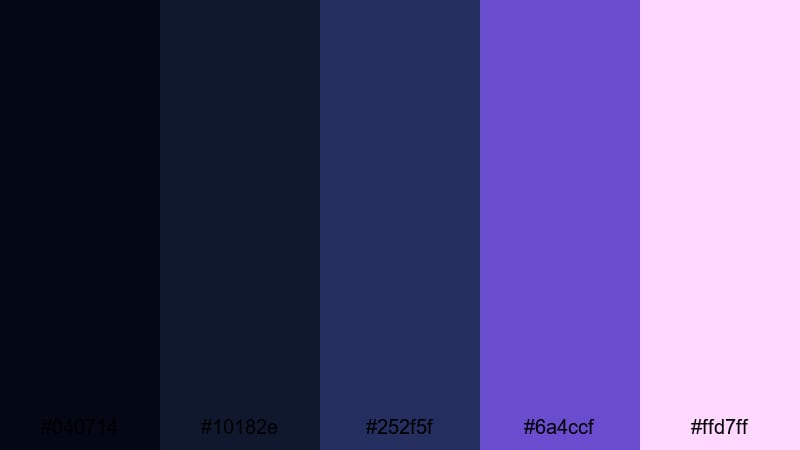
- HEX Codes: #040714, #10182e, #252f5f, #6a4ccf, #ffd7ff
- Mood: Urban, cinematic, and slightly dreamy.
- Use for: Use for city vlog titles, night driving sequences, and skyline timelapses.
Starlit City Skyline combines inky blues with a glowing violet and a soft pastel highlight. The mix feels like standing on a rooftop, watching city lights shimmer under a clear night sky. It balances realism with a slightly dreamy, stylized touch.
In your edits, let the darker blues support night footage while #6a4ccf and #ffd7ff highlight key text or map routes, especially in travel vlogs and urban timelapses. This purple dark blue color palette gives your thumbnails and end cards a polished, cinematic city identity that viewers will recognize instantly.
Soft & Dreamy Purple Dark Blue Color Palettes
Twilight Cotton Clouds
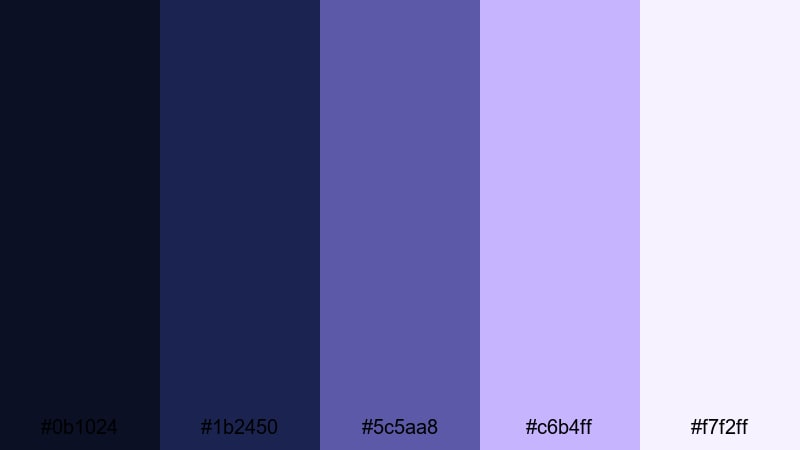
- HEX Codes: #0b1024, #1b2450, #5c5aa8, #c6b4ff, #f7f2ff
- Mood: Gentle, dreamy, and comforting.
- Use for: Perfect for aesthetic vlogs, study with me videos, and soft lo fi intros.
Twilight Cotton Clouds blends muted navy with periwinkle, lavender, and light pastel tones. It feels cozy and weightless, like looking up at soft clouds just after sunset. The overall effect is calm, safe, and slightly nostalgic.
For aesthetic or study themed content, use the darker shades for soft gradients behind text, and place white or near white (#f7f2ff) captions on top for easy reading. The midtone purple #5c5aa8 and the gentle highlight #c6b4ff work beautifully for icons, chapter markers, and thumbnail frames in Filmora, giving your channel a comforting, bingeable look.
Lavender Nightfall Glow
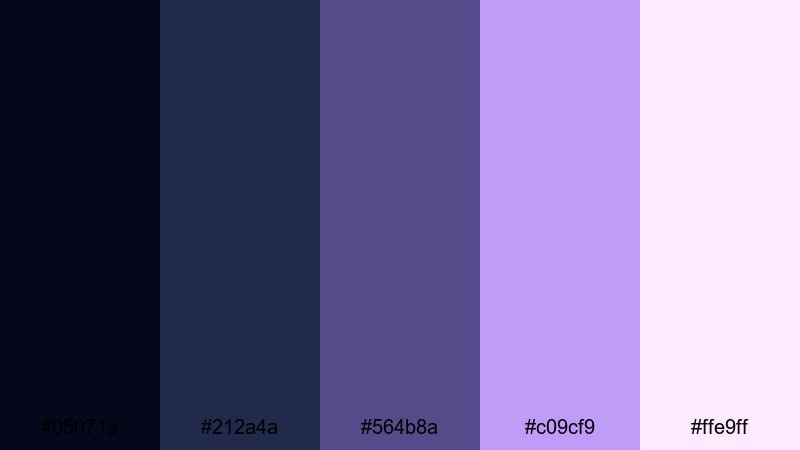
- HEX Codes: #05071a, #212a4a, #564b8a, #c09cf9, #ffe9ff
- Mood: Romantic, serene, and slightly magical.
- Use for: Great for wedding highlights, dreamy travel reels, and lyric videos.
Lavender Nightfall Glow starts from deep indigo shadows and fades into glowing lavender and blush highlights. It feels romantic and cinematic, like golden hour slowly turning into night with fairy lights in the background.
This palette works especially well for wedding films, couple shoots, and dreamy B roll in Filmora. Use #05071a and #212a4a to deepen the edges of your frame with vignettes, while #c09cf9 and #ffe9ff become the star colors for titles, callouts, and thumbnail text that promise a soft, emotional storyline.
Moonlit Lilac Mist
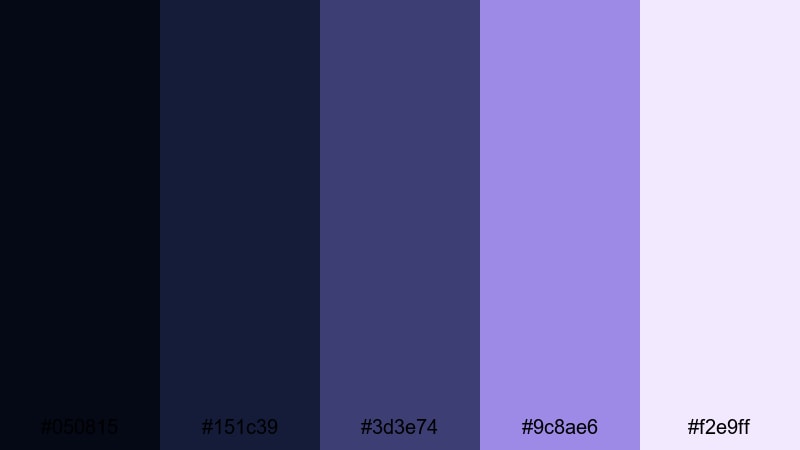
- HEX Codes: #050815, #151c39, #3d3e74, #9c8ae6, #f2e9ff
- Mood: Ethereal, calm, and introspective.
- Use for: Ideal for meditation content, poetry visuals, and ambient music videos.
Moonlit Lilac Mist rests soft lilac and lavender over moody blue foundations. It feels like quiet moonlight caught in fog, with gentle transitions and no harsh contrasts. The palette invites slow pacing and reflective themes.
For meditation or ambient music channels, use the deeper blues as a base for gradients and overlays, and bring in #9c8ae6 or #f2e9ff for minimal text and icons. In Filmora, this palette can guide your choice of background plates, lower thirds, and thumbnail typography, reinforcing a calm and introspective purple dark blue aesthetic.
Quiet Nebula Haze
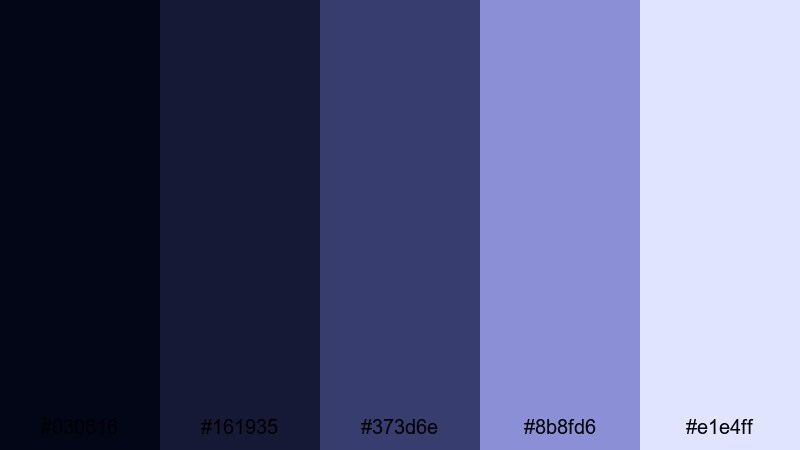
- HEX Codes: #030616, #161935, #373d6e, #8b8fd6, #e1e4ff
- Mood: Subtle, spacey, and contemplative.
- Use for: Use for calm b roll sequences, title cards, and minimalist podcast visuals.
Quiet Nebula Haze uses muted blues and purples to suggest a distant nebula without going full neon. It feels soft and spacey, more like a background hum than a loud visual statement.
This palette is ideal when you want depth and character but still keep things minimalist. Use #030616 and #161935 as dark canvases for podcast titles or quote screens, with #8b8fd6 and #e1e4ff providing subtle highlights on icons, waveform graphics, or lower thirds in your Filmora layouts.
Bold & Neon Purple Dark Blue Color Palettes
Cyberwave Aurora
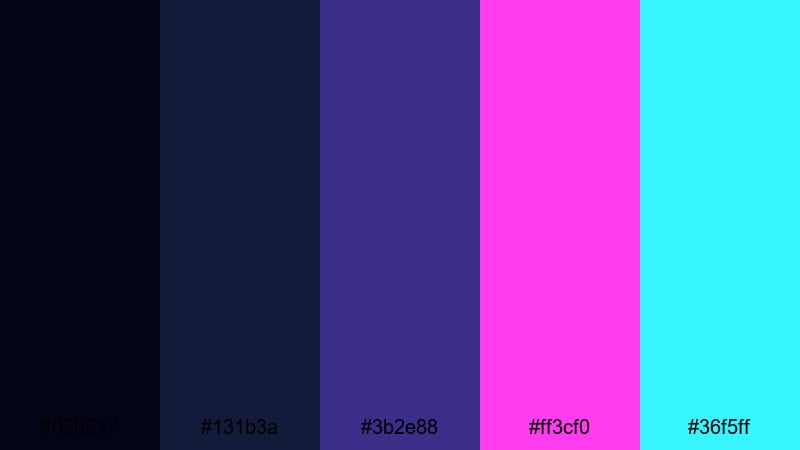
- HEX Codes: #030517, #131b3a, #3b2e88, #ff3cf0, #36f5ff
- Mood: High energy, futuristic, and bold.
- Use for: Perfect for tech channels, motion graphics, and glitchy transitions.
Cyberwave Aurora throws electric magenta and cyan across deep blues and purples, creating a strong cyberpunk glow. It feels like a futuristic light show, full of motion and digital energy.
For tech explainers, SaaS promos, or glitch edits, use #030517 and #131b3a as the base for panels and backgrounds, then deploy #ff3cf0 and #36f5ff sparingly for accents, strokes, and key text. This balance makes your overlays and thumbnails in Filmora look bold without becoming chaotic.
Arcade Night Runner
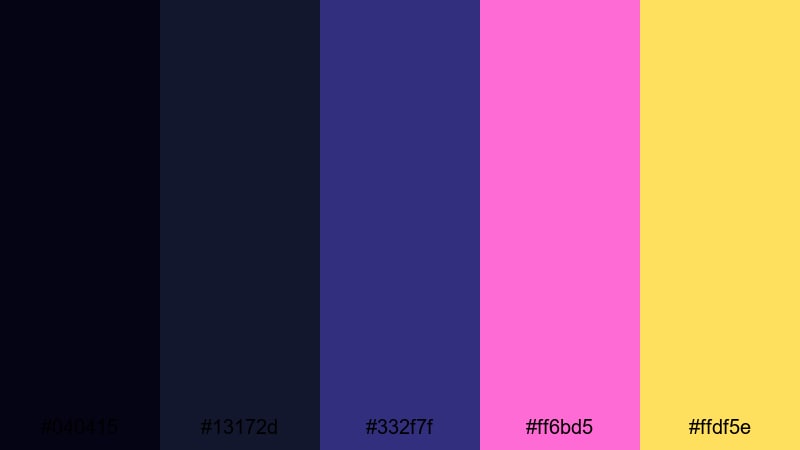
- HEX Codes: #040415, #13172d, #332f7f, #ff6bd5, #ffdf5e
- Mood: Retro, playful, and high contrast.
- Use for: Great for gaming highlights, retro edits, and energetic countdown screens.
Arcade Night Runner mixes dark arcade blues and royal purple with hot pink and neon yellow accents. It feels like a classic game cabinet lit by screens and high scores, giving instant retro energy.
This palette is perfect for highlight reels, kill montages, and stream countdowns. Build your HUD elements and overlay panels with the darker tones, then punch out important text, score numbers, and subscribe CTAs with #ff6bd5 and #ffdf5e. In Filmora, these colors look great on animated titles and transitions that match the intensity of your gameplay.
Electric Vapor Sky
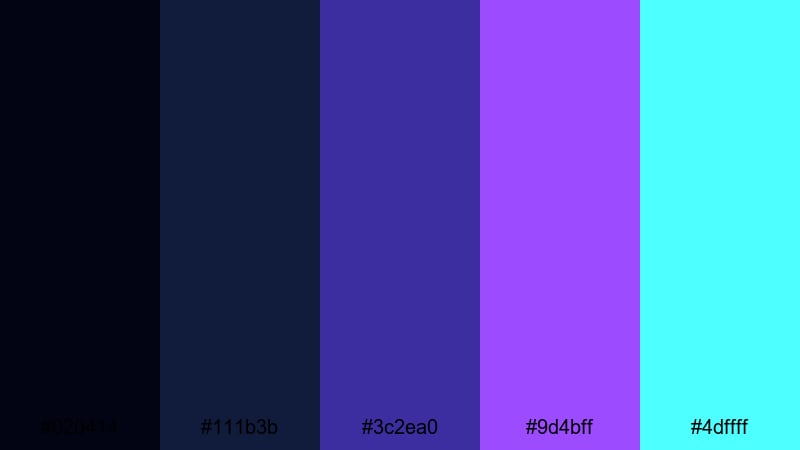
- HEX Codes: #020414, #111b3b, #3c2ea0, #9d4bff, #4dffff
- Mood: Intense, futuristic, and surreal.
- Use for: Use for EDM visuals, kinetic typography, and bold title animations.
Electric Vapor Sky combines royal purple and cyan over deep navy to create a vaporwave inspired sky effect. It feels surreal and saturated, as if your frame were a neon sunset in a digital world.
Use this palette when you need your titles and text animations to hit hard, especially for EDM tracks and energetic shorts. In Filmora, set #020414 and #111b3b as your background anchor, then animate #9d4bff and #4dffff in gradients, outlines, and glow effects for typography that pulses with the beat.
Ultraviolet Spotlight
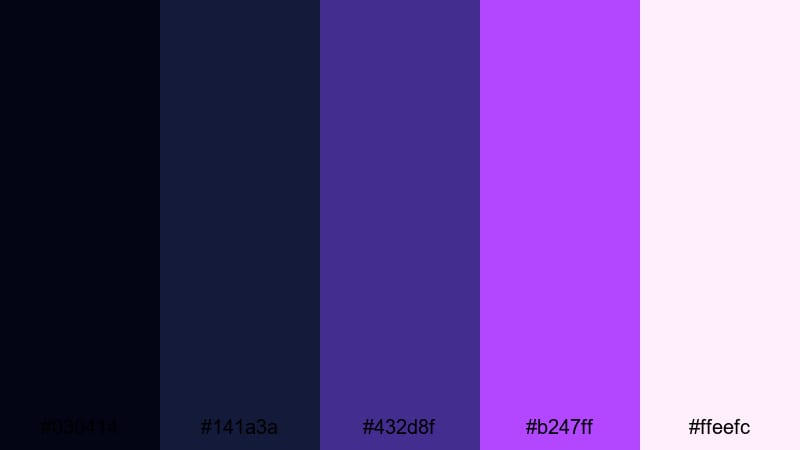
- HEX Codes: #030414, #141a3a, #432d8f, #b247ff, #ffeefc
- Mood: Dramatic, glamorous, and performance ready.
- Use for: Ideal for music videos, dance reels, and spotlight intros.
Ultraviolet Spotlight feels like being on stage under intense concert lighting. Deep blue shadows and ultraviolet purple create a strong base, while bright highlight tones mimic spotlights and LED strips.
This is a great purple dark blue color combination for music content, choreography reels, or performance teasers. In Filmora, you can use #030414 and #141a3a for dark background plates, add #432d8f and #b247ff as light streaks or gradient flares, and reserve #ffeefc for artist names, track titles, and social handles so they stand out clearly.
Minimal & Modern Purple Dark Blue Color Palettes
Studio Grid Minimal
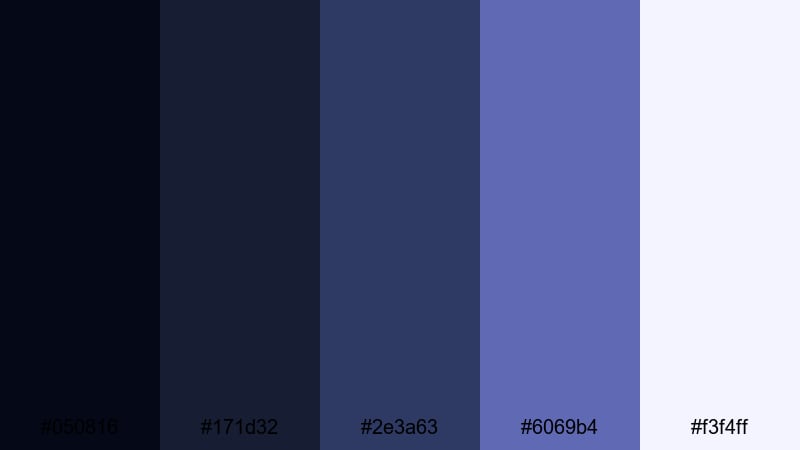
- HEX Codes: #050816, #171d32, #2e3a63, #6069b4, #f3f4ff
- Mood: Clean, professional, and techy.
- Use for: Perfect for tutorials, SaaS promos, and UI inspired motion graphics.
Studio Grid Minimal combines structured blues and muted purples with a crisp off white accent. It feels organized and professional, like a modern studio set or a well designed dashboard.
This palette is ideal for tutorial channels, software explainers, and UI themed animations in Filmora. Use the darker tones as backgrounds and panel colors, and place #f3f4ff text or icons on top for clarity. #6069b4 makes a great brand accent for logo stingers, chapter markers, and call to action banners across your thumbnails and lower thirds.
Noir Interface Glow
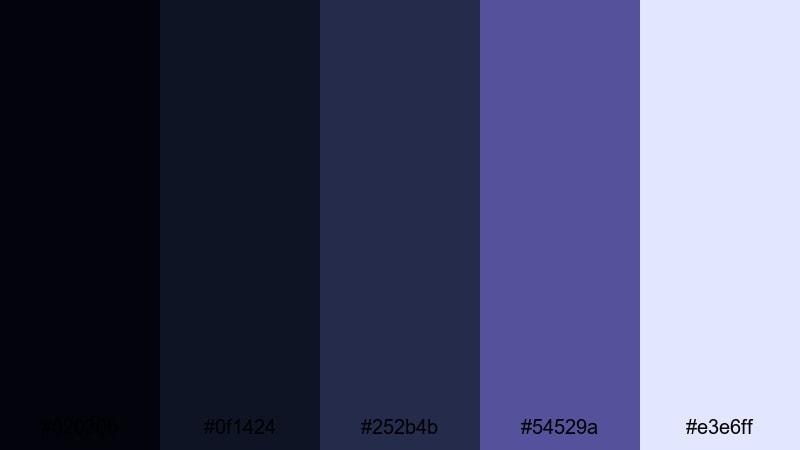
- HEX Codes: #02030b, #0f1424, #252b4b, #54529a, #e3e6ff
- Mood: Sleek, modern, and slightly mysterious.
- Use for: Great for app previews, dark mode UI, and channel branding packages.
Noir Interface Glow uses near black, slate blue, and soft purple with a cool highlight white. It feels like a dark mode interface with subtle illumination, sleek and sophisticated.
This purple dark blue palette is perfect for channels focused on apps, productivity, or cybersecurity. In Filmora, you can design dark UI mockups or overlay panels using #02030b and #0f1424, add #252b4b and #54529a for card edges and icons, and keep #e3e6ff for clean text and cursor highlights that stay readable on any screen.
Clean Night Brand
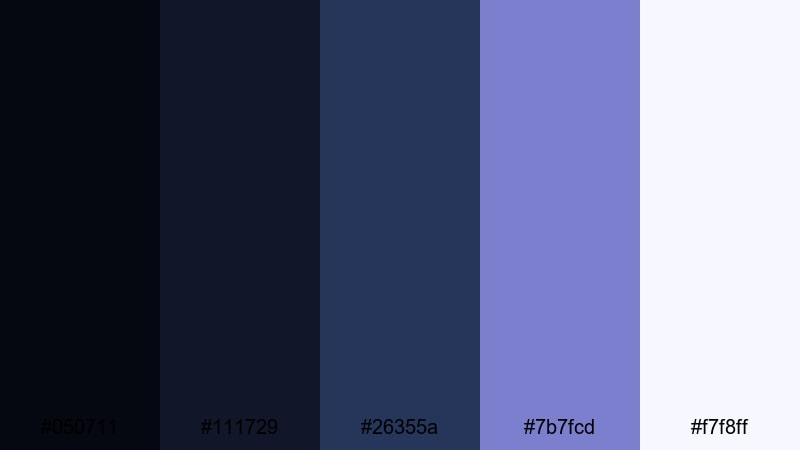
- HEX Codes: #050711, #111729, #26355a, #7b7fcd, #f7f8ff
- Mood: Balanced, trustworthy, and contemporary.
- Use for: Ideal for personal branding, logos, lower thirds, and consistent channel identity.
Clean Night Brand brings together deep but approachable blues, a soft branding purple, and a bright neutral. It feels trustworthy and modern, like a night mode brand kit that still feels friendly.
Use this as your main channel identity palette: darker tones for backgrounds and frames, #7b7fcd for key brand accents, and #f7f8ff for body text and icons. In Filmora, you can base your logo stings, subscribe animations, and thumbnail templates on this purple dark blue combination, making it easier to keep a consistent look across all your content.
Tips for Creating Purple Dark Blue Color Palettes
When you build your own purple dark blue color palette for video, the goal is to balance mood, readability, and brand consistency across thumbnails, intros, overlays, and end cards.
- Pick a primary dark blue for backgrounds so your footage and UI elements sit on a stable base that works in dark mode feeds.
- Choose one strong purple accent and use it consistently for important elements like headlines, buttons, and timeline chapter markers.
- Add a light neutral (off white or very pale lavender) for text to guarantee readability against dark backgrounds in both thumbnails and mobile viewing.
- Test contrast at small sizes by zooming out on your thumbnail designs; if titles are hard to read, brighten the text color or darken the background.
- Limit neon accents to 1 or 2 colors so your purple dark blue color combinations stay stylish rather than chaotic.
- Match your palette to your footage by using gentle color overlays and Filmora adjustments instead of forcing extreme tints on every clip.
- Save presets in Filmora for titles, lower thirds, and background solids using the same HEX codes to keep branding consistent over time.
- Check how your colors look on both light and dark YouTube or app themes, and adjust brightness or saturation to stay legible everywhere.
Purple dark blue color palettes are powerful tools for shaping the mood of your videos, from dreamy vlogs and ambient edits to bold gaming intros and tech explainers. With the right mix of deep blues, rich purples, and supporting highlight tones, your channel can feel cinematic, modern, and instantly recognizable.
Use the HEX codes above as ready made starting points, then refine them inside Filmora to match your footage and brand. Whether you lean toward soft twilight tones or neon cyberpunk glows, consistent color choices across thumbnails, intros, overlays, and end screens will make your content look more professional.
Open a new Filmora project, drop in one of these purple dark blue color palettes, and start testing it on your titles, filters, and LUTs. A few minutes of color work can transform the way your edits feel and how they stand out in crowded feeds.
secure downloadNext: Gold Blue Color Palette
