

 100% Security Verified | No Subscription Required | No Malware


 ChatGPT
 Perplexity
 Gemini
 Claude
 Grok
Grok
Silver sits between classic gray and glossy chrome. It often represents technology, clarity, and understated luxury, which is why you see it in product packaging, tech branding, and cinematic titles. On screen, a silver color palette can make your video feel modern, cool-headed, and professional without being loud or distracting.
For creators and Filmora users, silver is a powerful neutral that works in YouTube thumbnails, intros, overlays, lower thirds, and full brand systems. Below are 15 ready-to-use silver color palettes with HEX codes, so you can quickly build cohesive visuals for vlogs, promos, reels, or channel rebrands.
In this article
Elegant & Modern Silver Color Palettes
Urban Chrome Skyline
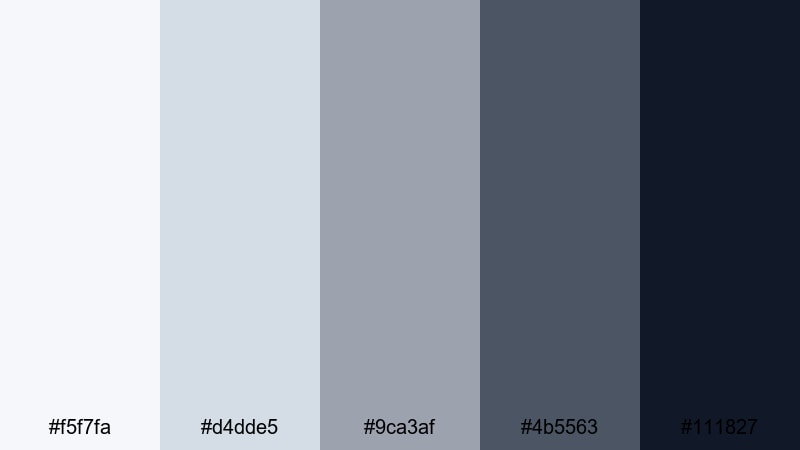
- HEX Codes: #f5f7fa, #d4dde5, #9ca3af, #4b5563, #111827
- Mood: Sleek, metropolitan, and quietly powerful.
- Use for: Great for tech brand intros, cityscape b-roll, and minimalist YouTube channel art.
Urban Chrome Skyline feels like glass towers at golden hour slowly slipping into night. Soft misty silvers at the top step down into deep charcoal and inky navy, giving you a clean gradient that works beautifully for cinematic backgrounds and motion graphics.
Use the lighter tones for YouTube thumbnail text or lower thirds, and the darker shades as overlays behind logos, subscribe buttons, or end-screen layouts. This palette is ideal if you want your edit, intro, and channel banner to all share the same polished, urban silver identity.
Pro Tip: Build a Cinematic Silver Look in Filmora
To keep a cool, urban silver look consistent, set up a simple style guide in Filmora. Choose one of the mid-tone silvers from Urban Chrome Skyline for your titles, another darker tone for backgrounds, and save them as custom colors in the editor. Reusing these saved swatches across intros, b-roll captions, and social cutdowns keeps your brand feeling coherent and professional.
You can also pair this palette with subtle gradients and blur effects in Filmora to imitate metallic reflections. For example, create overlay shapes using the lighter grays, then add a soft blur and low opacity to suggest brushed metal behind your titles.
AI Color Palette
If you already have a silver reference image, like a city skyline shot or a chrome product render, Filmora's AI Color Palette feature can automatically map that mood onto your whole edit. Import the reference as your source clip, then use AI Color Palette to apply its tones to the rest of your footage.
This is especially useful when you film in different locations or lighting conditions but still want every scene to share the same cool, metallic atmosphere. The AI helps balance color differences so your thumbnails, intros, and full-length videos feel like pieces of the same silver brand world.
 secure download

HSL, Color Wheels & Curves
Once your base silver look is in place, refine it using Filmora's HSL sliders, color wheels, and curves. Slightly lowering saturation in blues and cyans will push your footage toward a clean chrome feel, while lifting the highlights curve can give your city lights and reflections a crisp metallic sparkle.
If you want a deeper dive into shaping tones, Filmora's tutorials on color correction and grading explain how to balance highlights, midtones, and shadows for a more cinematic silver finish, using tools like the color wheels to cool down shadows and keep skin tones natural.
secure download1000+ Video Filters & 3D LUTs
To speed up your silver styling even further, you can layer Filmora's presets on top of your palette. Filmora's video filters and 3D LUTs make it easy to create a matte metallic look, a glossy commercial sheen, or a futuristic chrome grade with just a few clicks.
Apply a LUT that slightly cools the image, then fine-tune opacity so it supports, rather than overpowers, the Urban Chrome Skyline colors you picked. This way your thumbnails, intros, and full-length videos feel unified and on-brand without having to manually grade every single shot.
secure downloadLuxury Silver Gala
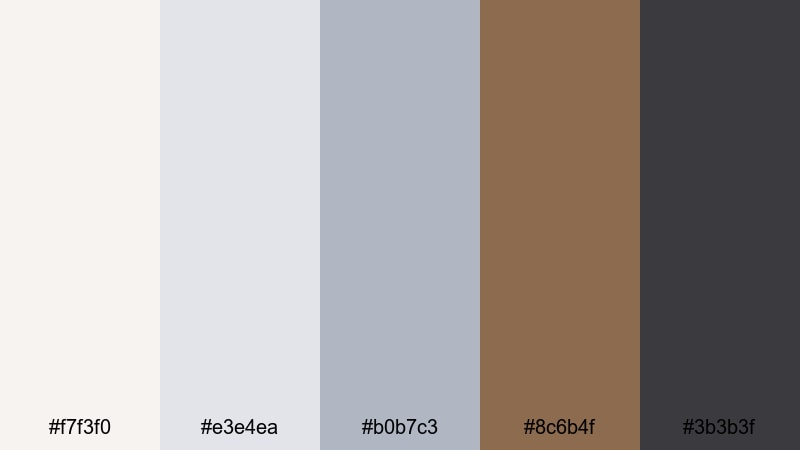
- HEX Codes: #f7f3f0, #e3e4ea, #b0b7c3, #8c6b4f, #3b3b3f
- Mood: Upscale, refined, and warm yet metallic.
- Use for: Ideal for fashion lookbooks, product promos, and premium logo animations.
Luxury Silver Gala blends creamy off-whites with soft steel and a whisper of bronze. The mix creates an editorial, high-end mood perfect for unboxing videos, perfume or jewelry shots, and premium product thumbnails.
Use the light neutrals for background cards and text areas, the mid silvers for buttons and icons, and the bronze accent to highlight CTAs or key product details. In Filmora, this palette works beautifully in animated lower thirds and logo reveals for luxury, fashion, or lifestyle brands.
Monochrome Studio Glow
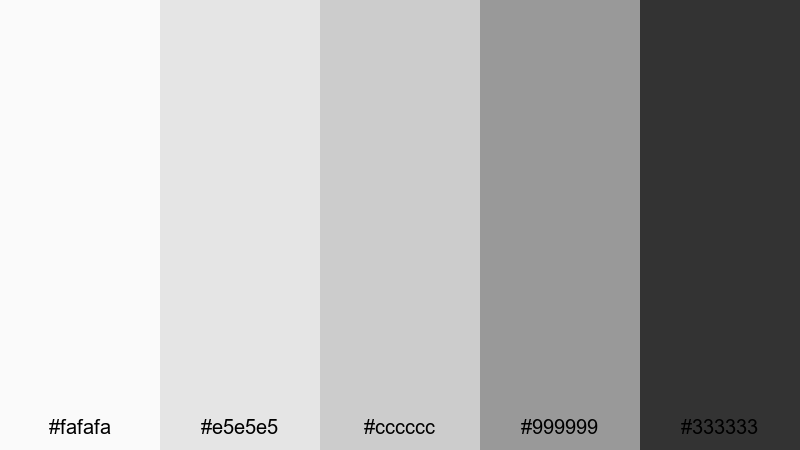
- HEX Codes: #fafafa, #e5e5e5, #cccccc, #999999, #333333
- Mood: Minimal, controlled, and studio-perfect.
- Use for: Works well for tutorial backdrops, UI mockups, and monochrome channel branding.
Monochrome Studio Glow is a pure grayscale ladder from soft white to deep graphite. It feels like a photography backdrop set, giving your content a polished and distraction-free frame.
Because there is no chroma, this palette lets your footage, icons, or type carry the focus. Use it for YouTube tutorial covers, clean explainer slides, or interface mockups inside your videos. In Filmora, you can keep all overlays, shapes, and titles in these neutral tones for a timeless silver aesthetic that never clashes with the footage beneath.
Steel & Marble Suite
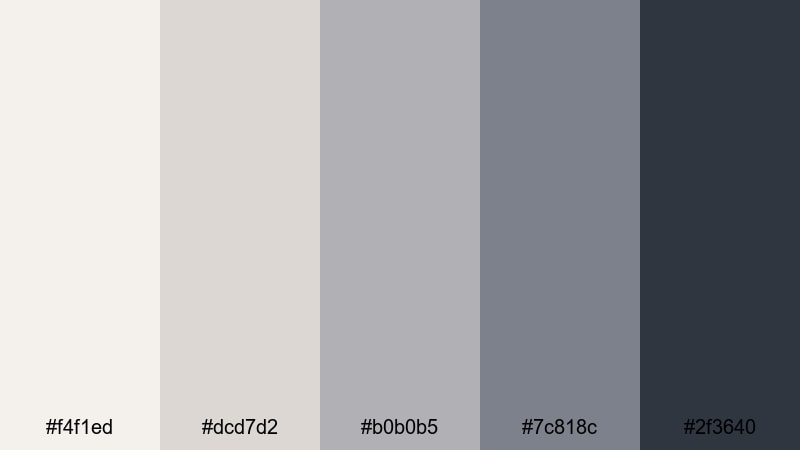
- HEX Codes: #f4f1ed, #dcd7d2, #b0b0b5, #7c818c, #2f3640
- Mood: Architectural, composed, and sophisticated.
- Use for: Perfect for real estate reels, interior design showcases, and architectural title cards.
Steel & Marble Suite pairs stone-like off-whites with cool structural silvers and slate. It feels like walking through a modern gallery or luxury apartment lobby, making it ideal for interiors, architecture, or design-led content.
Use the lighter tones as background panels to showcase before-and-after shots, and the darker silvers for clean title bars, map callouts, or floor plan overlays. This palette works especially well in Filmora when you mix static frames with smooth camera moves and simple line animations for a high-end property or studio showreel.
Champagne Silver Soiree
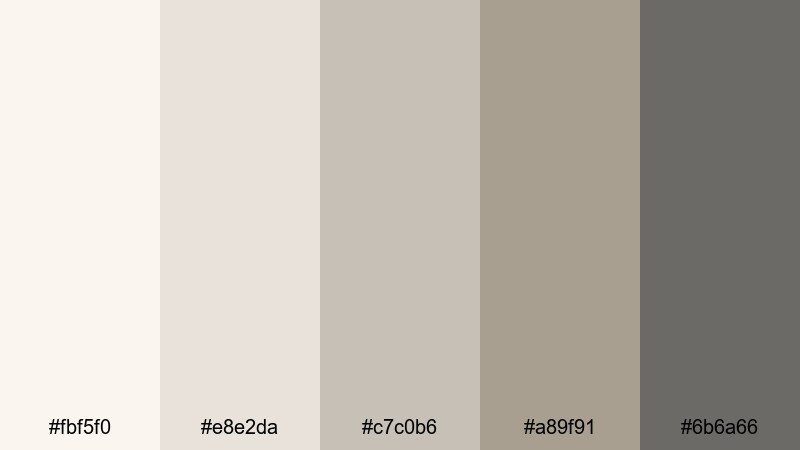
- HEX Codes: #fbf5f0, #e8e2da, #c7c0b6, #a89f91, #6b6a66
- Mood: Softly glamorous, intimate, and timeless.
- Use for: Use for wedding films, event highlight reels, and delicate product close-ups.
Champagne Silver Soiree leans into warm champagne neutrals, gentle silver, and soft taupe. It captures the mood of candles, linen, and polished cutlery at a quiet evening event.
Use the light creams for romantic title cards, photo frames, and chapter markers, while the mid and dark grays support elegant lower thirds or date/location tags. This palette is perfect in Filmora for wedding highlight reels, event recaps, or lifestyle promos where you want a delicate but polished silver tone instead of harsh white.
Soft & Minimal Silver Color Palettes
Moonlit Dust Haze
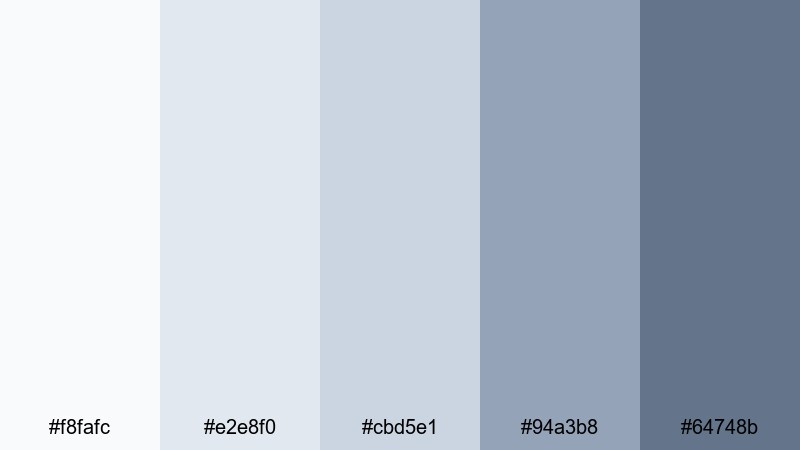
- HEX Codes: #f8fafc, #e2e8f0, #cbd5e1, #94a3b8, #64748b
- Mood: Airy, calm, and slightly dreamy.
- Use for: Great for calm vlogs, study-with-me content, and subtle lower thirds.
Moonlit Dust Haze feels like gentle blue-gray mist under soft streetlights. The pale silvers and muted blues create a light, breathable atmosphere that never overwhelms your footage.
Use the brightest shades as background blocks behind captions, and the mid-toned blues for small icons, chapter labels, or channel watermarks. This palette suits cozy night routines, journaling vlogs, and lo-fi edits where you want a quiet, modern silver touch.
Frosted Morning Veil
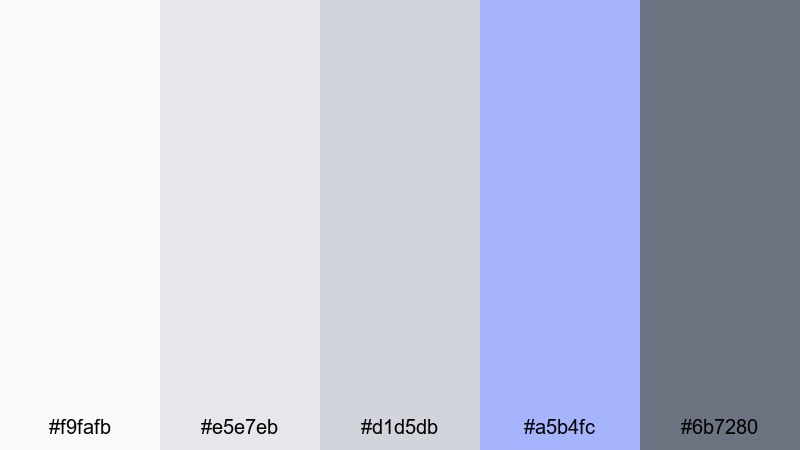
- HEX Codes: #f9fafb, #e5e7eb, #d1d5db, #a5b4fc, #6b7280
- Mood: Fresh, light, and subtly magical.
- Use for: Ideal for productivity vlogs, minimalist product demos, and gentle intro screens.
Frosted Morning Veil combines cool silver-grays with a soft periwinkle accent. It has the energy of a fresh, quiet morning with just a hint of color to keep things optimistic.
Reserve the periwinkle tone for buttons, progress bars, or single accent words in your titles, while the grays carry your backgrounds and frames. In Filmora, this palette works wonderfully for clean openers, bullet lists on screen, and app or software demos where clarity and a light touch matter.
Pearl Silver Whisper
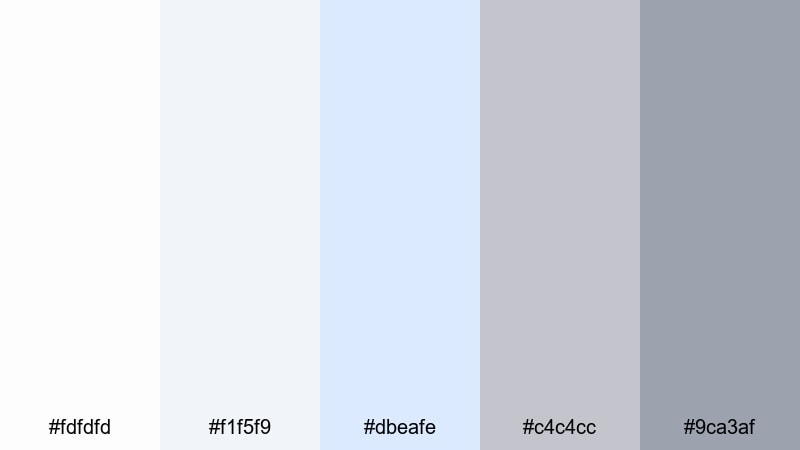
- HEX Codes: #fdfdfd, #f1f5f9, #dbeafe, #c4c4cc, #9ca3af
- Mood: Delicate, clean, and ethereal.
- Use for: Nice for beauty content, skincare reels, and soft-textured overlays.
Pearl Silver Whisper is almost white, drifting gently into powdery silvers and a tiny touch of pastel blue. It feels airy and luminous, great for content that needs to appear fresh, hygienic, or soft.
Use the brightest tones for product shot borders, text boxes, or minimalist frames, and keep the slightly darker silvers for subtle shadows or caption bars. This palette is especially good for beauty, skincare, or ASMR thumbnails and intros where a delicate silver glow supports your brand without stealing attention from faces or textures.
Cloud Drift Neutral
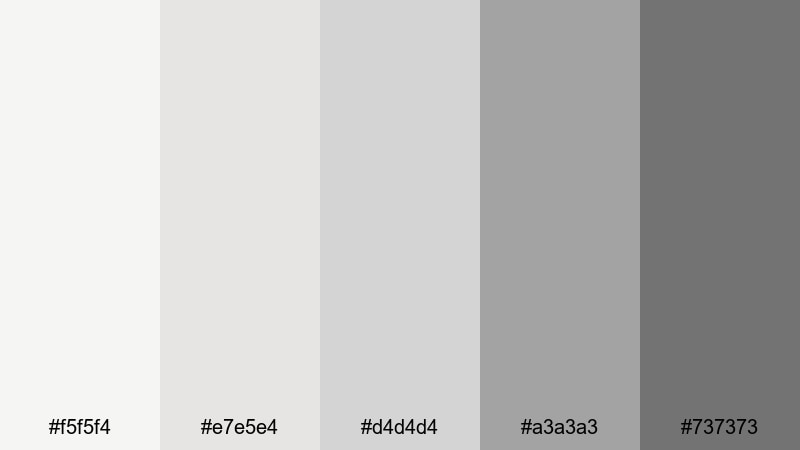
- HEX Codes: #f5f5f4, #e7e5e4, #d4d4d4, #a3a3a3, #737373
- Mood: Balanced, grounded, and unobtrusive.
- Use for: Perfect for background graphics, subtitles, and brand-neutral overlays.
Cloud Drift Neutral offers a soft, stone-like gradient from nearly white to gentle gray. It is the definition of quiet support: present enough to structure your designs, but neutral enough to sit behind any type of footage.
Use the lighter tones as subtle panels behind subtitles and captions so text remains readable, especially on busy scenes. Darker grays can frame your logo or social handles at the end of a video without clashing with the main color grade. This palette is fantastic for creators who want silver structure but prefer their content to define the mood.
Soft Alloy Daybreak
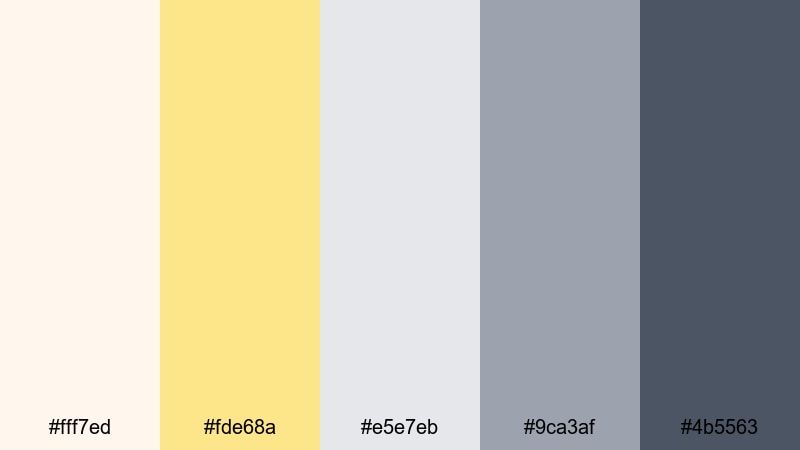
- HEX Codes: #fff7ed, #fde68a, #e5e7eb, #9ca3af, #4b5563
- Mood: Warm sunrise meets cool metallic calm.
- Use for: Use for morning routines, cozy lifestyle vlogs, and gentle cinematic titles.
Soft Alloy Daybreak mixes pale sunrise peach and soft gold with muted silvers and slate. It balances warmth and coolness, so your visuals feel inviting but still modern and refined.
Use the warm hues for key highlights like timestamps, call-to-action buttons, or timeline markers, while the silvers form your base for text, backgrounds, and iconography. In Filmora, animating a subtle warm-to-cool gradient across your intro can suggest the transition from cozy dawn to focused, productive day.
Bold & Futuristic Silver Color Palettes
Neon Circuit Silver
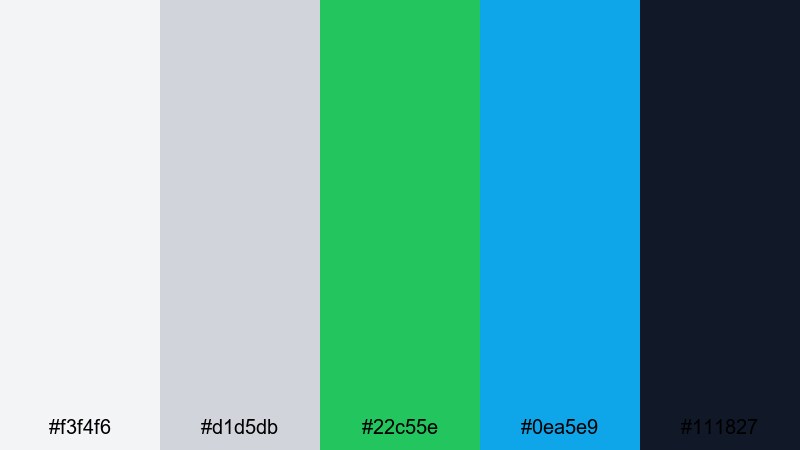
- HEX Codes: #f3f4f6, #d1d5db, #22c55e, #0ea5e9, #111827
- Mood: Energetic, high-tech, and dynamic.
- Use for: Great for tech reviews, gaming intros, and fast-paced motion graphics.
Neon Circuit Silver grounds bright electric green and cyan in cool neutral silvers and deep navy. It feels like glowing circuitry etched onto brushed metal, perfect for high-tech content.
Use the greens and cyans sparingly as accent strokes, progress bars, or HUD elements, so the base silvers keep everything legible and clean. In Filmora, this palette thrives in animated overlays, glitch transitions, and kinetic titles for gaming, gadget reviews, and sci-fi themes.
Cyberpunk Steel Pulse
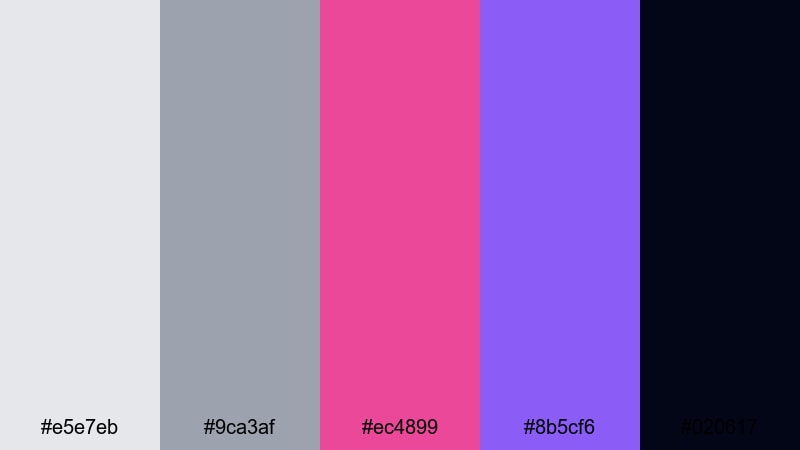
- HEX Codes: #e5e7eb, #9ca3af, #ec4899, #8b5cf6, #020617
- Mood: Edgy, neon-lit, and cinematic.
- Use for: Ideal for trailers, music videos, and stylized city-night sequences.
Cyberpunk Steel Pulse sets cool steel grays against hot magenta and violet neon over a nearly black base. It screams night city energy and underground club visuals.
Use the dark background shade for full-screen titles and scene transitions, then slice in neon magenta and violet for outlines, animated strokes, and typography accents. This silver-and-neon combo is ideal for trailers, music videos, and montage sequences edited in Filmora with bold light leaks and glitch effects.
Aurora Blade Shine
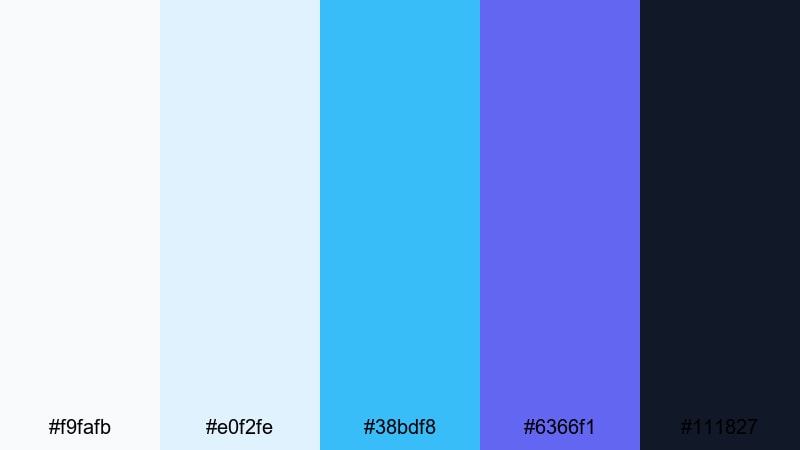
- HEX Codes: #f9fafb, #e0f2fe, #38bdf8, #6366f1, #111827
- Mood: Sharp, luminous, and high-energy.
- Use for: Use for sci-fi titles, app promos, and futuristic explainer videos.
Aurora Blade Shine feels like an aurora reflected on polished steel: icy silvers, bright sky blues, deep indigo, and a sharp dark base. It is perfect when you want visuals that feel crisp and technologically advanced.
Use the lighter tones behind app screens or interface mockups, the bright cyan and indigo on buttons and callouts, and the dark navy for contrast-heavy title cards. In Filmora, combine this palette with clean line animations, zoom transitions, and subtle glow effects for tech startups, SaaS explainers, or sci-fi mini-docs.
Electric Silver Horizon
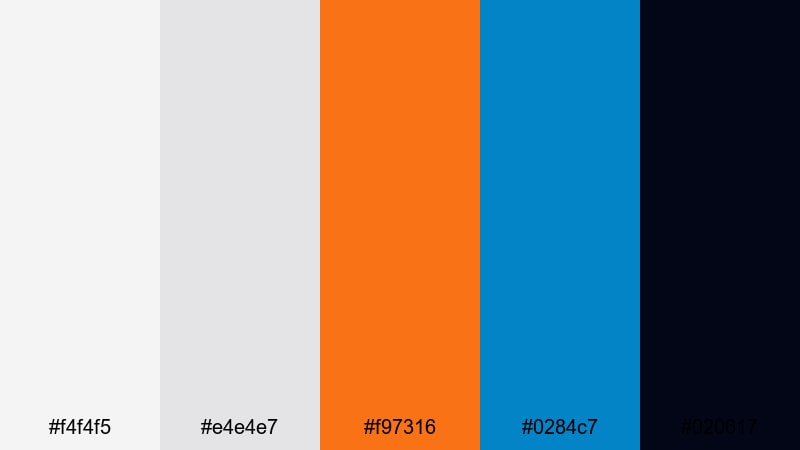
- HEX Codes: #f4f4f5, #e4e4e7, #f97316, #0284c7, #020617
- Mood: Bold, cinematic, and forward-looking.
- Use for: Great for channel trailers, sports edits, and dynamic lower thirds.
Electric Silver Horizon combines soft industrial silvers with a powerful orange and a deep electric blue. It looks like a neon sunset over a metallic skyline, ideal for bold, high-energy edits.
Use the orange to highlight key phrases, scores, or milestones, and the blue for secondary emphasis like social handles or chapter labels. The silvers and dark base keep everything grounded and readable when you cut between fast-moving shots, sports footage, or action-heavy b-roll in Filmora.
Holographic Chrome Wave
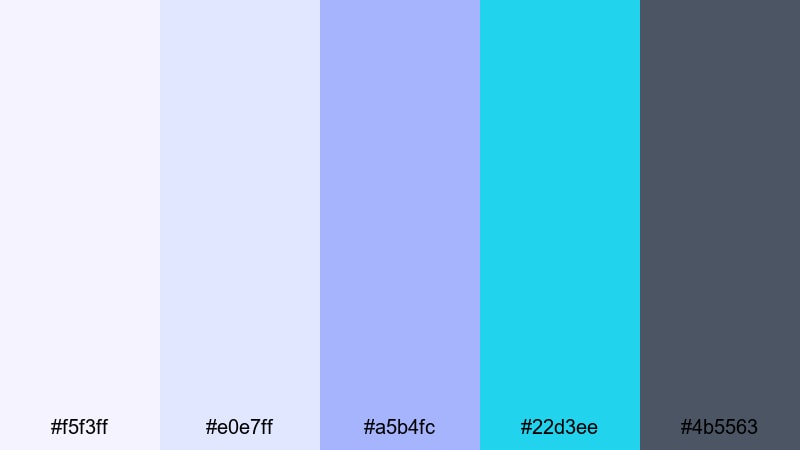
- HEX Codes: #f5f3ff, #e0e7ff, #a5b4fc, #22d3ee, #4b5563
- Mood: Shimmery, playful, and ultra-modern.
- Use for: Perfect for creator branding, music visualizers, and social media graphics.
Holographic Chrome Wave rides on cool chrome grays with iridescent lilac and aqua highlights. It feels playful and futuristic, like a hologram filter over polished steel.
Use the lilac and aqua tones for animated outlines, equalizer bars, or dynamic shapes in your music visualizers and TikTok/Reels graphics. The darker gray keeps text and logos sharp on top. This palette is great for creators who want a trendy, metallic pastel vibe in their Filmora edits, channel art, and social assets.
Tips for Creating Silver Color Palettes
Silver is a flexible neutral that shifts with whatever you pair it with. Use these tips to combine silver with other colors in a way that keeps your videos and designs clear, stylish, and on brand.
- Decide the temperature first: cool silver with blues feels techy, while warmer silver with champagne or taupe feels luxurious and soft.
- Limit strong accent colors to one or two per palette so the metallic neutrals stay dominant and your designs do not look noisy.
- Check text contrast on thumbnails and lower thirds by testing white, dark gray, and black over your chosen silver backgrounds.
- Match silver intensity to footage: softer, lighter silvers work better on bright lifestyle clips; darker graphite tones suit night or cyberpunk scenes.
- Keep branding consistent by reusing the same HEX codes for titles, overlays, and end screens across your whole channel or series.
- Use gradients between two silvers (light and dark) to suggest metal surfaces instead of flat gray blocks.
- When using neon with silver, let silver cover most of the screen area and reserve neon for highlights, buttons, or motion accents.
- Export a frame from your video and color-pick from it to adjust your palette so overlays and graphics feel naturally integrated with the footage.
Silver color palettes can make your visuals feel crisp, futuristic, or luxuriously understated, depending on how you combine them with warm or cool accents. Whether you prefer soft minimalism or bold neon contrast, a well-chosen silver scheme helps viewers recognize your brand at a glance.
Try these 15 palettes as starting points for your next intro, thumbnail set, or full YouTube series. Drop the HEX codes into Filmora, save them as reusable presets, and experiment with AI tools, color grading, and filters until your silver identity feels just right.
The more you reuse consistent silvers across your titles, overlays, and socials, the stronger and more memorable your visual brand becomes.
secure downloadNext: Silver Color Palette
