

 100% Security Verified | No Subscription Required | No Malware


 ChatGPT
 Perplexity
 Gemini
 Claude
 Grok
Grok
Teal Gray blends the calm depth of teal with the balance and neutrality of gray. It feels modern, steady, and quietly confident, which is why you see it so often in tech brands, minimalist workspaces, and cinematic color grades. In video, this hue can cool down harsh footage, unify mixed lighting, and give your content a sophisticated, teal-tinted atmosphere without looking overly stylized.
For creators, YouTubers, and Filmora users, Teal Gray is a smart base color for thumbnails, intros, lower thirds, and full channel branding. The palettes below give you ready-made Teal Gray color combinations with HEX codes, so you can match your overlays, titles, and color grades across videos, social posts, and web graphics.
In this article
Soft & Minimal Teal Gray Palettes
Morning Mist Workspace
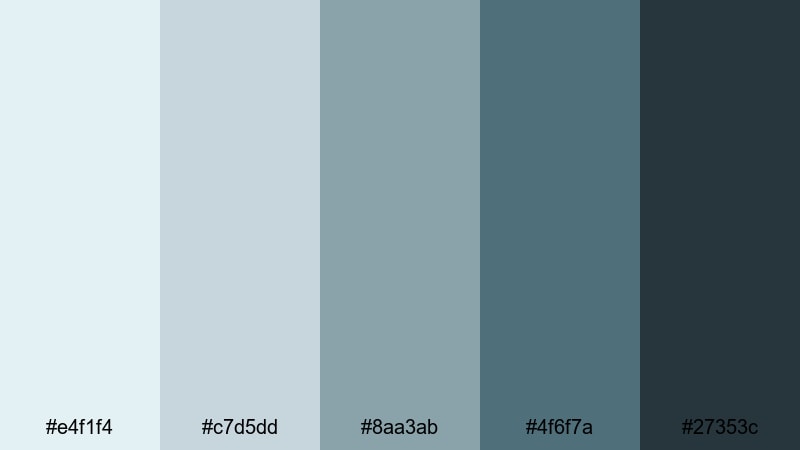
- HEX Codes: #e4f1f4, #c7d5dd, #8aa3ab, #4f6f7a, #27353c
- Mood: Calm, airy, and focused with a gentle morning light feel.
- Use for: Ideal for clean tutorial intros, productivity vlogs, and minimalist channel branding.
This palette feels like early light on a tidy desk: pale, breathable blues and Teal Grays at the top, grounded by deeper slate at the bottom. It is quiet and uncluttered, so your subject, voice, or on-screen text always stays in focus.
Use the lightest tones for backgrounds in tutorial intros, screen overlays, or workspace b-roll, and reserve the darker Teal Gray shades for titles, icons, and subtle drop shadows. It works especially well for productivity vlogs, Notion-style setups, and minimalist YouTube thumbnails where you want clarity, not chaos.
Pro Tip: Keep Your Teal Gray Workspace Aesthetic Consistent in Filmora
When you build a calm Teal Gray look like Morning Mist Workspace, consistency across your edit matters more than any single shot. In Filmora, you can create a custom color preset based on this palette and apply it to all your clips, titles, and graphics so your intros, b-roll, and outros share the same misty, focused mood.
Pair solid color backgrounds that match the lighter HEX codes with simple lower thirds in the darker tones. Save them as custom titles in Filmora so every new productivity video instantly matches your Teal Gray brand without having to rebuild the design each time.
AI Color Palette
If you have a reference image or color card that uses this Morning Mist Workspace palette, you can let Filmora do the heavy lifting. Filmora's AI Color Palette feature analyzes your reference frame and automatically applies the same Teal Gray balance across your entire video.
This is ideal when you shoot with different cameras or in changing daylight. Pick one frame that looks perfect, match it with AI Color Palette, and your tutorials, screen recordings, and cutaway shots will all share the same airy Teal Gray mood.
 secure download

HSL, Color Wheels & Curves
Even within a soft palette, tiny shifts make a big difference. Use Filmora's HSL controls to nudge teal hues slightly bluer or greener, and use the color wheels to cool midtones while keeping skin tones natural. Curves let you add a gentle S-curve for contrast so your Teal Gray backgrounds stay light without looking flat.
If you want to go deeper into grading, Filmora's guide to color correction and grading tools can help you refine highlights, shadows, and midtones until your workspace scenes feel exactly as calm and crisp as you imagine.
secure download1000+ Video Filters & 3D LUTs
Once your Teal Gray balance feels right, you can move faster with ready-made styles. Filmora's video filters and 3D LUTs make it easy to turn this soft workspace palette into something more cinematic, nostalgic, or high-contrast without losing your core colors.
Apply a cool teal LUT over your edit, then dial back the intensity to taste. Combine subtle filters with your custom Teal Gray backgrounds and title cards, and you will have a signature look for your channel that viewers recognize instantly in their feed.
secure downloadWhispering Coastal Light
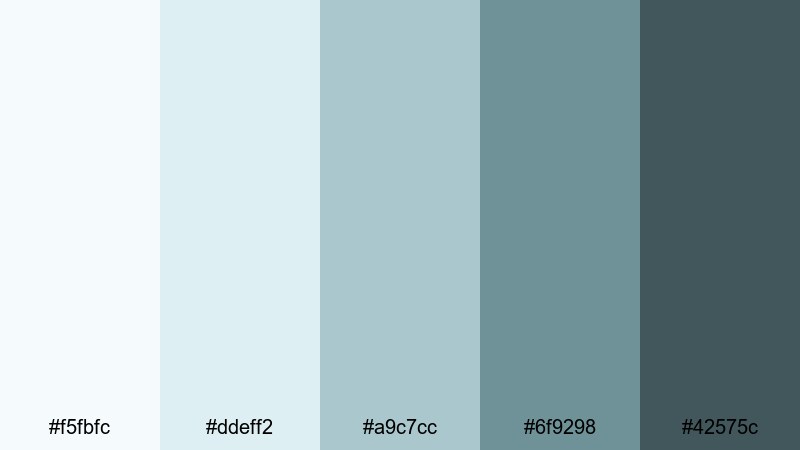
- HEX Codes: #f5fbfc, #ddeff2, #a9c7cc, #6f9298, #42575c
- Mood: Soft, coastal, and soothing like a quiet beach morning.
- Use for: Perfect for lifestyle vlogs, calming b roll sequences, and wellness channel thumbnails.
This palette drifts between pale seafoam and gentle Teal Gray midtones, creating a soft, coastal haze. It suggests open windows, ocean air, and quiet mornings, without the intense saturation of typical beach colors.
Use the lightest shades as backgrounds for wellness quotes, meditation intros, or soft-focus b-roll, and lean on the deeper grays for readable text and icons. On YouTube, it makes calming thumbnails and end screens that stand out from loud neons while still catching the eye.
Frosted Glass Interface
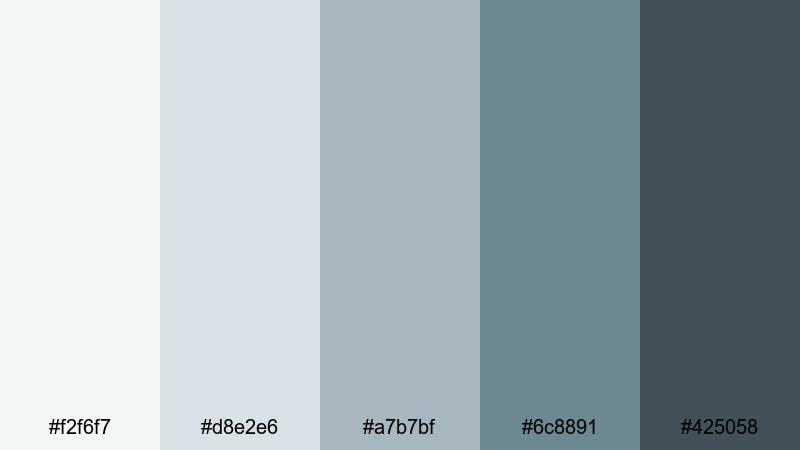
- HEX Codes: #f2f6f7, #d8e2e6, #a7b7bf, #6c8891, #425058
- Mood: Lightweight, polished, and techy with a frosted UI feel.
- Use for: Great for app walkthroughs, motion UI demos, and clean infographic animations.
Frosted Glass Interface mimics modern operating systems and app dashboards, with semi-transparent Teal Gray layers and soft contrast. It feels lightweight yet professional, perfect for tech-forward visuals.
Use the midtones for panels and overlays in your screen recordings, then reserve the darkest gray for key stats, labels, and call-to-action text. In Filmora, this palette is ideal for UI-style lower thirds, animated explainers, and SaaS product demos where clarity and polish are everything.
Soft Studio Neutrals
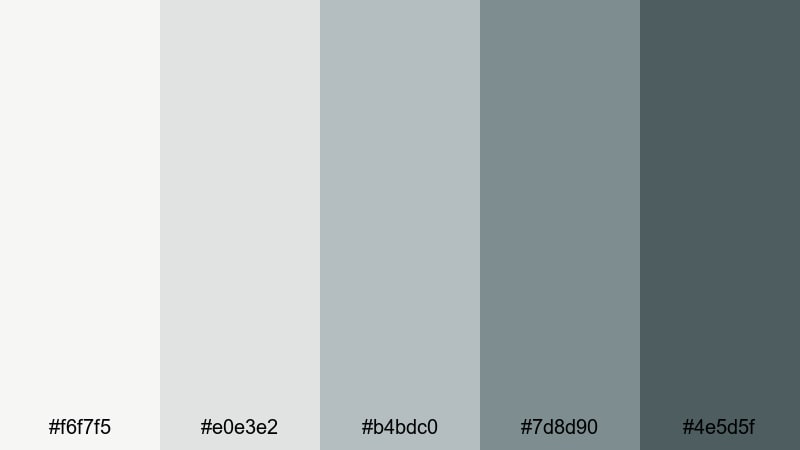
- HEX Codes: #f6f7f5, #e0e3e2, #b4bdc0, #7d8d90, #4e5d5f
- Mood: Balanced, neutral, and sophisticated with a studio backdrop vibe.
- Use for: Use for talking head videos, creator brands, and channels that favor subtle, timeless visuals.
This palette combines muted grays with a faint Teal Gray undertone, giving the impression of a soft studio wall and controlled lighting. It never shouts, which makes it a reliable base for long-form content.
Use the lighter colors for background cards behind your webcam, vertical reels, and channel banners, and apply the darker tones to name tags, timelines, and icons. It suits commentary videos, interviews, and educational content where the message needs to stay front and center.
Modern & Professional Teal Gray Palettes
Urban Blueprint Branding
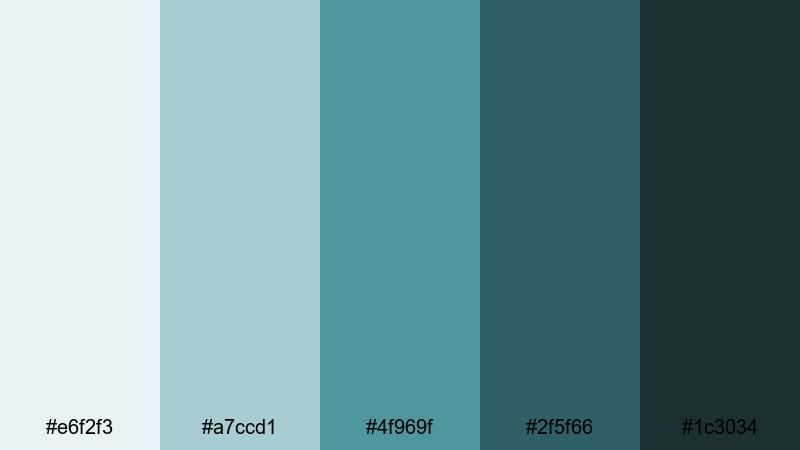
- HEX Codes: #e6f2f3, #a7ccd1, #4f969f, #2f5f66, #1c3034
- Mood: Modern, confident, and structured with an urban edge.
- Use for: Ideal for business intros, startup pitch decks, and YouTube channels focused on entrepreneurship.
Urban Blueprint Branding feels like a city skyline translated into Teal Gray. The cooler highlights and strong midtones suggest glass, steel, and architectural plans, giving your visuals structure and clarity.
Use the bright teal accent for key numbers, arrows, and call-to-action buttons in your videos, while the darkest shade anchors text and logo marks. This palette is great for channel intros, LinkedIn-style explainers, and pitch videos that need to look sharp and investor-ready.
Executive Slate Focus
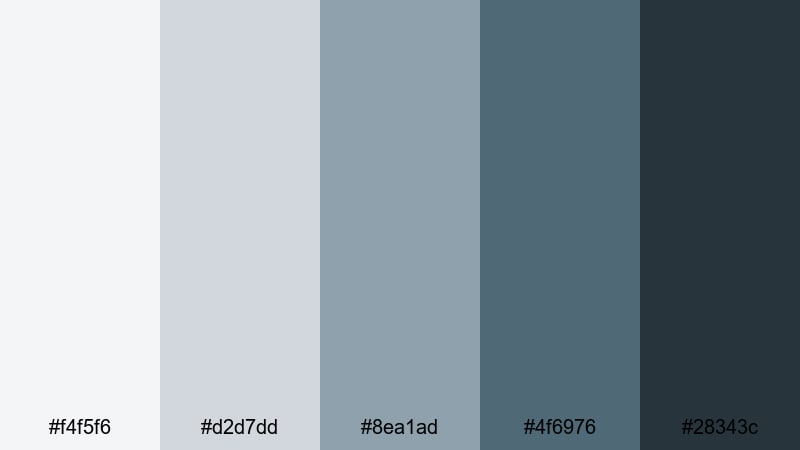
- HEX Codes: #f4f5f6, #d2d7dd, #8ea1ad, #4f6976, #28343c
- Mood: Serious, composed, and trustworthy with executive polish.
- Use for: Great for finance channels, LinkedIn content, webinars, and corporate explainers.
Executive Slate Focus leans more formal, with cool grays and refined Teal Gray accents that feel at home in a boardroom. It carries authority without coming off as cold or harsh.
Use the lighter tones as slide and background colors for webinar overlays, then rely on the darker slate for chart labels, bullet lists, and ticker bars. For finance and business channels, this palette helps thumbnails and intro animations look trustworthy and premium.
Clean Dashboard Teal
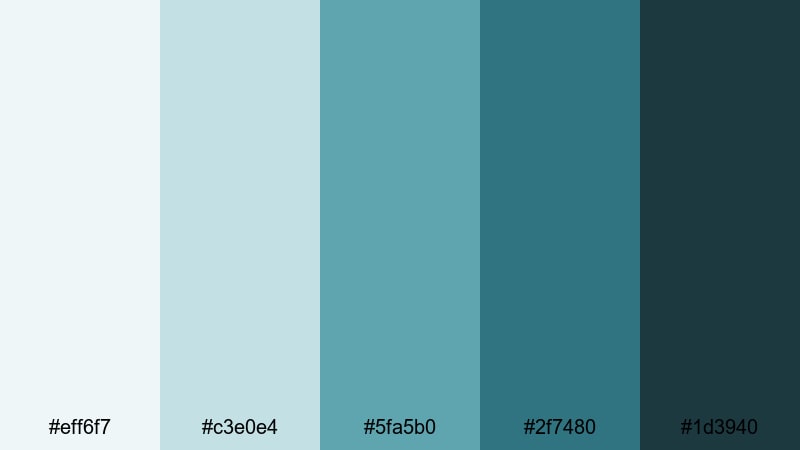
- HEX Codes: #eff6f7, #c3e0e4, #5fa5b0, #2f7480, #1d3940
- Mood: Analytical, crisp, and data driven with a modern SaaS feel.
- Use for: Perfect for analytics tutorials, product UI tours, and software promo videos.
Clean Dashboard Teal feels like a fresh analytics platform: bright neutrals with focused teal accents that pull attention to metrics and graphs. It gives your visuals a data-driven, organized personality.
Use the mid and dark teals to highlight charts, percentages, and key interface elements. The paler colors work well for background blocks behind screen-recorded content or explainers. In Filmora, this palette suits tech products, productivity tools, and dashboard walkthroughs where clarity and precision matter.
Tech Conference Stage
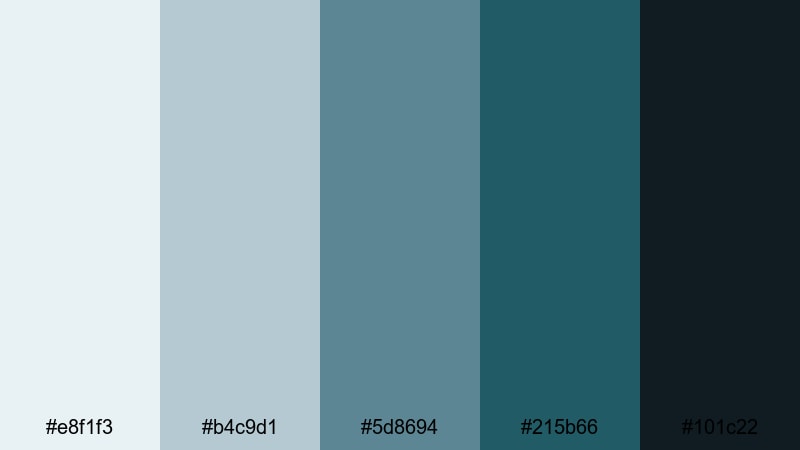
- HEX Codes: #e8f1f3, #b4c9d1, #5d8694, #215b66, #101c22
- Mood: Forward looking, sleek, and slightly dramatic like a keynote stage.
- Use for: Use for event promos, tech conference recaps, and cinematic slideshow intros.
Tech Conference Stage builds a sleek gradient from gentle Teal Grays into deep, almost-black tones, echoing a spotlighted stage in a dark hall. It balances professionalism with subtle drama.
Use brighter hues for speaker names, sponsor logos, and transitions, while the deepest shade becomes your backdrop or letterbox bars for a cinematic feel. This palette is excellent for recap videos, product reveals, and keynote-style slideshow intros cut in Filmora.
Moody & Cinematic Teal Gray Palettes
Stormy Harbor Grade
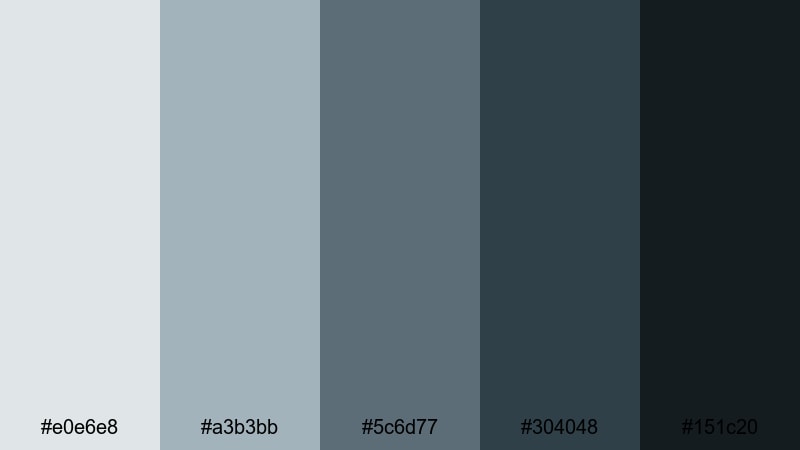
- HEX Codes: #e0e6e8, #a3b3bb, #5c6d77, #304048, #151c20
- Mood: Brooding, cinematic, and atmospheric like an overcast shoreline.
- Use for: Ideal for travel films, narrative shorts, and moody B roll sequences.
Stormy Harbor Grade captures the feeling of a storm rolling in: desaturated Teal Grays, cool highlights, and inky shadows. It immediately adds weight and atmosphere to everyday footage.
Apply this palette as a color grade over travel sequences, cityscapes, or harbor scenes to create a cohesive, cinematic mood. Pair the lighter grays with simple title cards, and let the darkest tones frame your footage with letterboxing or overlay elements in Filmora.
Neon Tunnel Drift
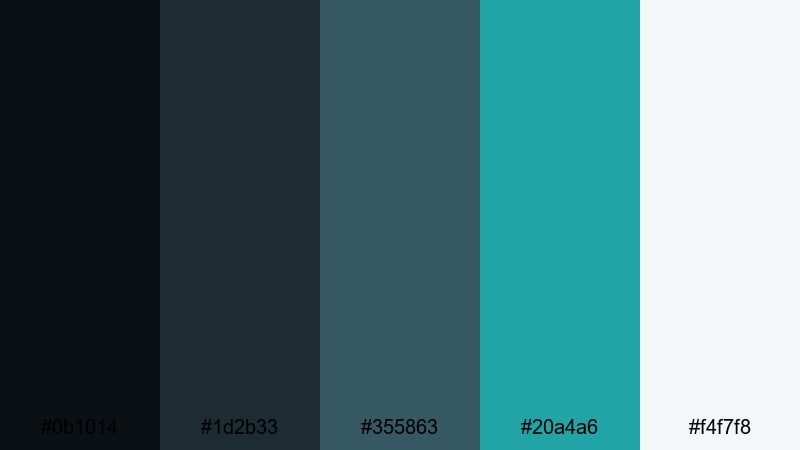
- HEX Codes: #0b1014, #1d2b33, #355863, #20a4a6, #f4f7f8
- Mood: Edgy, futuristic, and immersive with cyberpunk undertones.
- Use for: Great for music videos, gaming intros, and fast paced motion graphics.
Neon Tunnel Drift is all about contrast: deep Teal Gray shadows pierced by electric teal highlights and a touch of light neutral for glow. It feels like racing through a neon-lit tunnel.
Use the darkest shades as a base for gaming overlays or music video backgrounds, then let the bright teal (#20a4a6) become your accent for logos, HUD elements, and animated strokes. The lightest tone is perfect for subtle glows, outlines, and lens flare-style graphics in Filmora.
Nightfall Documentary Tone
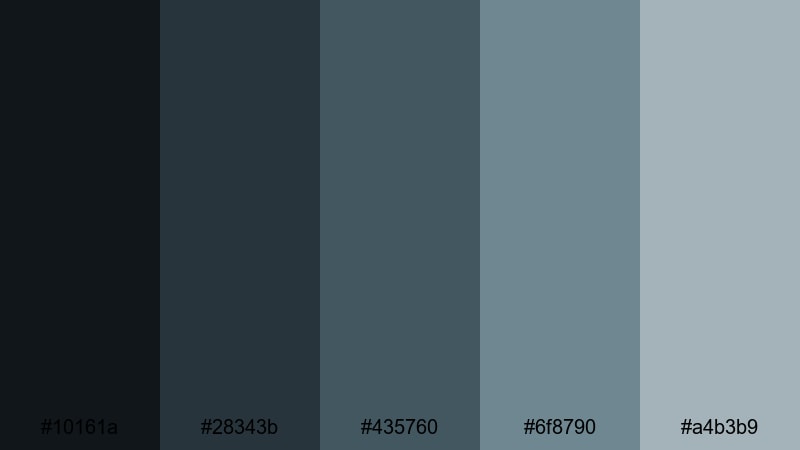
- HEX Codes: #10161a, #28343b, #435760, #6f8790, #a4b3b9
- Mood: Grounded, journalistic, and serious like late evening reportage.
- Use for: Perfect for documentaries, commentary channels, and storytelling content.
Nightfall Documentary Tone layers dark Teal Grays that slowly lift into softer midtones, mirroring the sky just after sunset. It gives your footage a thoughtful, investigative feel.
Use the darkest colors for backgrounds behind lower thirds and topic headings, while the midtones wash over your footage via Filmora's color grading tools. This palette suits commentary channels, mini-docs, and story-driven videos that need a serious but cinematic tone.
Deep Ocean Narrative
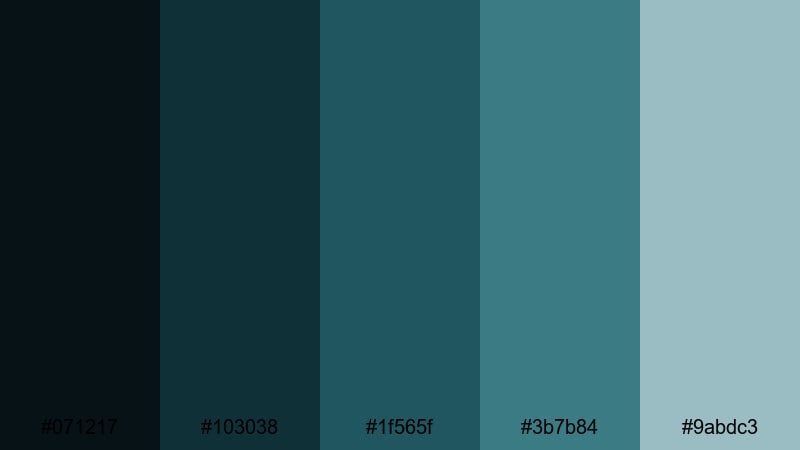
- HEX Codes: #071217, #103038, #1f565f, #3b7b84, #9abdc3
- Mood: Immersive, introspective, and expansive like an open sea.
- Use for: Use for cinematic travel edits, underwater footage, and reflective story pieces.
Deep Ocean Narrative moves from near-black teal depths to misty blue-gray highlights, echoing the layers of the sea. It feels expansive and meditative, ideal for reflective storytelling.
Apply the darkest tones to vignettes or letterbox bars, and let the mid and lighter shades sculpt your midtones and highlights. This palette pairs beautifully with drone shots, underwater clips, and slow travel sequences cut in Filmora.
Playful & Fresh Teal Gray Palettes
Minted Teal Confetti
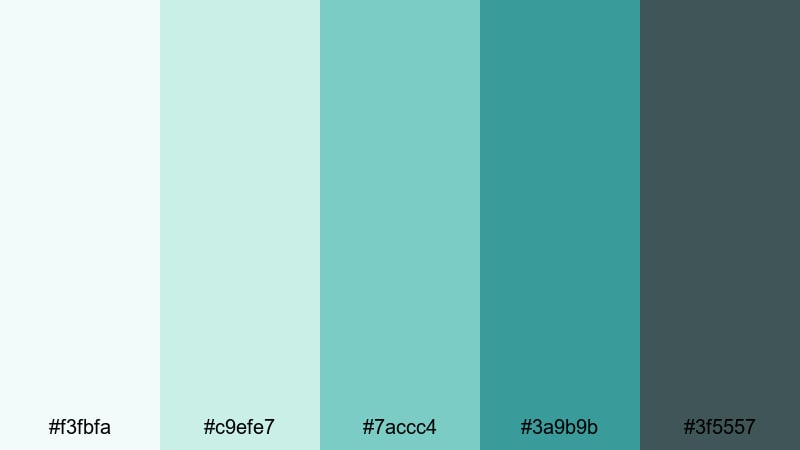
- HEX Codes: #f3fbfa, #c9efe7, #7accc4, #3a9b9b, #3f5557
- Mood: Fresh, upbeat, and playful with a soft mint twist.
- Use for: Perfect for lifestyle vlogs, DIY channels, and upbeat social media edits.
Minted Teal Confetti brings brightness and joy to Teal Gray with soft minty tones layered over grounded grays. It feels friendly and energetic but still mature enough for adult audiences.
Use the mint shades to highlight call-to-action buttons, subscribe reminders, and fun text animations, while the darker gray keeps outlines, drop shadows, and body text readable. It is a great choice for lifestyle thumbnails, DIY intros, and playful reels edited in Filmora.
Coastal Lifestyle Vlog
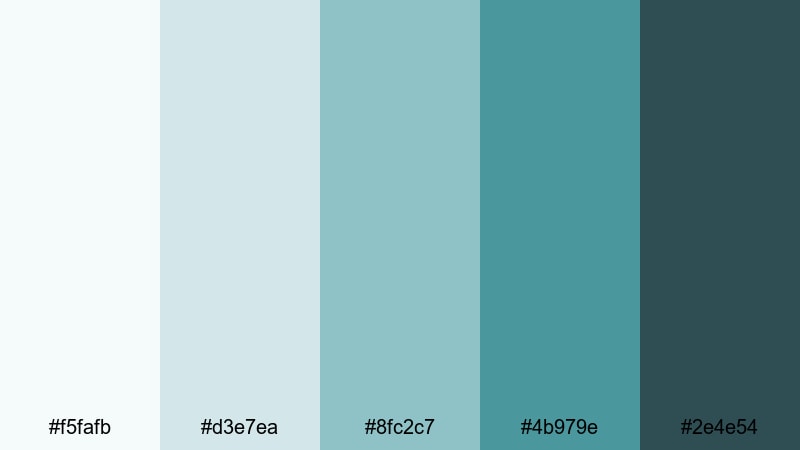
- HEX Codes: #f5fafb, #d3e7ea, #8fc2c7, #4b979e, #2e4e54
- Mood: Light, breezy, and aspirational with a beach town feel.
- Use for: Use for travel and lifestyle vlogs, van life channels, and beach themed intros.
Coastal Lifestyle Vlog feels like a clean seaside apartment: sunwashed Teal Grays and soft aquas that suggest sea breeze and open space. It is aspirational without being overly flashy.
Use the lighter shades as background gradients for text screens and chapter cards, then accent key words or icons with the deeper teal. This palette works well for travel vlogs, everyday lifestyle content, and van life channels that want a relaxed, modern identity on YouTube and Instagram.
Fresh Brewed Teal Morning
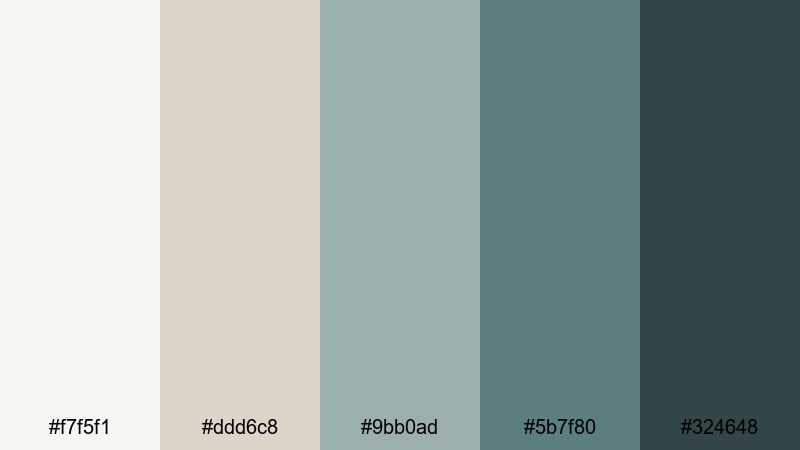
- HEX Codes: #f7f5f1, #ddd6c8, #9bb0ad, #5b7f80, #324648
- Mood: Cozy, grounded, and optimistic like a slow morning coffee.
- Use for: Great for morning routines, productivity vlogs, and aesthetic study with me videos.
Fresh Brewed Teal Morning mixes warm, creamy neutrals with muted Teal Gray, creating a cozy but focused look. It feels like a café table with a laptop and a latte, perfect for calm, productive scenes.
Use the warmer tones in your backgrounds or props and let the Teal Grays handle headings, timers, and on-screen notes. In Filmora, this palette suits morning routines, study-with-me videos, and lo-fi style edits where you want soft motivation rather than high energy.
Tips for Creating Teal Gray Color Palettes
Teal Gray works well because it balances color and neutrality. When you build your own palettes for video and design, focus on contrast, readability, and how the tones support your story or brand.
- Decide the mood first: softer, lighter Teal Grays feel calm and minimal, while darker, high-contrast combinations feel cinematic or edgy.
- Use a limited set of 3 to 5 core colors (background, text, accent, shadow, highlight) so your thumbnails and intros stay consistent.
- Always test text contrast over your backgrounds to keep titles, subtitles, and lower thirds readable on phones and small screens.
- Pick one accent color in the teal range for CTAs, buttons, and key icons, and repeat it across thumbnails, end screens, and overlays.
- Match your grade to your graphics: if your footage is warm, cool it slightly with Teal Gray shadows so titles and overlays feel integrated.
- Save custom color presets in Filmora so you can reuse the same Teal Gray balance across different videos and social formats.
- Avoid over-saturating teal; subtle, slightly muted Teal Grays usually look more professional and age better over time.
- Check your palette on both light and dark interfaces to ensure it works for YouTube thumbnails, channel banners, and website embeds.
Teal Gray color palettes can quietly transform your content, from soft productivity vlogs to dramatic travel films. By choosing the right combination of highlights, midtones, and shadows, you set a mood that supports your story and builds a recognizable brand around your channel.
The palettes above give you ready-to-use HEX codes for thumbnails, intros, overlays, and full color grades. Drop them into Filmora, create a few presets, and experiment with AI Color Palette, HSL, and LUTs until you find a Teal Gray look that feels uniquely yours.
Once you have a signature palette, use it consistently across titles, lower thirds, and social cuts. Over time, viewers will spot your Teal Gray aesthetic instantly in their feed and associate it with your style and content quality.
secure download