

 100% Security Verified | No Subscription Required | No Malware


 ChatGPT
 Perplexity
 Gemini
 Claude
 Grok
Grok
TikTok cafe vlogs live and die by their mood, and the right cozy tone filter can turn a quick coffee run into a scroll-stopping mini movie. With Filmora, you can dial in warm highlights, soft shadows, and gentle contrast that instantly make your cafe content feel intimate and cinematic.
Below are curated TikTok cafe vlog LUTs cozy tone filter ideas tailored for content creators, from morning light pours to late-night study sessions. Use them as creative direction when building or choosing filters in Filmora so every latte shot, window reflection, and journal close-up feels perfectly on-brand.
In this article
Soft Morning Light by the Cafe Window
Honey Cream Latte
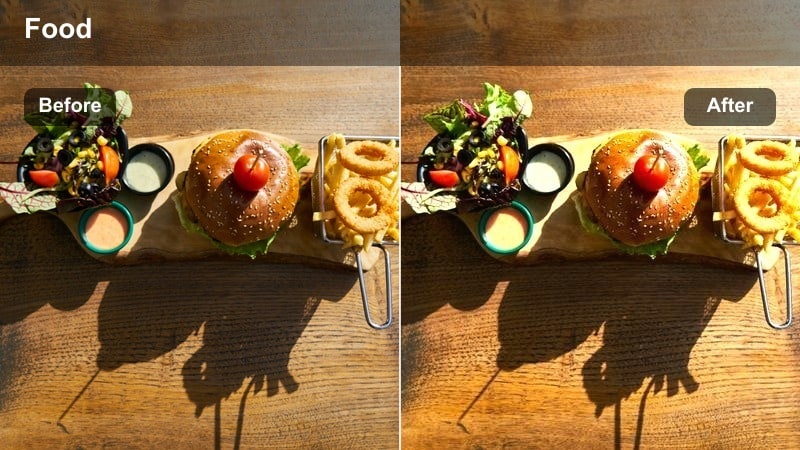
- Effect look: Warm, low-contrast filter that wraps whites and creams in a golden glow for slow, cozy mornings.
- Best for: Cafe vlog clips of first sips by the window, latte pours, and overhead shots of croissants and notebooks.
- Editing tip: Lower clarity slightly and add a subtle vignette in Filmora to keep focus on the center of the frame.
Use Honey Cream Latte as your go-to look when you want your TikTok cafe vlog to feel like a soft, unrushed morning. In Filmora, start by gently warming the temperature, then lower contrast so whites in mugs, foam, and plates stay creamy instead of stark. This combination lets natural window light roll smoothly across your scene, giving pastries, notebooks, and your hands a flattering, buttery glow.
To finish the look, slightly reduce clarity to soften fine details and add a subtle vignette so eyes land naturally on the center of the table. If highlights feel too sharp, lower them a touch before you export. The result is a cozy tone LUT-style effect that works beautifully for intro clips, montage sequences, and quiet cafe B-roll on TikTok.
Build a Consistent Cozy Cafe Palette with Filmora
Use Filmora's AI Color tools to quickly generate a warm, cozy palette that matches the mood of your favorite TikTok cafe vlog clips. Sample tones from your best window-light footage and apply that look across your whole timeline so every shot shares the same latte creams and soft browns.
Once you like the balance of warmth and contrast, save the result as a custom preset. That way, every future cafe vlog can reuse the same cozy tone in one click, keeping your TikTok grid visually consistent even when you film in different coffee shops.
 secure download

Preview Cafe Filters in Real Time
Filmora lets you hover over filters and instantly preview how each cozy tone looks on your own cafe clips. As steam rises and light shifts across your latte, you can quickly decide whether a matte, hazy, or golden filter best fits that moment.
After picking a base filter, fine-tune warmth, contrast, and haze using Filmora's color controls. When the balance feels right, apply the same look to all the relevant clips in your TikTok cafe vlog for a smooth, cinematic flow.
secure download1000+ Video Filters and 3D LUTs
Filmora includes a large library of built-in filters and 3D LUTs you can combine to create your own TikTok cafe vlog LUTs cozy tone. From subtle film looks to bold cinematic grades, it is easy to stack effects and then refine them with HSL and curves.
Use Filmora's color tools to tweak specific color ranges, like warming wood tones or softening saturated reds in decor. When the look feels perfect, save it as a reusable preset so every new cafe vlog can share the same polished aesthetic.
secure downloadWindow Glow Soft
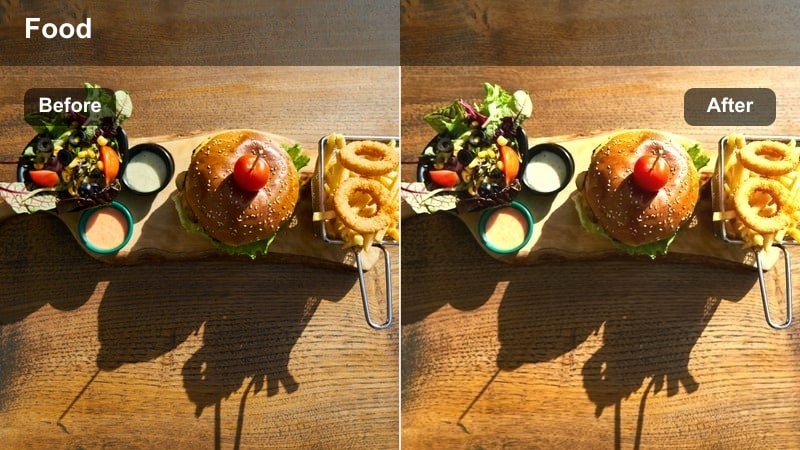
- Effect look: Low-contrast haze with lifted blacks and gentle bloom on highlights for dreamy window scenes.
- Best for: Backlit clips where sunlight hits the mug, slow steam shots, and aesthetic b-roll of passing street reflections on glass.
- Editing tip: Lift shadows slightly and add a light Filmora glow effect so bright edges of mugs and windows feel softly diffused.
Window Glow Soft is perfect when strong backlight risks blowing out your highlights. In Filmora, start by reducing highlight intensity, then gently lift shadows so details in your face, mug, and table do not disappear into silhouette. Adding a small amount of haze or glow gives window edges and steam that dreamy halo that feels made for TikTok loops.
To keep the look polished, watch your scopes while you push the glow effect so whites do not clip into pure white. You can also add a touch of dehaze to the brightest window areas only, regaining the outside view while still keeping an overall soft, nostalgic feel inside the cafe.
Almond Foam Matte
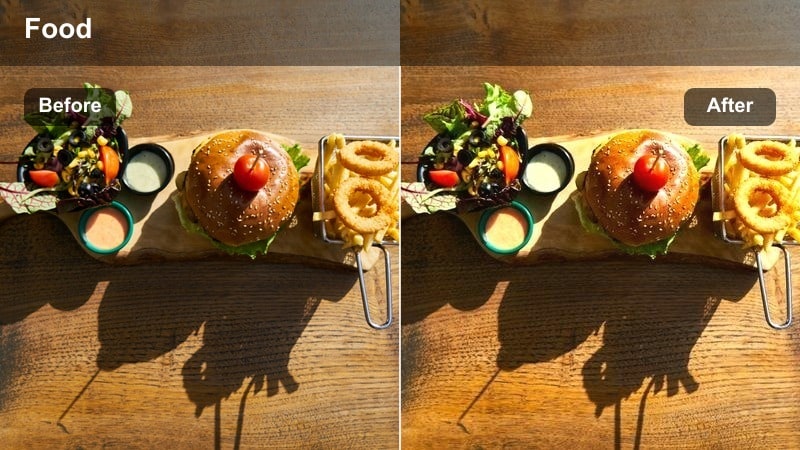
- Effect look: Matte finish with lifted shadows and slightly desaturated colors for a film-inspired morning journal session.
- Best for: Top-down shots of planners, laptop setups, and calm talking clips filmed at a corner table.
- Editing tip: Add a gentle Filmora grain overlay at low opacity to give your TikTok cafe vlog subtle analog texture.
Almond Foam Matte works when you want your cafe vlog to feel like a quiet, analog film still. In Filmora, apply a matte curve by lifting blacks and slightly lowering highlights, then pull overall saturation back a little. This tones down bright packaging and screen colors so your notebooks, pens, and coffee become the visual center.
For extra character, add a fine grain overlay at low opacity to keep the texture subtle, especially on high-resolution vertical exports. If a clip is already noisy from low light, balance the look by reducing grain intensity and relying more on the matte curve and desaturation for that soft, cinematic feeling.
Golden Hour Glow Inside the Cafe
Caramel Golden Hour
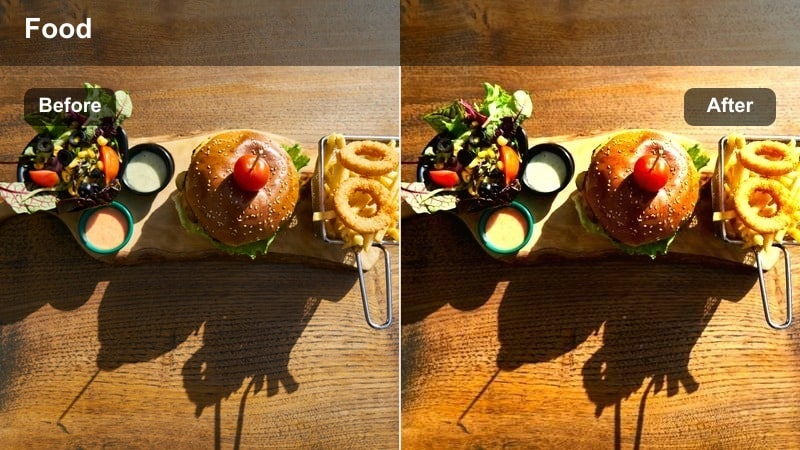
- Effect look: Rich warm contrast with amber highlights that make late-afternoon light feel thick and caramelized.
- Best for: Slow-motion pours, clinking cups, and side-profile shots lit by the setting sun through cafe windows.
- Editing tip: Increase Filmora contrast slightly but pull down saturation in reds to protect skin tones from looking too intense.
Caramel Golden Hour leans into the natural warmth of late-afternoon light to create rich, cinematic cafe vlogs. In Filmora, gently boost contrast, warm the white balance, and emphasize mid-tone warmth so sunlit areas feel dense and caramel-like without turning everything orange. This is ideal for capturing liquid movement, glass highlights, and wood textures at the bar.
To keep skin tones flattering, selectively lower saturation in reds and oranges with color tools while keeping yellows and browns vibrant. Adjust exposure before you apply heavy warmth so you do not crush details in already-contrasty scenes. The result is a filter that feels dramatic but still wearable for everyday vlog content.
Amber Table Vibes
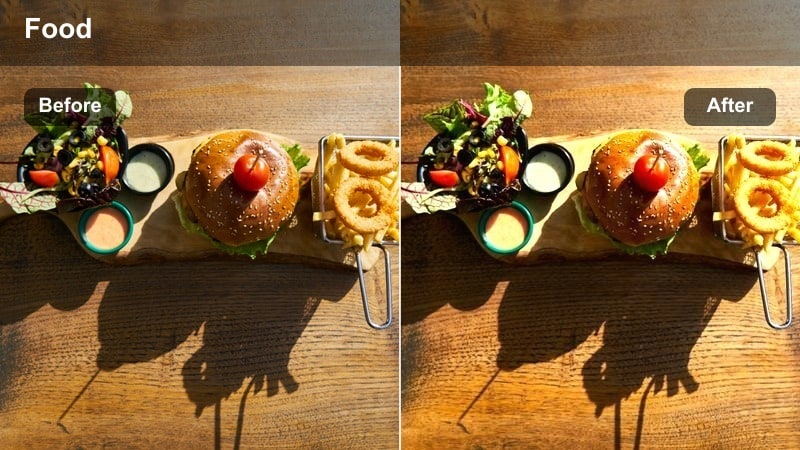
- Effect look: Soft orange and tan shift with gentle vignette to make wooden tables feel extra inviting.
- Best for: Static table shots of pastries, books, and hands reaching for drinks during sunset cafe sessions.
- Editing tip: Use Filmora's vignette tool lightly around the frame edges to frame your table without making it feel heavy.
Amber Table Vibes is designed for flat-lay and static table compositions where the details matter. In Filmora, push a subtle orange and tan shift into mid-tones so wood grains, pastry crusts, and paper edges feel warm and textured. Add a soft vignette around the corners to pull attention toward the center of the table without making the frame feel dark.
For consistency, copy these color and vignette settings and paste them across all your table clips from the same session. If one shot turns out darker, only tweak exposure or brightness, not the color balance, so the entire sequence reads as one cohesive amber-toned slice of your cafe visit on TikTok.
Sunset Foam Glow
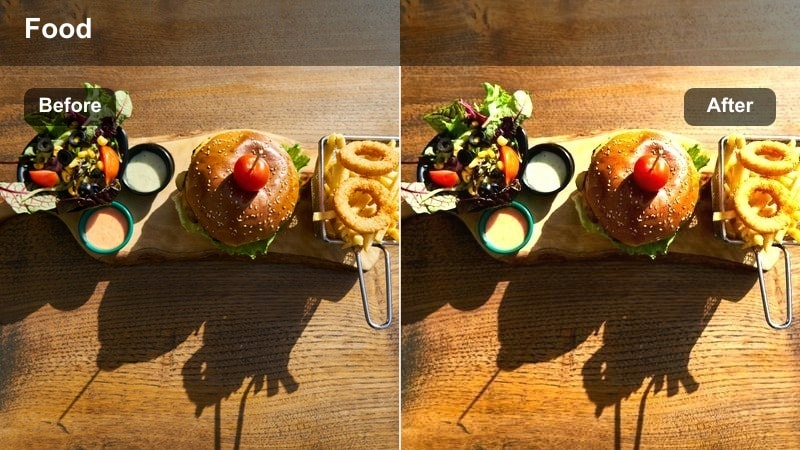
- Effect look: Glowy highlights with pinkish warmth in mid-tones to mimic sunset reflecting on latte foam and glass surfaces.
- Best for: Close-ups of latte art, iced drinks, and glass reflections when the sky outside turns orange and pink.
- Editing tip: Stack a subtle Filmora lens flare effect only on select clips with strong light sources to avoid overdoing the glow.
Sunset Foam Glow focuses on turning everyday drink shots into romantic, eye-catching TikToks. In Filmora, introduce a soft pink-orange tint into mid-tones and add a gentle glow or bloom effect to highlights so foam, ice cubes, and glass rims shimmer with sunset energy. This look is especially effective when natural evening light already adds color to your drinks.
Use lens flare or additional glow effects sparingly, reserving them for shots where the light source is visible in-frame. Place the brightest glow around the main subject, like your latte art or a glass edge, and mask out unrelated bright spots. This guides viewers' eyes and keeps your cozy filter feeling intentional instead of chaotic.
Study Sessions and Work-from-Cafe Corners
Mocha Study Matte
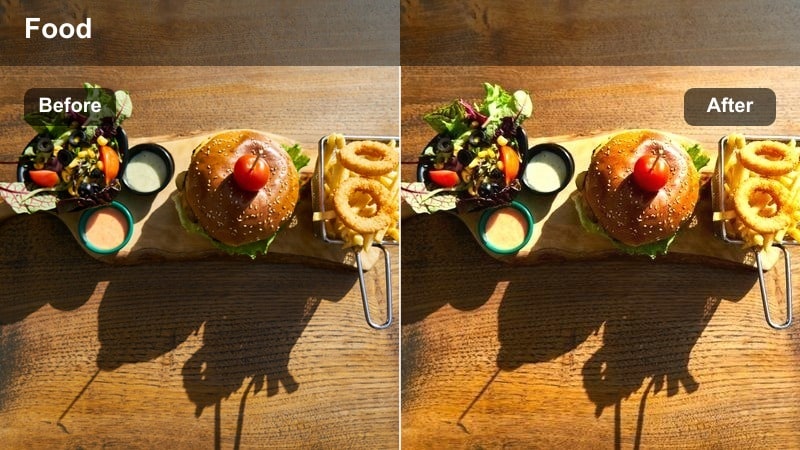
- Effect look: Muted browns with lifted blacks and a gentle matte curve that calms bright colors on screens and notebooks.
- Best for: Cafe desk setups, typing b-roll, and timelapse clips of studying or editing on a laptop.
- Editing tip: Lower saturation of blues and cyans in Filmora so laptop screens do not dominate the cozy tones.
Mocha Study Matte is a calming look for productivity-focused cafe vlogs. In Filmora, apply a soft matte curve by lifting the darkest parts of the image, then push subtle brown warmth into shadows and mid-tones. This turns bright, distracting colors into smooth, mocha-toned elements that support your storytelling instead of stealing attention.
To keep screens and sticky notes from overpowering the frame, reduce saturation in blues and cyans while slightly lowering overall contrast. The result is a focused, study-friendly aesthetic that works perfectly for timelapses, typing B-roll, and quiet voiceover segments about your daily routine.
Quiet Corner Neutral
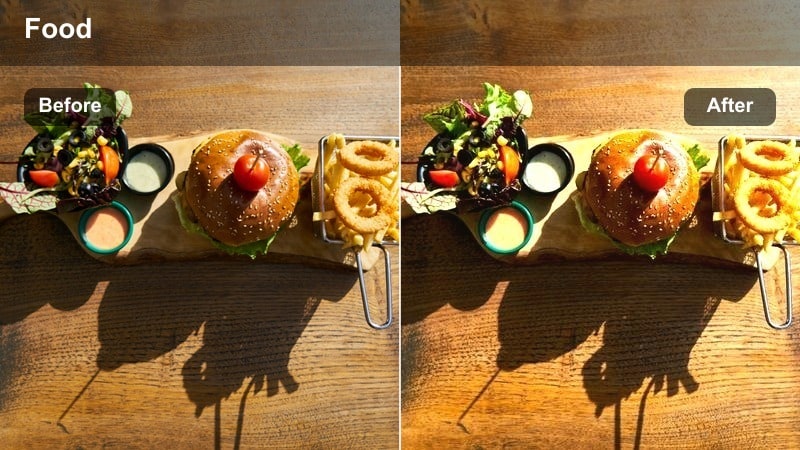
- Effect look: Balanced tones with very soft warmth and minimal contrast for realistic yet cozy cafe scenes.
- Best for: Talking segments, productivity tips, and vlog narration clips filmed in a corner seat or booth.
- Editing tip: Use Filmora's skin tone adjustment to keep faces natural while the rest of the frame leans slightly warm.
Quiet Corner Neutral is ideal for talking-to-camera shots where you need to look natural and professional but still on-brand cozy. In Filmora, keep contrast moderate and add just a hint of warmth to the overall image. This preserves the true colors of your outfit, drink, and background while still giving viewers that soft cafe comfort.
Refine the look by using Filmora's skin tone controls to keep your face neutral and flattering even as nearby walls or decor lean warmer. If the background has strong colors, selectively reduce saturation in those hues so your face remains the clear focal point for TikTok viewers.
Desk Lamp Cozy
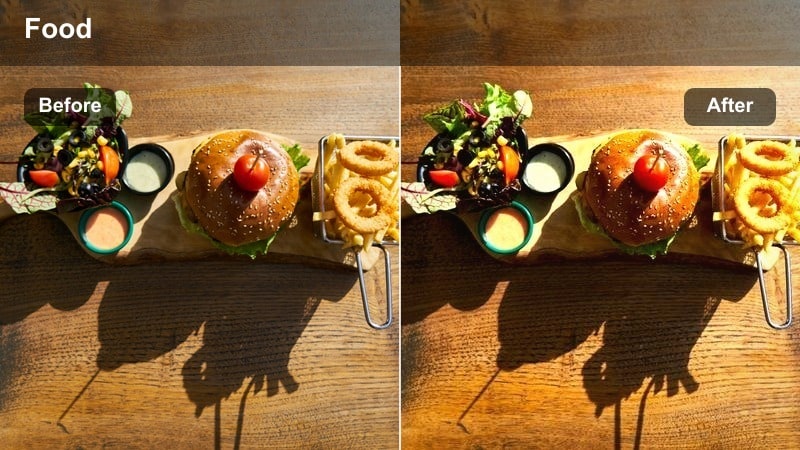
- Effect look: Warm tungsten-style cast with softened shadows for evening study clips lit by small lamps.
- Best for: Low-light desk shots, handwriting close-ups, and ASMR-style page-turning in dim cafes.
- Editing tip: Raise Filmora noise reduction lightly on shadow areas to keep the cozy mood without distracting grain.
Desk Lamp Cozy leans into warm, tungsten-like lamp light to turn dark corners into intimate study spaces. In Filmora, warm your white balance and subtly soften contrast so shadows roll off gently instead of looking harsh. This makes your notebook pages, pen movements, and coffee cup glow in a comforting pool of light.
Because these scenes are naturally darker, add light noise reduction in Filmora to clean up shadow grain while protecting important texture. Expose for the lamp and your hands first, then in post gently lift mid-tones to reveal just enough background detail without losing that cinematic, pocket-of-light feeling.
Night Cafe Vibes and Street-Facing Seats
Neon Window Cozy
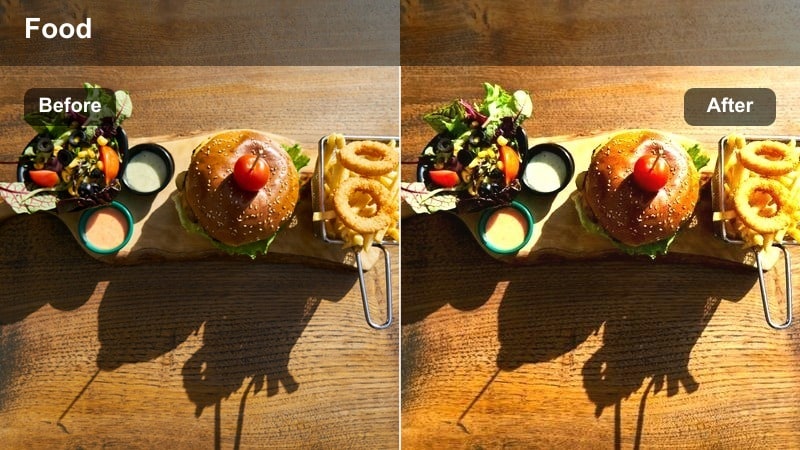
- Effect look: Soft contrast with warm interior tones and slightly cooled shadows for city lights outside the cafe window.
- Best for: Night shots by the window, bokeh of cars passing, and silhouette-style clips of you sipping coffee.
- Editing tip: In Filmora, slightly increase saturation in oranges and yellows to make interior lights feel inviting against cooler streets.
Neon Window Cozy balances warm cafe interiors with cool city exteriors for a classic night-in-the-city feel. In Filmora, push warmth into interior highlights and mid-tones while gently cooling shadows, especially in the window area. This creates a pleasing contrast between your cozy table and the blue-leaning street lights outside.
Increase saturation slightly in oranges and yellows so lamps, candles, and menu boards look inviting next to muted, cool-toned reflections. Compose shots to use reflections creatively and avoid the brightest neon landing directly on your face, then use Filmora's color tools to smooth out any harsh hues into a cohesive, soft nighttime palette.
Midnight Cappuccino Mute
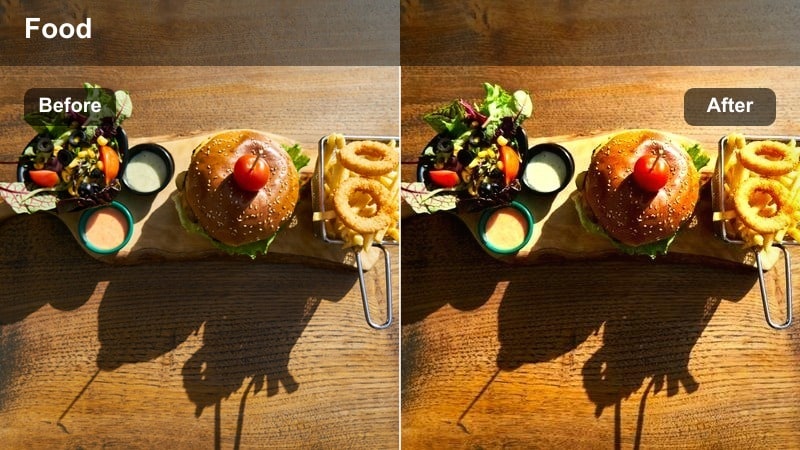
- Effect look: Muted colors with cool-leaning blacks and slightly warm highlights for moody late-night journaling shots.
- Best for: Slow, reflective clips writing in a journal, talking about your day, or packing up after closing time.
- Editing tip: Drop overall saturation in Filmora, then selectively re-add warmth to highlights so candles and lamps still feel cozy.
Midnight Cappuccino Mute is made for introspective, nearly-empty cafe scenes. In Filmora, lower overall saturation and allow blacks to lean slightly cool while keeping a hint of warmth in highlights. This split-tone style makes the scene feel quiet and thoughtful while candles, cups, or overhead lamps still glow softly.
To avoid a flat image, add a small contrast boost and protect important highlights before reducing saturation. Pair this look with slower cuts and minimal camera movement so your moody grading has time to breathe on TikTok, inviting viewers into the calm of your late-night reflections.
Street Seat Glow
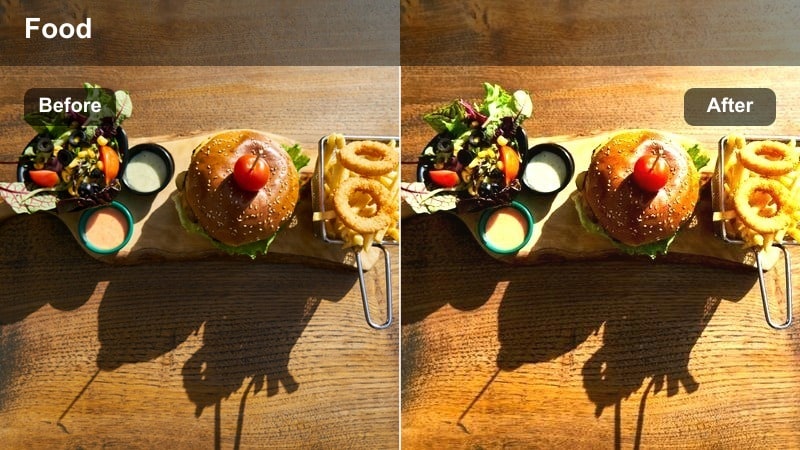
- Effect look: Balanced warm highlights with boosted city bokeh, making passing headlights feel extra soft and cinematic.
- Best for: Clips filmed at outdoor or street-facing seats, sipping coffee while traffic and people move in the background.
- Editing tip: Slightly lower sharpness in Filmora to soften background noise while keeping your face crisp with selective focus.
Street Seat Glow turns your street-facing table into a mini movie set. In Filmora, keep highlights warm and slightly bright while softening overall sharpness so background headlights and shop signs melt into pleasing bokeh. The goal is to keep your face and coffee cup crisp while the city behind you becomes a soft, moving backdrop.
Use a combination of mild blur or reduced sharpness on the full frame, then add a mask or sharpen effect targeted on your face if needed. Stabilize handheld clips slightly so the dreamy glow does not become distracting, and let traffic motion and passerby silhouettes add natural movement to your TikTok loops.
Tips for Using Tiktok Cafe Vlog Luts Cozy Tone Filters in Filmora
- Film in natural window light whenever possible so your cozy tone filters enhance the mood instead of fighting harsh overhead lighting.
- Set your in-camera white balance slightly warm, then refine temperature and tint in Filmora to avoid extreme color shifts that can feel over-edited on TikTok.
- Create and save custom presets in Filmora so you can apply the same TikTok cafe vlog LUTs cozy tone across all clips from a single cafe visit.
- Batch-adjust exposure and contrast for entire groups of clips before fine-tuning color, keeping your workflow fast and consistent.
- Use slow pans, gentle handheld movements, and longer takes so soft, hazy filters have time to showcase subtle light changes and steam.
- Avoid crushing blacks so you still see texture in dark wood, chairs, and decor, preserving the depth that makes cafes feel inviting.
- Mix different cozy presets for morning, golden hour, and night, but keep skin tones consistent so your vlogs still feel like one unified series.
- Preview filters on vertical TikTok framing inside Filmora to be sure key details like latte art and your face stay within the safe area.
With the right cozy tone filters, your TikTok cafe vlogs can feel like mini movies instead of quick throwaway clips, turning every coffee run into a story viewers want to rewatch.
Experiment with these styles in Filmora, then save your own TikTok cafe vlog LUTs cozy tone preset so every new upload looks consistent, warm, and unmistakably yours.
For a portable version of the color grade, Filmora can also export compatible color adjustments from a selected clip as a standard .cube LUT for reuse in Filmora, DaVinci Resolve, Adobe Premiere Pro, or Final Cut Pro.
secure download