

 100% Security Verified | No Subscription Required | No Malware


 ChatGPT
 Perplexity
 Gemini
 Claude
 Grok
Grok
Warm, dreamy home decor TikToks are all about soft light, rich neutrals, and inviting tones that make viewers want to stay and scroll. With the TikTok Home Decor LUTs Warm Aesthetic inspired filter set in Filmora, you can instantly turn ordinary room clips into cozy, binge-worthy content.
Below are curated Filmora filters that mimic trending warm home decor aesthetics on TikTok, from golden sunlit corners to candle-lit evenings. Mix, match, and stack them to build your own signature look while keeping your interior colors true to life.
In this article
Golden Morning Light in Minimalist Rooms
Sunrise Soft Glow
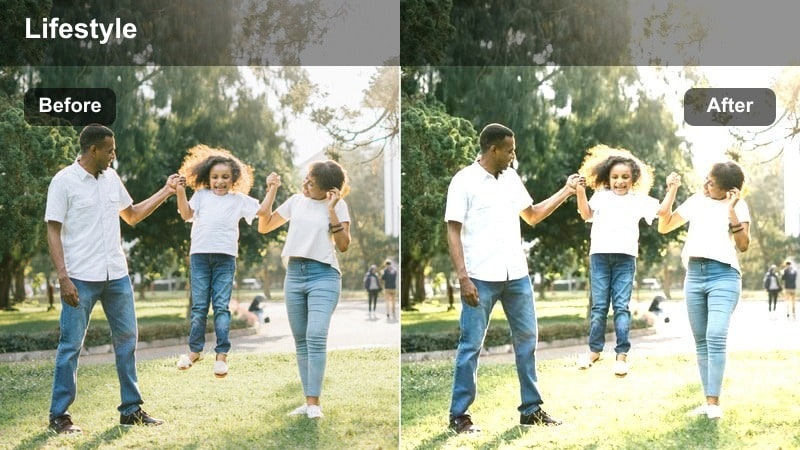
- Effect look: Gently brightened exposure with warm highlights that make white walls and beige textiles feel sun-kissed and airy.
- Best for: Morning bedroom tours, fresh bedding reveals, and minimal living rooms shot near a window.
- Editing tip: Lower contrast slightly and add a touch of Filmora vignette to pull focus toward the brightest part of the room.
Sunrise Soft Glow is designed to mimic that first wash of morning light that makes a minimalist room feel uplifting and calm. Whites stay clean while highlights lean warm, so your bedding, curtains, and rugs look naturally illuminated instead of blown out or overly yellow.
In Filmora, apply this filter to clips shot near a window, then gently reduce contrast and add a soft vignette so the eye is drawn to the brightest, coziest spot in frame. If whites start shifting too warm, nudge the temperature slider back a little and combine with subtle exposure tweaks to keep details in your sheets, walls, and decor intact.
Lock In a Consistent Warm Aesthetic with AI Color Tools
Use Filmoras AI-driven color tools to quickly match the warmth of your favorite TikTok home decor clips. Once you dial in a look you love, save it so every new room tour feels instantly on-brand and visually consistent.
Analyze one hero clip with perfect natural light, then let Filmora apply similar color settings across your timeline. This way, sunrise bedroom shots, hallway peeks, and close-up decor details all share the same cozy tone, even if they were filmed on different days.
 secure download

Fine-Tune Warm Tones with HSL and Color Controls
After you apply a warm home decor filter, use Filmoras HSL and color controls to refine specific hues like wood, plants, or textiles. This helps you keep neutrals creamy, greens natural, and accent shades from overpowering your cozy palette.
Target individual color ranges to gently desaturate loud tones or deepen rich browns without affecting your entire frame. With a few precise adjustments, your TikTok room tours can look professionally graded while still feeling true to your actual space.
secure downloadPreview Warm Home Decor Filters in Real Time
Filmoras filter preview lets you scroll through warm tones, moody nights, and golden daylight looks directly on your own footage. You can instantly see how each style interacts with your walls, furniture, and decor before committing to a full grade.
Stack filters lightly, fine-tune intensity, and compare options on split clips to decide which warm aesthetic best matches your TikTok home decor brand. Once you find your favorites, apply them across multiple shots for a polished, binge-worthy feed.
secure downloadLatte Living Room
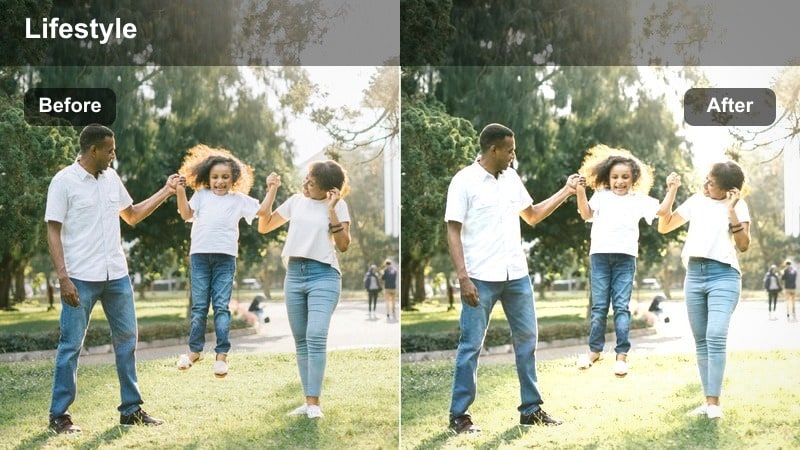
- Effect look: Creamy contrast with subtle brown warmth that deepens wood tones and softens shadows for a coffeehouse-inspired feel.
- Best for: Neutral-toned living rooms, sofa styling videos, and coffee table decor TikToks.
- Editing tip: Use Filmoras color correction to slightly lift shadows after applying the filter so details in rugs and side tables stay visible.
Latte Living Room wraps your neutrals in a creamy, cafe-like warmth that flatters beige sofas, woven textiles, and wood coffee tables. The filter deepens browns and softens contrast, making your space feel like a calm, inviting lounge instead of a flat, overlit room.
Apply it in Filmora to slow, tripod-based shots of your living room, then gently raise shadows in the Color panel to reveal subtle textures in rugs, throws, and decor. Keep saturation under control so the palette stays latte-soft, and use consistent framing for a cohesive TikTok carousel of your coziest corners.
Sun-Drenched Shelves
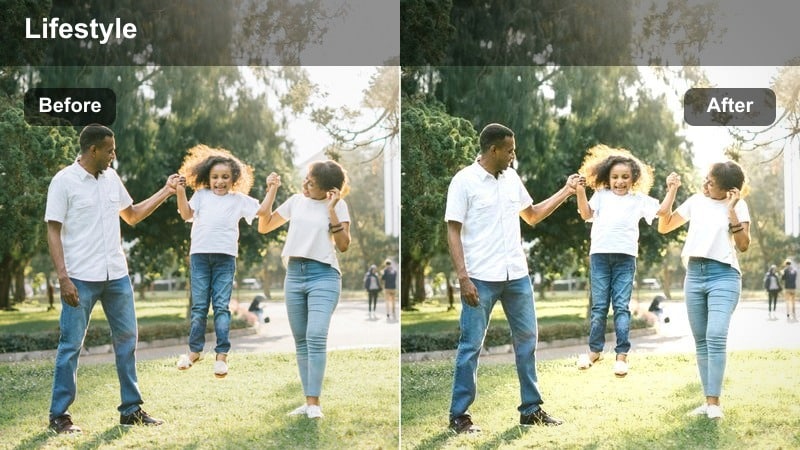
- Effect look: Bright, warm highlights that make styled shelves and decor pieces pop without crushing detail.
- Best for: Shelf styling, decor hauls, and before-and-after organization reveals.
- Editing tip: Slightly reduce saturation on strong accent colors so books and decor stay cohesive with the warm neutral vibe.
Sun-Drenched Shelves is built to highlight curated vignettes, from book stacks to ceramics and plants. It pushes warm highlights while keeping midtones controlled, so light catches edges and textures without losing the detail that makes your styling satisfying to watch.
In Filmora, pair this filter with diagonal angles and slow push-ins across your shelves. If bold book spines or decor pieces start to dominate, dip overall saturation or selectively tone down specific hues in the Color panel so everything fits your warm, neutral TikTok aesthetic.
Golden Hour Evenings and Cozy Corners
Amber Lamp Glow
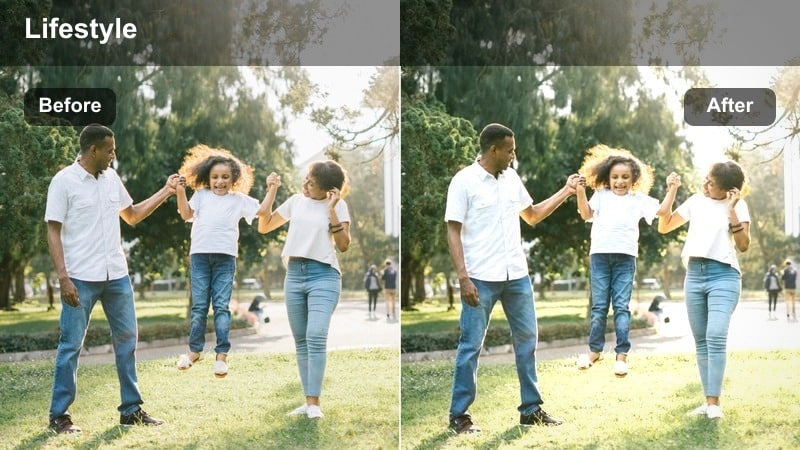
- Effect look: Deep amber warmth with softened highlights that make table lamps and floor lamps feel extra cozy and cinematic.
- Best for: Evening living room shots, bedtime routines, and lamp-focused styling TikToks.
- Editing tip: Lower overall saturation slightly to avoid skin tones looking too orange when you walk through frame.
Amber Lamp Glow leans into rich evening tones, turning simple lamp-lit corners into cinematic scenes. Highlights on lampshades and walls are smoothed and warmed, creating a soft halo effect that immediately signals nighttime coziness to your viewers.
Use it in Filmora on clips where lamps are your primary light source, slightly desaturating to keep skin tones flattering if you appear on camera. Combine with gentle vignettes and slow crossfades between angles of the same corner to build a warm, story-like TikTok sequence.
Candlelit Nook
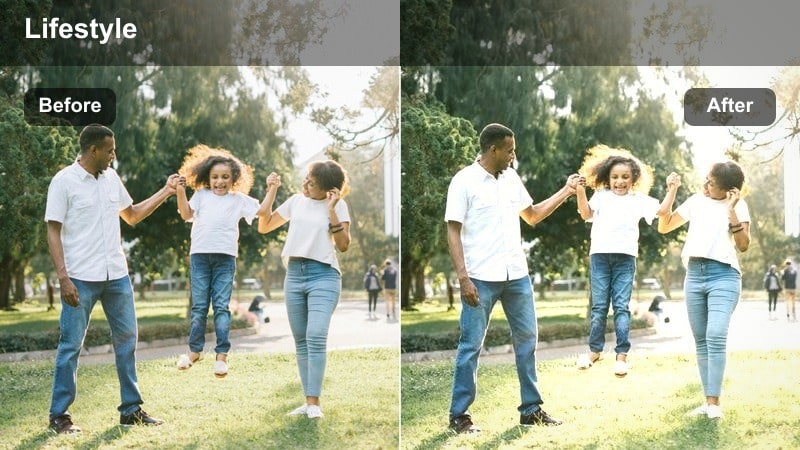
- Effect look: Soft contrast with a warm, low-light feel that mimics candle and string-light ambiance in reading corners and bedsides.
- Best for: Nighttime reading nooks, bedside table tours, and nighttime reset routines.
- Editing tip: Use Filmoras noise reduction lightly to keep dark areas clean while preserving a cozy, grainy mood.
Candlelit Nook captures the intimate glow of candles and fairy lights, softening hard edges and gently lifting shadows so your cozy setups remain visible. It is ideal for bedtime routines and quiet reading shots that benefit from a slightly grainy, analog-inspired atmosphere.
In Filmora, expose your footage for the candle flames first, then apply this filter to let the rest of the room rise softly out of the darkness. Add light noise reduction to keep the image clean while protecting the textured, moody feel, and use slower cuts or subtle speed ramps to match the relaxed nighttime vibe.
Golden Hour Panorama
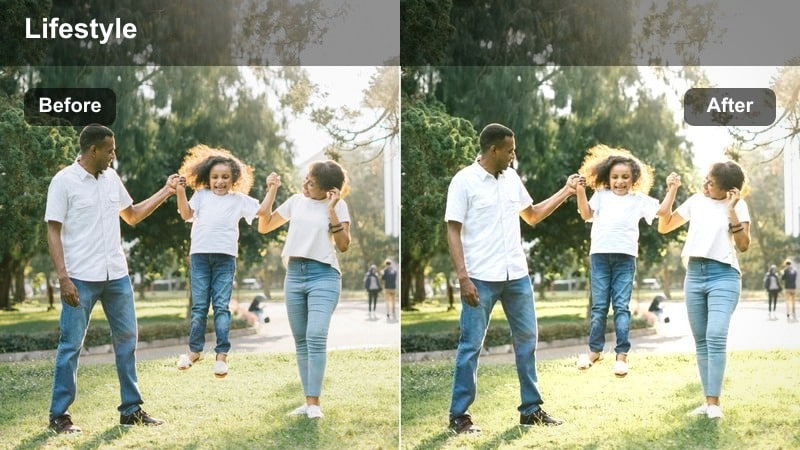
- Effect look: Rich golden tones with slightly boosted saturation that bring sunset light streaming into open-plan spaces.
- Best for: Wide living room pans, open kitchen-living spaces, and balcony-to-living room walkthroughs.
- Editing tip: Stabilize your clip in Filmora before grading so the sweeping movement feels cinematic rather than shaky.
Golden Hour Panorama is made for wide, flowing shots of your space as sunset pours in through the windows. It adds depth to shadows and warmth to highlights, exaggerating the golden cast of late-day light across floors, furniture, and walls.
Apply it in Filmora after stabilizing your handheld pans so the motion feels smooth and cinematic. Slightly reduce saturation on bright accent colors if needed, and experiment with keyframing the filter intensity so your clip gradually warms as you move from bright windows to a cozier interior corner.
Neutral Daytime Room Tours
Creamy Neutrals
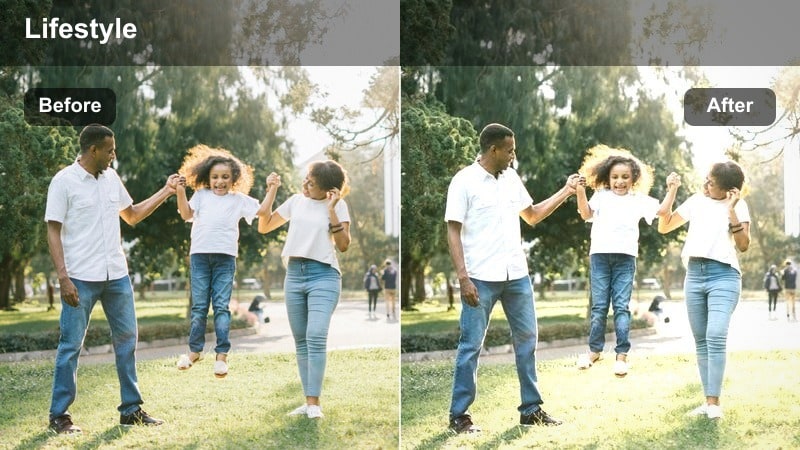
- Effect look: Softened contrast and warm midtones that make white, beige, and taupe decor feel creamy yet still clean.
- Best for: Full room tours, renter-friendly makeovers, and Ikea-style minimalist setups.
- Editing tip: Dial down Filmoras clarity slightly after applying the filter to avoid harsh lines on walls and cabinets.
Creamy Neutrals is ideal for bright daytime walkthroughs where you want your neutral palette to look soft and intentional. It adds warmth primarily in the midtones, keeping whites from turning muddy while giving beiges and taupes a smooth, elevated finish.
In Filmora, use this filter for your full room tours and makeover reveals, then slightly reduce clarity to minimize harsh lines and small imperfections on flat surfaces. Cut your sequence into short shots of each wall or zone, applying the same filter settings across clips so your TikTok feels cohesive from doorway pan to final detail close-up.
Sunny Dining Table
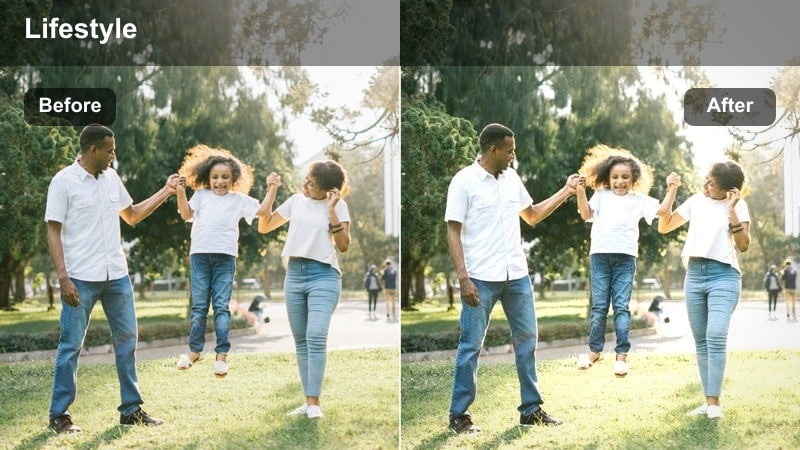
- Effect look: Bright exposure with warm, slightly lifted shadows that make tablescapes and centerpieces stand out.
- Best for: Dining table styling, place setting ideas, and centerpiece close-ups during the day.
- Editing tip: Use Filmoras crop and zoom to add gentle push-in movement while the filter keeps tones warm and inviting.
Sunny Dining Table focuses on brightening your tablescapes while preserving the subtle shadows that give plates, glasses, and linens dimension. The warmth is clean and soft, so neutral dinnerware and simple greenery look elevated rather than overly saturated.
Apply it in Filmora to clips shot near a window, then use crop and zoom to create slow push-ins on your favorite sections of the table. Match the filter across multiple angles, from overhead shots to side views, and trim your clips to the beat of your audio for a polished, save-worthy TikTok styling reel.
Airy Entryway
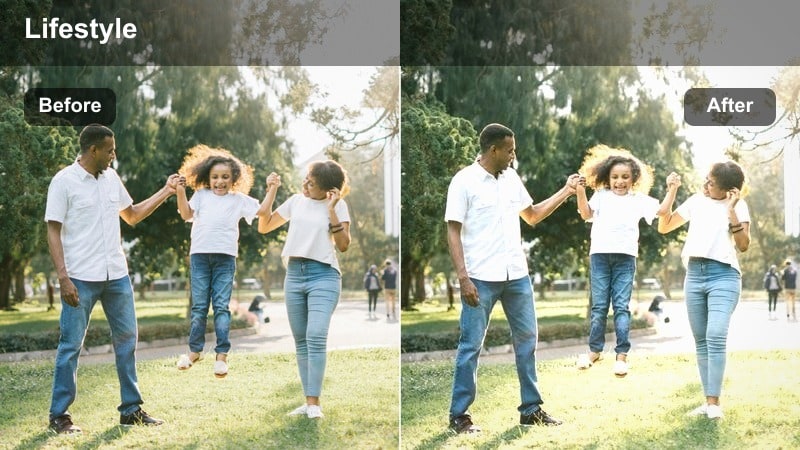
- Effect look: Light, warm lift in the highlights with subtle desaturation for a calm, studio-like entry hall feel.
- Best for: Entryway styling, console table decor, and before-and-after hallway makeovers.
- Editing tip: Straighten vertical lines in Filmora before applying the filter so doors and frames look intentional and clean.
Airy Entryway is tailored for narrow spaces that you want to feel larger and calmer on camera. By lifting highlights and gently desaturating, it creates a soft, editorial look where mirrors, consoles, and wall hooks appear crisp but not stark.
In Filmora, correct your verticals with the transform tools first so doors and frames look straight, then apply this filter to open up the light. Use short clips that begin and end on the same framed mirror or doorway shot, trimming precisely for loops that feel seamless on the TikTok For You page.
Moody Nighttime and Ambient Lighting
Warm String Lights
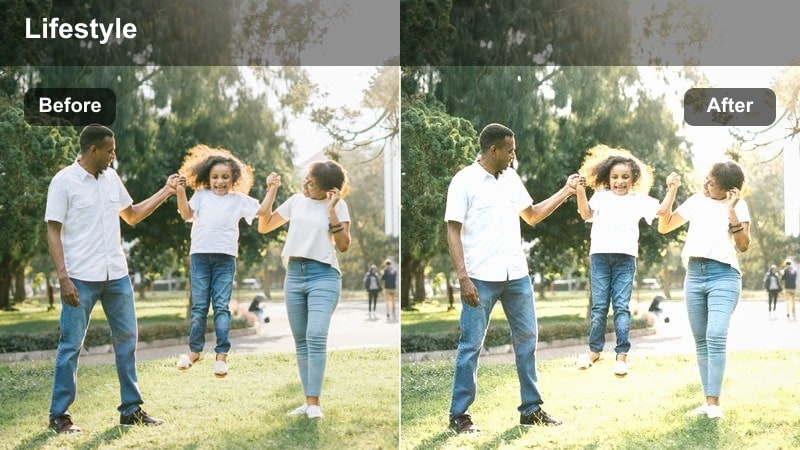
- Effect look: Soft, hazy highlights with warm tones that make string lights and LED strips look dreamy instead of harsh.
- Best for: Bedroom accent walls, headboard lighting, and cozy movie-night setups.
- Editing tip: Lower sharpness slightly in Filmora so light sources bloom softly while furniture edges remain visible.
Warm String Lights turns sharp LED points into a gentle, glowing backdrop that flatters your nighttime bedroom shots. It adds a subtle haze to bright bulbs and LED strips, preventing them from overpowering your frame while keeping the overall scene warmly lit.
In Filmora, pair this filter with shots framed around your accent wall or headboard, then decrease sharpness a touch so the lights bloom softly. Add smooth blur transitions between different walls or angles to enhance the dreamy effect and create a cohesive, cozy TikTok montage of your nighttime setup.
Evening Home Office
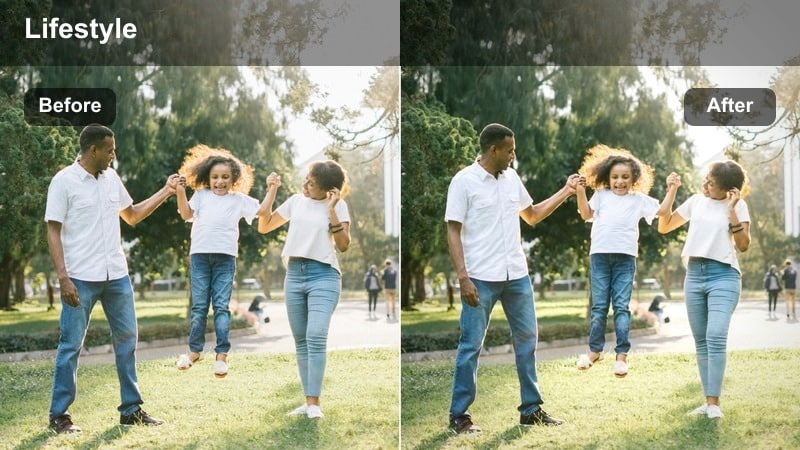
- Effect look: Warm highlights with controlled shadows that make desk lamps, monitors, and background decor feel cohesive after dark.
- Best for: Desk setups, productivity corners, and night editing sessions shown on TikTok.
- Editing tip: Lower blue tones slightly in Filmoras color panel to keep screens from clashing with the warm room lighting.
Evening Home Office balances the cool glow of screens with the warmth of desk lamps so your workspace feels intentional and inviting. It keeps shadows controlled so your keyboard, decor, and shelving are visible without losing that late-night focus vibe.
Apply it in Filmora to your desk setup reels, then gently reduce blue tones so your monitor light melts into the overall warm palette. Stabilize any handheld clips and maintain the same filter settings across overhead shots, side angles, and close-ups to create a cohesive TikTok study-with-me or editing-session sequence.
Moody Corner Lounge
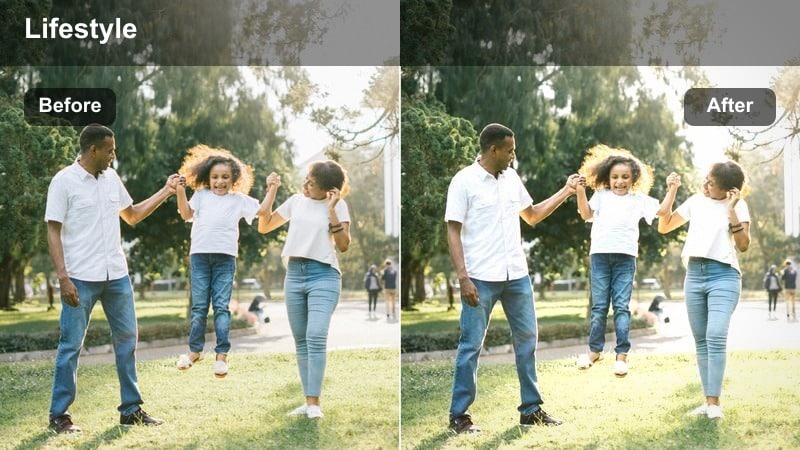
- Effect look: Lowered exposure with rich warm shadows that create a cinematic, lounge-like vibe in small corners.
- Best for: Corner sofas, accent chairs, and nighttime living room reset routines.
- Editing tip: Use Filmoras vignette with low intensity to keep attention on the seating area while maintaining overall warmth.
Moody Corner Lounge is perfect for turning a simple chair-and-lamp setup into a cinematic hideaway. It deepens shadows and leans into rich warm tones, making small spaces feel intimate and intentional rather than dark and underexposed.
In Filmora, use this filter on wide and close-up shots of the same corner, then add a low-intensity vignette to subtly frame the seating area. Keep your cuts aligned with a single continuous audio track so your TikTok viewers experience the space as one cohesive, cozy lounge, ideal for resets and slow-evening content.
Tips for Using Tiktok Home Decor Luts Warm Aesthetic Filters in Filmora
- Film at the warmest time of day in your space, then use Filmora filters to enhance the natural light instead of trying to fix very dark or flat footage.
- Keep main furniture and walls neutral so warm LUTs and filters can define the mood without clashing with bold base colors.
- Shoot multiple short clips of each corner or vignette and apply identical filter settings in Filmora to maintain a consistent aesthetic through your TikTok sequence.
- Avoid pushing saturation too far when using warm filters so wood grains, linens, and skin tones remain believable and flattering on camera.
- Combine slow camera movements with Filmora stabilization for smooth, cinematic room tours that feel polished but still relaxed.
- Save your favorite warm filter combinations as custom presets in Filmora so every new home decor TikTok is just a one-click grade away.
- Balance warm grading with clean whites by slightly adjusting temperature and tint in Filmora whenever bedding or walls start looking too yellow.
- Test filters on a single hero clip first, then batch-apply your chosen look across the full edit to keep your TikTok grid visually on-brand.
A warm aesthetic can turn everyday rooms into scroll-stopping TikTok moments, and the right Filmora filters make that look repeatable in every video.
Experiment with the filters above, save your favorite combinations as presets, and build a cozy, consistent home decor style that your audience recognizes instantly in their For You feed.
secure download