

 100% Security Verified | No Subscription Required | No Malware


 ChatGPT
 Perplexity
 Gemini
 Claude
 Grok
Grok
These TikTok minimal lifestyle LUTs with soft tones are made for content creators who love clean, airy, and distraction-free visuals. Each Filmora filter keeps your feed cohesive while gently polishing your clips with a calm, understated aesthetic.
From quiet morning routines to workspace tours and cozy home vlogs, this collection of soft-tone filters helps you keep skin tones flattering, whites clean, and colors subtle so your lifestyle story not heavy editing takes the spotlight.
In this article
Soft Morning Routines and Calm Starts
Soft Dawn Minimal
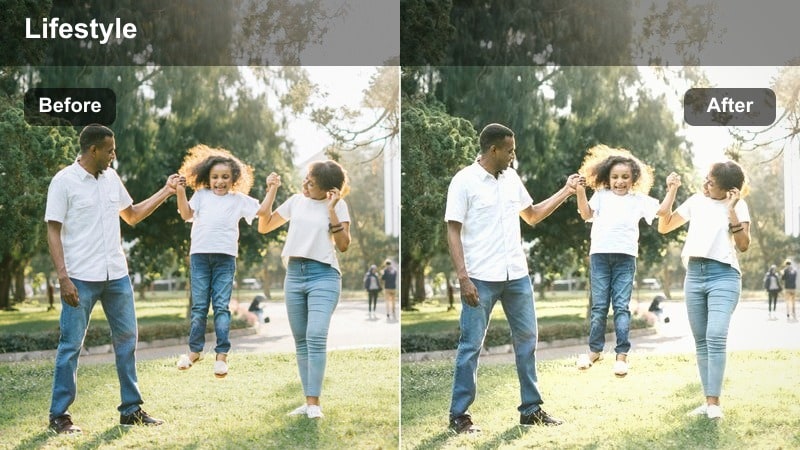
- Effect look: Gentle brightening with low contrast and creamy whites for a calm early-morning vibe.
- Best for: Morning routines, skincare, journaling, and quiet coffee clips near a window.
- Editing tip: Lower saturation slightly and reduce highlights to avoid clipping bright windows.
Soft Dawn Minimal is ideal when you want your first-thing-in-the-morning clips to feel light and peaceful without looking overexposed. The LUT softens contrast, brightens midtones, and keeps whites creamy so your bedding, curtains, and walls look fresh while still holding detail.
In Filmora, apply this preset, then gently pull down highlights and saturation until skin tones look natural and your white areas keep subtle texture. If the image looks too flat, raise contrast just a touch and add a slight clarity boost to eyes and hair while leaving the rest of the frame soft and dreamy.
Match Your TikTok Feed With Smart Soft-Tone Color
Filmoras AI color tools help you keep the same soft minimal palette across all your TikTok clips, even when you film in mixed lighting or on different days. You can use AI color matching to copy the mood of one perfectly graded video to the rest of your lifestyle series.
Open a reference video with your favorite minimal soft tone, then let Filmora analyze its colors and apply that look to new clips. This makes it easy to maintain a clean, cohesive aesthetic for routines, workspace shots, and home vlogs without rebuilding your grade every time.
 secure download

Preview Minimal Filters in Real Time
Filmora lets you preview each minimal lifestyle filter in real time simply by hovering over the preset in the Effects panel. You can instantly see how a soft-tone look changes your clip without committing to a full render or export.
Once you find a filter that fits your morning routines or workspace clips, stack subtle adjustments like exposure, saturation, and fade to customize it into a signature look. Save the combination as a preset so you can apply the same vibe to every new TikTok in seconds.
secure download1000+ Video Filters and 3D LUTs
Beyond these minimal lifestyle looks, Filmora includes a large library of filters and 3D LUTs for every style from cinematic to trendy TikTok edits. You can combine LUTs with soft-tone filters to control both your base color grade and final finishing touches.
Start with a gentle 3D LUT to set the mood, then refine contrast, saturation, and glow using Filmora filters and basic color tools. Once you love the result, save it as a custom preset so your entire TikTok feed keeps the same calm, polished aesthetic.
secure downloadLinen Morning Glow
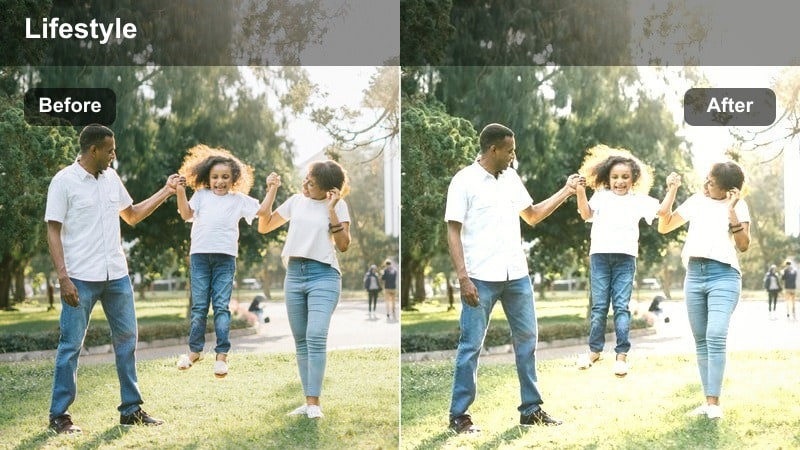
- Effect look: Warm, soft glow with subtle beige tones and a matte finish for calm lifestyle shots.
- Best for: Bed-making clips, cozy loungewear try-ons, and minimal bedroom walkthroughs.
- Editing tip: Use gentle vignette to focus attention on your subject while keeping the frame uncluttered.
Linen Morning Glow adds a touch of warmth and a matte finish that makes neutral bedding, cotton textures, and soft fabrics look inviting without feeling heavy. It gently rolls off highlights so bright duvets and curtains stay smooth and calm instead of harsh.
In Filmora, apply this filter to your morning or weekend reset clips, then add a subtle vignette to pull attention toward the center of the frame. If your scene feels too warm, nudge the color temperature slightly cooler while keeping saturation low, so the beige tones stay elegant and minimal.
Window Light Soft
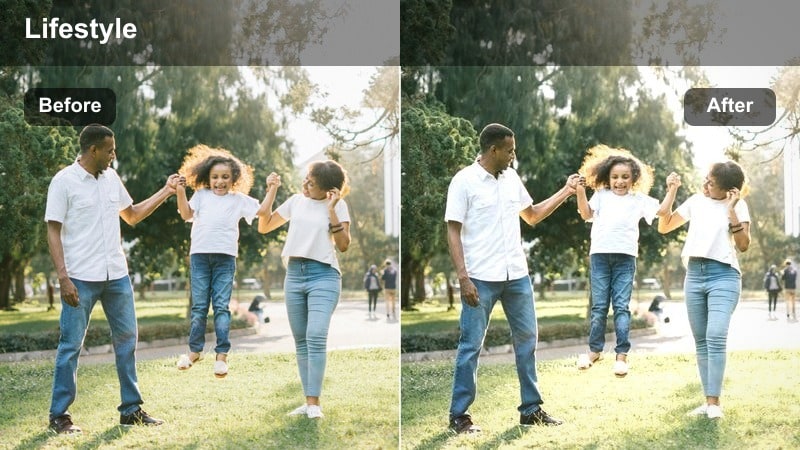
- Effect look: Cool-neutral soft tones that smooth harsh daylight and reduce contrast around windows.
- Best for: Desk by the window, laptop sessions, and minimalist workspace intros.
- Editing tip: Use Filmoras highlight recovery to bring back details in bright window areas after applying the filter.
Window Light Soft is made to control strong daylight pouring in from large windows, turning it into a gentle, even wash of light. The cool-neutral balance keeps whites feeling clean and modern, while reduced contrast helps avoid harsh shadows on faces and objects.
After you drop this preset onto your clip in Filmora, open the color controls and use highlight recovery to rescue any blown-out window areas. If your subject looks a bit dim compared to the background, lift midtones slightly instead of raising overall exposure so the soft minimal mood stays intact.
Minimal Workspaces and Productive Days
Desk Clarity Soft
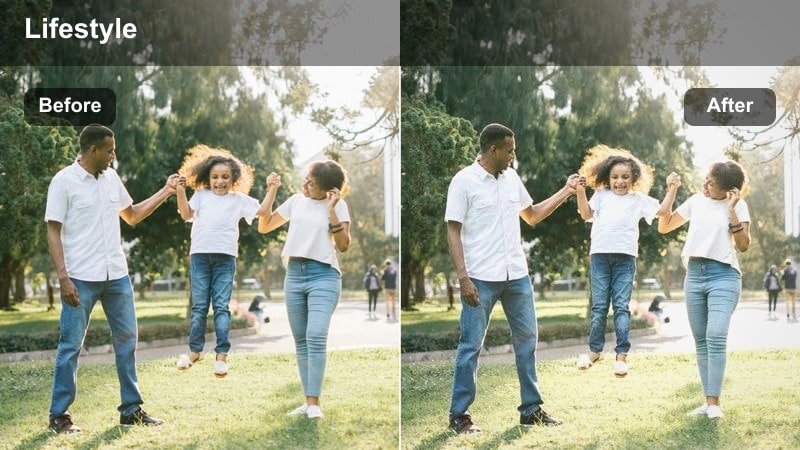
- Effect look: Clean, neutral tones with a subtle clarity boost on edges while keeping overall softness.
- Best for: Desk setups, typing shots, productivity TikToks, and minimal tech layouts.
- Editing tip: Lower sharpness slightly after using this filter to avoid making text or screens look too crisp.
Desk Clarity Soft is perfect for productivity and desk setup content where you want objects to look defined but not clinical. The filter keeps colors neutral and tidy while adding just enough edge clarity so keyboards, notebooks, and accessories look organized and intentional.
In Filmora, apply this preset to overhead or side-angle desk clips, then gently reduce global sharpness so on-screen text and icons do not become distracting. Use subtle crop adjustments to emphasize negative space around your gear, letting the filter highlight straight lines and a clean workspace layout.
Soft Focus Notes
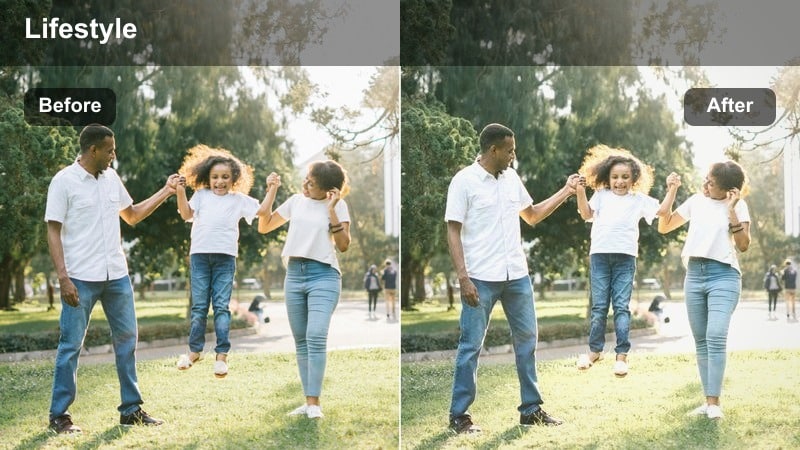
- Effect look: Muted colors with reduced contrast and a gentle fade in the shadows.
- Best for: Note-taking TikToks, aesthetic planners, and overhead shots of minimal stationery.
- Editing tip: Increase saturation of one accent color, like beige or sage, to keep the frame minimal but not flat.
Soft Focus Notes takes harsh, high-contrast paper and pen shots and turns them into calm, design-forward flat lays. The faded shadows and muted tones keep your notebooks, planners, and pens from looking busy, making the written content easier on the eyes.
In Filmora, apply this filter to top-down study or planning clips, then selectively boost one accent color, such as a beige highlighter or sage pen. This gives your TikTok a focal point while preserving the overall minimal palette, and works especially well when you keep the rest of the frame in whites and soft grays.
Minimal Screen Glow
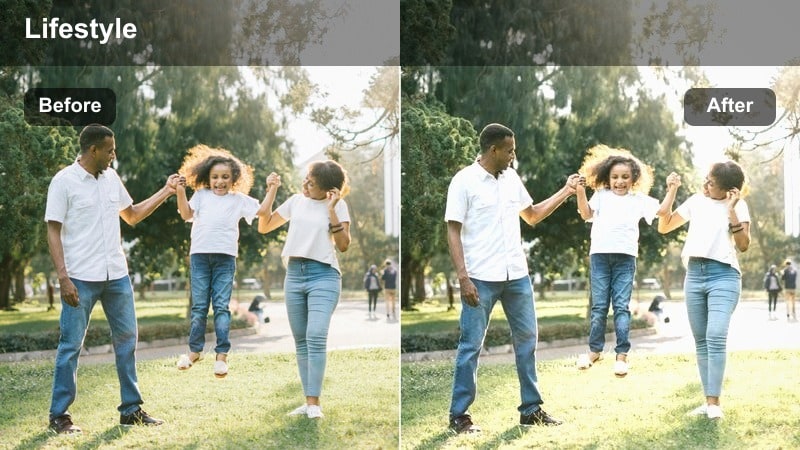
- Effect look: Balanced soft tones that reduce blue light harshness from screens while preserving detail.
- Best for: Screen recording intros, laptop POV shots, and multitasking day-in-the-life TikToks.
- Editing tip: Use Filmoras color temperature to slightly warm up blue-heavy scenes after applying the filter.
Minimal Screen Glow tones down the strong blue cast that often comes from laptop and monitor light, making close-up desk clips feel softer and more human. It keeps text and UI elements sharp enough to read while smoothing the contrast between your screen and surrounding environment.
Once you apply this filter in Filmora, gently warm up the color temperature until your skin tones and desk objects look natural. If your screen still feels too bright, lower highlights or apply a subtle vignette around the edges, keeping attention on your hands or face while holding onto that clean digital aesthetic.
Cozy Minimal Homes and Daily Life Clips
Soft Living Room Haze
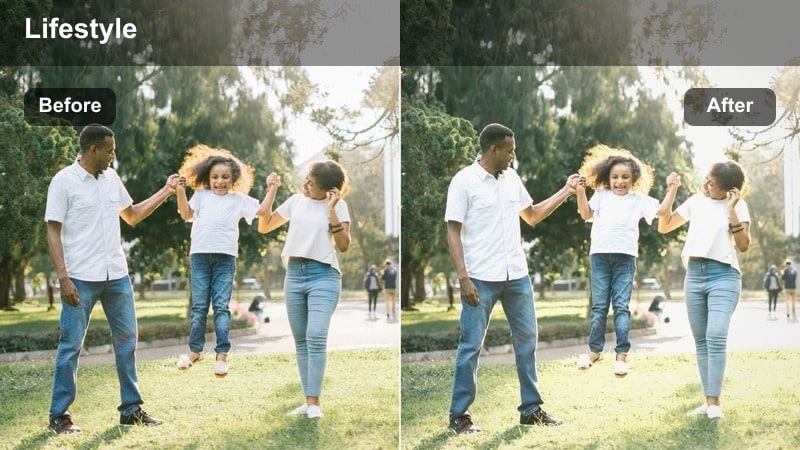
- Effect look: Soft haze over midtones with slightly lifted blacks for a cozy, lived-in look that stays minimal.
- Best for: Living room walkthroughs, couch vlogs, and simple decor TikToks.
- Editing tip: If your room is dark, raise exposure gently instead of boosting contrast so the haze effect stays intact.
Soft Living Room Haze wraps your home clips in a gentle veil that makes neutral sofas, rugs, and decor feel relaxed but still curated. The lifted blacks reduce harsh shadows in corners and under furniture, helping even small spaces appear open and inviting.
In Filmora, use this filter on slow living room pans or sit-down vlogs, then nudge exposure up just enough to see details without crushing the haze. Avoid aggressive contrast or clarity changes; instead, fine-tune white balance so your walls stay neutral and any accent decor does not overpower the soft minimal atmosphere.
Kitchen Soft Matte
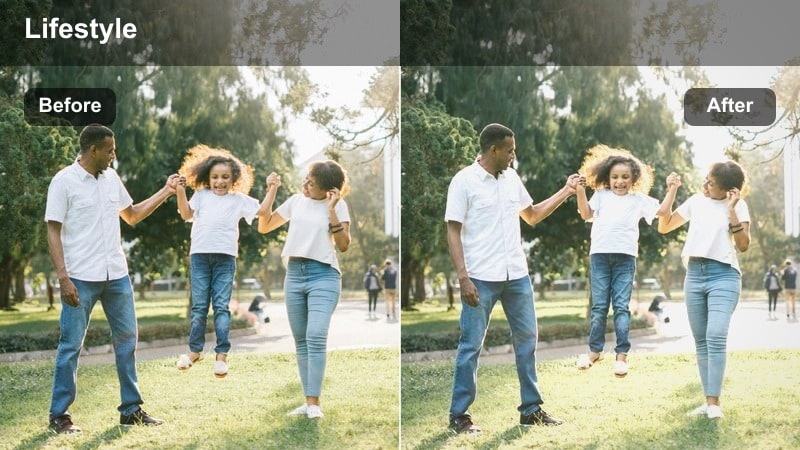
- Effect look: Matte highlights, softened whites, and subtle desaturation for clean countertops and cabinets.
- Best for: Clean-with-me TikToks, minimal kitchen tours, and sink or countertop aesthetic shots.
- Editing tip: Crop in tighter on simple shapes like sinks or shelves to lean into the minimal matte feel.
Kitchen Soft Matte takes the shine off reflective countertops, faucets, and tiles so your space looks clean without feeling clinical. The slightly desaturated palette pulls attention to shapes and lines rather than bold colors, which suits minimal kitchen and reset content.
In Filmora, apply this filter to cleaning or tour clips, then refine your framing by cropping closer to geometric elements like sinks, shelves, and cabinet handles. If overhead lighting makes your whites too intense, slightly lower highlights and add a touch of fade to keep the matte, lifestyle-magazine vibe consistent across your TikToks.
Hallway Minimal Flow
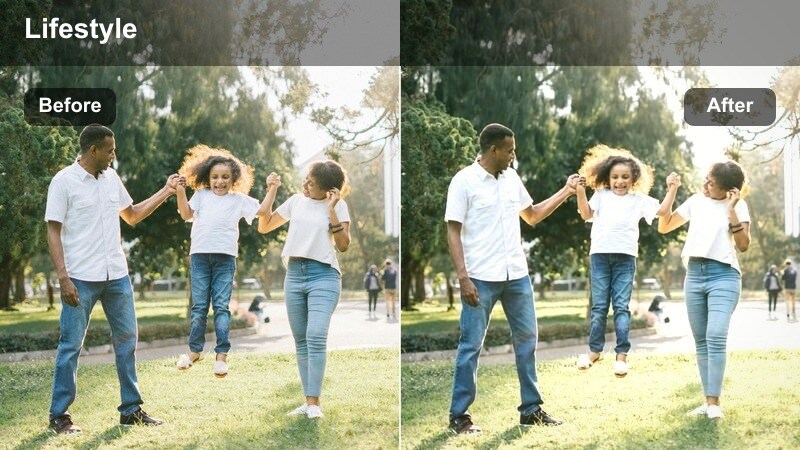
- Effect look: Even, soft exposure with slightly cooled shadows and controlled highlights for simple walk-through clips.
- Best for: Outfit-of-the-day mirror walks, hallway transitions, and door-opening shots.
- Editing tip: Use Filmoras stabilization for handheld hallway clips so the soft tones do not feel shaky.
Hallway Minimal Flow is built for OOTD walks and transition shots where bright walls and mirrors can easily blow out. The filter balances exposure across the frame, cooling shadows a bit so your outfits and flooring stay defined while highlights stay tame.
After dropping this filter onto your clip in Filmora, turn on video stabilization to smooth footsteps and handheld movement, matching the calm tone of the grade. Adjust exposure minimally, then fine-tune white balance so both your outfit colors and hallway whites remain true but understated.
Evening Wind-Down and Nighttime Minimal Shots
Warm Lamp Soft
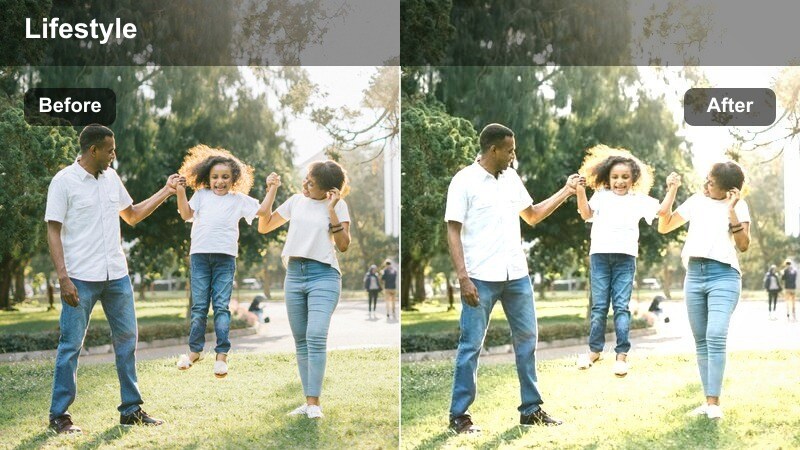
- Effect look: Soft, warm glow around lamps and practical lights while keeping noise under control.
- Best for: Night routines, reading in bed, and cozy corner TikToks lit by a single lamp.
- Editing tip: Reduce grain with Filmoras noise controls so the warm glow stays smooth in darker clips.
Warm Lamp Soft turns a single bedside or floor lamp into a cozy focal point, wrapping your scene in a gentle amber glow. It softens contrast in darker areas so your background fades away while keeping enough detail on your face, hands, and key objects.
In Filmora, apply this filter to your night routine clips, then use the noise reduction tools to smooth any grain that appears in shadows. Lower exposure slightly if lamp highlights start to blow out, and keep additional color adjustments minimal so the warm, unified evening mood stays consistent across all your TikToks.
Blue Hour Minimal
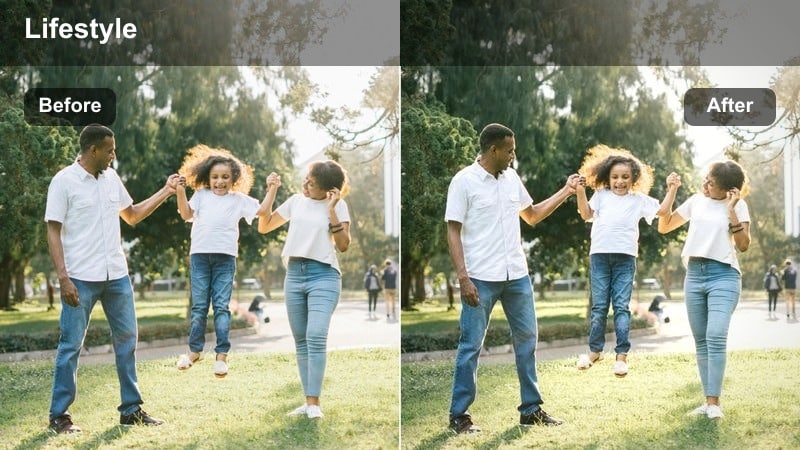
- Effect look: Cool, soft evening tones with lifted shadows for subtle, moody but clean visuals.
- Best for: Window silhouettes, city view from home, and quiet end-of-day shots.
- Editing tip: Add a tiny bit of fade to the blacks for a dreamy feel without losing the minimal look.
Blue Hour Minimal enhances that short window after sunset when the sky turns soft blue and your room begins to darken. The LUT cools tones and gently lifts shadows, letting you capture silhouettes and window scenes that feel cinematic yet still clean.
In Filmora, apply this preset to clips filmed facing a window or balcony, then add a slight fade to the blacks for a dreamy, airy finish. If the image starts to look noisy, trim the darkest parts of the clip and lightly raise exposure instead of pushing shadows too hard, keeping your minimal aesthetic intact.
Night Desk Soft Glow
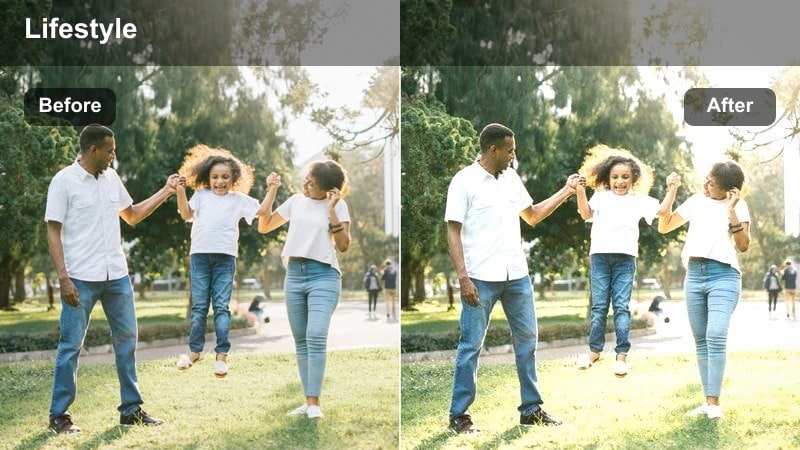
- Effect look: Soft, low-contrast look that gently brightens faces and keyboards under warm desk lamps.
- Best for: Late-night editing sessions, studying, and quiet working TikToks at a small desk.
- Editing tip: Keep white balance slightly warm and let the filter smooth transitions between light and shadow.
Night Desk Soft Glow is made for intimate late-night work or study shots where your only light is a small lamp or your screen. The preset lifts midtones so your hands, notebook, and keyboard are visible without crushing the rest of the frame into darkness.
In Filmora, use this filter on side-angle or close-up desk clips and keep white balance gently warm to preserve the cozy feel. Avoid heavy contrast or sharpening; instead, lean on the filters smooth roll-off between light and shadow, and crop tighter to focus on gestures, typing, or writing motions.
Tips for Using Tiktok Minimal Lifestyle Luts Soft Tone Filters in Filmora
- Shoot in natural light whenever possible so these soft-tone filters can keep your TikTok clips bright without heavy correction.
- Limit each frame to a few neutral colors and simple shapes to reinforce the minimal aesthetic the filters are designed for.
- Record slightly darker than you think you need; Filmora filters usually look better when you lift exposure a bit in editing instead of fixing blown highlights.
- Use the same one or two filters across a whole series so your TikTok grid looks cohesive and recognizable at a glance.
- Avoid over-sharpening after applying soft-tone presets; let the gentle blur and low contrast support the calm mood.
- Film vertical with a bit of headroom so you can crop in Filmora while keeping important details centered after adding filters.
- Turn off overly saturated in-app TikTok filters when recording to give Filmoras subtle presets a clean base to work with.
- Batch edit similar clips with the same filter and adjustments to save time and maintain a consistent lifestyle look.
These TikTok minimal lifestyle LUTs and soft-tone filters give content creators a simple way to keep every routine, workspace, and home vlog clip looking calm, clean, and cohesive.
Load your next set of lifestyle videos into Filmora, test a few of these soft filters, and lock in a signature aesthetic that makes your TikTok feed instantly recognizable.
secure download