

 100% Security Verified | No Subscription Required | No Malware


 ChatGPT
 Perplexity
 Gemini
 Claude
 Grok
Grok
These TikTok night city cinematic LUT-style filters are designed for creators who love neon streets, moody skies, and stylish urban vibes after dark.
Use these presets in Filmora to quickly give your night city footage a consistent cinematic look, from cool cyberpunk blues to warm street-lamp ambers.
In this article
Neon Skyline Moods
Electric Neon Glow
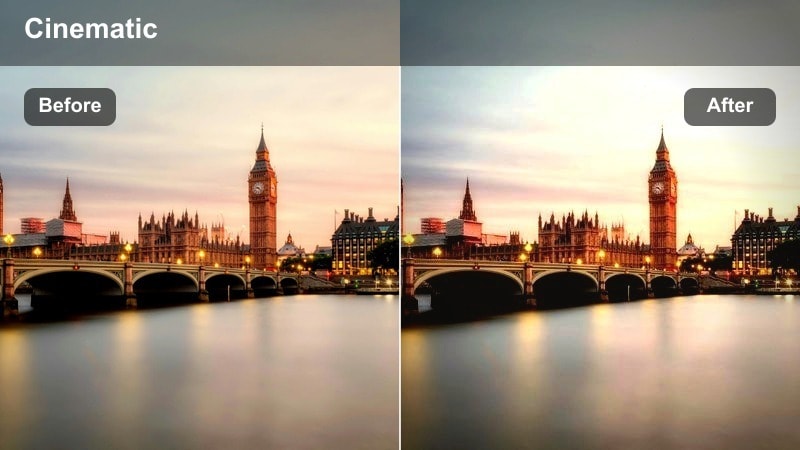
- Effect look: High-contrast, punchy saturation that makes neon signs and billboards glow with a cool cyan and magenta mix.
- Best for: Handheld TikTok B-roll of downtown streets, rooftop skyline shots, and tracking shots of traffic at night.
- Editing tip: Lower exposure slightly and add a subtle vignette to keep attention on the brightest neon elements in the frame.
Electric Neon Glow is your go-to filter when you want TikTok night city footage to feel like a cyberpunk movie. It deepens contrast, boosts saturation, and leans into cyan and magenta tones so billboards, shop signs, and LED screens explode with color without losing detail.
In Filmora, apply this look to your core city B-roll, then fine-tune exposure and contrast so faces remain visible while backgrounds stay intense and energetic. Use it on vertical 9:16 clips of walking sequences, panning shots, and traffic movement to build a consistent neon identity across your TikTok feed.
Speed up grading with Filmora AI color tools
After you add a night city filter like Electric Neon Glow, Filmora AI color tools can quickly refine tones and skin without complex manual adjustments. AI-powered exposure and skin-tone detection help you smooth out harsh contrasts and balance neon colors so everything looks polished on TikTok.
Instead of tweaking curves, use AI to nudge warmth, contrast, and saturation until your clip feels cinematic but still natural. This keeps your night city workflow fast, especially when you are grading multiple TikTok clips in one session.
 secure download

Preview filters on TikTok-style frames
Before you commit to a full export, test your night city filters on true 9:16 vertical footage inside Filmora. Scrub through busy intersections, close-up faces, and fast motion to see whether the look holds up from start to finish on a TikTok-style canvas.
This makes it easy to compare different night city moods on the same clip and quickly pick the one that best matches your sound, pacing, and story.
secure download1000+ Video Filters and 3D LUTs
Filmora includes a large collection of filters, overlays, and 3D LUTs you can combine with these TikTok night city looks. Stack cinematic LUTs, halation effects, and subtle contrast tweaks to craft a unique, repeatable grade for your urban night shots.
Once you find a combo that matches your neon brand, save it as a custom preset so every new TikTok night city video automatically starts from your signature style.
secure downloadMidnight Contrast Streets
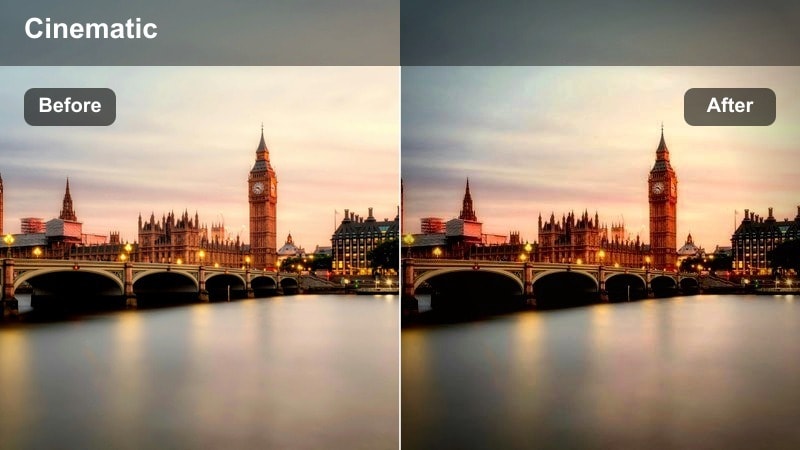
- Effect look: Deep blacks with rich contrast that carves out silhouettes against bright city lights for a dramatic night movie feel.
- Best for: Moody walking monologues, street portrait shots, and slow-motion clips crossing intersections at night.
- Editing tip: Raise shadows slightly if your face gets lost in the dark and add a soft light flare overlay to emphasize backlit scenes.
Midnight Contrast Streets is designed to turn ordinary intersections into intense, cinematic backdrops. It pushes blacks deeper and emphasizes highlights so your silhouette, reflections, and light sources create a strong visual story, especially in wet or high-contrast environments.
In Filmora, combine this filter with subtle shadow lifting and HSL adjustments on skin tones to keep your subject visible while the background stays dramatic. It works especially well on slow-motion B-roll, crosswalk reveals, and talking-to-camera shots framed by car headlights and storefront lights.
Cobalt City Dream
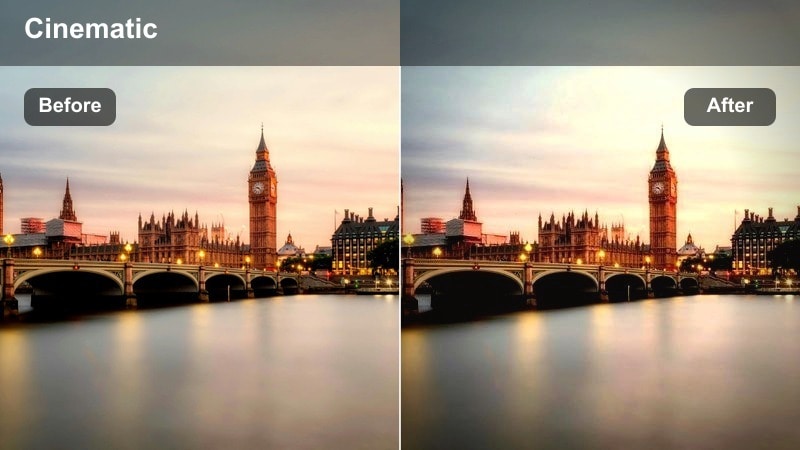
- Effect look: Cool blue wash that shifts ambient light toward cobalt while keeping key highlights crisp and slightly desaturated.
- Best for: TikTok edits of skyscrapers, timelapses of traffic, and dreamy B-roll of reflections in glass and windows.
- Editing tip: Add a slow zoom-in keyframe on skyline shots to enhance the dreamy atmosphere and keep your TikTok loop engaging.
Cobalt City Dream gives your skyline and architecture shots a relaxed, futuristic tone by bathing ambient light in cool cobalt blues. It tones down overly warm street lighting and helps windows, outlines, and reflections feel cohesive and cinematic across your entire sequence.
Inside Filmora, pair this look with gentle camera moves created via keyframing, like slow zooms or pans across the skyline. It is ideal for timelapses or looping B-roll between story beats in your TikTok edit, especially when combined with calm, lo-fi soundtracks.
Street-Level TikTok Vibes
Amber Street Lamps
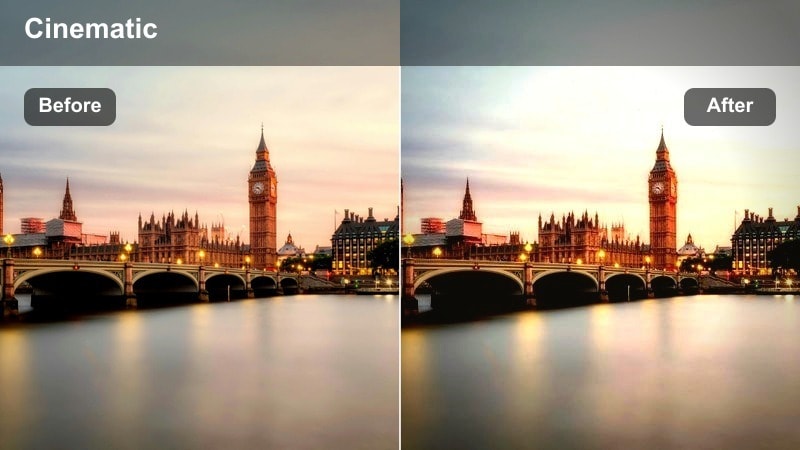
- Effect look: Warm amber tint that leans into orange street-lamp glow while keeping midtones smooth and cinematic.
- Best for: Nighttime TikTok vlogs, convenience store runs, and casual walk-and-talk clips on sidewalks.
- Editing tip: Reduce saturation on reds slightly to avoid oversaturated skin and balance the warmth with a touch of cool shadows.
Amber Street Lamps is made for cozy night vlogs where the story lives at street level. It amplifies the natural orange of sodium-vapor lamps and shop windows, smoothing midtones so your skin looks flattering while the environment still feels warm and inviting.
Use this filter in Filmora on walk-and-talk sequences, night store hauls, or casual check-ins filmed under real street lighting. Dial down red saturation if needed, and add a touch of cool tint to shadows to keep the look cinematic instead of overly orange, especially for longer TikTok edits.
Subway Noir Frames
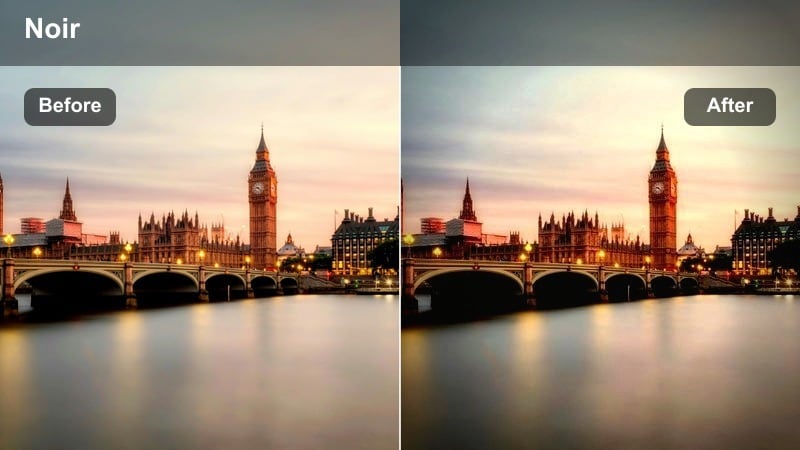
- Effect look: Low-saturation, cool-toned treatment with strong contrast that emphasizes fluorescent lights and shadowy corners.
- Best for: Underground subway shots, escalator rides, and edgy TikTok transitions between platforms.
- Editing tip: Use speed ramping on your escalator or train clips to make entrances and exits hit perfectly on beat.
Subway Noir Frames strips some saturation and leans into cool tones to create a gritty, cinematic subway aesthetic. Harsh fluorescents, tiled walls, and deep tunnel shadows become graphic shapes that frame your subject and add intensity to transitions or storytelling moments.
In Filmora, combine this filter with speed ramps and precise cuts synced to music for escalator rides, platform walks, and train arrivals. A little film grain and minimal camera movement help complete the noir mood, making even simple waiting shots feel like scenes from a thriller.
Rainy Crosswalk Glow
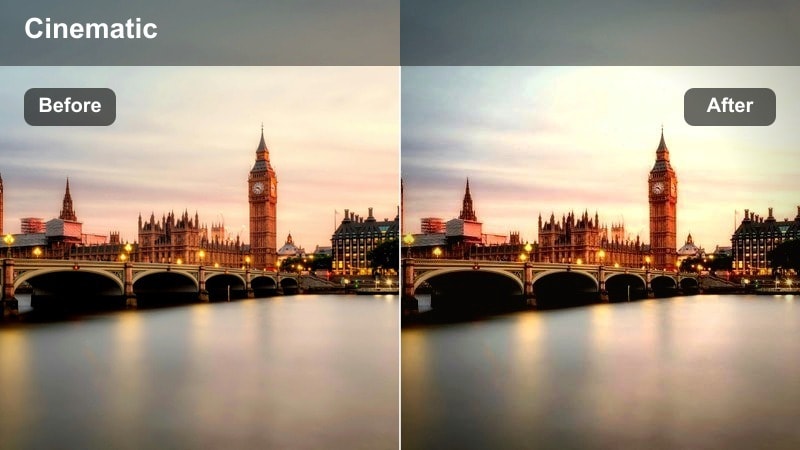
- Effect look: Softened highlights with boosted reflections that turn wet roads into colorful glowing surfaces.
- Best for: Night city shots after rain, crosswalk B-roll, and POV walking clips with puddle reflections.
- Editing tip: Slow down the clip slightly and add a gentle blur transition between cuts to keep the dreamy reflection vibe consistent.
Rainy Crosswalk Glow is tailored for nights when the streets are still wet and full of color. It enhances reflections on asphalt and puddles, softening highlights so car lights, traffic signals, and shop signs streak into glowing patterns across the ground.
Apply this filter in Filmora to crosswalk B-roll, POV walks, and low-angle shots focused on the pavement. Slight slow motion, combined with smooth blur transitions between clips, turns ordinary steps into dreamy, atmospheric sequences perfect for TikTok loops or mood edits.
Urban Portraits After Dark
Neon Portrait Soft Focus
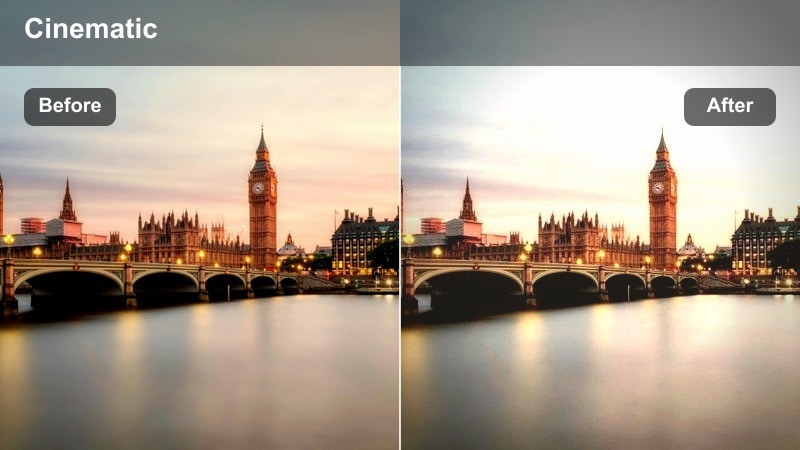
- Effect look: Creamy contrast with softened highlights and pastel neon colors that flatter skin while keeping backgrounds vibrant.
- Best for: Close-up TikTok face cams, lip-sync videos, and aesthetic portraits shot near neon signs or LED walls.
- Editing tip: Use a slight blur or glow effect around the edges and keep your subject centered to take advantage of the soft-focus feeling.
Neon Portrait Soft Focus is built to flatter faces in front of bright neon lights. It softens highlights, slightly mutes harsh edges, and shifts neon colors toward a pastel palette so your skin stays smooth and natural while the background still glows.
Within Filmora, pair this look with gentle edge blur or glow and use Face A.I. tools to subtly enhance eyes and skin texture. It is ideal for close-up TikTok lip-syncs, reaction videos, and aesthetic portraits where you stand close to a sign or LED wall for colorful wraparound light.
Cinematic Tunnel Light
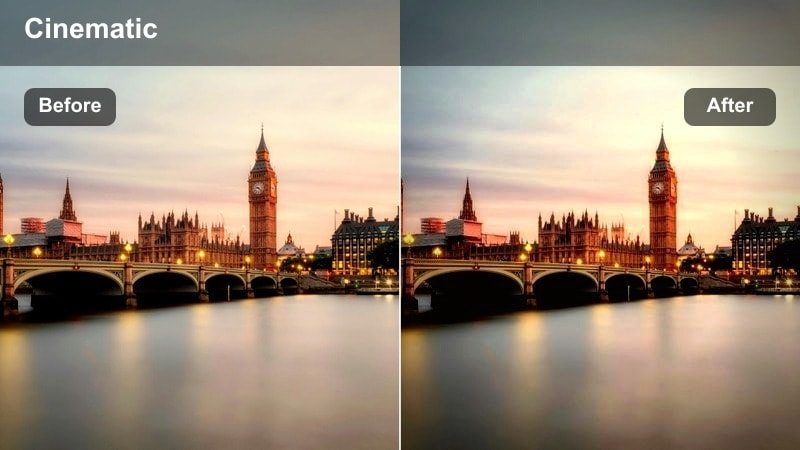
- Effect look: Directional contrast that brightens the center of the frame while darkening edges, mimicking tunnel spotlighting.
- Best for: TikTok reveals, dramatic walks through underpasses, and tunnel portrait shots with leading lines.
- Editing tip: Use Filmora's keyframing to slowly push in toward the subject so the tunnel effect feels like a cinematic dolly shot.
Cinematic Tunnel Light adds a natural vignette and directional contrast that pulls the eye toward the center of the frame. It works particularly well in tunnels, underpasses, and narrow alleyways where architectural lines already guide your viewers attention.
In Filmora, set up a slow, keyframed push-in on your subject as they walk or pose in the center of the tunnel. Stabilization and subtle sharpening help the tunnel lines stay crisp, making your TikTok reveals and dramatic entrances feel like they were shot with a dolly rig.
City Rooftop Cinema
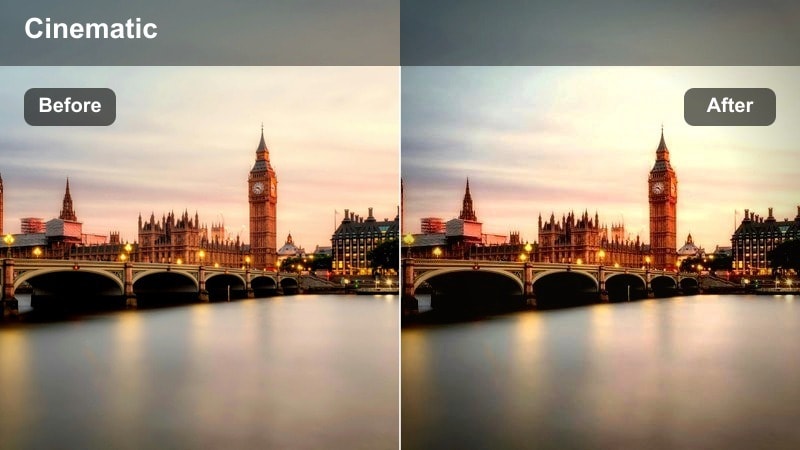
- Effect look: Balanced warm and cool tones with softer contrast that makes skyline backgrounds feel like a movie shot.
- Best for: Rooftop TikTok storytelling, outfit showcases, and slow pans of city views from above.
- Editing tip: Add a gentle camera shake preset for handheld authenticity, then reduce sharpness slightly for a filmic vibe.
City Rooftop Cinema is tuned for shots where the skyline becomes your backdrop. It balances warm and cool colors, softens contrast just enough, and keeps lights from clipping so the whole city feels like a polished movie set behind you.
Use it in Filmora on rooftop talking segments, fashion or outfit showcases, and slow pans across the city. Mild camera shake presets and slightly reduced sharpness add a filmic softness, while midtone saturation boosts bring out colorful building windows without oversaturating highlights.
Motion and Traffic Energy
Light Trail Motion Boost
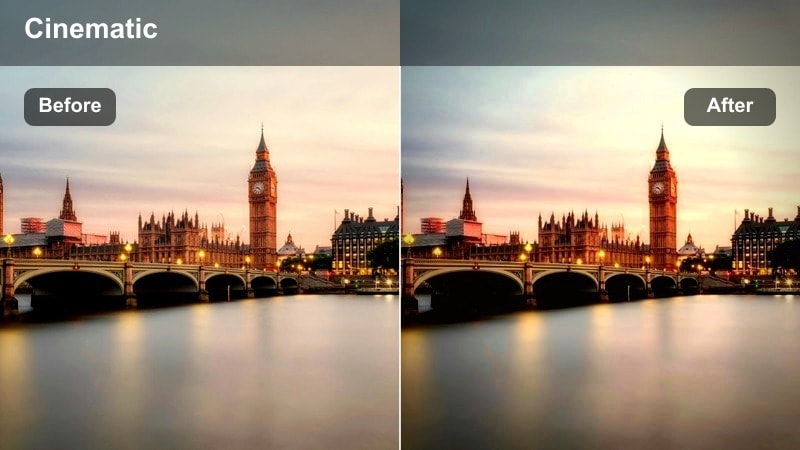
- Effect look: Enhanced highlights and subtle motion blur feel that makes car lights and scooters streak more dramatically.
- Best for: Timelapse clips of traffic, overhead bridge shots, and hyperlapse walks across busy avenues.
- Editing tip: Use speed ramping and add Filmora's motion blur effect on cuts to make transitions feel like continuous movement.
Light Trail Motion Boost intensifies bright moving lights so traffic streaks, brake lights, and headlamps feel more energetic. It heightens highlights and simulates a stronger sense of motion, turning even short clips into dynamic visuals that suit fast-paced TikTok edits.
Apply it in Filmora to timelapses, hyperlapses, or bridge shots looking down on streets. Combine with speed ramps, timed to your audio drops, and enable motion blur on cuts to keep transitions smooth while still conveying the rush of a busy night city.
Scooter City Rush
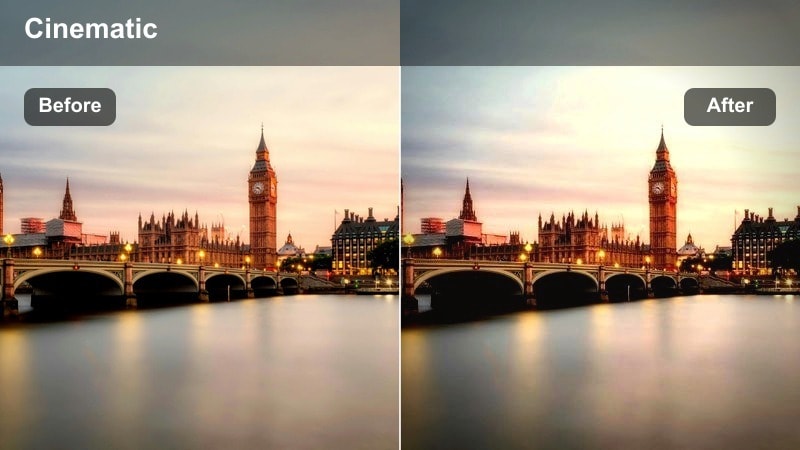
- Effect look: Punchy saturation with slightly cooler shadows that makes scooters, bikes, and street signs pop against darker roads.
- Best for: POV rides through downtown, handlebar-mounted shots, and quick-cut TikTok edits of late-night deliveries.
- Editing tip: Stabilize your footage and add a slight warp or roll transition between jump cuts to keep energy without making viewers dizzy.
Scooter City Rush is tuned for fast POV movement through neon streets. It boosts saturation on key colors like signs, helmets, and vehicles while cooling shadows, so the road stays dark and your subject pops clearly even at high speeds.
In Filmora, apply stabilization first to keep the horizon level, then cut your ride into short, punchy segments enhanced with warp or roll transitions. This filter works well for delivery clips, night rides with friends, or any TikTok that follows urban mobility through traffic.
City Loop Haze
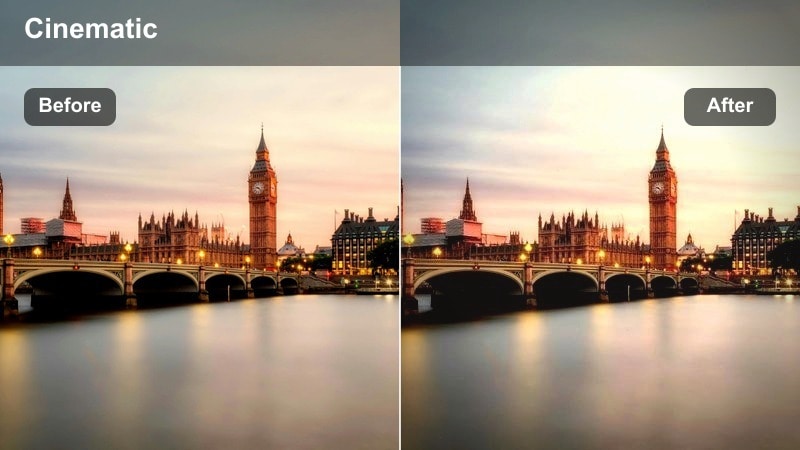
- Effect look: Soft matte contrast with a faint haze that makes repeated loops and transitions feel smooth and atmospheric.
- Best for: Loopable TikTok edits, seamless transitions in busy intersections, and dance videos framed by passing traffic.
- Editing tip: Design your cuts so the first and last frames match in composition, then add City Loop Haze to help hide the loop point.
City Loop Haze lowers contrast slightly and adds a mild atmospheric softness that helps blend cuts together. This makes it perfect for TikTok loops and transition-heavy edits, where you want the city lights to feel continuous as scenes repeat.
In Filmora, plan your choreography or camera moves so your first and last frames match, then apply this filter to smooth out tonal differences. Fine-tune your loop points frame by frame, and let the soft haze hide minor shifts so viewers keep watching your seamless city loop on repeat.
Tips for Using Tiktok Night City Cinematic Luts Filters in Filmora
- Lock your white balance in-camera so colors stay consistent between clips when you apply night city cinematic filters in Filmora.
- Expose slightly darker than usual at night to protect highlights from blowing out once you boost contrast and saturation.
- Shoot vertical 9:16 and keep faces or key neon signs near the center of the frame so they do not crop awkwardly on TikTok.
- Use Filmora stabilization plus a touch of motion blur to turn shaky handheld night footage into smooth, cinematic movement.
- Create an adjustment layer with your favorite filter and reuse it across multiple clips for fast, consistent TikTok grading.
- Mix one main night city filter with a subtle LUT to build a recognizable color style you can repeat on every upload.
- Check your edits on a phone-size preview in Filmora to ensure text, signs, and faces stay readable on TikTok screens.
With these TikTok night city cinematic filters, you can turn everyday streets, tunnels, and rooftops into stylized movie scenes in just a few clicks.
Load your nighttime clips into Filmora, try several of these looks, and then move on to warm TikTok vlog tones to build a complete aesthetic for your channel.
secure download