

 100% Security Verified | No Subscription Required | No Malware


 ChatGPT
 Perplexity
 Gemini
 Claude
 Grok
Grok
Give your TikTok outdoor portraits a dreamy golden hour glow with Filmora filters designed to mimic LUT-style warmth, soft contrast, and flattering skin tones.
Whether you are filming on a rooftop, at the park, or by the water, these golden hour inspired filters help you turn everyday clips into cinematic TikToks that feel polished, warm, and share-ready in seconds.
In this article
Soft Golden Hour on Porches and Balconies
Honey Glow Porch
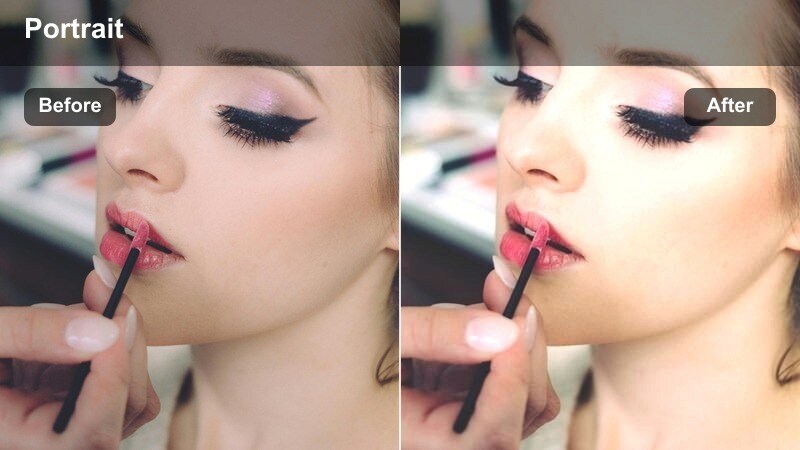
- Effect look: Warm honey tones with soft contrast that wrap your subject in gentle sunlight.
- Best for: TikTok talking-head portraits filmed on balconies, porches, or rooftops at sunset.
- Editing tip: Lower the filter intensity to around 60 percent and slightly raise exposure to keep skin natural but luminous.
Honey Glow Porch brings a subtle, LUT-style golden wash to your balcony portraits, smoothing contrast while preserving detail in facial features and hair. It mimics that perfect low-sun angle, letting your skin look creamy and warm even if the real sunset is a little flat or hazy.
In Filmora, apply this filter on your TikTok clips, then fine-tune exposure and warmth with the color controls so your skin stays realistic, not orange. If your original footage already includes sunset tones, gently lower saturation before you add the effect, then add a touch of clarity to eyes and hair so the subject stays crisp against a soft, glowing background.
Match Golden Hour Tones with AI Color Tools
Use Filmora s AI-powered color tools to keep your TikTok outdoor portrait LUTs golden hour look consistent, even when clips are shot at slightly different times or in mixed lighting. AI color enhancement can smooth out exposure jumps and white balance shifts so your warm skin tones match from shot to shot.
Start by running AI color enhancement on your balcony or rooftop portraits, then layer your favorite golden hour filter on top. This workflow helps you avoid color banding or patchy warmth and makes it easier to build a repeatable TikTok style you can trust for every upload.
 secure download

Preview Golden Hour Filters in Real Time
Filmora lets you preview golden hour filters directly on your footage just by hovering, so you can compare soft, hazy, or punchy looks on your porch and balcony portraits without endless trial and error. This makes it simple to see which style flatters your skin tone and matches your TikTok aesthetic.
Load a short balcony clip into the timeline, then cycle through golden hour presets while watching how they react to existing sunlight and shadow. Adjust strength, add a hint of vignette, or mix in a touch of blur to keep attention on your face and expressions before you export vertical for TikTok.
secure downloadCombine Filters with TikTok LUT-Style Looks
Layer Filmora filters with LUT-style color looks to push your golden hour portraits into a more cinematic space. By stacking a warm filter with subtle HSL and curve tweaks, you can shape highlight roll off, deepen golden shadows, and keep greens from overpowering your skin tones.
Once you have dialed in a balcony or rooftop look you love, save it as a custom preset so every new TikTok in your series matches perfectly. That way, your Honey Glow Porch style becomes part of your branding and can be reused in a single click whenever you edit new outdoor content.
secure downloadBalcony Soft Breeze
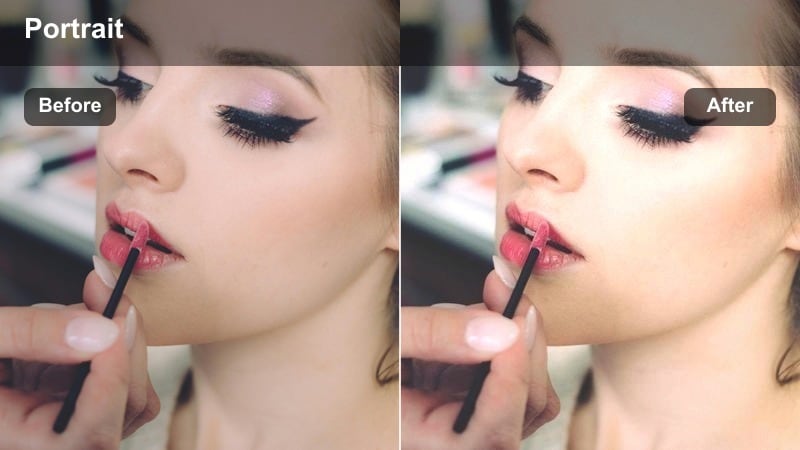
- Effect look: Muted highlights, warm mids, and airy shadows that feel light and breezy.
- Best for: Outdoor portraits with movement, like hair flips or outfit transitions on a balcony or terrace.
- Editing tip: Use a slight slow-motion and add subtle vignette to keep focus on the subject s face and motion.
Balcony Soft Breeze keeps contrast low and warmth gentle, making it perfect for clips where hair, clothes, or accessories are moving in the wind. The airy shadows prevent your background from feeling heavy while midtones stay flattering for most skin types.
Apply this filter in Filmora when you want a relaxed, cinematic vibe on GRWM or transition videos. Combine it with a bit of slow motion and gentle camera movement, then add a light vignette so viewers are naturally drawn to your face and motion, even when the city behind you is busy.
Sunset Steps Glam
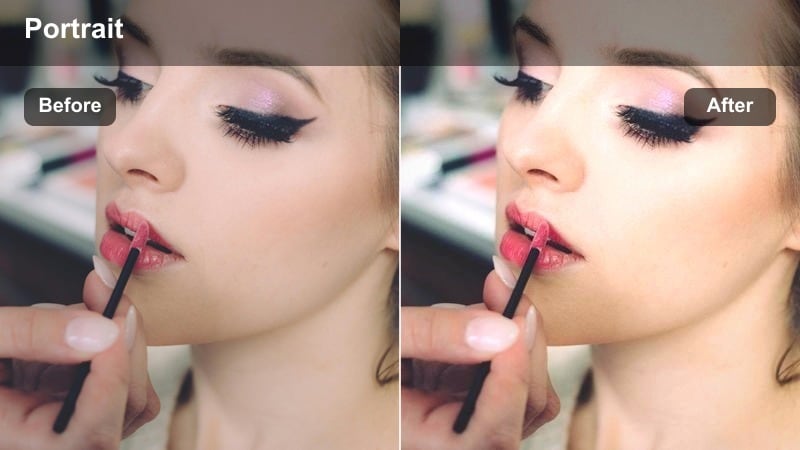
- Effect look: High-impact golden light with boosted contrast and glowing highlights.
- Best for: Glam TikTok portraits on outdoor steps, railings, or stoops during late golden hour.
- Editing tip: Add a slight blur or glow effect to the highlights for a more stylized, editorial feel.
Sunset Steps Glam leans into bolder contrast and saturated warmth, ideal for high-impact beauty shots or outfit showcases on stairs and stoops. It amplifies the rim light around hair and shoulders, giving your portraits a dramatic, editorial look without losing detail.
In Filmora, use this filter at medium to high intensity and experiment with glow or soft-focus effects on the brightest areas. Position your subject at a 45-degree angle to the sun, then refine highlights and shadows in the color panel so your golden edges pop while facial features remain clear and flattering for TikTok.
Golden Park Paths and Tree-Lined Walks
Park Path Softgold
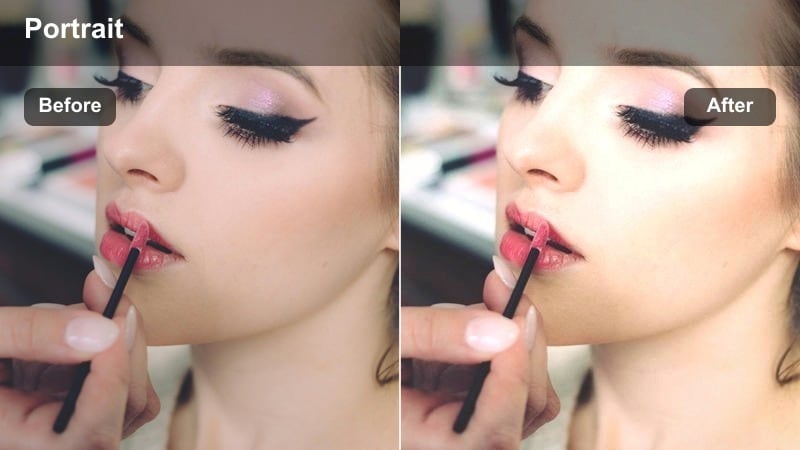
- Effect look: Subtle golden tint with softened greens and naturally bright faces.
- Best for: TikTok outdoor portraits while walking through parks, trails, or tree-lined sidewalks.
- Editing tip: Reduce greens slightly and lift shadows to keep foliage soft and your subject clean and bright.
Park Path Softgold is built to handle mixed sunlight and shade while you walk through parks and tree-lined streets. It warms midtones just enough to feel like golden hour and gently mutes greens so they do not overpower your skin or outfit.
When editing in Filmora, apply this filter to walking-and-talking clips, then tweak HSL to pull down green saturation and lift luminance on skin tones. A bit of shadow lift will keep your face readable even when branches cast dappled light, resulting in smooth, cinematic TikTok walks.
Tree Tunnel Glow
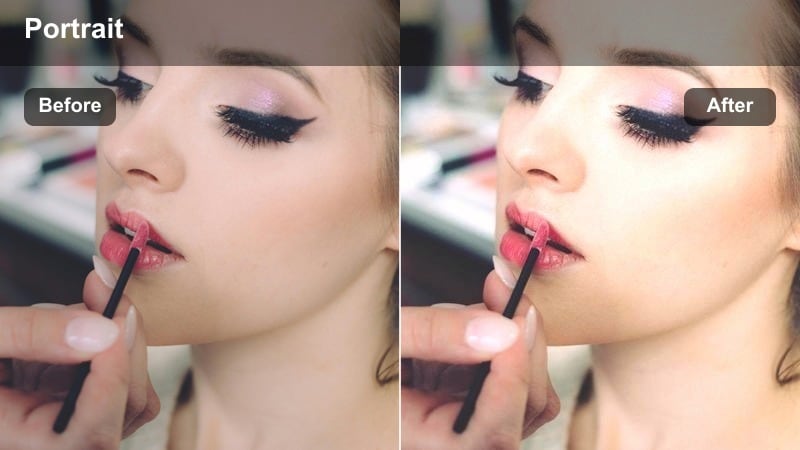
- Effect look: Warm highlights and slightly lifted blacks for a filmic, low-contrast feel among trees.
- Best for: Portraits in shaded park tunnels, under tree canopies, or along wooded trails at sunset.
- Editing tip: Increase saturation on oranges and yellows only to make skin glow while keeping the greens relaxed.
Tree Tunnel Glow is designed for shaded locations where light filters softly through leaves. By lifting blacks and reducing overall contrast, it creates a filmic, creamy look that flatters skin while still preserving the mood of a shaded, leafy environment.
In Filmora, pair this filter with subtle saturation boosts on orange and yellow channels to bring life to your skin without making the foliage neon. Use a longer focal length shot if possible, then add mild blur or bokeh effects so the tunnel of trees behind you falls into a soft, golden wash that feels cinematic on TikTok.
Bench Golden Chat
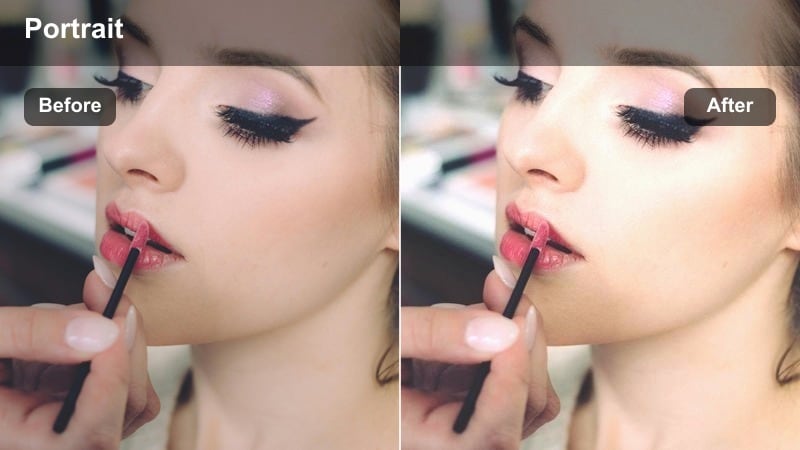
- Effect look: Creamy skintones, light haze, and warm highlights around the subject.
- Best for: Sit-down TikTok storytimes or Q and A clips on park benches during golden hour.
- Editing tip: Add a tiny bit of fade to the blacks and decrease sharpness for a nostalgic, film-inspired look.
Bench Golden Chat wraps your subject in a gentle haze that is perfect for intimate storytimes, advice clips, or Q and A content. It keeps faces soft and inviting while adding a warm halo to highlights, so your viewers feel like they are sitting right there with you in the park.
After applying the filter in Filmora, slightly fade the blacks and reduce overall sharpness to complete the nostalgic, film-like mood. Keep your framing simple and centered, then add subtle background blur so the audience focuses on your expressions and voice while the golden atmosphere quietly supports the story.
Waterfront and Riverside Golden Edges
Riverside Rimlight
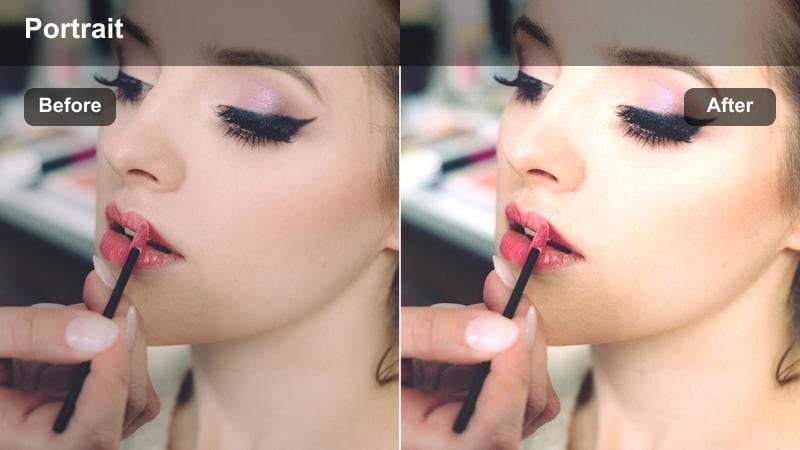
- Effect look: Strong rim light glow with reflections in the background and warm cyan shadows.
- Best for: TikTok portraits filmed by rivers, lakes, or canals with the sun behind the subject.
- Editing tip: Lower highlights slightly and raise whites to keep detail in the sky while still making edges glow.
Riverside Rimlight emphasizes the halo of light that appears when you shoot with the sun behind you near reflective water. It adds warmth to the edges of your hair and shoulders while tinting shadows slightly toward cyan, balancing the overall frame so it feels rich but not overly orange.
In Filmora, apply this filter to backlit waterfront shots and then refine highlight and white levels to avoid blown skies. Angle your body and face so the water bounces light back toward you, then use Filmora s masking or local adjustment tools to add a bit of extra brightness to your face while the background remains dramatically golden.
Dockside Softflare
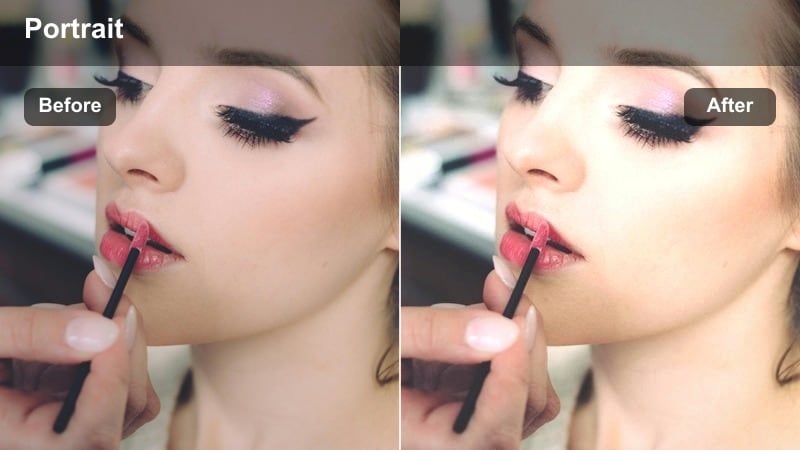
- Effect look: Soft pastel warmth with gentle flares and low contrast on the subject.
- Best for: Chill TikTok portraits on docks, piers, or boardwalks during soft golden hour light.
- Editing tip: Add a lens flare overlay or small light leak near the sun to enhance the dreamy, relaxed mood.
Dockside Softflare creates a pastel, dreamy version of golden hour that works beautifully for calm, reflective TikToks filmed near the water. It lowers contrast and gently smooths skin while allowing subtle flares and light leaks to feel natural rather than harsh.
Use this filter in Filmora on static or slow-moving waterfront clips, then layer in lens flare overlays from the effects library to accent the sun direction. Keep your movements minimal and add soft background music, and you will have scroll stopping, mood driven TikToks that feel like a quiet golden evening by the lake.
Harbor City Gold
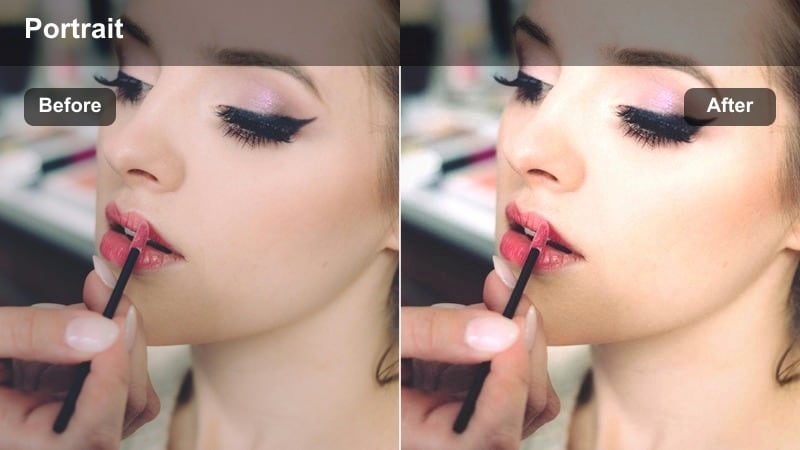
- Effect look: Rich golden hour warmth with crisp city lines and slightly deepened blues in the distance.
- Best for: Urban waterfront portraits where city buildings and lights frame your golden hour subject.
- Editing tip: Increase clarity on the skyline while keeping skin smoothing subtle for a polished yet natural look.
Harbor City Gold bridges warm portrait tones with sharp, detailed city skylines, making it perfect for urban harbor or pier locations. It deepens blues in the background while bathing your face in flattering gold, giving your TikToks a premium travel vlog aesthetic.
In Filmora, apply this filter then selectively boost clarity and sharpness on the skyline and harbor details using adjustment layers. Keep any skin smoothing modest so your face looks polished but real, and mix in both wide establishing shots and tight close-ups cut on beat to showcase both your portrait and the glowing city beyond.
City Street Corners and Sidewalk Golden Vibes
Corner Cinematic Gold
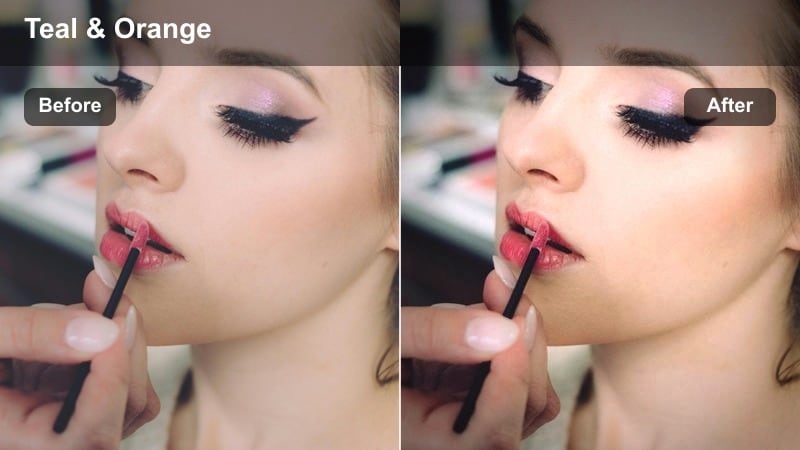
- Effect look: High-contrast cinematic warmth with subtle teal balance in shadows for city streets.
- Best for: TikTok outfit checks, transitions, or GRWMs on city sidewalks at late golden hour.
- Editing tip: Use speed ramps or quick cuts on transitions to match the strong cinematic punch of the filter.
Corner Cinematic Gold leans into the classic teal and orange vibe, cooling shadows slightly while pushing highlights into rich gold. The result is a punchy, cinematic frame that is ideal for outfit reveals, fast transitions, and GRWM TikToks shot on busy corners.
After applying the filter in Filmora, add speed ramps and snappy cuts that hit on the beat of your soundtrack to amplify the dramatic style. Use city elements like crosswalk lines, building edges, and streetlights as leading lines, and stabilize handheld shots so the strong contrast feels intentional and polished rather than chaotic.
Sidewalk Soft Sun
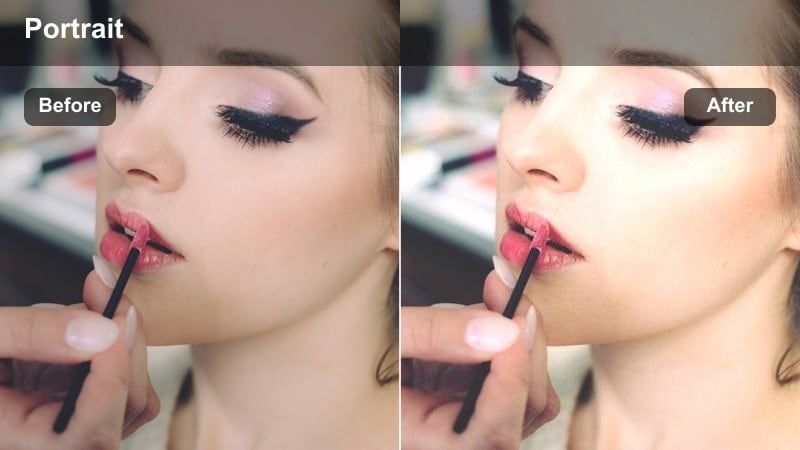
- Effect look: Soft golden haze with lowered contrast and slightly lifted blacks on urban sidewalks.
- Best for: Casual TikTok vlogs and candid portraits while walking down neighborhood streets at sunset.
- Editing tip: Stabilize the shot in Filmora and use a light vignette so your face stays the center of attention as you move.
Sidewalk Soft Sun is tuned for relaxed walk and talk vlogs, where you want warmth and glow without heavy contrast. It lifts blacks and softens edges, producing a hazy city backdrop that feels cozy and approachable for daily TikTok storytelling.
In Filmora, stabilize your handheld footage, then apply the filter and add a gentle vignette or focus effect so your face stays prominent as you move. Record a few passes at different distances from the camera, then cut between wide and close shots to keep your audience engaged while maintaining a consistent golden tone.
Crosswalk Golden Flash
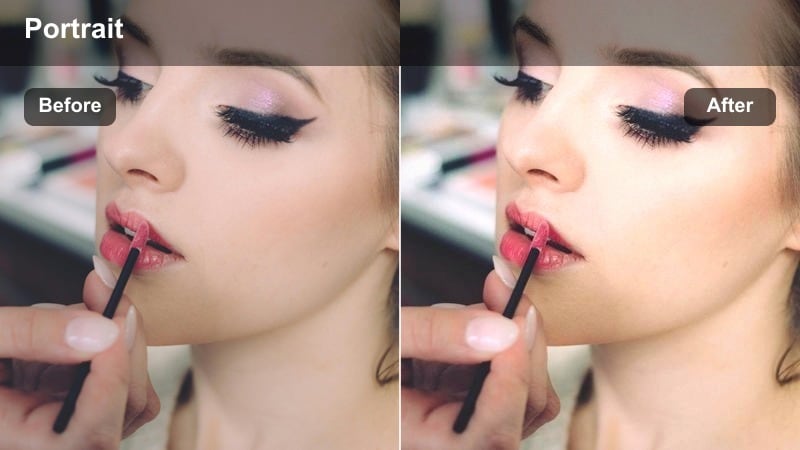
- Effect look: Punchy golden highlights and crisp whites for quick, flash-like TikTok transitions in the street.
- Best for: Fast TikTok transitions, outfit reveals, or dance moves filmed at crosswalks during golden hour.
- Editing tip: Time your cuts on beat and use the filter at higher intensity to make transitions feel like a flash of golden light.
Crosswalk Golden Flash is optimized for high energy TikToks where you are spinning, stepping, or jumping through transitions in the street. It brightens whites and intensifies golden highlights to create a flash-like effect that pairs perfectly with beat drops and quick outfit changes.
Use this filter at a stronger intensity in Filmora, and plan your moves to land exactly on the beats where you cut. Shoot multiple angles of the same action, then stack quick cuts in the timeline so each jump or spin feels like it triggers a burst of golden light, giving your transitions a cohesive, stylized edge.
Tips for Using Tiktok Outdoor Portrait Luts Golden Hour Filters in Filmora
- Shoot as close to real golden hour as possible and let Filmora filters gently enhance the warmth instead of forcing heavy orange tones onto harsh midday light.
- Expose a little darker in camera to protect highlights, since many golden hour filters lift brightness and can easily clip skies and bright clothing.
- Choose backgrounds that are simple and a bit distant so the filter can emphasize your face and skin tones instead of drawing attention to clutter and distractions.
- Record in the highest resolution your device supports, ideally 4K, so soft haze and glow effects stay clean and sharp when exported for TikTok.
- Use Filmora s AI color and LUT tools to match tones across clips from different locations, keeping your golden hour TikTok series visually consistent.
- Adjust filter intensity for each clip rather than leaving everything at 100 percent, aiming for natural, flattering warmth on skin above all else.
- Combine golden hour filters with subtle vignette, blur, or glow effects to guide the viewer s eye toward your face and expressions.
- Save your favorite golden hour filter plus color tweaks as a custom preset in Filmora so you can apply the same portrait style in a single click.
With the right golden hour filters in Filmora, every TikTok outdoor portrait can feel intentional, cinematic, and on brand, even if you only had a few minutes of light to work with.
Experiment with a few of these warm, portrait friendly looks, save your favorites as presets, and you will be ready to turn any quick outdoor shoot into a scroll stopping TikTok in just a few taps.
secure download