

 100% Security Verified | No Subscription Required | No Malware


 ChatGPT
 Perplexity
 Gemini
 Claude
 Grok
Grok
These TikTok sunset video LUTs warm glow filters are designed for content creators who want every evening clip to look like a perfect golden hour moment, even on hazy or dull days.
Use these Filmora-ready looks to warm up skin tones, deepen skies, and add a soft glow that feels cinematic and scroll-stopping on TikTok.
In this article
Golden Beach Horizons at Sunset
Soft Sand Golden Glow
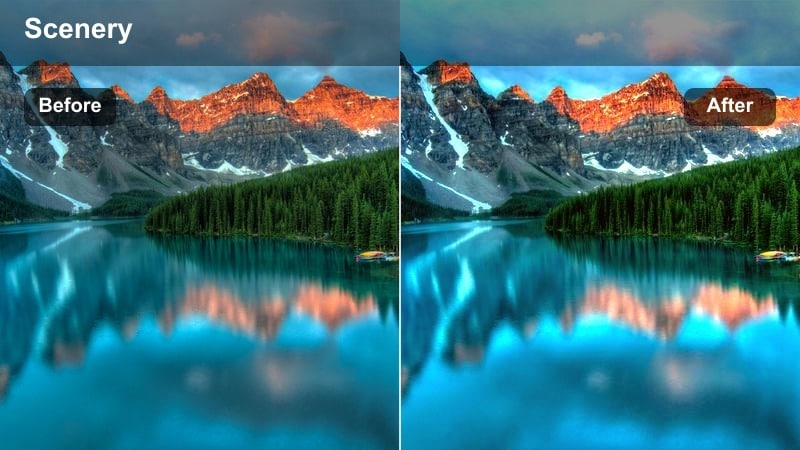
- Effect look: Creamy warm glow with gentle highlights that make sand and skin tones appear sun-kissed and soft.
- Best for: TikTok beach walks, backlit silhouette shots, and slow-motion waves during sunset.
- Editing tip: Slightly lower contrast if your original footage is already high contrast to keep the glow smooth and flattering.
Soft Sand Golden Glow wraps your beach clips in a smooth layer of warmth, softening harsh edges and turning neutral sand into a gentle, sun-kissed canvas. In Filmora, this style works especially well on clips where the sun is low and off to the side, helping skin look naturally bronzed while skies stay rich instead of washed out.
Apply this look to your TikTok beach walks or slow-motion wave shots, then fine-tune with Filmora controls like Contrast and Highlights to keep detail in bright areas. For backlit silhouettes, reduce contrast a touch and let the filter create a dreamy halo around your subject that feels cinematic on the For You Page.
AI-Assisted Warm Glow Matching
Filmora s AI color tools help you quickly match these TikTok sunset video LUTs warm glow filters across multiple clips so your whole edit looks consistent. Instead of manually adjusting every shot, you can let AI read your footage and keep skin tones, skies, and sand aligned from start to finish.
Once you lock in a Soft Sand Golden Glow look you like, use AI color matching to carry that same warmth into your entire TikTok, even if you filmed across different spots or days.
 secure download

See Your Sunset Clips Transform in Seconds
With Filmora you can preview each warm glow filter on your TikTok footage in real time and scrub through the timeline to see how it reacts to changing light. This lets you compare subtle golden looks against stronger amber or peach tones before you export.
Try stacking a sunset LUT and Soft Sand Golden Glow, then quickly toggle effects on and off in Filmora to decide which version feels most cinematic for your TikTok audience.
secure download1000+ Video Filters and 3D LUTs
Beyond these TikTok sunset video LUTs warm glow presets, Filmora includes a large library of artistic filters and 3D LUTs you can mix for custom golden hour looks. Whether you want subtle warmth, bold orange skies, or a stylized teal-and-orange city sunset, you can build it without deep color grading skills.
Use LUTs to define your base sunset color and then layer Filmora filters, HSL tweaks, and glow effects until your video perfectly matches the mood on your TikTok grid.
secure downloadAmber Horizon Pop
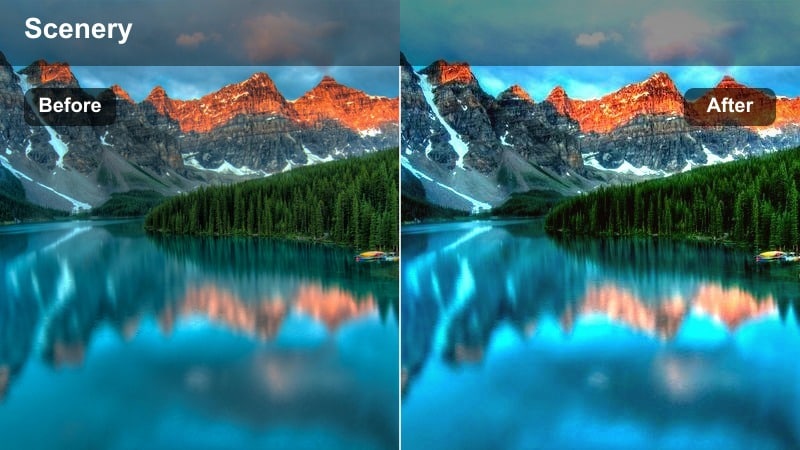
- Effect look: Punchy amber tones with deeper oranges in the sky and slightly richer shadows for a bold sunset pop.
- Best for: Dramatic ocean horizons, TikTok transitions, and dance videos facing the sunset.
- Editing tip: Increase saturation a bit on blues for the ocean or sky so the warm amber tones contrast without looking muddy.
Amber Horizon Pop pushes your sunsets into a high-impact amber palette that makes horizons, clouds, and waves feel more intense. In Filmora, this filter is ideal when you want your ocean backdrops and silhouettes to stand out even on small TikTok screens.
After applying it, nudge the Blue and Aqua saturation up so the cooler tones cut through the warmth, creating dynamic contrast. Combine this look with cinematic transitions or speed ramps in Filmora to highlight dramatic before-and-after color shifts that grab attention mid-scroll.
Peachy Sky Soft Focus
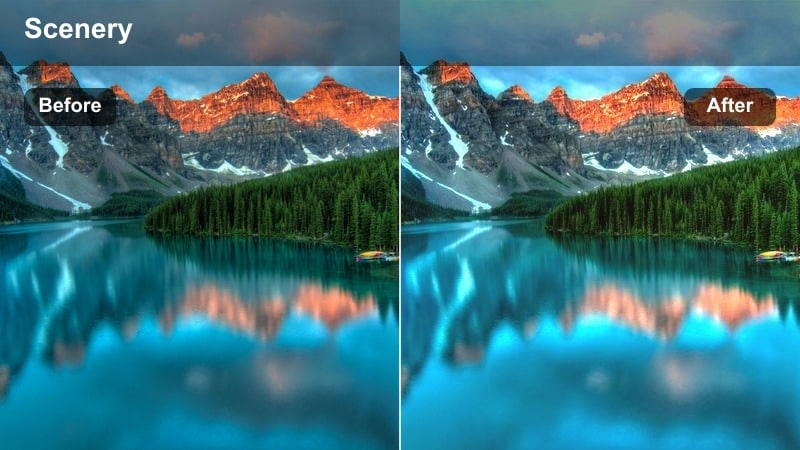
- Effect look: Subtle peach and rose warmth with a slightly softened contrast for dreamy, gentle sunset vibes.
- Best for: Close-up talking videos, soft-aesthetic B-roll, and slow-motion hair flips against the sky.
- Editing tip: Add a small vignette and lower clarity slightly to enhance the dreamy look without losing your subject's face.
Peachy Sky Soft Focus leans into pastel peach and rose tones, creating a soft, romantic atmosphere around your subject. Because contrast is slightly lowered, it smooths transitions between light and shadow, which flatters skin in close-ups.
In Filmora, pair this filter with a light vignette and minimal sharpness adjustments so your subject stays crisp while the background melts into dreamy color. It works especially well for talking-to-camera TikToks where you want the sky to feel like a gentle backdrop rather than a distraction.
City Rooftop Golden Hour Vibes
Urban Sunset Flare
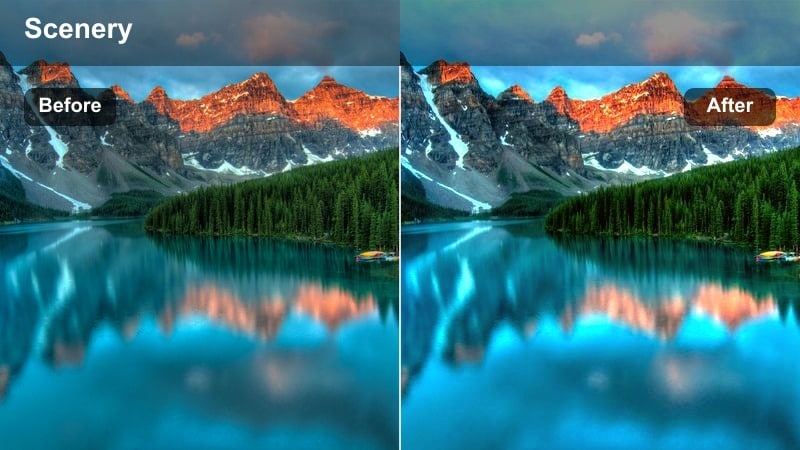
- Effect look: Warm golden highlights with gentle bloom on bright areas, perfect for flare-filled rooftop shots.
- Best for: Rooftop dance trends, outfit checks, and cinematic skyline pans at sunset.
- Editing tip: Keep exposure slightly under when filming so the filter can lift highlights without blowing out windows or skyline lights.
Urban Sunset Flare enhances natural sun flares and reflective city surfaces, adding a golden bloom that feels straight out of a music video. It gently brightens highlights so glass, railings, and the skyline glow without turning into harsh white patches.
When editing in Filmora, combine this look with slow pans or tracking shots across the skyline to let the bloom move through the frame. You can fine-tune Exposure and Highlights if your original clip is bright, keeping detail in windows and light sources while still selling that rooftop golden hour mood.
Brickwall Golden Street
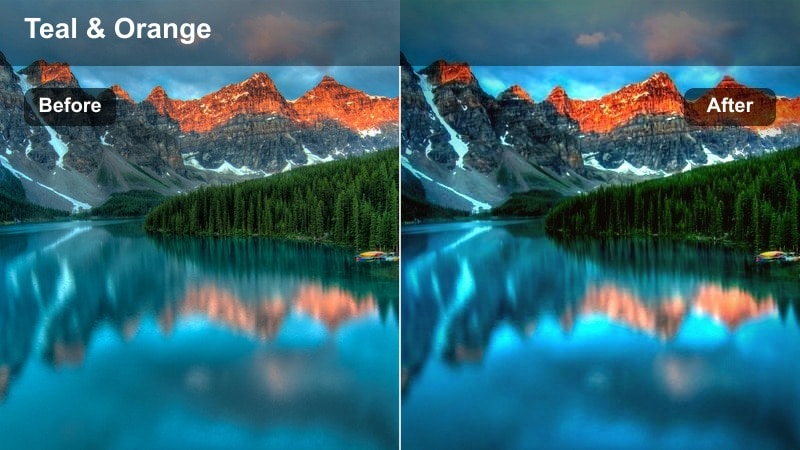
- Effect look: Richer warm tones on brick and concrete with soft teal in shadows for a cinematic city sunset contrast.
- Best for: Streetwear fits, cinematic walking shots, and TikTok transitions filmed on city sidewalks at dusk.
- Editing tip: If the teal shadows feel too strong, slightly reduce saturation in blues to keep skin tones natural while keeping the city stylized.
Brickwall Golden Street leans into a cinematic warm-versus-cool palette, heating up bricks and pavement while subtly cooling the shadows. The result is a stylized, editorial look that makes outfits and architecture feel more intentional on camera.
In Filmora, toggle this filter on for city-walk B-roll or outfit transitions, then adjust Blue and Cyan saturation if skin starts to pick up too much cool tone. Low-angle shots along sidewalks or alleys will show off the warm walls and cool shadow contrast for a strong urban golden hour aesthetic.
Neon Golden Hour Mix
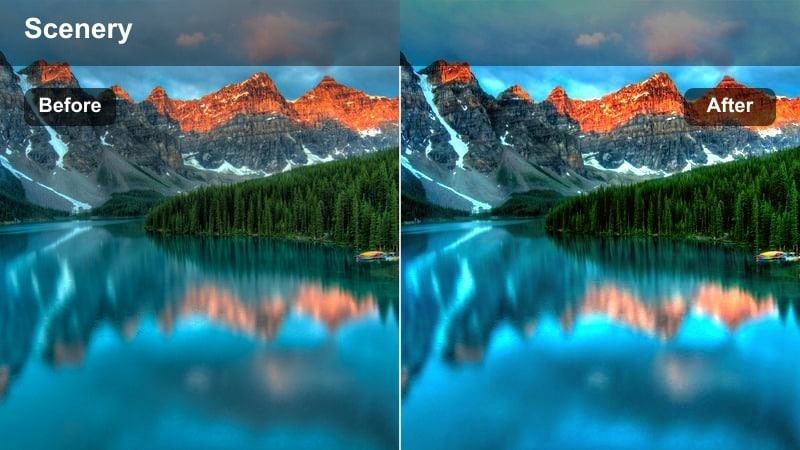
- Effect look: Balanced warm glow on skin with preserved neon and sign colors, perfect for early evening city lights.
- Best for: POV city walks, vlog-style storytelling, and TikTok clips featuring shop fronts and signs at sundown.
- Editing tip: Boost midtone saturation slightly for neon-heavy scenes so the signs stay distinct inside the golden glow.
Neon Golden Hour Mix is tuned for those in-between moments when the sun is dropping and city lights are flickering on. It adds warmth to skin and sky while carefully keeping neon signs and LED panels clear and colorful instead of blown out.
Use this filter in Filmora on vlog-style street walks and storefront shots, then lightly raise Midtone Saturation so neon text and icons stay punchy. Paired with subtle stabilization and on-screen text, it delivers a polished, city-at-sunset look perfect for storytelling TikToks.
Lakeside and Park Evenings
Lakeside Golden Reflection
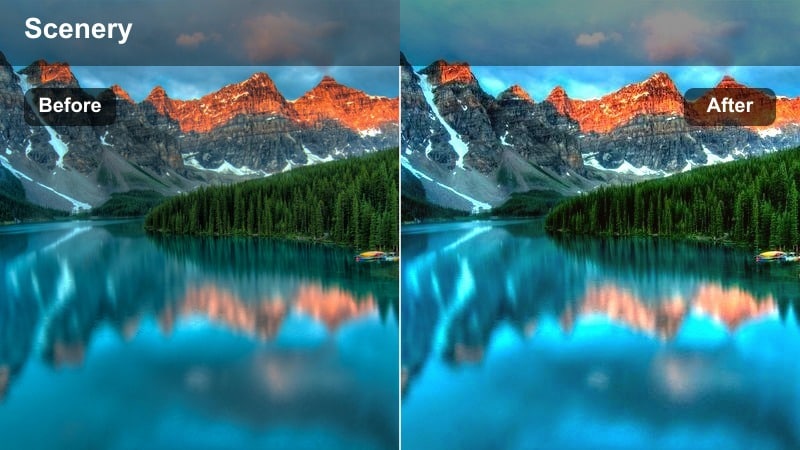
- Effect look: Soft warm tones with a subtle boost to reflections, making water surfaces glow with sunset colors.
- Best for: Lakeside B-roll, paddleboarding shots, and calm aesthetic TikToks capturing reflecting water at sunset.
- Editing tip: Stabilize your clips either in-camera or in Filmora to keep the glowing reflections looking smooth and cinematic.
Lakeside Golden Reflection focuses on amplifying the mirrored colors in water so every ripple catches sunset light. It adds a soft warmth overall while gently brightening reflections, turning lakes and ponds into glowing backdrops for your TikToks.
In Filmora, combine this look with stabilization on handheld clips to keep reflections from feeling jittery. Slow-motion B-roll of paddling, skipping stones, or simply walking by the shore will feel extra cinematic once the filter turns the water surface into a sheet of liquid gold.
Park Path Honey Light
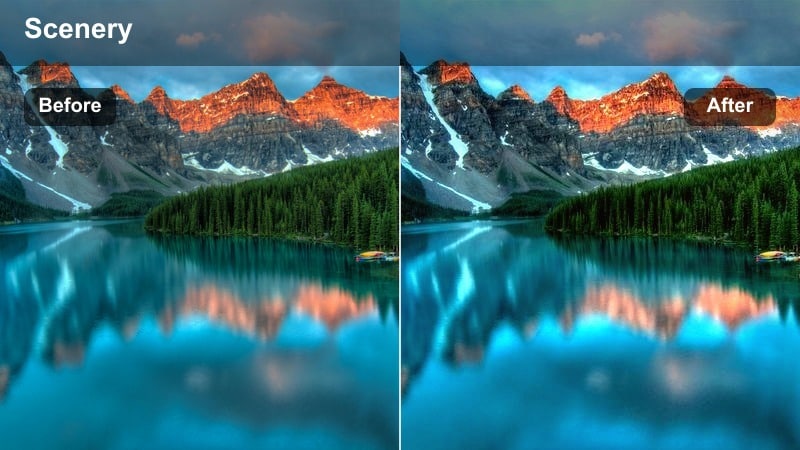
- Effect look: Honey-toned warmth on greenery and paths with lifted shadows for a soft, welcoming evening feel.
- Best for: Jogging POV clips, handheld walks through trees, and casual friend videos in the park at sunset.
- Editing tip: If greens become too yellow, slightly reduce yellow saturation to keep the park looking natural while still warm.
Park Path Honey Light gently lifts shadows and coats trees, grass, and pathways in a soft honey warmth, turning ordinary park scenes into cozy evening visuals. It keeps enough detail in darker areas that faces and outfits are still readable, even under tree cover.
When editing in Filmora, apply this filter to POV walks, group moments, or jogging shots, then tweak Yellow saturation if foliage starts drifting too far from natural greens. Add subtle speed changes and cross-dissolves to emphasize the relaxed, welcoming mood this look creates.
Benchside Soft Ember
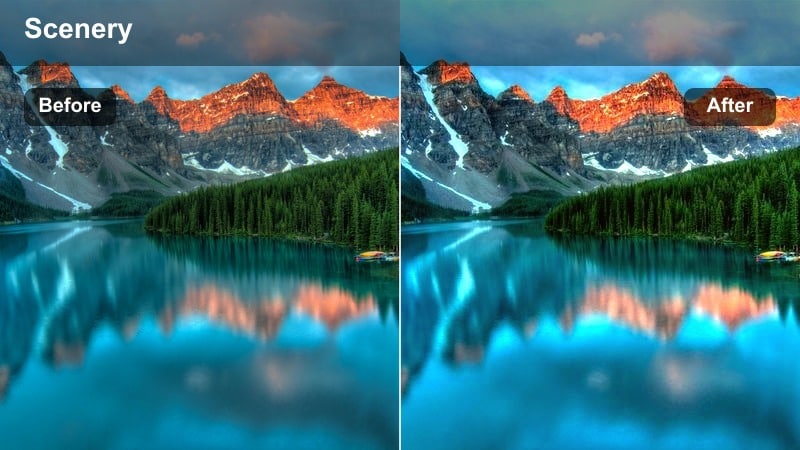
- Effect look: Gentle ember-orange highlights with softened midtones, perfect for relaxed, low-energy sunset clips.
- Best for: Introspective TikTok monologues, journaling shots, and quiet bench scenes with the sun low in the frame.
- Editing tip: Lower background audio slightly and consider adding soft music to match the calm feeling of this filter.
Benchside Soft Ember shifts your sunset into a mellow ember-orange palette, toning down contrast so everything feels calm and reflective. Midtones are softened, which suits slower, emotionally driven TikToks shot on benches, by the shore, or along quiet paths.
In Filmora, apply this filter to seated monologues or journaling shots, then layer in gentle background music and reduce ambient noise for a more intimate feel. Simple cuts, minimal transitions, and slower pacing will line up with the quiet, glowing look this preset creates.
Indoor Window Sunset Glow
Windowframe Golden Soft
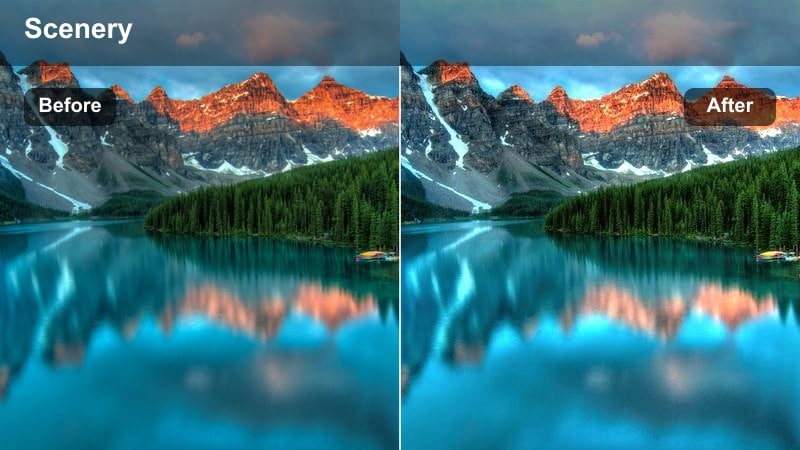
- Effect look: Soft, diffused warm glow focused on faces and window light for cozy indoor sunset scenes.
- Best for: Get-ready-with-me TikToks, indoor portraits near windows, and casual storytelling seated videos.
- Editing tip: Shoot close to the window and slightly underexpose to avoid overblown highlights when the filter brightens your face.
Windowframe Golden Soft is tailored for indoor clips where the window is doing most of the lighting work. It adds a gentle glow around your face and hands, softening transitions between light and shadow so everything looks flattering and cozy.
Use it in Filmora for GRWM content, skincare routines, or chatty sit-down videos filmed near a large window. If highlights get too bright, dial back Exposure or Highlights a bit, letting the filter keep the glow while protecting detail in your skin and the view outside.
Silhouette Room Glow
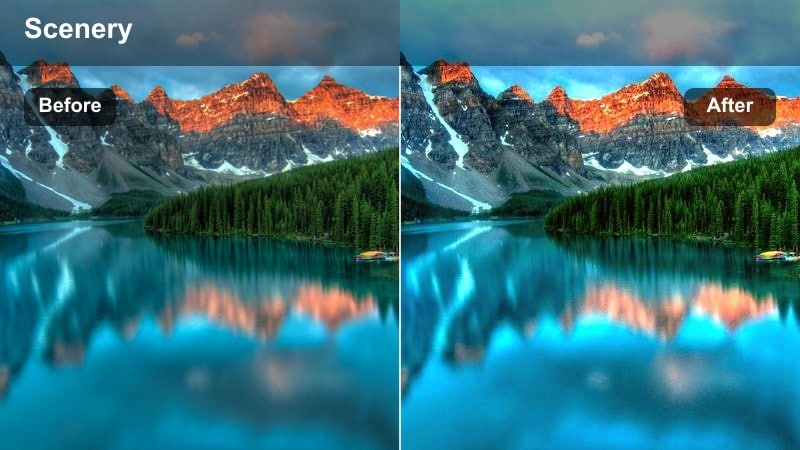
- Effect look: Strong backlit warmth that darkens interiors slightly while keeping the window glow rich and bright.
- Best for: Dramatic silhouette dances, shadow play, and TikTok reveals with the sun behind you in a room.
- Editing tip: Lower blacks just a touch more if you want stronger silhouettes, but avoid crushing the image completely to keep detail.
Silhouette Room Glow is built for dramatic backlit moments, deepening the room while turning the window into a bright, fiery sunset frame. It keeps the warmth concentrated around the window area, so your outline reads clearly against a glowing backdrop.
In Filmora, apply this filter to dance routines, reveals, or shadow play done in front of a large window, then lower Blacks slightly to define the silhouette. Avoid pushing contrast too far; keeping a bit of detail in the room will make movements and props easier to read while still feeling dramatic.
Desk Amber Workflow
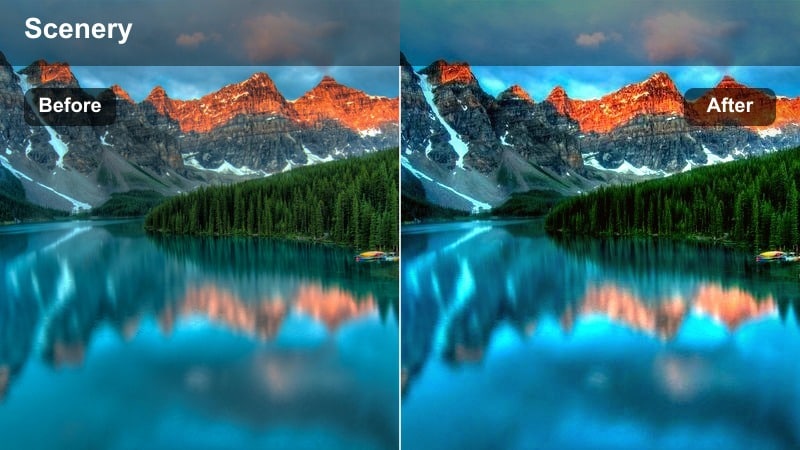
- Effect look: Subtle amber cast on desks and walls with lifted shadows, making workspaces feel warm and inviting at dusk.
- Best for: Study-with-me or edit-with-me TikToks, desk setups, and productivity content filmed near a sunset-lit window.
- Editing tip: Keep your white balance slightly cooler when filming so the filter's warmth does not push whites too yellow.
Desk Amber Workflow gives your workspace a gentle amber wash, lifting shadows so keyboards, notebooks, and decor stay visible while still looking cozy. It is perfect for productivity content where you want viewers to feel like they are hanging out beside you during a late-day work session.
In Filmora, use this look on overhead desk shots, typing B-roll, and time-lapses of your workflow. If whites drift too yellow, adjust Temperature or Tint a bit cooler until pages and screens look natural, while the overall frame keeps its sunset-inspired warmth.
Tips for Using Tiktok Sunset Video Luts Warm Glow Filters in Filmora
- Film slightly underexposed at sunset so warm glow filters have room to brighten highlights without losing detail.
- Keep your white balance neutral or slightly cool during filming to avoid overly orange skin once filters are applied.
- Use slower camera moves like pans and tracking shots to show off gradual color shifts created by warm glow filters.
- Batch-apply your chosen filter to all sunset clips in a TikTok series to keep your profile grid and Reels page visually consistent.
- Adjust filter intensity individually per clip so indoor, beach, and rooftop scenes all feel balanced within one edit.
- Combine LUTs and filters in Filmora to build a recognizable golden hour style that you can quickly reuse across new TikToks.
- Leverage Filmora s AI color matching to sync warmth and contrast when you mix sunset footage from different locations or days.
- Export test clips at TikTok resolution to confirm your chosen warm glow filter looks crisp and not overly saturated on mobile screens.
TikTok sunset video LUTs warm glow filters let you turn ordinary evening clips into cinematic, golden-hour-style content that stands out in the feed, whether you are on a beach, in the city, or filming at home by a window.
Load these looks inside Filmora, experiment with intensity and stacking, and you will quickly build a warm sunset aesthetic your audience recognizes every time your videos appear on their For You Page.
secure download