

 100% Security Verified | No Subscription Required | No Malware


 ChatGPT
 Perplexity
 Gemini
 Claude
 Grok
Grok
These TikTok Travel Vlog LUTs Cinematic Look inspired filters are crafted for content creators who want dramatic, scroll-stopping visuals straight from their travel footage.
Use these 12 cinematic filters inside Filmora to turn handheld clips, B-roll, POV shots, and city walk vlogs into cohesive TikTok edits with polished color, contrast, and mood.
In this article
Golden Hour Coastlines and Sunset City Views
Sunset Glow TikTok Travel
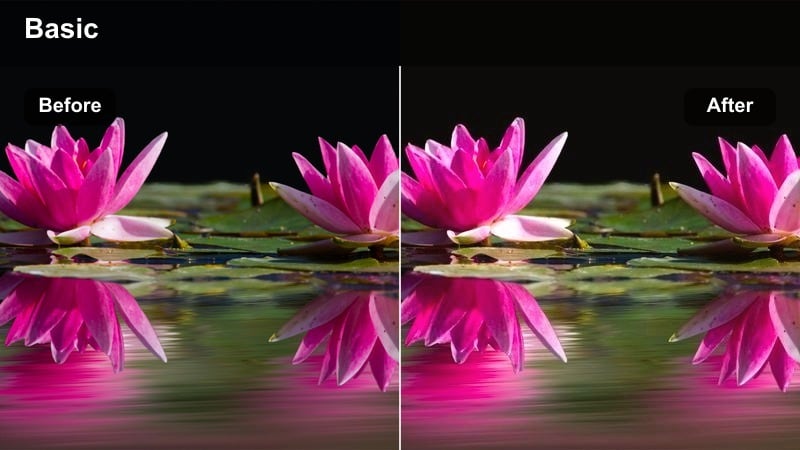
- Effect look: Warm, cinematic glow with lifted shadows and soft highlights perfect for travel sunsets
- Best for: Beach golden hours, rooftop sunsets, and evening city skyline walks for TikTok travel vlogs
- Editing tip: Lower contrast slightly for hazier sunsets or add a bit of clarity for sharper skyline details.
Sunset Glow TikTok Travel wraps your footage in warm tones that gently lift shadows while keeping highlights buttery and soft. In Filmora, this creates a cinematic halo around the sun and clouds, turning even simple horizon shots into rich, golden sequences that feel made for TikTok s vertical screen.
Apply this filter to your key sunset moments, especially hero shots on rooftops or at the beach, then fine-tune exposure and clarity to match the mood of the sky. Combine it with smooth pans or slow push-ins, and use Filmoras beat-synced editing tools so every color shift in the sky lands in time with your TikTok sound.
AI-powered color control for cinematic TikTok travel vibes
Filmora helps you refine these TikTok Travel Vlog LUTs Cinematic Look style filters with AI color correction, so your sunset, street, and night clips stay consistent even when lighting changes quickly. Let AI even out exposure and color shifts before you lock in your favorite cinematic preset.
Use the AI tools to balance white balance and match clips from different phones or cameras, then apply your chosen travel filter so your whole sequence feels like one continuous film instead of separate shots.
 secure download

Preview cinematic filters on your travel clips in real time
With Filmora, you can hover over each travel filter to preview how it transforms your TikTok clips before you apply it. This makes it easy to compare sunset, street, and night neon looks directly on your footage without endless trial and error.
Drop a short clip onto the timeline, skim through the presets, and instantly see which cinematic style matches your scene. Lock in the look that fits your story, then tweak intensity, contrast, and saturation for a polished finish.
secure downloadCombine filters with LUTs for a full cinematic pipeline
Filmora lets you stack LUTs with built-in filters, so you can build a full TikTok Travel Vlog LUTs Cinematic Look workflow. Start with a LUT to define the base tone curve, then refine contrast, saturation, and mood with one of these travel presets.
Once you have a combo that matches your destination or series, save it as a custom preset so every new clip from that trip can instantly drop into the same cinematic style.
secure downloadCoastal Cinema Tides
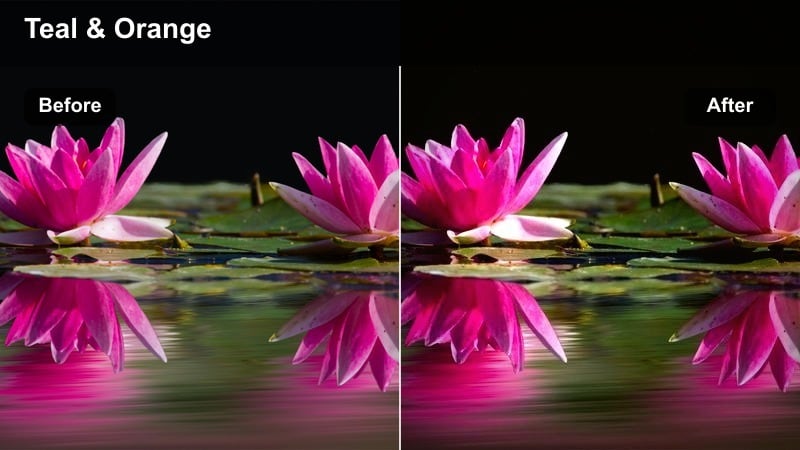
- Effect look: Soft teal water tones with warm skin highlights and gentle cinematic contrast
- Best for: Seaside promenades, cliff viewpoints, marina walks, and waterfront TikTok vlogs
- Editing tip: Increase saturation slightly on overcast days and add a vignette to keep focus on your subject.
Coastal Cinema Tides pushes water toward pleasing teal while keeping skin tones warm and natural, giving your seaside clips that classic teal-and-warm cinematic palette. The gentle contrast helps waves, buildings, and sky separate cleanly without looking overly stylized.
In Filmora, use this filter on boardwalk walks, harbor views, and cliffside reveals, then nudge saturation and vignette strength to guide attention back to your subject. For flatter, cloudy days, combine it with Filmoras color tools to lift vibrance just enough for TikTok while still feeling like a real travel memory.
Rooftop Dusk Cine
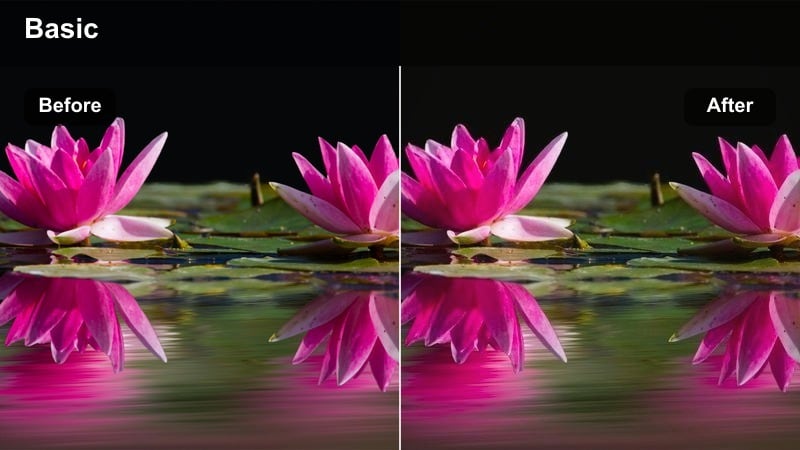
- Effect look: Deep blues with amber highlights and a subtle cinematic fade in the shadows
- Best for: Urban rooftop sessions, skyline time-lapses, and moody dusk TikTok transitions
- Editing tip: Pull down exposure slightly for neon-heavy scenes and add a soft blur to the background for a dreamy vibe.
Rooftop Dusk Cine leans into deep blue skies and amber city lights, adding a light fade to the shadows for a filmic, almost analog feel. It preserves skin tones while letting windows, signs, and streetlights glow against the cooler background.
Apply it in Filmora to blue-hour rooftop clips, skyline B-roll, or moody talking segments, then trim exposure and add a touch of blur or bokeh effect for depth. Paired with gentle camera moves and slow transitions, this look turns everyday roofs and balconies into cinematic TikTok stages.
City Streets, Transit Rides, and POV Walkthroughs
Street Wander Cinematic
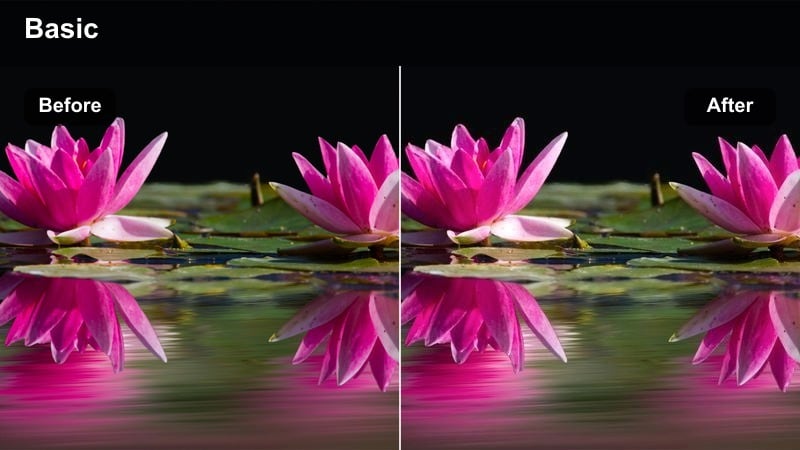
- Effect look: Muted highlights, boosted midtones, and soft contrast for story-driven city walks
- Best for: Handheld street POVs, alleyway explorations, and everyday travel vlog walking shots
- Editing tip: Add a slight motion blur effect on fast cuts to keep the cinematic feel even in shaky footage.
Street Wander Cinematic softens harsh highlights while lifting midtones, making busy streets, storefronts, and alleyways feel more controlled and story-focused. Textures in walls, clothing, and pavement stay rich without the blown-out look you often get from phone cameras.
Use it in Filmora on your city POV walks and quick handheld B-roll, then layer in subtle motion blur or stabilization to smooth out shakier clips. Cut on movement and let the filter handle the mood, so your TikTok feels like one continuous walk rather than disconnected moments.
Metro Mood Cine
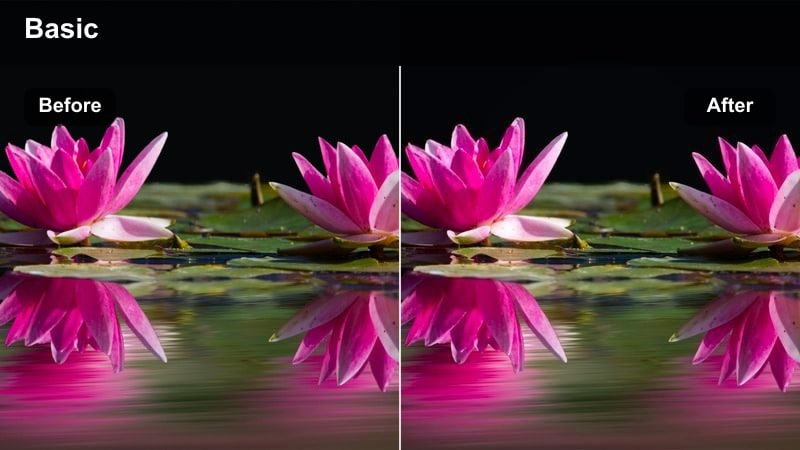
- Effect look: Cool metallic shadows with warm skin and signs, ideal for underground transit scenes
- Best for: Subway commutes, train window B-roll, tram rides, and airport train segments
- Editing tip: Stabilize shaky clips and slightly slow them down to turn routine transit shots into moody B-roll.
Metro Mood Cine cools down shadows to a metallic tint while keeping skin tones and signage pleasantly warm, creating a cinematic contrast that suits tunnels, platforms, and carriage interiors. Reflections on windows and metal surfaces get extra depth, turning ordinary commutes into stylized sequences.
In Filmora, drop this filter on clips from trains, trams, and airport shuttles, then adjust playback speed and stabilization to create smooth, floaty B-roll. Mix close-ups of faces and hands with wider carriage shots, letting the cool-warm color split add drama without needing extra lighting.
Crosswalk Cuts Cine
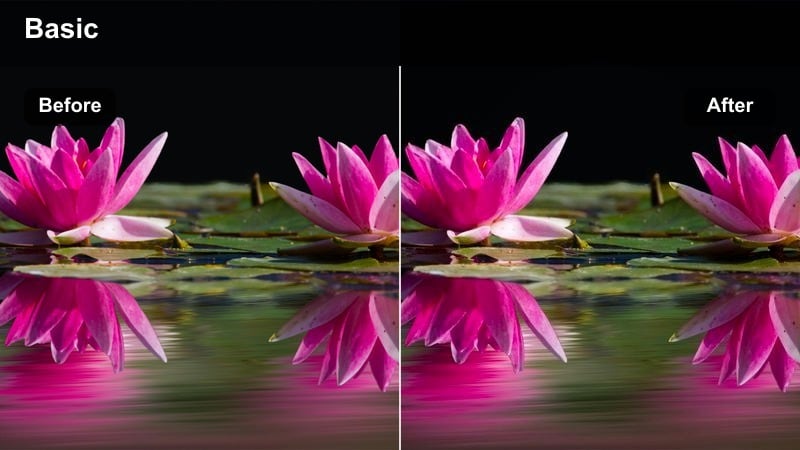
- Effect look: Punchy contrast, crisp whites, and enhanced city colors for energetic travel edits
- Best for: Busy crosswalks, street crossings, traffic scenes, and snappy TikTok transitions
- Editing tip: Use quick jump cuts synced with the crosswalk lights changing or cars passing for rhythm.
Crosswalk Cuts Cine boosts contrast and cleans up whites so road markings, traffic lights, and building facades really pop. The heightened saturation and sharpness make each frame feel energetic, ideal for snappy, beat-driven TikTok edits in dense city centers.
Apply it in Filmora across multiple angles of the same crossing, then jump cut on each step, light change, or passing car to build a rhythmic sequence. Combine with speed ramps and sound design so the bold visual style matches the pace of your soundtrack.
Historic Districts, Landmarks, and Old Town Streets
Old Town Filmic Soft
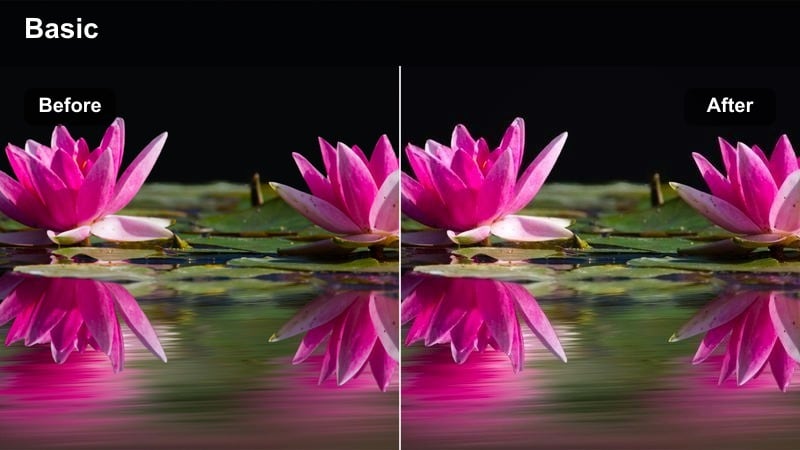
- Effect look: Soft contrast with gentle warm highlights and slightly desaturated walls
- Best for: Historic streets, courtyard entrances, and slow-paced travel storytelling shots
- Editing tip: Use longer clips with subtle camera moves so the softness has time to breathe on screen.
Old Town Filmic Soft slightly lowers contrast and saturation while adding a warm, nostalgic glow to highlights, perfect for stone walls, old doors, and narrow alleys. Details remain visible, but the overall feel leans dreamy and timeless instead of bright and modern.
Use it in Filmora when you want your TikTok to slow down and feel reflective, especially in historic quarters or quiet squares. Pair it with longer, steadier shots and gentle camera motion, and avoid over-cutting so viewers can soak in the textures and atmosphere.
Monument Frame Cine
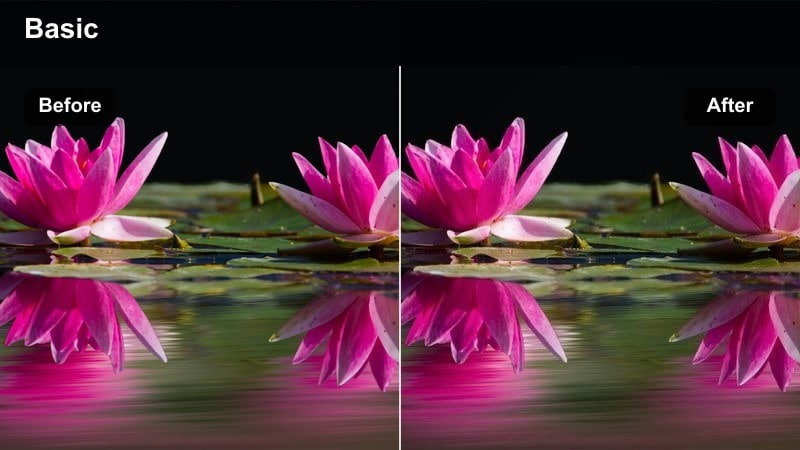
- Effect look: Balanced cinematic contrast with clean whites and neutral stone tones
- Best for: Landmark reveals, iconic monuments, and wide establishing shots in TikTok travel edits
- Editing tip: Use keyframes to slowly zoom in on monuments so the filter emphasizes lines and symmetry.
Monument Frame Cine keeps whites crisp and stone tones neutral, emphasizing lines, symmetry, and architecture without pushing colors too far. It adds polished contrast that makes landmarks feel grand and intentional, great for thumbnails as well as in-feed shots.
In Filmora, combine this filter with slow digital zooms or pans created with keyframes to highlight arches, columns, and silhouettes. Use it consistently on all your big landmark clips so your TikTok series looks like a cohesive travel film instead of a random highlight reel.
Cobblestone Chronicles
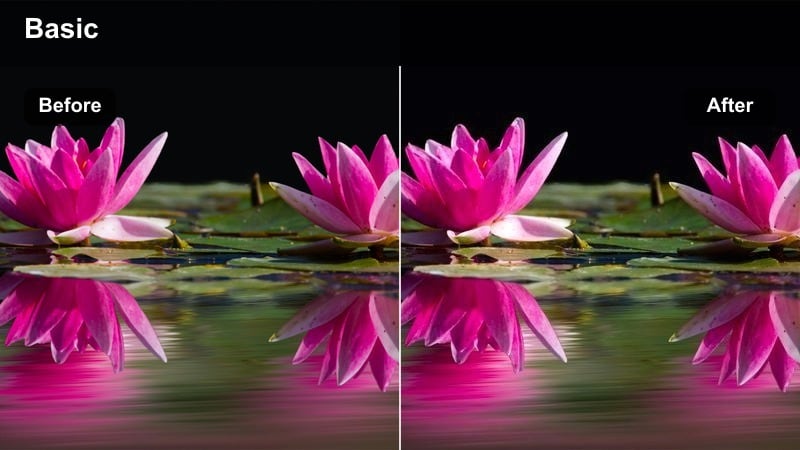
- Effect look: Muted colors with rich texture emphasis and warm midtones
- Best for: Cobblestone alleys, stairways, city overlooks, and slow exploring shots
- Editing tip: Add a bit of sharpness and slight grain to lean into the cinematic, documentary feel.
Cobblestone Chronicles dials back saturation while enhancing micro-contrast, which makes stones, bricks, and worn surfaces stand out beautifully. Warm midtones keep the scene inviting, so your historic streets and stairways feel like scenes from a travel documentary.
Apply it in Filmora to both wide and close-up shots around old paths, steps, and railings, then sprinkle in a bit of added sharpness and film grain for depth. Cutting between detailed textures and wider vistas with the same filter helps your TikTok sequence feel tightly story-driven and visually unified.
Night Neon, Hotel Rooms, and Late Flight Moments
Neon Nights TikTok
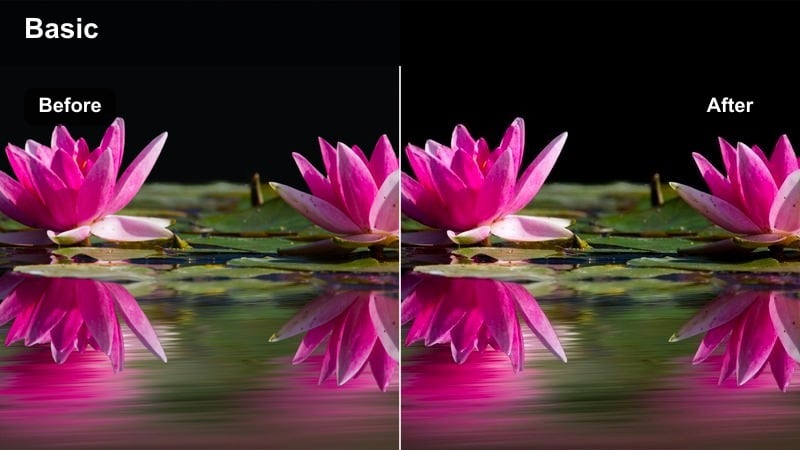
- Effect look: Bold neon saturation with deep blacks and cinematic highlight roll-off
- Best for: Night markets, neon signs, downtown nightlife, and moody late-night TikTok vlogs
- Editing tip: Reduce noise with a denoise filter first, then apply this look to keep night footage clean and dramatic.
Neon Nights TikTok deepens blacks and pushes neon colors into bold, eye-catching hues, ideal for city strips, night markets, and late-night streets. The smooth highlight roll-off protects signage and LEDs from blowing out, keeping detail in even the brightest signs.
Run Filmoras noise reduction or denoise effect on your low-light clips first, then layer this filter for a polished, cinematic finish. Combine slow-motion shots, reflections on wet ground, and close-ups of signs to build a rich night sequence that stands out in the TikTok feed.
Hotel Window Cine
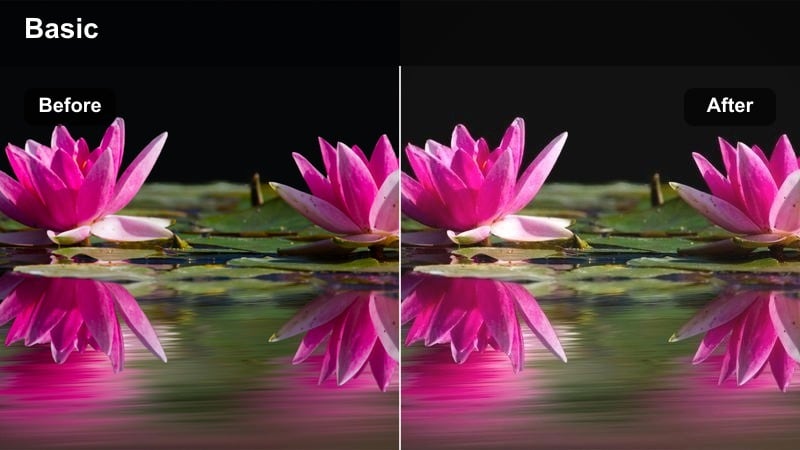
- Effect look: Soft interior warmth with balanced exterior city lights and gentle fade
- Best for: Hotel room vlogs, window-view timelapses, and packing or unpacking sequences
- Editing tip: Lower saturation on room lights if they look too yellow and add a vignette to frame your subject against the window.
Hotel Window Cine balances warm indoor lighting with cooler city views outside, so faces stay flattering while skyline lights remain visible. A light fade softens the image, turning simple sit-down clips or packing shots into cozy, cinematic interludes.
Use it in Filmora across all your in-room monologues, timelapses, and window B-roll so these quieter moments still feel polished. Adjust saturation on interior lights and add a vignette to draw focus toward your subject and the view beyond the glass.
Red-Eye Flight Cinematic
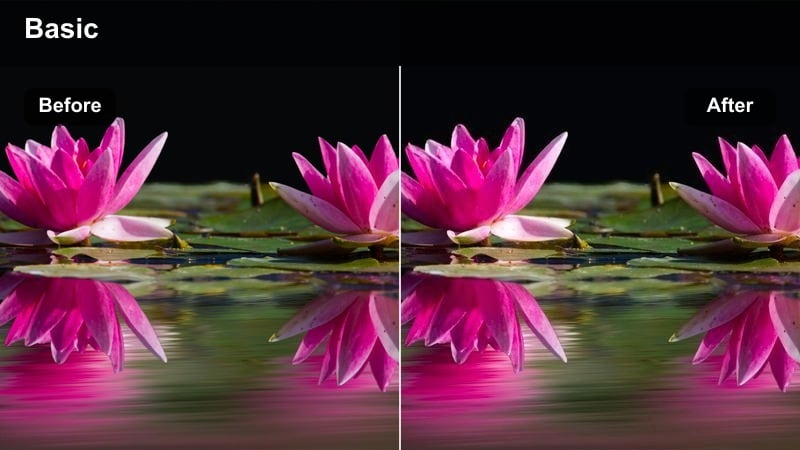
- Effect look: Low-contrast, cool shadows with subtle filmic grain and soft highlights
- Best for: Late-night flights, airport lounges, boarding queues, and airplane window shots
- Editing tip: Stabilize handheld clips and slightly slow them down to reduce the feeling of low-light shake.
Red-Eye Flight Cinematic introduces cool, calm shadows, soft highlights, and gentle grain that flatter dimly lit airports and cabins. Instead of fighting low light, it leans into the moody atmosphere and makes your travel-day fatigue feel intentional and cinematic.
Apply it in Filmora to clips from check-in to boarding to window views, then stabilize shaky handheld shots and slow them slightly for a smoother feel. Add simple captions or timestamps, and let this filter connect your entire red-eye sequence into a quiet, reflective TikTok mini-story.
Tips for Using Tiktok Travel Vlog Luts Cinematic Look Filters in Filmora
- Shoot in consistent frame rates and resolutions so your cinematic filters look uniform across all TikTok travel clips.
- Lock exposure and white balance in-camera when possible to avoid flickering or color shifts after applying filters.
- Organize your Filmora timeline by scene type, such as streets, rooftops, landmarks, and flights, and apply one main filter per group for cohesion.
- Use speed ramps, gentle zooms, and subtle motion blur with these cinematic filters to give everyday travel moments a big-screen feel.
- Keep your subject near natural or city light sources like windows, street lamps, or neon signs to maximize each filters impact.
- Preview multiple presets on the same clip in Filmora to quickly see which TikTok Travel Vlog LUTs Cinematic Look style best matches your story.
- Combine LUTs with these filters and save favorite pairings as custom presets to keep entire trips visually consistent.
- Balance your audio with ambient sounds and music so the cinematic visuals feel grounded in the real travel environment.
These TikTok Travel Vlog LUTs Cinematic Look inspired filters give content creators a fast way to turn raw travel footage into cohesive, filmic edits that stand out in the feed.
Experiment with different presets for streets, sunsets, and night scenes, then refine them in Filmora until your entire trip feels like one continuous cinematic story on TikTok.
secure download