

 100% Security Verified | No Subscription Required | No Malware

Twitch Color is bold, electric, and instantly recognizable, which makes it a strong choice for creators who want fast attention on screen. It often signals energy, live interaction, gaming, and a modern digital identity, so it works well in thumbnails, overlays, stream intros, title cards, and branded motion graphics.
This article shares Twitch Color color palettes with HEX codes for creators and Filmora users. Whether you are building a gaming brand, a creator intro, or a social video series, these Twitch Color color combinations can help you keep every frame visually consistent.
In this article
Neon Stream Energy Twitch Color Palettes
Electric Pulse Violet
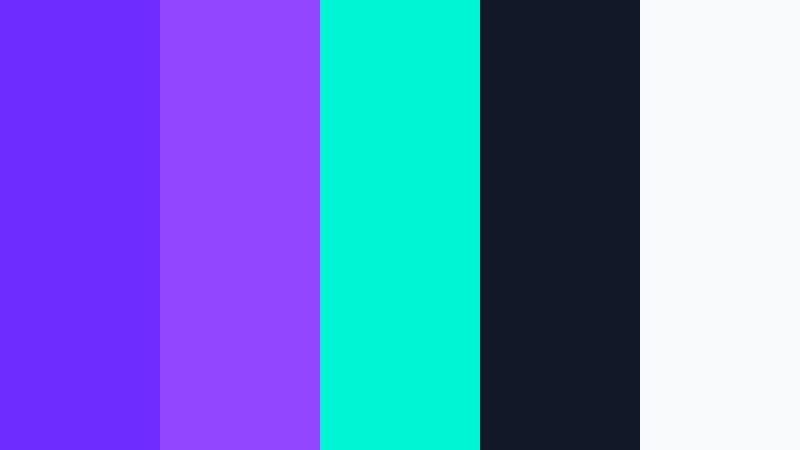
- HEX Codes: #6f2cff, #9146ff, #00f5d4, #111827, #f9fafb
- Mood: bold, electric, high-energy
- Use for: Use for stream intros, gaming thumbnails, channel banners, and motion graphics.
This vivid violet-led palette feels fast, sharp, and built for attention. The neon contrast gives thumbnails and overlays a strong live-stream look without feeling cluttered.
It is especially useful for gaming brands, creator branding, and punchy social edits. The dark base and bright accent colors make titles, alerts, and logo stings stand out on both desktop and mobile screens.
Pro Tip: Build A High-Impact Twitch Color Look In Filmora
Filmora makes it easy to keep this neon palette consistent across an intro, gameplay cut, and outro. Use the violet and teal accents for titles, lower thirds, and transitions so every part of the edit feels connected.
When you repeat the same strong contrast in overlays and motion graphics, your brand looks more polished and memorable. That is especially useful for stream promos, clip compilations, and YouTube thumbnails that need instant energy.
AI Color Palette
If you have a reference image, logo, or color card for this palette, Filmora's AI Color Palette feature can help you transfer the look to your whole video. It is a fast way to keep your intro, b-roll, and social cutdowns visually aligned.
That means you can match the brightest violet tones across multiple scenes without manually adjusting every clip. It is a practical workflow for creators who want a repeatable Twitch inspired style.
 secure download

HSL, Color Wheels & Curves
Use HSL to push the violet deeper, keep teal bright, or soften the white highlights for a cleaner stream aesthetic. With Filmora's color adjustment controls, you can shape the palette so it feels more cinematic or more arcade-like depending on the project.
Color wheels and curves are useful when you want the shadows to stay rich while the neon tones still pop. That balance helps gameplay edits, intro loops, and teaser clips look vivid without crushing detail.
secure download1000+ Video Filters & 3D LUTs
Filmora's video filters and 3D LUTs can help you turn this palette into something even more stylized. Add a subtle glow, a cool digital tint, or a contrast-heavy finish to make the violet and teal tones feel sharper.
This is a quick way to give stream promos, clips, and highlight reels a unified Twitch inspired look. Filters and LUTs also make it easier to match footage from different cameras or game captures.
secure downloadCyber Glare Magenta

- HEX Codes: #ff4fd8, #8b5cf6, #2dd4bf, #0b1020, #f5f3ff
- Mood: flashy, futuristic, playful
- Use for: Use for launch promos, live overlays, reaction clips, and creator highlight reels.
Bright magenta and cool teal create a punchy digital feel that stands out fast. The palette feels playful and tech forward, which makes it a strong match for energetic creator edits.
Use it when you want your stream visuals to feel current and lively. It works well in reaction thumbnails, animated lower thirds, and teaser videos that need a bold first impression.
Arcade Neon Nights
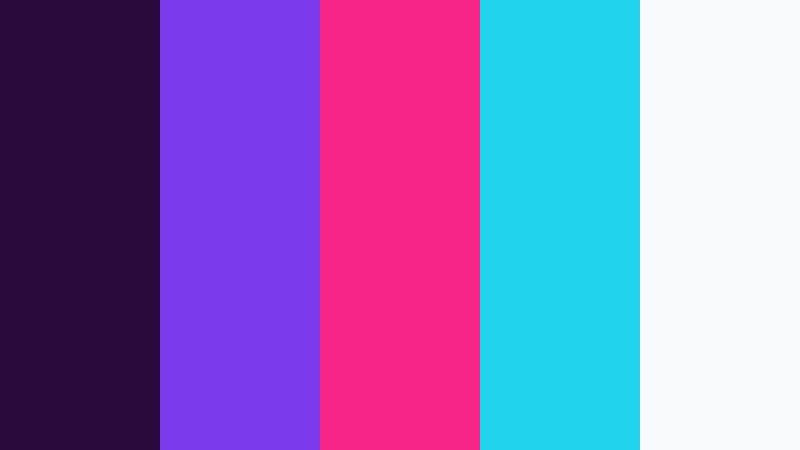
- HEX Codes: #2a0a3d, #7c3aed, #f72585, #22d3ee, #f8fafc
- Mood: vibrant, nocturnal, game-like
- Use for: Use for esports thumbnails, countdown screens, and animated subscribe prompts.
Deep purple shadows and hot pink accents give this palette a late-night arcade mood. The contrast feels lively but still polished, so it is easy to use across branding assets.
It is a smart choice for countdowns, esports graphics, and animated subscribe prompts. The dark background helps the neon accents stay readable on busy layouts.
Prism Raid Glow
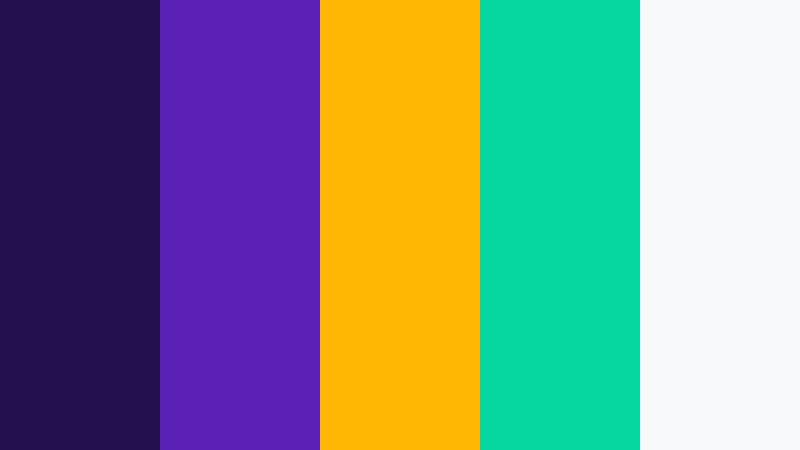
- HEX Codes: #24104d, #5b21b6, #ffb703, #06d6a0, #f8f9fb
- Mood: radiant, competitive, confident
- Use for: Use for tournament branding, stream alerts, and bold social carousels.
This palette combines a rich violet base with luminous gold and mint. The result is confident and competitive, with enough contrast to grab attention in fast-scrolling feeds.
Use it for action-focused branding, tournament promos, and social carousels that need instant impact. The bright accents help the design feel energetic without losing structure.
Dark Mode Creator Twitch Color Palettes
Midnight Moderator
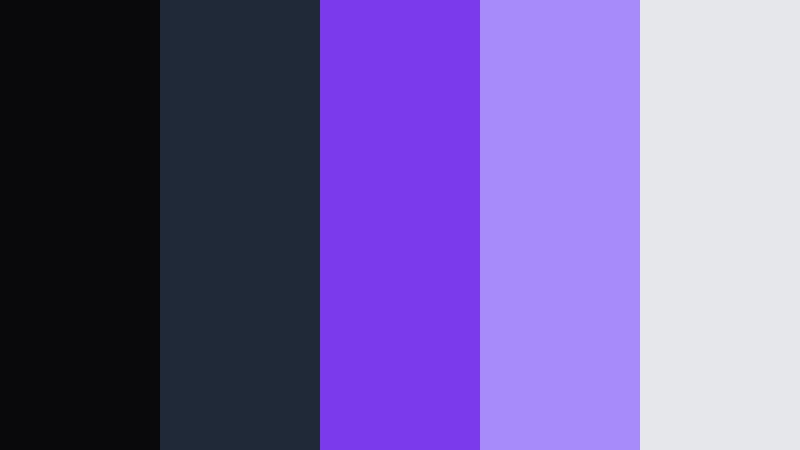
- HEX Codes: #09090b, #1f2937, #7c3aed, #a78bfa, #e5e7eb
- Mood: calm, controlled, professional
- Use for: Use for UI mockups, channel dashboards, and minimalist video openers.
A dark slate foundation softens the Twitch inspired purples and gives the palette a clean, credible feel. It works especially well when the goal is a polished creator brand instead of a loud gaming look.
Use it for dashboards, software demos, or minimalist openers where readability matters. The muted base keeps the design calm while the violet accents still give it personality.
Stream Deck Noir

- HEX Codes: #0f172a, #312e81, #6366f1, #c084fc, #dbeafe
- Mood: sleek, focused, modern
- Use for: Use for lower thirds, product explainers, and dark themed thumbnail systems.
Cool indigo and violet tones keep this palette sharp and sophisticated. It has a modern studio feel that works well for creators who want a premium look.
It is a strong choice for lower thirds, product explainers, and thumbnail systems built around a dark theme. The contrast helps important text stand out without looking harsh.
Shadow Host Violet
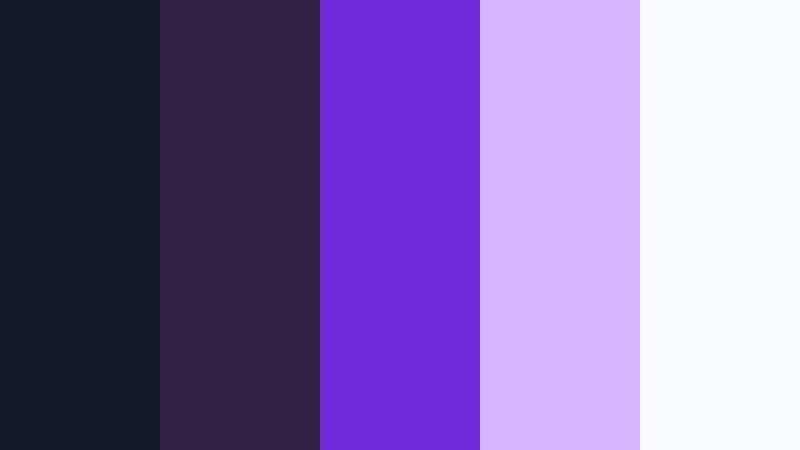
- HEX Codes: #111827, #312244, #6d28d9, #d8b4fe, #f9fafb
- Mood: moody, elegant, immersive
- Use for: Use for podcast visuals, commentary videos, and intro cards with a dark backdrop.
This palette leans into shadow and violet haze for a cinematic creator feel. It adds depth to long-form content while staying refined and easy to style.
Use it for podcasts, commentary edits, and intro cards when you want a dramatic but controlled atmosphere. The light highlight color keeps titles readable against the darker foundation.
Deep Focus Chat
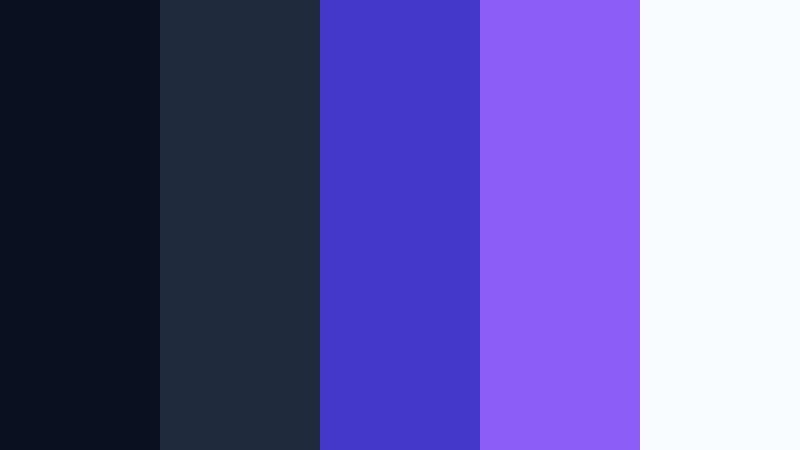
- HEX Codes: #0b1120, #1e293b, #4338ca, #8b5cf6, #f8fafc
- Mood: composed, thoughtful, precise
- Use for: Use for tutorial thumbnails, stream schedules, and educational motion design.
The muted navy base keeps attention on the brighter violet layers. That makes the palette feel focused and clear, which is useful for content that needs structure.
It works well for tutorial thumbnails, schedule graphics, and educational motion design. The balance of dark and bright tones helps your layout stay organized and easy to scan.
Soft Pastel Live Twitch Color Palettes
Lavender Pop Stream
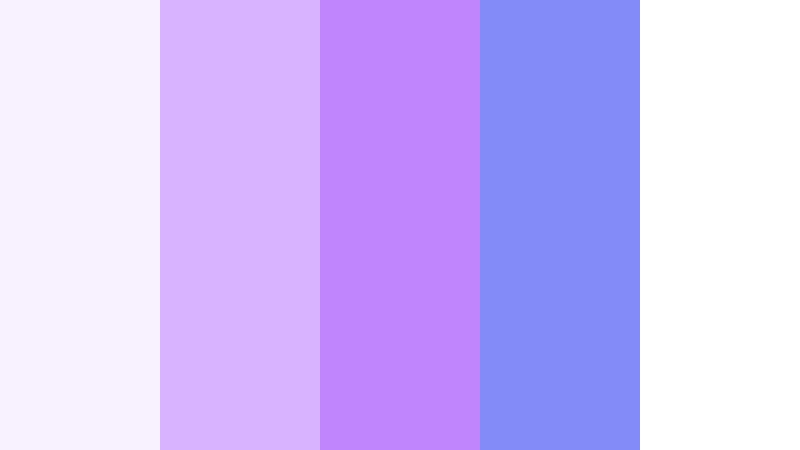
- HEX Codes: #f8f1ff, #d8b4fe, #c084fc, #818cf8, #ffffff
- Mood: airy, friendly, upbeat
- Use for: Use for lifestyle vlogs, soft brand intros, and pastel social graphics.
Gentle lavender shades create a relaxed and approachable look. This palette is softer than classic Twitch styling, which makes it ideal for creators who want warmth with a subtle digital edge.
Use it in lifestyle vlogs, pastel social graphics, and intro screens that should feel friendly and open. The light tones also work well for clean layouts with plenty of breathing room.
Bubblegum Broadcast

- HEX Codes: #ffe4f1, #ffb4d9, #a78bfa, #fbcfe8, #fffafc
- Mood: sweet, cheerful, welcoming
- Use for: Use for beauty content, reaction thumbnails, and playful YouTube or shorts graphics.
Pink-forward pastels give this palette a fun, social energy. It feels welcoming and light, which helps beauty or lifestyle content come across as approachable.
Use it for reaction thumbnails, shorts graphics, and soft branded titles. The gentle contrast keeps the palette sweet without making it look flat.
Cloud Nine Creator
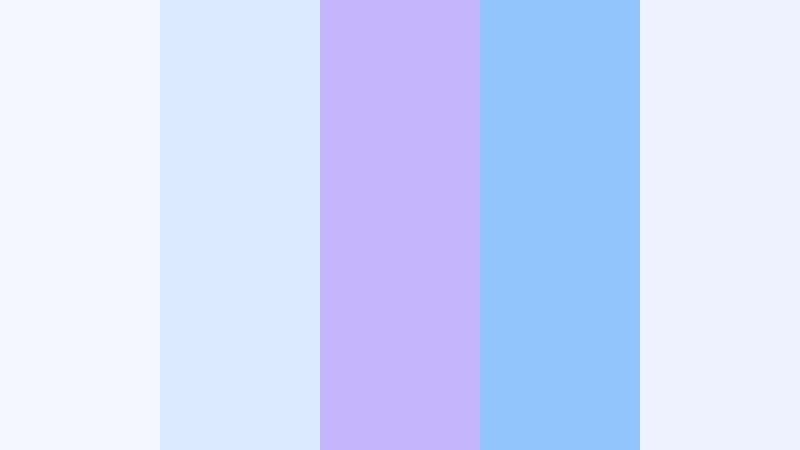
- HEX Codes: #f4f7ff, #dbeafe, #c4b5fd, #93c5fd, #eef2ff
- Mood: soft, dreamy, breezy
- Use for: Use for channel headers, wellness edits, and clean UI elements.
Cool clouds of blue and violet make this palette feel calm and open. It gives your design a soft sky-like quality that is easy on the eye.
Use it for channel headers, wellness edits, and simple UI elements. The airy tones help create a clean, modern look that still feels creative.
Hazy Hearts Live
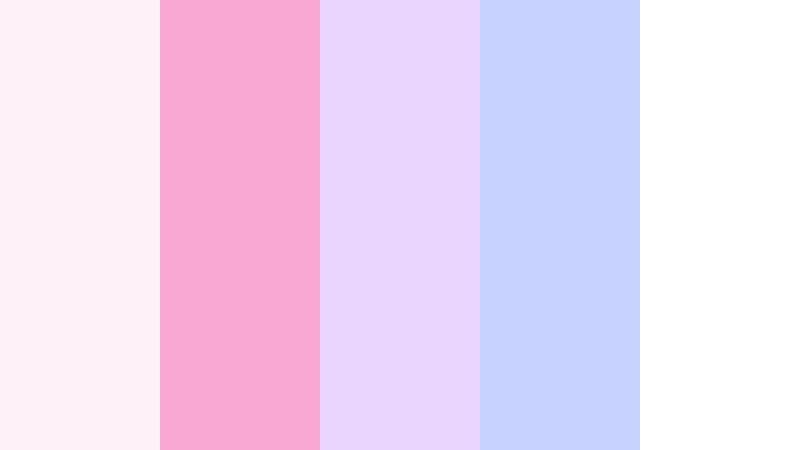
- HEX Codes: #fff1f7, #f9a8d4, #e9d5ff, #c7d2fe, #ffffff
- Mood: romantic, light, soothing
- Use for: Use for membership graphics, creator announcements, and soft launch campaigns.
The blend of blush and lilac gives this palette a tender, dreamy look. It adds warmth to creator content while staying delicate and refined.
It is a good choice for membership graphics, announcements, and launch campaigns that need a gentle tone. The pale background colors keep the composition soft and approachable.
Luxe Studio Twitch Color Palettes
Royal Signal

- HEX Codes: #1b1035, #5b21b6, #7c3aed, #f59e0b, #f8fafc
- Mood: regal, premium, striking
- Use for: Use for branded video openers, luxury product features, and bold titles.
A rich purple base meets gold for a confident premium finish. The palette feels polished and dramatic, making it a strong fit for luxury branding.
Use it in video openers, product features, and bold title cards when you want an upscale tone. The gold accent adds a sense of importance without overwhelming the layout.
Velvet Interface
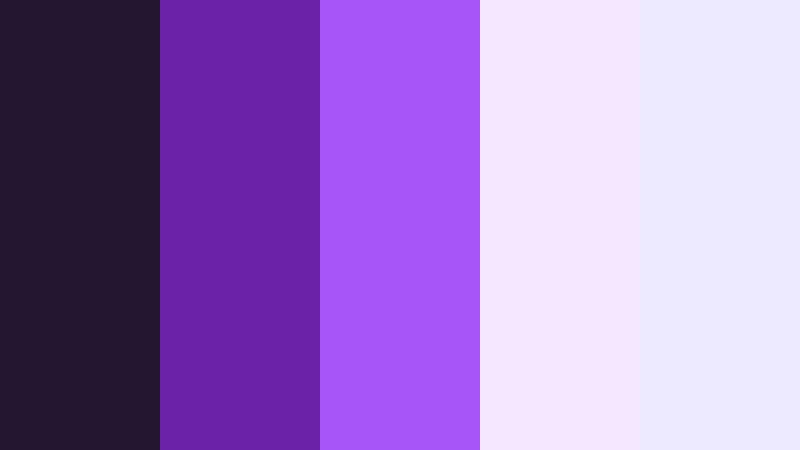
- HEX Codes: #241531, #6b21a8, #a855f7, #f3e8ff, #ede9fe
- Mood: smooth, refined, expressive
- Use for: Use for web headers, portfolio reels, and sleek packaging concepts.
Velvet tones and soft highlights give this palette a chic studio feel. It has enough creative energy for branding, but it still reads as elegant and controlled.
It is ideal for web headers, portfolio reels, and packaging concepts that need a stylish finish. The layered violets help the design feel soft while still staying visually rich.
Opal Creator Suite
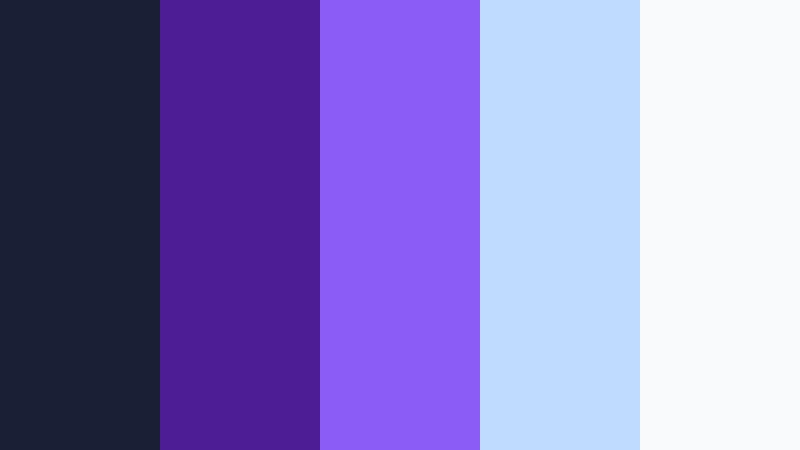
- HEX Codes: #1a1f36, #4c1d95, #8b5cf6, #bfdbfe, #f8fafc
- Mood: polished, luminous, balanced
- Use for: Use for brand systems, professional intros, and modern editorial graphics.
Deep blue violet anchored by opal blue accents feels refined and versatile. The palette has a balanced, premium look that works across many creator formats.
Use it for brand systems, professional intros, and editorial graphics that need consistency. The luminous accents help the overall design feel modern without losing clarity.
Tips for Creating Twitch Color Color Palettes
When you build a Twitch Color palette for video or design, focus on contrast, readability, and brand consistency first. The best palette should work on thumbnails, overlays, intros, and social posts without losing clarity on smaller screens.
- Use one dominant Twitch Color shade and let the secondary colors support it.
- Keep text high contrast against the background for better thumbnail readability.
- Match the palette to your content style, such as gaming, beauty, or tutorials.
- Repeat the same accent colors in intros, lower thirds, and end screens.
- Test the palette on both dark and light backgrounds before publishing.
- Use muted neutrals to balance neon tones and prevent visual noise.
- Adjust saturation so the palette fits your footage instead of overpowering it.
- Save a reusable brand kit so every new edit stays visually consistent.
Twitch Color palettes can shape the mood of a project just as much as music or motion. From neon stream energy to soft pastel live looks, the right colors help your content feel more memorable and more intentional.
These palette ideas also give you a practical starting point for branding across thumbnails, overlays, intros, and social edits. Once you find a look that fits your channel, it becomes easier to build recognition across every platform.
Try these Twitch Color color combinations in Filmora to keep your visuals consistent and easy to customize. With the right tools, you can turn a simple palette into a full creator identity.
secure download