

 100% Security Verified | No Subscription Required | No Malware


 ChatGPT
 Perplexity
 Gemini
 Claude
 Grok
Grok
Yellow and teal are a powerful duo for creators. Yellow instantly feels sunny, optimistic, and attention grabbing, while teal is calm, modern, and slightly cinematic. Together, Yellow Teal color palettes can make a YouTube thumbnail pop, give a vlog intro a clear mood, or tie an entire channel brand together with a recognizable look.
Below you will find 15 ready to use Yellow Teal color palettes with HEX codes, organized by style: fresh and playful, elegant and modern, cinematic, and soft pastel. Each palette includes mood notes and practical suggestions so video editors, designers, and Filmora users can quickly apply these Yellow Teal color combinations to intros, lower thirds, LUTs, presets, thumbnails, and more.
In this article
Fresh And Playful Yellow Teal Color Palettes
Sunlit Lagoon Blend
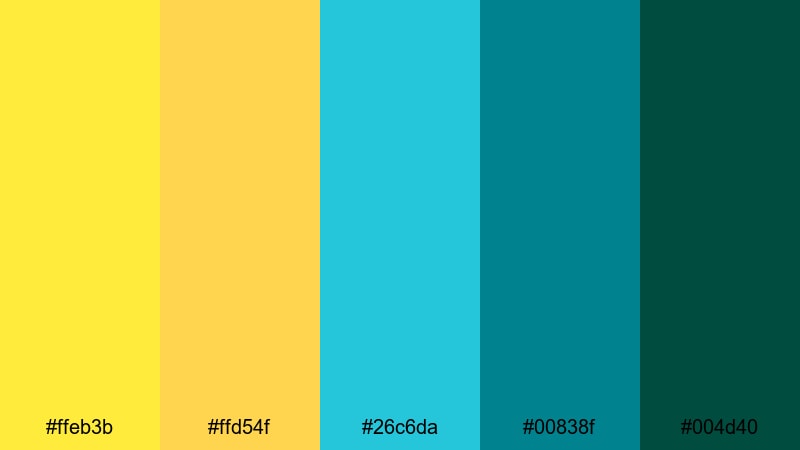
- HEX Codes: #ffeb3b, #ffd54f, #26c6da, #00838f, #004d40
- Mood: bright, energetic, and vacation ready
- Use for: Ideal for upbeat vlog intros, travel montages, and playful YouTube thumbnails that need instant energy.
Sunlit Lagoon Blend mixes lemon yellow highlights with tropical teals and deep greenish blues, like sunlight bouncing off a clear ocean. It feels carefree, warm, and full of movement, which is perfect for creators who want every frame to feel like a day at the beach.
Use the bright yellows for titles, shapes, and call to action buttons in your thumbnails, while the teals sit behind as gradients or overlay tints on your footage. In Filmora, you can turn this palette into a consistent look for your intro animation, travel b roll, and even your channel banner so your Yellow Teal aesthetic is instantly recognizable.
Pro Tip: Enhance Your Yellow Teal Visuals With Filmora
To keep a palette like Sunlit Lagoon Blend consistent across your whole edit, save your Yellow Teal choices as presets in Filmora. Apply the same yellow for text and icons, then use the teal and deep green tones as overlay colors on adjustment layers so all clips share the same beachy mood.
You can also design a simple title template in Filmora that uses the bright yellow for the main heading and a deeper teal bar or shape underneath. Reusing that template for every episode builds a strong Yellow Teal visual identity without extra design work each time.
AI Color Palette
If you already have a favorite Yellow Teal photo or thumbnail, you can use it as a reference for your entire video. Filmora's AI Color Palette feature analyzes the colors in a reference image and transfers that palette to your selected clips.
Simply grab a frame that nails your Sunlit Lagoon Blend vibe, load it as the reference, and let Filmora match the overall Yellow Teal balance to the rest of your timeline. This keeps travel intros, b roll, and even vertical social edits locked into the same sunny, teal toned style.
 secure download

HSL, Color Wheels & Curves
Once your Yellow Teal palette is applied, fine tune it with Filmora's HSL, color wheels, and curves controls. Slightly lifting the yellow highlights and cooling the teal shadows can push your footage toward a more cinematic, travel film look while still feeling playful.
For more control, use HSL to target only the yellow or cyan ranges and nudge saturation or lightness until your text remains readable and skin tones still look natural; Filmora's color correction tools give you enough flexibility to adapt the same palette for both bright outdoor scenes and darker indoor shots.
secure download1000+ Video Filters & 3D LUTs
To push your Yellow Teal mood even further, layer Filmora's presets over your custom palette. Filmora's video filters and 3D LUTs make it easy to add glow, grain, soft fades, or subtle film looks while still respecting your base colors.
You can start from a cinematic or travel LUT, dial down its strength, and then adjust your yellows and teals to sit perfectly on top. Saving this as a custom preset means every new vlog, Reel, or YouTube Short can instantly match your established Yellow Teal style.
secure downloadTropical Street Market
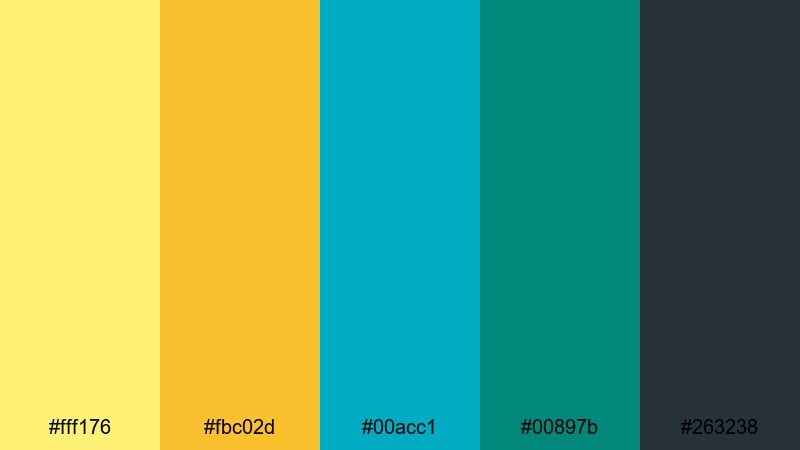
- HEX Codes: #fff176, #fbc02d, #00acc1, #00897b, #263238
- Mood: busy, colorful, and urban tropical
- Use for: Great for lifestyle vlogs, city travel reels, and energetic shorts that mix concrete vibes with tropical pops of color.
Tropical Street Market combines juicy banana yellows with punchy teals and a deep charcoal base. It feels like scooters, neon signs, and fruit stalls all packed into one busy frame, balancing warmth and coolness with a grounded dark accent.
Use the bright yellow for price tags, countdowns, and on screen stickers, while the teal shades can tint your footage or background shapes in titles. The charcoal tone (#263238) keeps thumbnails and lower thirds readable, especially on mobile. In Filmora, this palette works well for jump cut city vlogs, street food tours, or Reels that bounce between concrete and greenery.
Retro Arcade Neon
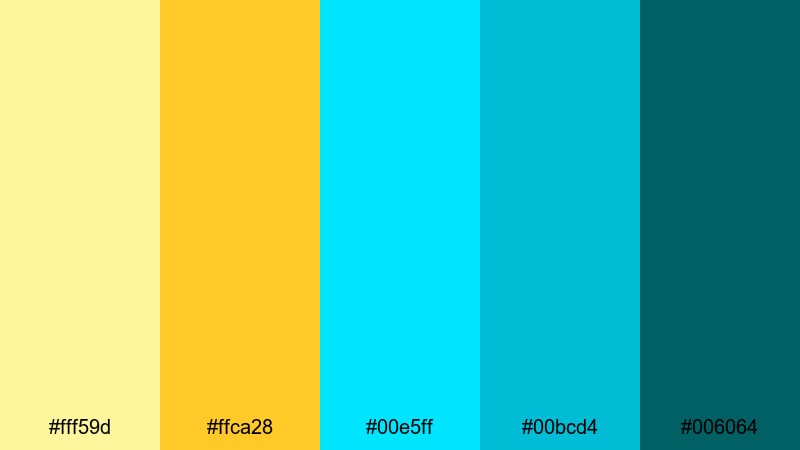
- HEX Codes: #fff59d, #ffca28, #00e5ff, #00bcd4, #006064
- Mood: youthful, electric, and nostalgic
- Use for: Perfect for gaming intros, tech reviews, and kinetic typography that needs a playful neon edge.
Retro Arcade Neon throws soft yellow and electric teal together for a look that feels like glowing arcade cabinets and retro UI screens. The bright cyan (#00e5ff) and teal (#00bcd4) bring high energy, while the deeper teal (#006064) keeps overlays from feeling too light.
Use the lighter yellows for scoreboards, progress bars, and button states in your graphics, and lean on the neon cyan for animated outlines or glitch transitions in Filmora. This palette is strong enough to handle fast cuts and bold kinetic typography while staying readable on both dark and light backgrounds.
Citrus Wave Splash
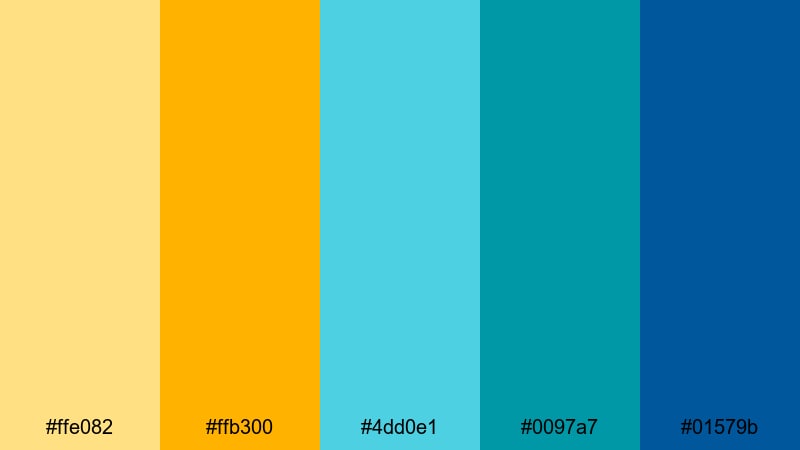
- HEX Codes: #ffe082, #ffb300, #4dd0e1, #0097a7, #01579b
- Mood: zesty, refreshing, and high contrast
- Use for: Use for product promos, unboxing videos, and snack or beverage content that should feel crisp and refreshing.
Citrus Wave Splash is sharp and fizzy, like sparkling soda on a hot afternoon. The golden orange yellow (#ffb300) and bright teal (#4dd0e1) create instant contrast, while the deeper blues pull the eye toward your subject.
This palette is perfect for packaging shots, close ups of drinks, or motion graphics around food content. Use the darker blue (#01579b) as a background for price tags and product names in Filmora titles, then accent key moments with pops of citrus yellow to guide attention in thumbnails and end screens.
Elegant And Modern Yellow Teal Color Palettes
Urban Loft Glow
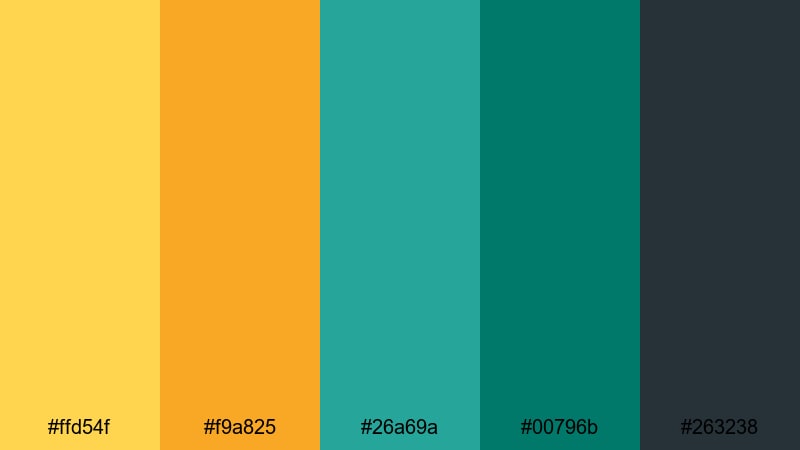
- HEX Codes: #ffd54f, #f9a825, #26a69a, #00796b, #263238
- Mood: sophisticated, modern, and cinematic
- Use for: Ideal for branding packages, title cards, and channel art where you want a polished yet creative identity.
Urban Loft Glow pairs golden yellows with refined teal and deep slate, echoing warm window light in a modern city apartment. It feels polished and cinematic without losing the creative punch of color.
Use the mid gold (#ffd54f) for key typography or logo accents, and let the teals (#26a69a and #00796b) frame your footage in bars, shape layers, or lower thirds. The slate (#263238) is great for text overlays and dark mode UI elements. In Filmora, this Yellow Teal palette can carry an entire channel identity for designers, photographers, or creative entrepreneurs.
Golden Teal Identity
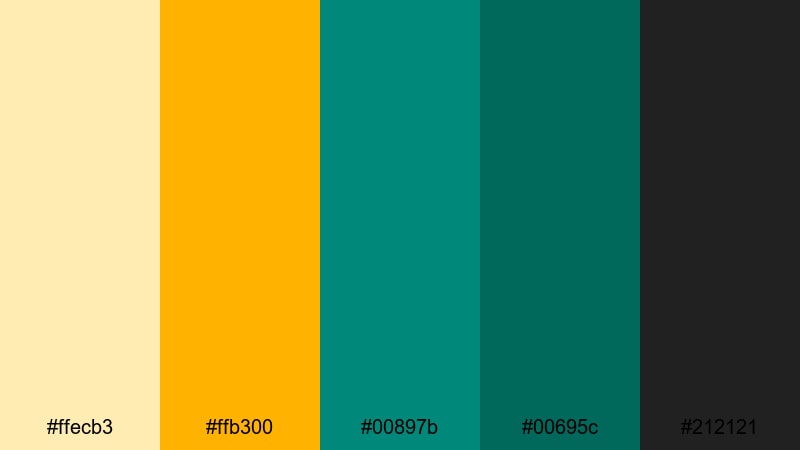
- HEX Codes: #ffecb3, #ffb300, #00897b, #00695c, #212121
- Mood: confident, premium, and brand forward
- Use for: Perfect for logo reveals, lower thirds, and cohesive channel branding that needs a signature color system.
Golden Teal Identity leans into soft champagne golds and rich teals anchored by inky charcoal (#212121). It feels premium and confident, ideal for creators who want to look established and trustworthy.
Reserve the bright gold (#ffb300) for your logo mark, subscribe button highlights, or important metrics. Use the teals for backgrounds behind talking heads or as color blocks in infographics. Apply the light gold (#ffecb3) as a subtle gradient in Filmora titles and transitions to add a hint of luxury without overpowering your footage.
Minimal Shoreline
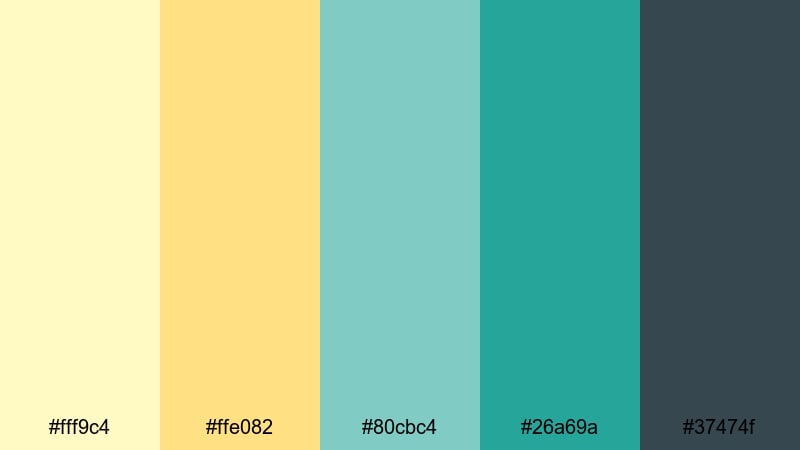
- HEX Codes: #fff9c4, #ffe082, #80cbc4, #26a69a, #37474f
- Mood: calm, clean, and design driven
- Use for: Great for UI overlays, app demos, and minimalist explainers where clarity and calm visuals matter.
Minimal Shoreline is light and airy, with pale sand yellows and sea glass teals against a soft gray navy (#37474f). It communicates clarity, structure, and modern design thinking.
Use the light yellow (#fff9c4) for subtle backgrounds or cards in UI mockups, and the teals for buttons, progress indicators, and accent icons. In Filmora explainers, this palette keeps charts, screen recordings, and callouts easy to read while still feeling gentle and user friendly.
Art Deco Harbor
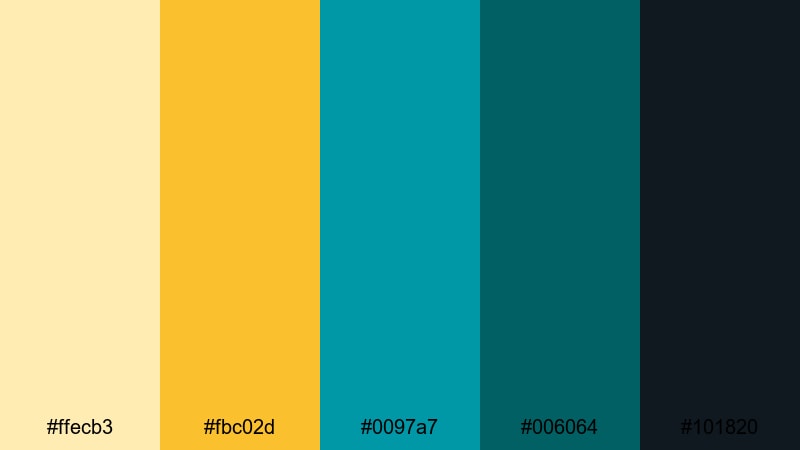
- HEX Codes: #ffecb3, #fbc02d, #0097a7, #006064, #101820
- Mood: glamorous, retro, and refined
- Use for: Ideal for title sequences, film festival bumpers, and stylish brand intros with a vintage modern twist.
Art Deco Harbor channels classic cinema posters with muted golds, strong teals, and a deep near black navy (#101820). It feels glamorous and slightly nostalgic, perfect for creators who want a timeless, film inspired brand.
Use the darker teal (#006064) and deep navy for backgrounds and letterboxing, then let the golds pop in typography and line work. In Filmora, this palette is excellent for animated title cards, film festival slates, or any project that aims for a vintage modern Yellow Teal look.
Cinematic Yellow Teal Color Palettes
Dusk Harbor Grade
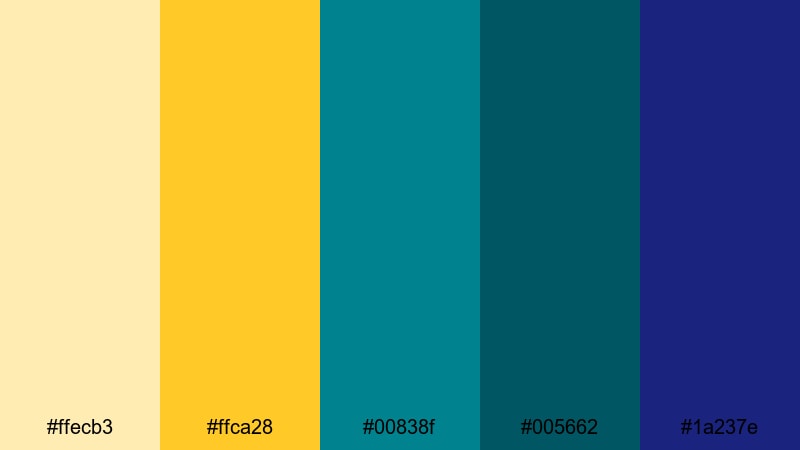
- HEX Codes: #ffecb3, #ffca28, #00838f, #005662, #1a237e
- Mood: moody, atmospheric, and story driven
- Use for: Perfect for narrative shorts, travel films, and color graded B roll that aims for a cinematic blockbuster feel.
Dusk Harbor Grade uses warm golden highlights (#ffca28) against deep teal shadows (#00838f and #005662), with a rich blue accent (#1a237e). It mimics the popular teal and orange blockbuster look while keeping things more refined and harbor toned.
Apply the lighter golds to highlights and lens flares, and push midtones toward teal for that cinematic split tone feel in Filmora. This palette is ideal for story driven edits where you want emotional impact, from travel montages to short films and dramatic B roll sequences.
Noir Tropic Contrast
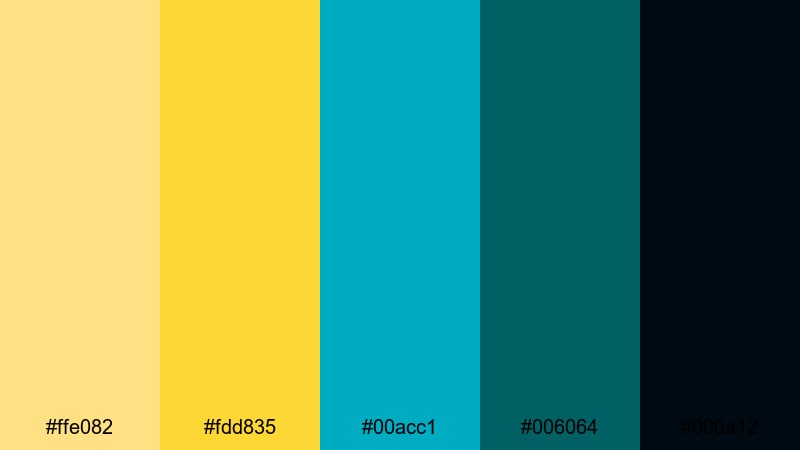
- HEX Codes: #ffe082, #fdd835, #00acc1, #006064, #000a12
- Mood: intense, dramatic, and high contrast
- Use for: Use for trailers, edgy music videos, and stylized reels where strong light versus shadow is part of the story.
Noir Tropic Contrast slices sharp yellow accents through dense teal and near black (#000a12). The result is highly graphic and dramatic, great for content that needs tension and style at the same time.
Use the intense yellow (#fdd835) sparingly for key text, timestamps, or warning style graphics, while the dark teal and black tones dominate your backgrounds and letterbox bars. In Filmora, this palette works well with fast cuts, glitch effects, and strong vignettes for trailers and music videos.
Golden Hour Teal
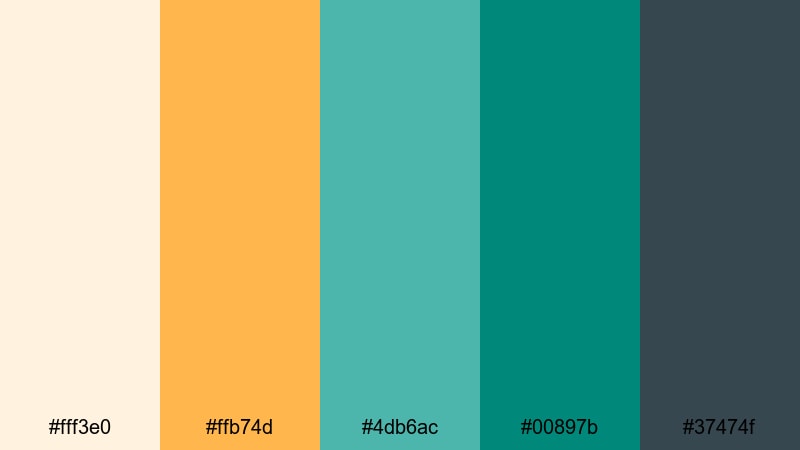
- HEX Codes: #fff3e0, #ffb74d, #4db6ac, #00897b, #37474f
- Mood: warm, nostalgic, and softly cinematic
- Use for: Ideal for wedding films, family stories, and emotional travel diaries that lean into golden hour light.
Golden Hour Teal softens the classic teal and orange combo with creamy highlights (#fff3e0), warm amber (#ffb74d), and gentle sea teals (#4db6ac). It feels romantic and nostalgic, perfect for emotional storytelling.
Push your highlights slightly warmer and your shadows gently toward teal in Filmora, then use the neutral gray (#37474f) for text overlays that need to stay subtle. This Yellow Teal palette is especially good for wedding films, family montages, and travel diaries shot at sunset or sunrise.
Indie Travel Reel
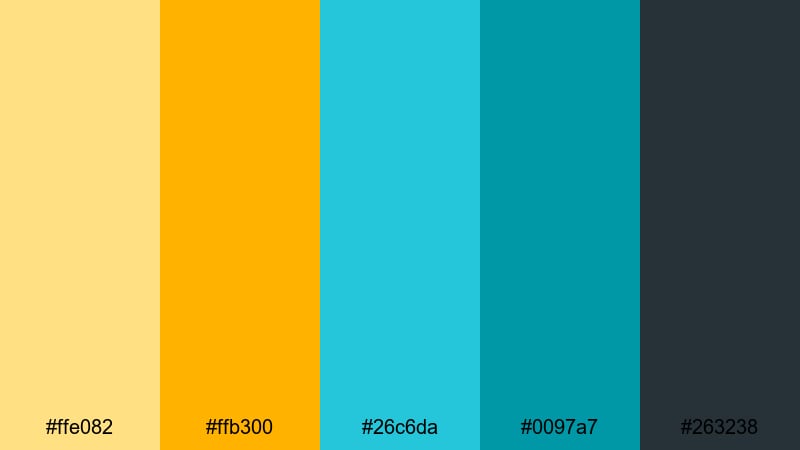
- HEX Codes: #ffe082, #ffb300, #26c6da, #0097a7, #263238
- Mood: adventurous, candid, and documentary styled
- Use for: Great for handheld travel reels, backpacking stories, and documentary style edits with a polished finish.
Indie Travel Reel mixes sunny roadside yellows with oceanic teals and a deep slate base, giving your footage a polished yet candid road trip feel. It bridges the gap between casual vlogging and polished travel cinematics.
Use the bright yellow (#ffb300) for map graphics, route lines, or location tags, and lean on the teals for sky, water, and overlay tints. In Filmora, this palette is ideal for handheld clips, drone shots, and quick cut Reels that document an entire journey but still feel visually unified.
Soft And Pastel Yellow Teal Color Palettes
Morning Pool Pastels
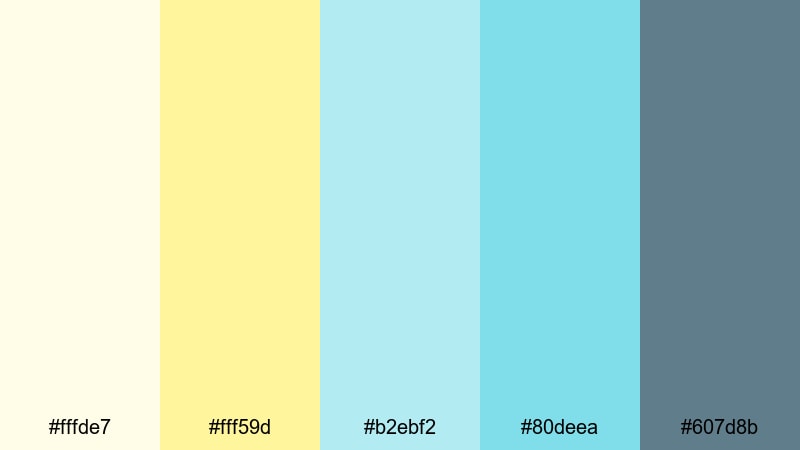
- HEX Codes: #fffde7, #fff59d, #b2ebf2, #80deea, #607d8b
- Mood: gentle, relaxed, and morning fresh
- Use for: Perfect for morning routine videos, wellness content, and soft spoken tutorials where you want a light, welcoming feel.
Morning Pool Pastels uses buttercream yellows and pale poolside teals, anchored with a soft slate gray (#607d8b). It feels calm, early morning fresh, and low contrast, making it easy on the eyes during longer videos.
Use the lightest yellow (#fffde7) as a gentle background color for titles or info cards, and let the pastel teals support subtle animations, icons, or section dividers. This palette works well in Filmora for routine videos, journaling content, ASMR style edits, or any series where you want viewers to feel relaxed instead of overstimulated.
Lemon Mint Breeze
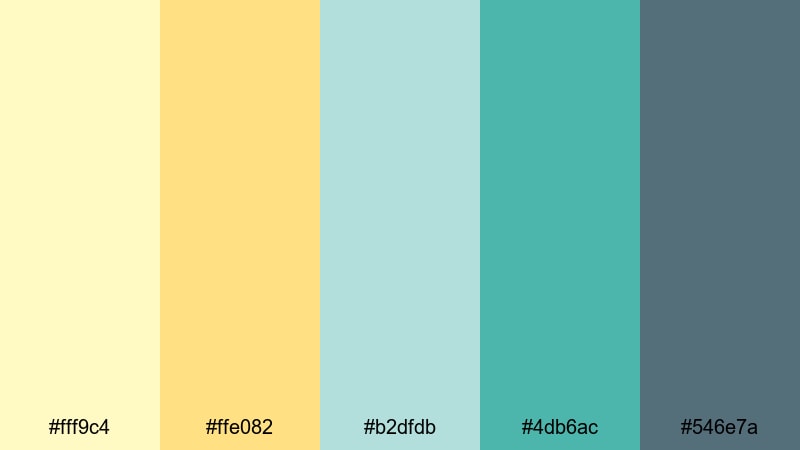
- HEX Codes: #fff9c4, #ffe082, #b2dfdb, #4db6ac, #546e7a
- Mood: refreshing, airy, and lightly playful
- Use for: Great for skincare promos, recipe videos, and eco friendly product features that need a clean yet friendly touch.
Lemon Mint Breeze feels like iced lemonade with fresh herbs. Soft lemon yellows and minty teals keep everything bright but not harsh, while the muted blue gray (#546e7a) keeps typography and UI elements grounded.
Use the mid teal (#4db6ac) for product frames, ingredient labels, or callouts, and reserve the yellows for subtle highlights and emphasis. In Filmora, this palette pairs beautifully with close up skincare shots, minimal cooking scenes, and eco branding that wants to look fresh and trustworthy.
Creamy Coastal Mist
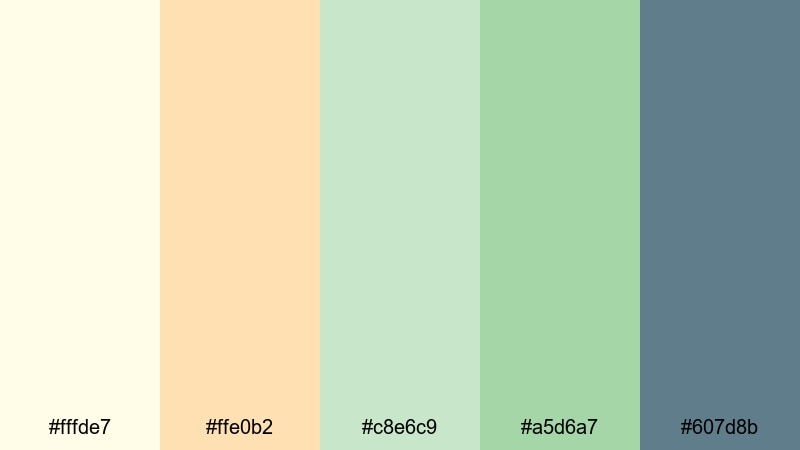
- HEX Codes: #fffde7, #ffe0b2, #c8e6c9, #a5d6a7, #607d8b
- Mood: soothing, organic, and coastal calm
- Use for: Use for slow living vlogs, ASMR, and aesthetic B roll where you want viewers to feel instantly relaxed.
Creamy Coastal Mist blends off whites, muted yellows, and soft greens to create an organic shoreline haze. It is very gentle and slightly desaturated, which helps avoid eye fatigue during long watch sessions.
Use the creamy tones (#fffde7, #ffe0b2) as backgrounds or frames, and the greens (#c8e6c9, #a5d6a7) for accent lines, progress bars, or minimal icons. The slate gray (#607d8b) is perfect for subtle body text and time stamps. In Filmora, this palette is ideal for slow living vlogs, desk setups, reading nooks, and atmospheric B roll with ambient sound or ASMR.
Tips for Creating Yellow Teal Color Palettes
Yellow Teal color combinations can range from bold and cinematic to soft and pastel. A few practical guidelines will help you build palettes that look cohesive on screen, feel on brand, and stay readable across thumbnails, intros, and full length videos.
- Choose a role for each color: use yellow as your main accent for titles and buttons, and teal as your base for backgrounds, overlays, or shadows.
- Check contrast for text: pair bright yellows with darker teals or charcoal tones so titles, subtitles, and captions remain readable on mobile screens.
- Limit your brights: pick one strong yellow and one strong teal, then keep the rest of the palette more muted to avoid visual noise in fast edits.
- Protect skin tones: when grading with teal shadows, avoid pushing mids too far toward green or cyan so faces still look natural and flattering.
- Test on both light and dark layouts: design thumbnails, end screens, and lower thirds on light and dark backgrounds to ensure your Yellow Teal palette works in both contexts.
- Use one neutral anchor: add a dark slate, charcoal, or soft off white so your bright colors have a place to rest and your UI elements look modern.
- Keep branding consistent: reuse the same HEX codes for your logo, channel art, and recurring templates so viewers quickly associate that exact Yellow Teal with your brand.
- Match footage with overlays: if your raw footage is very warm or very cool, use subtle color overlays or adjustment layers in Filmora to nudge it toward your chosen Yellow Teal palette.
Yellow Teal palettes can completely change how your videos feel, from playful travel vlogs to elegant brand intros or soft, calming routines. With the HEX codes above, you can match your thumbnails, titles, overlays, and color grading so every touchpoint shares the same recognizable mood.
Experiment with these 15 palettes inside Filmora: build a few title presets, try different Yellow Teal grades on your footage, and save the combinations that fit your style best. Over time, that consistent palette becomes part of your visual identity, making your channel stand out in feeds and recommendation pages.
Whether you lean into bold cinematic contrast or gentle pastels, using a clear Yellow Teal system will make your edits look more intentional and professional, without adding hours of work to every project.
secure download