

 100% Security Verified | No Subscription Required | No Malware


 ChatGPT
 Perplexity
 Gemini
 Claude
 Grok
Grok
Cocoa Beige sits between warm coffee tones and soft neutral creams. It feels friendly, grounded, and cinematic, which is why it shows up so often in lifestyle branding, cozy thumbnails, and minimal studio setups. Used well, Cocoa Beige can make your footage feel more premium without looking overly styled, and it flatters most skin tones on camera.
For video creators, designers, and Filmora users, Cocoa Beige is a flexible base color for intros, titles, lower thirds, channel banners, and thumbnails. Below you will find 15 curated Cocoa Beige color palettes with ready-to-use HEX codes, so you can match your color grading, overlays, and graphics across YouTube videos, Reels, TikToks, and brand visuals.
In this article
Soft And Romantic Cocoa Beige Palettes
Evening Latte Glow
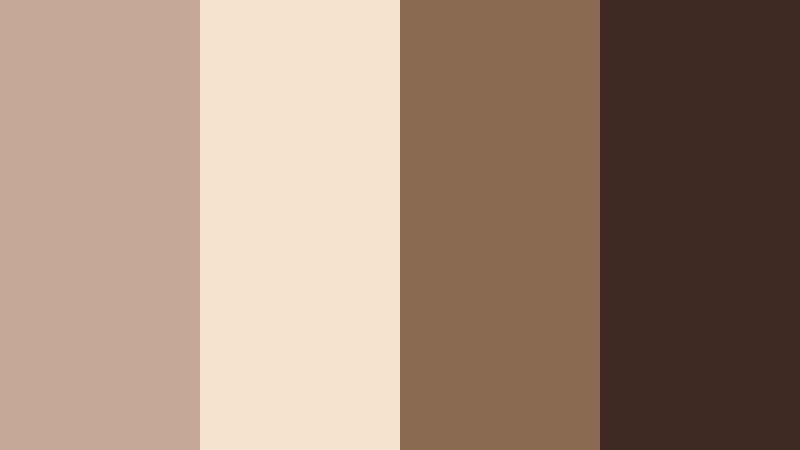
- HEX Codes: #c3a995, #f6e2ce, #8a6b52, #3e2a23
- Mood: Cozy, intimate, and gently nostalgic.
- Use for: Use for lifestyle vlogs, cafe reviews, and aesthetic sit-down videos that need a warm, approachable look.
Evening Latte Glow blends creamy highlights with rich coffee browns to create a soft, cafelike atmosphere. The lighter tones are perfect for backgrounds, text blocks, or title cards, while the deeper browns anchor your frames in shadows, hair color, and wood textures.
This palette works especially well for talking head videos, chill study vlogs, and thumbnails that should feel welcoming rather than loud. In Filmora, you can use these HEX codes for text, lower thirds, and simple shapes behind your titles so your visuals and color grading feel like one cohesive Cocoa Beige story.
Pro Tip: Build A Cinematic Cocoa Beige Look In Filmora
To keep an Evening Latte Glow mood consistent, choose one mid Cocoa Beige as your main brand color and use the darker coffee shade only for accents like borders, callouts, or button-style CTAs. In Filmora, set these colors as custom presets for titles and elements so every intro, transition, and end screen repeats the same warm scheme.
Combine soft vignettes with gentle fade transitions to echo the cozy coffee shop feel. Slightly lower contrast and soften highlights using Filmora color tools to avoid harsh whites that might break the latte vibe, especially in indoor or low-light footage.
AI Color Palette
If you have a favorite Cocoa Beige reference image such as a latte flat lay or a cafe interior, you can turn that into a color style for your entire video. Filmora's AI Color Palette feature analyzes the tones in your reference clip or still and automatically matches your other clips to the same warm, creamy look.
Import a short section graded with your chosen Cocoa Beige palette, then apply AI Color Palette to the rest of your timeline. This keeps skin tones, wood textures, and background walls in the same family of beige and coffee browns, which makes your channel feel more cinematic and intentional from thumbnail to outro.
 secure download

HSL, Color Wheels & Curves
To refine Cocoa Beige tones, start in Filmora's HSL and color wheels. Gently pull down saturation in oranges and yellows to stop skin tones from turning too orange under warm lighting, and nudge the midtone wheel slightly toward warm hues to keep the latte feeling intact. Adjusting curves allows you to lift the shadows a touch, which keeps dark browns rich but not crushed.
You can follow along with Filmora's color grading tutorials and then save your adjustments as a custom preset. That way, every new cafe vlog or cozy sit down video can be graded to match the same Evening Latte Glow without rebuilding your look from scratch.
secure download1000+ Video Filters & 3D LUTs
If you want a fast Cocoa Beige aesthetic, Filmora's video filters and 3D LUTs make it easy to stylize your footage. Start with a warm cinematic LUT, then fine tune intensity so your whites stay creamy instead of turning orange. Pair this with subtle glow or vignette filters to enhance that late afternoon cafe glow.
You can save your favorite combination of LUTs, filters, and title colors as a reusable preset. This helps your thumbnails, short clips, and long-form edits share the same Cocoa Beige identity without repeating a long manual color grading process every time.
secure downloadBlush Cocoa Morning
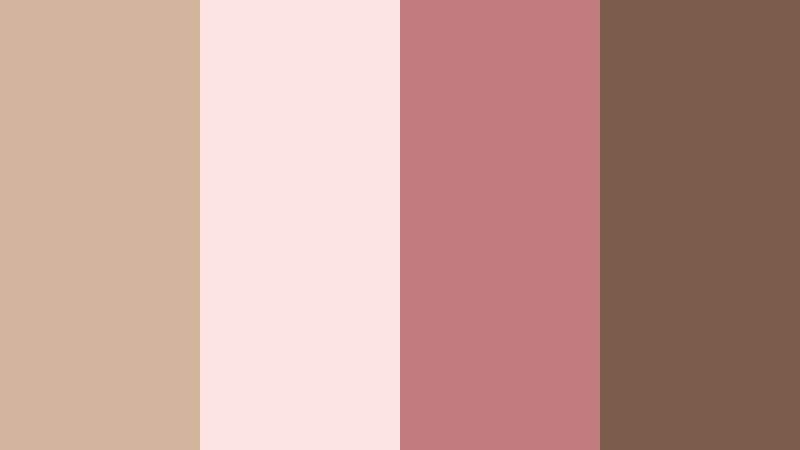
- HEX Codes: #d2b49c, #fbe4e1, #c27b7f, #7b5b4b
- Mood: Tender, romantic, and uplifting.
- Use for: Perfect for wedding highlight reels, engagement stories, and soft beauty content with a gentle blush tone.
Blush Cocoa Morning softens Cocoa Beige with rosy highlights, creating a delicate, romantic atmosphere. The light pinks and beiges are great for backgrounds, skin-friendly overlays, and elegant lower thirds, while the deeper rose and brown tones add structure for text and icons.
Use this palette on wedding or couple thumbnails, morning skincare routines, and dreamy fashion edits. In Filmora, pair these HEX codes with light, airy transitions and slow-motion b roll to reinforce the gentle, sunrise feeling of your content.
Chamomile Storytime
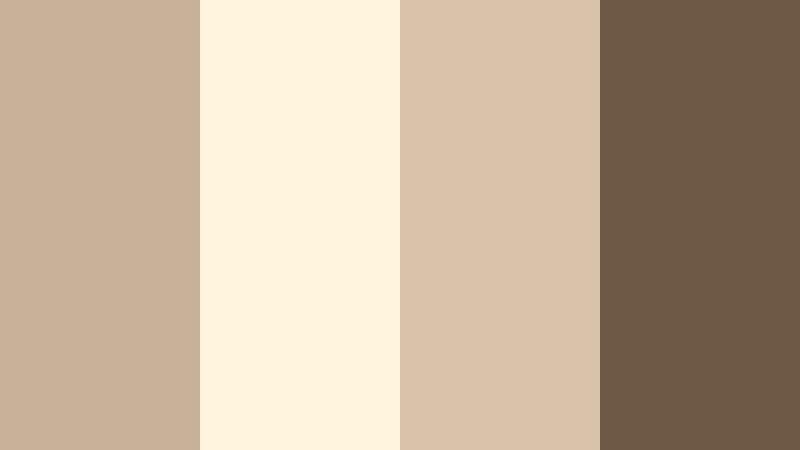
- HEX Codes: #c8b199, #fff4dd, #d8c2aa, #6e5946
- Mood: Calm, nurturing, and storybook-soft.
- Use for: Use in kids content, journaling videos, and soft-spoken tutorials that need a gentle, reassuring atmosphere.
Chamomile Storytime mixes buttery creams with muted Cocoa Beige for a soothing, bedtime-story feel. The pale tones work beautifully as backing cards for text, captions, and stickers, while the muted brown anchors main titles without feeling harsh.
This palette suits kids channels, journaling and ASMR content, or any soft-spoken tutorial. In Filmora, keep fonts rounded and light, using the creams as full-screen color mattes behind your intro text so your Cocoa Beige elements float gently on screen.
Autumn Letter Home

- HEX Codes: #c1a288, #f3ddc3, #b9735b, #4b3429
- Mood: Nostalgic, handwritten, and slightly cinematic.
- Use for: Great for travel diaries, voiceover essays, and seasonal lookbooks with a soft fall mood.
Autumn Letter Home combines Cocoa Beige with warm rust and deep brown, evoking vintage letters, envelopes, and sepia film. The lighter beige and cream mimic aged paper, ideal for text plates and chapter cards, while the rust tone becomes a strong accent for callouts or icons.
Use this palette for fall vlogs, reflective essays, and travel stories where you want to capture the feeling of writing home. In Filmora, overlay subtle film grain and paper textures tinted with these HEX codes to make your frames feel like moving postcards.
Vanilla Rose Whisper
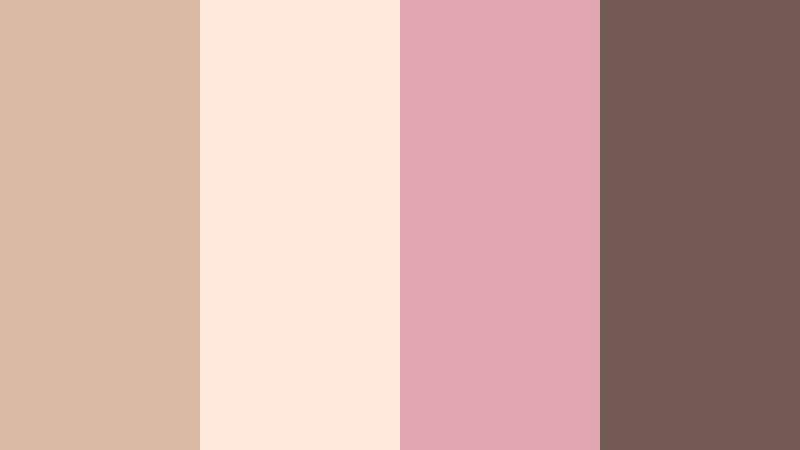
- HEX Codes: #d9b9a3, #ffe9da, #e0a7b2, #735a55
- Mood: Delicate, feminine, and dreamy.
- Use for: Ideal for beauty channels, skincare routines, and romantic fashion edits that favor soft highlights over bold contrast.
Vanilla Rose Whisper layers powdered Cocoa Beige with pink rose tones for a plush, boudoir-like glow. The vanilla and blush shades brighten your frame without feeling stark, while the muted mauve-brown adds contrast for typography and small graphic accents.
Apply this palette to beauty tutorials, soft glam looks, and perfume or jewelry features. In your Filmora layouts, use the lightest shade for full-screen backgrounds and the deeper tones for borders around product shots, creating a coherent Cocoa Beige and rose aesthetic across your channel art.
Elegant And Modern Cocoa Beige Palettes
Cocoa Studio Minimal
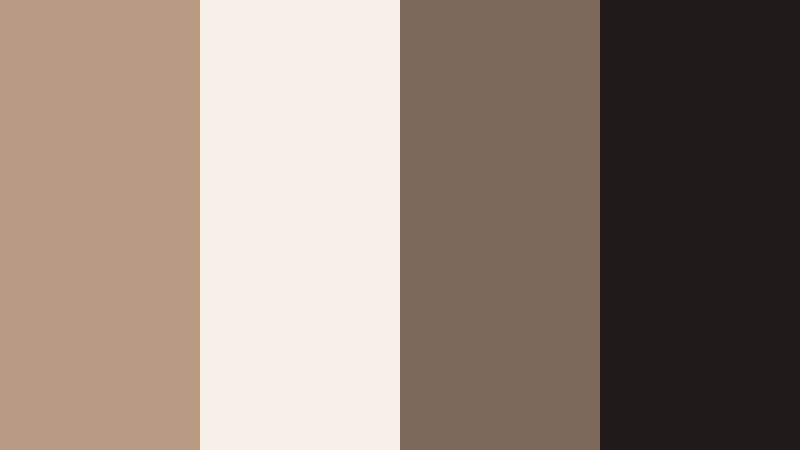
- HEX Codes: #b89b82, #f5efe7, #7b6a5a, #1f1a17
- Mood: Clean, modern, and quietly confident.
- Use for: Use for channel branding, logo animations, and tech reviews that want a neutral but premium look.
Cocoa Studio Minimal balances soft Cocoa Beige with light studio whites and deep charcoal. The overall result feels editorial yet approachable, ideal when you want professional branding without bright, distracting colors.
Use the lightest tone as a background for intros and lower thirds, the main Cocoa Beige for titles and buttons, and the charcoal for key text so everything stays readable. In Filmora, combine this palette with simple motion graphics, clean line icons, and subtle zoom transitions to echo a minimalist studio look.
Editorial Coffee Table
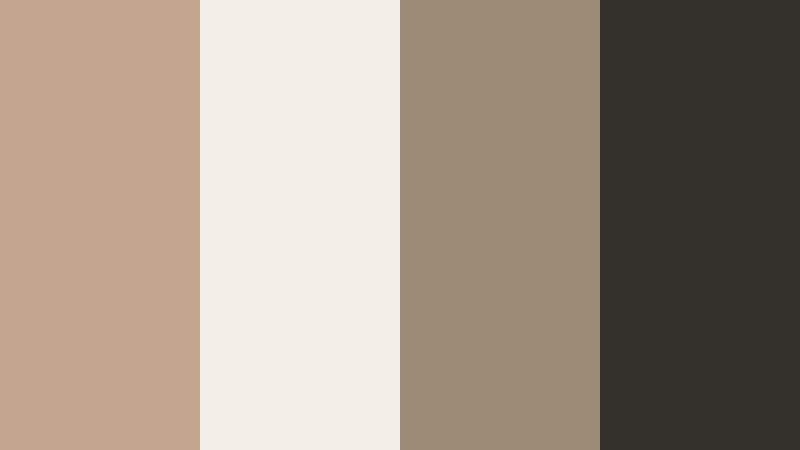
- HEX Codes: #c2a58d, #f3eee7, #9b8a76, #33302c
- Mood: Editorial, polished, and design-forward.
- Use for: Great for cinematic b-roll, product showcases, and lookbook reels inspired by fashion magazines.
Editorial Coffee Table feels like a premium magazine spread translated into video. Muted Cocoa Beige and taupe create sophisticated midtones, the soft off-white keeps layouts bright, and the ink-like dark shade is perfect for crisp text and fine dividers.
Try this scheme for fashion lookbooks, interior design reels, and aesthetic product features. In Filmora, alternate between beige and off-white panels for split screens, and use the darkest shade for slim lines, frame borders, and logo animations that hint at modern print design.
Hotel Lobby Luxe
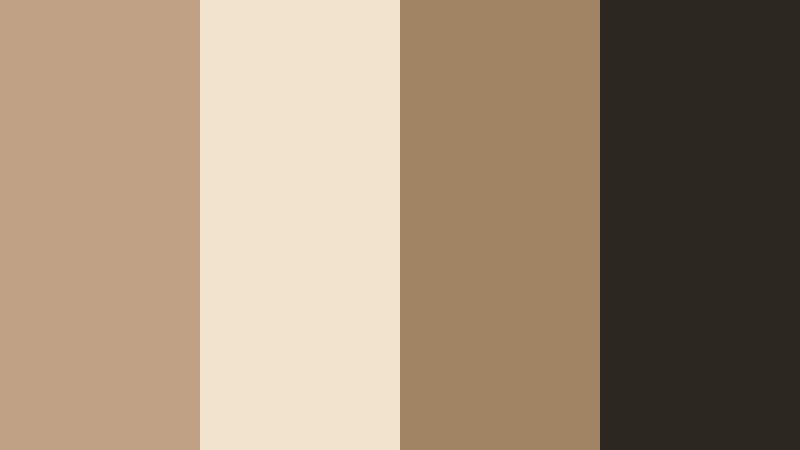
- HEX Codes: #c1a184, #f2e3cf, #a08463, #2c2620
- Mood: Luxurious, warm, and subtly glamorous.
- Use for: Ideal for real estate tours, hotel promos, and interior design content highlighting warm luxury spaces.
Hotel Lobby Luxe leans into plush Cocoa Beige with golden tan and deep espresso accents, capturing the warmth of marble floors and leather seating. The light cream opens up your frame, while the darker neutrals frame details like text labels and price tags.
Use this palette in high end real estate walkthroughs, hotel ads, or architectural showcases. In Filmora, pair slow tracking shots with this color scheme in your overlays and titles to make every room feel like part of the same luxurious experience.
Muted Brand Board
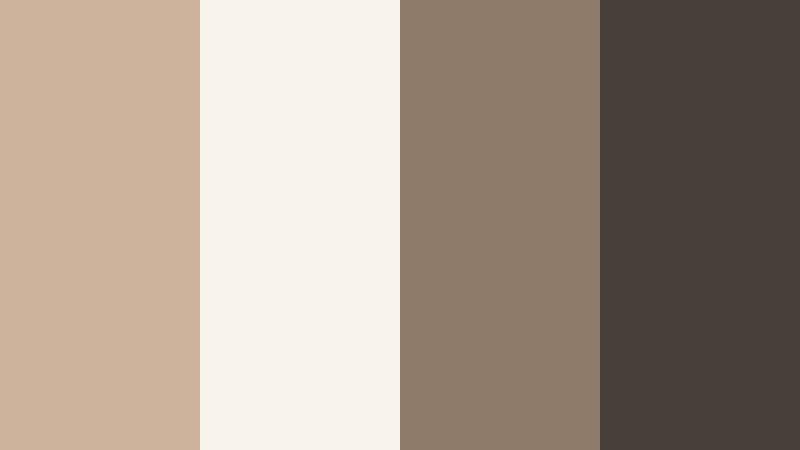
- HEX Codes: #ccb29b, #f7f2ea, #8e7a68, #47403a
- Mood: Professional, grounded, and brand-friendly.
- Use for: Use as a base for intros, lower thirds, and UI overlays for creators who want a calm, cohesive brand identity.
Muted Brand Board is built around a versatile Cocoa Beige core with gentle ivory and grounded browns. It is intentionally understated, making it easy to overlay on top of many different footage styles without clashing.
This is a strong option for long term channel branding. Create a Filmora title preset using the light ivory as a background, your main Cocoa Beige for accent bars, and the darker browns for text. Then reuse that preset for intros, lower thirds, and callouts so your brand remains instantly recognizable.
Urban Loft Neutrals
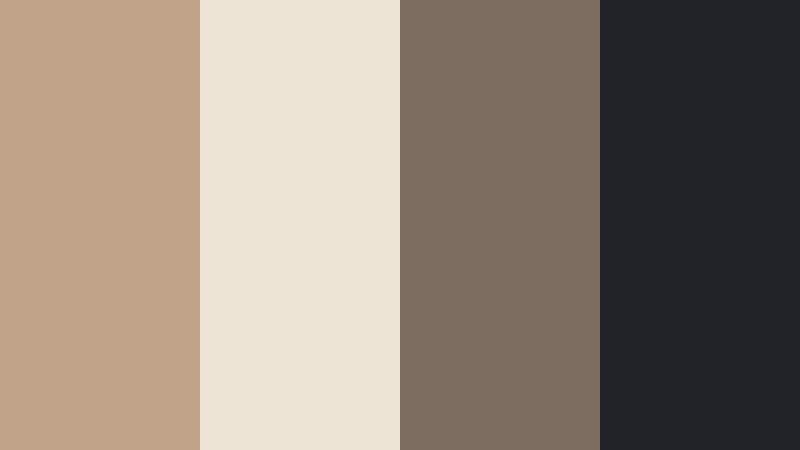
- HEX Codes: #c0a388, #ede3d5, #7c6c60, #222329
- Mood: Contemporary, urban, and slightly edgy.
- Use for: Perfect for studio tours, desk setups, and productivity content with a modern city vibe.
Urban Loft Neutrals pairs warm Cocoa Beige with cool charcoal and soft off white, creating a city apartment feel. It is modern and grown up, but still warm enough for personable content.
Try this palette for desk setup tours, productivity tips, and tech content filmed in small spaces. In Filmora, use the light neutral as section headers, the Cocoa Beige for highlight shapes behind key text, and the charcoal for strong, legible typography that stands out on any device.
Cozy Lifestyle Cocoa Beige Palettes
Candlelit Workspace
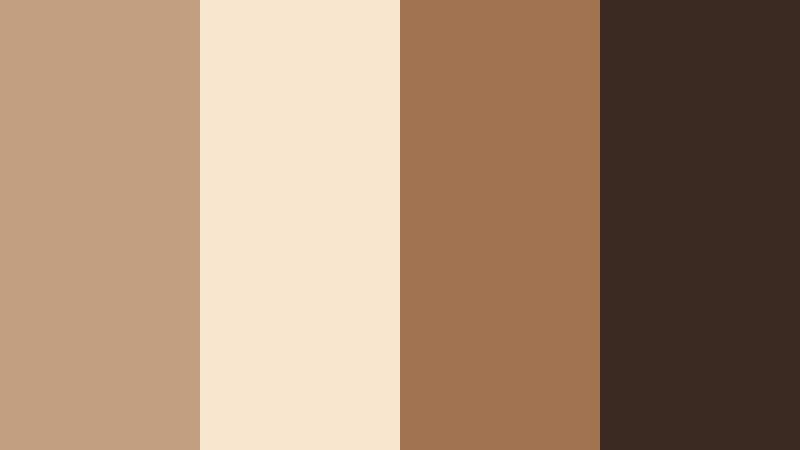
- HEX Codes: #c39f82, #f8e7cf, #a1734f, #3b2a22
- Mood: Focused, cozy, and slightly cinematic.
- Use for: Use for study vlogs, late-night editing sessions, and productivity montages with a warm, moody tone.
Candlelit Workspace mixes amber lights and Cocoa Beige shadows, recreating the glow of a desk lamp on paper and wood. The cream and beige shades can soften your UI overlays, while the richer browns add cinematic depth to titles and timers.
Use this palette in study with me videos, night editing sessions, and cozy office tours. In Filmora, place countdown timers and productivity stats on panels tinted with the light beige, and reserve the deepest brown for clocks, progress bars, or key numbers.
Sunday Brunch Table

- HEX Codes: #c7ac91, #fff3dd, #e5c28a, #766152
- Mood: Bright, welcoming, and homely.
- Use for: Great for food videos, brunch vlogs, and kitchen makeovers that should feel fresh but still warm.
Sunday Brunch Table blends Cocoa Beige with buttery yellows and cream, echoing pancakes, sunlight, and ceramic plates. The light tones are ideal for menu style overlays, ingredient lists, and recipe steps, while the deeper beige and brown ground your titles.
Apply this palette in cooking shorts, brunch vlogs, and kitchen reveal videos. In Filmora, design recipe cards using the cream as the main background and the warm yellow as subtle highlights on key steps to make your footage feel sunny and appetizing.
Cashmere Reading Nook
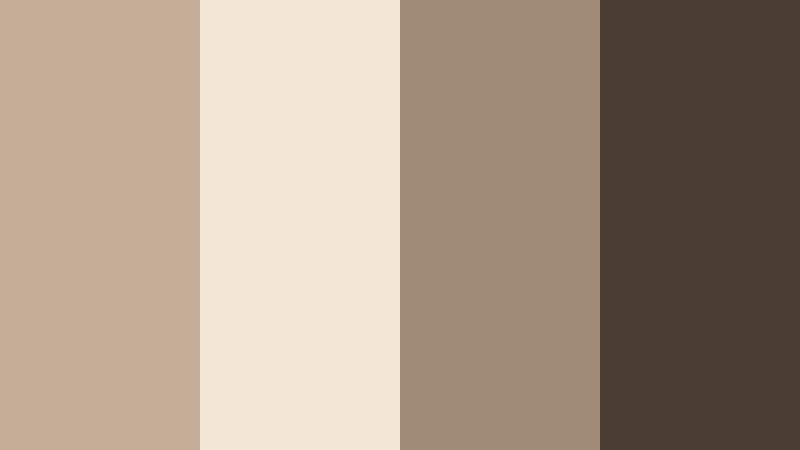
- HEX Codes: #c5ae97, #f1e6d6, #a08b79, #4a3c33
- Mood: Relaxed, introspective, and intimate.
- Use for: Ideal for book reviews, slow living vlogs, and cozy room tours with lots of soft textiles.
Cashmere Reading Nook layers different Cocoa Beige tones with warm browns to mimic blankets, cushions, and wood shelves. The soft light shades are perfect for chapter cards and pull quotes, while the darker brown creates contrast for section titles.
Use this in booktube videos, journaling sessions, and quiet weekend vlogs. In Filmora, pair this palette with slower cuts, ambient sound, and minimal motion graphics so the color story stays calm and introspective.
Baked Cinnamon Studio

- HEX Codes: #c39a79, #f6dfc6, #d18a47, #5c3b2a
- Mood: Toasty, energetic, and inviting.
- Use for: Use for baking videos, DIY crafts, and kitchen studio setups that should feel lively yet homey.
Baked Cinnamon Studio combines Cocoa Beige with spicy cinnamon and caramel tones, giving your visuals a toasty, flavorful character. The bright beige keeps the frame light, while the strong cinnamon accent is perfect for buttons, stickers, and important labels.
Use this palette when filming recipes, fall baking, or craft tutorials shot on wooden tables. In Filmora, color your call to action text and subscribe prompts in the cinnamon shade so they pop against the softer Cocoa Beige background without feeling out of place.
Calm Natural Cocoa Beige Palettes
Dune Horizon Walk
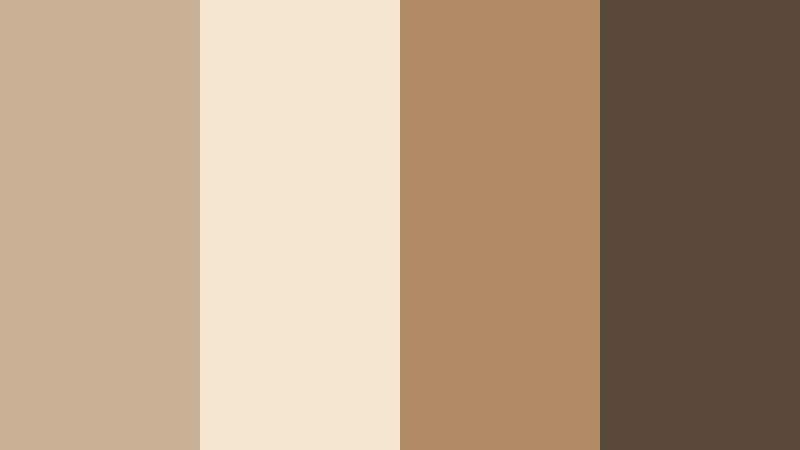
- HEX Codes: #c9af93, #f4e5cf, #b18b65, #5a493b
- Mood: Earthy, expansive, and meditative.
- Use for: Perfect for travel vlogs, desert landscapes, and outdoor cinematic sequences in golden hour.
Dune Horizon Walk captures the feel of sunlit sand and soft Cocoa Beige shadows. Light tones work well for minimalist titles and location labels, while the mid and dark browns connect visually with dunes, cliffs, and wooden details in your footage.
Use this palette for travel vlogs, beach walks, and drone shots where you want a calm, cinematic mood. In Filmora, build simple location cards using the pale sand shade as a band at the bottom of the frame and overlay your text in the deeper brown for natural contrast.
Olive Grove Retreat
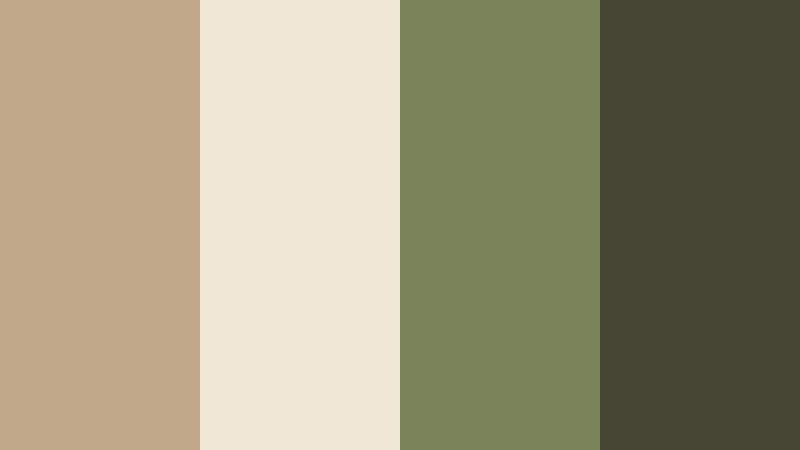
- HEX Codes: #c2a88b, #f1e7d7, #7a8358, #454734
- Mood: Organic, grounded, and restorative.
- Use for: Use for wellness content, retreats, and nature-focused storytelling with a soft, eco feel.
Olive Grove Retreat merges Cocoa Beige with muted olive greens for a gentle Mediterranean aesthetic. The beige and cream keep your frame bright and soothing, while the olives introduce a natural, eco friendly accent that works well for wellness and outdoor content.
Apply this palette to yoga flows, spa visuals, garden tours, and retreat promos. In Filmora, use the olive tones for small icons like leaves or checkmarks and keep primary text in a stronger beige or dark neutral so everything stays readable on mobile screens.
Tips for Creating Cocoa Beige Color Palettes
Cocoa Beige is versatile, but it looks best when thoughtfully combined with supporting colors and applied consistently across your footage, graphics, and thumbnails. Use these tips to shape palettes that look polished in Filmora and across your wider branding.
- Choose a role for each color: assign one Cocoa Beige as your primary brand shade, one lighter tone for backgrounds, and one darker tone for text or outlines.
- Check contrast for readability: test your title and subtitle colors on both light and dark Cocoa Beige backgrounds to ensure they remain easy to read on phones.
- Limit accent colors: add only one or two accent hues (like blush, rust, or olive) to keep your Cocoa Beige scheme clean rather than crowded.
- Match grading to graphics: when you warm up your footage in Filmora, adjust titles and overlays to similar HEX values so videos and graphics feel like one visual system.
- Use color to guide attention: reserve your boldest accent (like cinnamon or deep brown) for CTAs, key data, timers, or navigation labels.
- Plan for light and dark modes: create both a light and a deeper Cocoa Beige background option so your templates work for day and night scenes.
- Test thumbnails at small size: export sample thumbnails from Filmora and view them small to confirm that your Cocoa Beige tones still stand out on crowded feeds.
- Save presets: once you have a palette you like, save title styles and color presets in Filmora so every new project starts on-brand.
Cocoa Beige color palettes can make your channel feel calm, cinematic, and consistent, whether you are filming lifestyle vlogs, beauty routines, or travel diaries. By pairing Cocoa Beige with soft creams, romantic blushes, or grounded naturals, you control the mood of your story and build a recognizable visual identity.
With Filmora, it is easy to turn these HEX codes into real intros, titles, overlays, and color grades. Features like AI Color Palette, HSL tools, and built in LUTs help you match your Cocoa Beige references and keep every clip in harmony.
Experiment with a few of the palettes above, save your favorites as presets, and let Cocoa Beige tie your thumbnails, long form videos, and short clips into one cohesive brand look.
secure download