

 100% Security Verified | No Subscription Required | No Malware


 ChatGPT
 Perplexity
 Gemini
 Claude
 Grok
Grok
Cool vlog video filters are the fastest way to give your footage clean, modern tones that match urban streets, minimalist rooms, and late-night city lights. Instead of fighting with complex color wheels, you can drop in ready-made looks that instantly cool off warm footage and create a polished, cinematic vlog style.
This preset set, Cool Vlog Video Filters: Clean & Modern Video Tones, is designed for urban vloggers and minimalist creators who want blue-leaning grades, desaturated city palettes, and sleek, modern edits without losing skin tone detail. Use these looks to keep your feed cohesive across urban travel vlogs, clean aesthetic content, and modern video edits.
In this article
Urban Chill Tones for Street and City Vlogs
Steel City Cool
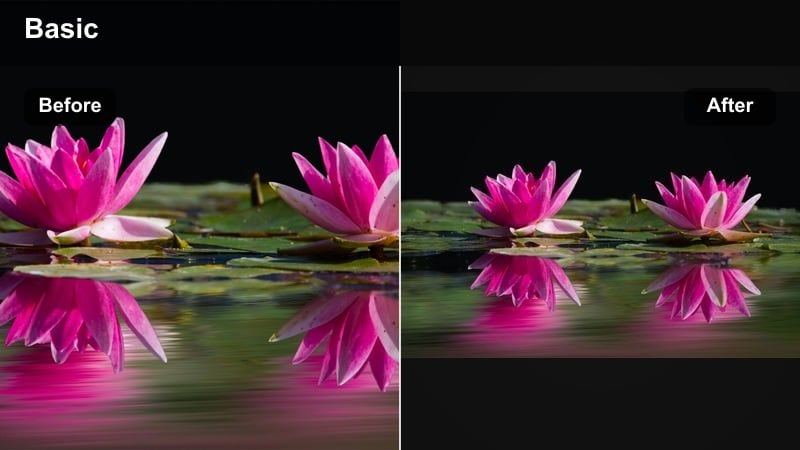
- Effect look: Muted contrast with cool blue shadows and neutral highlights for sleek downtown streets.
- Best for: Urban walk-and-talk vlogs, street style lookbooks, and skyline B-roll.
- Editing tip: Lower saturation slightly and add a subtle vignette to push focus to your subject while keeping the city cool and polished.
Steel City Cool gives your city footage a refined, steel-toned finish that instantly modernizes everyday streets. Shadows lean into cool blues while highlights stay neutral, so glass buildings, concrete facades, and asphalt all feel cohesive without turning the whole frame icy.
In Filmora, drop Steel City Cool onto your clips, then use the Color panel to nudge saturation down and add a light vignette. If faces start looking washed out, warm the midtones slightly to restore natural skin while keeping the background crisp and urban. For a fully curated vibe, coordinate outfits in blacks, whites, and denim to match the cool, minimalist palette.
Use AI-Powered Color Tools to Refine Cool Tones
Filmora’s AI color tools help you fine-tune cool vlog video filters without needing complex grading knowledge. Once you apply a filter from Cool Vlog Video Filters: Clean & Modern Video Tones, you can let AI balance exposure, enhance contrast, or correct color casts while still keeping your chosen aesthetic intact.
For urban vloggers and minimalist creators, this means you can batch-correct clips from different locations, cameras, or times of day so your cool, modern palette stays consistent across your entire vlog or series.
 secure download

Preview Cool Vlog Filters in Real Time
In Filmora, you can hover or click through filters in the Effects panel to see how each cool look transforms your footage in real time. This helps you quickly decide whether you want a blue toned video grade, a muted minimalist look, or a high-contrast urban vibe.
Test filters on a short sequence that includes faces, city backgrounds, and close-up details so you can see how each style handles skin tones, skies, and street textures before you lock in your final look.
secure download1000+ Video Filters and 3D LUTs
Filmora includes a large library of cinematic filters and 3D LUTs you can combine with cool vlog video filters for even more control. Use LUTs to set your base color style, then apply cool-toned filters at lower intensity to adapt that look to different city streets, interiors, and night scenes.
This layered workflow lets you build a repeatable, branded grade: start with a modern LUT, refine mood and saturation with a cool filter, and finish with small exposure tweaks so every vlog matches your overall aesthetic.
secure downloadConcrete Minimal
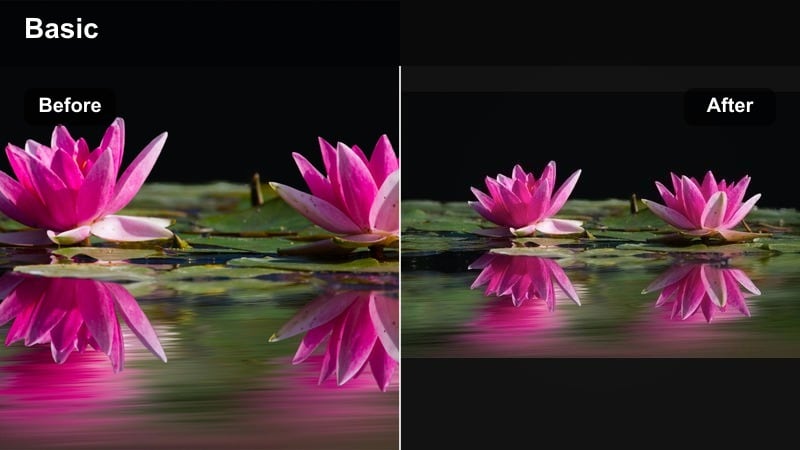
- Effect look: Low-saturation, cool-leaning tones that flatten distractions and highlight clean lines.
- Best for: Architecture shots, staircases, parking garages, and minimal outfit vlogs.
- Editing tip: Drop vibrance before saturation to keep muted walls and floors clean while preserving some color in skin and key props.
Concrete Minimal strips your city scenes down to cool, clean shapes by reducing saturation and gently cooling overall tones. This makes concrete walls, staircases, and parking structures feel like intentional backdrops instead of cluttered locations, perfect for minimal fashion or lifestyle vlogs.
In Filmora, apply Concrete Minimal, then lower vibrance to mute background colors while keeping skin and important props from going completely flat. Frame your subject against large, empty surfaces and avoid colorful signage so the filter’s desaturated palette and simple lines stay the focus.
Subway Neon Cool
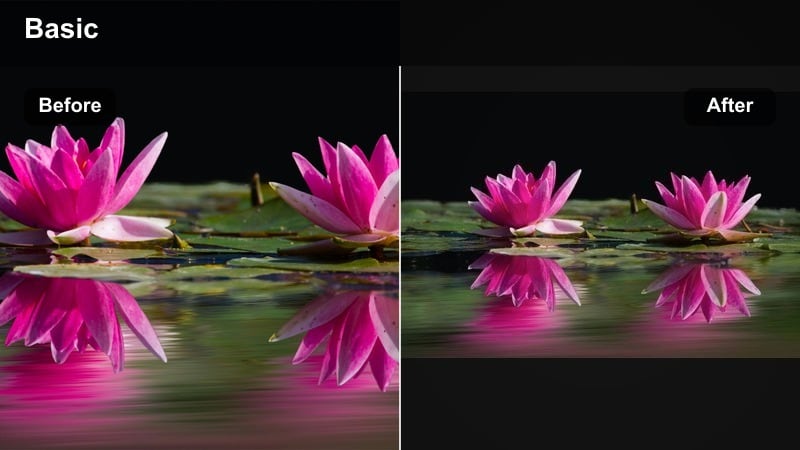
- Effect look: Deep cool shadows with punchy neon accents and a modern vlog contrast curve.
- Best for: Low-light subway rides, night markets, and neon street signs.
- Editing tip: Increase highlight roll-off or lower highlight contrast slightly so bright signs keep detail instead of clipping to white.
Subway Neon Cool is tuned for underground tunnels, city trains, and glowing signs, pushing shadows into rich blues while keeping neon colors vivid. The result is a moody, modern city look where lights feel intense but not blown out.
When editing in Filmora, apply Subway Neon Cool and slightly reduce highlight contrast so signs, billboards, and LED panels retain their texture. Underexpose a bit in-camera, then lift shadows just enough in the Color panel to reveal your face, letting the filter preserve the night-time drama without losing detail.
Clean Aesthetic Filters for Minimalist Creators
White Space Cool
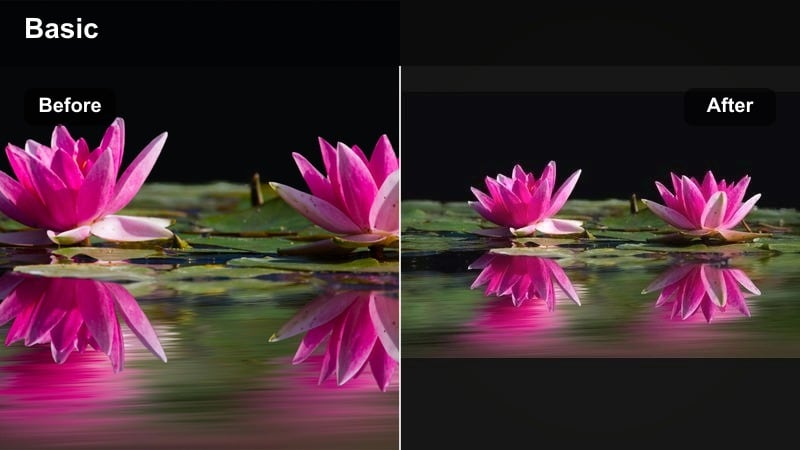
- Effect look: Soft contrast, cool highlights, and bright whites for tidy, airy frames.
- Best for: Desk setups, morning routines, and workspace vlogs with lots of white surfaces.
- Editing tip: Slightly lift blacks to soften harsh edges, then fine-tune exposure so whites stay bright but not blown out.
White Space Cool brightens interiors and leans highlights slightly blue so your white walls, bedding, and desk surfaces look crisp and modern. Soft contrast keeps the overall image gentle, which pairs well with productivity, routine, and aesthetic workday vlogs.
In Filmora, drop this filter onto your indoor clips and lift blacks a touch to avoid harsh shadows under shelves or monitors. Adjust exposure until whites look clean but still show texture, then clear colorful clutter from the background so the cool, airy mood stays uninterrupted.
Glass and Chrome
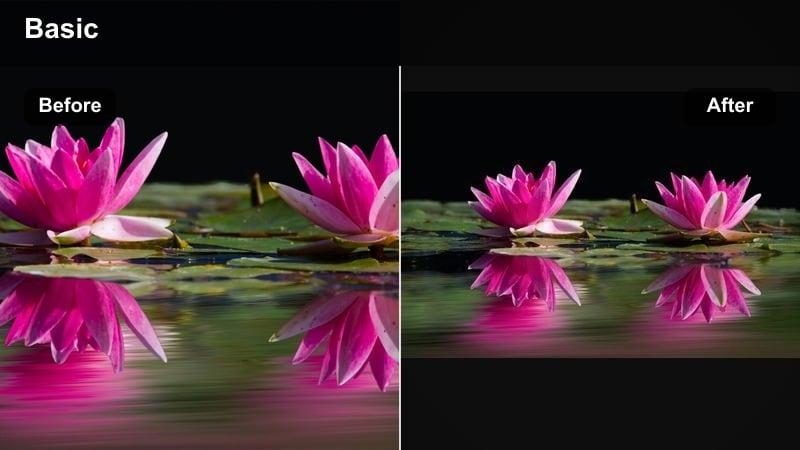
- Effect look: Cool metallic sheen with crisp micro-contrast and slightly reduced saturation.
- Best for: Tech reviews, gadget b-roll, and modern workspace tours.
- Editing tip: Sharpen sparingly and avoid overdoing clarity; the filter already adds crispness, so push only until edges look clean, not crunchy.
Glass and Chrome adds a stylish cool sheen to metal, glass, and screens, making laptops, phones, and desk accessories look premium. With slightly lowered saturation and boosted micro-contrast, edges feel precise without becoming overly harsh.
Apply this filter in Filmora to all your tech b-roll, then gently fine-tune sharpness so text on screens remains legible but not oversharpened. Keep your color palette to blacks, silvers, and whites; the cool grade will accent reflections from windows or LED panels, reinforcing a high-end, modern aesthetic.
Minimal Wardrobe Cool
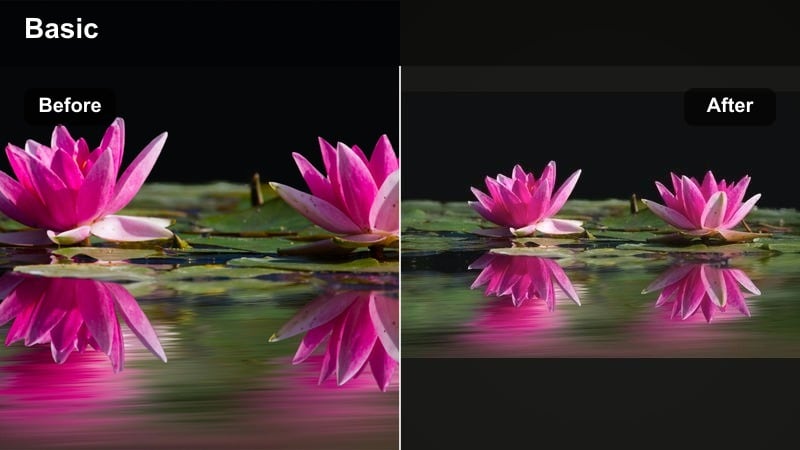
- Effect look: Soft, cool midtones with gentle contrast and a subtle film-inspired fade.
- Best for: Closet tours, outfit-of-the-day vlogs, and capsule wardrobe content.
- Editing tip: If clothing looks too muted, nudge saturation in just the specific color channel of your outfits instead of boosting global saturation.
Minimal Wardrobe Cool is tailored to neutral outfits, giving your closet and lookbook videos soft, cool midtones and a delicate fade that feels editorial. The filter keeps blacks from going too deep while slightly muting colors, so outfits blend smoothly with clean backdrops.
In Filmora, apply this filter to your wardrobe clips and then use HSL or color channels to selectively boost the tones of your main clothing colors. Stick to whites, greys, blacks, and denim when filming so the cool, calm mood stays consistent and does not clash with bright, saturated pieces.
Cinematic Cool Filters for Urban Travel Vlogs
Blue Hour Wander
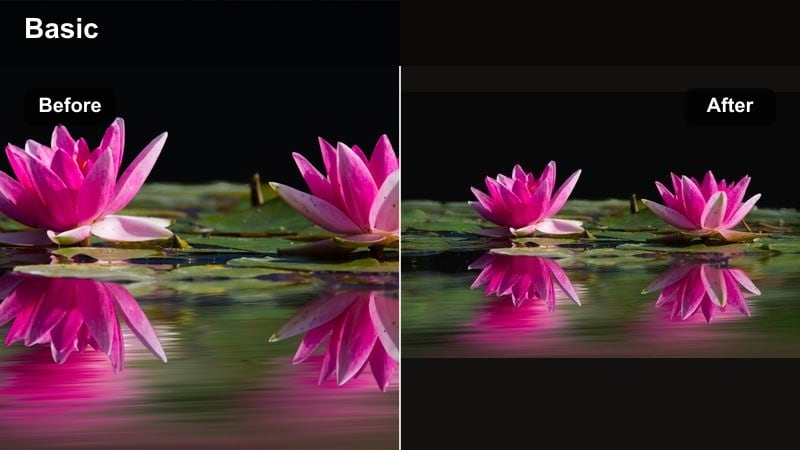
- Effect look: Soft blue cast over shadows and midtones with gentle highlight glow for dusk scenes.
- Best for: Evening city walks, rooftop views, and waterfront strolls during blue hour.
- Editing tip: Shoot slightly warmer in-camera, then let this filter pull tones cooler to keep skin from turning too cyan.
Blue Hour Wander enhances that brief, cinematic window after sunset, pushing shadows and midtones into soft blues while letting highlights bloom slightly. Streetlights, windows, and the remaining sky glow all take on a dreamy, travel-film quality.
In Filmora, use this filter across all your dusk clips to hold a consistent mood from rooftop shots to street-level walks. If skin starts to lean too blue, warm the midtones in the Color panel while keeping the overall scene cool, so your subject remains natural against stylized, atmospheric cityscapes.
Airport Transit Cool
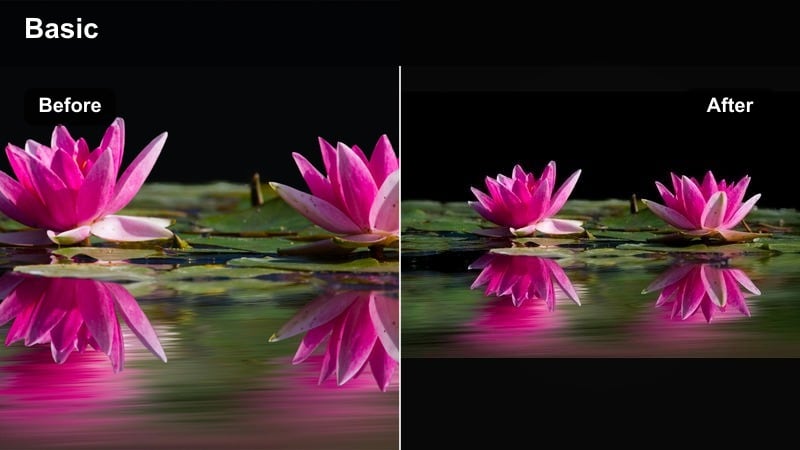
- Effect look: Clean, low-noise cool tones with controlled highlights for bright terminals and windows.
- Best for: Airport montages, train station b-roll, and travel transitions.
- Editing tip: Dial down exposure slightly and then raise shadows to keep detail in bright windows while still seeing your face.
Airport Transit Cool is built for bright travel hubs filled with glass, white ceilings, and large windows. It cools the overall palette and gently tames highlights so your background does not blow out, while still keeping your face visible and clean.
When editing in Filmora, apply this filter to airport, station, and transit clips, then slightly reduce exposure before lifting shadows to balance your subject against the outside light. Add these clips between destinations to create smooth, modern travel transitions that share a unified cool tone.
City Rain Cinematic
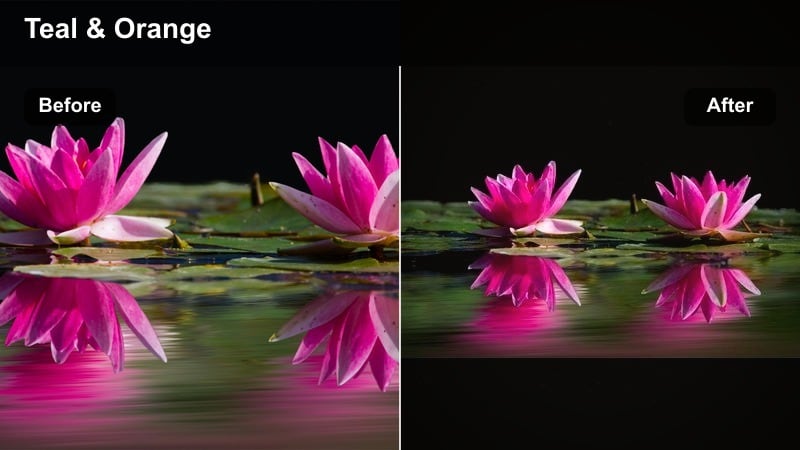
- Effect look: Deep cool blues with subtle teal in shadows and a cinematic, slightly faded contrast.
- Best for: Rainy days, reflections in puddles, and umbrella shots on busy streets.
- Editing tip: Slow your shutter slightly for motion blur in rain streaks, then use this filter to emphasize reflections and cool tones.
City Rain Cinematic leans heavily into blue and teal, especially in the shadows, creating a moody film look perfect for wet sidewalks and reflective streets. The light fade in contrast gives your footage a more analog, narrative feel.
In Filmora, use this filter on rainy montages and detail shots of puddles, lights, and umbrellas. Slight slow motion and a bit of motion blur will help rain streaks and reflections stand out, while the cool grade knits all the elements into a cohesive mini story set in a moody cityscape.
Modern Social Edit Filters for Reels and Shorts
Feed Cohesive Cool
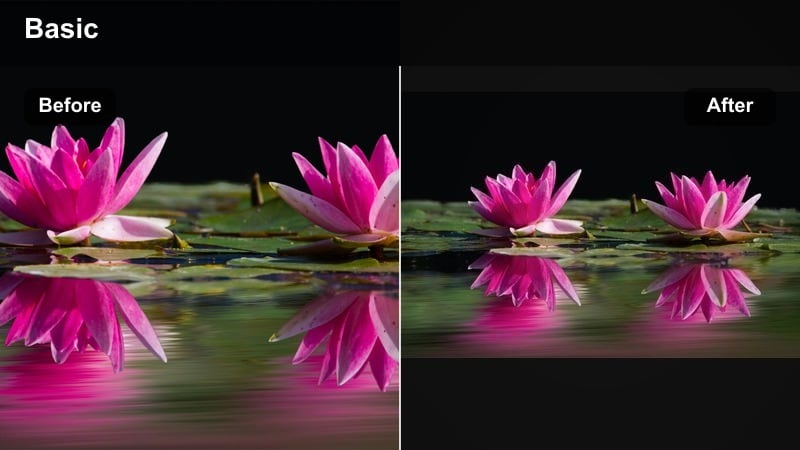
- Effect look: Balanced cool tone with medium saturation and clean contrast built for vertical content.
- Best for: Reels, Shorts, and TikToks where you want a consistent cool brand look.
- Editing tip: Create one custom preset with this filter plus your preferred brightness and apply it across all clips for a unified feed.
Feed Cohesive Cool is designed to look great on phones, giving your vertical clips a balanced cool tint, moderate saturation, and straightforward contrast. It works across many environments, from streets to interiors, making it ideal as a signature social style.
In Filmora, apply this filter to all your short-form clips and then save the combination of filter, exposure, and slight color tweaks as a preset. Reusing the same look on each Reel, Short, or TikTok will make your cool, modern palette instantly recognizable in the feed.
Storytime Soft Cool
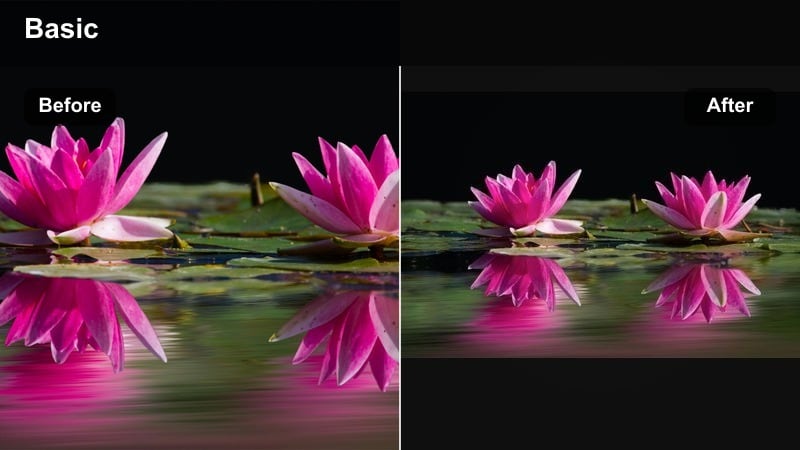
- Effect look: Gentle cool tint with softened contrast and slightly lifted blacks for a relaxed, intimate mood.
- Best for: Sit-down storytime vlogs, Q&A videos, and casual chat content.
- Editing tip: Use a subtle blur or reduced sharpness to match the softer contrast and keep attention on your expression, not background detail.
Storytime Soft Cool pairs a mild blue tint with low contrast and lifted blacks, giving your sit-down videos a relaxed, cozy feel that still looks modern. The filter reduces harsh edges so viewers focus more on your face and expressions.
In Filmora, add this filter to your talking-head clips, then slightly lower sharpness or add a faint blur to background layers so your eyes remain the focal point. Keep your set simple and neutral, letting the soft cool toning reinforce calm, intimate storytelling.
Club to Street Cool
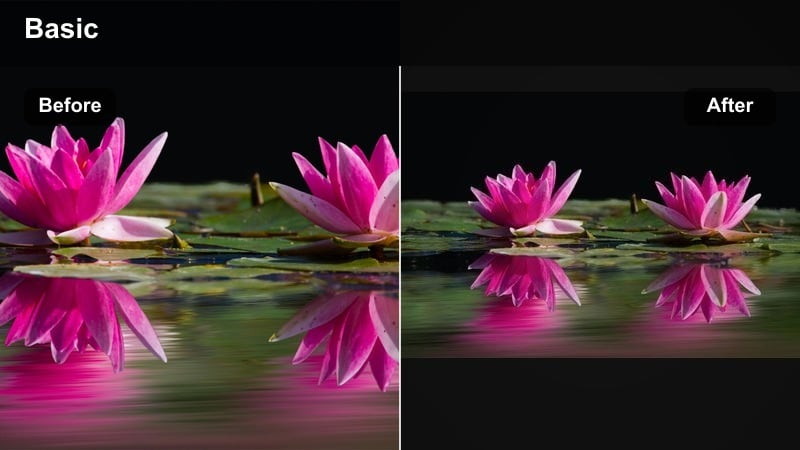
- Effect look: Punchy cool tones that hold detail in both colorful club lights and darker street scenes.
- Best for: Night-out vlogs, club-to-street transitions, and party recaps.
- Editing tip: Reduce noisy shadows with Filmora’s noise reduction before applying heavy contrast, then use this filter to tie different lighting environments together.
Club to Street Cool is made for nights out, keeping vivid club lighting under control while still preserving information in darker alleyways and sidewalks. The cool palette ties together very different lighting setups so your night vlog feels like one continuous experience.
In Filmora, run noise reduction on grainy clips first, then apply this filter to your nightclub, bar, and street footage. Plan transition shots with matching actions between locations so when you cut between them, the consistent cool grade and similar motion make the whole sequence feel seamless and energetic.
Tips for Using Vlog Video Cool Filters in Filmora
- Shoot in neutral or flat profiles when possible so your cool filters and LUTs have more room to work without crushing shadows or blowing highlights.
- Keep white balance slightly warm in-camera if you know you will apply a strong cool tone vlog filter later, so skin tones remain natural.
- Use the same one or two filters across an entire vlog or series to keep your channel’s visual identity consistent and recognizable.
- Mix wide city shots, mid shots, and close-ups in every sequence so viewers can appreciate how the cool grade affects different scales.
- Avoid stacking too many strong effects; start with one main filter and only add minor exposure or color tweaks to refine the look.
- Test filters on a clip with strong colors like reds and yellows to ensure your chosen cool tone does not make them look unnatural or noisy.
- Use Filmora’s keyframing to gradually introduce a cool filter in travel transitions, shifting from warm interiors to cool city exteriors.
- Create and save custom presets that combine filter choice, exposure, and saturation so you can apply your signature look in one click.
Cool vlog video filters are a fast, reliable way to turn everyday urban footage into clean, modern stories that fit a minimalist, cinematic feed. By choosing just a few signature looks and applying them consistently, you can keep your branding strong without spending hours inside advanced grading panels.
Use Filmora’s Cool Vlog Video Filters: Clean & Modern Video Tones as your base, then refine with AI color tools, light LUT layering, and simple exposure tweaks. With a repeatable workflow in place, every new urban travel vlog, clean aesthetic setup, and modern edit can match your style in just a few clicks.
secure downloadNext: Daily Vlog Filters
