

 100% Security Verified | No Subscription Required | No Malware


 ChatGPT
 Perplexity
 Gemini
 Claude
 Grok
Grok
Jade sits between green and teal, a color that feels calm, balanced, and a little bit luxurious. In color psychology it is linked to growth, stability, and renewal, which makes it ideal for visuals that should feel trustworthy but still creative. On screen, jade is soft enough for long viewing sessions yet bold enough to stand out in feeds crowded with neon and oversaturated hues.
For video creators, jade works beautifully in YouTube thumbnails, channel banners, intro animations, lower thirds, and full color grades. In Filmora, you can build an entire visual identity around jade by matching overlays, titles, and filters to the same tones. Below you will find ready made jade color palettes with HEX codes, designed to plug directly into Filmora and your wider branding for thumbnails, vlogs, reels, and cinematic edits.
In this article
Soft & Serene Jade Color Palettes
Morning Greenhouse Glow
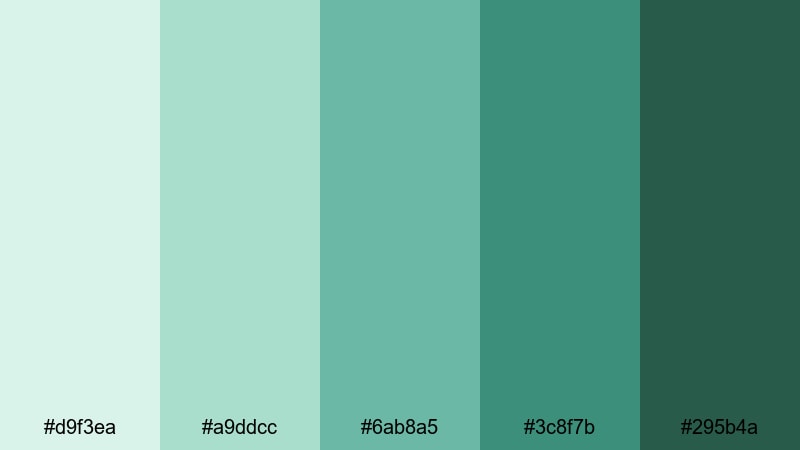
- HEX Codes: #d9f3ea, #a9ddcc, #6ab8a5, #3c8f7b, #295b4a
- Mood: fresh, calm, and optimistic like early light in a plant-filled studio
- Use for: Great for soft lifestyle vlogs, garden tours, and airy channel intros.
Morning Greenhouse Glow is a gentle mix of dewy greens and soft neutrals that feels like sunrise passing through glass and leaves. The lighter tones work beautifully as background colors for titles, while the deeper jade shades can frame footage without feeling heavy.
Use this palette in Filmora for minimalist lifestyle thumbnails, soft gradient intro screens, and b roll overlays that should feel relaxing and welcoming. It is especially strong for creators in wellness, slow living, productivity, and DIY niches who want a signature jade green aesthetic that is easy on the eyes.
Pro Tip: Enhance Your Jade Visuals With Filmora
To keep this soft jade vibe consistent, design your lower thirds, titles, and end screens with the same HEX codes you use in your thumbnail graphics. In Filmora, you can quickly save custom colors inside title presets and reuse them across intros, outros, and b roll so every upload feels like part of one jade themed brand.
Try pairing pale jade for backgrounds with deeper #3c8f7b or #295b4a accents on text borders and icons. This gives enough contrast for readability while preserving that calm greenhouse atmosphere from start to finish in your edit.
AI Color Palette
If you already have a still image or mood board that captures this Morning Greenhouse Glow look, you can turn it into a full video grade in a few clicks. Filmora's AI Color Palette feature analyzes your reference frame and transfers its jade tones to the rest of your clips.
Import a frame where your jade color balance looks perfect, open AI Color Palette, and let Filmora match the rest of your timeline. This keeps your indoor shots, outdoor b roll, and close ups united under the same soft, serene jade color story.
 secure download

HSL, Color Wheels & Curves
Once your base jade look is in place, you can refine it with Filmora's HSL, color wheels, and curves. Slightly lifting the green and cyan saturation in HSL while keeping luminance soft preserves the serene mood. Use color wheels to push shadows toward deeper teal and highlights toward warmer neutrals for a more cinematic greenhouse feel.
If you want a deeper dive into grading, Filmora's color correction guide shows how to use curves to add gentle contrast without crushing your jade tones. This is perfect for lifestyle channels that want polished, filmic jade visuals instead of flat footage.
secure download1000+ Video Filters & 3D LUTs
To stylize your jade aesthetic even faster, you can start from Filmora presets and then fine tune. Filmora's video filters and 3D LUTs make it easy to create soft pastel looks, gentle film fades, or bright lifestyle grades that still keep jade as the hero color.
Stack a subtle film LUT with a light vignette and a softening filter over your jade color base. This combination gives Morning Greenhouse Glow a premium, editorial feel that works perfectly for channel trailers, product showcases, and brand partnerships that need polished visuals.
secure downloadMisted Temple Garden
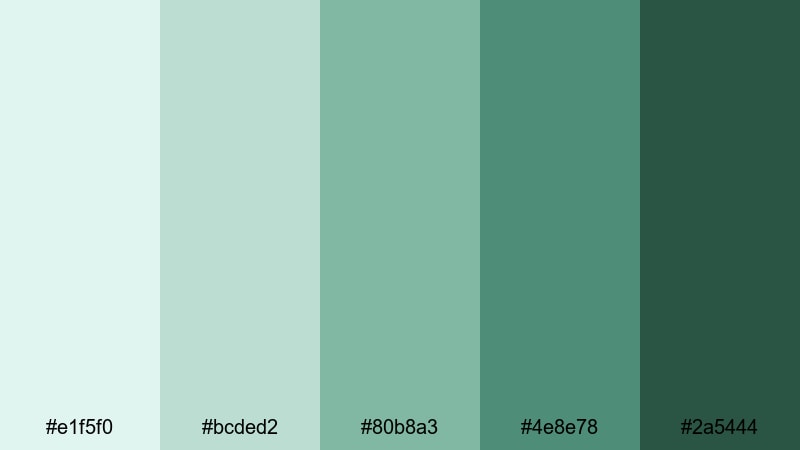
- HEX Codes: #e1f5f0, #bcded2, #80b8a3, #4e8e78, #2a5444
- Mood: peaceful, spiritual, and reflective with a touch of cool mist
- Use for: Use for travel documentaries, wellness content, and ambient b roll sequences.
Misted Temple Garden layers soft jade tones with slightly cooler greens, like stone steps and wet leaves in morning fog. The palette feels contemplative and grounded, ideal when you want to slow viewers down and invite them into the scene.
Use the lighter shades for clean text over landscape clips, and the darker #4e8e78 and #2a5444 as accents on frames, subtle borders, or logo marks. In Filmora, this palette works well for mindful travel vlogs, yoga and meditation channels, or cultural documentaries with gentle transitions and minimalistic titles.
Coastal Jade Breeze
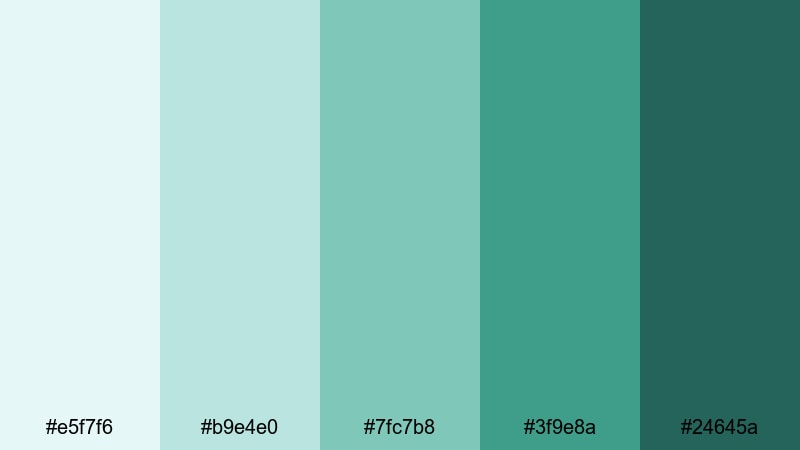
- HEX Codes: #e5f7f6, #b9e4e0, #7fc7b8, #3f9e8a, #24645a
- Mood: airy, coastal, and refreshing like sea wind over warm rocks
- Use for: Ideal for travel vlogs, ocean themed reels, and fresh summer promo edits.
Coastal Jade Breeze blends seafoam tints with deeper jade and teal, capturing the feeling of waves, sky, and weathered stone. It is light and refreshing, ideal for channels that focus on beaches, islands, sailing, or summer experiences.
In Filmora, use the pale blues and jades as backgrounds for bold white typography in thumbnails and intros. The darker #3f9e8a and #24645a can anchor call to action buttons, subscribe animations, and logo reveals so your branding remains legible even over bright, sunlit footage.
Soft Studio Succulents
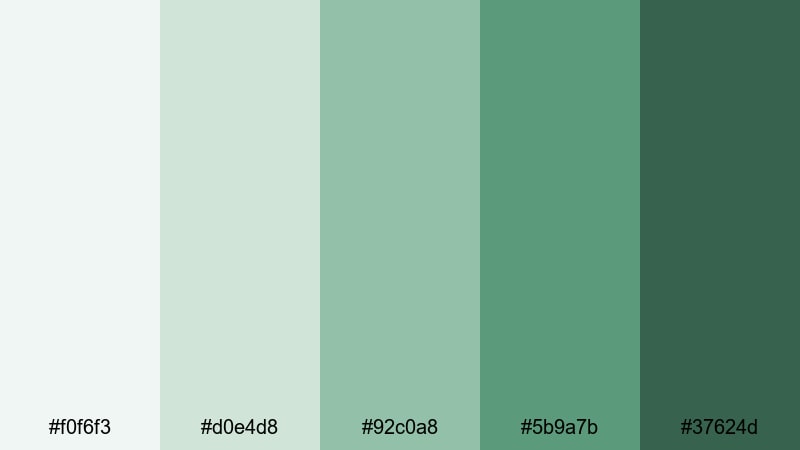
- HEX Codes: #f0f6f3, #d0e4d8, #92c0a8, #5b9a7b, #37624d
- Mood: cozy, creative, and plant filled with gentle contrast
- Use for: Perfect for desk setups, study with me videos, and aesthetic productivity content.
Soft Studio Succulents mirrors a cozy home office full of plants, books, and soft daylight. The off whites and muted jades keep visuals relaxed yet organized, which suits productivity and creative workflow content.
Apply this palette to your Filmora titles, timer overlays, and chapter cards in study with me videos. Use deeper #5b9a7b or #37624d for text and icons over pale backgrounds so your to do lists, bullet points, and timestamps stay clear on both mobile and desktop screens.
Bold & Cinematic Jade Color Palettes
Neon Night Market
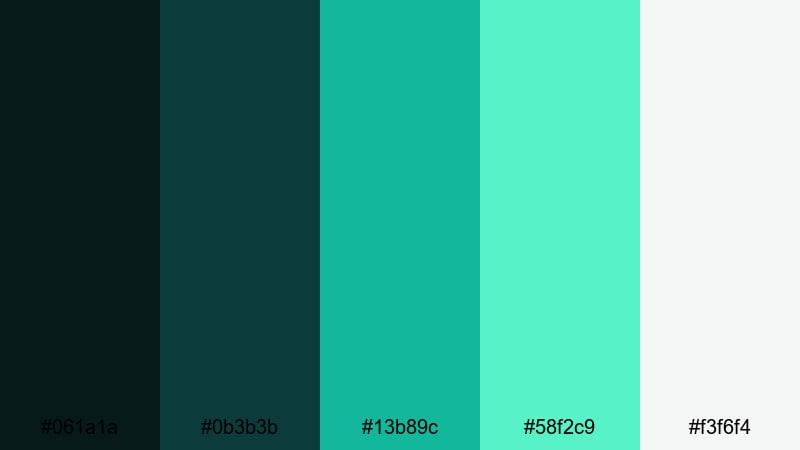
- HEX Codes: #061a1a, #0b3b3b, #13b89c, #58f2c9, #f3f6f4
- Mood: electric, urban, and high energy with strong contrast and glow
- Use for: Use for energetic travel edits, city night montages, and dynamic channel trailers.
Neon Night Market pairs deep teal shadows with punchy neon jade and mint highlights. It instantly feels like glowing signs, reflections in wet streets, and fast moving city life after dark.
Use the near black #061a1a and #0b3b3b as base for text, then add strokes or glows in #13b89c and #58f2c9 for thumbnails and title cards in Filmora. This creates standout channel trailers, city vlogs, and nightlife montages with a bold, cinematic jade energy.
Cyberpunk Rainforest
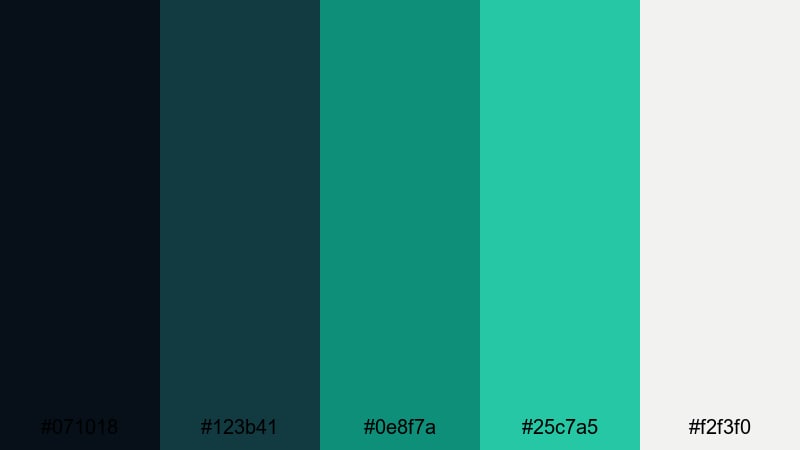
- HEX Codes: #071018, #123b41, #0e8f7a, #25c7a5, #f2f3f0
- Mood: moody, futuristic, and lush like a sci fi jungle at dusk
- Use for: Great for music videos, gaming edits, and stylized cinematic BGM compilations.
Cyberpunk Rainforest fuses inky blues with dense green shadows and sharp jade highlights, evoking neon tech hidden inside a jungle canopy. It is perfect when you want visuals that feel both organic and futuristic.
In Filmora, use the darker tones across your grade to deepen shadows, then apply #0e8f7a and #25c7a5 in HUD graphics, glitches, or audio reactive elements. This palette shines in gaming intros, synthwave tracks, and highly stylized B roll over playlists or streaming highlights.
Emerald Lens Flare
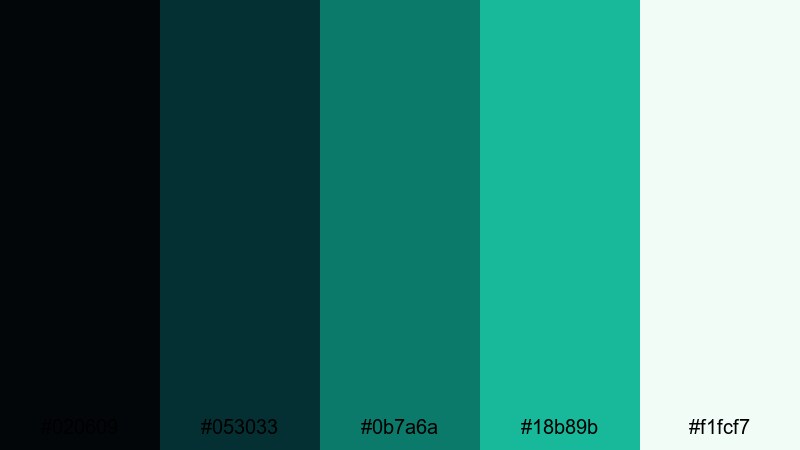
- HEX Codes: #020609, #053033, #0b7a6a, #18b89b, #f1fcf7
- Mood: dramatic, polished, and premium with a glossy cinematic finish
- Use for: Ideal for cinematic trailers, product reveals, and luxury tech promos.
Emerald Lens Flare is all about sleek contrast: rich bluish blacks, glassy jade midtones, and luminous highlights that look like light streaks across a lens. It instantly gives footage a premium, big screen mood.
In Filmora, use the darkest shades as your base for fade ins and title slates, then animate text or logos with accent colors #0b7a6a and #18b89b. This palette works well for high end gadget reviews, brand promos, or any edit where you want jade to feel expensive and refined.
Jade Dragon Fire
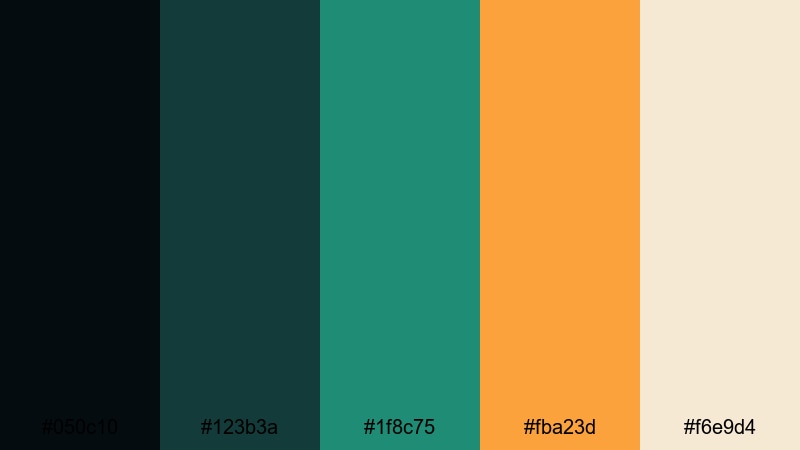
- HEX Codes: #050c10, #123b3a, #1f8c75, #fba23d, #f6e9d4
- Mood: mythic, powerful, and warm with a clash of cool jade and fire tones
- Use for: Use for action intros, fantasy edits, and dramatic storytelling thumbnails.
Jade Dragon Fire sets cool jade greens against fiery amber and soft cream, creating a striking contrast that feels mythical and intense. The mix of elements suggests battles, legends, or heroic journeys.
Use deep #050c10 and #123b3a as cinematic backdrops, then highlight weapons, logos, or key text in #1f8c75 and #fba23d. In Filmora, this palette is great for fantasy series intros, DnD recaps, martial arts content, or any project needing epic thumbnails with a strong jade signature.
Modern & Minimal Jade Color Palettes
Urban Jade Concrete
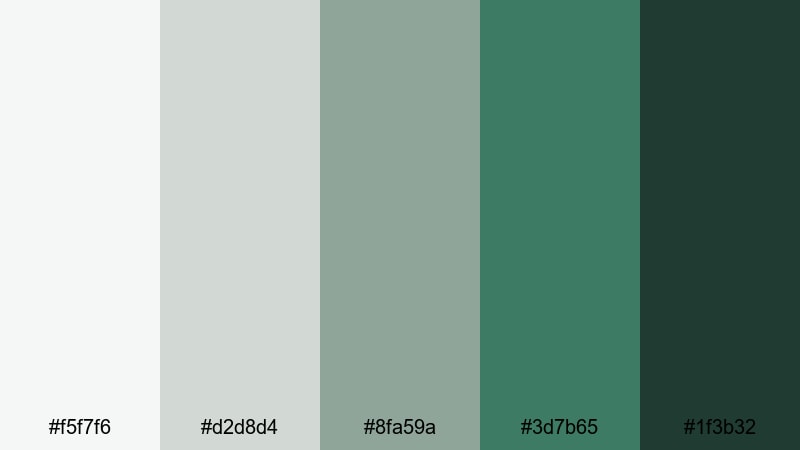
- HEX Codes: #f5f7f6, #d2d8d4, #8fa59a, #3d7b65, #1f3b32
- Mood: cool, minimal, and architectural with soft urban grit
- Use for: Perfect for tech reviews, architecture reels, and minimalist brand idents.
Urban Jade Concrete balances cool greys with structured jade greens, echoing concrete, glass, and pockets of greenery in modern cities. It feels clean and understated, with just enough color to avoid looking sterile.
In Filmora, use the light greys as neutral backgrounds for UI overlays, specs lists, and chapter titles. Bring in #3d7b65 and #1f3b32 for icons, logo marks, and call to action bars so your brand has a distinct jade accent that still fits a minimalist, tech forward look.
Clean App Interface Jade
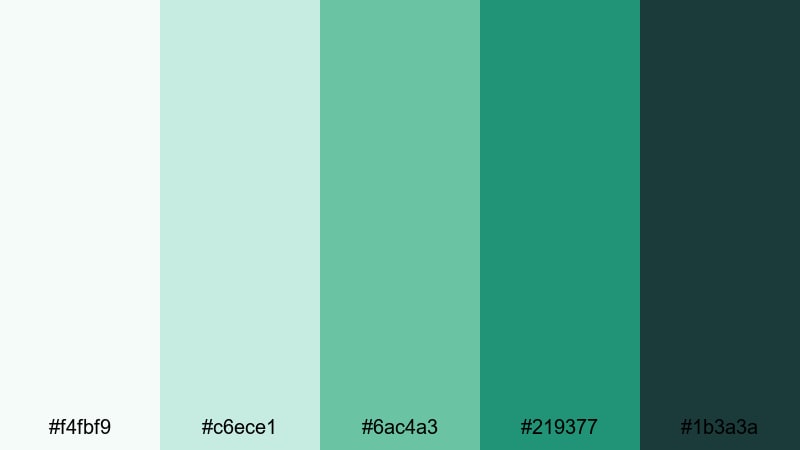
- HEX Codes: #f4fbf9, #c6ece1, #6ac4a3, #219377, #1b3a3a
- Mood: crisp, digital, and trustworthy like a polished mobile app UI
- Use for: Use for SaaS promos, UI walkthroughs, and explainer videos with screen captures.
Clean App Interface Jade is bright, airy, and optimized for readability, just like a well designed dashboard. The whites and soft jades give plenty of breathing room, while the darker tones are perfect for buttons and key interactions.
Match your in app colors to these HEX codes when designing animated mockups or screen replacements in Filmora. Use #6ac4a3 and #219377 for call to action buttons, progress bars, and highlight states so your explainer videos feel like a natural extension of your product UI.
Glassmorphism Jade UI
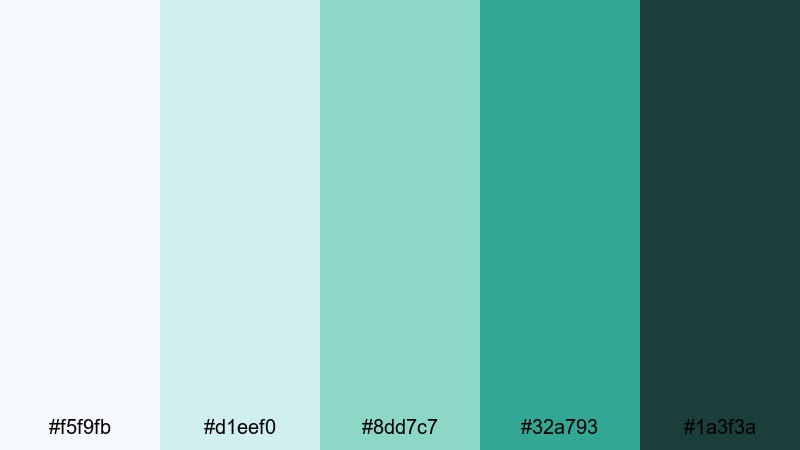
- HEX Codes: #f5f9fb, #d1eef0, #8dd7c7, #32a793, #1a3f3a
- Mood: light, translucent, and futuristic with soft gradients of jade
- Use for: Great for motion graphics, lower thirds, and overlay titles in modern edits.
Glassmorphism Jade UI mixes frosted whites with gentle teals and jade, perfect for translucent cards and floating panels. It feels modern and futuristic without being overwhelming.
In Filmora, create blur and transparency on shapes using these colors to mimic glass panels over your footage. Place key information or names on semi transparent #d1eef0 cards, and accent edges or icons with #32a793 and #1a3f3a so your overlays stay readable but never distract from the main video.
Monochrome Studio Jade
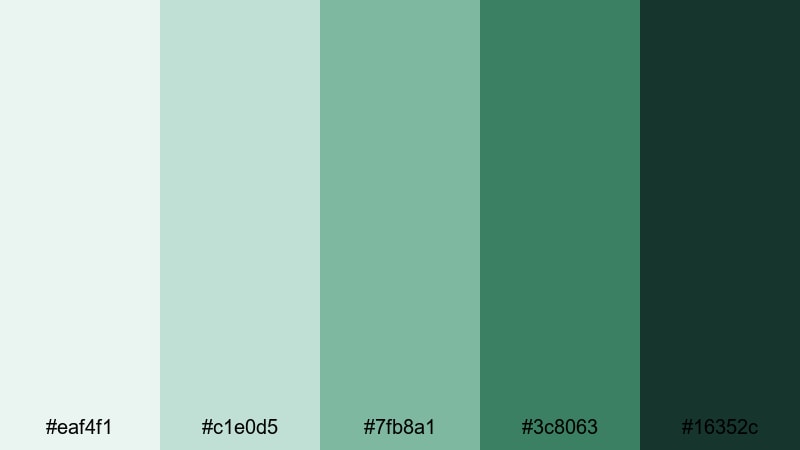
- HEX Codes: #eaf4f1, #c1e0d5, #7fb8a1, #3c8063, #16352c
- Mood: balanced, focused, and cohesive with a single hue story
- Use for: Ideal for branding packages, cohesive Instagram grids, and tutorial series.
Monochrome Studio Jade stays within one hue family, from pale misty greens to deep forest jade. This creates a highly cohesive look that is easy to recognize across platforms.
Use lighter tones for backgrounds, midtones for UI elements, and darker shades for text and logos in Filmora. Because everything is jade based, your thumbnails, video frames, and social cuts will instantly read as part of the same series or brand, ideal for tutorials, courses, and long term content projects.
Vintage & Nostalgic Jade Color Palettes
Retro Motel Pool Jade
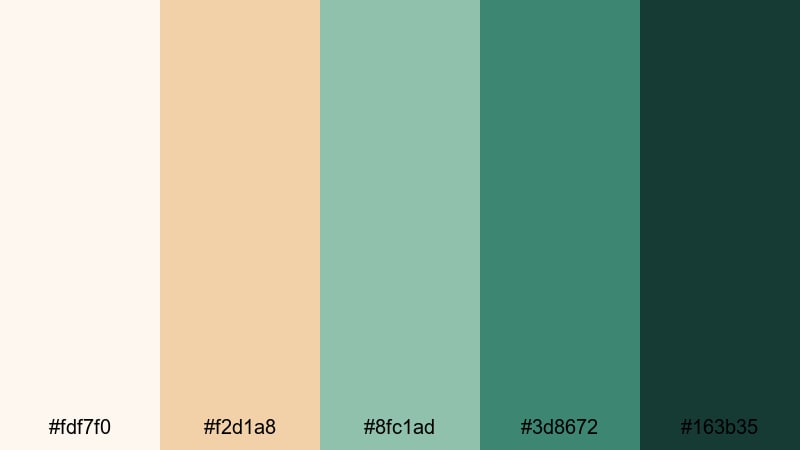
- HEX Codes: #fdf7f0, #f2d1a8, #8fc1ad, #3d8672, #163b35
- Mood: sun faded, nostalgic, and playful like an old roadside postcard
- Use for: Use for retro travel edits, summer memories, and stylized montage sequences.
Retro Motel Pool Jade combines warm creams and faded turquoise with deeper jade, echoing old postcards and slightly sun bleached motel signs. It has a nostalgic, playful quality that suits memory focused content.
Apply a light fade or film grain in Filmora, then bring in these tones for title cards, time stamps, and minimal graphic elements. The mix of warm and cool shades helps your summer vlogs, road trip recaps, and vacation montages feel like rediscovered footage from a different era.
Old Film Tea House Jade
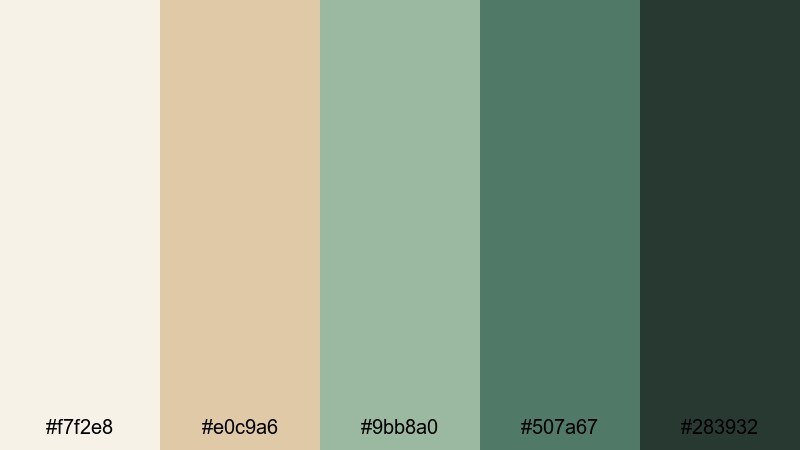
- HEX Codes: #f7f2e8, #e0c9a6, #9bb8a0, #507a67, #283932
- Mood: warm, intimate, and story rich like a scene on 16mm film
- Use for: Perfect for narrative shorts, cultural documentaries, and cozy cafe vlogs.
Old Film Tea House Jade pairs tea stained neutrals with muted jade, recalling aged film stock, quiet interiors, and handwritten letters. It feels intimate and story driven, perfect for slower, character focused content.
In Filmora, combine this palette with subtle film grain, vignette, and slower crossfades. Use the darker greens #507a67 and #283932 for subtitles or captions over warm backgrounds, and let #9bb8a0 highlight key words in your titles to keep the entire frame within this nostalgic jade world.
Seventies Jade Wallpaper
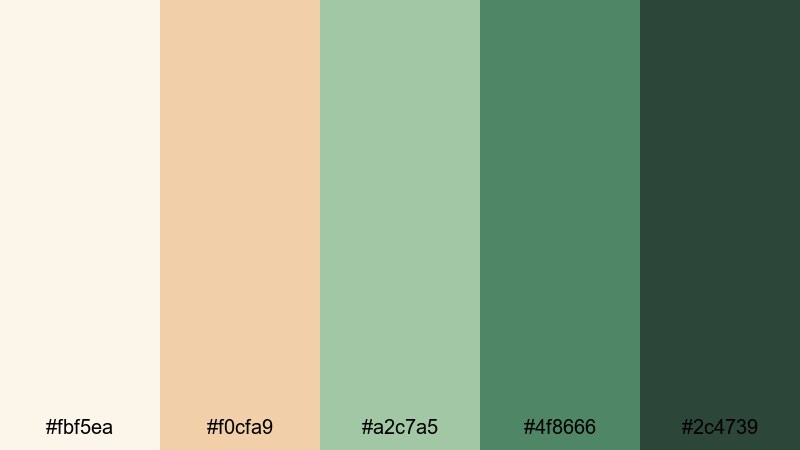
- HEX Codes: #fbf5ea, #f0cfa9, #a2c7a5, #4f8666, #2c4739
- Mood: playful, retro, and slightly funky with warm muted greens
- Use for: Great for throwback edits, fashion lookbooks, and nostalgic title cards.
Seventies Jade Wallpaper blends creamy beiges with olive tinged jade, reminiscent of patterned wallpaper, vintage furniture, and thrifted decor. It carries a fun retro energy without going neon or cartoonish.
Use this palette in Filmora for fashion lookbooks, thrift hauls, and retro themed reels. Create simple background shapes in #fbf5ea and #f0cfa9, then place bold typography and icons in #4f8666 and #2c4739 to lock in that soft seventies jade style.
Tips for Creating Jade Color Palettes
Whether you are designing from scratch or adapting the palettes above, a few practical rules will help jade look clean, cinematic, and on brand in your videos and thumbnails.
- Pair jade with soft neutrals (warm creams or cool greys) to avoid visual fatigue and give text room to breathe.
- Use darker jade tones for text only if contrast is strong; when in doubt, choose white or near white text over deep jade backgrounds.
- Limit yourself to 3–5 main colors per project so your channel thumbnails and intros stay consistent in the feed.
- In Filmora, sample jade directly from your LUTs or overlays with the eyedropper tool so titles, shapes, and lower thirds match your grade.
- Balance warm and cool supporting colors: mix jade with soft amber for nostalgic looks or with clean greys for modern tech content.
- Check how your jade palette looks on mobile by exporting a test frame or thumbnail and viewing it at small size before finalizing.
- Use subtle gradients between light and dark jade instead of harsh blocks to keep intros, end screens, and overlay cards feeling polished.
- Create reusable presets in Filmora (titles, color corrections, and filter stacks) so every new video automatically uses your chosen jade scheme.
Jade is one of the most versatile colors for creators: it can feel calming, futuristic, nostalgic, or premium depending on how you combine it. With the right palette, your thumbnails, intros, lower thirds, and color grades all work together to tell the same visual story and strengthen your brand identity.
The palettes above give you ready to use HEX codes for everything from soft lifestyle edits to bold cinematic trailers. Drop them into Filmora, experiment with AI Color Palette, HSL, and LUTs, and save your favorite combinations as presets so your jade green aesthetic stays consistent across every upload.
Take a few minutes to test two or three palettes on your existing footage, compare how they change the mood, and then commit to the one that best fits your channel. With a clear jade color scheme in place, your videos will feel more cohesive, memorable, and professional.
secure download