

 100% Security Verified | No Subscription Required | No Malware

Music Video Color often signals motion, volume, and attitude before a viewer hears a single beat. Bright neon tones can feel energetic and modern, while darker mixes create a cinematic, premium, or late-night mood that fits performance edits and artist branding.
For thumbnails, intros, lyric videos, and social promos, the right Music Video Color palette can make a project feel instantly recognizable. This guide gives creators and Filmora users Music Video Color color palettes with HEX codes, so it is easier to build bold visuals, stay on-brand, and keep every frame consistent.
In this article
Neon Stage Energy Music Video Color Palettes
Electric Bassline
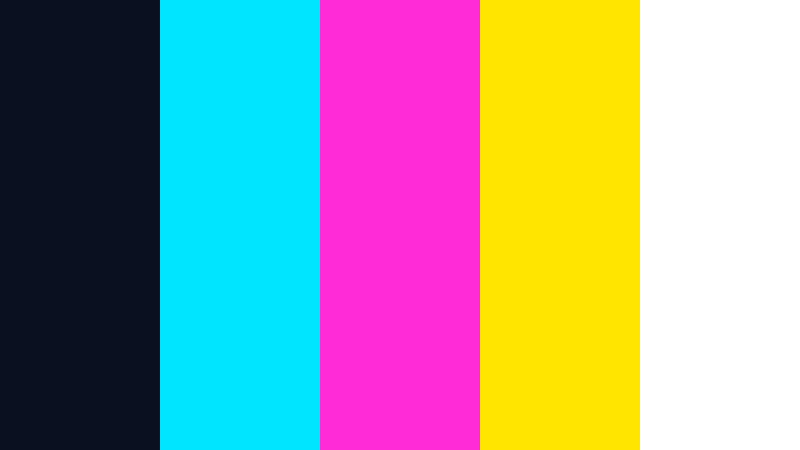
- HEX Codes: #0b1020, #00e5ff, #ff2bd6, #ffe600, #ffffff
- Mood: High energy, futuristic, and loud.
- Use for: Use this palette for music video thumbnails, lyric visuals, and bold channel intros.
Electric Bassline mixes deep night tones with striking neon accents for a fast, club ready feel. The contrast makes text, performers, and motion graphics stand out right away.
It works well for promo art, thumbnail layouts, and animated intros where you want instant attention. The dark base keeps the palette grounded while the bright accents add rhythm and impact.
Pro Tip: Build Electric Music Video Visuals In Filmora
Use this kind of neon-heavy palette to keep your intro, cutaways, and social edits aligned with the same energetic look. In Filmora, you can set the dominant blues and pinks once, then carry them through titles, overlays, and lower thirds for a unified stage style.
That makes it easier to create a strong first impression across a full release campaign. If your footage includes dark club scenes or LED lighting, matching the palette early helps every sequence feel intentional.
AI Color Palette
Filmora's AI Color Palette feature can pull these tones from a reference image or color card and apply them across your edit. That is useful when you want your thumbnail, intro, and performance cut to share the same neon energy.
You can keep the palette consistent even if the source clips were shot in different lighting conditions. This is a practical way to make a Music Video Color theme feel polished from the first frame to the final outro.
 secure download

HSL, Color Wheels & Curves
Use HSL to push the cyan and magenta tones without oversaturating skin tones, then use color wheels to keep shadows deep and highlights bright. Filmora's color grading tools help you balance the look so it stays punchy instead of washed out.
Curves can add extra contrast for LED signs, strobes, and motion graphics, which makes the palette feel more cinematic. A small boost in the midtones can also help titles and artist names read clearly over busy concert footage.
secure download1000+ Video Filters & 3D LUTs
Filmora's video filters and 3D LUTs make it easy to turn a basic cut into a high impact neon piece. A cool glow filter or a punchy contrast LUT can push this palette toward a more club ready finish.
That saves time when you need the same look across teasers, shorts, and full length edits. You can start with one strong base and quickly adapt it for different deliverables without losing the Music Video Color identity.
secure downloadStrobe Riot
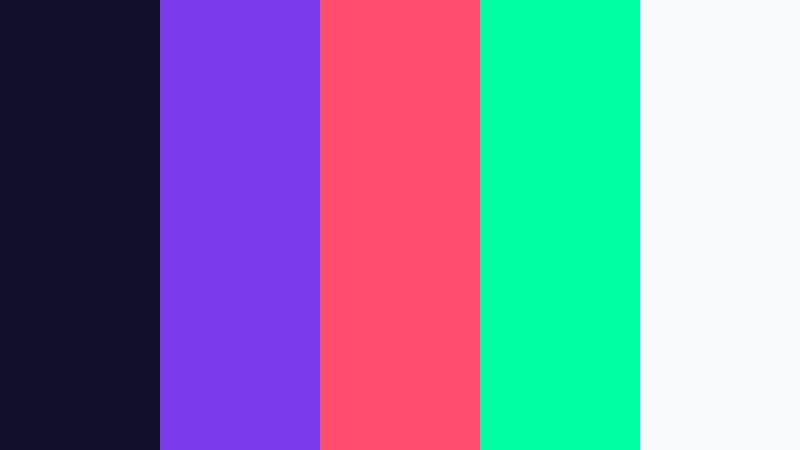
- HEX Codes: #120f2a, #7c3aed, #ff4d6d, #00ffa3, #f8fafc
- Mood: Pulsing, playful, and attention grabbing.
- Use for: Use this palette for teaser posters, performance edits, and social clips that need instant impact.
Strobe Riot combines electric purple, hot pink, and neon mint for a vivid stage look. The mix feels loud and fast, which is ideal for visuals that need to match a strong beat.
It is especially useful for teaser graphics, fan edits, and motion-heavy promos where color has to do a lot of the work. The palette keeps the frame lively without losing structure.
Laser Kicks

- HEX Codes: #08111f, #00bcd4, #2dff8f, #ffb000, #101828
- Mood: Sharp, bold, and kinetic.
- Use for: Use this palette for beat driven edits, title cards, and concert recap graphics.
Laser Kicks pairs cool cyan with electric green and warm amber for a sharp arena style contrast. The result feels quick and technical, like a light show synced to the music.
Use it for title cards, recap edits, or kinetic typography where strong color separation helps each element stay readable. It also works well when you want a futuristic edge without going fully monochrome.
Club Pulse

- HEX Codes: #1b0033, #ff00c8, #6dffea, #ff5f1f, #fef08a
- Mood: Lively, glossy, and dance floor ready.
- Use for: Use this palette for club promos, DJ visuals, and punchy playlist covers.
Club Pulse brings together vivid magenta, aqua, and citrus highlights over a deep purple base. It feels glamorous and energetic, like a packed room under moving lights.
This palette is a strong fit for DJ promos, nightlife branding, and playlist art that needs a glossy finish. It also gives thumbnails enough contrast to stay readable on mobile screens.
Dark Cinematic Music Video Color Palettes
Midnight Director
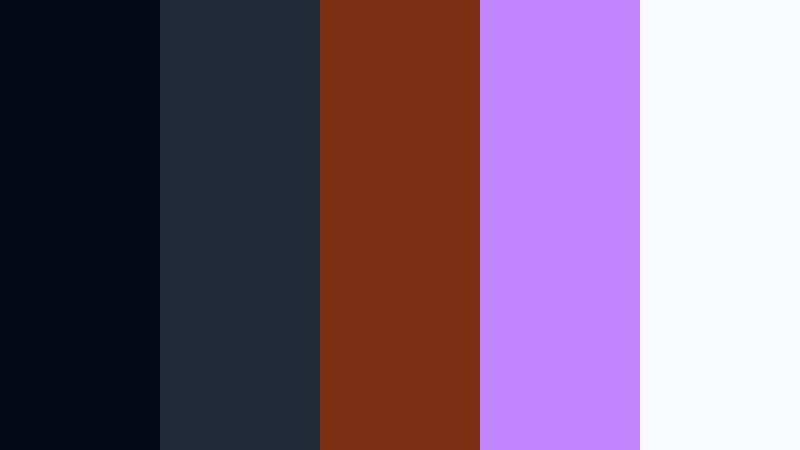
- HEX Codes: #050816, #1f2937, #7c2d12, #c084fc, #f8fafc
- Mood: Moody, polished, and cinematic.
- Use for: Use this palette for dramatic intros, artist branding, and editorial style thumbnails.
Midnight Director leans into shadowy blues, muted bronze, and a soft violet highlight. It gives footage a premium, story driven feel without becoming too heavy.
This is a strong choice for artist branding, opener sequences, and thumbnails that need a serious tone. The muted colors create space for text, portraits, and subtle lighting details.
Velvet Shadow
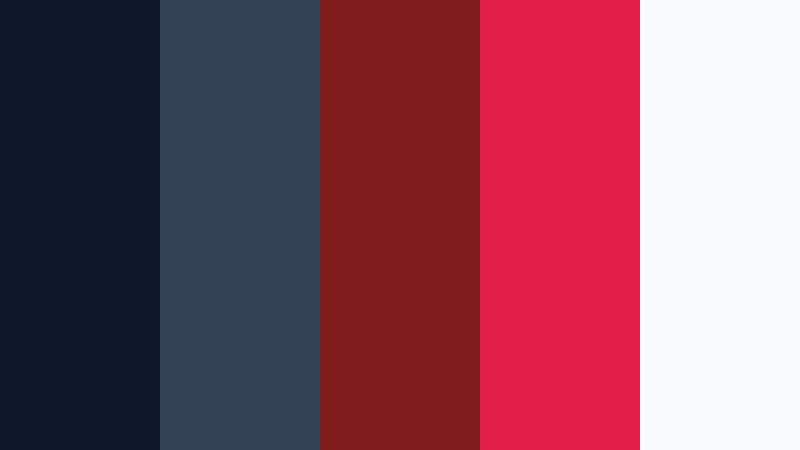
- HEX Codes: #0f172a, #334155, #7f1d1d, #e11d48, #f9fafb
- Mood: Intense, elegant, and dramatic.
- Use for: Use this palette for suspenseful music video frames, cover art, and moody title screens.
Velvet Shadow blends deep navy and charcoal with rich red accents for a sleek noir feel. It has a refined drama that works well for emotional or intense performances.
The strong contrast makes it suitable for cover art, cinematic title screens, and suspenseful edits. It can also help make facial highlights and spotlight shots feel more dramatic.
Noir Spotlight

- HEX Codes: #09090b, #27272a, #52525b, #d4d4d8, #f59e0b
- Mood: Focused, dramatic, and refined.
- Use for: Use this palette for spotlight scenes, black and white treatments, and premium lower thirds.
Noir Spotlight uses near black neutrals with a sharp amber accent to create a classic stage contrast. It feels timeless and disciplined, almost like a spotlight cutting through smoke.
Use it when you want a premium look for lower thirds, performance portraits, or black and white treatments with one bright accent. The palette keeps attention focused on the subject instead of the background.
Afterhours Frame

- HEX Codes: #111827, #0f766e, #1d4ed8, #9333ea, #e5e7eb
- Mood: Cool, sleek, and late night.
- Use for: Use this palette for recap videos, channel banners, and polished motion graphics.
Afterhours Frame pairs deep slate with teal, blue, and violet for a clean modern look. It has a late-night polish that feels stylish without being too flashy.
It is a good option for recap videos, channel banners, and motion graphics that need a cool, professional edge. The palette also works well for subtle gradients and overlay text.
Pop Performance Music Video Color Palettes
Candy Hook
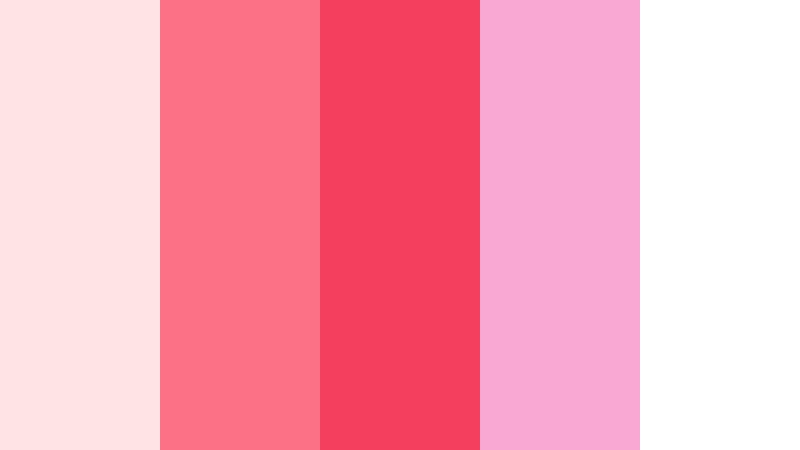
- HEX Codes: #ffe4e6, #fb7185, #f43f5e, #f9a8d4, #ffffff
- Mood: Sweet, catchy, and bright.
- Use for: Use this palette for pop singles, dance covers, and upbeat promotional graphics.
Candy Hook delivers sugary pink tones with a crisp white base for a playful pop look. It feels clean, catchy, and easy to recognize at a glance.
This palette is ideal for pop singles, dance covers, and promotional graphics that should feel youthful. It also works nicely for social thumbnails where a bright, friendly tone helps boost clicks.
Bubblegum Chorus

- HEX Codes: #fce7f3, #f472b6, #c084fc, #60a5fa, #fff7ed
- Mood: Fun, airy, and radio ready.
- Use for: Use this palette for lyric videos, fan edits, and colorful social media posts.
Bubblegum Chorus mixes pastel pink with lavender and sky blue for a soft pop finish. It feels airy and approachable, which makes it great for lighter content.
Use it for lyric videos, fan edits, and social posts when you want color without harsh contrast. The palette gives your design a cheerful, radio ready personality.
Summer Dancefloor

- HEX Codes: #fff1c1, #ff9f1c, #ff6b6b, #2ec4b6, #1f2937
- Mood: Radiant, energetic, and festival ready.
- Use for: Use this palette for summer releases, playlist art, and lively promo reels.
Summer Dancefloor combines sunshine yellow, coral, and teal for a bright performance vibe. It feels warm and active, like a live show during peak festival season.
This palette is a strong fit for summer releases, playlist art, and promo reels that need movement and optimism. The darker anchor color helps keep the brighter tones from overwhelming the layout.
Hype Countdown

- HEX Codes: #f8fafc, #111827, #2563eb, #22c55e, #f97316
- Mood: Confident, punchy, and modern.
- Use for: Use this palette for countdown graphics, premiere cards, and bold call to action panels.
Hype Countdown uses crisp neutrals with primary color hits for a clean, high impact style. It feels direct and structured, which is useful when the message needs to land fast.
Use it for countdown graphics, premiere cards, and call to action panels where readability matters. The simple balance between dark, light, and bright accents keeps the design sharp.
Soft Dreamscape Music Video Color Palettes
Moonlit Reverb

- HEX Codes: #f5f3ff, #c4b5fd, #818cf8, #38bdf8, #0f172a
- Mood: Dreamy, calm, and atmospheric.
- Use for: Use this palette for ambient visuals, chill music edits, and gentle channel art.
Moonlit Reverb moves from pale lavender to deep night blue with a soft glowing finish. It feels calm and spacious, like light drifting through a quiet room.
It works well for ambient visuals, chill edits, and channel art that needs a relaxed atmosphere. The gentle gradient also helps lyric overlays and subtle transitions feel smoother.
Pastel Echo
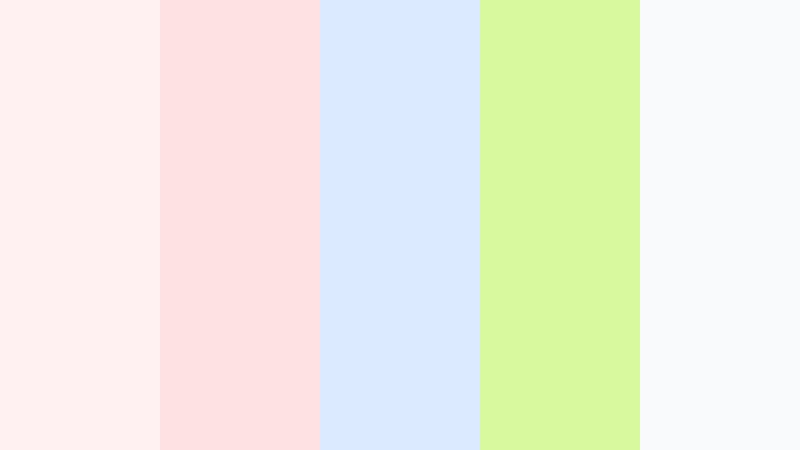
- HEX Codes: #fff1f2, #fde2e4, #dbeafe, #d9f99d, #f8fafc
- Mood: Light, airy, and soothing.
- Use for: Use this palette for soft intros, beauty content, and delicate motion overlays.
Pastel Echo combines blush, sky tint, and fresh green for a gentle modern pastel look. It has a soft, inviting tone that feels clean and easy on the eye.
This palette is a good match for beauty content, soft intros, and delicate motion overlays. It can also make lifestyle edits and lower thirds feel fresh without appearing too busy.
Hazy Outro

- HEX Codes: #fef3c7, #fed7aa, #fecaca, #bae6fd, #374151
- Mood: Warm, nostalgic, and soft focus.
- Use for: Use this palette for sunset edits, reflective endings, and sentimental recap videos.
Hazy Outro blends sunlit peach, faded rose, and pale blue for a mellow closing scene. It feels reflective and warm, like the last light before evening.
Use it for sunset edits, sentimental recaps, and closing moments that need a soft emotional finish. The muted contrast makes it easy to layer text or memory-style footage without harsh edges.
Tips for Creating Music Video Color Color Palettes
Strong Music Video Color palettes work best when they balance energy with readability. Pair one dominant tone with one or two accent colors, then test the mix on thumbnails, titles, and short-form clips to make sure the design still feels clear on small screens.
- Use dark bases with neon accents when you want a club or stage look.
- Keep text high contrast so titles stay readable over fast footage.
- Match the palette to the mood of the song, not just the genre.
- Limit saturated colors if the footage already has strong lighting.
- Reuse the same accents across thumbnails, intros, and end screens for branding consistency.
- Test colors on both mobile and desktop to check clarity.
- Use warmer highlights for emotional songs and cooler tones for sleek or futuristic edits.
- When in doubt, add neutrals so bright colors have room to breathe.
Music Video Color palettes can shape how a project feels before the viewer even presses play. Whether you want bold neon impact, cinematic shadows, or soft dreamlike tones, the right combination can define your mood and strengthen your brand identity.
Use these palettes as a starting point, then refine them to fit your footage, artist style, and platform. Filmora gives you the tools to keep the look consistent across intros, edits, and social cuts.
Try a few different combinations, compare them on your actual clips, and build a system that matches your creative voice. Small color choices can make a big difference in how polished and memorable your final video feels.
secure download